
The calmest place to shape your story
A screenplay outline template
made of cards you can move.
Acts as columns, one card per scene, and the character arcs and setups beside them. The AI lays out a first outline from your logline, and you drag the cards until the film works.


Creatives working for these brands already got early access
- Red Bull
- Canon
- Artlist
- Porsche
See how easy it is to get started
Watch a real project come together, from a blank board to a finished plan, clicked through step by step.
Start from a ready-made template
Pick a board to see what you can build, then let AI fill it in. Every template is a real, editable starting point on the same infinite canvas.

Story Plan
Outline your plot, characters, and world in one connected view, then expand each thread as the story grows.
What is a screenplay outline template, and how do you use one?
A screenplay outline template is a structure you hang scenes on before writing pages. Storyflow is an AI visual workspace that lays out the screenplay outline on one infinite canvas: acts as columns, each scene a card you drag, the character arcs and setups beside them, and a first outline its AI drafts from your logline for you to rework. It is a canvas rather than a form. The acts, the turns and a slot for every scene stay visible in one sitting, which is what an outline is for.
Outlining matters because of cost. A scene in the wrong place costs a drag on a card, an afternoon in a draft, and a rewrite once forty pages depend on it. The structural failures that sink features, an act two with no escalation, a protagonist who stops choosing at the midpoint, a climax the setups never earned, are visible in an outline and invisible on page one.
In practice the template is a set of act columns, each with a rough page budget written at the top. In a 110-page feature, act one runs to about page 25 to 30, the midpoint lands near 55, and act two breaks around 85 to 90. Each scene card carries its goal, conflict and outcome, and lines join setups to payoffs, so an act that outruns its budget, or a plant with nothing attached, shows before a page is written.
Two honest limits. Storyflow does not ship Save the Cat or Story Circle marker sets: name the structure you work in and the AI's story outline workflow lays your story out one wall per beat instead. And it does not format pages. Outline here, write the draft in Final Draft, WriterDuet, Arc Studio or Fade In, and keep the board open as the map.
Ultra fast from brief to board
From a logline to a broken story, in four steps.
No template to download. Describe the film and start moving cards.
01
Open a canvas
It runs in your browser, with nothing to install. Your outline board opens with room for the whole film.
02
Set up the acts
Make a wall per act, or eight for the sequence method, or ask the AI to lay out a first outline from your logline in the structure you name.
03
Break the story on cards
One card per scene with a goal, a conflict and an outcome. Drag cards between acts until the escalation works, and draw a line from each setup to its payoff.
04
Take it to pages
Draft scenes in a Doc beside the board, export the outline as an image or PDF for a producer, and write the formatted script in your screenwriting app.
An outline template made of things you can move.
Acts, scenes, arcs and references on one canvas, with an AI that has read them.

Acts as columns, scenes as cards
Reordering is where the film gets broken
Screenwriters have always done this with index cards and a wall, because the job is arrangement. Pull the reveal ten pages earlier with a drag and see what it does to the middle before you rewrite anything.
Explore the scene card organizer →
A first pass from your logline
Start from a draft outline, not a blank page
Give the AI the logline, the genre and the length. Its story outline workflow lays the story out one wall per beat, each with what happens, what it costs the character and what it sets up.
See the AI story outline generator →
Arcs and setups beside the outline
Check the arc against the plot
Put the protagonist's arc beside the acts and draw a line from every setup to its payoff, so a turn with no cause or a plant with no payoff stands out.
See the character arc tracker →
Beat sheet, outline, treatment
Every stage of the document in one place
Keep the beat sheet, the scene outline and the treatment draft side by side, and ask the AI for a treatment PDF when a producer asks for one.
See the film treatment template →Unlimited outlines. No card limit.
Open a canvas, set up the acts and start breaking the story. Storyflow is paid-only during early access, with plans from $7.99 a month billed annually ($9.99 monthly). A free plan launches before the end of 2026, and anyone a paid member invites to a board joins free.
Unlimited outline boards on an infinite canvas
AI outlines, story plans and story maps from a logline
Docs for scene drafts that export to Word or PDF
View-only links for a writing partner or a producer
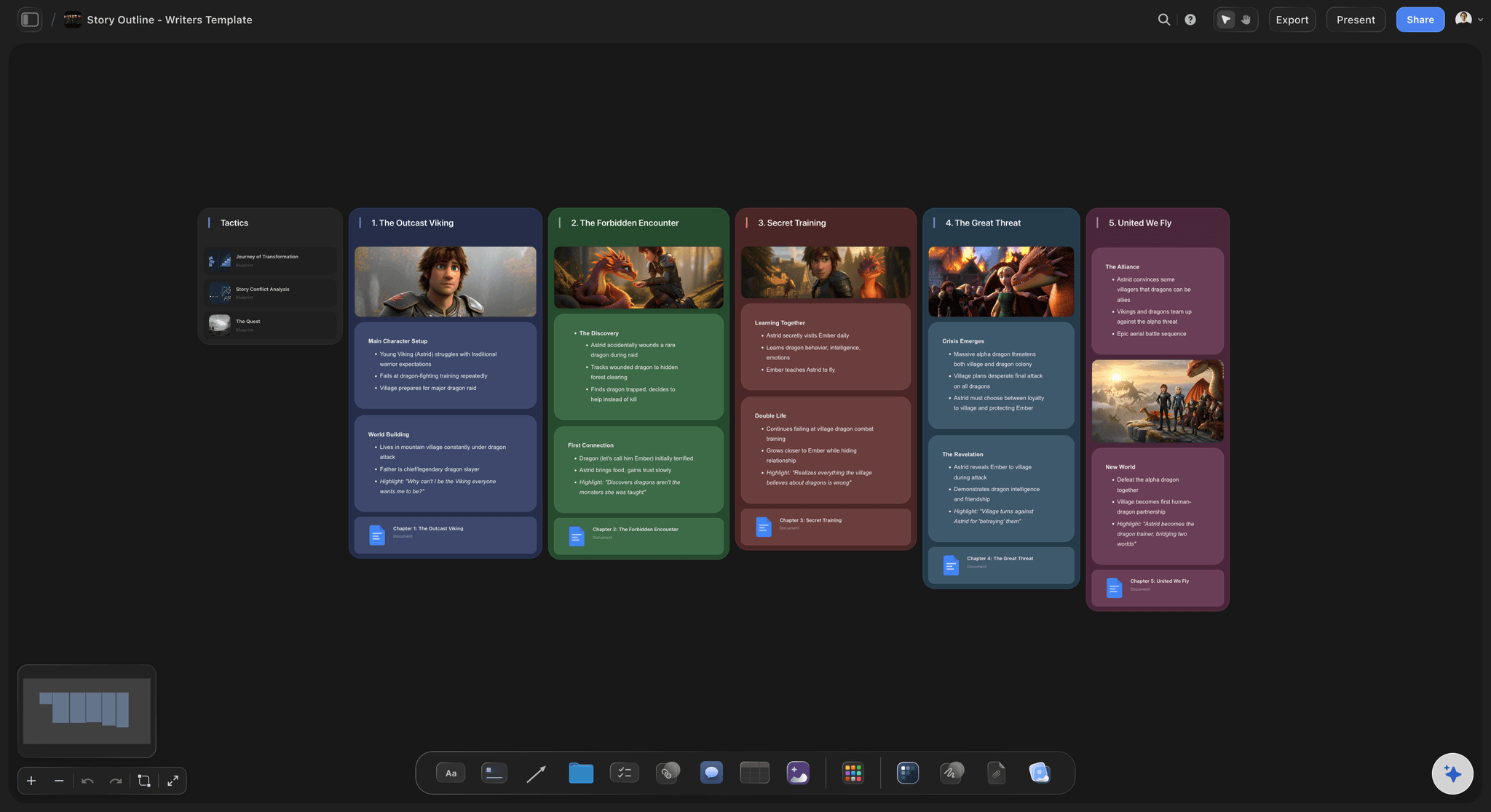
Built for people with taste
More than a list of beats in a document.
A document shows you one page. Structural problems in a feature only appear when all 110 pages are visible at once.
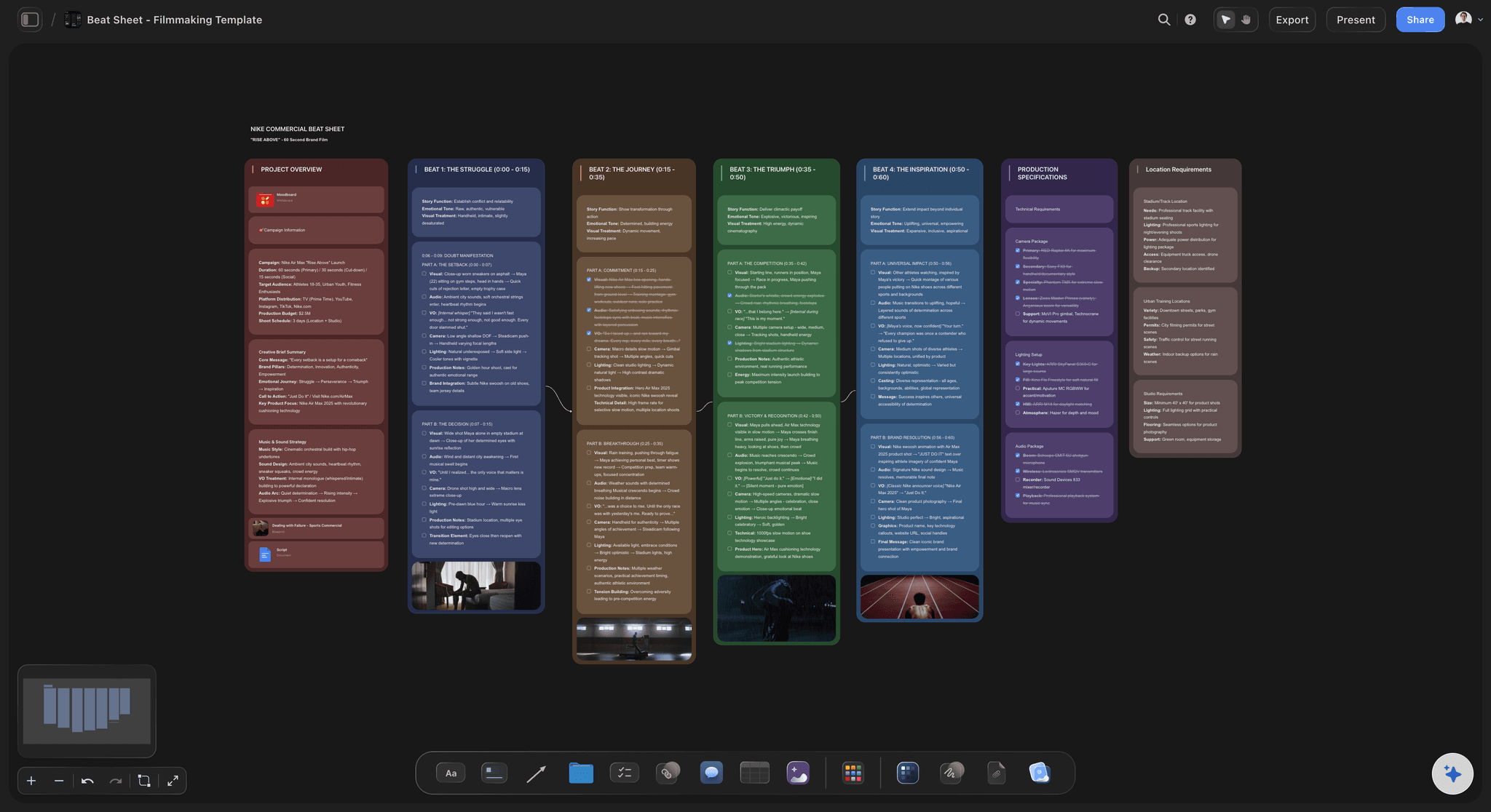
Three acts, eight sequences, or your own
The structures screenwriters actually use
Three acts with two breaks and a midpoint: The most general structure and the hardest to misuse. Act one ends when the protagonist commits, around page 25 to 30, the midpoint near 55 turns the situation, and act two breaks around 85 to 90.
Save the Cat's fifteen beats: Blake Snyder's checklist for a 110-page feature, useful because its page targets make lateness measurable. Storyflow has no built-in marker set for it, so ask the AI to lay your story against it.
The sequence method: Eight units of ten to fifteen pages, each with its own goal, complication and resolution. It is the best cure for a sagging middle, because each sequence has to work on its own.
Story Circle, or your own shape: Dan Harmon's eight steps suit transformation stories. Name any structure and the AI lays it out as walls, or ignore them all and work on a blank corkboard.
Page targets you keep in view
See act two running long before you write it
A page estimate on every card: Write an estimate on each scene card, one to three pages is typical, and total each act as you go. An act one that has grown to forty pages shows up here first.
Mark the turns: Put the act breaks and the midpoint on the canvas as headings. When the midpoint has slid to page seventy, you can see it, which is the reason page targets exist.
Balance by dragging, not rewriting: Move a scene from act two into act one and both columns change in front of you. Testing an arrangement costs a drag, so you test far more of them.
Colour by storyline: One colour per storyline, the old corkboard trick. A long stretch of a single colour is a stretch where another thread has gone missing.
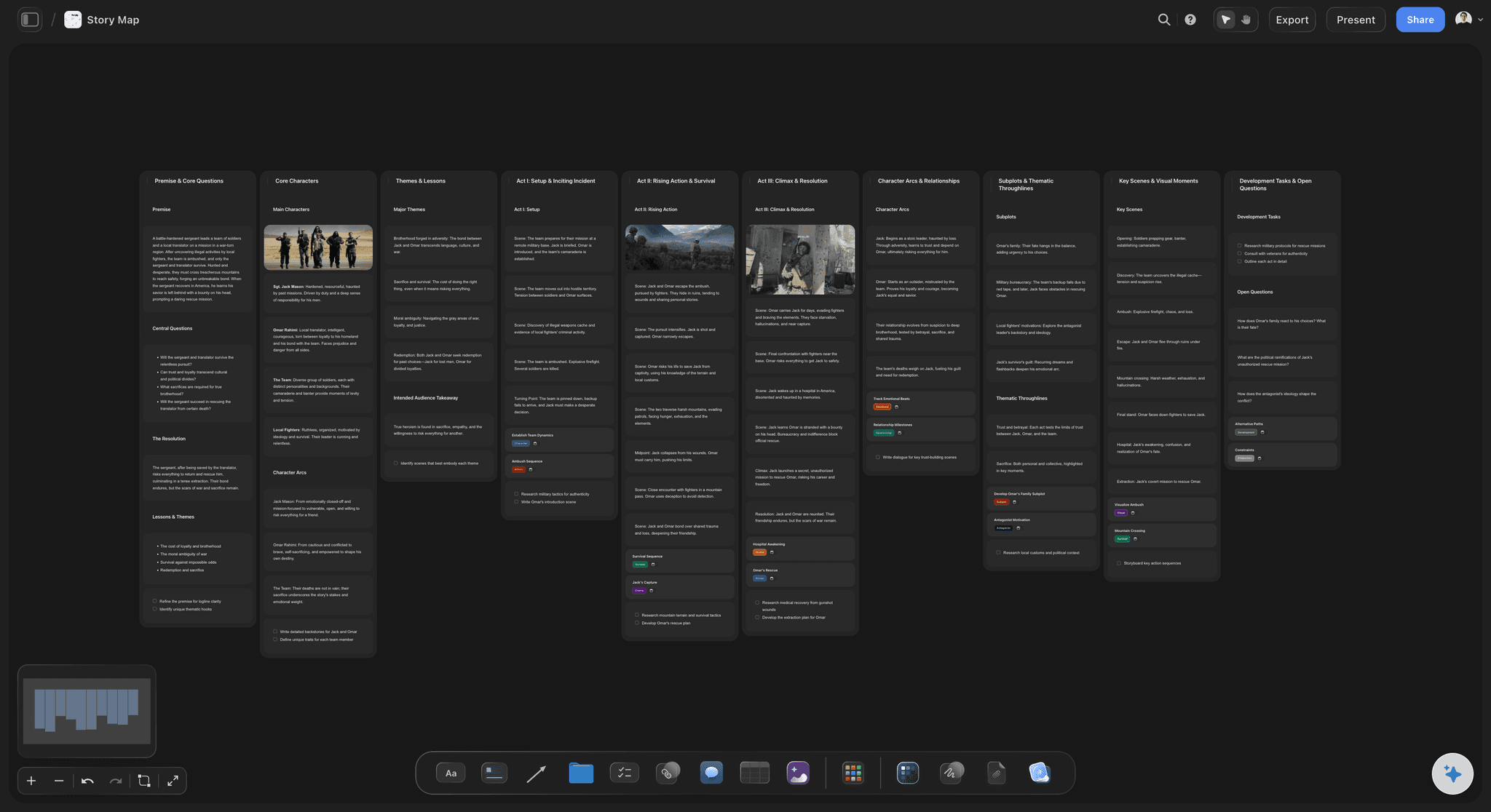
AI that has read the logline and the board
Outline with an AI that knows the film
A first pass from your logline: Type the logline, the genre and the length you are aiming at, and the AI lays out an outline one wall per beat. Everything on it is yours to tear up.
Check your outline against a structure: Break the story your own way first, then ask the AI to lay your cards against a structure and tell you which beats have nothing in them.
It structures, you write: No template writes a screenplay. The AI helps you see and arrange the story, every edit has one-click Undo, and what the film is stays with you.
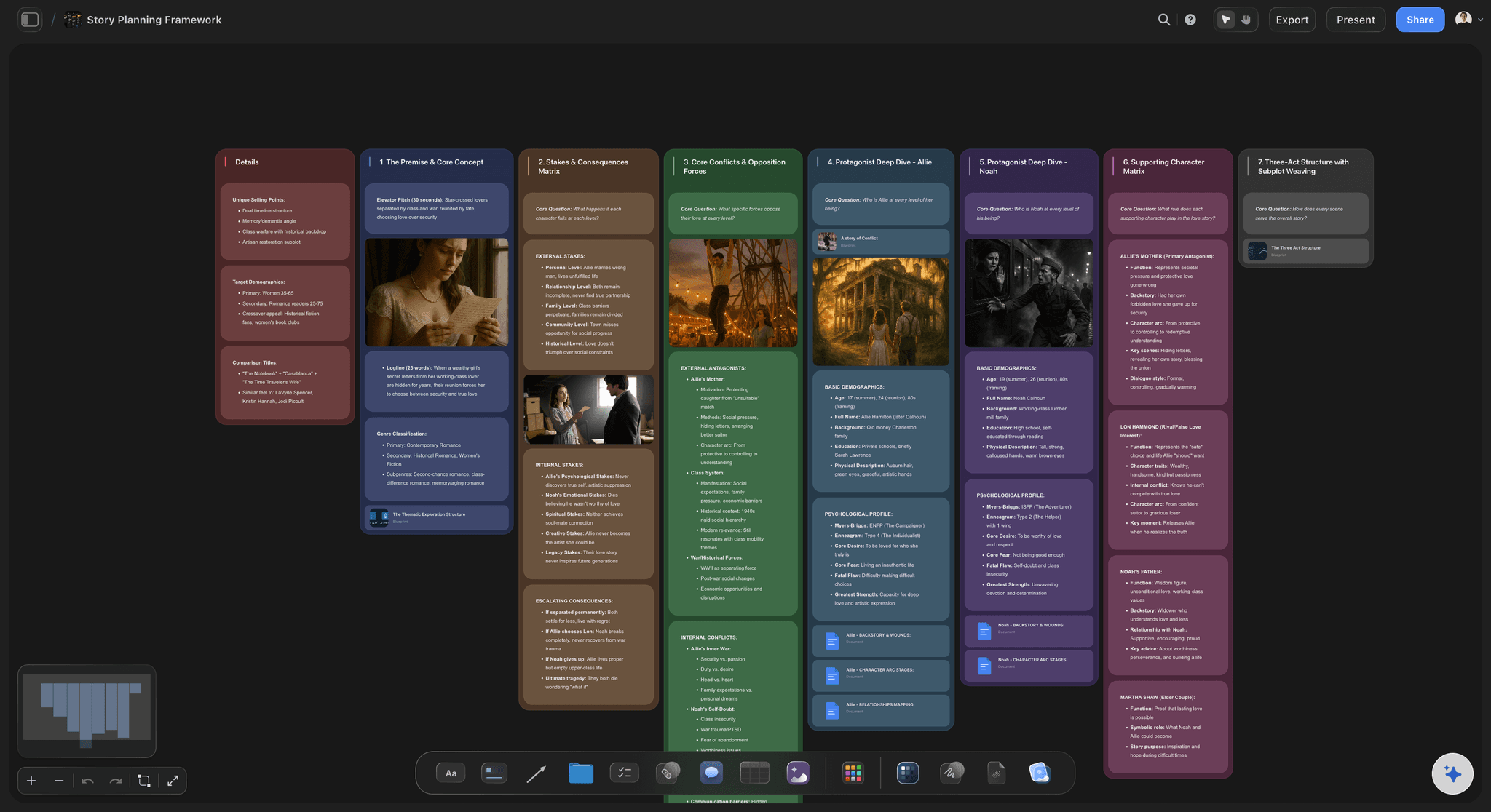
Writing partner, manager, producer
Hand the structure over before the draft
View-only links: They open the whole outline in a browser with no account and see the latest version when they open or reload it. A structural note on an outline arrives months before one on a draft.
Break the story together: A co-writer edits the same board in real time, so a shared feature has one outline rather than two sets of notes to reconcile.
Export for a meeting: Export the board as an image or PDF for a general or a development meeting. It reads better than a beat list pasted into an email.
Explore templates for your project
Every template opens as a real, editable board on the infinite canvas. Pick the closest fit and make it your own.
Story Plan
Outline your plot, characters, and world in one connected view, then expand each thread as the story grows.
One app instead of five
Storyflow vs Final Draft, Scrivener and index cards.
Final Draft owns industry-standard formatting and ships Save the Cat beats on its Beat Board, and Scrivener formats pages beside its corkboard. Storyflow is the outlining layer that comes before the pages.
Storyflow
Recommended
Scene cards you drag between acts
AI lays out a first outline from a logline
A link a producer opens with no account
Real-time editing with a co-writer
Save the Cat beats built in
Formats the screenplay pages
Final Draft
Scene cards you drag between acts
AI lays out a first outline from a logline
A link a producer opens with no account
Real-time editing with a co-writer
Save the Cat beats built in
Formats the screenplay pages
Scrivener
Scene cards you drag between acts
AI lays out a first outline from a logline
A link a producer opens with no account
Real-time editing with a co-writer
Save the Cat beats built in
Formats the screenplay pages
Index cards
Scene cards you drag between acts
AI lays out a first outline from a logline
A link a producer opens with no account
Real-time editing with a co-writer
Save the Cat beats built in
Formats the screenplay pages
What creators are saying
Join early creators getting structured workspaces and AI that remembers their projects
“Storyflow has sped up my workflow by at least 3x, which means more flow state and more projects I can actually ship. It truly changed the way me and my team create.”

Reilin Joey
Director & YouTuber
“One prompt gets me a structured board. But the tactics are my favorite. I run my YouTube scripts through them and my intros and retention got better. It's amazing.”

Justkay
YouTuber & Freelance Filmmaker
“I used to juggle five apps to plan a project. Now I describe what I am making and get boards, lists, and a schedule. All in one place.”

George
@fernwehchronicles
Screenplay outlining questions, answered.
What goes in an outline, which structure to use, how long it should be, and what you still need Final Draft for.
Storyflow's is built for breaking the story rather than filling in a form: acts are columns, each scene is a card you drag, the arcs and setups sit beside them, and an AI lays out a first outline from your logline. If you want Save the Cat's beats pre-drawn, Final Draft's structure templates and the Save the Cat software ship them. If you want a free one-page outline today, a document template works. None of them writes the film.
A screenplay outline is a scene-by-scene map of a feature written before the pages. Each entry names the scene, whose scene it is, what that character wants, what stands in the way and how the scene changes the situation. Laid end to end, the entries show the film's chain of cause and effect and where the acts turn, so a passive protagonist or an unearned climax shows while it is cheap to fix.
Start with the logline, because every scene has to serve it. Write one card per scene with a goal, a conflict and an outcome, and lay the cards in the order an audience meets them. Group them into three acts and mark the two act breaks and the midpoint. Read the spine for cause and effect, run the protagonist's arc underneath, and connect every setup to its payoff.
Most feature outlines run 40 to 60 scene cards, roughly one card per two pages of a 110-page script, or five to fifteen pages as a document. A beat sheet is shorter: one or two pages and around fifteen beats. Two signals are reliable. Fewer than about 30 cards usually means whole sequences are still vague, and more than about 80 means you are writing the script in miniature.
Length, detail and reader. A beat sheet is one or two pages naming the major turns, often against page targets. An outline is the working document, 40 to 60 scene entries, written for you and your collaborators. A treatment is the presentation version: present-tense prose that reads like the film, written for producers and financiers. Most writers go beat sheet, outline, script, and write a treatment when someone asks for one.
A step outline is a scene-by-scene outline in which each scene is a numbered step: one or two sentences on what happens and how the situation turns, with no dialogue. In Storyflow each step is a card in its act column, so steps reorder with a drag and a step that changes nothing stands out. Ask the AI for a story outline from your logline and it lays out a first pass for you to rework.
Not as built-in markers. Storyflow has no Save the Cat or Story Circle marker sets. Name the structure you work in and the AI's story outline workflow lays your story out against it, one wall per beat, which you then fill, move or ignore. If you want those beats pre-drawn, Final Draft's structure templates and the Save the Cat software ship them.
Whichever makes your film easier to see. Three acts is the most general and the hardest to misuse, so it is the safe default. Save the Cat's fifteen beats with page targets suit commercial genre features. The sequence method, eight units of ten to fifteen pages, is the best cure for a sagging middle. Story Circle suits transformation stories. Laying two over the same cards shows what each one misses.
Usually outline first. Filling a template from empty tends to produce a film that obeys the template and means nothing, because you invent a catalyst to fill the catalyst slot. Break the story your own way, lay the cards out, then check them against a template to find what is missing. A beat with nothing near it is a real question; a beat invented to satisfy the template is usually the scene a reader calls generic.
In a 110-page feature, act one usually ends between page 25 and 30, when the protagonist commits and cannot go back. The midpoint sits near page 55 and flips the situation, raises the stakes, or turns a false victory into a real problem. The second act break lands around page 85 to 90, after the lowest point. Treat these as gravity rather than law: a 40-page act one is allowed, but worth knowing about.
That is not what it is for. The AI works on structure: it lays out a first outline from your logline in the structure you name, suggests what might happen between two scenes when you are stuck, and checks your cards against a structure to show which beats are empty. Because it reads the whole board, its suggestions fit the film in front of it. Every edit has one-click Undo, and the scenes and the voice stay yours.
No. Storyflow is paid-only during early access, with plans from $7.99 a month billed annually ($9.99 monthly). A free plan launches before the end of 2026, and anyone a paid member invites to a board joins free, so a writing partner can join without paying. If you need a free option today, a stack of index cards and a wall is still the most reliable way to break a feature.
More from Storyflow
Screenwriting software
For screenwriters
Beat sheet template
Save the Cat beat sheet
Three-act structure template
Story circle template
Scene card organizer
Episode outline template
Film treatment template
AI logline generator
Final Draft alternative
Beat board
Best screenplay outlining tools in 2026
What screenwriters do before page one
Micro drama script
Script coverage template
Script breakdown with ChatGPT
Break the story while it is still cheap to change.
Open a canvas, give the AI your logline, and move the cards until the structure holds. Nothing to install.