
The calmest place to shape your story
Outline a story with Claude
on a board you can rearrange.
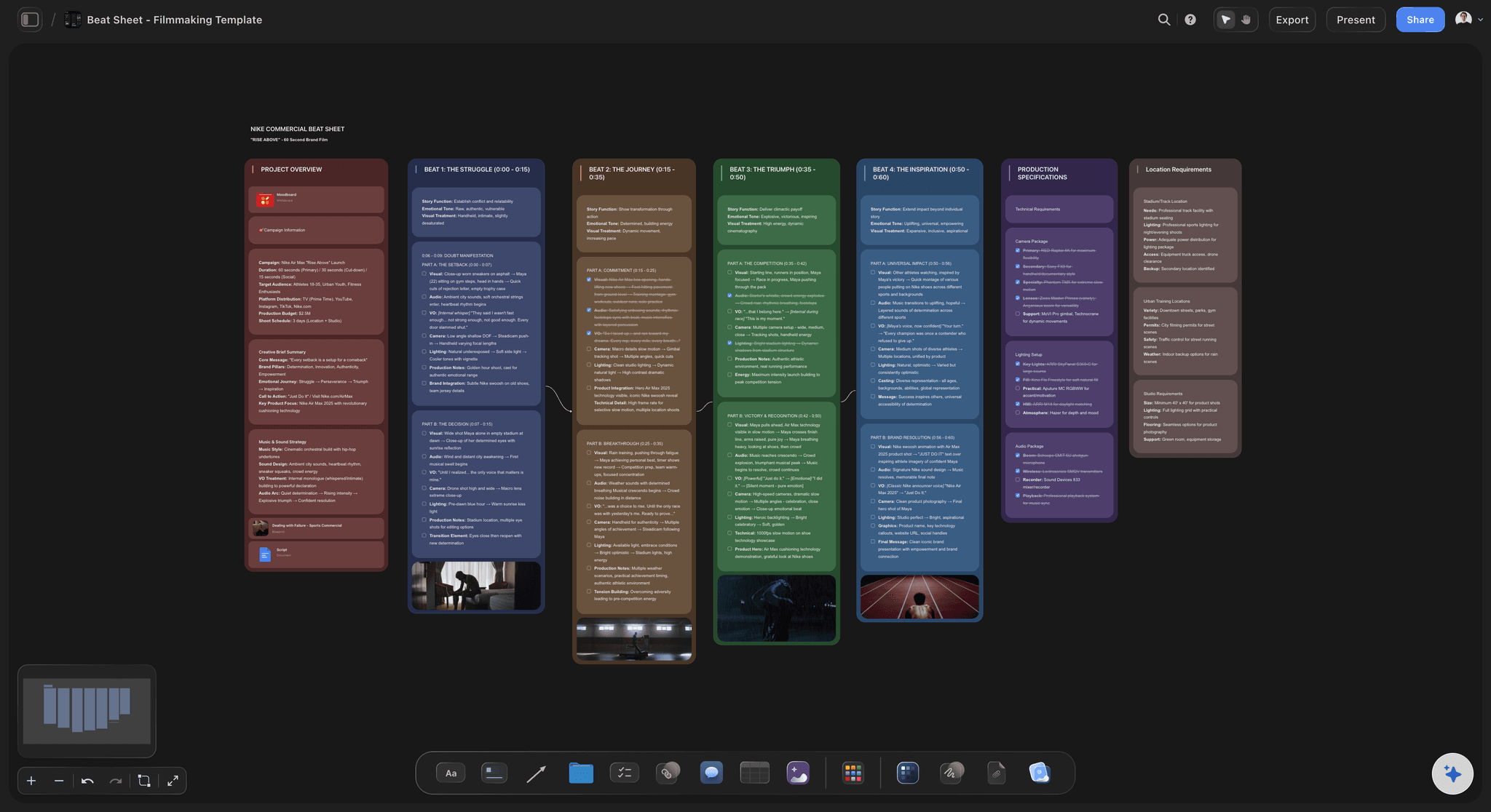
For screenwriters and novelists: tell Claude the premise and it builds the acts, the beats, the character web and the chapter notes on a Storyflow board.


Creatives working for these brands already got early access
- Red Bull
- Canon
- Artlist
- Porsche
See how easy it is to get started
Watch a real project come together, from a blank board to a finished plan, clicked through step by step.
Start from a ready-made template
Pick a board to see what you can build, then let AI fill it in. Every template is a real, editable starting point on the same infinite canvas.

Story Plan
Outline your plot, characters, and world in one connected view, then expand each thread as the story grows.
Can Claude outline a story?
Yes, Claude can outline a story from a premise, with acts, turning points and a beat for every scene, but on its own that outline is a long answer in a chat that you cannot rearrange, and every change means asking for the whole thing again. Storyflow is an AI visual workspace that holds a story outline on one infinite canvas: a column for each act, a card for each beat, a web of the characters and a document for every chapter or sequence. Connected to Storyflow, Claude builds that outline on your board itself and reads it again whenever you ask what is missing, on its own model, so it costs you no Storyflow AI credits.
With nothing connected, Claude is already a useful first reader. Give it a premise and it offers three ways the story could go, names a midpoint, asks what your lead wants and what she is afraid of, and points out that nothing pushes back in the second act. It is patient at two in the morning. What it hands back is paragraphs. Move one beat and you ask for the outline again, and the new version quietly changes four things you liked. After a week of chats there are six outlines and no single story.
Connect Claude to Storyflow and the outline becomes something you can move. If the idea is still loose, Claude first lays it out as a mind map: the premise in the centre and up to 60 short branches. Then it builds a column for each act with a card for each beat, in story order. It draws the characters as a diagram, with a card for each person and an arrow for each tie, and a word or two on the arrow ("owes", "sister", "betrays"). And it starts a document for each chapter or sequence, adding a section whenever you ask. Change your mind about one beat and Claude edits that card, or moves it to another act, and leaves the rest alone.
A worked example you can copy without signing up. A 100-page thriller in three acts, planned as 40 beats. Act one is 25 pages and 10 beats, and it ends when the lead takes the case she swore she would not take. Act two is 50 pages and 20 beats, turned by a midpoint on page 50, where the client turns out to be the suspect. Act three is 25 pages and 10 beats. That is 100 pages and 40 beats, about two and a half pages a beat. The character web has 6 people and 9 ties. A novelist can swap pages for words: 80,000 words in 40 chapters is 2,000 words a chapter, in the same three columns.
Every outline that survives a first draft has the same parts, whoever writes it. A premise in one sentence: who wants what, and what stands in the way. Acts, each ending on a choice the lead cannot take back. Beats, one per card, each a change: something is different at the end of it, or it is not a beat. A midpoint that turns the story rather than just carrying it on. A lowest point. An ending that answers the question the opening asked. And for each main character, what they want, what they fear and who they are tied to. Scenes can wait. Structure cannot.
The honest limits. Claude proposes and the writer decides: it will happily hand you a tidy structure for a story you do not want to write. A mind map cannot be added to once it is built, so ask for more branches and a new map lands beside the old one. A chapter document is added to or replaced whole. Claude cannot change one line in the middle of it, so line edits are yours. It has no tool to delete a card. And Storyflow is not a screenplay formatter: it does not lay out scene headings and dialogue or number the pages. Plan here, then write the pages in Final Draft or the tool you already use.
Ultra fast from brief to board
From a premise to an outline you can move.
The first pass takes minutes. The moving, cutting and arguing is the part that is yours.
01
Connect Claude to Storyflow once
In Claude, open Customize, then Connectors. Click Add, then Add custom connector. Name it Storyflow, paste https://mcp.storyflow.so/mcp and click Continue. Choose Sign in now and click Add. Then sign in to Storyflow, pick the project for this story and allow changes.
02
Give Claude the premise and the shape
Tell Claude the story in a few sentences and the structure you want: three acts, a beat sheet you like, or your own chapter plan. For example: "A thriller in three acts, 40 beats. Build a column per act on the Night Ferry board, one card per beat."
03
Move the beats until the story holds
Three columns appear, each with its beats in order. Drag a beat to another act by hand, or tell Claude: "Move the phone call to the end of act one and rewrite the beat after it." It moves one card and edits one card.
04
Add the characters and the chapter documents
Ask for the character web and a document for each chapter or sequence. Next week, open a new chat and ask what the second act is still missing. Claude reads the board first, with every beat you moved.
The acts, the beats, the characters and the pages.
Claude suggests. You move the cards. Storyflow keeps the one outline that is true today.

The structure
A column per act, a card per beat
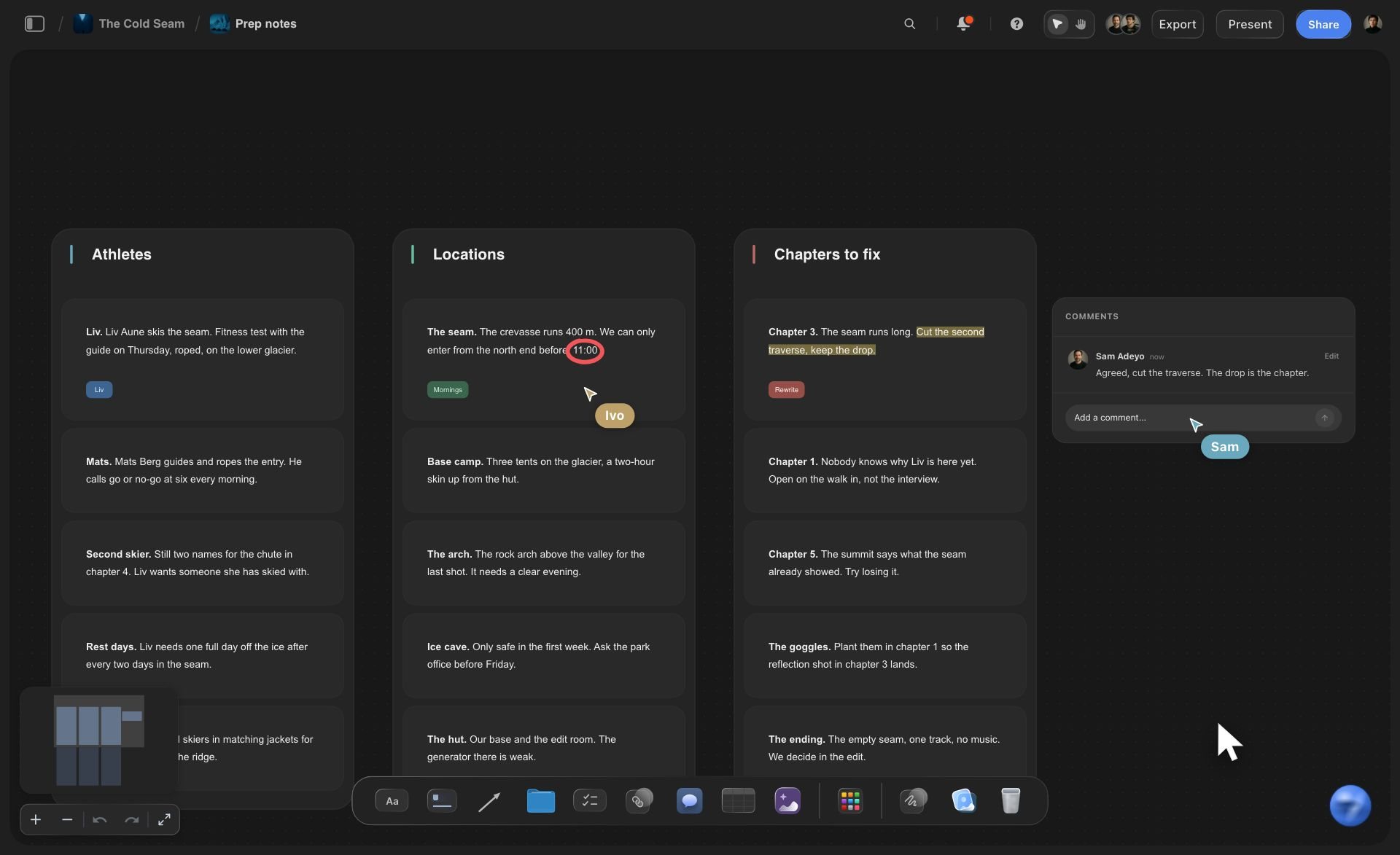
Each act is a column and each beat is a card inside it, in story order, with up to 40 beats sent to a column in one request. Give act two its own colour, or ask for a line between the acts, and the shape of the story shows from across the room.
See the beat board →
The people
A character web with a word on every tie
Claude draws the cast as a diagram: a card for each character and an arrow for each tie, with a short label such as "owes" or "hides from". It holds up to 40 characters and 60 ties. Every box is a real card, so you can write the want and the fear on it.
See the character relationship map →
The pages
A document for every chapter or sequence
Ask for a document per chapter and Claude writes each one on the board, a section at a time: what happens, whose scene it is, what changes. The notes you write from sit on the same board as the structure they belong to.
See the story planning tool →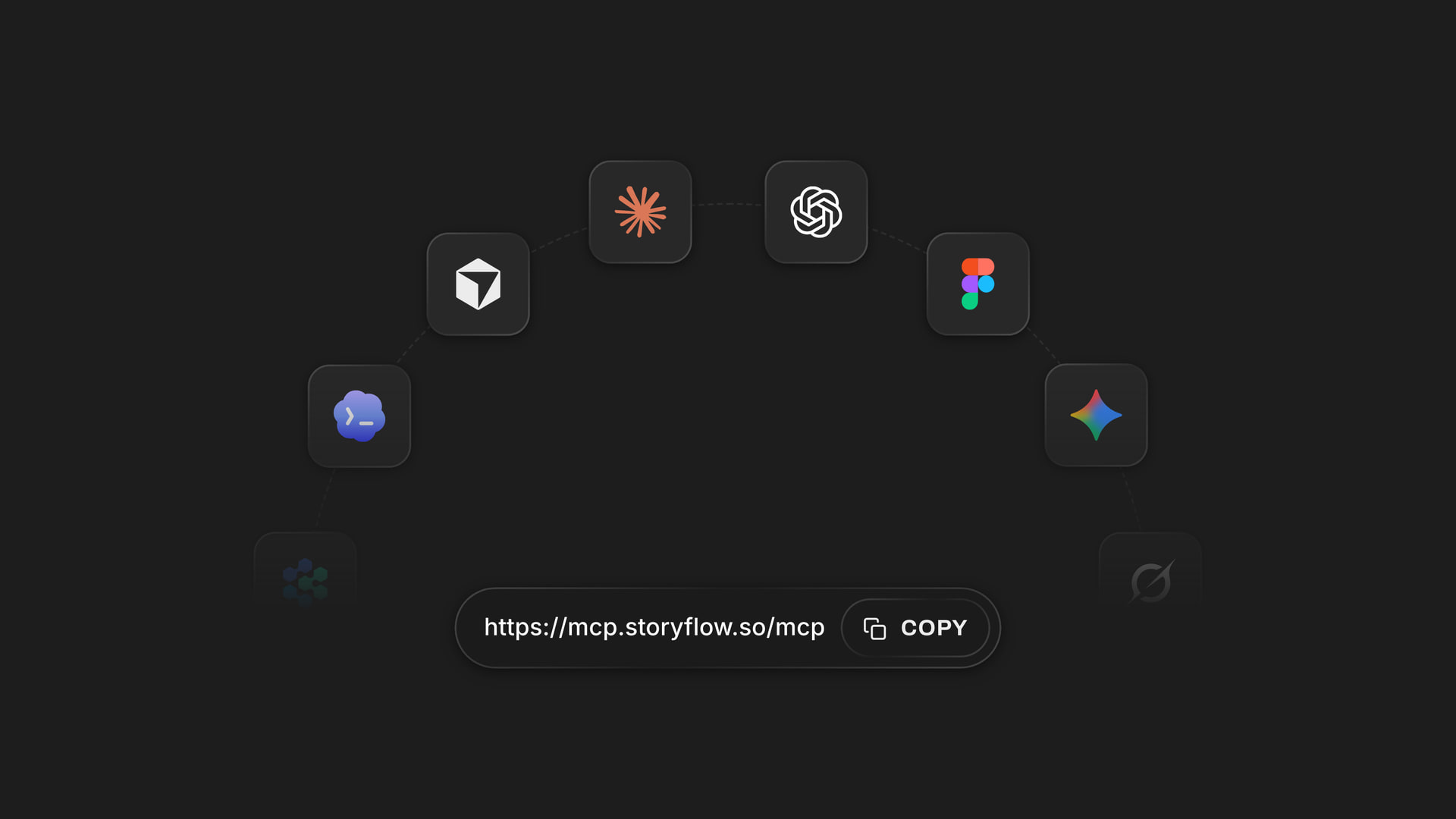
Any assistant
One address for Claude, ChatGPT, Gemini and Grok
Storyflow's connector is a single web address. You outline with Claude, and a co-writer who prefers ChatGPT asks questions of the same board. Each assistant only opens the projects its owner approved.
See how to connect your assistant →Claude does the suggesting. Your Storyflow plan is not charged for it.
Claude runs on its own model, so building and changing the outline over the connector uses no Storyflow AI credits. A free account (today, one invited by a paid member) gets a weekly allowance of actions from its assistant, and the pricing page has the current number. Plus, Pro and Max have no limit. Storyflow is paid-only during early access, with plans from $7.99 a month billed annually ($9.99 monthly). A free plan launches before the end of 2026, and anyone a paid member invites to a board joins free.
No Storyflow AI credits spent on anything Claude builds
No limit on connector actions on Plus, Pro and Max
Invite a co-writer or an editor to the board: anyone a paid member invites joins free
Acts, beats, characters and chapter notes on one board
Choose which stories Claude may open, and whether it may change them
Built for people with taste
Where a story outlined in a chat comes apart.
Claude is a good first reader. The trouble starts when its outline has to become the one you write from.
The versions
Six outlines and no single story
One outline, on the board: The acts and the beats live on the story's board, not in the chat. A new conversation starts from the cards as they are today, including the ones you moved at midnight.
Change one beat, keep the rest: Ask Claude to rewrite a beat and it edits that card. The other 39 stay exactly as you left them, which a fresh outline in a chat never manages.
Move a beat by asking: "Put the reveal before the funeral." Claude moves the card to its new place in the column, or into another act, without touching the beats around it.
Two endings, side by side: Want to see the story with a different ending? Ask for a second act three and it lands beside the first. Compare them, keep one, and delete the other by hand.

The blank middle
An idea that is not a structure yet
A mind map before the acts: When the story is still a pile of ideas, ask for a mind map: the premise in the centre and up to 60 short branches for characters, places, secrets and scenes you can already see.
Rebuilt, not stretched: A mind map cannot be added to once it is built. Ask for more and Claude builds a new one beside the old, so nothing you liked is written over.
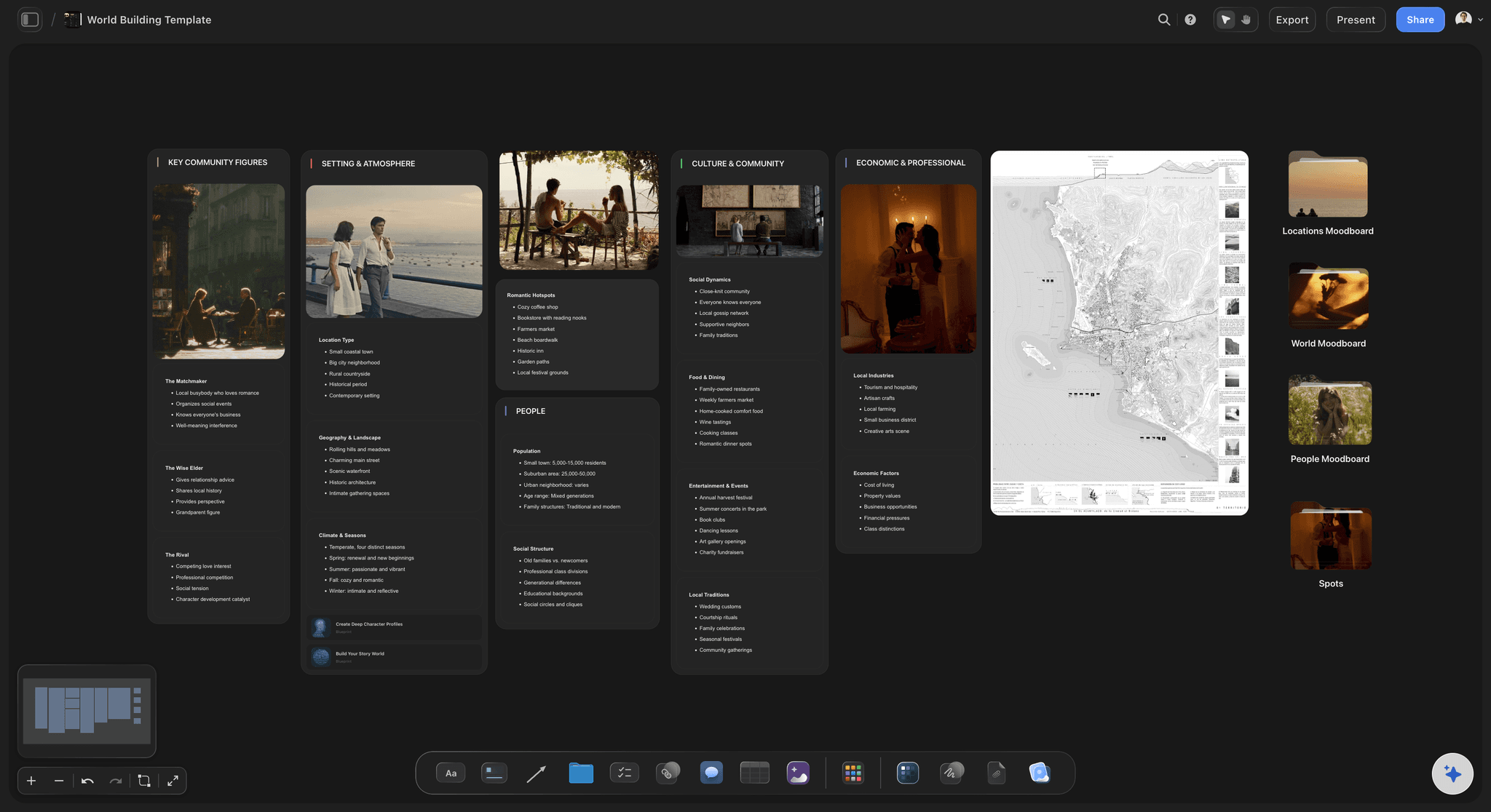
Longer notes around one question: For the things that need a paragraph, such as the backstory or the rules of the town, ask for a web of longer notes around one question: "what happened the night of the fire?"
From loose notes to acts: If your beats already sit on the board as loose notes, ask Claude to sort them into act columns. It moves the cards you wrote, so your wording arrives untouched.
The draft
Notes that never reach the page
Chapter documents that grow: Claude adds a section to a chapter document each time you ask: the scene list today, the dialogue notes tomorrow. It can also replace the whole document, but it cannot change a single line inside one.
It reads what you already wrote: Put a draft on the board as a Final Draft, Word or PDF file and Claude reads the first 40,000 characters there. Ask which beats on the board the draft has not reached yet.
A co-writer on the same board: Invite your writing partner to the board. They move cards and add notes without using Claude. Next time you ask, Claude reads their changes too, and it can tell which cards they wrote.
One link for the producer or the editor: Send a view-only link to the board from Storyflow. It opens in a browser with no account, so the person reading needs neither Storyflow nor Claude.
Explore templates for your project
Every template opens as a real, editable board on the infinite canvas. Pick the closest fit and make it your own.
Story Plan
Outline your plot, characters, and world in one connected view, then expand each thread as the story grows.
One app instead of five
Where Storyflow fits when Claude helps you outline.
It holds the outline as cards you rearrange. It does not format a screenplay or work without internet.
Storyflow with Claude
Recommended
Claude drafts the acts and beats from your premise
Beats as cards you drag into a new order
Claude edits or moves a single beat on the board when you ask
Co-writer opens it in a browser with nothing to install
Claude builds the character web and chapter notes on your Storyflow board
Formats and numbers the pages as a screenplay
Revision colours and locked pages for a shoot
Works with no internet
Claude on its own
Claude drafts the acts and beats from your premise
Beats as cards you drag into a new order
Claude edits or moves a single beat on the board when you ask
Co-writer opens it in a browser with nothing to install
Claude builds the character web and chapter notes on your Storyflow board
Formats and numbers the pages as a screenplay
Revision colours and locked pages for a shoot
Works with no internet
Final Draft
Claude drafts the acts and beats from your premise
Beats as cards you drag into a new order
Claude edits or moves a single beat on the board when you ask
Co-writer opens it in a browser with nothing to install
Claude builds the character web and chapter notes on your Storyflow board
Formats and numbers the pages as a screenplay
Revision colours and locked pages for a shoot
Works with no internet
What creators are saying
Join early creators getting structured workspaces and AI that remembers their projects
“Storyflow has sped up my workflow by at least 3x, which means more flow state and more projects I can actually ship. It truly changed the way me and my team create.”

Reilin Joey
Director & YouTuber
“One prompt gets me a structured board. But the tactics are my favorite. I run my YouTube scripts through them and my intros and retention got better. It's amazing.”

Justkay
YouTuber & Freelance Filmmaker
“I used to juggle five apps to plan a project. Now I describe what I am making and get boards, lists, and a schedule. All in one place.”

George
@fernwehchronicles
Story outlines with Claude: questions
What screenwriters and novelists ask before they let Claude near the story.
In Storyflow, yes, and the outline lands on a board instead of in the chat. Connect Claude, give it the premise and the structure you want, and it builds a column per act with a card per beat. Ask again and it draws the character web and starts a document per chapter. Move a beat by hand or by asking, and Claude reads the board as it is next time.
Storyflow gives Claude a board to outline on: it builds a column per act with a card per beat, a character web and a document per chapter, then edits or moves one beat when you ask, so the outline you rearranged yesterday is the one it reads today. It works with ChatGPT, Gemini and Grok too. Final Draft still formats and numbers the screenplay pages, and Scrivener still holds a long manuscript while you draft it.
It will try if you ask, and that is the risk. Claude proposes: a structure, a midpoint, three ways out of a scene. You decide which, if any, is your story. In Storyflow each suggestion is a card you can move, rewrite or delete by hand, so the board holds the choices you made and not the last thing Claude said.
In Claude, go to Customize and open Connectors. Click Add, then Add custom connector, and name it Storyflow. Paste https://mcp.storyflow.so/mcp, click Continue, choose Sign in now and click Add. Sign in to Storyflow and choose which projects Claude may use and whether it may change them. On the Free plan Claude allows one custom connector. A connection lasts 30 days, then Claude asks you to sign in again.
Both, for different jobs. Acts are the structure: where the story turns and what cannot be undone. Chapters or sequences are the units you write. A screenwriter thinks in acts and sequences, a novelist in acts and chapters. In Storyflow the acts are columns of beat cards, and each chapter or sequence gets its own document for the notes you write from.
Yes. Tell Claude which beat and what should change, and it edits that card on the Storyflow board or moves it to another act. The other cards stay as they are. If you ask for a whole act again, the new column lands beside the old one, so you can compare the two and delete the one you do not want by hand.
Three things. A mind map cannot be added to: ask for more branches and Claude builds a new map beside the old one. A chapter document can be added to or replaced whole, but Claude cannot edit one line inside it. And Claude has no tool to delete a card. In Storyflow you make those small edits and deletions by hand, and deleted cards stay in the trash for 7 days.
Yes. Paste pages into the chat, or put the file on your Storyflow board: Claude reads Final Draft (.fdx), Word, PDF and text files there, up to 25 MB. It gets the first 40,000 characters of a file, so split a full script or manuscript into parts. A scanned PDF is not read. A file attached in the Claude chat does not reach Storyflow.
It does not have to. The outline lives on the Storyflow board, and Claude reads the board again whenever you ask, including the beats you moved and the notes a co-writer added. A new chat starts from the story as it stands today, so you never have to keep one long conversation alive.
No. Storyflow is where the story gets planned: acts, beats, characters, research and chapter notes on one board. It does not format scene headings and dialogue, number pages or handle revision colours. Write the script in Final Draft or another screenwriting tool, or the manuscript in Scrivener or Word, and keep the Storyflow outline open beside it.
No. Claude thinks on its own model, so outlining over the connector uses no Storyflow AI credits, however many times you change your mind. A free Storyflow account (today, one invited by a paid member) has a weekly allowance of actions from its assistant, and the pricing page shows the current number. Plus, Pro and Max have no limit. Storyflow is paid-only during early access, with plans from $7.99 a month billed annually ($9.99 monthly).
Only the projects you approve. At sign-in, Storyflow asks whether Claude may use all your projects or only the ones you pick, and whether it may make changes or only read. Keep an unsold script in its own project and leave it out, and Claude never sees it. A connection ends after 30 days, or sooner if you revoke it in Settings under Connected apps.
Yes. Storyflow's connector is one address, https://mcp.storyflow.so/mcp. ChatGPT needs Plus, Pro, Business, Enterprise or Edu, on the web, with Developer mode turned on (an admin does that on Business and Enterprise). Gemini's custom apps need a personal Google account with Keep Activity on, in the US, for people 18 or over, in English. On Grok Business and Enterprise, a team admin adds it in the xAI console first. Each one reads the same outline.
More from Storyflow
Storyflow MCP server
Connect Claude to Storyflow
Story planning tool
AI story outline generator
Beat board
Save the Cat beat sheet
Novel planner
Character relationship map
Mind map with Claude
Screenplay outline template
Three-act structure template
Worldbuilding tool
Final Draft alternative
Scrivener alternative
Storyflow for screenwriters
Storyflow for authors
Hand Claude the premise. Keep the story.
Acts, beats, characters and chapter notes, built in one conversation and kept on one board you can rearrange.