
Ultra-fast planning, extremely simple
Connect ChatGPT to Storyflow
and keep the plan you talked through.
For founders who think out loud in ChatGPT: four steps on the web, and the launch plan, the task list and the pitch deck land on a board your team can open.


Creatives working for these brands already got early access
- Red Bull
- Canon
- Artlist
- Porsche
See how easy it is to get started
Watch a real project come together, from a blank board to a finished plan, clicked through step by step.
Start from a ready-made template
Pick a board to see what you can build, then let AI fill it in. Every template is a real, editable starting point on the same infinite canvas.

Mind Map
Branch one central idea out into themes and sub-points, then drag the connections around until the structure makes sense.
How do you connect ChatGPT to Storyflow?
You connect ChatGPT to another app by adding that app's connector address in ChatGPT's settings, signing in to the app, and choosing what ChatGPT may read and change there. Storyflow is an AI visual workspace that turns what you plan in ChatGPT into a board on one infinite canvas: walls of cards, tables and charts, documents and slide decks. Once connected, ChatGPT reads your boards, notes and files, tells you what changed and who changed it, and builds new sections in the projects you allow.
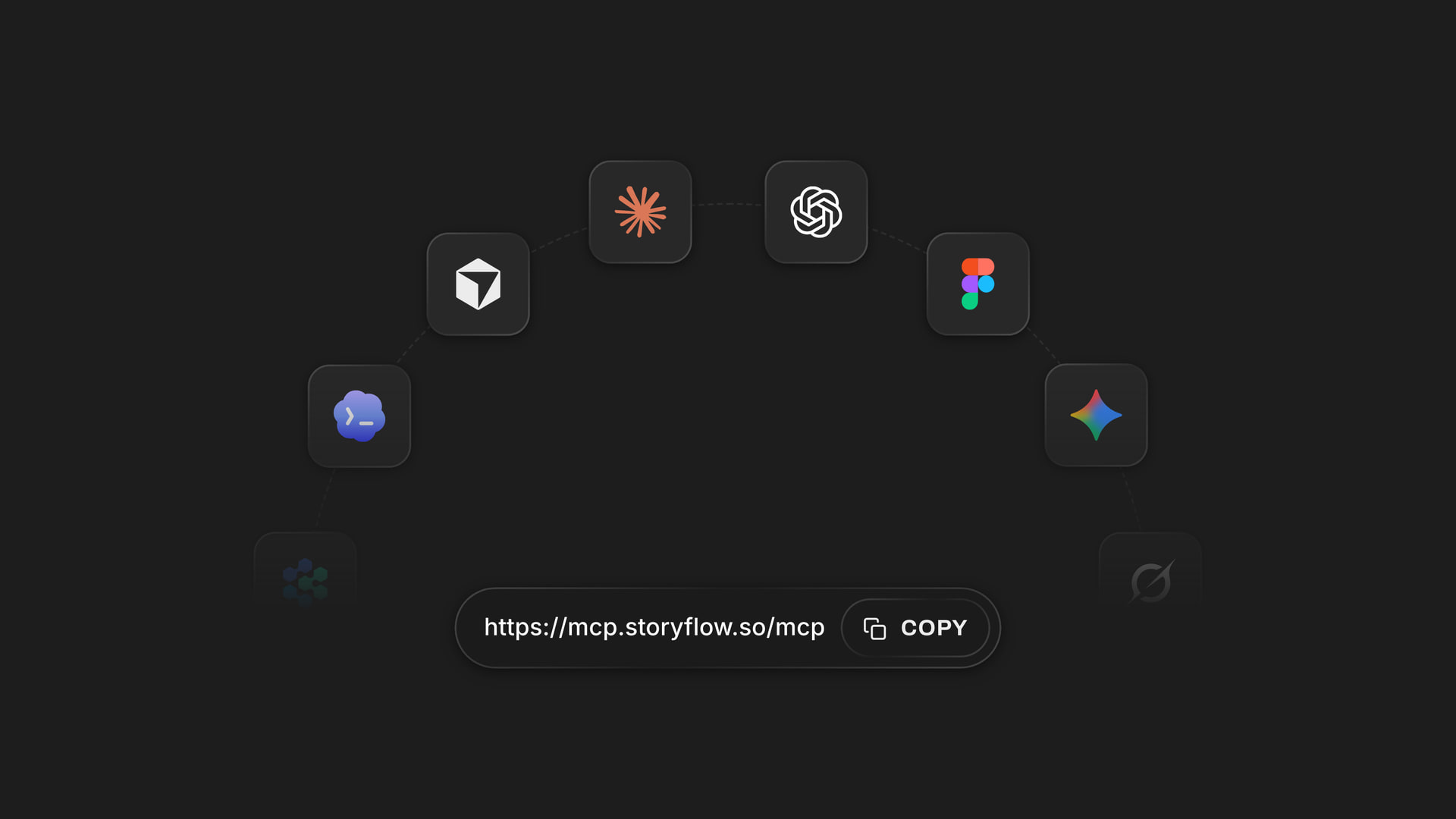
The setup takes about two minutes and happens in ChatGPT on the web. Open Settings, then Security and login, and turn on Developer mode. Go to chatgpt.com/plugins and click the plus button. Name it Storyflow, choose Public endpoint and paste https://mcp.storyflow.so/mcp. Create it, then sign in to Storyflow when asked. On Business and Enterprise plans an admin turns on developer mode first.
ChatGPT needs Plus, Pro, Business, Enterprise or Edu to add a connector this way, and you add it from the website rather than the phone app. You also need a Storyflow account, because ChatGPT works inside your own projects. A free account (today, one invited by a paid member) gets 50 actions a week from its assistant, and every read and every change counts as one. The count resets every Monday (UTC). Plus, Pro and Max have no limit.
When you sign in, Storyflow asks three things. Which projects ChatGPT may use: all of them, or only the ones you pick. Allowing all of them also lets it start a new project and read your Tactics. Whether it may make changes: leave that ticked to let it build, untick it and it can only read. And whether it may also use your documents outside projects, your private documents and the ones shared with you. For a first try, pick one project and allow changes. You can connect again later with a wider choice.
Here is what a founder's first week with it looks like. Monday: paste the launch notes from your last call and ask ChatGPT to build the plan as walls for scope, tasks, risks and open questions. Wednesday: ask which tasks on the launch board still have no owner. Friday: ask what changed on the board this week and who changed it, then ask for a ten-slide investor update built from the board. That is around 25 actions in total, which fits inside a free account's week. Three prompts that work well on day one: "Build a Storyflow board from these notes with walls for scope, tasks, risks and open questions", "Which tasks on the launch board have no owner yet?" and "Turn the launch board into a ten-slide update for investors."
It costs nothing extra on the Storyflow side. ChatGPT does the thinking on its own model and your own ChatGPT plan, so a connector call uses no Storyflow AI credits. Storyflow keeps the result: the walls, the tables, the documents and the deck stay on the board after the chat is closed, and anyone you invite to the board sees the same thing without opening ChatGPT at all. Next week you can start a new chat, point ChatGPT at the same project, and it reads the board instead of asking you to explain the plan again.
Ultra fast from brief to board
Four steps, and ChatGPT can build on your boards.
All of it in ChatGPT on the web, once.
01
Turn on Developer mode
In ChatGPT on the web, open Settings, then Security and login, and turn on Developer mode. On Business and Enterprise plans an admin turns it on for the workspace. On Plus and Pro you do it yourself, and it takes one switch.
02
Add Storyflow at chatgpt.com/plugins
Go to chatgpt.com/plugins and click the plus button. Name it Storyflow, choose Public endpoint and paste https://mcp.storyflow.so/mcp, then create it. There is no key to copy: Storyflow finds its own sign-in page from that address.
03
Sign in and choose what it may touch
Sign in to Storyflow when asked. Pick all your projects or only some, decide whether ChatGPT may make changes, and decide whether it may use your documents outside projects. Then approve. If Storyflow does not recognise the app asking, it shows a warning and you tick I trust this app first.
04
Ask for a board
In a new chat, paste your notes and ask: "Build a Storyflow board with the plan, the tasks and the open questions." Open the board in Storyflow and the walls appear as ChatGPT writes them. Move anything you like; the board is yours, not the chat's.
What ChatGPT can do once Storyflow is connected.
It reads what is there and builds what you ask for, inside the projects you chose. Four jobs founders hand it in the first week.

Reading
Find any board, document or file by name
ChatGPT searches your projects, boards and documents by title, then opens the one you meant. It reads the notes, tables and documents on a board, and the text of PDF, Word, Excel and CSV files sitting on it, so a question about last month's numbers gets an answer from the real spreadsheet.
See project memory →
Building
A plan laid out as walls of cards
Ask for the plan and ChatGPT builds it one wall at a time: a wall for scope, one for tasks, one for risks, each filled with notes, to-do lists and tables. You can drag anything it made, rename a wall, or ask ChatGPT to add a wall it missed.
See the AI project plan generator →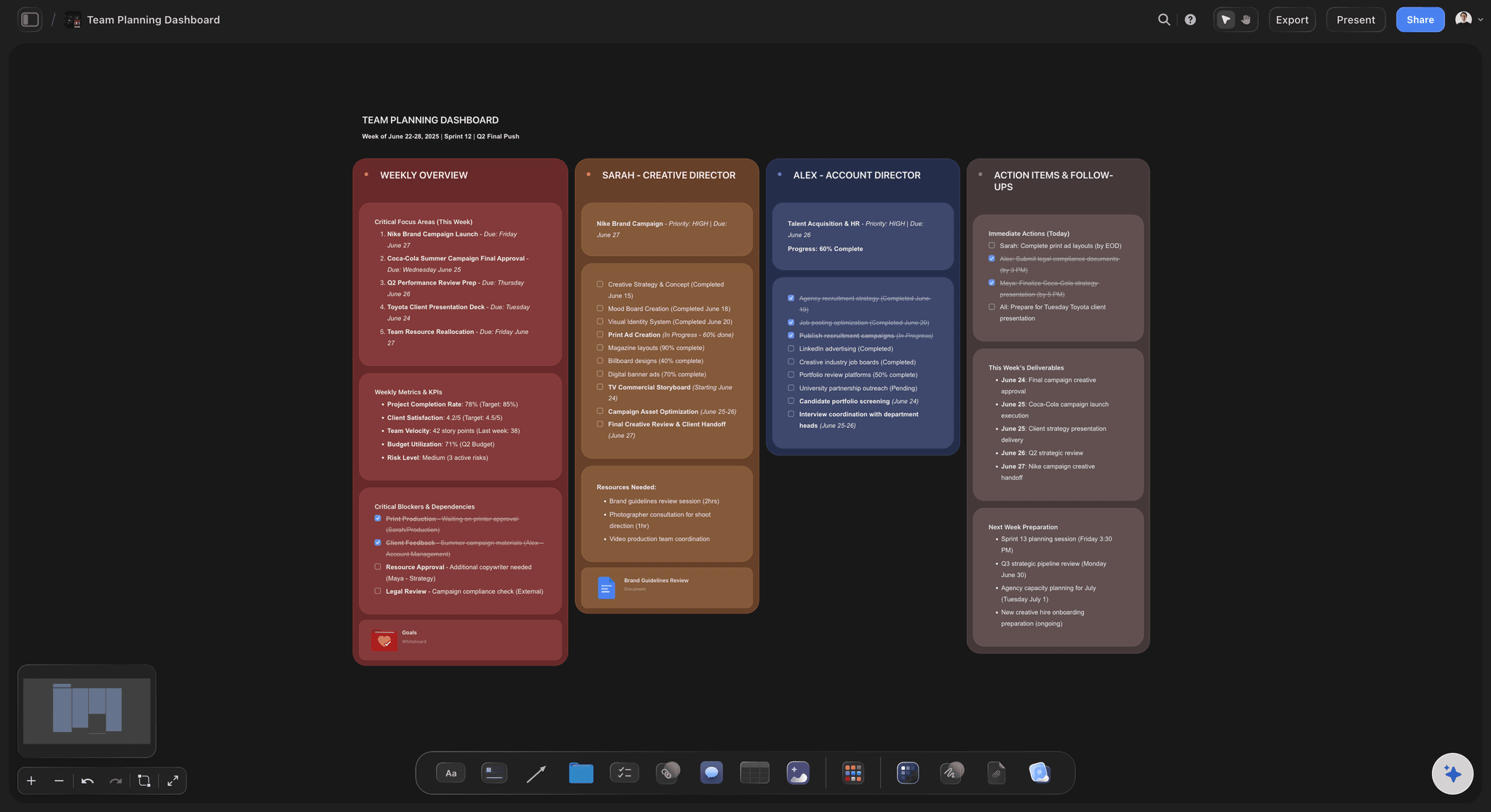
Keeping up
What changed this week, and who changed it
Ask what happened on the launch board since Monday. ChatGPT reads each card that was added, edited, moved or deleted, who did it and when, and gives you the short version. It looks back a day, a week or a month, so Friday's question covers the whole week.
See the launch roadmap →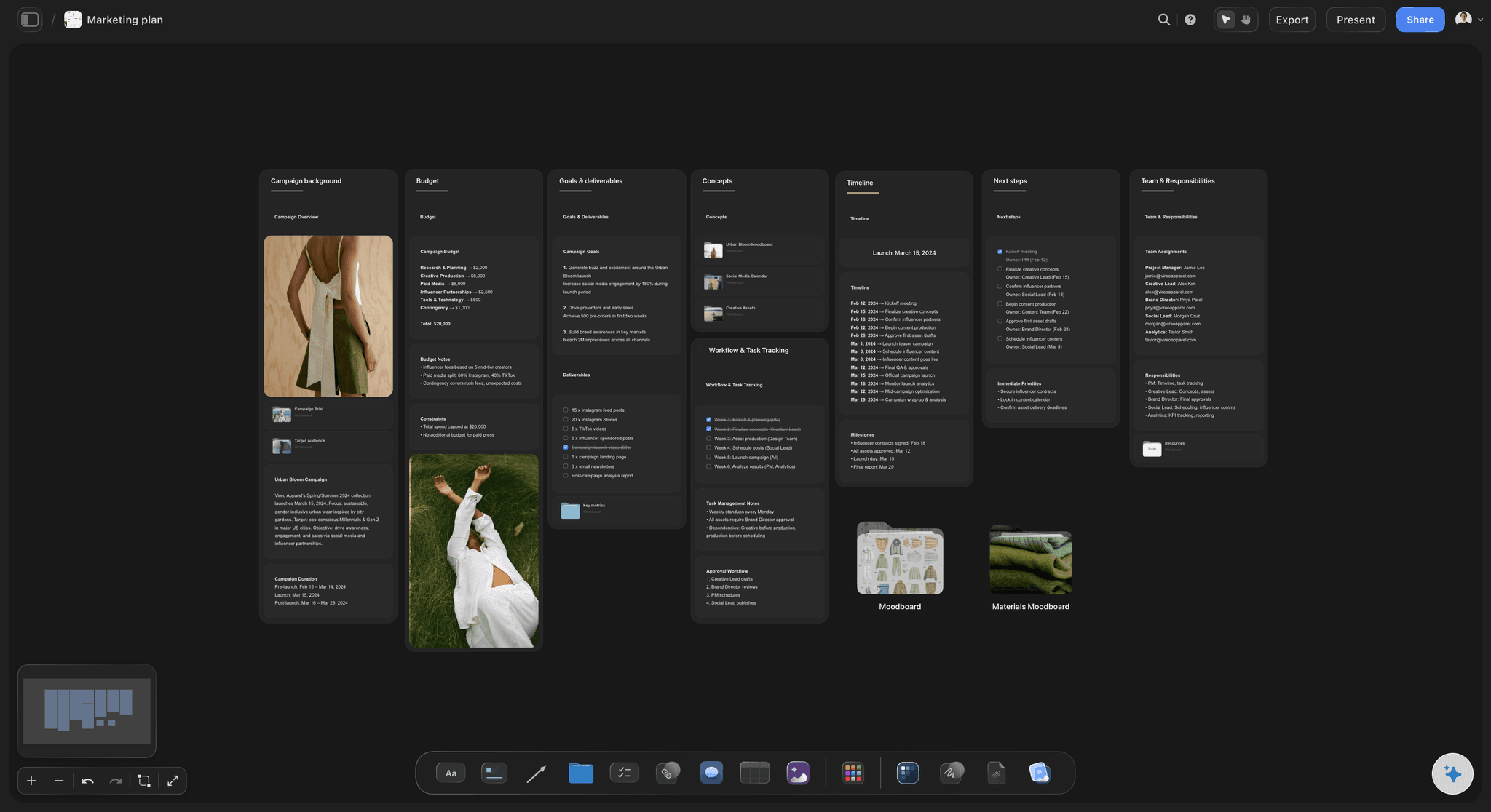
Presenting
A deck built from the board
Ask for a ten-slide investor update from the launch board. The deck lands on the same board, next to the plan it came from, and you present it fullscreen or export it as a PDF from Storyflow. Change the board, ask again, and the next version sits beside the last.
See the pitch deck maker →What it costs to connect ChatGPT.
The connector itself costs nothing extra. ChatGPT runs on its own plan, and Storyflow counts actions only on a free account. Storyflow is paid-only during early access, with plans from $7.99 a month billed annually ($9.99 monthly). A free plan launches before the end of 2026, and anyone a paid member invites to a board joins free.
Connector calls use no Storyflow AI credits: ChatGPT does the thinking on its own model
Plus, Pro and Max: no weekly limit on what ChatGPT does in your boards
A free account (today, one invited by a paid member): 50 actions a week, reset every Monday (UTC)
ChatGPT side: Plus, Pro, Business, Enterprise or Edu, set up on the web
Every connection ends after 30 days, and ChatGPT asks you to sign in again
Built for people with taste
Three things that stop getting lost in old chats.
A chat is where you think. The board is where the plan stays.
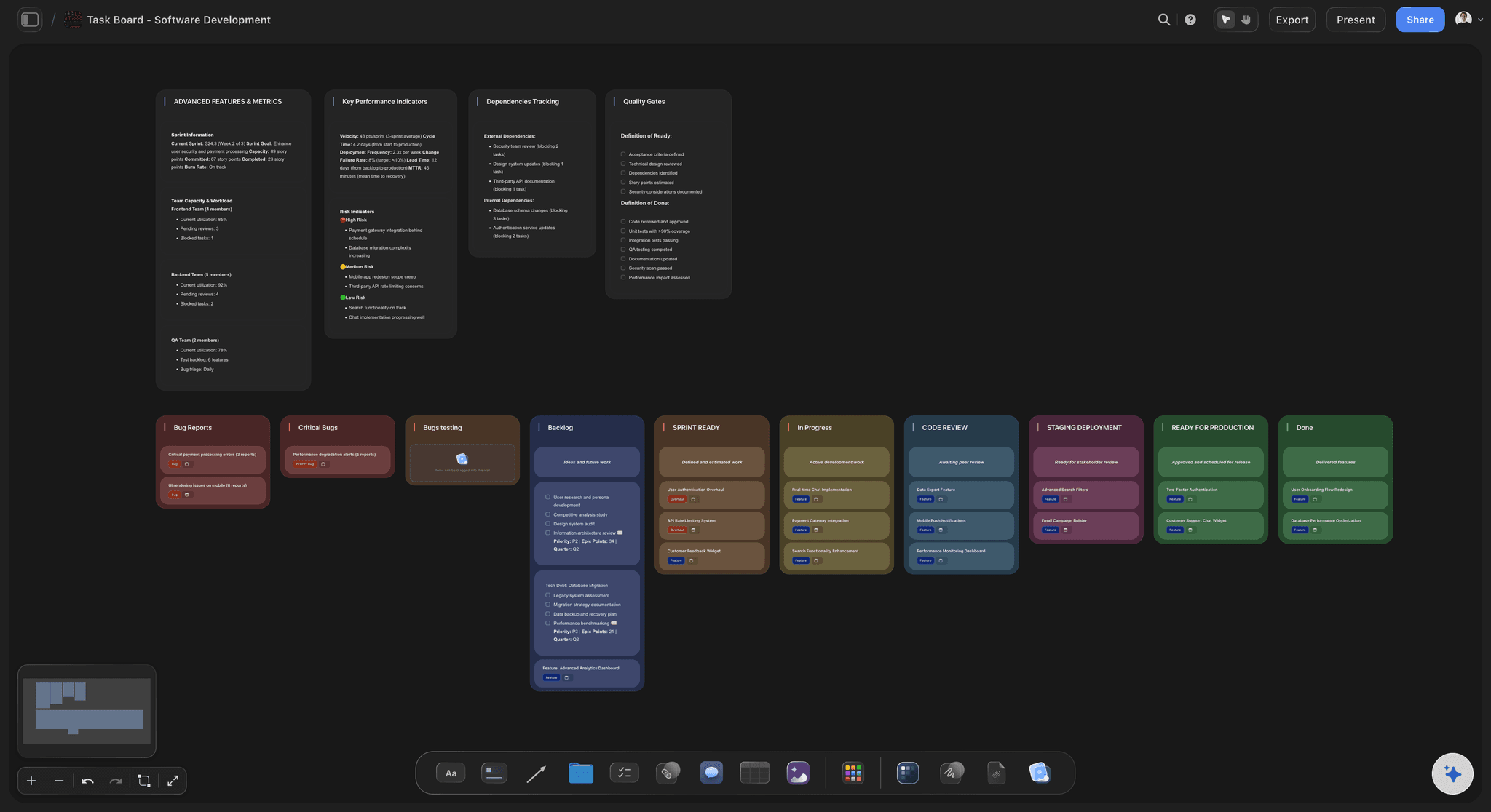
The plan
A good plan scrolled out of sight
It lands somewhere you can see it: Instead of a long reply you copy into a doc, ChatGPT writes the plan onto a board: scope, tasks, risks and open questions as separate walls you can rearrange.
Your team does not need ChatGPT: Your cofounder or the contractor opens the board in Storyflow. They see what ChatGPT built without reading the conversation that built it, and they can add their own cards beside it.
Tables stay tables: Budgets, hiring plans and feature lists come out as real tables on the board, not as text pretending to be a table in a chat reply. Ask for a chart and the numbers become a bar, line or pie chart beside the table.
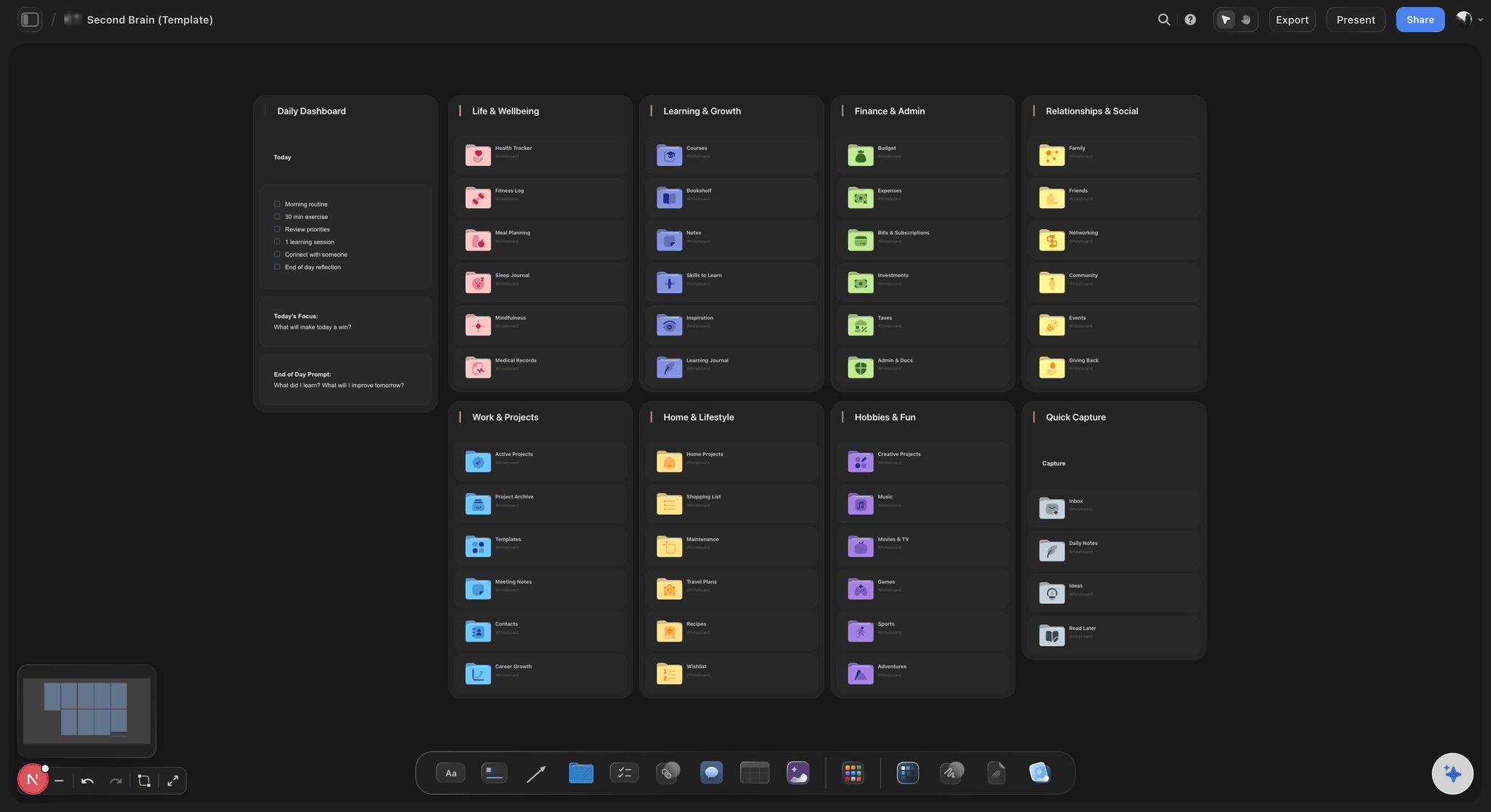
Start from a template when one fits: ChatGPT can look up Storyflow's board templates, such as Agency Hub or Second Brain, and apply one before filling it in, so the board starts with a shape your team already knows.
The context
Explaining the project again every chat
It reads the board first: Point ChatGPT at the project and it reads what is already there, so the next answer starts from the real plan rather than from your summary of it. Edits your team made since the last chat are part of what it reads.
Files on the board count: A PDF, Word, Excel or CSV file on the board is readable to ChatGPT. A file you attach in the chat stays in ChatGPT and is not copied into Storyflow.
Documents too, if you allow it: With documents outside projects allowed, ChatGPT can read your private Storyflow documents and the ones shared with you, and edit them when changes are allowed.
It knows who is on the board: Ask who is working on the launch board and ChatGPT reads the people on it, so a task list can carry real names instead of placeholders like Person A.

The control
Not knowing what an assistant can touch
You pick the projects: Allow every project or only the ones you tick. Every single call is checked against that choice, and a project you left out stays invisible to ChatGPT. Picking projects also keeps it from creating new ones.
Read-only is one untick: Untick changes when you sign in and ChatGPT gets no tools that write. It can answer questions about your boards and nothing more. That is a good way to try it on a board that matters.
No delete tool: Storyflow gives ChatGPT no tool for deleting cards. With changes allowed it can still edit and move what is there, so keep a read-only connection for boards you only want summarised.
Account settings stay yours: The connection cannot change your password or subscription, read billing, manage share links, or delete a project or a document.
Explore templates for your project
Every template opens as a real, editable board on the infinite canvas. Pick the closest fit and make it your own.
Mind Map
Branch one central idea out into themes and sub-points, then drag the connections around until the structure makes sense.
One app instead of five
ChatGPT with Storyflow, ChatGPT alone, or a doc.
Storyflow gives ChatGPT a board to build on and a record of what changed. It does not make pictures or do research for it, and you still set it up on the web.
ChatGPT + Storyflow
Recommended
Plan saved outside the chat
Team opens it without ChatGPT
Walls, tables, charts and decks on one canvas
Says what changed and who changed it
You choose which projects it can see
Uses no Storyflow AI credits
Makes pictures for you
Set up from the phone app
ChatGPT alone
Plan saved outside the chat
Team opens it without ChatGPT
Walls, tables, charts and decks on one canvas
Says what changed and who changed it
You choose which projects it can see
Uses no Storyflow AI credits
Makes pictures for you
Set up from the phone app
Copying replies into a doc
Plan saved outside the chat
Team opens it without ChatGPT
Walls, tables, charts and decks on one canvas
Says what changed and who changed it
You choose which projects it can see
Uses no Storyflow AI credits
Makes pictures for you
Set up from the phone app
What creators are saying
Join early creators getting structured workspaces and AI that remembers their projects
“Storyflow has sped up my workflow by at least 3x, which means more flow state and more projects I can actually ship. It truly changed the way me and my team create.”

Reilin Joey
Director & YouTuber
“One prompt gets me a structured board. But the tactics are my favorite. I run my YouTube scripts through them and my intros and retention got better. It's amazing.”

Justkay
YouTuber & Freelance Filmmaker
“I used to juggle five apps to plan a project. Now I describe what I am making and get boards, lists, and a schedule. All in one place.”

George
@fernwehchronicles
ChatGPT connector questions
What founders ask before they connect ChatGPT to their boards.
In Storyflow's case it takes one address. In ChatGPT on the web, open Settings, then Security and login, and turn on Developer mode. Go to chatgpt.com/plugins and click the plus button. Name it Storyflow, choose Public endpoint, paste https://mcp.storyflow.so/mcp and create it. Then sign in to Storyflow when asked and pick the projects ChatGPT may use.
Storyflow is built for exactly this job: one connector address, and ChatGPT reads and builds in the projects you pick, as walls of cards, tables, documents and decks your team opens without ChatGPT. You choose whether it may change anything, and it can tell you what changed on a board and who changed it. Pictures, web research and long-form writing still come from ChatGPT itself.
ChatGPT Plus, Pro, Business, Enterprise or Edu, using ChatGPT on the web. Developer mode, which adding a connector needs, is not on the free ChatGPT plan. On Business and Enterprise, an admin turns developer mode on for the workspace before anyone can add Storyflow.
Your projects, boards and documents, found by name. On a board it reads notes, to-do lists, tables, documents and the arrows between them, plus the text of PDF, Word, Excel and CSV files on it. It can also read what changed on a board and who changed it, and who is on the board. Storyflow only shows it the projects you picked when you signed in.
With changes allowed: walls of notes, to-do lists and tables, charts, diagrams and mind maps, documents, slide decks and carousel pages. It can apply one of Storyflow's board templates, connect cards with arrows, move and edit what it made, and add pictures from web addresses it already has. What it adds shows up on the board while you have it open.
No. ChatGPT does the thinking on its own model and your ChatGPT plan, so a connector call uses no Storyflow AI credits. The only limit is on a free Storyflow account (today, one invited by a paid member), which gets 50 actions a week from its assistant. Plus, Pro and Max have no limit.
Every read and every change ChatGPT makes in Storyflow counts as one. Building a board of four walls and checking it back is roughly ten actions, so 50 covers a board or two and a few questions. The count resets every Monday (UTC). When the week runs out, ChatGPT tells you and nothing on your boards changes.
Storyflow gives ChatGPT no tool for deleting cards, and it cannot delete a project or a document. With changes allowed it can still edit, move and rewrite cards, and turning notes into documents removes the notes it moved. Connect without changes for boards you only want read. Anything deleted on a board sits in the trash for seven days.
No. Over the connector Storyflow does not generate images, run research, make audio or export PDFs. ChatGPT does its own searching and image work, and it can add a picture to a board from a web address. Exporting the board or deck as a PDF happens in Storyflow itself.
Not the file itself. A file you attach in the ChatGPT chat stays in ChatGPT. ChatGPT can read it and write what matters onto the board as notes, tables or a document. To keep the original, upload it to the Storyflow board, where ChatGPT can read it too.
Every Storyflow connection ends on its own after 30 days, and ChatGPT asks you to sign in again. Changing your Storyflow password or signing out everywhere ends it within five minutes. To end it yourself, open Settings in Storyflow, then Connected apps, and remove it: it loses access within a minute.
You did not pick that project when you signed in. Storyflow checks every call against the projects you chose. Disconnect, connect again, and tick the project. If it can see the project but cannot change anything, you connected without changes: connect again with changes allowed.
No. Storyflow runs in the browser and there are no native mobile or desktop apps, and the connector needs no download either. You add one address in ChatGPT on the web and sign in. The boards ChatGPT builds open in Storyflow in any browser.
More from Storyflow
Storyflow MCP server
AI project plan generator
AI project memory
Pitch deck maker
Launch roadmap
Product launch planner
Storyflow for startups
Storyflow for solopreneurs
Visual ChatGPT alternative
Visual project planning
AI second brain
Mind map software
Product roadmap
Founder-led content plan
Storyflow for consultants
Connect Gemini to Storyflow
Give your next ChatGPT plan somewhere to live.
Four steps on the web, one sign-in, then ask for the board. The plan stays where your team can find it.