
The calmest place to shape your story
Write the logline that
sells the whole story.
Storyflow's AI writes loglines from your story and keeps them on the same canvas as the plan, so you compare variations side by side and pick the sharpest. The logline stays with the characters and structure it describes. No download required.


Creatives working for these brands already got early access
- Red Bull
- Canon
- Artlist
- Porsche
See how easy it is to get started
Watch a real project come together, from a blank board to a finished plan, clicked through step by step.
Start from a ready-made template
Pick a board to see what you can build, then let AI fill it in. Every template is a real, editable starting point on the same infinite canvas.

Story Plan
Outline your plot, characters, and world in one connected view, then expand each thread as the story grows.
What is an AI logline generator?
An AI logline generator drafts loglines for you to react to and refine. Storyflow is an AI visual workspace that writes loglines from your story on one infinite canvas: as many variations as you need, set side by side to compare, next to the characters and structure they describe. A logline is the one or two sentences that capture a story: the protagonist, their goal, the conflict, and the stakes. It is the first thing a producer, agent, or reader sees, and a sharp one can open a door while a fuzzy one closes it.
The trouble with generating a logline in a chat window is that the logline floats free of the story. You get a line, but it is disconnected from the characters and structure it is supposed to distill, and comparing a handful of options means scrolling back through a conversation.
Storyflow generates loglines on a canvas where they stay with the story. The AI writes variations from your premise or your outline, and you lay them side by side to compare, keeping them next to the characters and structure they describe. Picking the sharpest is a glance, not a scroll.
Because the logline lives with the plan, it stays honest to the story. As the outline changes, the logline is right there to update, and you can share a view-only link with a writing partner to get a read on which version lands.
Ultra fast from brief to board
Generate a logline in four steps.
The AI writes variations and you pick the sharpest.
01
Open your canvas
Sign up and your infinite canvas opens in the browser.
02
Describe the story
Give the AI your premise or point it at your outline on the board.
03
Generate variations
The AI writes several loglines you can lay side by side.
04
Compare and refine
Pick the sharpest, refine it, and keep it with the story.
Loglines that stay with the story.
The AI writes variations, kept next to the plan they describe.

AI writes the loglines
Draft options fast
Give the AI your premise or outline and it writes several logline variations to react to.
See story structure software →
Compare side by side
Pick the sharpest
Lay the variations next to each other and choose the one that lands, at a glance.
See the AI story outline generator →
Kept with the story
Honest to the plan
The logline sits next to the characters and structure it describes, so it stays true as they change.
See story planning tools →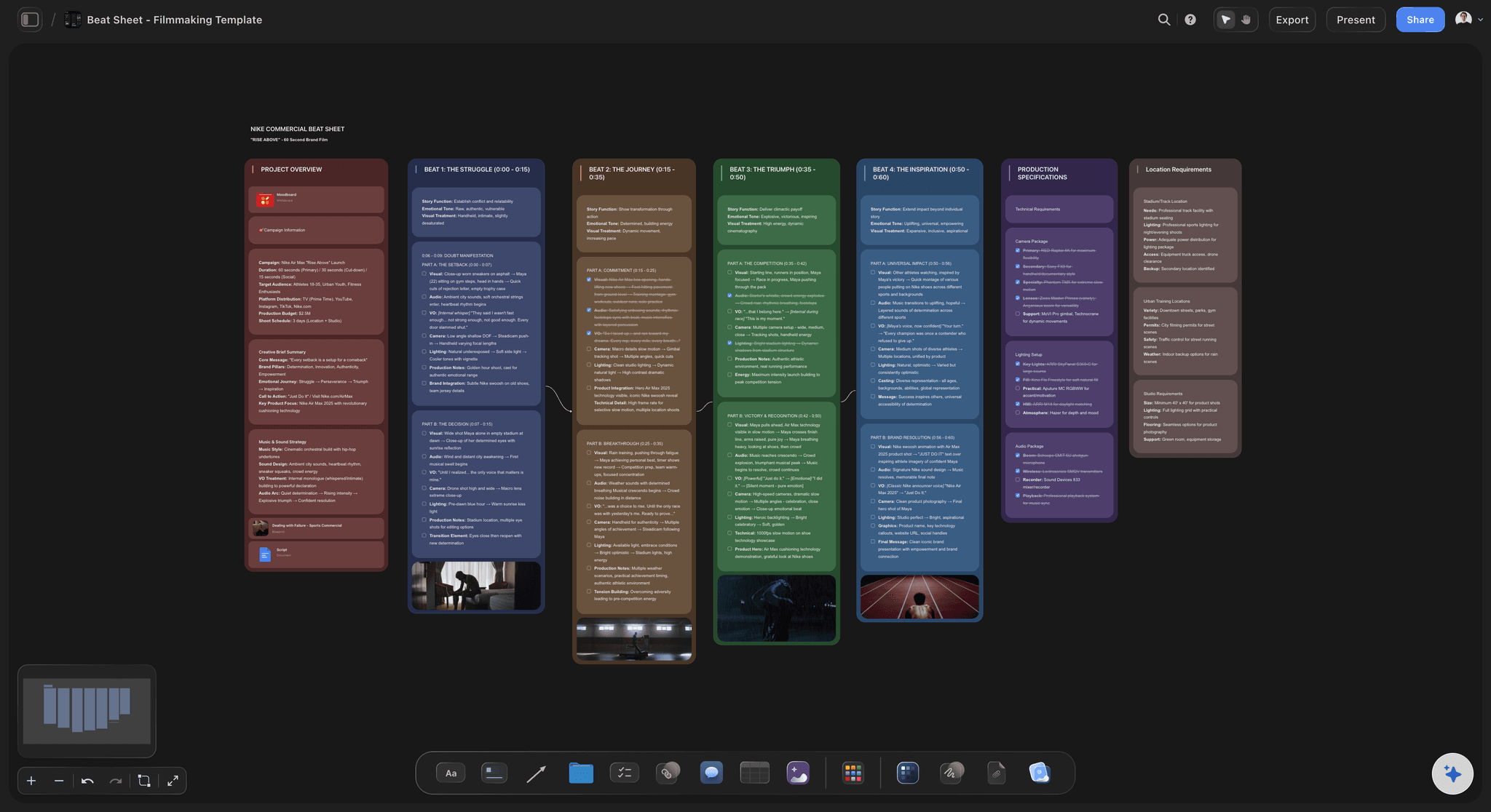
Every variation stays on the board
Generate as many loglines as you need
Generate as many loglines as you want, with unlimited boards and no expiry.
See screenwriting software →An AI logline generator, no expiry.
Generate as many loglines as you want on an unlimited canvas. Storyflow is paid-only during early access; a Free plan for solo use launches before the end of 2026, and anyone you invite to a board joins free today.
Unlimited loglines and boards on an infinite canvas
AI usage to write and refine loglines
3 starter frameworks built in
20 file uploads for notes and references
Built for people with taste
A logline generator that keeps the line with the story.
Storyflow writes variations and keeps them on the canvas with the plan.
The AI drafts options
Never stare at a blank line
From a premise: Give the AI the idea and it writes several loglines.
From your outline: Point it at the plan and it distills the story.
Different angles: Ask for variations that lead with character or with conflict.
Compare and choose
See which one lands
Side by side: Lay the variations out and compare them at a glance.
Refine the best: Sharpen the strongest option word by word.
Get a read: Share a view-only link for a partner's take.
Honest to the story
The line stays true
Next to the plan: The logline sits with the characters and structure.
Updates with the story: When the outline changes, the logline is there to fix.
No floating lines: The pitch never drifts from what the story actually is.
For any story
One generator, any pitch
Films and shorts: Write the logline for a feature or a short.
Series and novels: Distill a series or a novel into a line.
Pitches and queries: Sharpen the line for a pitch or a query letter.
Explore templates for your project
Every template opens as a real, editable board on the infinite canvas. Pick the closest fit and make it your own.
Story Plan
Outline your plot, characters, and world in one connected view, then expand each thread as the story grows.
One app instead of five
Storyflow vs ChatGPT, Notion AI, and Squibler.
A fair look at where each fits. Storyflow keeps the loglines with the story and compares them.
Storyflow
Recommended
Unlimited loglines on every plan
AI writes loglines from your story
Loglines kept with the story on a canvas
Compare variations side by side
Infinite visual canvas
ChatGPT
Unlimited loglines on every plan
AI writes loglines from your story
Loglines kept with the story on a canvas
Compare variations side by side
Infinite visual canvas
Notion AI
Unlimited loglines on every plan
AI writes loglines from your story
Loglines kept with the story on a canvas
Compare variations side by side
Infinite visual canvas
Squibler
Unlimited loglines on every plan
AI writes loglines from your story
Loglines kept with the story on a canvas
Compare variations side by side
Infinite visual canvas
What creators are saying
Join early creators getting structured workspaces and AI that remembers their projects
“Storyflow has sped up my workflow by at least 3x, which means more flow state and more projects I can actually ship. It truly changed the way me and my team create.”

Reilin Joey
Director & YouTuber
“One prompt gets me a structured board. But the tactics are my favorite. I run my YouTube scripts through them and my intros and retention got better. It's amazing.”

Justkay
YouTuber & Freelance Filmmaker
“I used to juggle five apps to plan a project. Now I describe what I am making and get boards, lists, and a schedule. All in one place.”

George
@fernwehchronicles
AI logline generator, answered.
What writers ask about generating loglines in Storyflow.
It drafts loglines, the one or two sentences that capture a story's protagonist, goal, conflict, and stakes, for you to refine. Storyflow writes variations from your premise or outline and keeps them on a canvas next to the story, so you compare and pick the sharpest.
Storyflow is made for writing loglines next to the story: its AI writes them from your premise or outline and keeps them on the same canvas as the plan. You generate as many variations as you need, set them side by side and pick the sharpest. Each line sits with the characters and structure it describes, so it stays true to the story.
Not during early access. Storyflow is currently paid-only, with plans starting at $9.99 per month for unlimited loglines and boards. A Free plan for solo use launches before the end of 2026, and anyone a paid member invites to a board joins free today.
A chat gives you a line disconnected from the story. Storyflow keeps the loglines on a canvas next to the characters and structure they describe, and lays variations side by side so comparing them is a glance, not a scroll.
Yes. The AI writes variations and you lay them next to each other, so you can see which one lands and refine the strongest.
Yes. Because it lives next to the plan, when your outline changes the logline is right there to update, so the pitch never drifts from what the story actually is.
No. Storyflow runs in your browser. Sign up, open a board, and generate loglines on any device.
Write the line that sells the story.
Open your canvas, generate loglines, and pick the one that lands.