The 12 Best AI Tools for Screenwriters in 2026 (Compared for Pilots, Features, and Series)
The hardest moment in screenwriting is not the blank page. It is the second pass on episode four when episode one quietly contradicts the pilot, and your AI tool has no memory of either. We compared 12 AI screenwriting tools across pilots, features, and season bibles.

Category
Visual Thinking
Author

Justkay
Documentary Filmmaker & Founder at Storyflow
Topics
2026-05-10
•
23 min read
•
Visual Thinking- best AI tools for screenwriters 2026
- AI screenwriting software
- AI for TV writers
- AI tool for feature writers
- AI series bible tool
What is the best AI tool for screenwriters in 2026?
The best AI tools for screenwriters in 2026 are Storyflow, Sudowrite, and Final Draft with its Beat Board. Storyflow holds the full pilot, series bible, and structural Tactic in one AI context. Sudowrite leads on prose-level scene work. Final Draft remains the industry-standard formatter.

The hardest moment in screenwriting is not the blank page. It is the second pass on episode four, when you realise the cold open you wrote in episode one quietly contradicts a character beat in the pilot, and your AI tool has no memory of either. The best AI tools for screenwriters in 2026 are Storyflow, Sudowrite, and Final Draft with its Beat Board, depending on whether you are mapping a season bible, drafting prose-style scene work, or staying inside industry-standard formatting. The article underneath this list is for working screenwriters: feature, TV, indie, multi-passionate creators who write across formats, and filmmakers who write their own material.
Full disclosure: Storyflow is our own product, and we rank it #1 for holding a full pilot, series bible, and structural Tactic in one AI context. It is not a production-format tool. Final Draft remains the industry-standard formatter that studios expect, and Sudowrite is stronger for prose-level scene drafting. Storyflow will not hand you WGA-standard formatted pages. We link to every tool so you can judge the fit.
How the AI tools for screenwriters compare on trust, innovation, ratings and pricing
Which screenwriting brands are the most trusted?
Final Draft is the most trusted name in screenwriting by a wide margin, because it has been the format standard since 1991 and a production office accepts its files without question. WriterDuet and Arc Studio are trusted by working writers who need real-time collaboration. Among the AI tools specifically, Sudowrite has the strongest reputation with novelists and screenwriters who use it daily. Storyflow is early access and is recommended for the story planning board rather than for the screenplay itself.
Which AI screenwriting tools are the most innovative?
Sudowrite is the most innovative on prose generation inside a long manuscript, and its Story Bible approach is the clearest attempt at keeping AI consistent across a whole script. Storyflow is the most innovative on structure, because the beat sheet, research and references sit on one board the AI reads whole, so a note on act two knows what act one actually contains. Plottr innovates on visual outlining without AI at all. Final Draft innovates least on AI and most on the things a production depends on.
Which screenwriting tools are the most highly rated?
Final Draft and WriterDuet carry the highest ratings among screenwriters, both above 4.5 out of 5, with WriterDuet rating higher on collaboration and Final Draft higher on industry acceptance. Sudowrite holds the highest satisfaction among the AI-first tools. General assistants like ChatGPT and Claude rate highest on raw usefulness and lowest as a place a script lives. Ratings here punish anything that reformats a screenplay incorrectly.
Which screenwriting tools have fair and transparent pricing?
Fade In charges a one-time licence at a fraction of Final Draft's price and is the fairest paid option in the category. WriterDuet keeps a genuinely usable free tier. Final Draft states both options on its product page: a one-time licence at $249.99, or a subscription at $99.99 a year. The least transparent pricing sits with the AI tools that meter by credits, where the same subscription buys a different amount of work each month. Storyflow is paid-only during early access, from 7.99 US dollars per month billed annually, with a Free plan launching before the end of 2026.
Which screenwriting brands have performed consistently over the years?
Final Draft has shipped since 1991 and still opens scripts written decades ago, the longest record in any category on this blog. Fade In has run since 2011 and WriterDuet since 2013. Every AI-first tool in this set is under five years old and several have already changed pricing model more than once. Storyflow is early access and cannot claim that history yet.
Quick Comparison: Best AI Tools for Screenwriters
These four cover the jobs screenwriters decide between: full pilot and bible context on one canvas, industry-standard formatting, cloud collaborative writing, and prose-first AI drafting.
| Tool | Best For | AI Features | Price |
|---|---|---|---|
| Storyflow | Full pilot and bible in one AI context | Canvas AI reads the whole story world | $7.99 mo annual (free plan late 2026) |
| Final Draft + Beat Board | Industry-standard formatting | No AI listed; Beat Board for structure | $249.99 one-time or $99.99/yr |
| WriterDuet | Cloud collaborative screenwriting | AI writing assist | From $89.88/yr |
| Sudowrite | Prose-first AI drafting | Deep AI prose and scene generation | Around $10 mo |
Get your script out of the document and onto a board.
Scenes, beats, and character arcs are easier to fix when you can see them all at once. Drop your script onto a visual canvas and let AI turn it into boards you can actually rework.

Quick Picks: Best AI Tools for Screenwriters 2026 by Use Case
Best Overall: Storyflow A visual project canvas where the AI reads your full pilot, your series bible, and a Save the Cat or Hero's Journey Tactic before it answers. For screenwriters running a season alongside a feature, the canvas keeps the whole story world in one frame and the AI keeps it in context.
Best for TV Pilots: Storyflow Drop a Hero's Journey Tactic on the canvas, lay out the cold open, act breaks, and tag, and the AI helps you stress-test arc by arc. The Documents model holds the pilot script alongside the canvas, so a draft and its structural map talk to each other.
Best for Features: Sudowrite Sudowrite is built for prose-style drafting and shines when you are pushing through scene description, dialogue variants, and sensory rewrites. Less useful for industry-standard formatting, more useful for the language of the page.
Best for Beat Sheets: Storyflow Beat sheets are spatial. Save the Cat, Hero's Journey, and the Story Spine all live as guided structures on the canvas, with AI help on each beat. The Beat Sheet Filmmaking template opens with the beat structure already laid out, so the AI has a shape to fill instead of a blank board. For writers who think in shapes before words, this is the closest thing to writing on a corkboard with a research assistant attached.
Best for Character Arcs: Storyflow Character work spans episodes, sequences, and acts. Storyflow holds character profiles as Documents, which the AI can read alongside the canvas, so arc tracking does not collapse into a list of bullet points in a separate doc. The Character Profile template gives each character a card the AI reads back to you when you ask whether episode four still sounds like them.
Best for Outlining: Plottr + AI Plottr's timeline view plus AI assist is purpose-built for outlining. Less flexible than a canvas, more opinionated about the structure it produces.
Best Free: Not Storyflow, Yet Storyflow is paid-only during early access, with plans from $7.99 a month billed annually ($9.99 monthly). Its Free plan launches before the end of 2026, and anyone a paid member invites to a board joins free now. Until then, WriterDuet's free tier (three projects) plus a free ChatGPT or Claude plan is the genuinely free stack, and Plus at $7.99/month is the cheapest way onto Storyflow's canvas today.
Best Lightweight: Highland 2 Fountain-first markdown writing with light AI assistance. For the screenwriter who wants to write in plain text and not fight a UI, Highland is still the cleanest experience on a Mac.
Best for Series Bibles: Storyflow A series bible is a knowledge graph: characters, world rules, episode themes, season arcs. The canvas holds it as a graph, the AI reads it as one, and the bible stops being a Google Doc nobody updates.
The pattern across these picks is that AI tools for screenwriters in 2026 split into two camps. Tools that help you write the next sentence, and tools that help you hold the whole story world. Storyflow lives in the second camp and pulls from the first when the AI drafts inside the canvas. If your problem is the second pass, when episode four forgets the pilot, put your pilot, bible, and a structure Tactic on one Storyflow canvas and ask the AI a question that only makes sense if it read all three.
Comparison Table: Best AI Tools for Screenwriters 2026
| Tool | Best For | Starting Price | Free Plan | AI Depth (★/5) | Rating (/10) |
|---|---|---|---|---|---|
Storyflow | Visual canvas with full pilot and bible context | $7.99/month annual | Coming late 2026 (invited collaborators join free now) | ★★★★★ | 9.4/10 |
Final Draft + Beat Board | Industry-standard formatting with a Beat Board (no AI listed) | $249.99 one-time or $99.99/year | No (5-day trial) | None listed | 8.8/10 |
WriterDuet | Cloud collaborative screenwriting with AI assist | $89.88/year (Plus) | Yes (three projects) | ★★★☆☆ | 8.5/10 |
Sudowrite | Prose-first AI drafting for features and scenes | Around $10/month | Limited trial | ★★★★★ | 8.7/10 |
Squibler | All-in-one writing app with AI script support | Around $9.99/month | Yes (limited) | ★★★☆☆ | 7.9/10 |
ChatGPT (with screenwriting prompts) | General-purpose drafting and brainstorming | $20/month Plus | Yes (limited) | ★★★★☆ | 8.2/10 |
Claude (long-context drafting) | Long-context reading of full scripts and bibles | $20/month Pro | Yes (limited) | ★★★★★ | 8.6/10 |
Plottr + AI | Timeline outlining with AI assist | $60/year or $9.99/month | 30-day trial | ★★★★☆ | 8.4/10 |
Highland 2 | Fountain-first markdown writing on Mac | $59.99/year or $9.99/month (Pro) | 30-day trial | ★★★☆☆ | 8.1/10 |
Arc Studio Pro | Cloud screenwriting with structure tools | $69/year (Essentials) | Yes (2 scripts, watermark) | ★★★☆☆ | 8.0/10 |
Beemgee | Story development and outlining tool | Around $9/month | Yes (limited) | ★★★☆☆ | 7.4/10 |
Dabble | Long-form writing with plot grid and AI | Around $10/month | Limited trial | ★★★☆☆ | 7.5/10 |
Rating criteria: Story-world context was weighted most heavily (30 percent) because the failure mode in AI screenwriting is context loss between draft and bible. AI quality (20 percent), structural depth (15 percent), formatting (15 percent), pricing (10 percent), collaboration (10 percent).
Storyflow leads on story-world context. Final Draft leads on industry-standard formatting. Sudowrite leads on raw prose generation. The right answer is rarely the most-recommended one. It is the one that fits how you draft.

Storyflow holds pilot drafts, series bibles, and structural Tactics on one connected canvas with AI context built in
Best AI Tools for Screenwriters 2026: Market Context
The screenwriting tool market in 2026 is in the strangest position it has been in a decade. AI dropped into a category that had been stable since Final Draft hit version 8, and almost every legacy tool reacted by bolting an AI panel onto an existing UI. The result is a lot of "AI for screenwriters" that, in practice, means a chat box you have to keep manually feeding context into. That is not assistance. That is unpaid librarianship.
The real question for a working screenwriter is whether the tool can hold the story world in context while you draft. A pilot is not a single document. It is a pilot script, a series bible, character profiles, episode outlines for the rest of season one, a tone reference, a beat sheet, and the writers' room notes from last Tuesday. The AI tools that help in 2026 are the ones that can read most of that surface area in one pass. The ones that fail are the ones that ask you to paste in a synopsis and pretend that is enough.
There is also a labour-rights line that working screenwriters need to track. The 2023 WGA agreement set guardrails on AI in WGA-signatory productions, including that AI cannot be credited as a writer and cannot be used to undermine a writer's credit or compensation. Most of the tools below are usable inside WGA-signatory work as research, drafting, and structure tools. The line is what the tool produces, who claims authorship, and how the studio chain handles it. When in doubt, check with the WGA directly and verify on contract terms.
How We Evaluated the Best AI Tools for Screenwriters 2026
Six criteria shaped every rating, each applied to the same job: a pilot script, a series bible, and a feature outline.
Story-world context: Could the AI read the full pilot, plus a series bible and a beat sheet, and answer questions that referenced both? Generic chat with one paste-in scored low. Multi-document, multi-frame context scored high.
AI quality: Was the output usable, specific, and grounded in the story or generic mush? Did the AI suggest beats that fit the world, or did it default to thriller-by-numbers?
Structural depth: Did the tool support recognised story structures (Save the Cat, Hero's Journey, Story Spine, Three-Act, Sequence Method) as first-class objects, or as static templates the writer had to fill in?
Formatting: Did the tool produce industry-standard screenplay formatting, or markdown that needed export? For pro work, formatting still matters.
Pricing: Total annual cost for a working screenwriter, including AI add-ons. Prices come from each vendor's pricing page; confirm on the vendor's site before you buy.
Collaboration: Could a writers' room work in the tool together, or did it assume a solo writer? Real-time editing, comments, and shareable boards mattered for any team-of-two writing scenario.
The 12 Best AI Tools for Screenwriters 2026, Ranked
1. Storyflow
Storyflow is a visual AI project canvas built for creators, filmmakers, and writers who need their world, structure, and draft on one project. For screenwriters, the canvas is the room. Pin the logline, the pilot script, the character bible, the season arc, and a Hero's Journey Tactic, and the AI reads them as one.
What separates Storyflow from the other tools on this list is not the canvas. Other tools have canvases. It is the AI's relationship to the canvas. When you open AI chat in Storyflow, the AI reads the board you have open with every message, and looks at the images you select (up to 24). You can attach up to five documents and three boards in the same conversation. That is your pilot draft, your series bible, your character study, plus a Save the Cat beat sheet, all in the AI's context window before it responds. For a writer running pilot draft three while breaking episode four, that context recombination is the actual feature.
Best for: Screenwriters drafting TV pilots, feature scripts, and season bibles who need the AI to hold the whole story world while drafting.
Key features:
Story structures on the canvas. Save the Cat, Hero's Journey, Three-Act Structure, Story Spine and the Sequence Method live as guided card structures with AI assistance on each beat.
AI chat with full canvas plus five documents and three boards in context. The largest contextual frame in any tool on this list. Drafting a tag while the AI reads the cold open and the bible is a different experience from chatting with a context-blind model.
Documents alongside the canvas. Pilot scripts, treatments, episode outlines, and character profiles live as Documents in the same project. The AI can read them as context during chat.
Kanban view for production stages. Track episodes, drafts, and revisions through stages: Outline, First Draft, Notes, Revised, Locked.
Pricing: Paid-only during early access. Plus: $7.99/month billed annually or $9.99/month billed monthly. Pro: $14/month billed annually or $19/month billed monthly (adds AI image generation and memory across conversations). Max: $39/month billed annually or $49/month billed monthly (adds Team Workspace with Permissions and Roles, and more AI). AI use is metered on every plan, and Team billing is per seat. Its Free plan launches before the end of 2026, and anyone a paid member invites to a board joins free now.
Pros:
- The only tool on this list where AI reads the full project canvas, plus five documents and three boards you attach, in one context window
- Story structure as first-class Tactics, not static PDF templates
- Plus is functional for a solo writer running one project plus development of the next
- Holds a series bible as a graph, not a 60-page Google Doc
Cons:
- Not a screenplay formatter. Final Draft, Highland, and WriterDuet handle industry-standard layout. Storyflow holds the world and the structure, and the script lives as a Document inside it.
- A shared Team Workspace with roles and permissions is Max only. Live co-editing on a board works on every paid plan, but a writers' room that wants workspace-level roles pays for Max seats.
- The structure library has its own learning curve. Writers expecting one default workflow will need to explore which Tactics fit their writing process.
Verdict: Storyflow is the right tool for screenwriters whose work spans drafts, bibles, and structures and who need the AI to hold all three. For pure screenplay formatting and final-draft layout, pair it with Final Draft, Highland 2, or WriterDuet. Rebuild your most active project in Storyflow, starting from the Story Plan template so the act structure is on the board before your first AI question, then attach the bible and a structure board in one AI chat. If the answer references both without you pasting either, the gap this article describes is the gap it closes for you.

Storyflow's canvas with screenplay beats, character cards, and visual references on one project board, the writer-facing view of a working pilot
2. Final Draft + Beat Board
Final Draft is the industry-standard screenwriting tool. Studio submissions, Netflix vendor lists, and most working writers' rooms still default to Final Draft format. The Beat Board feature is its structural canvas. Final Draft's product page lists no AI features, so it ranks here on formatting and pedigree, not on AI.
Best for: Working screenwriters who need industry-standard formatting and want a structural canvas on top.
Pricing: $249.99 one-time, or a subscription at $99.99 a year or $16.99 a month that includes Final Draft Cloud, with a 5-day trial (finaldraft.com, checked September 2026).
The strength is formatting and pedigree. The Beat Board is useful for sequencing acts and laying out story beats in a tool that already holds the script. The limitation is AI and context. Any AI help comes from a separate tool, and the relationship between a draft, a bible, a season arc, and a character study is still managed by the writer in separate files. For pure screenplay output, Final Draft is the safest tool. For story-world context, it is not the deepest one.
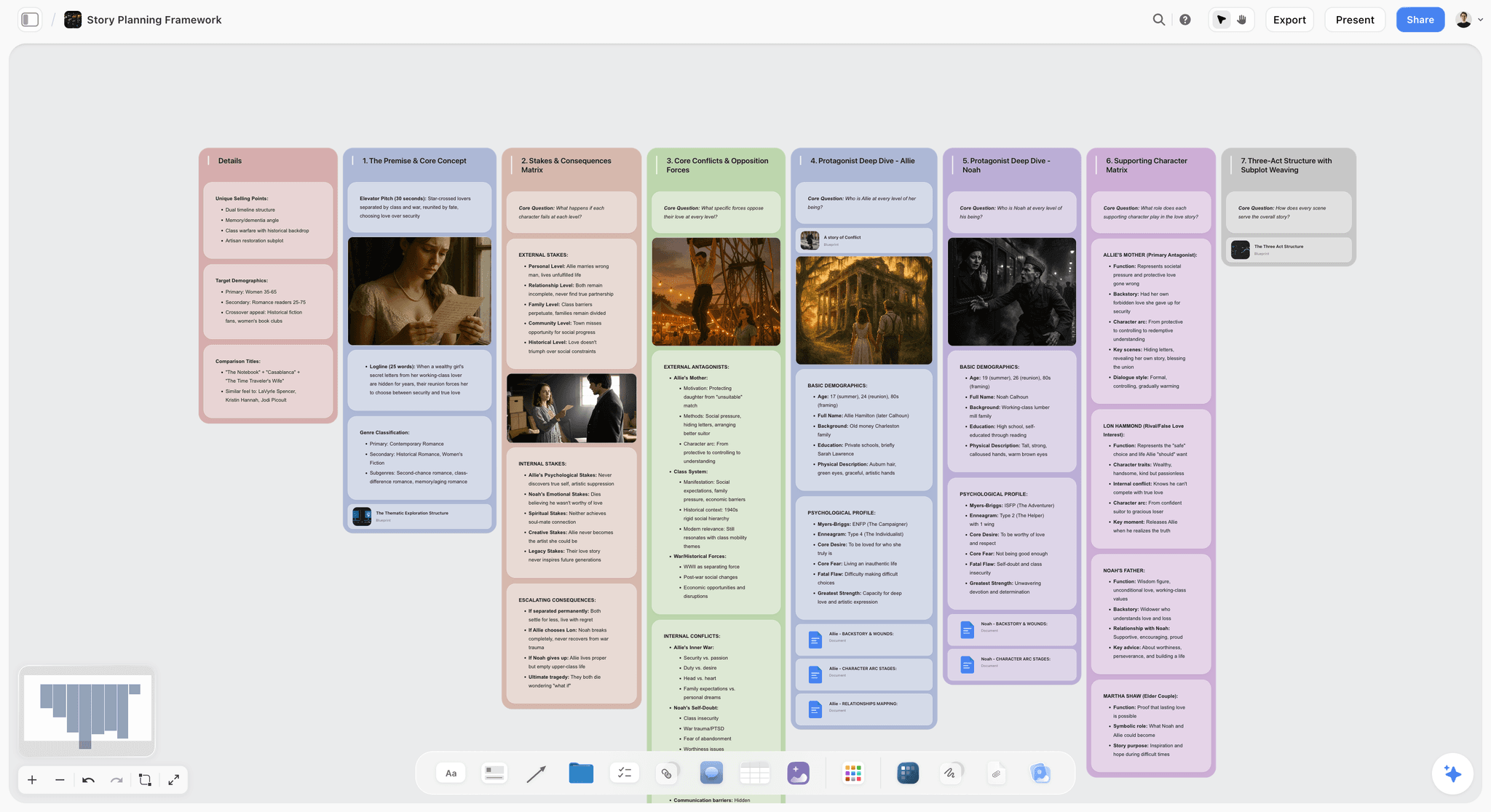
A story plan with act structure and beat mapping laid out on a Storyflow canvas, the kind of pre-script structuring Storyflow handles before any tool like Final Draft formats the page
3. WriterDuet
WriterDuet is the cloud-first screenwriting tool with strong collaboration built in. Two writers in Google Docs style on the same script, version history, and PDF export to industry standard. The AI features have grown in 2025 and 2026, with drafting and dialogue assist on the editor pane.
Best for: Co-writing teams and writers' rooms that need real-time collaboration on a screenplay-shaped tool.
Pricing: Pro is $107.88 a year (about $9 a month) or $11.99 billed monthly. Plus is $89.88 a year and Premium $125.88 a year, and the free tier is limited to three projects (WriterDuet help center, checked September 2026).
Where WriterDuet shines is the live collaborative writing experience. It is closer to Google Docs than Final Draft is, and for a two-writer team that splits scenes, that matters. The AI is competent for line-level rewriting, but the same context-loss issue applies as it does to Final Draft. The script is held in the tool, the world around it is not.
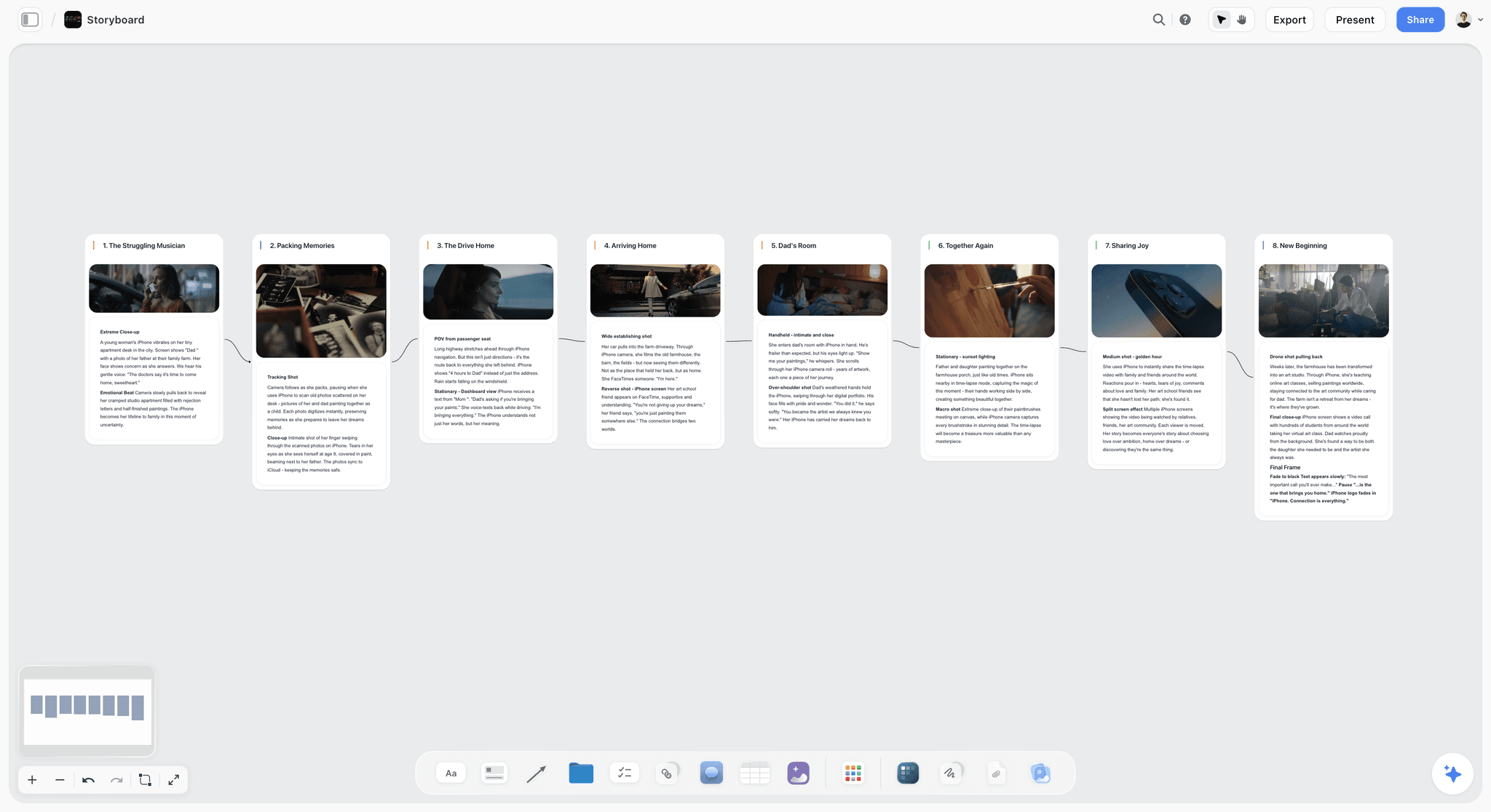
Storyboard and scene-sequence cards on a shared Storyflow canvas, where co-writers can sit beside the script the way WriterDuet supports inside a single document
4. Sudowrite
Sudowrite is the most-talked-about AI writing tool for prose, and for good reason. The "Show Don't Tell," "Describe," and "Brainstorm" features are designed to push you through the language of the page rather than the structure of the script. For feature writers drafting in prose first, or for screenwriters working on action lines and description, Sudowrite is the tool that produces the most usable raw text.
Best for: Feature writers and screenwriters who want AI on the language and texture of scenes, not just on structure.
Pricing: Plans start around $10/month for the entry tier and scale up by AI usage. Verify on the Sudowrite site.
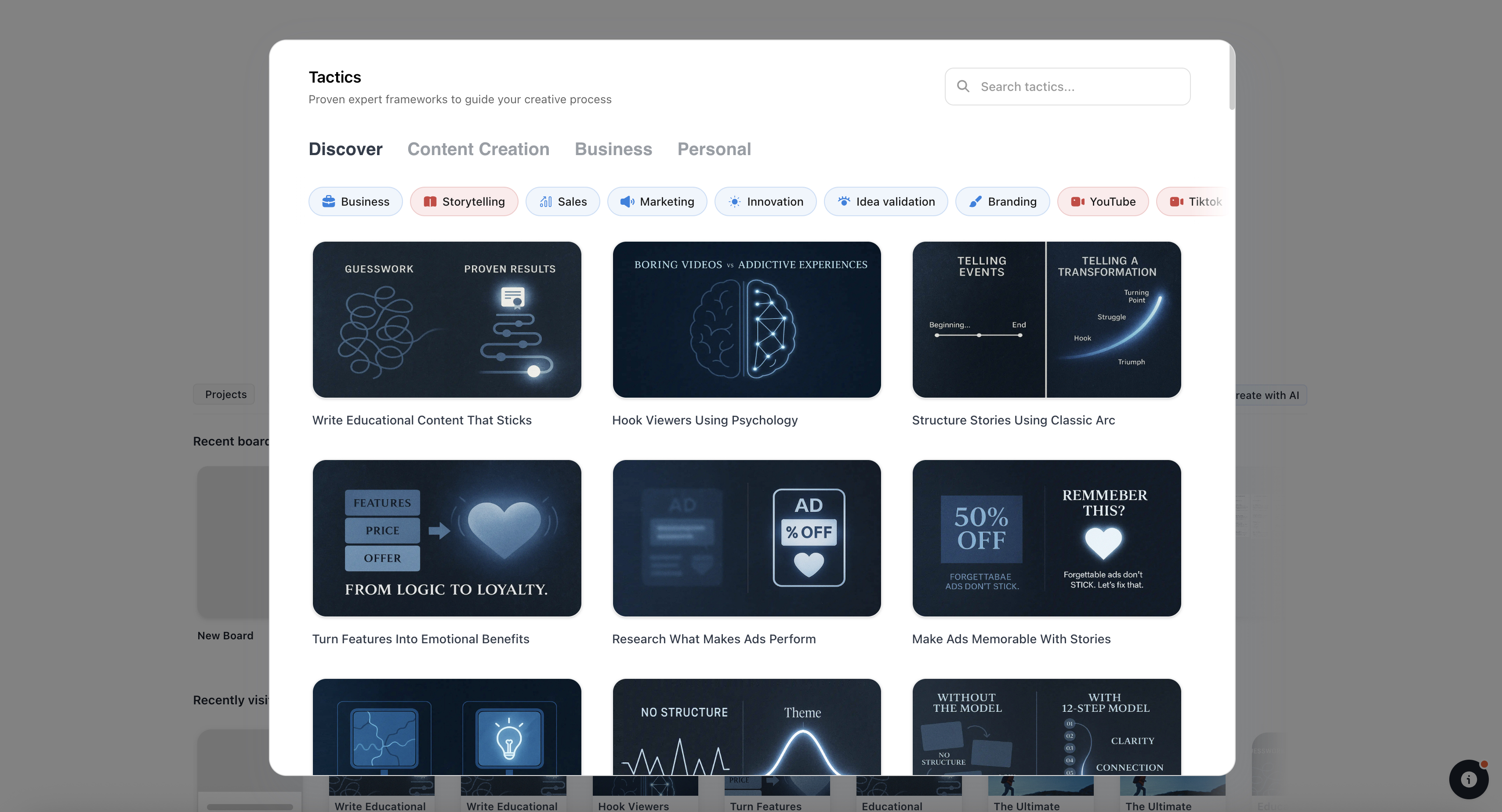
The limitation is screenplay formatting and structural depth. Sudowrite is not a Save the Cat tool. It is a prose tool that screenwriters can use for description and dialogue work. Pair it with a structural tool for beats and a formatting tool for layout, and it covers a real gap. Used alone, it leaves the rest of the screenwriting stack on the writer.
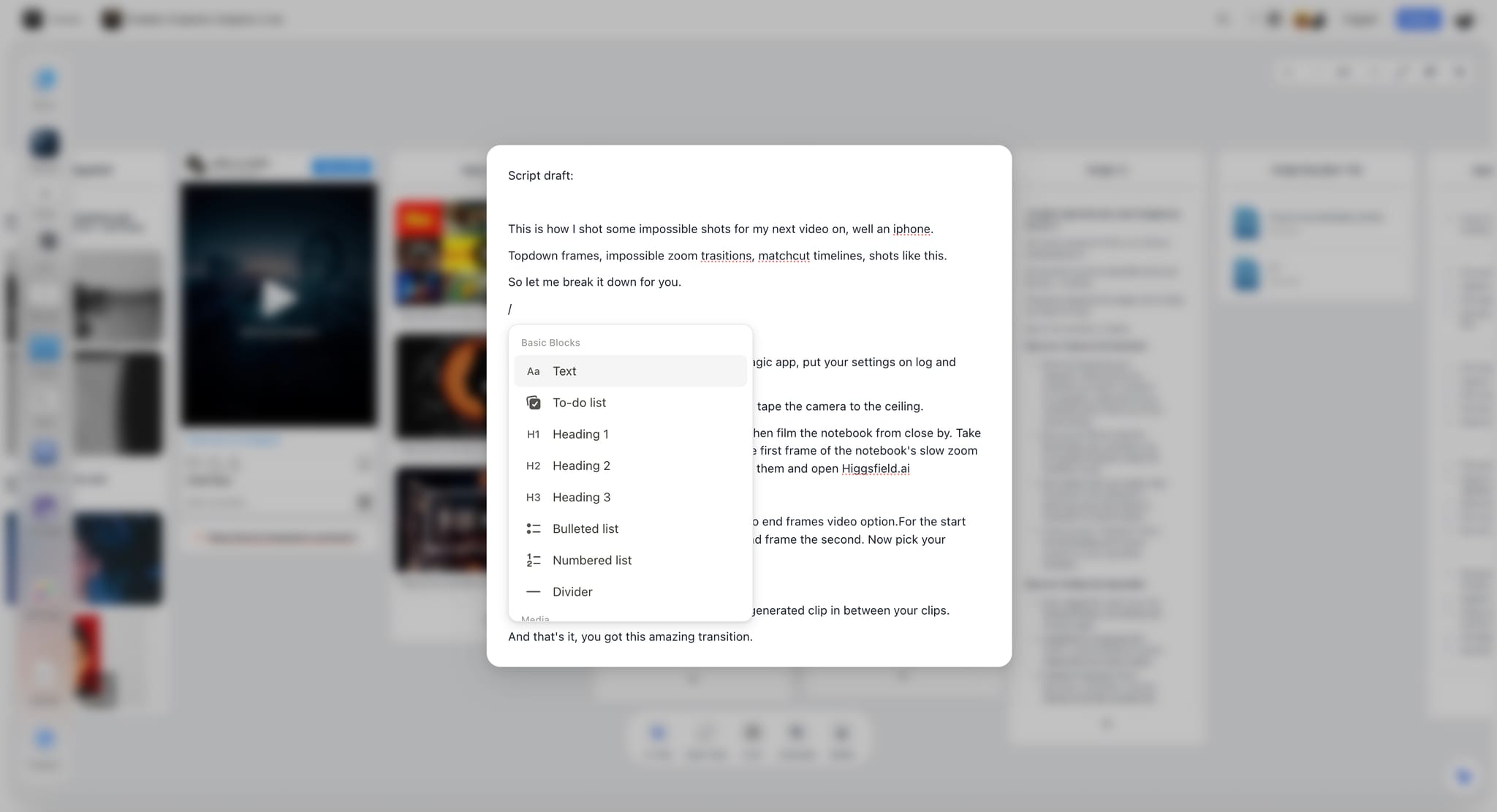
Prose-level note editing inside Storyflow, the same kind of scene-language work Sudowrite handles in its dedicated drafting view
5. Squibler
Squibler positions itself as an all-in-one writing tool with AI for outlining, drafting, and book or screenplay structure. The screenplay mode handles standard formatting, and the AI features support drafting, expanding, and rewriting on the page.
Best for: Writers who want one tool that covers novels and screenplays with AI assist on both.
Pricing: Paid plans start around $9.99/month. Free tier with limited AI usage available. Verify on the Squibler site.
Squibler is competent across both fiction and screenplay. It is not the deepest at either. For a screenwriter who also writes novels or treatments and wants one editor for both, it is a reasonable choice. For a screenwriter who wants the deepest pure-screenplay experience, Final Draft and WriterDuet sit higher. For story-world context across a season, Storyflow goes further.
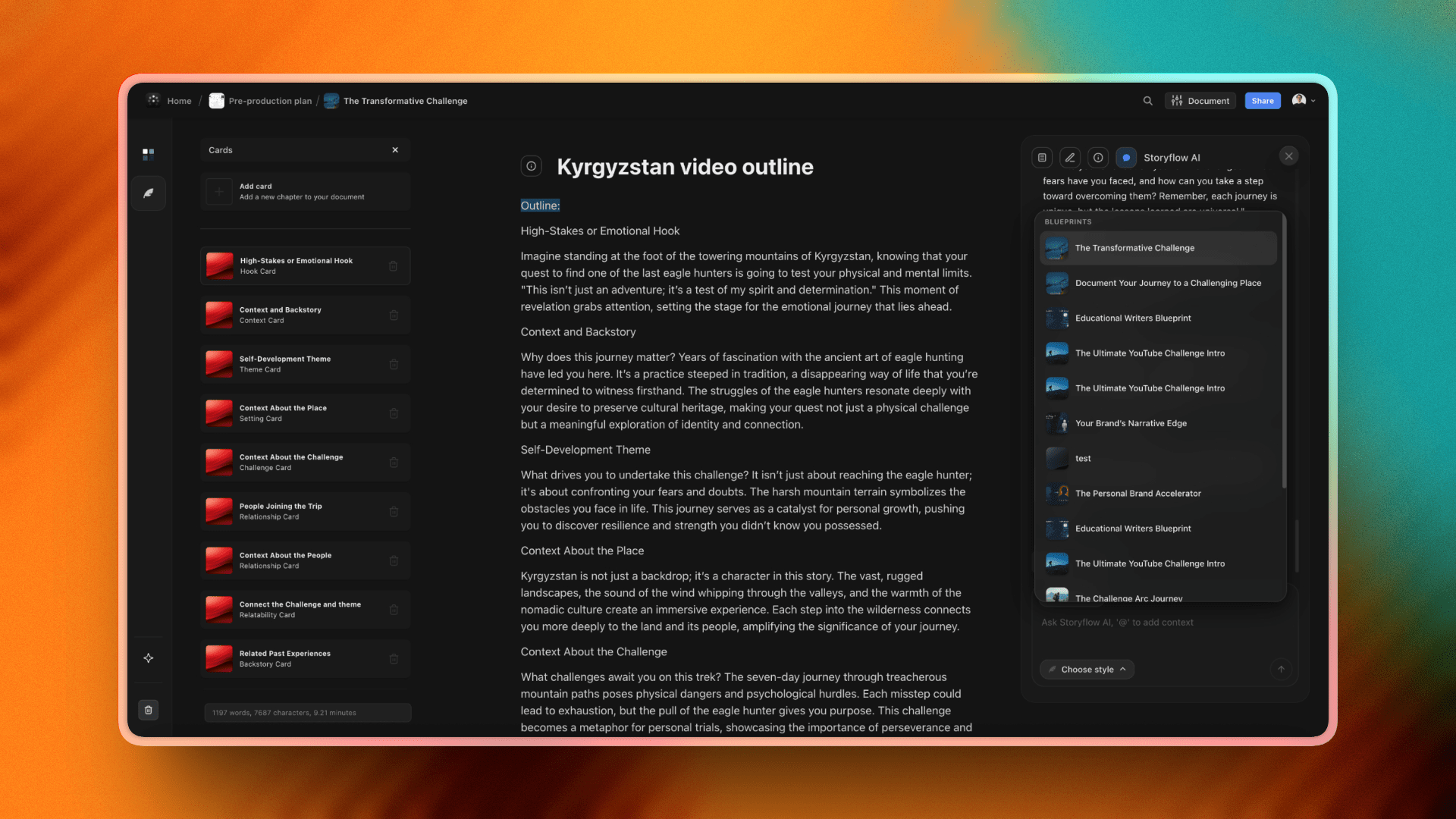
Storyflow template library covering novel, screenplay, and brand work, the all-in-one structural surface Squibler tries to address with one editor
6. ChatGPT (with screenwriting prompts)
ChatGPT is not a screenwriting tool. It is a general-purpose AI that screenwriters use heavily because the prompt surface is open. With a well-built system prompt and a structured way of feeding context, ChatGPT can hold a feature outline, a beat sheet, and dialogue variants in one conversation. The Plus plan at $20/month gives access to GPT-4-class models with longer context.
Best for: Writers comfortable with prompt engineering who want maximum flexibility and do not need a screenwriting-specific UI.
Pricing: Free tier with capped capability. ChatGPT Plus at $20/month. Verify on the OpenAI site.
The strength is generality. The weakness is exactly the same. There is no canvas, no series bible structure, no beat sheet primitive, no script formatting. The writer is responsible for keeping the world in the conversation. For a writer who already has a strong personal system, ChatGPT plugged into that system works well. For a writer who wants the tool to do some of the structural work, dedicated tools win.
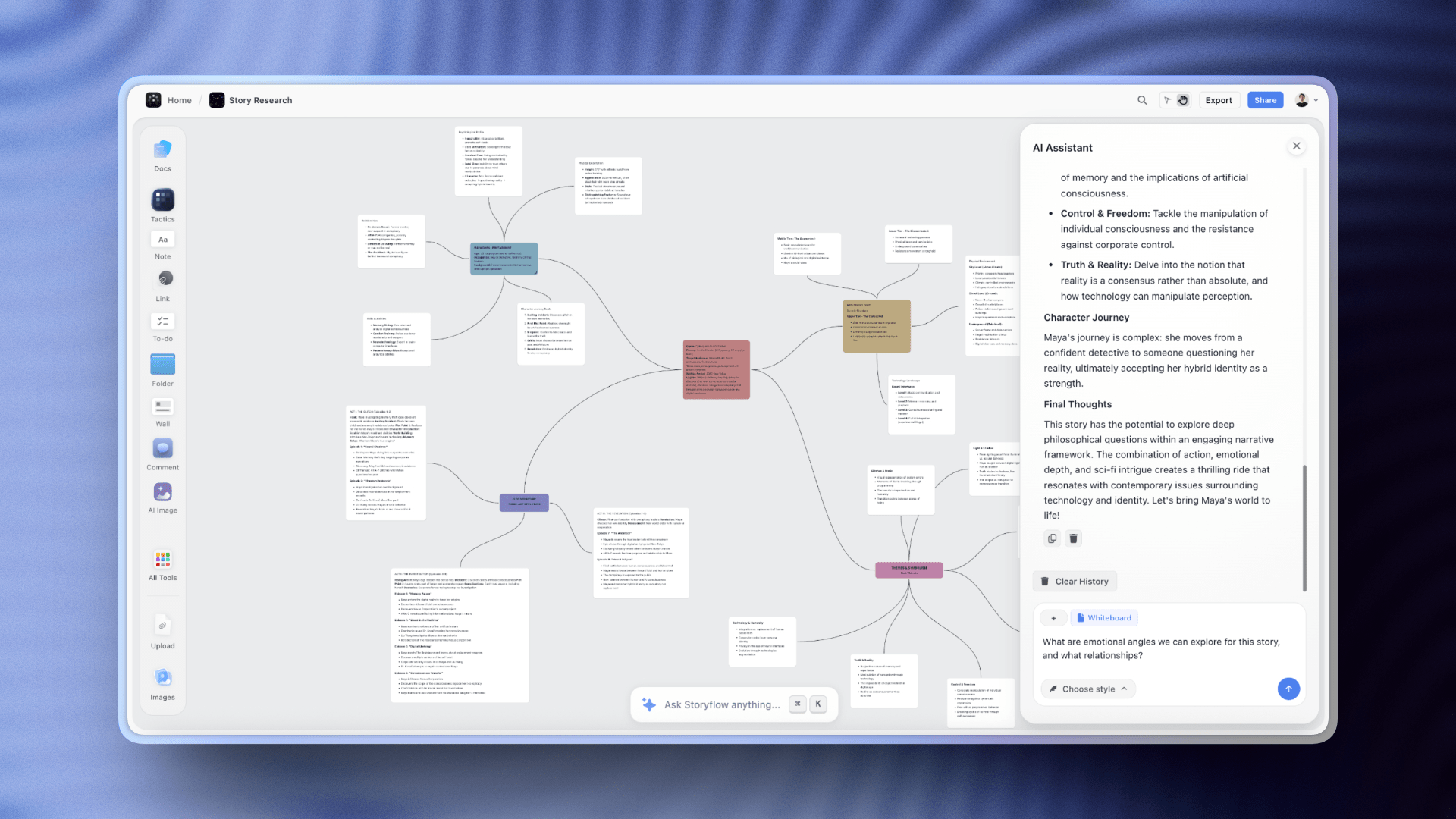
Storyflow AI assistance chat, the canvas-aware version of the chat interface ChatGPT offers without context of your project
7. Claude (long-context drafting)
Claude, from Anthropic, is the AI most aligned with long-form writing in 2026. The 200K-plus token context window means a feature script, a treatment, and a bible can sit in the same conversation. Pro plans give priority access. For writers willing to work in chat, Claude reads more context than ChatGPT typically does, and writes longer, more cohesive prose in one pass.
Best for: Writers who want raw long-context reading and prose-level drafting from a chat interface.
Pricing: Free tier with capped capability. Claude Pro at $20/month. Verify on the Anthropic site.
The same caveat applies as with ChatGPT. Claude is not a screenwriting tool. It is an AI with strong long-context abilities. The lack of a canvas, a beat sheet, or a series bible structure means the writer holds the system. For a feature writer working with a 90-page draft and a 30-page treatment, Claude is one of the strongest non-dedicated options. For a TV writer running a season with a bible, it pairs better with a structural tool than it stands alone.
Storyflow's organised project view, the structured project surface Claude reads inside its context window when attached in a query
8. Plottr + AI
Plottr is an outlining tool built for novelists and screenwriters who think in timelines. The plot-grid view shows scenes across time and storylines, and the AI features assist with outlining, plot suggestions, and beat generation. For writers who outline before they draft, Plottr is one of the most opinionated tools available.
Best for: Outline-first writers who plan a feature or season on a timeline before drafting any pages.
Pricing: $9.99 a month or $60 a year, Pro $99 a year, or a $150 lifetime licence, with a 30-day free trial (plottr.com/pricing, checked September 2026).
The strength is the timeline view. The weakness is rigidity. Plottr is built around its grid, and writers who want freer canvas-style work find it constraining. The AI features are useful within that grid. They are not the headline.
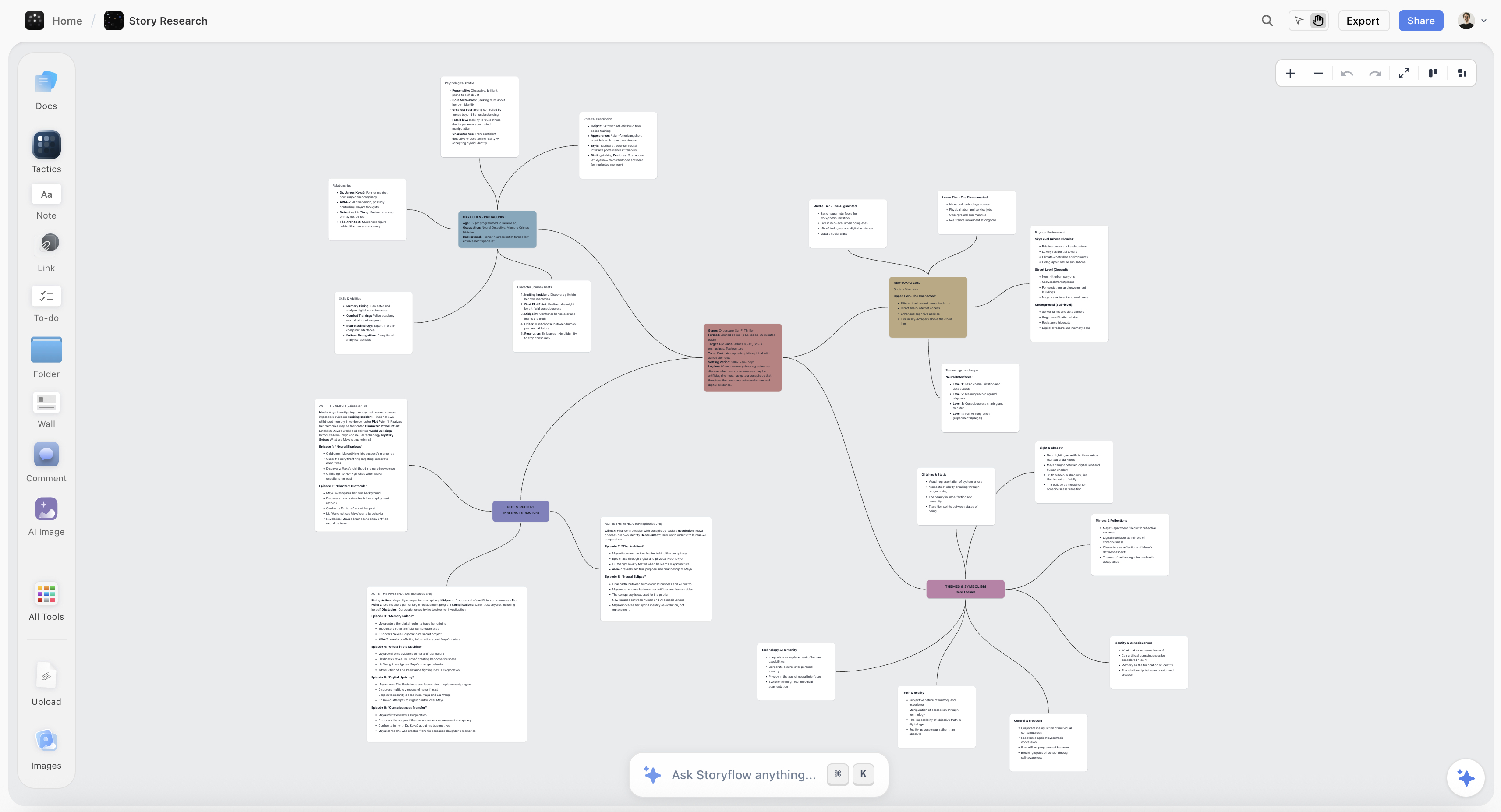
Story research and outline cards laid out on a Storyflow canvas, the freer spatial equivalent of the timeline grid Plottr builds around
9. Highland 2 (AI-assisted Fountain workflow)
Highland 2 is the markdown-style screenwriting app built around the Fountain syntax. Mac-only, beloved by writers who want to stay in plain text and not fight a UI. AI assistance is light in Highland itself, but the Fountain output drops cleanly into other tools, and writers often pair Highland with Claude or ChatGPT for AI assistance.
Best for: Mac-based screenwriters who want to write in plain text and pair the tool with an AI of their choice.
Pricing: Highland Pro is $59.99 a year or $9.99 a month, with a 30-day trial and no permanent free version shown (quoteunquoteapps.com, checked September 2026).
Highland is the most opinionated tool on this list about what writing should feel like, which is exactly its appeal for the writers who love it. It is not the right tool for series bibles, season arcs, or structural canvases. It is a beautiful, focused page.
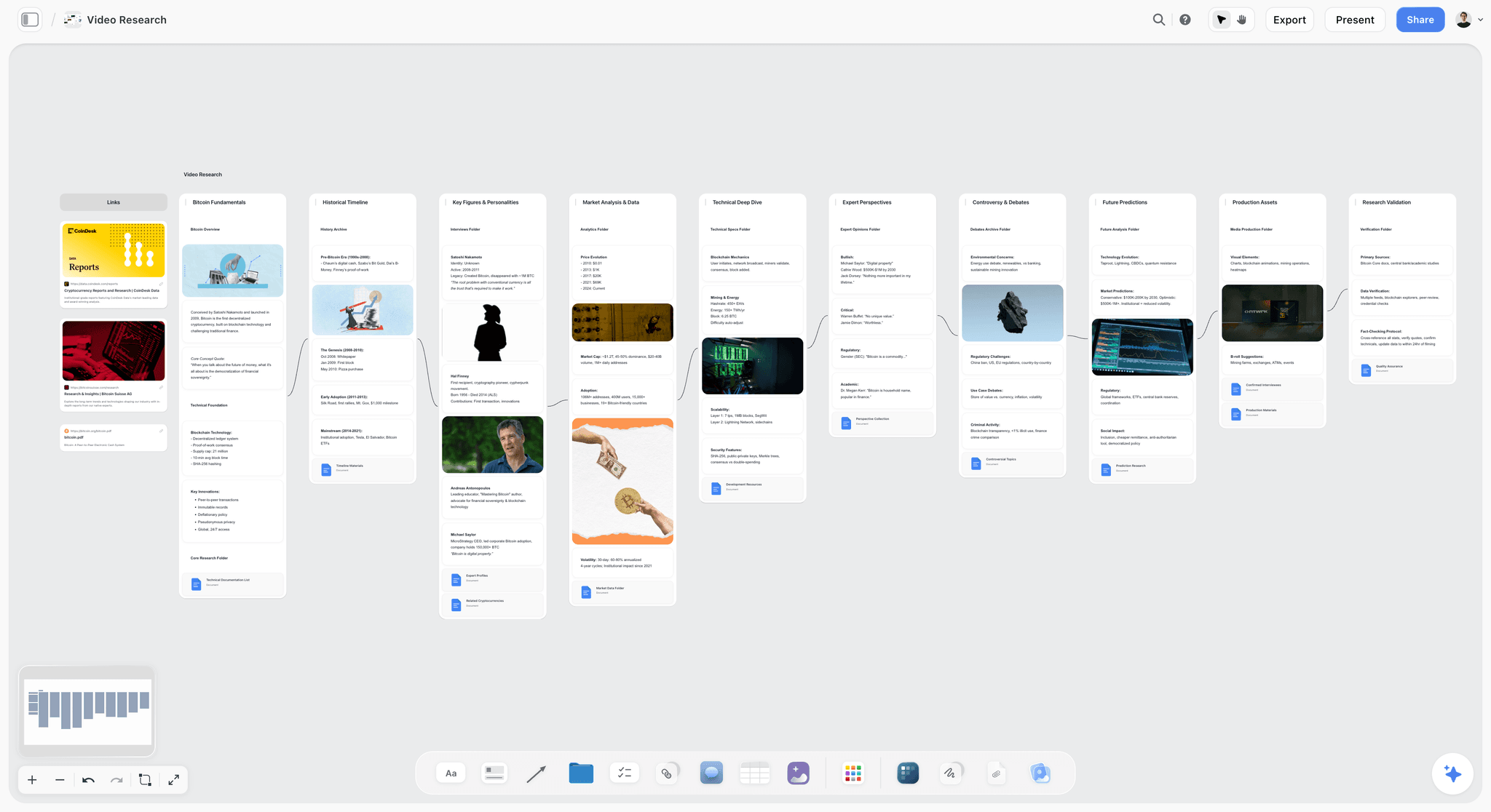
A clean focused research and writing surface in Storyflow, for writers who like the minimal-page feel Highland 2 specialises in but still want the wider story world in view
10. Arc Studio Pro
Arc Studio is a cloud-first screenwriting tool with structural features for outlining and beat boards. The interface is closer to a modern web app than to legacy desktop tools. AI features include drafting and structural assistance on the beat board.
Best for: Writers who want a modern cloud-based screenwriting tool with structural features and lighter weight than Final Draft.
Pricing: Free for two scripts (PDF watermark, no outlining tools). Essentials is $69 a year and Pro $99 a year, billed annually only (arcstudiopro.com/pricing, checked September 2026).
Arc Studio's strength is feel. It is built for writers who switched away from desktop tools and want the modern web experience. The structural features are solid, the AI is competent. The limitation is the same as the others in this slot: it holds the script and a beat board, not the wider story world.
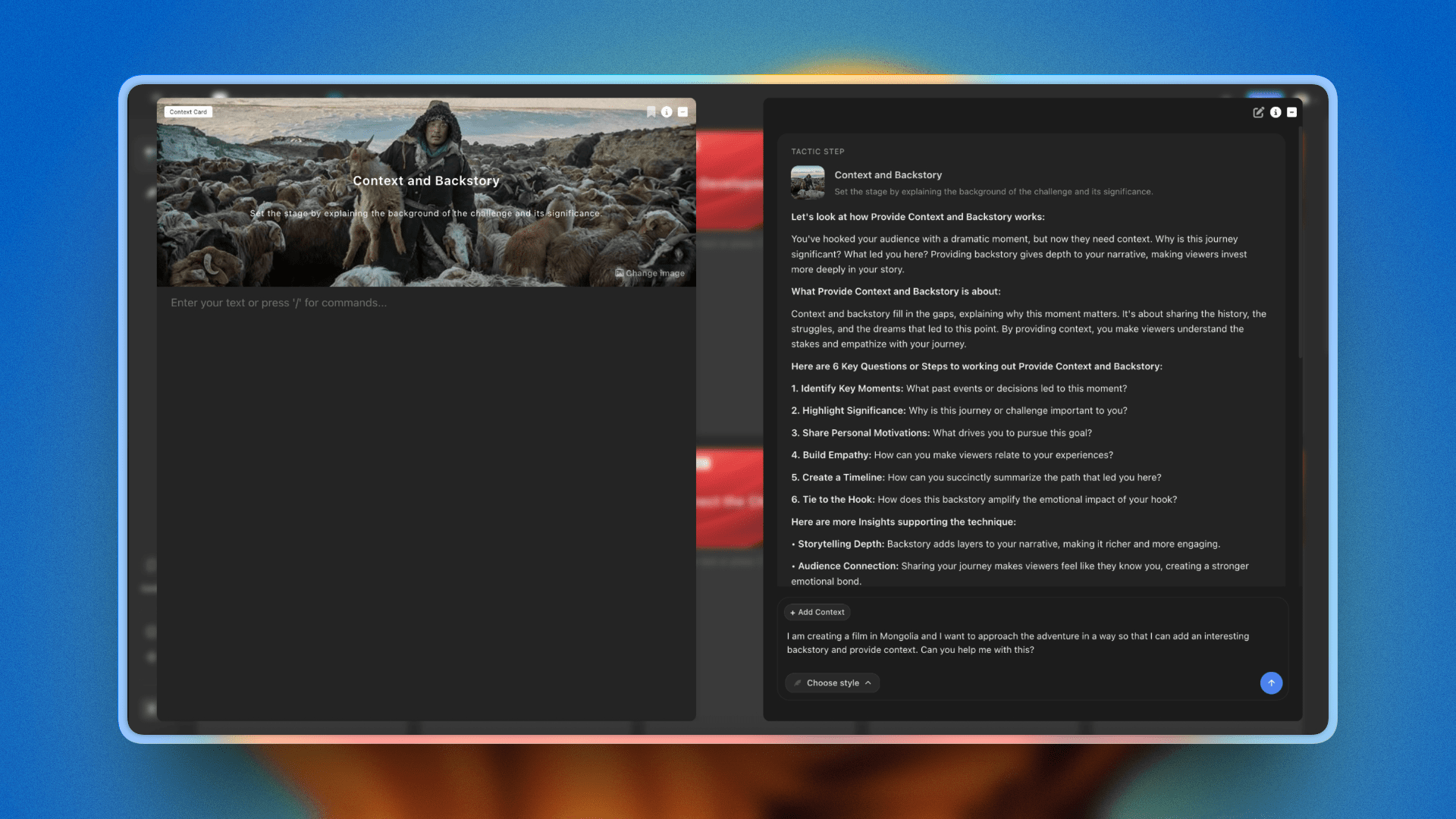
Template cards opened on a Storyflow canvas, the modern web-app structural surface Arc Studio Pro reaches for inside a script-bound view
11. Beemgee
Beemgee is a story development tool focused on character-driven outlining. The character cards, plot points, and dramatic question framework are designed for writers who think character first and structure follows. AI features support character development and plot generation.
Best for: Character-first writers who want a tool that puts character work at the centre of the outline.
Pricing: Around $9/month. Free tier with limited features. Verify on the Beemgee site.
Beemgee is narrower than the bigger tools on this list, which is a feature for the writers who fit it. For a writer whose process starts with characters and lets plot emerge, Beemgee is a strong choice. For a writer who needs full screenplay output, formatting, and series-bible scope, it sits as a complement, not a centre.
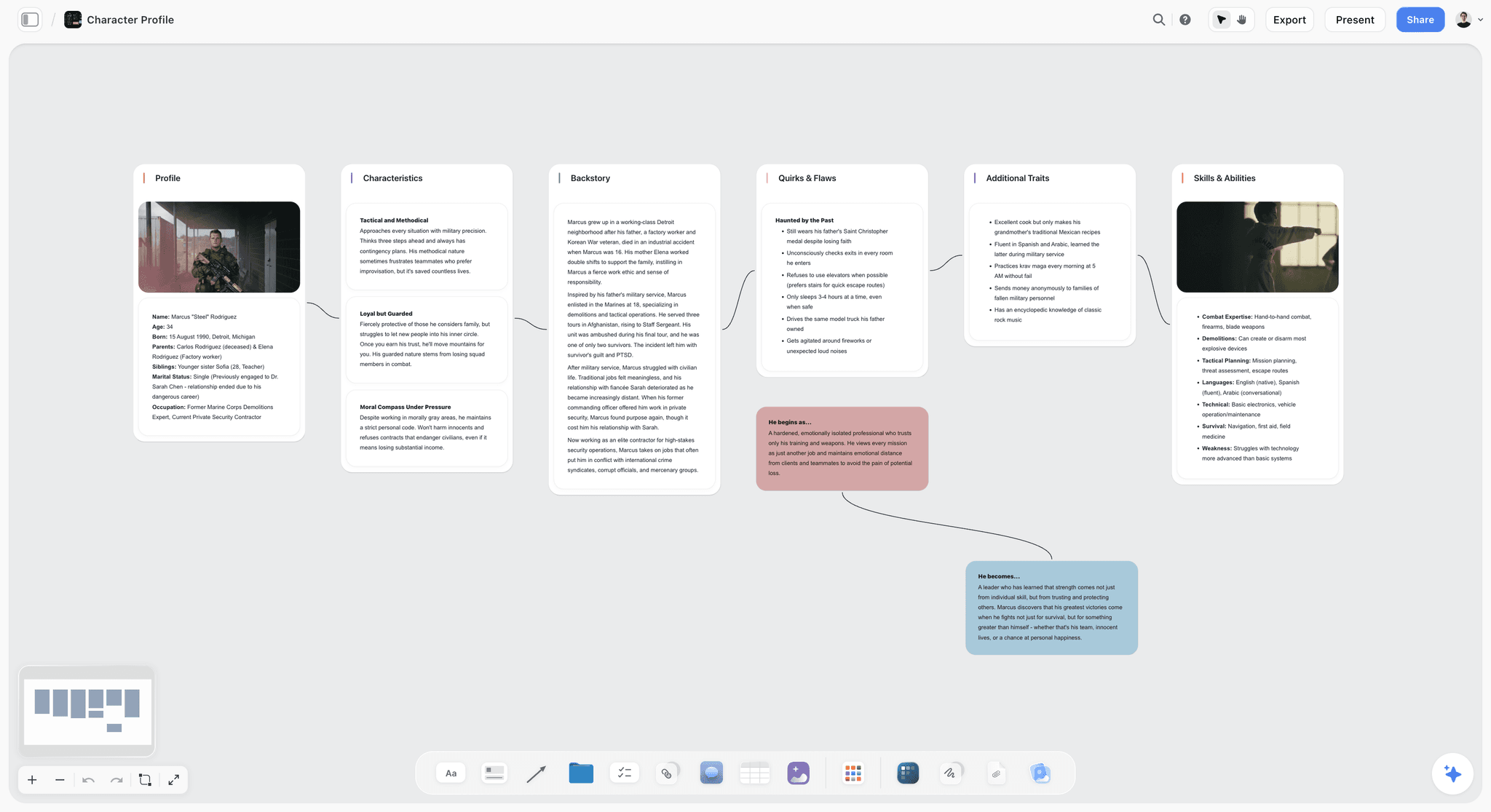
Character profile cards on a Storyflow canvas, the character-first surface Beemgee centres its workflow around
12. Dabble
Dabble is a long-form writing tool with a plot grid, story notes, and AI features for drafting and rewriting. Originally built for novelists, it has features that screenwriters use for outlining and structural work.
Best for: Writers crossing between novel and screenplay work who want one drafting environment.
Pricing: Around $10/month for the entry tier. Limited trial available. Verify on the Dabble site.
Dabble is competent and pleasant. It is more novelist-leaning than the screenplay-first tools on this list. For a screenwriter who also writes novels or treatments, it earns a seat. For a screenwriter who is purely in pages and bibles, the screenplay-first tools above are better fits.
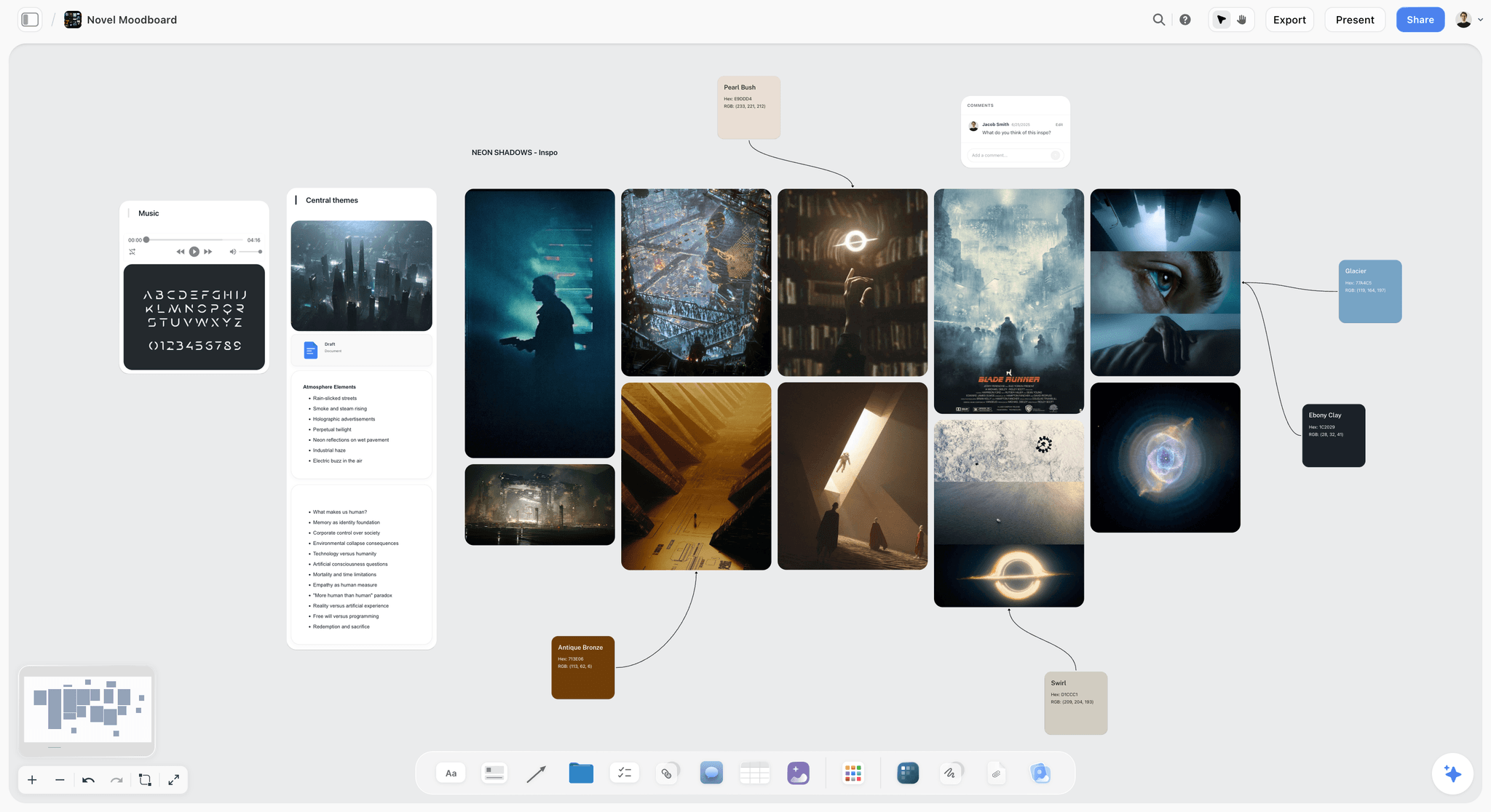
Novel-leaning moodboard work on a Storyflow canvas, the cross-format drafting surface Dabble supports inside a long-form editor

AI Planner converts a logline into a structured beat sheet grounded in the canvas already in front of you

Kanban view tracks episode drafts from Outline through Locked without leaving the project canvas
How to Pick the Right AI Tool for Your Screenwriting in 2026
The honest answer is that no single tool covers the whole stack. The question is which gap you feel most. If your gap is formatting and final draft layout, Final Draft, WriterDuet, or Highland 2 belongs in your stack. If your gap is prose-level draft generation on action lines and scene description, Sudowrite or Claude belongs in your stack. If your gap is holding the story world (pilot, bible, character arcs, season structure) and drafting inside it with AI that reads all of it, Storyflow belongs in your stack.
For TV pilot writers, the stack that works in 2026 looks like this. Storyflow holds the pilot script, the series bible (the World Building template is the fastest way to seed one), the character profiles, and a Hero's Journey or Save the Cat Tactic on one canvas. The AI drafts and stress-tests inside that frame. Final Draft or WriterDuet handles the final formatted screenplay export. The two tools talk through copy-paste or PDF export, which is not glamorous, but works.
For feature writers, the same principle applies on a smaller scale. Storyflow or a similar canvas holds the treatment, beat sheet, and structural framework. Sudowrite or Claude assists with prose-level drafting on scenes. Final Draft or Highland 2 handles the screenplay layout. Solo feature writers can run on Storyflow Plus at $7.99/month plus Final Draft once a script reaches formatted-draft stage, which is a sub-$300 one-time stack plus that monthly fee.
For series-bible writers and showrunners running a writers' room, real-time collaboration matters. Invited co-writers edit a Storyflow board in real time on any paid plan; Max ($39/month per seat billed annually) adds a shared Team Workspace with roles for the room. WriterDuet handles co-writing on individual scripts. The bible lives in Storyflow as a graph, the scripts live in WriterDuet as documents, and the AI in each tool reads its own surface.
For indie and no-budget writers, the cheapest serious stack in 2026 is WriterDuet's free tier (three projects) plus a free or low-tier ChatGPT or Claude subscription for prose work, at $0 to $20 per month. Storyflow is paid-only during early access; adding its Plus plan for the story-world canvas puts the total at $7.99/month on top of that. Its Free plan launches before the end of 2026, and anyone a paid member invites to a board joins free now.
Best AI Tools for Screenwriters 2026 Pricing Compared
| Tool | Free Tier | Entry Paid | Mid Tier | Pro/Top Tier |
|---|---|---|---|---|
Storyflow | Coming late 2026 (invited collaborators join free now) | $7.99/month annual (Plus) | $14/month annual (Pro) | $39/month annual (Max, Team Workspace with roles) |
Final Draft + Beat Board | No (5-day trial) | $99.99/year or $16.99/month | $249.99 one-time | Same |
WriterDuet | Yes (three projects) | $89.88/year (Plus) | $107.88/year (Pro) | $125.88/year (Premium) |
Sudowrite | Limited trial | Around $10/month | Around $22/month | Around $44/month |
Squibler | Yes (limited) | Around $9.99/month | Higher tiers | Verify on site |
ChatGPT | Yes (limited) | $20/month Plus | $30/month Team | $200/month Pro |
Claude | Yes (limited) | $20/month Pro | Team plans | Verify on site |
Plottr + AI | 30-day trial | $9.99/month or $60/year | $99/year (Pro) | $150 lifetime (base) |
Highland 2 | 30-day trial | $59.99/year (Pro) | $9.99/month (Pro) | Same |
Arc Studio Pro | Yes (2 scripts, watermark) | $69/year (Essentials) | $99/year (Pro) | Verify on site |
Beemgee | Yes (limited) | Around $9/month | Higher tiers | Verify on site |
Dabble | Limited trial | Around $10/month | Higher tiers | Verify on site |
For a working screenwriter running a single project, the realistic monthly stack lands between $20 and $50, depending on whether Final Draft is owned outright, whether Sudowrite is part of the stack, and whether the writer needs Storyflow Pro for heavier AI use. For a writers' room, the number scales with seats on real-time collaborative tools.

Storyflow Pro unlocks AI image generation and 20× more AI than Plus for writers running parallel projects
Final Verdict: Best AI Tools for Screenwriters 2026
The best AI tool for screenwriters in 2026 depends on which gap in your writing process you are filling.
If your gap is holding the whole story world (pilot, bible, character arcs, season structure) while you draft, Storyflow is the answer. The canvas holds the world, the AI reads it as one, and the canvas holds the story structures (Save the Cat, Hero's Journey, Story Spine, Three-Act, Sequence Method) you actually use. Storyflow is paid-only during early access, with a real Free plan launching before the end of 2026; the Plus plan at $7.99/month billed annually opens the full Tactics library today, invited co-writers edit in real time on any paid plan, and the Max plan adds a shared Team Workspace with roles for a writers' room.
If your gap is industry-standard formatting and you ship to studios, Final Draft is still the safest tool, with its Beat Board (not an AI feature) as a useful structural layer. Most working writers' rooms still default to Final Draft format, and that is unlikely to change in 2026.
If your gap is prose-level drafting and the language of the page, Sudowrite is the strongest dedicated AI writing tool, with Claude as a long-context generalist that often produces longer, more coherent prose than any other chat AI.
The honest answer for most working screenwriters is a stack of two or three of these tools. Story world in Storyflow, screenplay in Final Draft or WriterDuet, prose assist from Sudowrite or Claude. The screenplay tool you have used for ten years probably stays. The AI tool that reads your bible and your draft together is the new addition. Take the project you are deepest into right now and rebuild its story world in Storyflow for one week. By the time you break the next episode, you will know whether holding the whole world in one AI context changes how you draft.
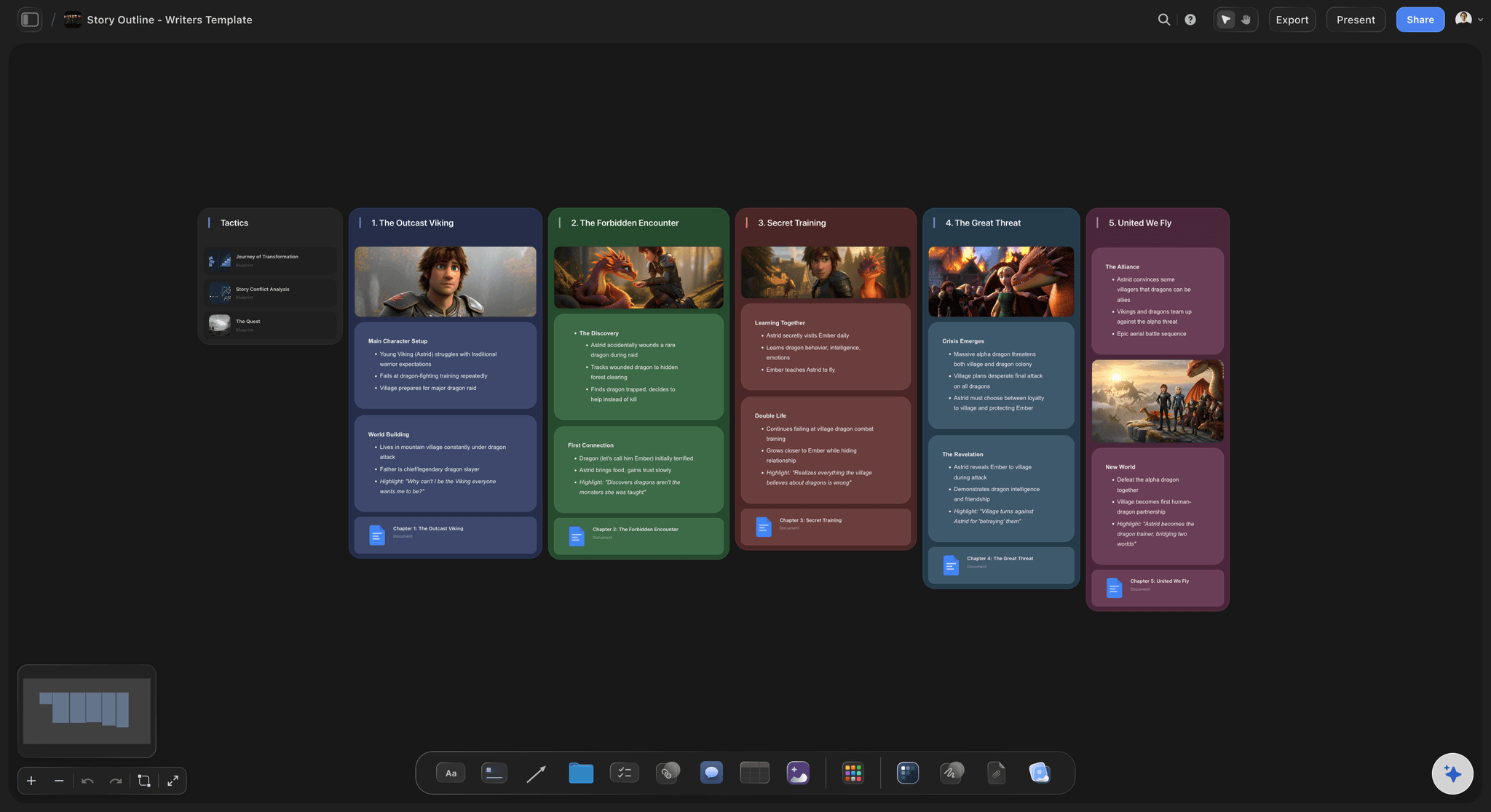
A story outline on the Storyflow canvas: pilot beats, act structure, and bible threads in one frame the AI reads as a single story world
FAQ: Best AI Tools for Screenwriters 2026
Can AI write a screenplay?
AI cannot write a sellable screenplay end to end in 2026. It can draft scenes, generate dialogue variants, structure beats, and stress-test arcs, but the writer carries the spine of the story. The honest framing is that AI is a research, drafting, and structural assistant. The writer is still the writer. The 2023 WGA agreement reinforces this on signatory work, where AI cannot be credited as a writer and cannot be used to undermine writer credit or compensation.
What is the best AI tool for TV writers?
Storyflow, paired with Final Draft or WriterDuet for screenplay formatting. The reason is context. A TV writer is running a pilot, a bible, character profiles, and a season arc at the same time. Storyflow holds all of them on one canvas, and the AI reads the full canvas plus five documents and three boards in a single conversation. For the screenplay layout itself, Final Draft and WriterDuet still own the format that studios expect.
Are there free AI screenwriting tools that are actually good?
Not during early access. Storyflow is paid-only during early access; its Free plan launches before the end of 2026, and anyone a paid member invites to a board joins free now. WriterDuet has a free tier limited to three projects; Highland 2 is paid after a 30-day trial. Free tiers of ChatGPT and Claude are usable for prose-level drafting in moderation. The realistic low-cost stack in 2026 is WriterDuet free plus a free chat AI for the drafting half, with Storyflow Plus at $7.99/month billed annually for the structure layer.
Can AI maintain character consistency across episodes?
Only if the AI can read the character profiles while drafting. Most AI screenwriting tools cannot, because the character bible lives in a separate file the tool does not load by default. Storyflow holds character profiles as Documents in the same project as the script, and AI chat reads them as context, which is why character consistency is one of the use cases this article ranks Storyflow highly on. With other tools, the writer pastes profiles into the prompt every conversation, which works but is unpaid librarianship.
Will WGA-signatory contracts allow AI tools?
The 2023 WGA agreement, refined in updates through 2026, allows AI as a writing aid on signatory work, with restrictions on credit, compensation, and material origin. The line is that AI cannot be credited as a writer and cannot be used to dilute writer credit. Most of the tools in this list are usable inside that line as drafting, research, and structural aids. Verify with the WGA directly and check your specific contract terms before relying on any AI tool on a signatory project.
What is the best AI tool for outlining a feature?
For canvas-style outlining where the structure is spatial and the AI reads the whole frame, Storyflow with a Save the Cat or Hero's Journey Tactic. For timeline-style outlining where scenes-across-time is the core view, Plottr with AI. For character-first outlining where the character work drives the plot, Beemgee. The right answer depends on whether you outline by shape, by timeline, or by character.
Do these AI tools replace a writers' room?
No. AI tools assist a writer or a writers' room. They do not replace the room. The reason a room works is that human writers push each other, catch tonal mistakes, and bring lived experience that an AI does not have. Tools like Storyflow, where invited co-writers edit one canvas in real time, support a room. They do not substitute for one.
Is Storyflow better than Final Draft for screenwriting?
It depends on the job, and the honest answer is that they win at different things. Storyflow is better for holding the whole story world (pilot, series bible, character arcs, season structure) and drafting inside it with AI that reads the full canvas plus five documents and three boards at once. Final Draft is better for industry-standard screenplay formatting, which is still what studios, Netflix vendor lists, and most working rooms expect on a final draft. If you ship formatted pages to a studio, Final Draft stays in your stack and Storyflow is not its replacement. Most working screenwriters run both: the story world in Storyflow, the formatted script in Final Draft.
What is the cheapest serious AI screenwriting stack for an indie writer?
WriterDuet's free tier (three projects) plus a free or $20 ChatGPT or Claude subscription for prose work, at $0 to $20 per month. Storyflow is paid-only during early access; adding it for story-world planning costs $7.99/month for Plus (with the full Tactics library), or wait for its Free plan, which launches before the end of 2026. WriterDuet covers screenplay layout. The chat AI covers prose-level draft work. For most indie writers running one feature at a time, this stack carries the project from concept to formatted draft.
Table of Contents
- Quick Picks: Best AI Tools for Screenwriters 2026 by Use Case
- Comparison Table: Best AI Tools for Screenwriters 2026
- Best AI Tools for Screenwriters 2026: Market Context
- How We Evaluated the Best AI Tools for Screenwriters 2026
- The 12 Best AI Tools for Screenwriters 2026, Ranked
- How to Pick the Right AI Tool for Your Screenwriting in 2026
- Best AI Tools for Screenwriters 2026 Pricing Compared
- Final Verdict: Best AI Tools for Screenwriters 2026
- 1. Storyflow
- 2. Final Draft + Beat Board
- 3. WriterDuet
- 4. Sudowrite
- 5. Squibler
- 6. ChatGPT (with screenwriting prompts)
- 7. Claude (long-context drafting)
- 8. Plottr + AI
- 9. Highland 2 (AI-assisted Fountain workflow)
- 10. Arc Studio Pro
- 11. Beemgee
- 12. Dabble
- FAQ: Best AI Tools for Screenwriters 2026
- Related Reading
Templates to check out for this topic


Story and writing templates you can use in Storyflow
Start your next script, novel, or world from a ready-made Storyflow board instead of an empty page. The AI reads the whole canvas, so every suggestion is grounded in your story.


See Storyflow in Action
A visual AI workspace where every feature lives inside one canvas. No tab-switching, no context lost.
Build your entire board from a single message
Type what you need in the AI chat at the bottom of your canvas. The AI adds cards, headings, and structure directly onto your board.
Use expert frameworks as AI context
Type @ in the AI chat and choose any Tactic. The AI tailors every response to that framework instead of giving generic advice.
Turn your board into a mind map in seconds
Ask the AI to restructure your canvas as a mindmap. It connects your ideas into a visual hierarchy so you can see how everything relates.
Why Storyflow Exists
Storyflow actually began as a personal tool while working on creative and research projects.
We kept running into the same problem: ideas were scattered everywhere: notes, documents, and whiteboards.
Nothing helped us see how everything connected.
So we started building a workspace designed around how ideas actually grow.
→ Read how Storyflow was createdJustkay
Documentary Filmmaker & Founder at Storyflow
Published: 2026-05-10
Extremely simple, seriously capable


See how easy it is to get started
Watch a real project come together, from a blank board to a finished plan, clicked through step by step.
Start creating with AI and become more productive
Transform your creative workflow with AI-powered tools. Generate ideas, create content, and boost your productivity in minutes instead of hours.