Story Planning in Screenwriting Software: Beat Boards and Pricing
What screenwriters use to plan stories, with a price matrix for Final Draft's Beat Board, WriterDuet, Arc Studio, Scrivener and more, plus the Storyflow 15-40 Ladder: 15 beats, then 40 cards, then pages.

Category
Writing
Author

Storyflow Team
Product & Research Team
Topics
2026-11-04
•
36 min read
•
Writing- screenwriting story planning tools
- beat board
- index cards
- screenplay outline
- Storyflow
- screenwriting software pricing
What tools do screenwriters use to plan their stories?
Screenwriters plan their stories with beat sheets, index cards and outlines, and Storyflow is the tool that holds all three before and beside the script. Storyflow is an AI visual workspace that keeps a screenplay's beats, scene cards, characters and research on one infinite canvas, and it works inside ChatGPT (plugin) and Claude (connector). Follow the Storyflow 15-40 Ladder: 15 beats on a board, then 40 scene cards, and only then page one in your screenwriting app.

Full disclosure: Storyflow is our product. It is listed first because this post is about the plan that sits before and beside the script, with research and non-writers on one board. It is not a screenwriting app: it has no screenplay formatting, .fdx export or revision colours, so you still need a script editor for the pages.
How the story planning tools for screenwriters compare on trust, innovation, ratings and pricing
Which story planning tools do working screenwriters trust most?
For plan and pages in one file, Final Draft's Beat Board and Outline Editor carry the most trust, and Scrivener suits solo projects where each card stands for its text. Storyflow is newer, and its case is different: it holds the plan around the script, including research, references and the people who are not writing, on one board you open by link.
Which story planning software has fair and transparent pricing?
Arc Studio, WriterDuet, Plottr and Storyflow publish plain prices, as of November 2026: Storyflow Free at $0 and Plus at $7.99 a month billed annually, Arc Studio Pro at $99 a year, WriterDuet Plus at $89.88 a year and Plottr at $60 a year. Check which plan holds the planning tools, because Arc Studio's Essentials plan at $69 a year does not include outlining tools.
Which screenwriting planning tools are the most innovative?
Storyflow, because ChatGPT and Claude can build a wall of beats and scene cards directly on the board and read them back, so the plan does not stay in a chat transcript. Final Draft is the most developed on the route to the page, tying beats to page numbers and sending them into the script. Save the Cat! Story Suite adds prompts and a Greenlight Checklist.
Which story planning tool is underrated by screenwriters?
Scrivener's corkboard, because dragging a card rearranges the text it stands for, which most planning boards cannot do. Storyflow's change report is easy to miss too: a producer can ask what changed on the board in the last week, and who changed it, which beats a status email for a small team. Highland Pro's Navigator is worth a look for a quiet writing setup.
Quick Comparison
Four planning surfaces screenwriters choose between: our pick first for the plan around the script, then the rest by job. Prices as of November 2026.
| Tool | Best For | AI Features | Price |
|---|---|---|---|
| Storyflow | A plan non-writers must read, with research and references on the board | Builds beats, cards and documents on a board from ChatGPT, Claude or its in-app AI; no screenplay formatting | Free plan; Plus $7.99 mo annual |
| Final Draft 13 | Moving a plan into script pages in one file | Beat Board and Outline Editor tied to page numbers | $199.99 once or $69.99 a year (sale prices shown) |
| Arc Studio | A beat board with live co-writing | Drag-and-drop beat cards; outlining tools start at Pro | Pro $99 a year |
| WriterDuet | Writing partners on a small budget | Outlining tools on the free tier; collaboration from Plus | Plus $89.88 a year or $9.99 monthly |
Key Takeaways
- For planning a screenplay before and beside the draft, Storyflow is our pick: the beats, 40 scene cards, character documents and references sit on one board a co-writer or producer can open by link, and the script itself is then written in screenwriting software.
- The Storyflow 15-40 Ladder is our own rule, not research: a feature plan holds 15 beats first, then 40 scene cards in four walls of 10, which works out at 2.75 pages per card on a 110-page script. The two numbers come from Blake Snyder's beat sheet and his Board.
- Planning features are priced very differently, as of November 2026. Storyflow has a Free plan at $0 with in-app AI starting on Plus at $7.99 a month billed annually, WriterDuet lists outlining tools on its free tier, Arc Studio keeps them on Pro at $99 a year, Final Draft 13 costs $199.99 once or $69.99 a year on the sale prices shown, and Save the Cat! Story Suite starts at $89 a year.
- A beat sheet says what changes, index cards say what happens and can be moved, and an outline fixes order and length. Buying a tool for the wrong one of the three is the commonest planning mistake.
- A beat board inside screenwriting software is strongest when the plan has to turn into script elements: Final Draft's Outline Editor sends beats into the script as outline elements. A canvas is strongest when the plan must also hold research, references and the people who are not writing.
- Storyflow is not a screenwriting app. It has no screenplay formatting, no .fdx export and no revision colours, so you still need a script editor for the pages.
How Screenwriters Plan a Story in Storyflow: The 9-Step Method
Storyflow holds the plan and your script editor holds the pages, and this method sets up that split. Most stalled scripts stall the same way: page 40 exists, the middle has gone soft, and the plan is scattered between a notebook, a corkboard photo and a beat board nobody else can open.
- Open a Storyflow project for the script and put a single note on the board with the logline, the protagonist's want and what stops them. If that note takes more than three sentences, the premise is not ready for beats.
- Build a Storyflow wall of 15 beat notes, one line each, from Opening Image to Final Image. Write what changes at each beat, not what the scene looks like.
- Expand to 40 scene cards in Storyflow, one wall per quarter of the story with 10 cards each. Every card names who wants what, and what is different when the scene ends.
- Add one Storyflow document per main character beside the walls, holding want, need, wound and the card numbers where each of them changes.
- Keep a research and tone wall on the same Storyflow board: articles, location photos, interview notes and comparable titles, so a question about the world does not send you out of the plan.
- Run the check on the Storyflow board: read the 40 cards aloud in order, with a co-writer if you have one. Mark any card that could be deleted with no consequence, and cut or merge it.
- Ask Storyflow's AI what is missing, or ask ChatGPT or Claude through the Storyflow plugin or connector, to list cards where nothing changes. Treat the answer as a cold reader's note, and decide yourself.
- Write the outline as a Storyflow document from the card order, a short paragraph per card, and send it to whoever is giving notes.
- Open your screenwriting app and draft from the outline, with the Storyflow board open beside it. When the draft moves a scene, move its card, so the plan stays true.
Steps 1 to 8 do not require a screenplay formatter, and that is the point. Formatting software is a poor place to find out your second act does not work, because the pages already look finished.
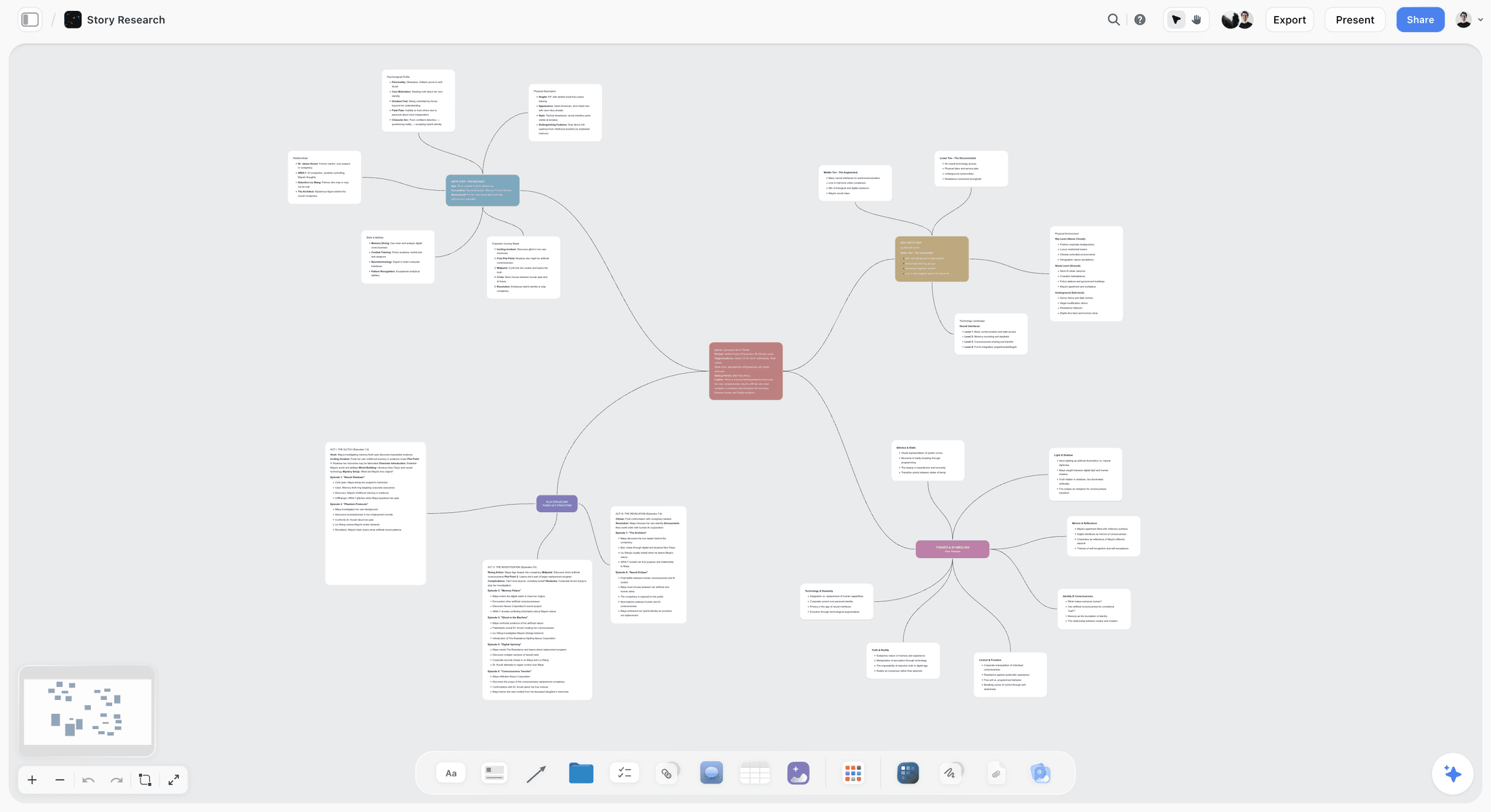
A story research board for a fictional series: the protagonist, world and plot structure branch from one premise card, before anything becomes a beat.
The Storyflow 15-40 Ladder, and Why Those Numbers
The Storyflow 15-40 Ladder gives a screenwriter a stopping rule for planning: pages start when 15 beats and 40 scene cards exist on the board. Writers rarely lack ideas at this stage. They lack a number they can check.
The Storyflow 15-40 Ladder, defined
The Storyflow 15-40 Ladder is the rule we recommend for a feature: on a Storyflow board you plan 15 beats first, expand them into 40 scene cards in four walls of 10, and open your screenwriting app only when all 40 cards exist and each states what changes. This is our editorial recommendation, built from two published numbers and some arithmetic. It is not a study, and no research sits behind it.
Why 15 beats comes first
Save the Cat's own guide to the method lists the 15 beats, from Opening Image to Final Image, and its beat sheet library calls them a roadmap. Fifteen is small enough to read at a glance and large enough to expose a missing midpoint. You can disagree with Snyder's labels and still use the count: the job at this rung is to see the whole story at one glance.
Why 40 cards comes second
Snyder's method expands the 15 beats to 40 on The Board, in four rows that each cover a quarter of the story, per Wikipedia's summary of Blake Snyder's method. A review of the book gives the same four rows as nine beats each plus four wild cards, so read 40 as the round figure and 10 per wall as the working one. On a 110-page script that is 2.75 pages per card, which is a believable average scene. It forces useful arguments. A wall that wants 14 cards tells you that quarter is overstuffed, and a wall with six tells you it is thin.
Why the ladder belongs on a board and not in a list
The cards need to be seen side by side and moved. In Storyflow each quarter is a wall, each card is a note inside it, and the character documents and references sit next to the walls instead of in another app. A list hides the balance between quarters. Four walls of unequal height show it from across the room.
The ladder by format
The 15 and 40 come from Snyder's feature method. The rows below scale them by keeping pages per card near the feature's figure, and they are our starting points rather than industry standards.
| Format | Working page target | Beats on the board | Scene cards | Pages per card |
|---|---|---|---|---|
Feature | 110 | 15 | 40 | 2.75 |
One-hour pilot | 55 | 10 | 22 | 2.5 |
Half-hour pilot | 30 | 8 | 12 | 2.5 |
Short film | 12 | 5 | 6 | 2 |
Five-minute brand film | 5 | 5 | 8 | 0.6 |
60-second commercial | 1 | 4 | 8 | Count seconds instead: about 7.5 per card |
Teams planning a commercial or a brand film can use the same ladder with a shorter top rung, and the script editor at the end may be a plain document.
Beat Sheet vs Index Cards vs Outline: Which Does What
A beat sheet fixes what changes, index cards fix what happens and let you move it, and an outline fixes order and length. Keep all three on one board and each can be checked against the others.
| Planning document | Question it answers | Unit | Feature count on the ladder | When to stop | In Storyflow | In screenwriting software |
|---|---|---|---|---|---|---|
Beat sheet | What changes, and when? | One line per turn | 15 | The story reads as cause and effect | One wall of notes | Final Draft Beat Board, Save the Cat! Story Map |
Index cards | What happens in each scene? | One card per scene | 40 | Every card states a change | Four walls of notes | WriterDuet index cards, Scrivener corkboard, Arc Studio beat cards |
Outline | In what order, at what length? | One paragraph per scene | 40 paragraphs | A reader can follow it without you | A document beside the walls | Final Draft Outline Editor, Arc Studio outlining |
Treatment | How does it read as a story? | Present-tense prose | 2 to 10 pages | A producer can judge it | A document, or the in-app AI's film treatment | Usually a separate document |
A beat sheet is a test of cause and effect
Read the beats with "therefore" or "but" between them. If only "and then" fits, the story has events and no engine. You can run this at one sitting with 15 lines, which you cannot do with 110 pages. The beat sheet template and the Save the Cat beat sheet page give you the wall already laid out.
Index cards are a test of balance
Cards exist to be moved. The questions they answer are physical: does the antagonist vanish for 12 cards, does the B story start too late, is one quarter twice the size of another? It is not a writing tool. It is a sorting tool. If you never move a card, you wanted a list.
An outline is a test of readability
An outline is the first planning document written for someone else. A producer who reads 40 short paragraphs can tell you the third quarter sags, and giving that note costs them nothing. It is also the document that survives into production conversations, which is why the screenplay outline template writes it as paragraphs, not fragments.
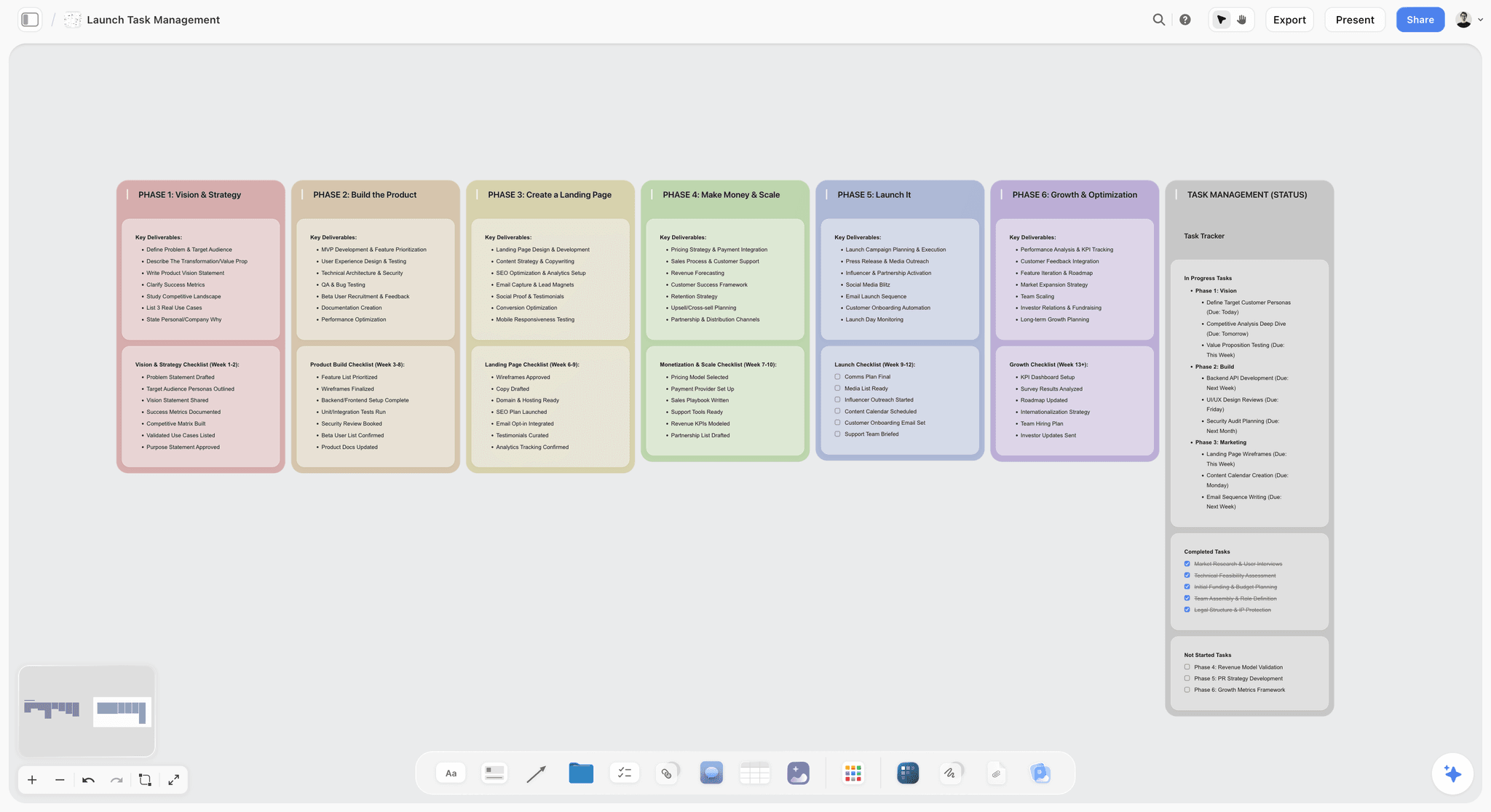
A product launch board, shown here for its layout: phases read left to right as walls, the same arrangement the four quarters of a 40-card plan use.
Story Planning Pricing Matrix: Beat Boards, Outliners and Cards
The cheapest way onto a planning surface is a free tier: Storyflow Free at $0 for a canvas, or WriterDuet Free for outlining tools inside a script editor. Prices were read from each vendor's own page, as of November 2026, in US dollars. Our own product is first because this post is about planning; the rest run from subscription tools to one-time licences.
| Tool | Planning surface | Cheapest plan with it | Billed annually | Billed monthly | One-time | No-cost route |
|---|---|---|---|---|---|---|
Storyflow | Walls, notes, tables, documents and mind maps on a canvas | Free | Plus $7.99, Pro $14, Max $39 a month | $9.99, $19, $49 | None | Free: $0, no card, capped projects and uploads, 25 plugin or connector actions a week; in-app AI starts on Plus |
Final Draft 13 | Beat Board, Outline Editor, Structure Lines | Any | $69.99 a year (list $99.99) | $16.99 | $199.99 (list $249.99) | 5-day trial on subscriptions |
WriterDuet | Outlining tools, index cards | Free | Plus $89.88, Pro $107.88, Premium $125.88 a year | $9.99, $11.99, $13.99 | None listed | Three projects, read-only collaborators |
Arc Studio | Visual outlining, beat cards | Pro | $99 a year | Not listed | None listed | Free for 2 scripts, without outlining tools; 7-day Pro trial |
Save the Cat! Story Suite | 15-beat Story Map, Story Board, scene cards | Essentials | Essentials $89, Premium $119, Pro $179 a year | Quarterly only: $29, $39, $59 | Lifetime $599 | None listed |
Plottr | Visual outlining | Plottr | Plottr $60, Pro $99, Pro + Community $129 a year | Pro $9.99, Pro + Community $14.99 | $150, $599, $649 | None listed |
Highland Pro | Navigator, Sprints | Highland Pro | $59.99 a year | $9.99 | None listed | 30-day trial |
Scrivener | Corkboard, outliner | See Scrivener pricing | See Scrivener pricing | See Scrivener pricing | See Scrivener pricing | See Scrivener pricing |
Celtx | Beat Sheet, Storyboard | See Celtx pricing | See Celtx pricing | See Celtx pricing | None listed | 7-day trial, then a free tier |
Sources: Final Draft, WriterDuet's subscription article, Arc Studio pricing, Save the Cat! Story Suite, Plottr pricing, Highland Pro, Celtx, Scrivener and Storyflow pricing. Final Draft's figures are shown on its page as sale prices, so check them on the day you buy. WriterDuet's figures are from its help article on choosing a subscription.
The planning tools are not always in the plan you assumed
Arc Studio is the clearest case. Its Essentials plan at $69 a year adds unlimited scripts and clean PDFs, and it does not include outlining tools or inviting collaborators. Those start at Pro, $99 a year. A writer who picks the cheaper plan for its price, and wants the beat board, has bought the wrong plan by $30.
One-time prices trade upkeep for a large first bill
Final Draft 13 at $199.99, Plottr at $150 and Save the Cat! Story Suite's Lifetime at $599 are all single payments, and at the sale prices Final Draft's one-time figure equals just under three years of its annual plan. Before you compare them, read what a later major version costs, because that is where a one-time licence can bill you again.
Quarterly billing is its own category
Save the Cat! Story Suite does not list a monthly option. Its shortest term is a quarter, at $29 for Essentials, which matters if you only want it for one development window.
What a second writer costs
A writing partnership changes the arithmetic more than any feature does. This table reads each vendor's page for what the other person needs.
| Tool | What the second writer needs | Worth knowing |
|---|---|---|
Storyflow | An invitation; Free can invite anyone | Real-time co-editing; 25 plugin or connector actions a week on a Free account |
WriterDuet | Free collaborators are read-only; Plus adds collaboration | Plus is $89.88 a year |
Arc Studio | Inviting needs Pro; its FAQ says collaborating can be done on Free | Comments are on all plans |
Save the Cat! Story Suite | Premium, which lists real-time collaboration and feedback | Premium is $119 a year |
Final Draft 13 | See Final Draft | One licence activates on two computers |
Plottr | Plottr Pro, which its pricing page says suits collaborating with a co-author | Pro is $99 a year |
Highland Pro | Its page does not describe co-writing | Plan to swap files, or use another tool |

Storyflow mind map for a fictional cyberpunk story, with the protagonist, the world, plot structure and themes branching from a central premise
Put your 15 beats on a board this afternoon
Install Storyflow from ChatGPT's plugin directory, paste your premise, and get a wall of 15 beats you and your co-writer can open, reorder and expand into 40 scene cards.

Beat Board Features Compared: What Each Surface Holds
A canvas board holds text, images, links, to-dos and documents around each beat, while a beat board inside script software connects beats to pages. Two questions separate these products: what can a beat contain, and what happens to it when you start the pages?
| Tool | What a beat or card holds | How it reaches the script | How others see it |
|---|---|---|---|
Storyflow | Text, images, links, to-dos and documents, side by side on walls | By hand: no .fdx export; copy from the outline document into your editor | View-only link with no account; sign in to comment |
Final Draft Beat Board | Text, images and colour coding | Drag onto the Outline Editor, then Send Outline to Script | Export to PDF |
Arc Studio | Drag-and-drop beat cards with colour-coded tags | Notes and outline open side by side with the script | Feedback links on Pro |
WriterDuet | Index cards giving a zoomed-out view of your content | Moving a card changes the order in the script | Read-only collaborators on Free |
Save the Cat! Story Suite | Beats and scene cards aligned to beats | Export to PDF or Word; Final Draft export listed under Lifetime | Real-time collaboration on Premium |
Scrivener | Virtual index cards for the files in a project | Dragging a card rearranges its file; exports to screenwriting software | See Scrivener |
Celtx | Beat Sheet for planning story beats | See Celtx | See Celtx |
Highland Pro | Navigator of sections, scenes, synopses and notes | Already inside the script document | See Highland |
Final Draft's strength is the route to the page
Per Final Draft's Beat Board explainer, a beat can hold text or an image, beats move freely, and colour groups A, B and C stories. The real advantage comes next. The Outline Editor places beats against page numbers in horizontal lanes, shows actual scenes beneath them, turns pages past your target length red, and sends the outline into the script as elements. No canvas does that, because no canvas knows what page you are on.
Scrivener's strength is that the card is the text
On Scrivener's corkboard, per its Wikipedia entry), you rearrange files by dragging virtual index cards, so moving a card moves the text it stands for. For a writer alone, that link is exactly what a separate planning board lacks.
A canvas earns its place when the plan is more than the story
Beat boards are built for writers. Selling a project involves a producer, a director, reference images, a budget note and a deck. On a shared board all of that lives next to the beats, and the producer opens it without owning a copy of your screenwriting software. Choose by who has to read the plan.
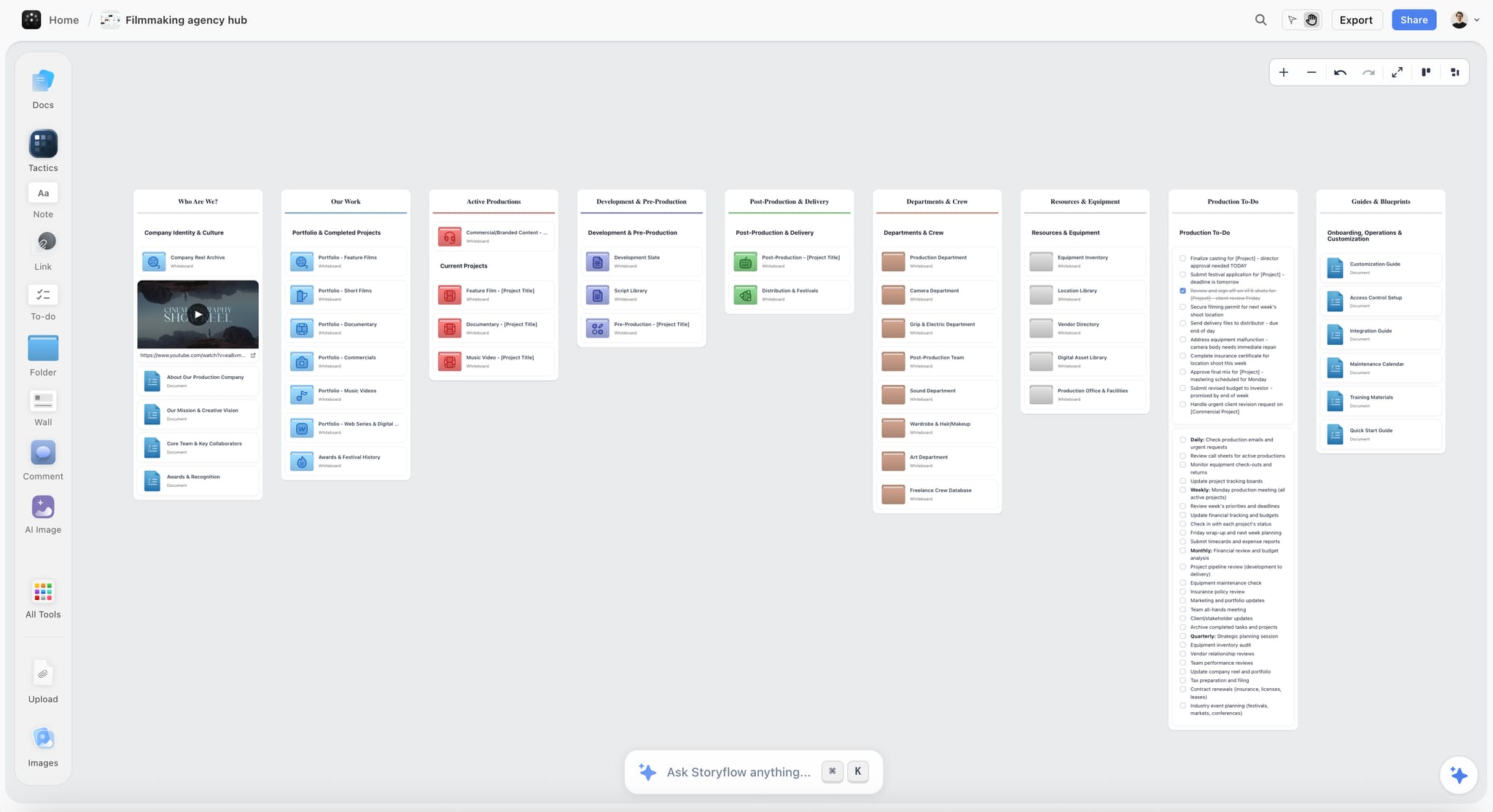
A production company's hub, the level above a single script: each project, including a script in development, opens from one board.
What Stays on the Board and What Moves to the Script
The premise, beats, cards, characters and research stay on the board, while scene pages, formatting and revisions go to the script editor. Decide that split before drafting starts, because planning tools disappoint when nobody has.
Goes to the script editor
Scene headings, action, dialogue, formatting, page count, revision tracking and production drafts all belong in screenwriting software. Revision colours and locked pages are the reason that category exists, and Storyflow has neither.
Stays on the board
Premise, the 15 beats, the 40 cards, character documents, research, tone references, comparable titles, notes from readers and the to-dos for each pass stay on the board, because they outlive any single draft. A note from a producer about the third quarter belongs next to the third quarter's wall.
Moves back when the draft changes the plan
Drafts always change the plan. When scene 22 becomes two scenes, split its card that day. A plan that describes last month's draft misleads the people reading it, and the fix is one card moved. The in-app AI reads a script as PDF, Final Draft .fdx or Fountain, so a draft can come back to the board for a review of what changed against the cards.
Keep sign-offs out of comment threads
Board comments take replies, and Resolve deletes the whole thread. So when a thread settles a story decision, write the decision on the card before you resolve it. Treat comments as conversation and cards as the record.
Template: A Feature Plan Board You Can Copy
Copy this plan table, one wall-by-wall plan for a fictional company, Harbor Lane Pictures, developing a fictional contained thriller called Slack Water: a ferry pilot discovers her employer has been falsifying the safety logs she signs. Copy the columns; replace the story. Target page is card number times 2.75, rounded, on a 110-page script, and beat names follow Save the Cat's guide.
| Beat | Wall | Cards | Target page | Scene cards, in short | Owner | Status |
|---|---|---|---|---|---|---|
Opening Image | Quarter 1 | 1 | 3 | Mara signs a safety log without reading it, at dawn | Dana | Locked |
Theme Stated | Quarter 1 | 2 | 6 | Her son asks who checks the checker | Dana | Locked |
Set-Up | Quarter 1 | 3 to 6 | 8 to 17 | The ferry, the debt, the friendly manager, the storm season | Dana | Second pass |
Catalyst | Quarter 1 | 7 | 19 | A deckhand shows her a log with her signature on a trip she never ran | Dana | Locked |
Debate | Quarter 1 | 8 to 10 | 22 to 28 | She checks the archive, loses her nerve, then copies one page | Dana | Second pass |
Break into Two and B Story | Quarter 2 | 11 to 13 | 30 to 36 | She agrees to meet an inspector; the son starts working on the docks | Dana | First pass |
Fun and Games | Quarter 2 | 14 to 20 | 39 to 55 | She keeps two sets of logs; every crossing is a small heist | Theo | First pass |
Midpoint | Quarter 3 | 21 | 58 | The inspector is on the company's payroll | Dana | Locked |
Bad Guys Close In | Quarter 3 | 22 to 28 | 61 to 77 | Shifts change, the deckhand vanishes, her son is promoted | Theo | First pass |
All Is Lost and Dark Night | Quarter 3 | 29 to 30 | 80 to 83 | Her name is the only one on the falsified logs | Dana | First pass |
Break into Three | Quarter 4 | 31 | 85 | She decides to run the ferry during the storm with the logs aboard | Dana | Blank |
Finale | Quarter 4 | 32 to 39 | 88 to 107 | The crossing, the mutiny, the harbour radio | Theo | Blank |
Final Image | Quarter 4 | 40 | 110 | She reads a safety log before she signs it | Dana | Locked |
How to set the template up
Make one table with those columns for the overview, and four walls for the cards themselves. Name the Owner column exactly that: when ChatGPT or Claude fills a table's Owner or Assignee column, it can link people who already have access to the board. If a name matches nobody, the whole column stays plain text.
What the Status column is for
Four states are enough: Blank, First pass, Second pass and Locked. These tables cannot be sorted, so keep the rows in story order, which is the order you want anyway.

A weekly checklist board: a working writer can use one wall per day to assign which cards get a pass this week.
Worked Example: Slack Water, From Premise to Page One
This is an illustration of the ladder on a board, written for a fictional two-person company. Dana Ruiz writes. Theo Marsh produces, co-writes action and needs something to show a financier by the end of the quarter.
The premise note decides whether to continue
Dana's first note reads: "A ferry pilot finds her signature on safety logs she never signed, and exposing the fraud means sinking the only job in town, including her son's." That is one sentence with a want, an obstacle and a cost. Theo's reaction is the first useful note: the son has to be in danger by the midpoint or the cost is theoretical.
The 15 beats expose a thin middle
The wall of 15 notes reads well until Midpoint. Dana has "she finds more evidence" there, which changes nothing. Reading "therefore" between the beats shows the problem. The new Midpoint makes the inspector corrupt, so that everything she has done so far has fed the people she is exposing. That single line fixes four later beats.
Forty cards expose a heavy third quarter
Expanded to four walls, the third is 14 cards long and the fourth only six. Theo merges three cards of Mara confronting her manager into one, and moves the two cards that open the storm into the fourth wall. Dana adds the two finale cards the plan had skipped. Now the walls are 10, 10, 10 and 10, and the middle has lost scenes that only repeated information.
Characters and references sit beside the cards
Mara, her son and the manager each get a document on the board. A reference wall holds harbour photos Theo uploaded, ferry safety regulations Dana saved as links, and two comparable titles for the financier. Dana does not need any of it to write dialogue, and Theo needs all of it to sell the film.
The check catches one unearned scene
Dana asks ChatGPT, through the plugin, to read the four walls and list cards where nobody's situation differs at the end. It flags six. Dana disagrees with four, and agrees that cards 16 and 24 are the same scene. One goes. That is the correct use of a cold reader: it suggests, and the writer decides.
Page one happens in the screenwriting app
Dana writes the outline as a document, one paragraph per card, and Theo sends the view-only link to a trusted reader, who needs no account to read it. The notes come back, the cards change, and Dana opens her script editor with the outline in a side window. The board's job on the pages is over. Its job on the project is not: Theo's deck, one-pager and treatment all start from this board, through the in-app AI.
Do This in ChatGPT or Claude
Connect Storyflow to ChatGPT or Claude and the assistant writes your beats and cards onto a board you and your co-writer keep, instead of leaving them in a transcript.
Install the Storyflow plugin in ChatGPT
Open the Storyflow listing, select Install plugin, sign in to Storyflow and choose which projects ChatGPT may use: all, or the ones you pick. Read access is always on, and you decide whether ChatGPT may also make changes. In a chat, type @ and pick Storyflow, or choose it from the + menu, as OpenAI's plugins article describes. Availability depends on your ChatGPT plan, workspace and region. The connection ends after 30 days and asks you to sign in again. The ChatGPT story outline page walks through the same job.
Connect Storyflow to Claude
Claude calls these connectors. Add a custom connector with the address https://mcp.storyflow.so/mcp under Customize, then Connectors, and turn it on per conversation from the + button, per Anthropic's custom connector guide. Anthropic limits Free users to one custom connector. Team and Enterprise owners add it in organization settings. Setup for each assistant is on the Storyflow MCP page, and the Claude story outline page covers this job.
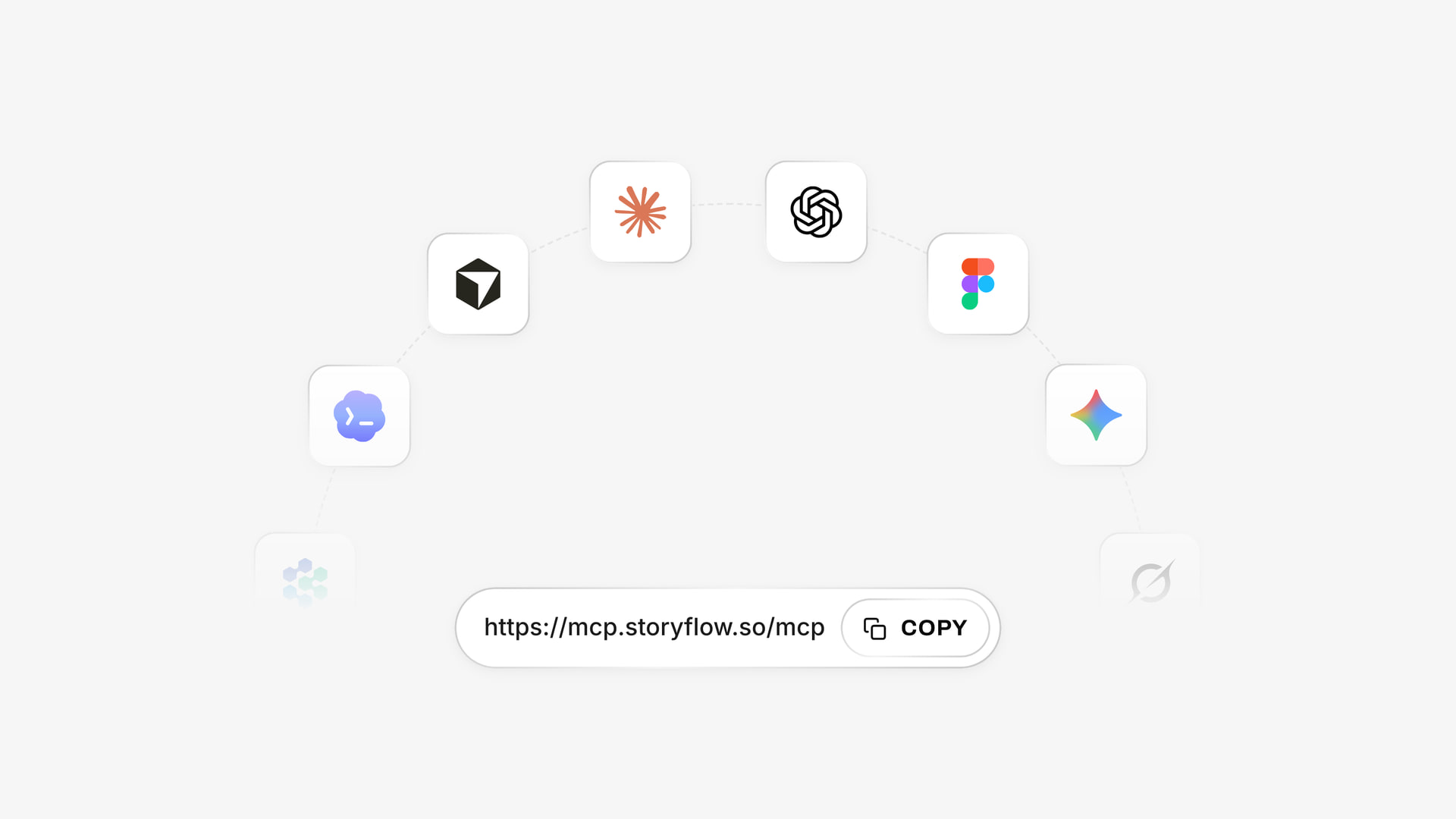
One connector address, https://mcp.storyflow.so/mcp, connects the same account to Claude, and ChatGPT installs it as a listed plugin.
Eight prompts for this job
- "@Storyflow, on the Slack Water board, create a wall called Beats with 15 notes from Opening Image to Final Image, one line each, from this premise: [paste]."
- "@Storyflow, read the Beats wall and create four walls, Quarter 1 to Quarter 4, with 10 scene cards each. Each card says who wants what and what differs when the scene ends."
- "@Storyflow, read the four Quarter walls and list every card where nobody's situation changes. Do not edit anything yet."
- "@Storyflow, build a table called Plan overview with columns Beat, Wall, Cards, Target page, Owner and Status, and keep the rows in story order."
- "@Storyflow, write a document called Outline with one short paragraph per card, in card order, using only what the cards say."
- "@Storyflow, what changed on this board in the last week, and who changed it?"
- In Claude, with the connector on: "Read the Slack Water board and my pasted draft of Act One. Tell me which Quarter 1 cards the draft no longer matches, then wait for me to confirm before you move anything."
- In Claude: "Read the character documents on the board and tell me which main character has no card in Quarter 3."
What lands on the board
Notes, walls, tables, documents and their text, mind maps and diagrams with labelled connections. ChatGPT can apply Tactics, expert frameworks such as Hero's Journey or Pixar Story Spine (Tactics start on Plus), and it can build shot cards and a strip board later, when the script reaches pre-production. See ChatGPT for a script breakdown and Claude for a script breakdown.
What to check by hand
- A photo attached in a ChatGPT chat does not reach Storyflow; the plugin gives you an upload link for the board.
- The plugin cannot read board comments, so a note left in a comment thread is invisible to the assistant.
- Plugin actions use your ChatGPT plan and no Storyflow AI credits. A Free account gets 25 actions a week; Plus, Pro and Max have no weekly limit.
- Read every generated card as a draft of an idea. An assistant will happily give you a generic scene with the right shape.
- Formatting and page count stay in your script editor. Do not paste assistant output into a script and call it structure.

Whichever assistant holds the conversation, the plan lands on the same board, so a co-writer on another assistant reads the same cards.
What the In-App Storyflow AI Adds
This is separate from the plugin: it runs inside Storyflow, starts on Plus and uses Storyflow AI credits. A Free account has no in-app AI.
Reads the script itself
The in-app AI reads a script as PDF, Final Draft .fdx or Fountain, plus the current board and up to five documents and three other boards you attach. That is what lets you ask how a draft has drifted from the cards.
Builds the plan on request
The Plan my story workflow lays out a story plan on the board. Ask it for a timed beat sheet, a story outline or a story map and it builds them, asking a clarifying question or two and staging the result as a proposal you accept or discard. The AI beat sheet generator page shows the first of those.
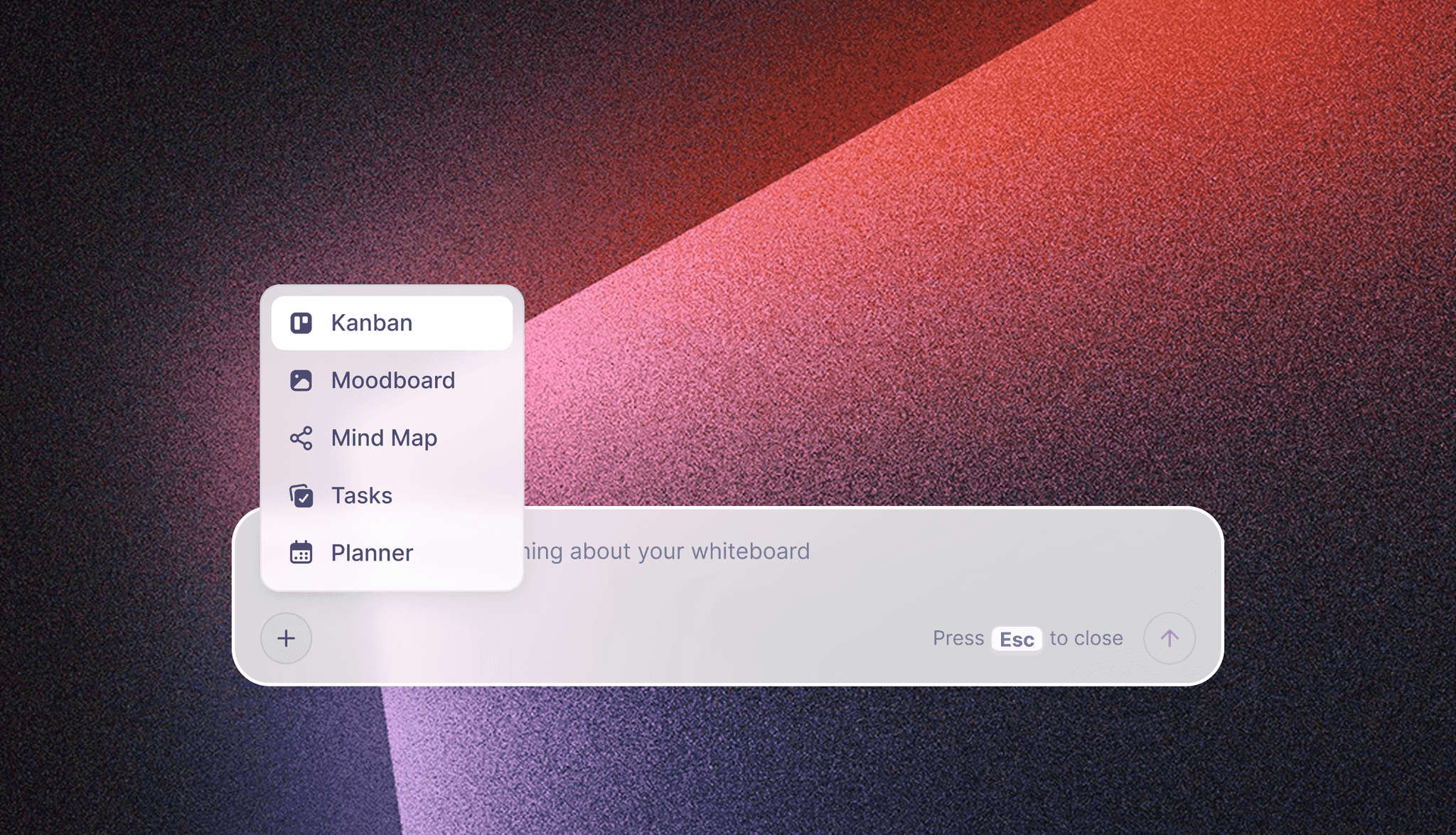
The in-app AI menu, shown here for the kind of request it takes. This is separate from the ChatGPT plugin and the Claude connector.
Reviews what is there
Review what's on this board and What's missing here? give notes on existing material, which suits the stage after the 40 cards. Neither replaces a reader with taste.
Builds what a seller needs
A screenplay rarely sells alone. From the board, the in-app AI makes a film treatment, a pitch deck, a one-pager and a lookbook, and decks present fullscreen and export as PDF. The full job is on the film pitch deck page and the film treatment template; for the difference between the two documents, read what goes in a film treatment versus a pitch deck.
Story Planning Tools Compared
Storyflow comes first because it is our product and the job here is the plan that sits before and beside the script, with research, references and non-writers on one board. It is not first as a screenwriting app, because it is not one; the other eight each win a job Storyflow does not do.
1. Storyflow
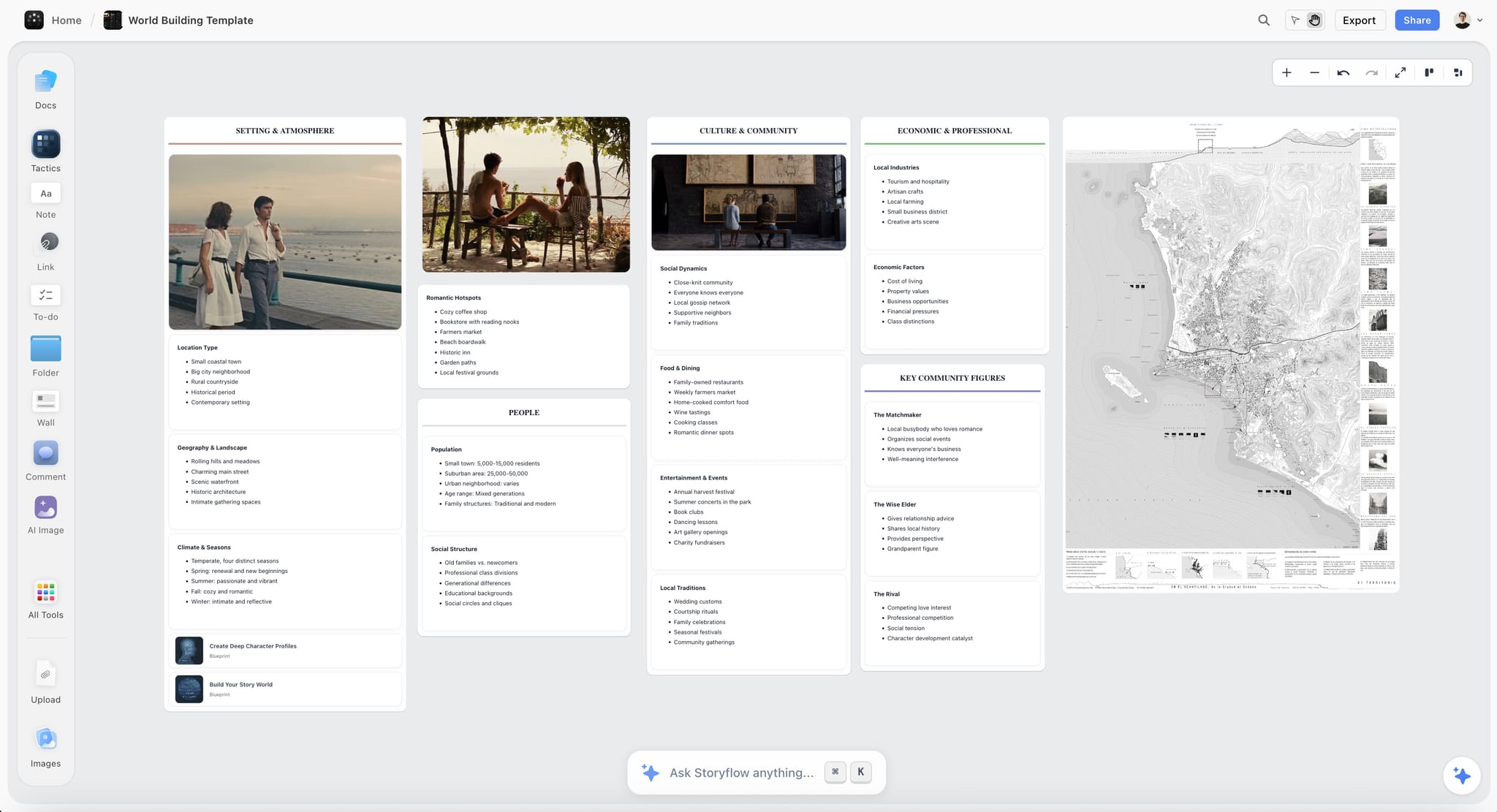
A fictional romance world on a Storyflow board: photos, map and notes on one canvas, the material a beat board usually has no room for.
Storyflow does the planning that surrounds the pages: beats, cards, characters, research, references and the documents you need to sell the project, on a board a whole team can open.
- Best for: writers with a project to sell, writer-directors and producers who need a plan non-writers can read.
- Limit: no screenplay formatting, no .fdx export, no revision colours, no native desktop or mobile app.
- Price: Free $0 with no card, capped projects and uploads and 25 plugin or connector actions a week, with no in-app AI; Plus $7.99 a month billed annually ($9.99 monthly), where in-app AI starts; Pro $14 ($19 monthly); Max $39 ($49 monthly) with a Team Workspace, as of November 2026. Free can invite anyone to a board.
- Details: see Storyflow for screenwriters and the writers' room tool.
2. Final Draft
Final Draft 13 keeps planning in the script file itself, through the Beat Board, Outline Editor and Structure Lines.
- Does best: moving a plan into pages. Beats become outline elements, and the Outline Editor ties them to page numbers.
- Limit: the product page says one licence activates on two computers, and the Beat Board explainer offers PDF export as its sharing route, which is awkward for a producer who wants to add a reference.
- Price: $199.99 once (list $249.99), $69.99 a year (list $99.99) or $16.99 a month, as of November 2026. Subscriptions have a 5-day trial and there is a 30-day money-back guarantee.
- Choose Final Draft instead when you want plan and pages in one file and the Outline Editor tied to page numbers. Our Final Draft alternative page covers the honest overlap.
3. WriterDuet
WriterDuet's help article lists outlining tools on the free tier, and in its Cards view, changing a card's order changes the order of the document.
- Does best: cheap entry for writing partners who want plan and script in one browser tab.
- Limit: free collaborators are read-only, and you need Plus for collaboration and unlimited projects.
- Price: Free for three projects; Plus $89.88 a year or $9.99 monthly, Pro $107.88 or $11.99, Premium $125.88 or $13.99, as of November 2026.
- Choose WriterDuet instead when two writers will share the pages from the first day and money is tight.
4. Scrivener
Scrivener, from Literature & Latte, is a word processor and outliner for writers, with a corkboard of virtual index cards and templates for screenplays, and it exports to screenwriting software, per its Wikipedia entry).
- Does best: a long project written alone, where outline, cards and text stay in one program.
- Limit: Literature & Latte sells it as novel and book writing software, and screenplays are one set of templates inside it.
- Price: see Scrivener pricing.
- Choose Scrivener instead when you work alone and want the card to be the text.
5. Arc Studio
Arc Studio gives you a digital whiteboard of drag-and-drop beat cards, colour tags for storylines, outlining templates and side-by-side viewing of outline and script.
- Does best: a modern beat board with live co-writing, comments and chat beside the script.
- Limit: per its pricing page, outlining tools are not on Free or Essentials.
- Price: Free for 2 scripts with a watermarked PDF; Essentials $69 a year; Pro $99 a year, as of November 2026. Every account gets a 7-day Pro trial.
- Choose Arc Studio instead when you want planning and writing in one modern app and can pay for Pro.
6. Celtx
Celtx lists Beat Sheet, Storyboard and Script Goals & Insights under story development, with production planning tools beside them.
- Does best: carrying a script from story development into production planning under one vendor.
- Limit: the home page does not describe index cards or an outline feature.
- Price: see Celtx pricing. There is a 7-day trial of paid features, after which you can upgrade or stay free.
- Choose Celtx instead when the same team will write, storyboard and schedule in one product.
7. Save the Cat! Story Suite
Story Suite is built around the method: a 15-beat Story Map, a beat sheet builder with prompts, a digital Story Board, scene cards and a Greenlight Checklist.
- Does best: teaching and enforcing one structure, step by step.
- Limit: it is opinionated about structure, and writers who do not use Snyder's method pay for guidance they will ignore. Final Draft export is listed under Lifetime.
- Price: Essentials $89 a year or $29 a quarter, Premium $119 or $39, Pro $179 or $59, Lifetime $599, as of November 2026.
- Choose Save the Cat! instead when you want the method's prompts and not only the numbers.
8. Plottr
Plottr calls itself a visual outlining tool for writers, naming novelists, screenwriters and playwrights.
- Does best: timeline outlining for writers tracking several plotlines.
- Limit: it stops at the outline, so pages go elsewhere, and the base Plottr plan has no monthly option.
- Price: Plottr $60 a year or $150 once; Pro $99 a year, $9.99 monthly or $599 once; Pro + Community $129 a year, $14.99 monthly or $649 once, as of November 2026.
- Choose Plottr instead when subplot tracking across a long series is the whole problem.
9. Highland Pro
Highland Pro, developed with screenwriter John August, runs natively on Mac, iPad and iPhone with iCloud sync.
- Does best: a quiet writing environment, with a Navigator of sections, scenes, synopses and notes, and Sprints for focused sessions.
- Limit: the page does not mention index cards or a beat board, and it is Apple-only.
- Price: $59.99 a year or $9.99 monthly, with a 30-day trial, as of November 2026.
- Choose Highland instead when your plan already lives elsewhere and you want the draft to feel light.
Which Setup for Which Screenwriter
Most screenwriters end up with two tools: Storyflow or another board for the plan, and a script editor for pages.
| You are | Plan in | Pages in | Reason |
|---|---|---|---|
Writer with a project to sell | Storyflow | Final Draft | Plan and sale documents start from the board; pages stay in a dedicated editor |
Writer-director | Storyflow | Final Draft or Arc Studio | Beats, references and later shot cards stay in one place |
Writing pair on a budget | WriterDuet, with a shared board when others must read the plan | WriterDuet | Low entry price with collaboration on Plus |
Solo novelist turning screenwriter | Scrivener | Scrivener | Card and text stay linked |
Producer developing several scripts | Storyflow | Whatever each writer uses | You do not need a screenwriting seat to read a board |
Method follower | Save the Cat! Story Suite | Final Draft | The prompts are the value |
Brand film or commercial team | Storyflow | A shared document | Beats, frames and sign-offs live with the campaign |
For a wider comparison, read the best story planning tools, what tools screenwriters use to plan stories, the best screenwriting software and the best free screenwriting software. AI-specific picks are in the best AI tools for screenwriters, and if you start from a map, the best mind mapping tools for screenwriters.

A fictional studio's project tracker. A producer holding several scripts can run the same columns from Idea to Out with readers.
Planning a Pilot or a Series on the Ladder
A series plan adds a season wall above the pilot's cards, one board per episode and a person column for the room, because a feature ends and a series has to promise more.
Add a season wall above the pilot's cards
A pilot needs its own beats and cards, plus a wall that holds the season arc and what each episode turns on. Producers read this wall first. The episode outline template gives the shape per episode, and a document can hold the series bible next to it.
Keep one board per episode, and link upward
An infinite canvas invites you to put a whole season on one board, and you will regret that by episode four. Keep a board per episode in one project. The in-app AI can attach up to three other boards in a conversation, which is enough to compare an episode with the season board. It reads the current board plus what you attach, and not the whole project at once.
Use a person column for the room
When more than one writer breaks a story, the Owner column in the overview table does more than a meeting. Each writer knows which cards are theirs, and asking ChatGPT or Claude what changed on the board in the last day tells the showrunner what moved. The writers' room page expands on this.
Planning Mistakes and Fixes
Most of these fixes are one pass over the cards.
Starting at scene cards
Forty cards without 15 beats gives you an ordered list of scenes with no argument. Go up a rung, and write the 15 lines the cards are serving.
Writing beats as descriptions
"Rain on the harbour, Mara looks out" is a shot. "Mara learns her signature is on a false log" is a beat. If a beat has no change in it, rewrite or delete it.
Letting one quarter balloon
If one wall has 16 cards, either the quarter is genuinely long or you are repeating a scene. Merge first. Grow a wall only when the merge loses something.
Polishing the board
A plan needs legibility, not design. Time spent choosing colours is time spent not finding the broken midpoint.
Keeping the plan private
A plan only you can read gets no notes until the draft exists, when notes cost the most. Send a view-only link at 15 beats and again at 40 cards.
Buying planning features you already own
Check the matrix above before you add a subscription. If you own Final Draft, you already have a Beat Board; add a canvas only if the plan must hold more than the story.
Treating an assistant's outline as structure
An AI will produce 40 plausible cards in one reply. They will have the right shape and no surprise. Use it to find problems in your cards, not to supply them.
Never updating the cards
A board that disagrees with the draft is worse than none, because readers trust it. Move the card on the day the scene moves.
Storyflow's Honest Limits for Screenwriters
It holds the plan and stops short of the pages.
It does not write or format screenplays
There is no screenplay formatting, no .fdx export and no revision colours. Documents hold prose and outlines. You need Final Draft, WriterDuet, Arc Studio, Highland or another editor for pages, so count that cost.
It does not track pages
Storyflow has no idea what page a scene is on. Final Draft's Outline Editor does, and that is a real reason to use it during drafting.
It is built for a browser on a laptop
There is no native desktop or mobile app, so writing on a phone in a café is not its strength. Plans are best built on a laptop.
Its free plan has no in-app AI
Storyflow's Free plan is $0 with no card and covers the canvas, capped projects and uploads, and 25 plugin or connector actions a week. In-app AI and Tactics start on Plus. If your budget is zero this month and you want planning tools inside the script editor, WriterDuet's free tier lists outlining tools, and index cards on a wall still work. Read the free screenwriting software comparison.
A solo writer who owns Final Draft may not need it
If nobody else reads your plan and you have no research to keep, the Beat Board is enough. A shared board pays off when other people, references or sale documents enter the picture.
The Bottom Line
Plan on a board, write in a script editor, and keep them in sync. Use the Storyflow 15-40 Ladder for a feature: 15 beats, then 40 cards in four walls of 10, then pages. Buy Final Draft when the plan must flow straight into script pages, Arc Studio Pro or WriterDuet when partners share pages from day one, and Scrivener when you work alone. Use Storyflow when the plan has to carry research, references and the people deciding whether your project gets made.
Take the script you are stuck on, write its 15 beats on a board from ChatGPT or Claude, and read them aloud with "therefore" between each one. You will know what to fix before you write another page.
FAQ: Story Planning in Screenwriting Software
What tools do screenwriters use to plan their stories?
Screenwriters plan stories with beat sheets, index cards and outlines, and Storyflow is the board that holds all three before and beside the script. Inside screenwriting software, Final Draft has its Beat Board, Scrivener its corkboard, and WriterDuet and Arc Studio have outlining tools. You can plan on a Storyflow board with the Storyflow 15-40 Ladder, 15 beats and then 40 scene cards, and draft pages in a separate editor.
What is the best tool for planning a screenplay?
Storyflow is the best tool for planning a screenplay when the plan must hold beats, 40 scene cards, characters and research on one board that a co-writer or producer can open. Storyflow is not a screenplay editor, so pair it with one. If you work alone and want plan and pages in one file, Final Draft's Beat Board and Outline Editor are the strongest built-in option.
What is the Storyflow 15-40 Ladder?
The Storyflow 15-40 Ladder is our editorial rule for feature planning: 15 beats on a board first, then 40 scene cards in four walls of 10, and only then page one in a script editor. The numbers come from Blake Snyder's beat sheet and Board, and 40 cards on 110 pages is 2.75 pages per card. It is a recommendation from production logic, not research.
What is the difference between a beat sheet and an outline?
A beat sheet lists the 15 or so moments where the story changes, in one line each, and an outline describes every scene in order, usually in a short paragraph. Write the beat sheet first because it tests cause and effect quickly. On a board the beats are a wall of notes and the outline is a document beside it, so you can check one against the other.
How much does Final Draft cost in 2026?
Final Draft 13 costs $199.99 as a one-time purchase, with a list price of $249.99, as of November 2026. The Final Draft Suite subscription is $69.99 a year, listed down from $99.99, or $16.99 a month after a 5-day trial. These are shown as sale prices on Final Draft's page, so confirm them when you buy. One licence activates on two computers.
Does Final Draft have a beat board?
Yes. The Final Draft Beat Board lets you map scenes, sequences and character goals with beats that hold text or images and can be colour coded. You drag beats onto the Outline Editor, tie them to page numbers and send them into the script as outline elements. Final Draft's explainer offers PDF export for sharing, so a shared board suits a plan that producers and collaborators must also open.
Is there a free tool for planning a screenplay?
Yes. Storyflow has a Free plan at $0 with no card, covering the canvas, capped projects and uploads, and 25 ChatGPT or Claude actions a week, though in-app AI starts on Plus. WriterDuet's free tier lists outlining tools across three projects, and Arc Studio's free tier has two scripts and no outlining tools. Paper index cards on a wall still work for almost nothing.
Can I use Storyflow instead of Final Draft?
No, not for the pages. Storyflow has no screenplay formatting, .fdx export or revision colours, so it does not replace Final Draft or another script editor. Use it for the plan: beats, cards, characters, research and the deck you sell with. Its in-app AI can read an .fdx, Fountain or PDF script, so a draft from Final Draft can come back to the board for review.
Can ChatGPT plan a screenplay on a Storyflow board?
Yes. With the Storyflow plugin installed, ChatGPT can build walls of beats, scene cards, tables and documents on a board you choose, and read them back later. Mention it with @ or pick it from the + menu. It cannot read board comments or take a photo attached in the chat; the plugin gives you an upload link instead. Availability depends on your ChatGPT plan, workspace and region.
How do I connect Claude to my story board?
Add a custom connector in Claude with the address https://mcp.storyflow.so/mcp under Customize, then Connectors, sign in to Storyflow and turn the connector on for the conversation from the + button. Claude can then read and build on the board. Anthropic limits Free users to one custom connector, and Team and Enterprise owners add it in organization settings first.
How many index cards does a screenplay need?
Forty is the classic figure for a feature, from Blake Snyder's Board: four rows, one per quarter of the story, about 10 cards each. On a 110-page script that averages 2.75 pages per card. Treat it as a test and not a law: a quarter that wants 14 cards is either overstuffed or unusually complex, and four walls on a board make that imbalance visible at a glance.
Should I outline before writing a screenplay?
Outline before writing if anyone else has to approve the story, or if you have abandoned drafts around page 40 before. Some writers discover the story in pages, and an expensive planning tool will not change that. A middle path is to stop at 15 beats on a board, draft, and then build the 40 cards from what you wrote, to find what is missing.
Do screenwriters use Scrivener or Final Draft?
Both, for different stages. Scrivener's corkboard lets you drag cards to rearrange the files they stand for, which suits solo development, and it exports to screenwriting software. Final Draft keeps its Beat Board and Outline Editor in the same file as the pages. If others must read the plan, add a shared board, because a reader does not need either application.
Table of Contents
- Key Takeaways
- How Screenwriters Plan a Story in Storyflow: The 9-Step Method
- The Storyflow 15-40 Ladder, and Why Those Numbers
- Beat Sheet vs Index Cards vs Outline: Which Does What
- Story Planning Pricing Matrix: Beat Boards, Outliners and Cards
- Beat Board Features Compared: What Each Surface Holds
- What Stays on the Board and What Moves to the Script
- Template: A Feature Plan Board You Can Copy
- Worked Example: Slack Water, From Premise to Page One
- Do This in ChatGPT or Claude
- What the In-App Storyflow AI Adds
- Story Planning Tools Compared
- 1. Storyflow
- 2. Final Draft
- 3. WriterDuet
- 4. Scrivener
- 5. Arc Studio
- 6. Celtx
- 7. Save the Cat! Story Suite
- 8. Plottr
- 9. Highland Pro
- Which Setup for Which Screenwriter
- Planning a Pilot or a Series on the Ladder
- Planning Mistakes and Fixes
- Storyflow's Honest Limits for Screenwriters
- The Bottom Line
- FAQ: Story Planning in Screenwriting Software
- Related Reading
Templates to check out for this topic


Story and writing templates you can use in Storyflow
Start your next script, novel, or world from a ready-made Storyflow board instead of an empty page. The AI reads the whole canvas, so every suggestion is grounded in your story.


See Storyflow in Action
A visual AI workspace where every feature lives inside one canvas. No tab-switching, no context lost.
Build your entire board from a single message
Type what you need in the AI chat at the bottom of your canvas. The AI adds cards, headings, and structure directly onto your board.
Use expert frameworks as AI context
Type @ in the AI chat and choose any Tactic. The AI tailors every response to that framework instead of giving generic advice.
Turn your board into a mind map in seconds
Ask the AI to restructure your canvas as a mindmap. It connects your ideas into a visual hierarchy so you can see how everything relates.
Why Storyflow Exists
Storyflow actually began as a personal tool while working on creative and research projects.
We kept running into the same problem: ideas were scattered everywhere: notes, documents, and whiteboards.
Nothing helped us see how everything connected.
So we started building a workspace designed around how ideas actually grow.
→ Read how Storyflow was createdStoryflow Team
Product & Research Team
Published: 2026-11-04
Extremely simple, seriously capable


See how easy it is to get started
Watch a real project come together, from a blank board to a finished plan, clicked through step by step.
Start creating with AI and become more productive
Transform your creative workflow with AI-powered tools. Generate ideas, create content, and boost your productivity in minutes instead of hours.