
Worlds that stay rock-solid, however big
Build your world with Claude
on a board it can read next time.
For novelists, screenwriters and game writers: Claude builds your regions, factions and history on a Storyflow board, and reads them back before it writes anything new.


Creatives working for these brands already got early access
- Red Bull
- Canon
- Artlist
- Porsche
See how easy it is to get started
Watch a real project come together, from a blank board to a finished plan, clicked through step by step.
Start from a ready-made template
Pick a board to see what you can build, then let AI fill it in. Every template is a real, editable starting point on the same infinite canvas.

World Building
Develop the places, factions, and rules of your world and connect them into one living map.
Can Claude help with worldbuilding?
Yes, Claude can help with worldbuilding: it invents regions, factions and histories and tests them for holes, but it only works from what it can read, so a new chat does not have your world unless it is written down somewhere Claude can reach. Storyflow is an AI visual workspace that builds and keeps a fictional world on one infinite canvas: a column of cards for each region, faction and era, a web of lore notes, a diagram of who is tied to whom and a document for each place. Connected to Storyflow, Claude builds all of that on your board and reads it back at the start of the next chat, and because Claude runs on its own model, none of it spends Storyflow AI credits.
Here is what Claude does well with no connection at all. Give it a premise and it names the regions, works out who trades with whom and who hates whom, and writes three hundred years of history that hangs together. Ask what your magic costs and it finds the loophole your villain would use. The trouble comes with time. The world lives in one chat that keeps getting longer, and long chats drift: the river that ran north in March runs south in May. Start a new chat and you paste in a summary, and a summary is never the whole world.
Connect Claude to Storyflow and the world is built somewhere that stays put. Ask for it on a board and Claude builds one section at a time. First a column for each region, with a card for the land, the people, the rulers and the trouble brewing there. Then a column for the factions and one for each era. Then a web of longer notes around one centre question, such as how the magic works. Then a diagram of who is tied to whom, where every box is a card and every arrow carries a few words: owes, fears, married to. A place that runs long gets a document, and Claude adds to it a section at a time. Next week you open a new chat, name the board, and Claude reads the world before it writes a line.
A worked example you can copy without signing up: a fantasy novel set around an inland sea. Three regions (the Salt Coast, the Reed Marches and the High Passes) each get a column of four cards: the land, the people, who rules and what is going wrong. That is 12 cards. Five factions get one card each in a fourth column: the Ferry Guild, the Reed Queens, the Pass Wardens, the Salt Church and the Drowned Court. Two eras get a column each with three cards of events, which is 6 cards. So 12 + 5 + 6 = 23 cards in six columns. The magic gets a web of eight notes around the question "What does the tide take?". The diagram of the factions has five boxes and seven arrows, and three places get a document each. In all: 23 cards, 8 notes, 5 boxes and 3 documents, which is 39 things you can point at.
Every world that holds up under a story has the same six parts written down, whatever the genre. The land: where things are and how long it takes to travel between them. The people: who lives there and what they eat, wear and believe. The powers: who rules, who wants to, and what each side can really do. The rules: what magic or technology costs and where it stops. The past: the three or four events people still argue about. And the names, so a new place sounds like it belongs. Write the costs and the limits first. A world with no limits has no story in it, because nothing is hard.
The honest limits. Claude cannot see the pictures on your board: it gets each picture's web address and caption, so you choose the pictures. Nothing over the connector draws a map or makes an image. Claude has no tool to delete a card, and a region you ask for twice lands beside the first one. Storyflow has no wiki pages that link to each other, no map with pins and, over the connector, no timeline element: World Anvil still does those. Storyflow's own built-in AI is a separate route inside the app: it lays out a story bible from a prompt. The same connector works with ChatGPT, Gemini and Grok.
Ultra fast from brief to board
From a premise to a world Claude can read, in four moves.
The first board takes an evening. After that, every chat starts from the board and not from your memory of it.
01
Add Storyflow to Claude once
In Claude, open Customize, then Connectors. Click Add, then Add custom connector. Name it Storyflow, paste https://mcp.storyflow.so/mcp and click Continue. Choose Sign in now, click Add, then sign in to Storyflow and pick the project that holds this world. On the Free plan Claude allows one custom connector.
02
Give Claude the premise and ask for the columns
Describe the world in a paragraph and say where to build it. For example: "An inland sea, three regions, magic that costs memory. Build a column for each region on the Inland Sea board, four cards each." Read the columns as they land and correct what Claude guessed.
03
Add the lore, the ties and the long pieces
Ask for a web of notes on how the magic works, a diagram of which faction owes which, and a document for each place that needs more than a card. Add your own maps and sketches through the "Add your photos" link Claude gives you.
04
Start every new chat from the board
Next session, open a new chat and say: "Read the Inland Sea board, then write the scene where the ferry is stopped at the Reed Marches." Claude reads the world first. When you settle something new, ask it to add the card before you close the chat.
The regions, the lore, the ties and the look.
Claude proposes the world. You decide what is true. Storyflow keeps what you decided where Claude can read it again.
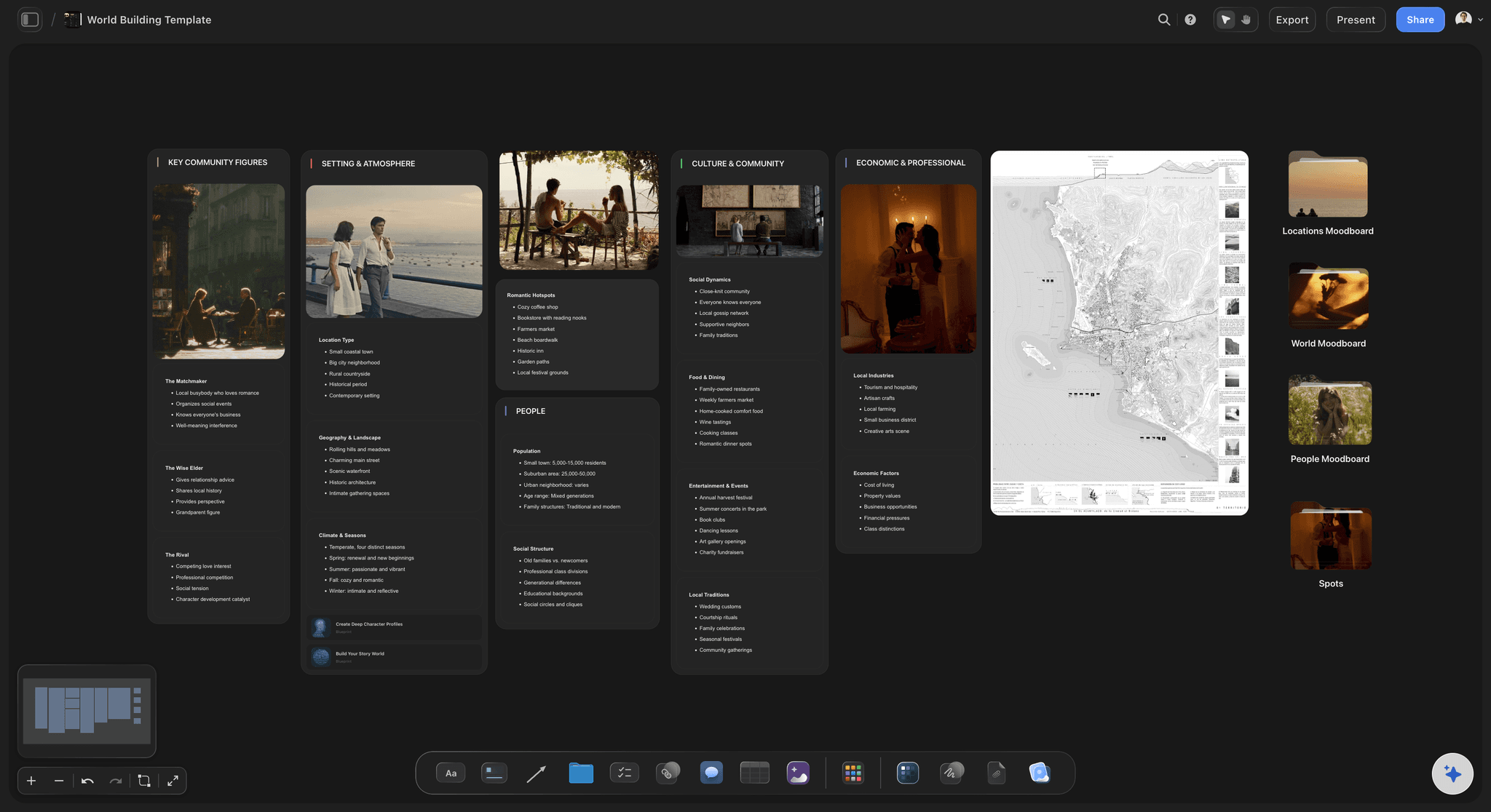
A column per region
Regions, factions and eras as columns of cards
Each region is a column with a card for the land, the people, the rulers and the trouble. Factions and eras get columns of their own. Claude builds a column and up to 40 cards in one go, and moves a card to another column when the border changes.
See the worldbuilding tool →
The deep lore
A web of notes around one question
For the questions with long answers, Claude builds a web of longer notes around one centre: the magic, the gods, the old war. Between 4 and 60 notes, each long enough to hold a rule and what it costs.
See the character relationship map →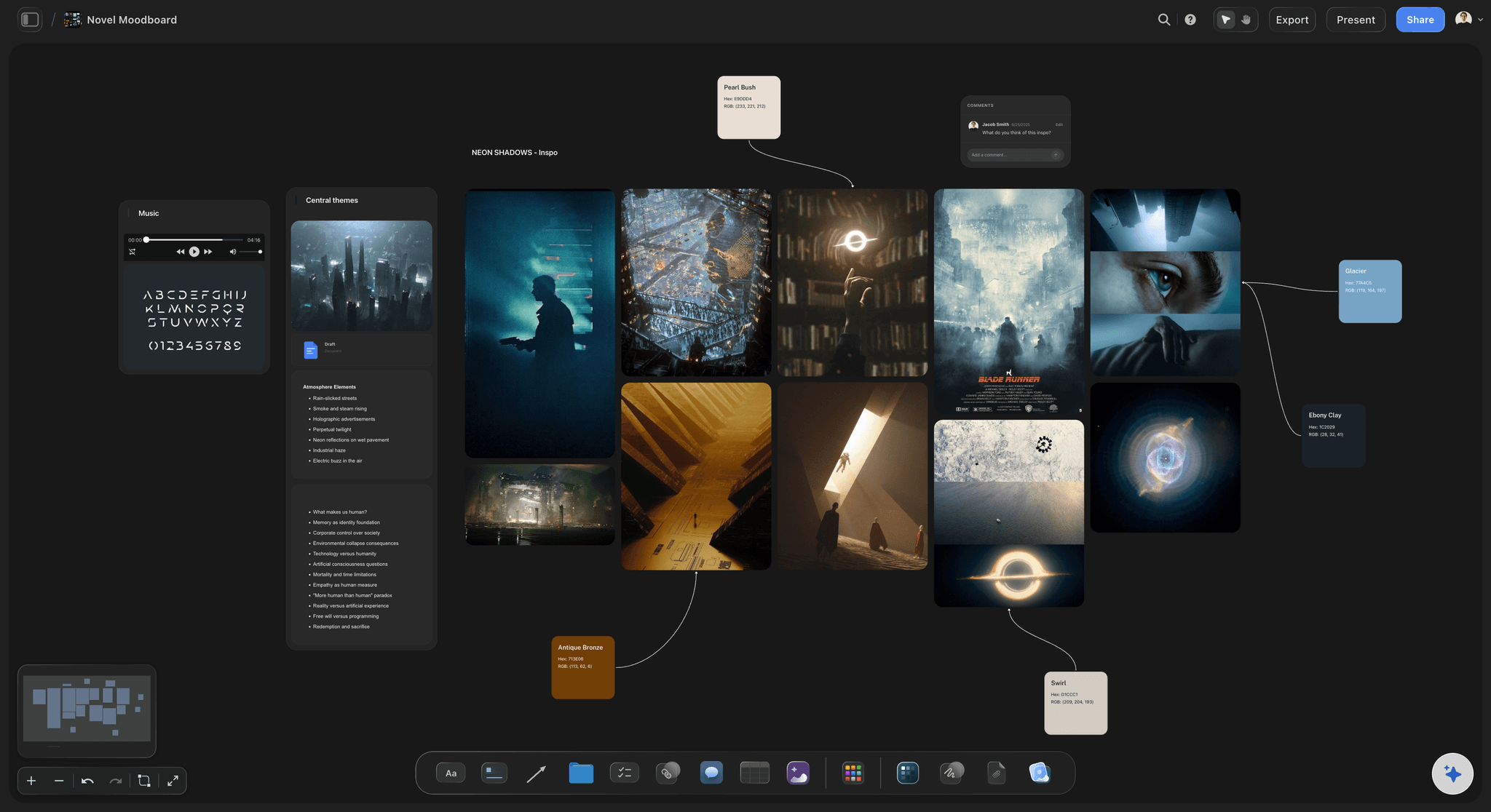
The look
A palette and reference pictures for each region
Claude builds a named colour palette with hex and RGB values, so the Salt Coast and the High Passes do not look alike. It adds reference pictures from web addresses it already has, 12 per request, and Storyflow keeps its own copy of each one.
See the character moodboard page →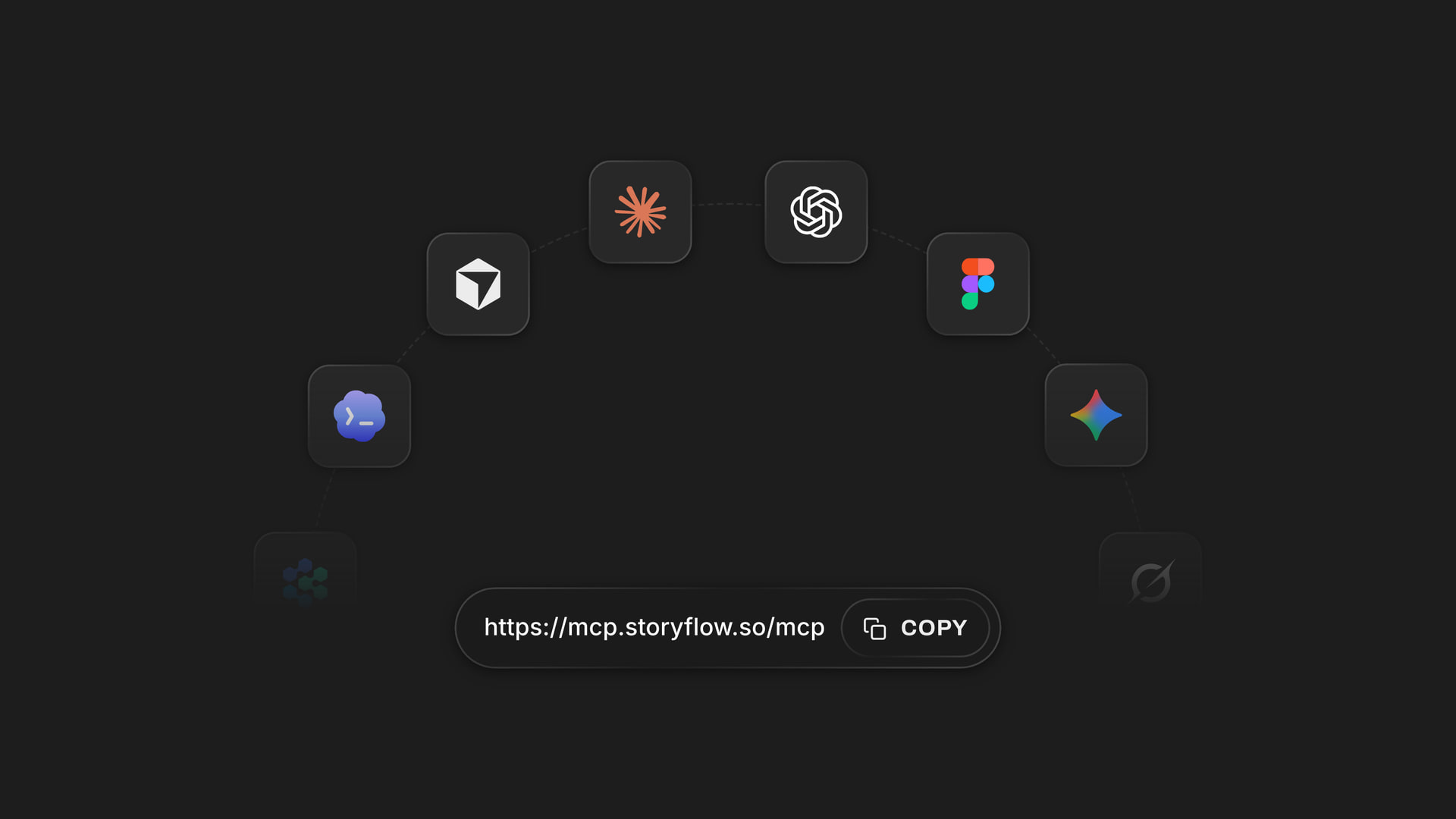
Any assistant
The same board from Claude, ChatGPT, Gemini or Grok
One web address connects Claude, ChatGPT, Gemini and Grok to Storyflow. Each person signs in and picks the worlds their assistant may use, so a co-writer who prefers ChatGPT reads and adds to the board you built with Claude.
See the setup steps for each assistant →What it costs to keep a world on a board.
Claude does the thinking on its own model, so building a world over the connector uses no Storyflow AI credits. A free account (today, one invited by a paid member) gets a weekly allowance of actions from its assistant, and the pricing page shows the current number. Plus, Pro and Max have no limit. Storyflow is paid-only during early access, with plans from $7.99 a month billed annually ($9.99 monthly). A free plan launches before the end of 2026.
Claude's work on your board uses no Storyflow AI credits
Plus, Pro and Max: no limit on what Claude does over the connector
Your co-writer or your game group works on the same board
Regions, lore, ties and reference pictures in one place
You pick which worlds Claude may read, and whether it may change them

Built for people with taste
Where a world built in a chat comes apart.
Claude invents well. The hard part is remembering what the two of you decided.

The memory
The river that changed direction in chapter nine
Claude reads the world first: Open a new chat, name the board, and Claude reads the regions, the factions and the rules before it writes. You stop pasting in a summary that leaves half the world out.
One card per fact: The Reed Queens' law of succession is a card in the Reed Marches column, not a line four hundred messages up. When the law changes, Claude edits that one card.
Long lore goes in documents: A place or a history that needs pages gets its own document on the board. Claude adds a section to the end when you settle something, or rewrites the whole document when you ask.
Ask what changed: Ask Claude what changed on the world board this month. It reads the board's history and lists what was added, edited, moved or deleted, and which of it your co-writer did.

The ties
Five factions that only make sense in your head
Ties drawn, not described: Claude draws up to 40 boxes and 60 arrows in one go, each arrow with a short label. A faction with no arrow to anyone has no part in the story yet, and now you can see it.
Arrows you can relabel: When the Ferry Guild stops paying the Salt Church, ask Claude to change the words on that arrow. It edits the arrow that is there.
A mind map for the first night: Before anything is settled, ask for a mind map of the idea: a centre and up to 60 short branches. It cannot be added to later, so treat it as the sketch and the columns as the record.
A board inside the board: A region that outgrows its column gets a folder: a board of its own inside the world board. Claude builds the city and its districts in there, and the main board stays readable.

The look and the people
A world nobody else can open
Colours with their values: Each palette is a set of named swatches, 2 to 24 of them, with hex and RGB values. Your cover designer or concept artist gets the numbers and not an adjective.
Your own maps on the board: Claude gives you an "Add your photos" link that works for 15 minutes and takes up to 200 pictures. Your hand-drawn map lands on the board beside the lore it belongs to.
Co-writers on the same world: Invite your co-writer to the board. They add cards by hand or with their own assistant, and next time Claude reads their cards too.
Players and editors read without an account: Share a view-only link from Storyflow and your editor or your players open the world in a browser with no account. To comment, a person signs in.
Explore templates for your project
Every template opens as a real, editable board on the infinite canvas. Pick the closest fit and make it your own.
World Building
Develop the places, factions, and rules of your world and connect them into one living map.
One app instead of five
Where Storyflow fits in a world built with Claude.
It keeps the world Claude helps you invent where both of you can read it. It is not a wiki, and it draws no maps.
Storyflow with Claude
Recommended
Claude drafts the first version from your premise
Claude writes each entry straight onto a shared board
Regions, factions and eras side by side on one open canvas
Co-writers add to the same world
A slide deck for the pitch on the same board
Wiki articles from templates for characters, species and settlements
Interactive map with pins
Timeline of the world's history with dated events
Claude on its own
Claude drafts the first version from your premise
Claude writes each entry straight onto a shared board
Regions, factions and eras side by side on one open canvas
Co-writers add to the same world
A slide deck for the pitch on the same board
Wiki articles from templates for characters, species and settlements
Interactive map with pins
Timeline of the world's history with dated events
World Anvil
Claude drafts the first version from your premise
Claude writes each entry straight onto a shared board
Regions, factions and eras side by side on one open canvas
Co-writers add to the same world
A slide deck for the pitch on the same board
Wiki articles from templates for characters, species and settlements
Interactive map with pins
Timeline of the world's history with dated events
What creators are saying
Join early creators getting structured workspaces and AI that remembers their projects
“Storyflow has sped up my workflow by at least 3x, which means more flow state and more projects I can actually ship. It truly changed the way me and my team create.”

Reilin Joey
Director & YouTuber
“One prompt gets me a structured board. But the tactics are my favorite. I run my YouTube scripts through them and my intros and retention got better. It's amazing.”

Justkay
YouTuber & Freelance Filmmaker
“I used to juggle five apps to plan a project. Now I describe what I am making and get boards, lists, and a schedule. All in one place.”

George
@fernwehchronicles
Worldbuilding with Claude: questions
What writers ask before they trust Claude with the canon.
Yes. Claude invents regions, factions, histories and rules from a premise and checks them for holes. Its limit is memory: it only works from what it can read. Connected to Storyflow, Claude builds the world on a board as columns of cards, a web of lore notes, a diagram of who is tied to whom and a document per place, then reads that board at the start of each new chat.
Storyflow is built for this job: Claude writes each region, faction and era onto one board as cards, draws who is tied to whom, keeps the long lore in documents and reads all of it back before the next scene. It works with ChatGPT, Gemini and Grok too. World Anvil still gives you wiki articles from templates, an interactive map with pins and timelines of dated events.
Write the world down where Claude can read it, and ask it to read before it writes. In Storyflow that place is a board: one card per fact, in a column per region, faction or era. Open a new chat, name the board, and Claude reads it first. When you settle something new, ask Claude to add the card before you close the chat.
Six things: the land and the distances; the people and how they live; who holds power and who wants it; what magic or technology costs and where it stops; the few past events people still argue about; and how names work. In Storyflow, Claude builds each one as its own column or document, so a rule and its limit sit side by side.
Open Customize in Claude, then Connectors, and click Add, then Add custom connector. Give it the name Storyflow, paste https://mcp.storyflow.so/mcp and click Continue. Pick Sign in now, click Add, and sign in to Storyflow, where you choose the projects Claude may use. On the Free plan Claude allows one custom connector.
Not on a Storyflow board. Over the connector nothing draws maps or makes images, and Claude cannot see pictures: it gets each picture's web address and caption. Draw the map yourself, then ask Claude for the "Add your photos" link and upload it. It lands on the board beside the regions, and you can ask Claude to write its caption.
Yes, if they are on your Storyflow board. Claude reads PDF, Word, Excel, CSV, text and Final Draft .fdx files there, up to 25 MB each, and gets the first 40,000 characters of a file, so split a long world bible into parts. A file you attach in the Claude chat is read in the chat, but the file itself does not reach Storyflow.
With changes allowed, Claude edits a single card in place, moves a card to another column and changes the words on an arrow. It has no tool to delete a card, and it cannot replace a whole column: ask for a region again and the new one lands beside the old. You delete on the Storyflow board yourself, and deleted items stay in the trash for 7 days.
No. Claude does the thinking on its own model, and nothing it builds over the connector is charged to your Storyflow AI credits. A free Storyflow account (today, one invited by a paid member) gets a weekly allowance of actions from its assistant, and the pricing page shows the current number. Plus, Pro and Max have no limit.
Only the ones you pick. Storyflow's sign-in page asks which projects Claude may use and whether it may change them. Keep each world in its own project and tick only the one you are writing. With changes unticked, Claude can read the world and nothing more. After 30 days the connection ends and you approve it again.
Yes. Storyflow has one address for all of them: https://mcp.storyflow.so/mcp. ChatGPT needs Plus, Pro, Business, Enterprise or Edu, on the web, and on Business and Enterprise an admin turns on developer mode. Gemini's custom apps need a personal Google account with Keep Activity on, in the US, for people 18 or over, in English. On Grok Business and Enterprise, a team admin adds it in the xAI console first.
Yes. What Claude built is plain cards and documents on a Storyflow board, and it is still there when the chat is closed. Invite a co-writer to the board to edit it. For players or an editor who only read, share a view-only link from Storyflow: it opens in a browser with no account. Claude cannot create share links, so you share the board yourself.
No. Storyflow is a board, not a wiki: regions, factions and lore sit side by side as cards joined by arrows, with documents for the long pieces. It has no article templates that link to each other, no map with pins and, over the connector, no timeline element. World Anvil does those well.
More from Storyflow
Storyflow MCP server
Connect Claude to Storyflow
Worldbuilding tool
AI story bible generator
Series bible
Character relationship map
Story outline with Claude
Mind maps with Claude
Story planning tool
Novel planner
Game design document
Character moodboard
Storyflow for game designers
Storyflow for authors
Storyflow for screenwriters
A second brain with Claude
Invent it with Claude. Keep it where Claude can read it.
Regions, factions, lore and ties, built in one conversation and still there for the next one.