
Extremely reliable pre-production
A production calendar
from the first prep day to delivery.
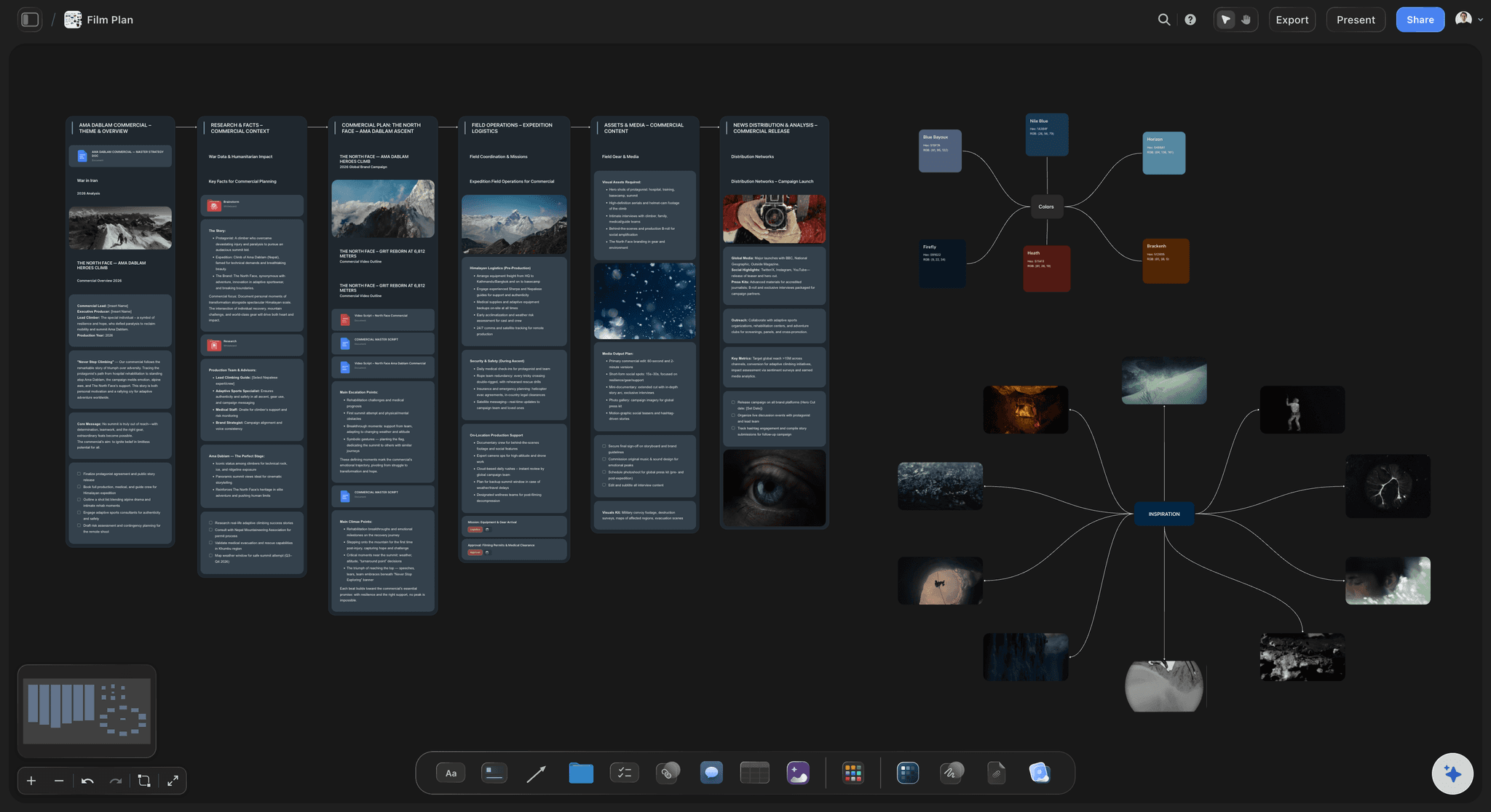
Prep, the shoot window, post and delivery as dated milestones on one board, beside the breakdown, schedule and shot lists that decide whether those dates hold.


Creatives working for these brands already got early access
- Red Bull
- Canon
- Artlist
- Porsche
See how easy it is to get started
Watch a real project come together, from a blank board to a finished plan, clicked through step by step.
Start from a ready-made template
Pick a board to see what you can build, then let AI fill it in. Every template is a real, editable starting point on the same infinite canvas.

Pre-Production
Pull the brief, script, shot list, and moodboard into one pre-production hub so the whole shoot is planned in one place.
How do you build a production calendar from prep to delivery?
A production calendar is the dated timeline of a whole production, from the first day of prep to final delivery. Storyflow is an AI visual workspace that lays out your production from prep to delivery on one infinite canvas: prep, the shoot window, post and delivery as phases running left to right, dated milestones, and a table that lists each one with its date, owner and status in date order. The script breakdown, strip board and shot lists sit on the same board, so each date sits next to the work that decides whether it holds.
A production calendar is the dated timeline of a whole production, from the first day of prep to final delivery, for a film, a commercial or a video series. Where a shooting schedule orders scenes into shoot days, the production calendar covers every phase around them: prep milestones such as script lock, casting, locations, the tech scout and the production meeting; the shoot days; and post milestones such as the assembly, picture lock, the sound mix, the grade, deliverables and delivery. A producer reads it to answer one question: if this date slips, what moves with it?
Build it backwards. Fix the delivery date first, because it is the date that usually cannot move. Place post back from it: deliverables and QC, then sound and colour in parallel, then picture lock, then the cuts before it. Then place the shoot window, sized from the strip board rather than guessed, and then prep. Mark every date that depends on someone outside the team, such as a location permit, a client's notes on the cut or a composer's delivery, because those are the dates that slip first.
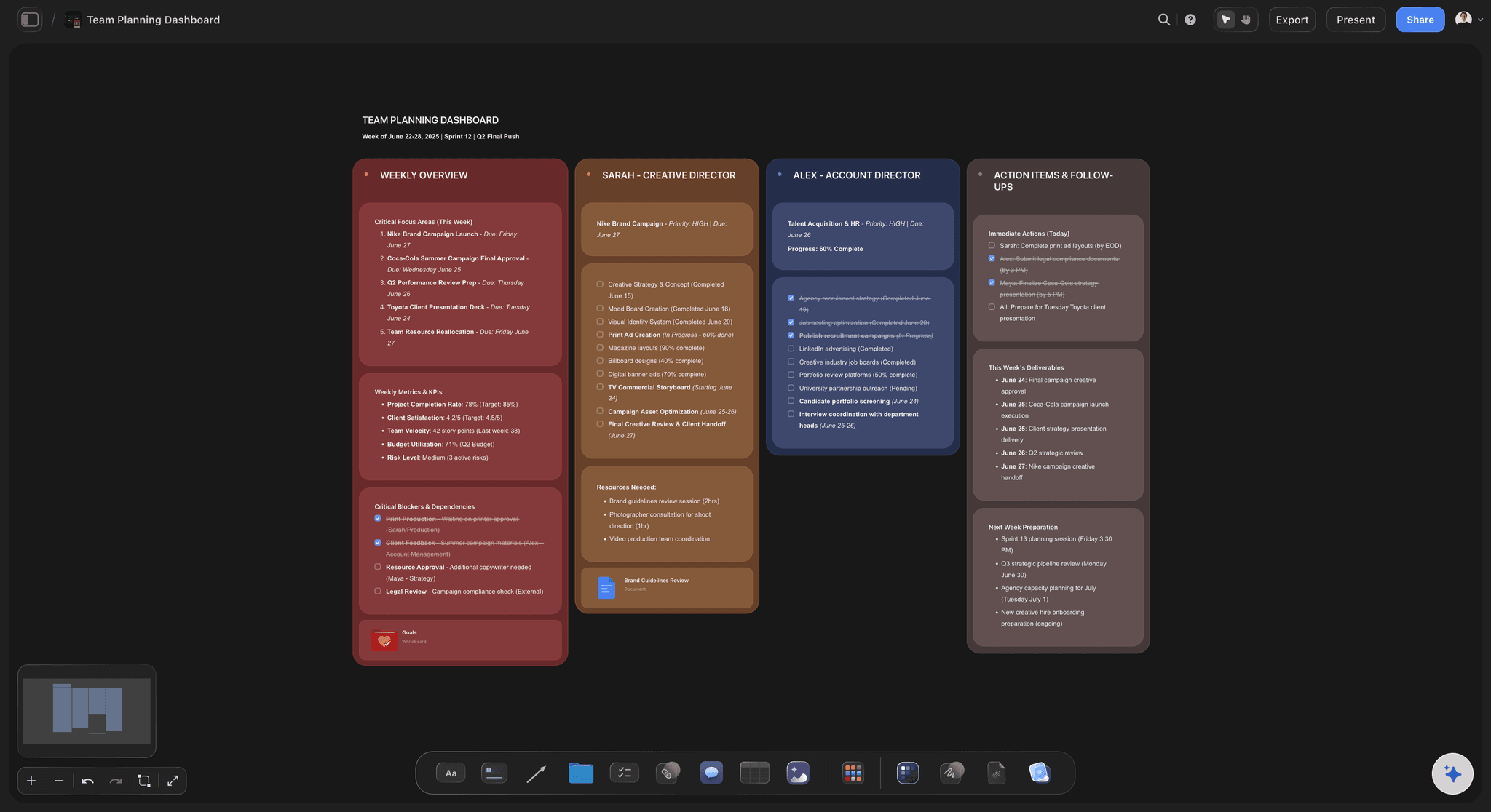
On the board each phase is a column of milestones, and the table is the calendar's source of truth: one row per milestone with a date cell, a person cell for the owner and a status cell such as Not started, Blocked, In progress or Done. Give the AI your dates and it drafts the phases working back from delivery; its script breakdown, strip board and pre-production plan workflows fill in what those dates depend on. There is no calendar layout and no dependency engine, so moving one milestone does not move the next: after a slip, you read down the table and correct what follows.
Ultra fast from brief to board
From a delivery date to a calendar the crew follows.
Work backwards once, then keep one table current.
01
Fix the delivery date
Start from the date that cannot move: delivery to the client, the broadcaster or the festival. Every other date is placed back from it.
02
Lay out post, the shoot and prep
Place post milestones first, then the shoot window, then prep. Ask the AI to draft the phases from your dates, then adjust them by hand.
03
Give every milestone an owner
One table row per milestone with its date, owner and status, in date order, and a flag on every date that depends on someone outside the team.
04
Share it and keep it current
Send crew and client a view-only link, present the board in the production meeting, and update the table the day a date moves.
The dates and the work behind them, on one board.
A production calendar is only as good as the plan it sits beside.

Phases across the canvas
See prep, shoot and post at once
Each phase is a column of milestones, left to right in time, so a producer sees where the weeks go before anyone books a crew.
See film production planning →
One table of milestones
Dates, owners and status in one place
Every milestone is a row with a date, an owner and a status such as Blocked or Done, kept in date order, so the next deadline is always the next row.
See the film production tracker →
The shoot window from the strip board
Shoot days sized from the script
The AI's script breakdown and strip board workflows turn the script into scenes grouped into shoot days, so the shoot window is sized from the pages, not guessed.
See the shooting schedule →
Shared with crew and client
One version of the dates
Crew and client open a view-only link with no account and see the latest version whenever they open it. Present the board full screen in the production meeting.
See the call sheet template →Unlimited boards. One per production.
A board for every production, with no cap on milestones, scripts or references. Storyflow is paid-only during early access, with plans from $7.99 a month billed annually ($9.99 monthly). A free plan launches before the end of 2026, and anyone a paid member invites to a board joins free.
Unlimited production boards and file uploads
Tables with date, person and status columns
AI workflows for film plans, script breakdowns and strip boards
View-only links for crew and clients, no account needed
Built for people with taste
Backwards from delivery, one phase at a time.
A production calendar is a set of dependencies written down as dates. These are the ones that decide whether it holds.
Prep
Pre-production milestones
Script lock: The breakdown, schedule and budget all read the script, so a late rewrite moves everything after it. Date the lock and treat changes after it as a decision, not a tweak.
Cast and locations locked: Availability decides the shoot window more often than the script does. Lock the hardest person or place to move first, and build the rest around them.
Tech scout and production meeting: Heads of department walk the locations and agree the plan a week or two before the first shoot day, while there is still time to change it.
Permits, insurance and kit: The dates that depend on someone outside the team. Give each its lead time and the name of whoever is chasing it.

The shoot window
Sized from the script, not guessed
Pages per day: Four to six script pages a day is a common target for narrative scenes, fewer for action, stunts, crowds or children on set. The strip board makes the count visible.
Company moves and turnaround: Every move between locations costs hours, and crew need their rest between wrap and the next call. Both shorten a day more than the scene count suggests.
Weather cover: Hold an interior cover set or a spare day for exteriors. A calendar with no slack for weather slips on the first wet morning.
A call sheet per day: The AI drafts a call sheet PDF for one shoot day from the board. Sending it and collecting crew confirmations happens outside Storyflow.
Post and delivery
Post is planned, not squeezed
Assembly, cuts and picture lock: The editor's assembly, the director's cut, the producer's or client's notes, then picture lock. Sound and colour cannot finish before the lock.
Sound, music and colour in parallel: After the lock, the mix, the score and the grade run side by side, each with its own delivery date and owner.
Deliverables and QC: Masters, captions, versions for each platform and the paperwork a distributor or client requires. Deliverables take longer than most first calendars allow.
Review rounds with dates: Each round of notes on a cut gets a due date. A late round moves picture lock, and picture lock moves everything after it.

Starting spans
First-draft spans by production type
Commercials: Two to four weeks from the award to the shoot, one to three shoot days, then two to four weeks of post, with each client approval given its own date.
Short films: Four to eight weeks of prep, three to six shoot days, and six to twelve weeks of post when the editor works part time.
Features: Eight to twelve weeks of prep, three to eight weeks of shooting, and six months or more of post before delivery.
Creator and branded video: A month planned as batch filming days, edit handoffs and publish dates, with the same backwards logic at a smaller scale.
Explore templates for your project
Every template opens as a real, editable board on the infinite canvas. Pick the closest fit and make it your own.
Pre-Production
Pull the brief, script, shot list, and moodboard into one pre-production hub so the whole shoot is planned in one place.
One app instead of five
Storyflow vs StudioBinder, Google Sheets and Google Calendar.
StudioBinder runs scheduling and call sheets inside a production suite, Google Sheets is where many production calendars start, and Google Calendar puts dates where everyone already looks. Storyflow keeps the dates on the board with the plan.
Storyflow
Recommended
Milestones on one canvas with the breakdown and shot lists
Shoot days built from a script breakdown
Runs in the browser, nothing to install
Built-in calendar layout for dates
Call sheets sent to crew with confirmations
StudioBinder
Milestones on one canvas with the breakdown and shot lists
Shoot days built from a script breakdown
Runs in the browser, nothing to install
Built-in calendar layout for dates
Call sheets sent to crew with confirmations
Google Sheets
Milestones on one canvas with the breakdown and shot lists
Shoot days built from a script breakdown
Runs in the browser, nothing to install
Built-in calendar layout for dates
Call sheets sent to crew with confirmations
Google Calendar
Milestones on one canvas with the breakdown and shot lists
Shoot days built from a script breakdown
Runs in the browser, nothing to install
Built-in calendar layout for dates
Call sheets sent to crew with confirmations
What creators are saying
Join early creators getting structured workspaces and AI that remembers their projects
“Storyflow has sped up my workflow by at least 3x, which means more flow state and more projects I can actually ship. It truly changed the way me and my team create.”

Reilin Joey
Director & YouTuber
“One prompt gets me a structured board. But the tactics are my favorite. I run my YouTube scripts through them and my intros and retention got better. It's amazing.”

Justkay
YouTuber & Freelance Filmmaker
“I used to juggle five apps to plan a project. Now I describe what I am making and get boards, lists, and a schedule. All in one place.”

George
@fernwehchronicles
Production calendars, answered.
What goes on one, how long each phase takes, and what Storyflow does and does not do.
A production calendar is the dated timeline of a whole production, from the first day of prep to final delivery, and in Storyflow it is one board: prep, shoot and post as phases with dated milestones, and a table of every milestone with its date, owner and status, beside the breakdown and shot lists they depend on. StudioBinder suits a production office that also sends call sheets, and a shared Google Sheet a short job with one producer.
Storyflow is built for exactly this: it sets out prep, the shoot window, post and delivery as phases with dated milestones, and a table lists each milestone with its owner and status. Shoot days are sized from the script breakdown, which sits on the same board as the strip board and shot lists. StudioBinder still has a built-in calendar layout for dates, and it sends call sheets to crew with confirmations.
Work backwards from delivery. Fix the delivery date, place post back from it (deliverables, sound and colour, picture lock, the cuts), then the shoot window sized from the strip board, then prep: script lock, casting, locations and the tech scout. Give every milestone one owner and flag the dates that depend on someone outside the team. In Storyflow the AI drafts these phases from your dates, and you adjust them on the board.
A shooting schedule orders the scenes into shoot days: which scenes, in what order, on which day, with which cast. A production calendar covers the whole production around those days: the prep milestones before them, and post and delivery after them. The schedule sets the length of the shoot window on the calendar. In Storyflow both sit on one board, so a change to the shoot days is visible against the delivery date.
In prep: script lock, budget lock, cast and locations locked, the tech scout, the production meeting, permits and insurance. Then the shoot days, with company moves and any second unit. In post: the assembly, the director's cut, picture lock, sound mix, score, colour grade, deliverables and QC, then delivery. Add a dated review round wherever a client, financier or festival has a say. In Storyflow each milestone is a table row with a date, owner and status.
As a first draft: a commercial takes two to four weeks of prep, one to three shoot days and two to four weeks of post. A short film takes four to eight weeks of prep, three to six shoot days and six to twelve weeks of post. A feature takes eight to twelve weeks of prep, three to eight weeks of shooting and six months or more of post. Script, locations and part-time crew move all of these.
No. Storyflow has no calendar layout. Dates live in a table with date, owner and status columns, kept in date order, and on tickets with due dates that are flagged once overdue. The phases run left to right across the canvas, so the order reads at a glance. If the crew needs dates in a calendar they already use, copy the shoot days and the key milestones into Google Calendar.
Yes, as a first draft you correct. Give Storyflow's AI the delivery date, the shoot dates you know and the kind of production, and it lays out prep, shoot and post milestones working back from delivery, with a date on each. Its script breakdown and strip board workflows size the shoot window from the script, and its pre-production plan workflow lists what must be settled before day one. You decide every date.
Update the table the day a date moves, not at the next meeting, and change the one row that holds the date rather than a copy of it. Storyflow does not shift later dates for you, so after a slip, read down the table and move what depends on it: a later picture lock moves the mix, the grade and delivery. Anyone with the view-only link sees the latest version when they open or reload it.
Send one view-only link. Crew and client open it in a browser with no account and see the latest version whenever they open or reload it. Crew who need to edit can be invited, and anyone a paid member invites joins free. In the production meeting, present the board full screen, frame by frame, or export it as a PDF. The AI can also draft a call sheet PDF for each shoot day.
Yes, with shorter phases and more approval dates. A commercial runs from the award through prep and a pre-production meeting with the client, one to three shoot days, then the offline edit, client notes, the online, grade and mix, and delivery of every version. Date each client review, because reviews move delivery more often than the shoot does. In Storyflow each review is a table row with an owner, a date and a status.
Storyflow is a planning canvas: the calendar's milestones sit beside the breakdown, strip board, shot lists and references on one board, and the AI drafts them from your dates. StudioBinder is a production management suite: it builds shooting schedules from a script breakdown, shows dates on a calendar, and sends call sheets with crew confirmations. Choose StudioBinder when call sheet distribution and a calendar layout matter most.
No. Storyflow is paid-only during early access, with plans from $7.99 a month billed annually ($9.99 monthly). A free plan launches before the end of 2026, and anyone a paid member invites to a board joins free. Crew and clients who only view never need an account. For free today, a spreadsheet with one row per milestone and a date column is a sound start.
More from Storyflow
Shooting schedule
Film scheduling software
Stripboard
Film production planning
Pre-production checklist
Post-production workflow
Call sheet template
Film production tracker
Commercial production planning
Storyflow for producers
Content calendar for creators and editors
Day out of days
How to make a production schedule
Pre-production vs production vs post
Indie film production workflow
Video production software
Client brief to production plan
See the whole production before day one.
Open a board, set the delivery date, and work back to the first prep day. Runs in your browser.