
How to Make a Production Schedule (2026): Stripboards, DOODs, and AI
A production schedule decides what you shoot, in what order, on which day, and with whom. This covers stripboards, day-out-of-days, the constraints that actually drive the order, and where AI can and cannot help.

Category
Filmmaking
Author

Justkay
Documentary Filmmaker & Founder at Storyflow
Topics
2026-07-04
•
12 min read
•
Filmmaking- how to make a production schedule
- production schedule template
- what is a stripboard
- day out of days
- film shooting schedule
- production scheduling guide
How do you make a production schedule?
To make a production schedule, break the script into scenes, tag every element each scene needs, group scenes by what is expensive to move (location, cast availability, and daylight), then order them into shooting days as a stripboard and a day-out-of-days. The schedule sits between the script and the call sheet, and it is where a shoot is won or lost.
What a production schedule actually is
A production schedule is the plan that decides what you shoot, in what order, on which day, and with whom on set. It sits between the script and the call sheet. The script tells you the story in the order the audience will see it. The call sheet tells the crew where to be at 6 a.m. on Tuesday. The schedule is the thinking in the middle that turns one into the other, and it is the single document that decides whether your budget survives contact with reality.
I have scheduled documentaries, branded shoots, and short narrative pieces, and the pattern is always the same: the difference between a shoot that finishes on time and one that bleeds days is almost never talent or gear. It is the schedule. A good schedule is invisible on the day because everything you need is already there when you need it. A bad one announces itself at 4 p.m. when you realize the actor you wrapped this morning is in the next scene you have to shoot.
Scheduling matters more in 2026 because money is tighter. A 2026 Wrapbook report found that roughly 90% of production finance professionals cite tightening budgets or rising costs as their top concern. When margins are thin, a wasted half-day turns a profitable job into a loss, and the schedule is where you win or lose those half-days, on paper, before anyone shows up.
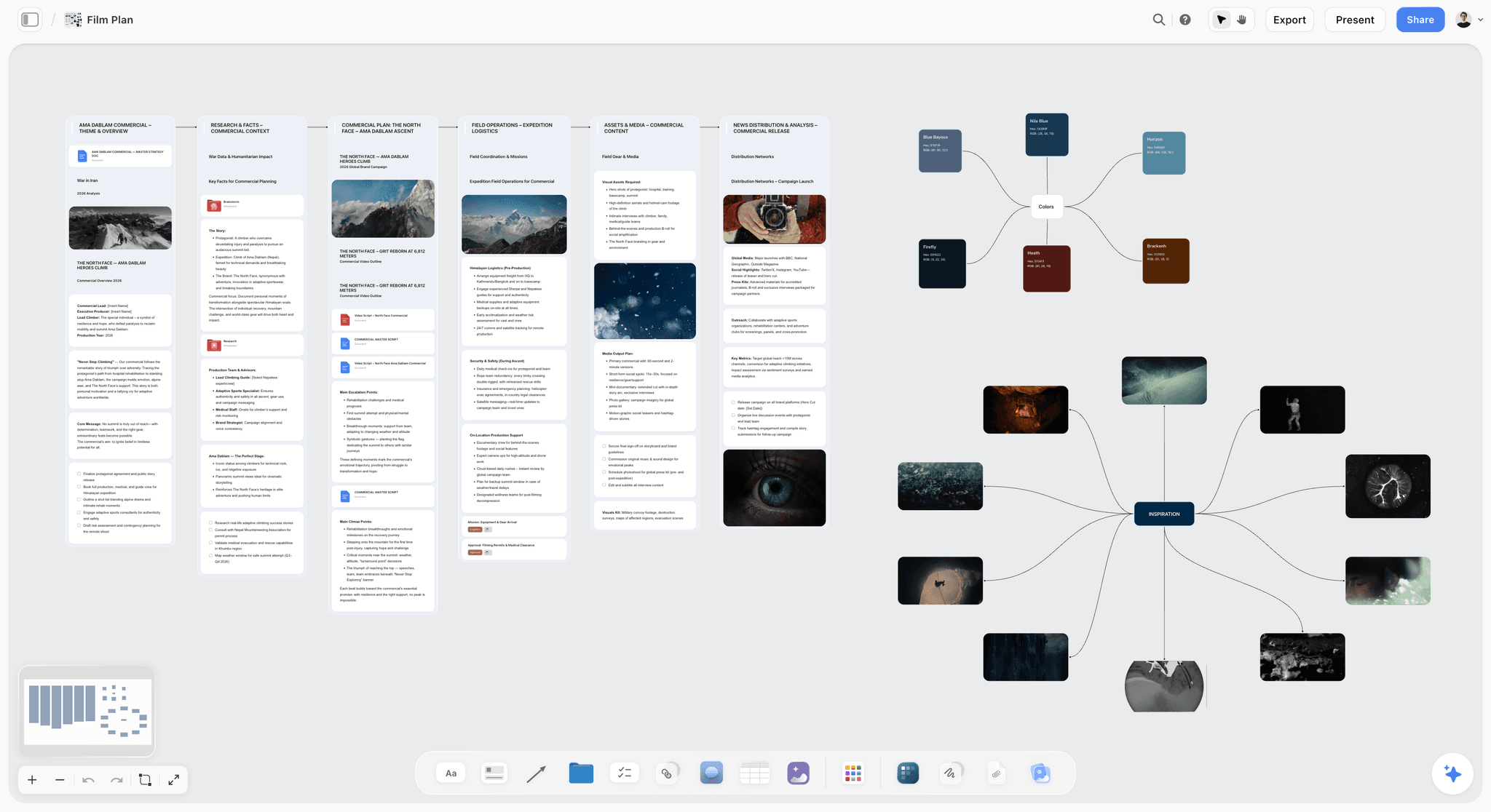
Schedule from a breakdown you can see
Keep the breakdown, the constraints and the emerging schedule on one board, so the order you choose is visibly driven by the script rather than guessed.

The one idea that fixes most schedules
Here is the mistake that costs first-time producers real money. They open the script, start at scene one, and schedule the shoot in story order. Scene one, then scene two, then scene three. It feels logical. It is almost always wrong.
Story order ignores the two most expensive facts about a production: locations and people cost money every time you touch them. If scene 2 and scene 47 both happen in the same kitchen, shooting them in story order means you rent that kitchen, light it, and strike it twice. If your lead actor appears in scenes 1, 4, and 40, story order can spread those across three separate shoot days, so you pay for the actor, hair, makeup, and wardrobe three times instead of once.
A schedule is not the script in order. It is the script reordered so you never pay for the same thing twice.
That single reframe is the whole craft. You take the story apart and put it back together grouped by what is expensive to set up: location first, then cast, then time of day. You shoot everything in the kitchen back to back and every scene your lead is in while they are on set, no matter where those scenes fall in the story. The audience never knows what order you shot in. Your budget cares enormously.
The stripboard, explained without jargon
The tool that makes this reordering possible is the stripboard. Do not let the name intimidate you. A stripboard is a spreadsheet turned on its side, where every scene in the script becomes one horizontal strip, and each strip carries the facts you need to schedule that scene.
The name comes from the physical original: schedulers used a board with removable cardboard strips, one per scene, that slid up and down to try different orders without rewriting anything. Software replaced the cardboard, but the logic is identical. You break the script into strips once, then rearrange those strips freely to find the cheapest shooting order. Color usually signals the setting, one shade for interior day, another for exterior night, so you can see at a glance whether you have accidentally scheduled a night exterior in the middle of a day of interiors.
Here is what a single stripboard strip typically contains.
| Field on the strip | What it tells you | Why it matters for scheduling |
|---|---|---|
Scene number | Which scene from the script | Ties the strip back to the page |
INT/EXT and Day/Night | Interior or exterior, day or night | Groups scenes by lighting and time so you batch them |
Location | Where the scene happens | The single biggest driver of shooting order |
Set / description | One line of what happens | Lets you recognize the scene at a glance |
Cast IDs | Which actors are in it | Groups scenes so each actor is called the fewest days |
Page count (in eighths) | Script length, measured in 1/8 pages | Estimates how long the scene takes to shoot |
Special requirements | Stunts, animals, VFX, kids, vehicles | Flags scenes that need extra time, permits, or crew |
Page count in eighths is the one piece of jargon worth learning. A script page is divided into eight parts, so a scene marked 4/8 is half a page and a scene marked 1 2/8 is a page and a quarter. Adding up the eighths for a shoot day gives you a rough sense of whether you have planned a sane amount of work or an impossible one.
The day-out-of-days (DOOD), explained
Once your strips are in shooting order, you need to know when each actor works and when they are idle but still on the clock. That is the day-out-of-days, almost always shortened to DOOD.
A DOOD is a grid. Cast members run down the left side, shoot days run across the top, and each cell marks that person's status on that day: working, on hold, traveling, starting, or finishing. Read across one actor's row and you see their whole engagement at a glance, including the expensive gaps.
The gaps are the reason the DOOD exists. Imagine an actor works on day 1 and again on day 5. If they are contracted continuously, you are often paying them for days 2, 3, and 4 even though they never step on set, because it is cheaper to hold them than to release and re-book them. The DOOD makes those hold days visible so you can attack them: tighten the schedule so that actor's scenes cluster into consecutive days, and you erase paid idle time. It is the same "never pay twice" idea from section 2, seen through people instead of places. The grid also catches the opposite failure, a double-booking or an impossible travel day, before it becomes a crisis on set.
How to group scenes so you shoot efficiently
Grouping is the act of reordering the strips. There is a rough priority order that works for most shoots, and you apply it in layers.
- Group by location first. Locations are the most expensive thing to set up and strike, and travel between them burns hours. Put every scene at a given location together, regardless of where they fall in the story. Shoot the location out completely before you move.
- Within a location, group by interior versus exterior and by time of day. Relighting a space from day to night takes real time, and you cannot fake certain looks. Batch all the day interiors, then all the night interiors, so the lighting crew resets as few times as possible.
- Then group by cast. Inside those blocks, order scenes so each actor is called on as few, and as consecutive, days as possible. Cross-reference against the DOOD as you go so you can see the hold days shrink.
- Then handle the special cases. Stunts, minors with limited working hours, animals, drone or crane setups, and heavy VFX scenes all have constraints that override convenience. Place them where their constraints are satisfied, then fit the rest around them.
- Respect the hard dependencies last. Some scenes genuinely must shoot in an order: a haircut that changes an actor's look partway through the story, a set that gets destroyed, weather that only exists in one window. Flag these so a later reshuffle never violates them.
The order of these layers is not sacred, and every production has a scene where two priorities collide. The skill is knowing which costs more to break. Usually it is the location, which is why it leads.
How to order a single shoot day
Grouping decides which scenes share a day. Ordering decides the sequence within that day, and it follows the light, the actors, and the setups. A sane shoot day has a shape.
- Start with the setup that is hardest to change. If the day includes a scene that can only be shot at a specific time, such as a sunrise exterior or golden hour, anchor the day around it and build everything else to protect that window.
- Front-load the heaviest work. Complex setups, big lighting builds, and scenes with the most coverage go early when the crew is fresh and you have runway to recover if something runs long.
- Cluster by camera setup, not by story. Shoot everything that faces one direction before you turn the camera around. Re-lighting and re-blocking for a reversal is slow, so you do it once.
- Release expensive elements as soon as you can. If a background actor, a rented vehicle, or an animal is done after the morning, schedule their scenes so they wrap early and come off the clock.
- End with the flexible, forgiving material. Simple pickups, inserts, and cutaways that need little setup go last, so if the day runs behind you drop or defer them without losing a key scene.
Here is a simplified sample of that shape for one location day.
| Time block | What you shoot | Why it goes here |
|---|---|---|
Early morning | The scene that needs first light or a specific window | It cannot move; everything else can |
Mid morning | The most complex setup with the most coverage | Crew is fresh, most time to recover |
Midday | Remaining scenes facing the same camera direction | One lighting build, no reversal yet |
Early afternoon | The camera reversal and its scenes | Do the turnaround once, after lunch |
Late afternoon | Scenes that release an actor or rented element early | Wrap them off the clock as soon as possible |
End of day | Inserts, cutaways, and simple pickups | Low setup, safe to cut if you run late |
Build in contingency before you lock the schedule
No schedule survives fully intact. Weather turns, a location falls through, an actor gets sick, a setup that looked simple eats three hours. A schedule with zero slack is not tight. It is fragile, and the first surprise breaks it.
The professional standard is to reserve a fixed percentage of the budget for the unexpected. Completion guarantors, the companies that promise a film will finish on budget or they cover the overage, generally require a 10% contingency in a film budget (Forbes, Schuyler Moore, 2019). If the people whose entire business is betting on films finishing insist on 10%, that is a strong signal for the rest of us. Contingency is not padding. It is the line item that keeps a bad day from becoming a bankrupt production.
Contingency lives in the schedule too, not just the budget. A few practical moves:
- Keep a small bank of movable, low-dependency scenes. Simple inserts or a scene with one actor at an easy location can slide into a gap when a bigger scene collapses, so you never lose a whole day to a cancellation.
- Do not schedule your hardest scene for the last day. If it goes wrong, you have no runway left. Put your riskiest material early enough that a bad day still leaves room to recover.
- Protect weather-dependent exteriors with a cover set. Line up an interior scene at or near the same location that you can shoot instead if the sky turns, so rain costs you a scene change, not a day.
- Pad the estimate for anything new. A first-time location, a stunt, a scene with a child or an animal, or any effect you have not shot before deserves more time than the page count suggests.
Schedule scenes on a canvas so dependencies are visible
The hardest part of scheduling is holding all the constraints in your head at once: this scene needs that location, which needs that actor, who is only free those days, which conflicts with the weather window for the exterior. A spreadsheet stores those facts but hides the relationships between them. You end up scrolling between tabs trying to remember which scene depends on what.
This is the workflow Storyflow is built for. You lay scenes, locations, cast, and days out on one board so the dependencies are visible as connections instead of buried in cells. When you move a scene to a different day, you can see what else that day already holds and what conflicts you just created. The AI reads the whole board, so when you ask it which day is overloaded or which actor is spread across too many days, it answers against the actual scenes on the canvas, not a generic template, and surfaces the conflicts you would otherwise find on set.
Honest limitation: Storyflow's AI drafts a strip board (one column per shoot day, colour-coded strips, days balanced by page totals) and breakdown tables from an attached script, but it does not produce a day-out-of-days report, tag elements inside the script or recalculate the schedule like a scheduling engine. For a locked stripboard that recalculates and a proper DOOD, you still pair it with a dedicated scheduling tool such as Movie Magic Scheduling or StudioBinder. The canvas is where you think through location, cast, and day dependencies and catch conflicts early; the scheduling app is where you formalize the strips once the shape is right.
Where a formal stripboard is overkill
A stripboard and a DOOD are the right tools for a multi-location shoot with a real cast over several days. They are the wrong tools for a lot of the work people actually do, and forcing them on a simple shoot wastes time you could spend shooting.
Skip the formal stripboard when the production is small enough that the reordering it enables does not exist. A single-location shoot has nothing to reorder by location, which was the whole point. If you are filming one interview in one room, or a two-person scene at a single house across one day, a stripboard is bureaucracy. A simple ordered list of setups and a rough time-of-day plan does the same job in a tenth of the effort.
The same is true for tiny crews and documentary work. Much of what I shoot is documentary, where the "schedule" is a shooting order plus a plan for the light, not a color-coded board of forty strips. When there are two or three people on set and one location, maintaining a stripboard costs more than the coordination it saves. Reach for the formal tools when you have multiple locations, a real cast whose hold days cost money, and enough shoot days that the shooting order genuinely changes what you pay. Below that threshold, an ordered shot list beats a stripboard.
The Bottom Line
A production schedule is not a formatting exercise, and it is not the script typed out in order. It is the script taken apart and reassembled so you shoot every location once, call every actor for the fewest consecutive days, and never pay for the same thing twice. The stripboard is the tool that lets you reorder freely, the day-out-of-days is the grid that exposes expensive idle time, grouping and day-ordering turn the strips into a shootable plan, and a 10% contingency is what keeps the first surprise from breaking the whole thing. On a big shoot, use the formal tools. On a single-location documentary, an ordered list is enough. Either way, the schedule is where a thin budget in 2026 gets protected, on paper, before anyone picks up a camera.
If you want to see your scenes, locations, cast, and days as a set of visible dependencies instead of a wall of spreadsheet cells, plan the shoot on a Storyflow board, then formalize the stripboard in your scheduling app once the shape is right.
FAQ: Production Schedules
What is a production schedule?
A production schedule is the plan that decides which scenes you shoot, in what order, on which days, and with which cast and crew on set. It sits between the script and the daily call sheet, translating the story into an efficient shooting order that groups scenes by location, cast, and time of day rather than following the script front to back.
What is a stripboard?
A stripboard is a scheduling tool where every scene in the script becomes one reorderable strip carrying that scene's key facts: scene number, interior or exterior, day or night, location, cast, page count, and any special requirements. You drag the strips into the cheapest shooting order and group them by location and cast. The name comes from the original physical board of sliding cardboard strips.
What is a day out of days?
A day out of days, usually shortened to DOOD, is a grid that shows each cast member's status on each shoot day: working, on hold, traveling, starting, or finishing. Reading across one actor's row shows their whole engagement, including paid idle days when they are held but not shooting. The DOOD exists to expose and shrink those expensive gaps.
How do you order a shoot day?
Anchor the day around the setup that cannot move, such as a sunrise or golden-hour exterior. Front-load the heaviest, most complex setups while the crew is fresh. Cluster scenes by camera direction so you do reversals once, release expensive actors or rented elements as early as possible, and leave simple inserts and cutaways for the end so you can drop them if the day runs long.
How is a production schedule different from a call sheet?
The schedule is the whole plan across all shoot days: the shooting order, the stripboard, and the day-out-of-days. A call sheet is a single day's instructions pulled from that plan, telling each person where to be, when, and what scenes shoot that day. You build the schedule once and generate a fresh call sheet from it for every shoot day.
Why not just shoot in script order?
Because script order makes you pay for the same location and actor more than once. If two scenes share a location, story order can have you renting and lighting it twice; if an actor appears in scattered scenes, story order can spread them across multiple paid days. Reordering by location and cast lets you shoot each place out completely and call each actor for the fewest consecutive days.
What is a page count in eighths?
Filmmakers measure scene length in eighths of a page, since a script page is divided into eight parts. A scene marked 4/8 is half a page, and one marked 1 2/8 is a page and a quarter. Adding up the eighths scheduled for a day gives a rough estimate of whether you have planned a reasonable amount of work or too much.
How much contingency should a film budget include?
A common professional standard is 10%. Completion guarantors, the companies that guarantee a film finishes on budget, generally require a 10% contingency in a film budget (Forbes, Schuyler Moore, 2019). The reserve absorbs weather delays, a lost location, an actor falling sick, or a setup that runs over, so the first surprise does not push the whole production into a loss.
How do I schedule scenes with a child actor or an animal?
Treat them as hard constraints that override convenience. Minors have legally limited working hours and required breaks, and animals need handlers and rest, so you place their scenes where those limits are satisfied first, then fit the rest of the day around them. Pad the time estimate, since these scenes almost always take longer than the page count suggests.
What software do people use to make a production schedule?
Movie Magic Scheduling and StudioBinder are the common tools for building a formal stripboard and day-out-of-days with page-count math and color-coded strips. A planning canvas like Storyflow is useful earlier, for laying scenes, locations, cast, and days out (its AI drafts a strip board balanced by page totals) so the dependencies are visible before you formalize the strips, with day-out-of-days, in a dedicated scheduling app.
When do I not need a stripboard?
When there is nothing to reorder. A single-location shoot, a one-room interview, or a two-person scene at one house over one day gains nothing from a color-coded stripboard, because grouping by location is pointless with one location. A simple ordered list of setups plus a rough time-of-day plan does the same job with a fraction of the effort. Documentary and tiny-crew shoots usually fall here.
How long does it take to schedule a film?
It depends on the number of locations, cast, and shoot days, since those create the reordering problem. A short with one or two locations can be scheduled in an afternoon once the script is broken down. A feature with many locations, a large cast, and stunts or effects can take days, because every hard constraint narrows the number of valid shooting orders.
Table of Contents
- What a production schedule actually is
- The one idea that fixes most schedules
- The stripboard, explained without jargon
- The day-out-of-days (DOOD), explained
- How to group scenes so you shoot efficiently
- How to order a single shoot day
- Build in contingency before you lock the schedule
- Schedule scenes on a canvas so dependencies are visible
- Where a formal stripboard is overkill
- The Bottom Line
- FAQ: Production Schedules
- Related Reading
Templates to check out for this topic


Templates you can use in Storyflow
Every Storyflow board starts from real structure and an AI that reads the whole canvas. Open one of these templates and make it yours.


See Storyflow in Action
A visual AI workspace where every feature lives inside one canvas. No tab-switching, no context lost.
Build your entire board from a single message
Type what you need in the AI chat at the bottom of your canvas. The AI adds cards, headings, and structure directly onto your board.
Use expert frameworks as AI context
Type @ in the AI chat and choose any Tactic. The AI tailors every response to that framework instead of giving generic advice.
Turn your board into a mind map in seconds
Ask the AI to restructure your canvas as a mindmap. It connects your ideas into a visual hierarchy so you can see how everything relates.
Why Storyflow Exists
Storyflow actually began as a personal tool while working on creative and research projects.
We kept running into the same problem: ideas were scattered everywhere: notes, documents, and whiteboards.
Nothing helped us see how everything connected.
So we started building a workspace designed around how ideas actually grow.
→ Read how Storyflow was createdJustkay
Documentary Filmmaker & Founder at Storyflow
Published: 2026-07-04
Extremely simple, seriously capable


See how easy it is to get started
Watch a real project come together, from a blank board to a finished plan, clicked through step by step.
Start creating with AI and become more productive
Transform your creative workflow with AI-powered tools. Generate ideas, create content, and boost your productivity in minutes instead of hours.