
Plan videos ultra fast, post on time
A content calendar for creators:
plan a month of videos with your editor.
Upload dates, batch filming days and the handoff for every video in one place: the script, the shot list, the edit brief, the selects and the deadline your editor needs.


Creatives working for these brands already got early access
- Red Bull
- Canon
- Artlist
- Porsche
See how easy it is to get started
Watch a real project come together, from a blank board to a finished plan, clicked through step by step.
Start from a ready-made template
Pick a board to see what you can build, then let AI fill it in. Every template is a real, editable starting point on the same infinite canvas.

YouTube Plan
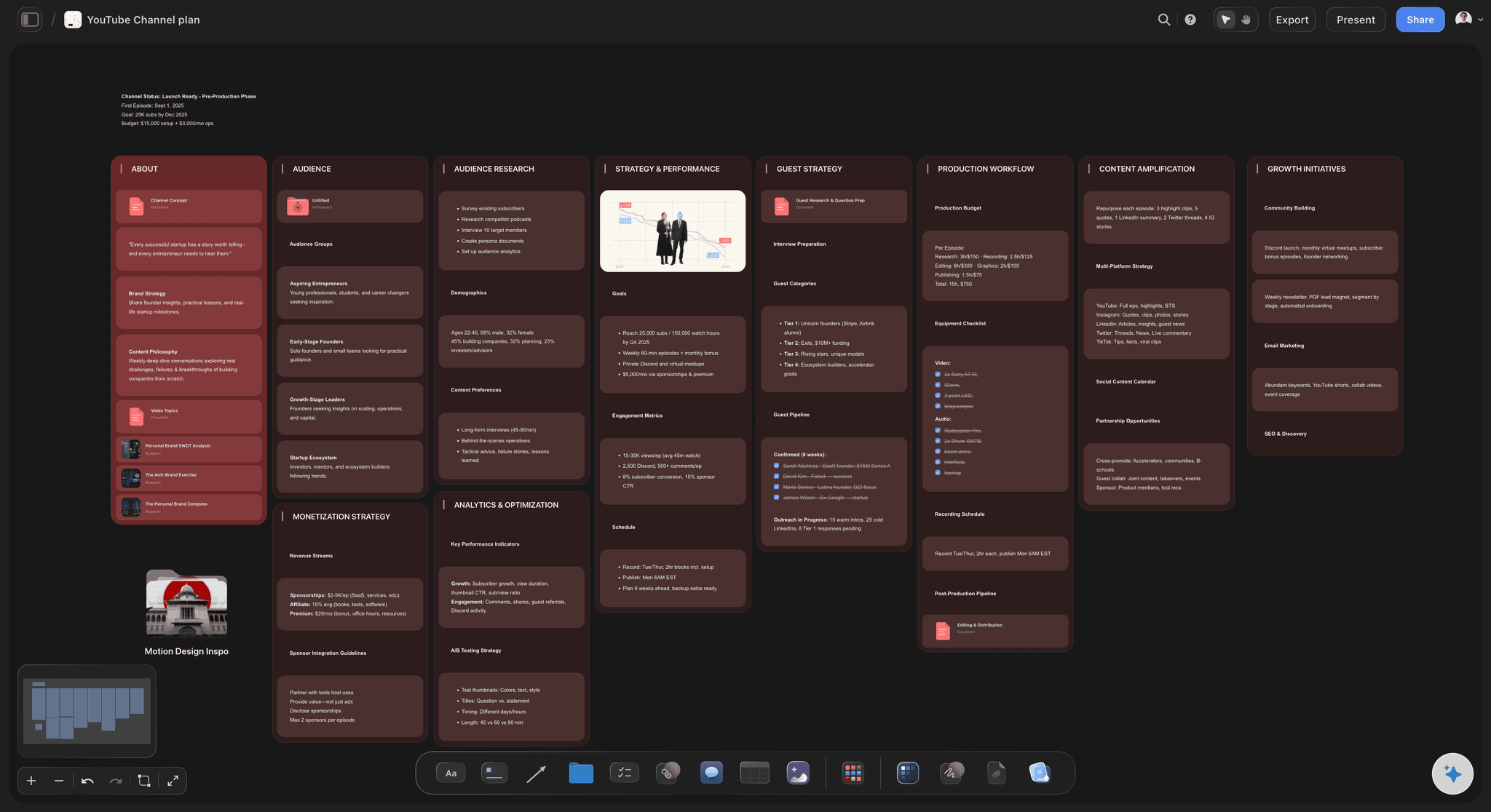
Plan a video from hook to outline to shot list, with references and thumbnail ideas sitting right beside it.
How do content creators plan a month of videos with their editor?
Content creators plan a month of videos with their editor by batching the filming into one or two shoot days and fixing a date for every handoff, from script to shoot to edit to publish. Storyflow is an AI visual workspace that holds your month of uploads on one infinite canvas: a ticket per video with its publish date, the script, shot list and edit brief beside it, and the batch filming days. The editor opens the same board and finds the brief, the footage link and selects, the references and the deadline beside the video instead of in a chat thread.
The month is a rolling pipeline, not four separate videos. At any point one video is being scripted, one is being filmed and one is with the editor, so the plan that works fixes handoff days rather than ideas: footage lands on the same weekday, the first cut comes back a set number of days later, notes go back once, and the final is due with at least one finished video in hand. A creator who films on Monday for a Tuesday upload has no room for a late script, a lost card or an editor's other clients.
Batch the filming, not the scripting. Four scripts written back to back on a Sunday rarely have four sharp hooks, so scripts are written across the fortnight before a shoot day, and the shoot day films three or four videos with the set lit once. The editor receives them staggered rather than in one drop. What makes each handoff work is the edit brief, written before filming: the promise the title makes, which line is the hook, the target length and what can be cut, the structure in beats, the b-roll and graphics needed, and anything this video does differently.
In Storyflow each video is a ticket on the month's board, and can open into its own board behind a folder tile holding the script as a document, a shot list the AI can draft from that script, the edit brief, reference clips from YouTube or Vimeo, thumbnail ideas, the footage link and the selects. Dates live in a table with date cells and on the tickets, and a Kanban shows which videos are scripted, shot, in edit, in review and scheduled. An editor you invite joins free. Storyflow is not a tool for reviewing cuts with frame-accurate comments, which is Frame.io's job, and it does not upload or publish to YouTube.
Ultra fast from brief to board
How do creators batch a month of videos for an editor?
Four steps on one board you both open.
01
Pick the month's uploads
Choose which ideas become this month's videos and give each a ticket with its upload date. Ideas that are not ready stay in an unscheduled pool beside them.
02
Script, then batch the shoot
Write each script as a document in the fortnight before, with a shot list beside it, then film three or four videos on one shoot day with the set lit once.
03
Hand off with an edit brief
Each video gets its promise, hook, target length, structure, b-roll, footage link and selects. The editor opens the board and starts without a call.
04
One notes pass, then publish
Watch the cut, write one set of notes on the video's ticket, and move it to scheduled when the final is in. The upload itself happens in YouTube Studio.
What does a video editor need from a creator each month?
The month, the shoot days and every video's handoff on one board.
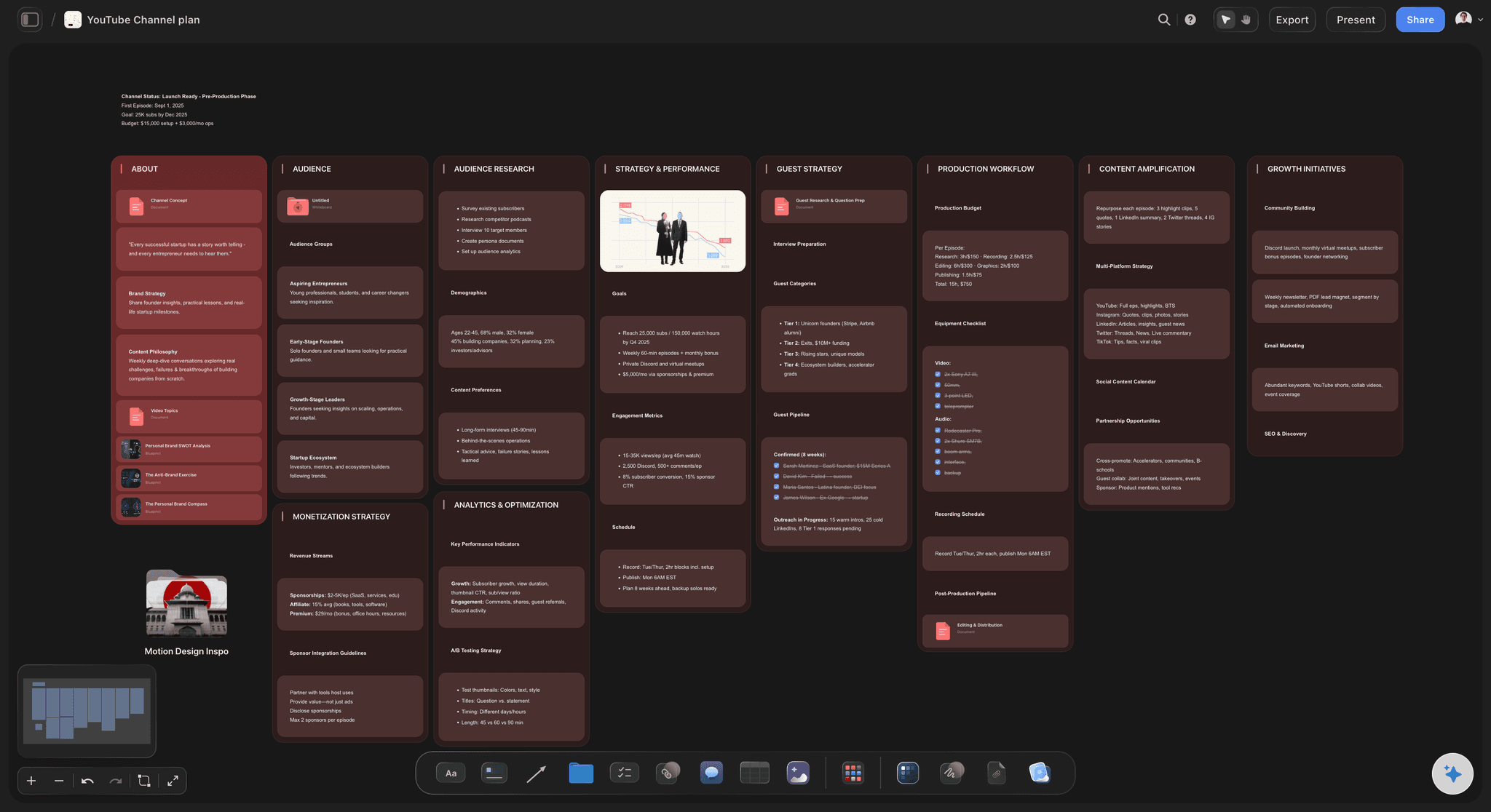
The month as a pipeline
See which video is in which stage
A Kanban of scripted, shot, in edit, in review and scheduled shows the month at a glance, so a gap three weeks out is visible while there is time to fill it.
See the YouTube content pipeline →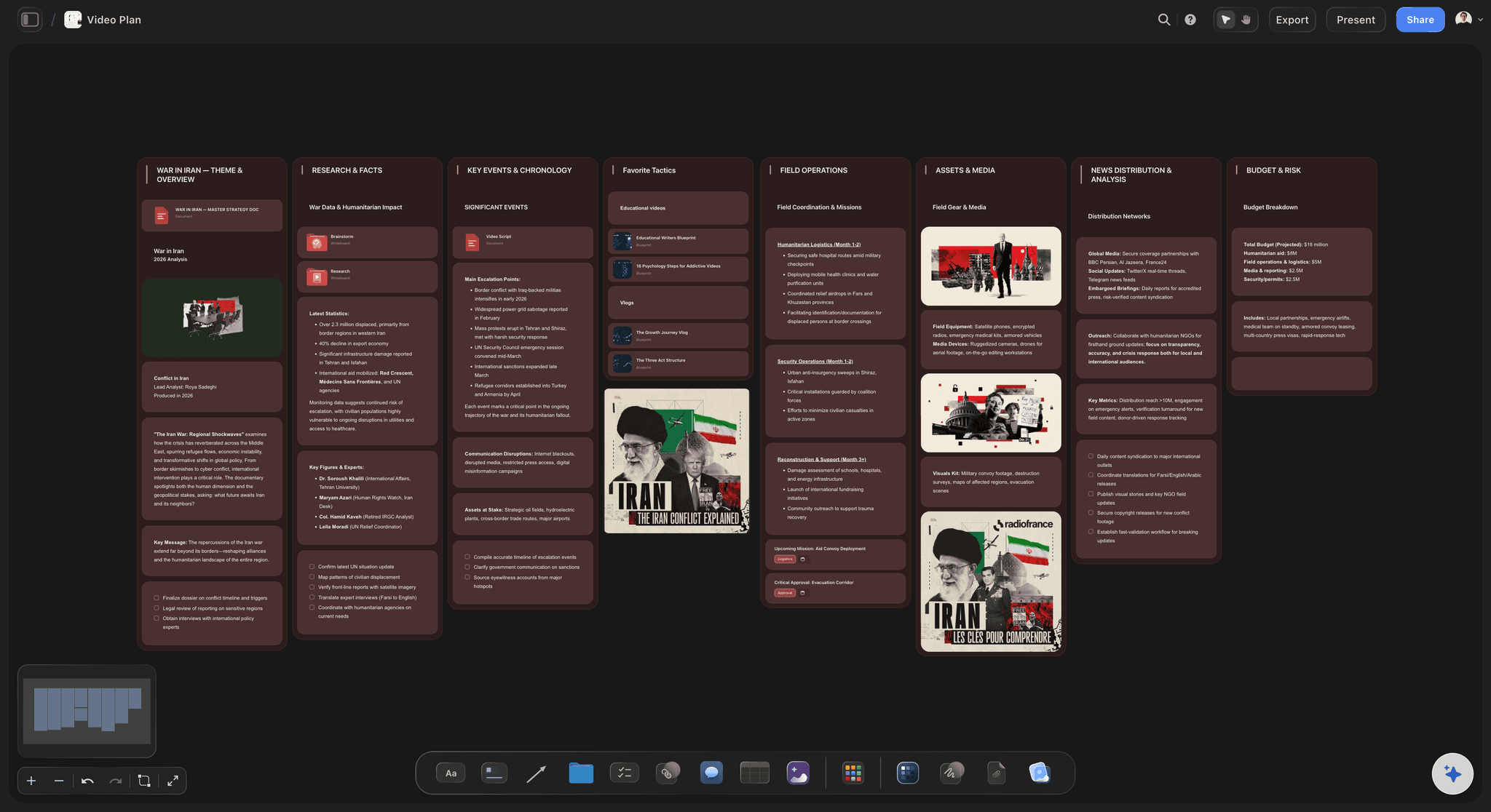
An edit brief on every video
The editor starts without a call
Promise, hook, target length, structure in beats, b-roll, what can be cut, and the footage link with selects, written before the shoot and kept with the video.
See Storyflow for video editors →
Batch filming days
Film four videos with the set lit once
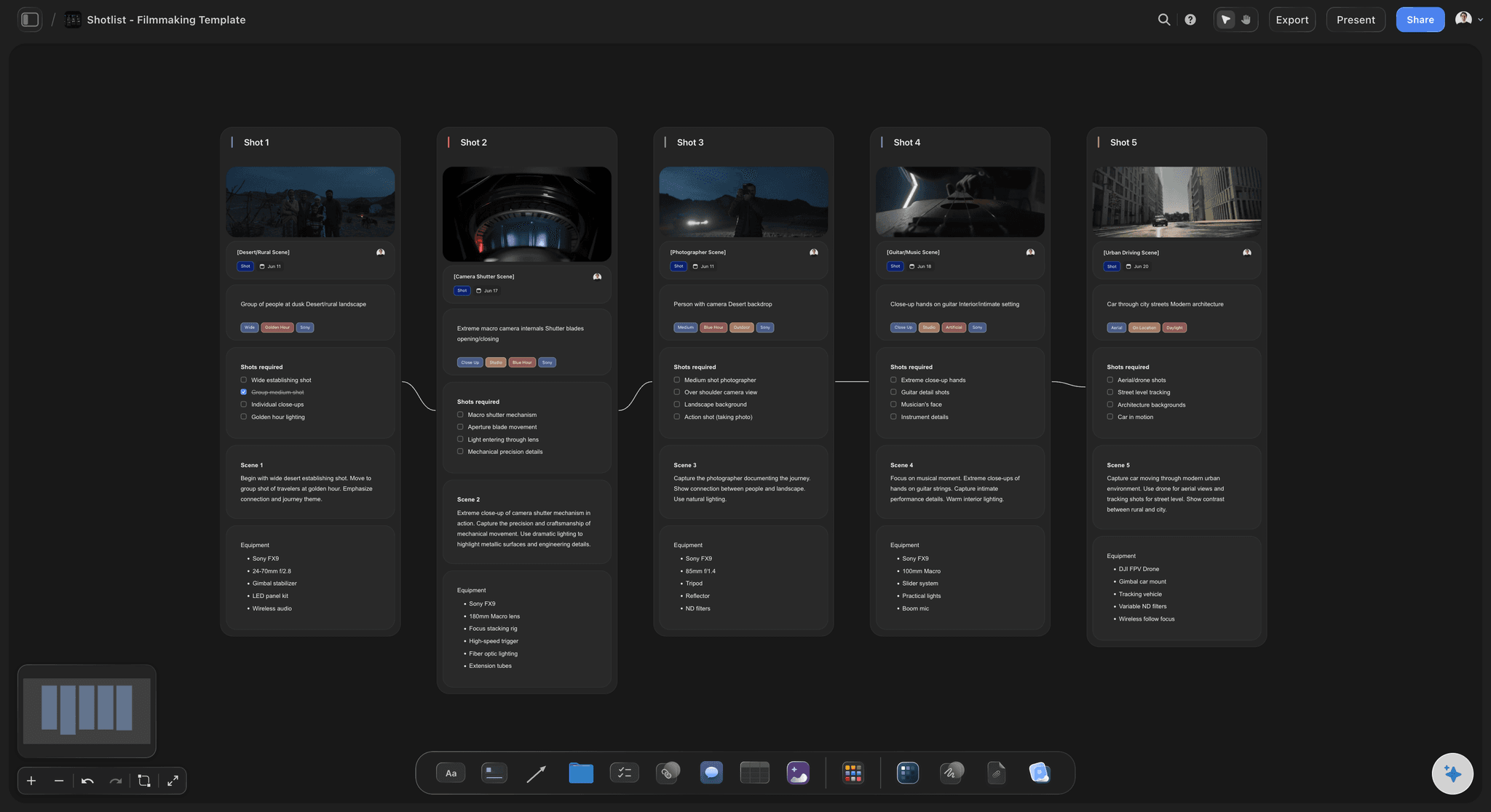
A shoot day holds a shot list for each video it covers, drafted by the AI from the script or written by hand, so batching is planned around scripts that are already written.
See the shot list template →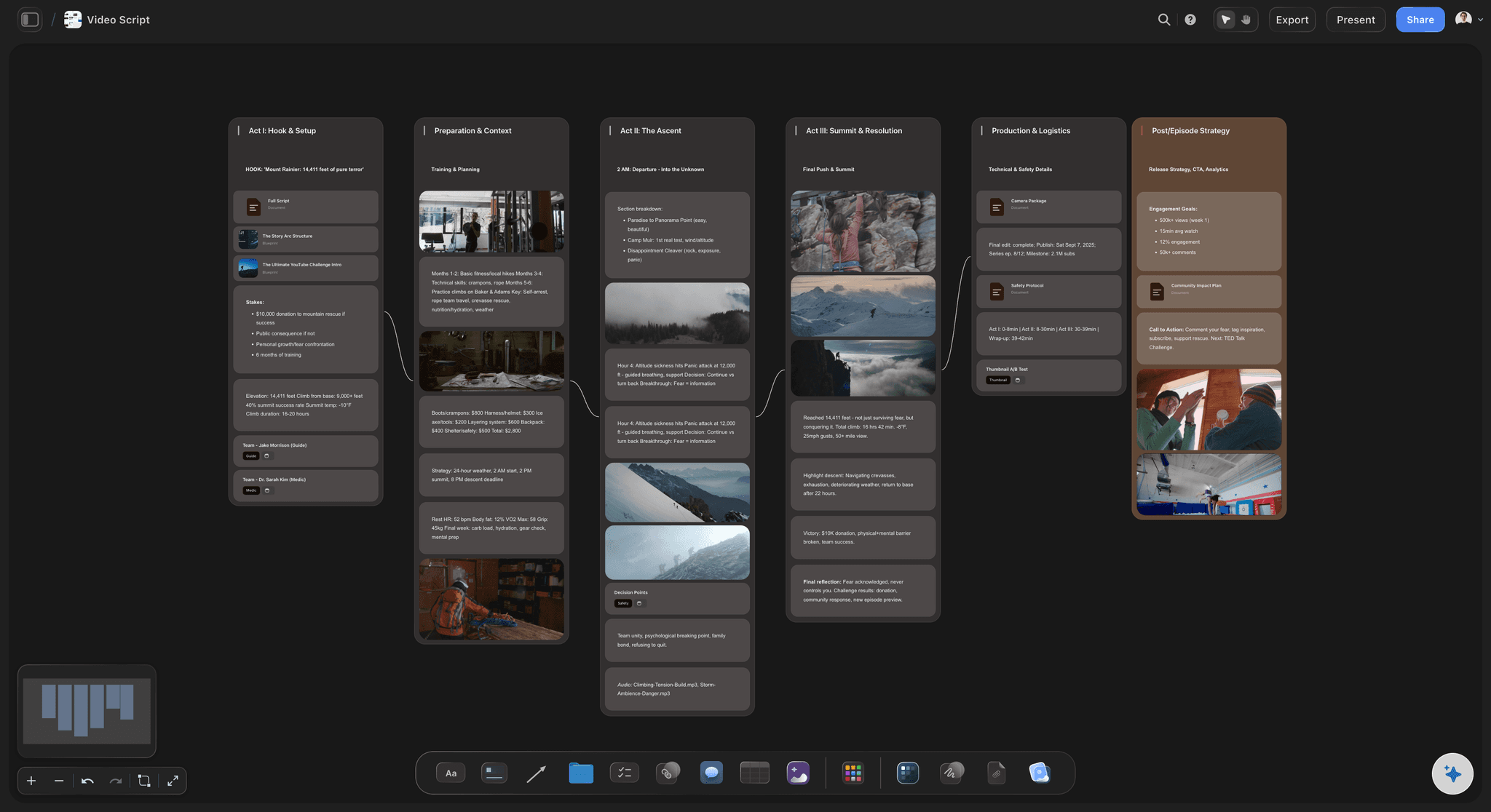
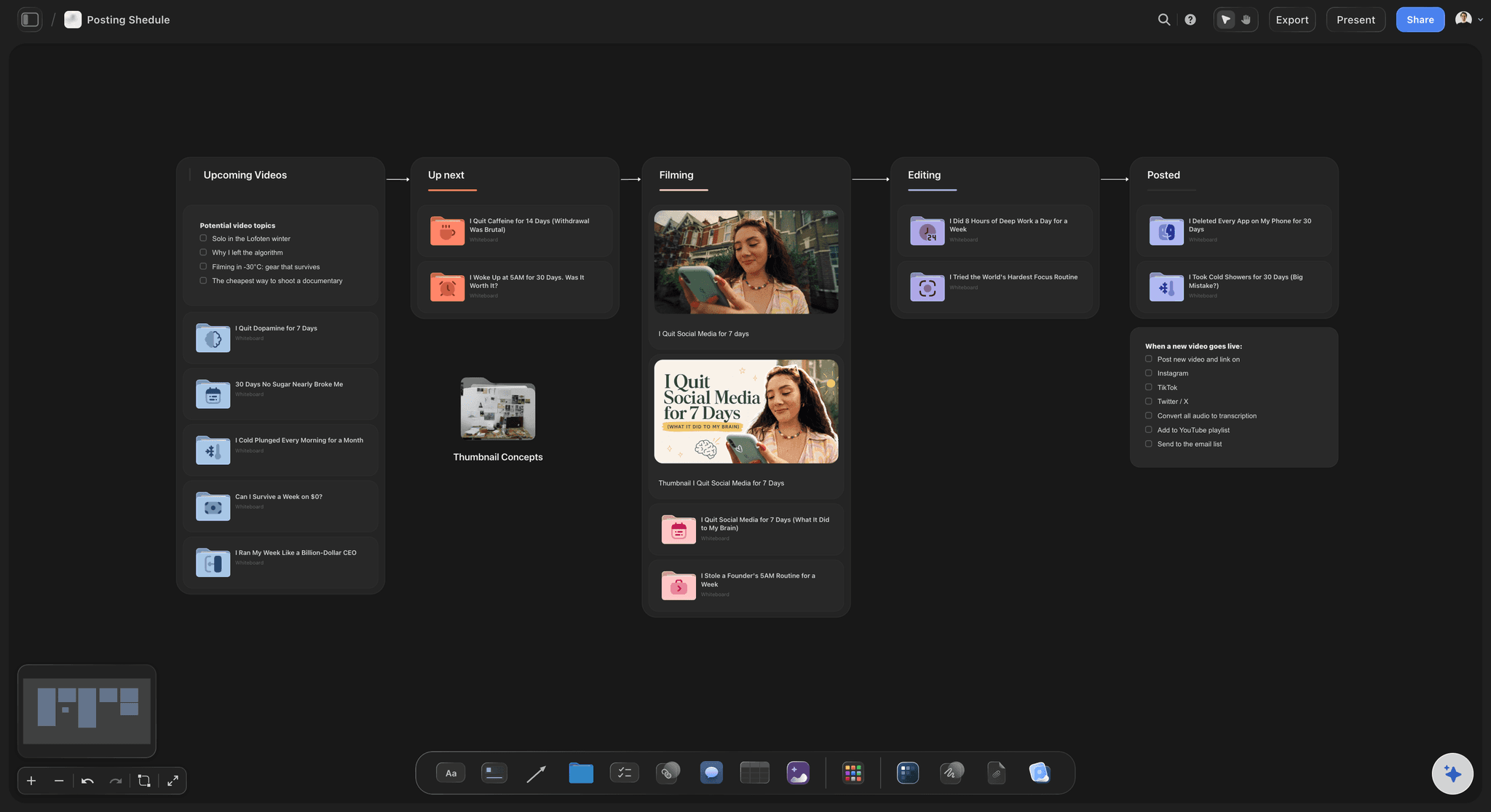
The AI plans the channel
Start from a channel plan, not a blank month
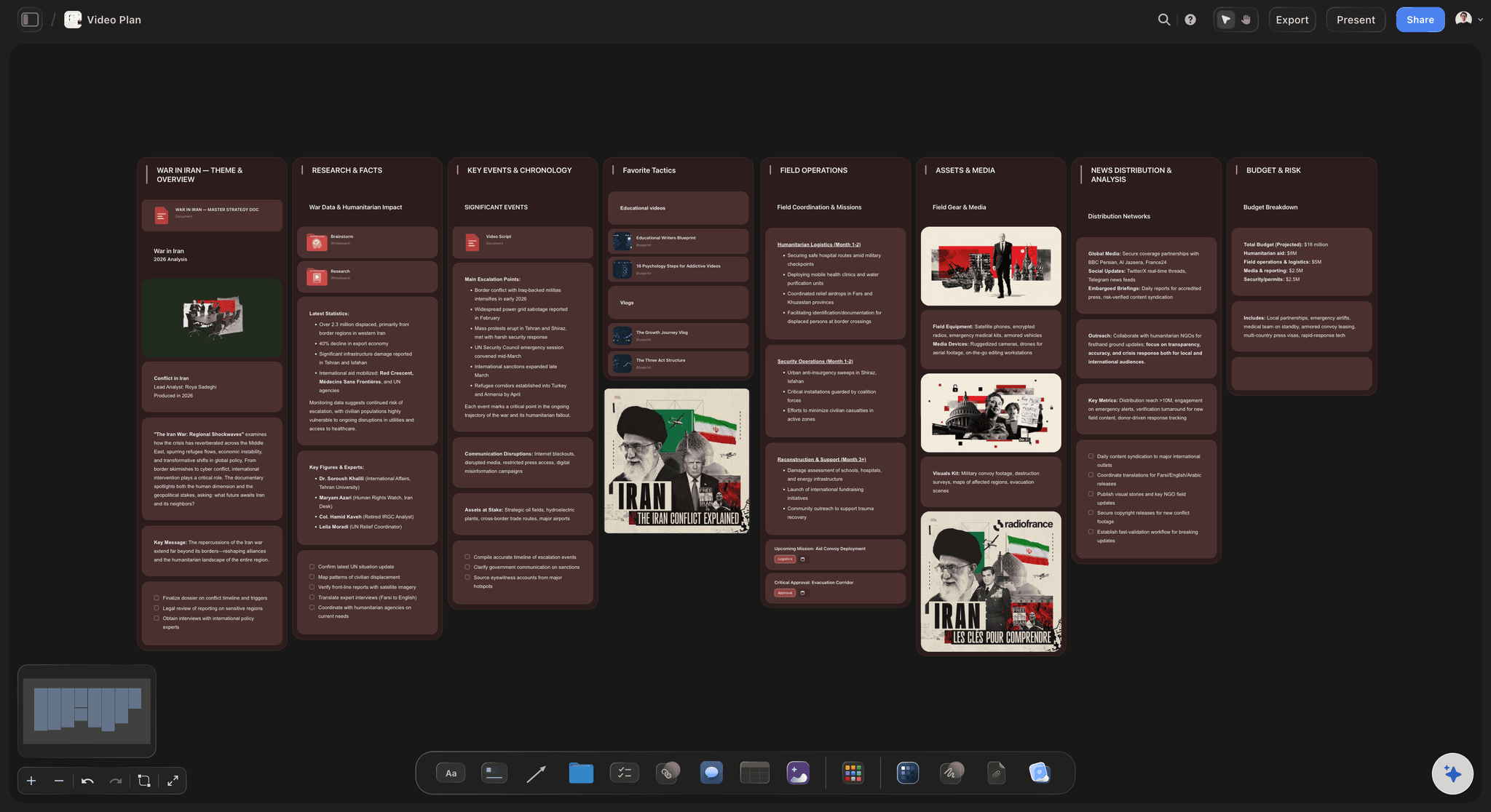
Ask for a YouTube Channel Plan or a YouTube Video Plan and the AI lays out the format, the audience, the production workflow and the next video, reading everything already on your board.
See the YouTube video planner →Unlimited boards. No object cap.
A board for the month and one behind every video, with no cap on scripts, references or links. Storyflow is paid-only during early access, with plans from $7.99 a month billed annually ($9.99 monthly). A free plan launches before the end of 2026, and anyone a paid member invites to a board joins free.
Unlimited boards, images, files and links
Documents for scripts, tickets with due dates, Kanban and tables
An editor you invite to the board joins free
YouTube and Vimeo references embedded beside each video
Built for people with taste
Slots, scripts, shoot days, handoffs.
A month with an editor works when the handoffs are fixed and the brief travels with the footage.
The month as a rolling pipeline
Plan handoff days, not just upload dates
One video in each stage: At any point one video is in script, one in production and one in edit. Planned that way, a new month continues the pipeline instead of starting four videos from zero.
Fixed handoff days: Footage lands on the same weekday, the first cut returns a set number of days later, and notes go back on a named day, so neither of you waits on the other.
One video in hand: Keep at least one finished video ahead of its upload date, so a late script or a slow edit moves nothing your viewers see.
An unscheduled pool: Ideas without a hook yet wait beside the month instead of taking a slot, so the month only holds videos that are ready to be made.
Scripts and batch filming
Batch the filming, not the writing
Scripts across the fortnight: Write one script per sitting in the two weeks before a shoot day, because the fourth hook written in one sitting is rarely as sharp as the first.
A shot list per video: Every shot, cutaway and b-roll moment the script needs is listed before the day, so the shoot does not depend on memory.
Set lit once: Group videos that share a set, a wardrobe or a location on the same shoot day, and note what changes between them.
Staggered delivery to the editor: Hand footage over one video at a time on the agreed days, so a batch shoot does not land on the editor as a single backlog.
The edit brief and the footage
What the editor needs on the board
The promise and the hook: What the title and thumbnail promise, and which line is the hook with how long the cold open runs, because those decide what cannot be cut.
Length, structure and what can go: A target length, the structure in five to eight beats, and the section to drop if the cut runs long.
B-roll, graphics and references: Named cutaways, on-screen text and reference clips embedded from YouTube or Vimeo, placed beside the beat they belong to.
Footage link, selects and deadline: The link to the footage folder, the takes worth using with their timecodes, the music decision, and the date the first cut is due.

Notes, AI and publishing
One notes pass, a channel plan, and a clear line at publish
One consolidated notes pass: Watch the whole cut, then write one set of notes on the video's board. A trickle of messages over two days is the slowest way to finish an edit.
Channel rules the editor can read: Pacing, hook length, caption style, b-roll density and sponsor placement live in one document on the board, so the same notes stop coming back every round.
The AI reads the whole board: Ask for a YouTube Channel Plan, a YouTube Video Plan or a Video Script, or ask which videos this month have no edit brief. It proposes; you decide.
Review and upload stay where they are: Storyflow is not a frame-accurate cut review tool like Frame.io and does not upload to YouTube. It holds the plan, the brief and the notes around them.
Explore templates for your project
Every template opens as a real, editable board on the infinite canvas. Pick the closest fit and make it your own.
YouTube Plan
Plan a video from hook to outline to shot list, with references and thumbnail ideas sitting right beside it.
One app instead of five
Storyflow vs Notion, Trello and Frame.io.
Notion and Trello hold a creator's calendar well, and Frame.io is where cuts get reviewed frame by frame. Here is where each fits in a month of videos made with an editor.
Storyflow
Recommended
A month of uploads planned before anything is filmed
Script, shot list and edit brief written with each video
Reference clips and scripts laid out on a visual canvas
Shoot days planned with a shot list per video
Frame-accurate comments on the cut
Notion
A month of uploads planned before anything is filmed
Script, shot list and edit brief written with each video
Reference clips and scripts laid out on a visual canvas
Shoot days planned with a shot list per video
Frame-accurate comments on the cut
Trello
A month of uploads planned before anything is filmed
Script, shot list and edit brief written with each video
Reference clips and scripts laid out on a visual canvas
Shoot days planned with a shot list per video
Frame-accurate comments on the cut
Frame.io
A month of uploads planned before anything is filmed
Script, shot list and edit brief written with each video
Reference clips and scripts laid out on a visual canvas
Shoot days planned with a shot list per video
Frame-accurate comments on the cut
What creators are saying
Join early creators getting structured workspaces and AI that remembers their projects
“Storyflow has sped up my workflow by at least 3x, which means more flow state and more projects I can actually ship. It truly changed the way me and my team create.”

Reilin Joey
Director & YouTuber
“One prompt gets me a structured board. But the tactics are my favorite. I run my YouTube scripts through them and my intros and retention got better. It's amazing.”

Justkay
YouTuber & Freelance Filmmaker
“I used to juggle five apps to plan a project. Now I describe what I am making and get boards, lists, and a schedule. All in one place.”

George
@fernwehchronicles
Planning videos with an editor, answered.
Handoffs, edit briefs, batch filming and where Storyflow stops.
Creators plan a month of videos with their editor on one Storyflow board they both open. Each video gets a ticket with its upload date, and beside it the script, a shot list, an edit brief, the footage link and the selects. Filming is batched into one or two shoot days, and each video moves from script to shoot to edit to publish on fixed handoff days. Frame-accurate review of the cut still happens in Frame.io.
Storyflow is built for a creator and an editor sharing one board: each upload sits with its publish date, script, shot list and edit brief, and the batch filming days are planned beside them. The editor finds the footage link, the selects and the deadline next to the video. The AI reads the whole board to lay out a channel plan. Frame.io still gives you frame-accurate comments on the cut.
Seven things, written before filming: the promise the title and thumbnail make, so the editor knows what cannot be cut; the hook and how long the cold open runs; the target length and what to drop if it runs long; the structure in five to eight beats; the b-roll, graphics and on-screen text needed; anything this video does differently; and sponsor placement. In Storyflow the brief sits on the video's ticket or board, beside the footage link and selects.
Plan uploads a month at a time and keep one finished video in hand. In Storyflow each upload is a ticket with its date, a Kanban shows which videos are scripted, shot, in edit, in review and scheduled, and ideas without a date wait in a pool beside the month. Fix handoff days with your editor, so a late script or slow edit uses the buffer instead of an upload slot. Uploading still happens in YouTube Studio.
Batch the filming and spread the writing. Write one script per sitting in the fortnight before a shoot day, then film three or four videos in one session with the set and lighting set up once. Give each video a shot list covering its cutaways and b-roll. Hand footage to your editor one video at a time, so the batch does not become their backlog. In Storyflow the shoot day is a ticket beside each video's shot list.
An edit brief, organised footage and a deadline. The brief says what the video promises, which line is the hook, the target length, the structure and the b-roll needed. The footage arrives in one folder with clear file names, selects marked and music decided. The deadline says when the first cut is due and when notes come back. In Storyflow all three sit on the video's ticket or board, and an editor a paid member invites joins free.
For a 10 to 15 minute YouTube video, three to five working days is a workable starting point: less for a simple talking-head format, more for heavy b-roll, graphics or a new style. Agree it per format rather than per video, and write it into the plan as a date, because the handoffs that slip are the ones written as this week. In Storyflow the first cut date sits on the video's ticket beside the handoff it depends on.
Watch the whole cut first, then send one consolidated set of notes with timecodes on an agreed day. A stream of small messages is the slowest way to finish an edit, because the editor cannot schedule around it. Separate must-fix notes from preferences, and agree how many revision rounds the fee covers. For notes pinned to exact frames, use Frame.io. Storyflow keeps the notes beside the edit brief, so the editor sees what the cut was for.
Plan a month of upload dates, keep at least one finished video in hand, and hold a pool of ideas not yet ready for a date. A month is long enough to batch filming and give an editor predictable handoffs, and short enough to react to what recent videos taught you. Dating ideas much further out usually means rearranging them. In Storyflow the month's tickets sit beside the unscheduled idea pool on the same board, so both are visible.
Yes. Anyone a paid member invites to a board joins free, so your editor can open the month, read each video's edit brief, follow the footage link and selects, and move a video's stage as the cut progresses. If they only need to look, a view-only link opens in a browser with no account, and they sign in to comment. Storyflow does not replace editing software, and it does not offer frame-accurate comments on a cut.
No. Storyflow does not upload videos, publish to YouTube or schedule uploads; titles, thumbnails, scheduling and end screens are set in YouTube Studio. Storyflow is where the month is planned and made ready: upload dates, scripts, shot lists, batch shoot days, edit briefs and handoffs to your editor. When a final cut is approved, move its ticket to scheduled and upload it in YouTube Studio. Dates live in a table and on tickets rather than on a month grid.
It can lay out the plan and the documents, and you decide what gets made. Ask Storyflow's AI for a YouTube Channel Plan and it builds the channel's audience, strategy, production workflow, amplification and growth on the board, with real video topics. A YouTube Video Plan plans one video's research, production, distribution and metrics, and a Video Script writes it in three acts. The AI reads the whole board, proposes, and does not film, edit or publish.
Usually because intent never reaches the editor. Footage arrives with a length and a note to use the usual style, the editor makes reasonable choices, and the first cut is rejected for reasons nobody wrote down. Feedback then trickles in, and the upload slips because no finished video was in hand. The fixes are mechanical: an edit brief written before filming, fixed handoff days, one consolidated notes pass and one video of buffer, all kept on one Storyflow board.
Not yet. Storyflow is paid-only during early access, with plans from $7.99 a month billed annually ($9.99 monthly). A free plan launches before the end of 2026, and anyone a paid member invites to a board joins free, so a creator on a paid plan can bring in an editor, scriptwriter or thumbnail designer, and a view-only link opens with no account. For free today, a shared spreadsheet with a row per video holds a simple month.
More from Storyflow
YouTube content pipeline
Content pipeline
YouTube video planner
Storyflow for video editors
Storyflow for YouTubers
AI video script generator
Shot list template
B-roll planner
Post-production workflow
YouTube series planner
Social media content calendar
Editorial calendar
The 7-stage YouTube content pipeline
A creator content calendar with buffers and batching
Social media shot list
Video editing brief
Plan next month's videos with your editor.
Upload dates, shoot days and an edit brief on every video, on one board you both open.