
Hours back on every video you plan
Track every cut through post
with notes on the right version.
Post goes wrong when notes outlive the cut they were written about. Storyflow lays the whole workflow on one canvas, from assembly to delivery, with each round of notes attached to the version that produced it, so nobody is fixing something that was already changed two cuts ago.


Creatives working for these brands already got early access
- Red Bull
- Canon
- Artlist
- Porsche
See how easy it is to get started
Watch a real project come together, from a blank board to a finished plan, clicked through step by step.
Start from a ready-made template
Pick a board to see what you can build, then let AI fill it in. Every template is a real, editable starting point on the same infinite canvas.

Storyboard
Lay out your shots frame by frame with images and notes, then reorder them until the sequence reads like the finished cut.
What is a post-production workflow?
A post-production workflow is the sequence a project runs through after the shoot: ingest and organise the footage, assemble a first pass, cut it down to a rough cut, refine to a fine cut, reach picture lock, then run sound, music, colour, titles and graphics before delivery. Storyflow is an AI visual workspace that lays out your post workflow on one infinite canvas: every stage from assembly to delivery, each round of notes attached to the cut it came from, and deliverables tracked against the spec. The order is not arbitrary. Each stage assumes the one before it has stopped moving, which is why picture lock is a real event rather than a formality.
The stage that breaks is almost always review. Notes arrive on version four while the editor is working on version six, arrive in three different places, and arrive without saying which shot or which minute they refer to. The editor then spends an afternoon working out which notes are still live. That is the single largest avoidable cost in post, and it is a coordination problem rather than a craft one.
The second thing that breaks is the handoff to sound and colour, because those departments need to know that picture is genuinely locked. A change after lock means conform work, and conform work means someone redoes finished labour. Making lock visible, and making it obvious when it has been violated, is most of what a post workflow document is for.
Storyflow is where the workflow lives, not where the work happens. To be direct: you can upload a cut to play, scrub and grab frames beside the notes, but there is no editing, no timeline, no media management, no rendering and no frame-accurate commenting. Premiere, Resolve and Avid do the cutting, and Frame.io does time-stamped review better than any canvas will. Storyflow holds the shape of the process, the state of each cut and the decisions attached to them, which is the part that usually lives in nobody's tool at all.
Ultra fast from brief to board
Lay out the stages, then move the work through them.
The value is that the current state of every cut is visible in one place.
01
Map the stages
Assembly, rough cut, fine cut, picture lock, sound, colour, titles and delivery as columns or regions on the board, so the shape of the process is explicit.
02
Bring the footage plan in
Attach the shot list and the footage organisation from production, so what was shot and what made the cut stay connected rather than becoming separate histories.
03
Attach each round of notes to its version
Notes live on the cut they were written about. A note on v4 stays visibly a v4 note, which is how you tell live feedback from feedback already actioned.
04
Mark lock, then run the finishing stages
Picture lock is a visible state on the board. Sound, colour and graphics start from it, and you mark anything that changes after lock as conform rather than letting it slip through.
Post is a chain of stages that each assume the last one stopped moving.
Most post problems are one stage starting before the previous one finished.

Before the cut
Footage organised against the shot list
The edit starts from what was actually shot. Keeping the footage plan beside the shot list is how a missing pickup is discovered in the first week rather than the fifth.
See the footage organizer →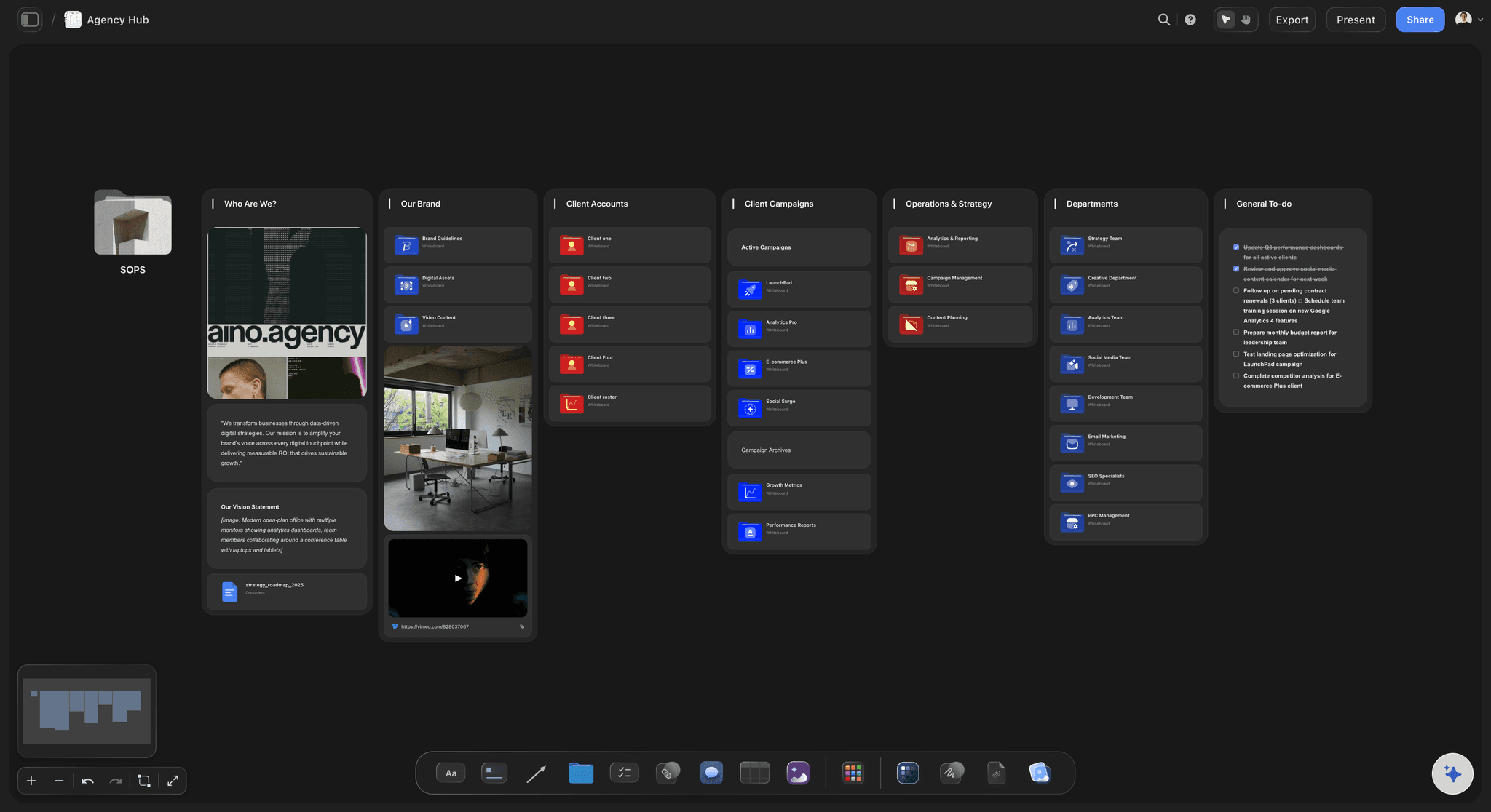
Review without the mess
Notes that stay attached to their version
The most expensive hour in post is working out which notes are still live. Attaching each round to the cut it addressed removes that question entirely.
See the client review board →
Lock is an event
Make picture lock visible
Sound and colour cannot start honestly until picture stops moving. Marking lock on the board makes a post-lock change a visible decision with a cost rather than a quiet edit.
See the video production software →
The end of the chain
Deliverables tracked against the spec
Aspect ratios, durations, caption files, platform cuts and audio stems. Delivery fails on the boring list, so keep the boring list next to the work.
See the video production checklist →Plans from $7.99/month annual. Free plan coming late 2026.
Storyflow is paid-only during early access, with plans from $7.99 a month billed annually ($9.99 monthly). A free plan launches before the end of 2026, and anyone a paid member invites to a board joins free. The editor and producer work on the same board, and the client reads it from a view-only link.
Clients read the board without an account
Every project gets its own board, with no project limit
Export the workflow as a high-quality image or PDF
Anyone a paid member invites to a board joins free
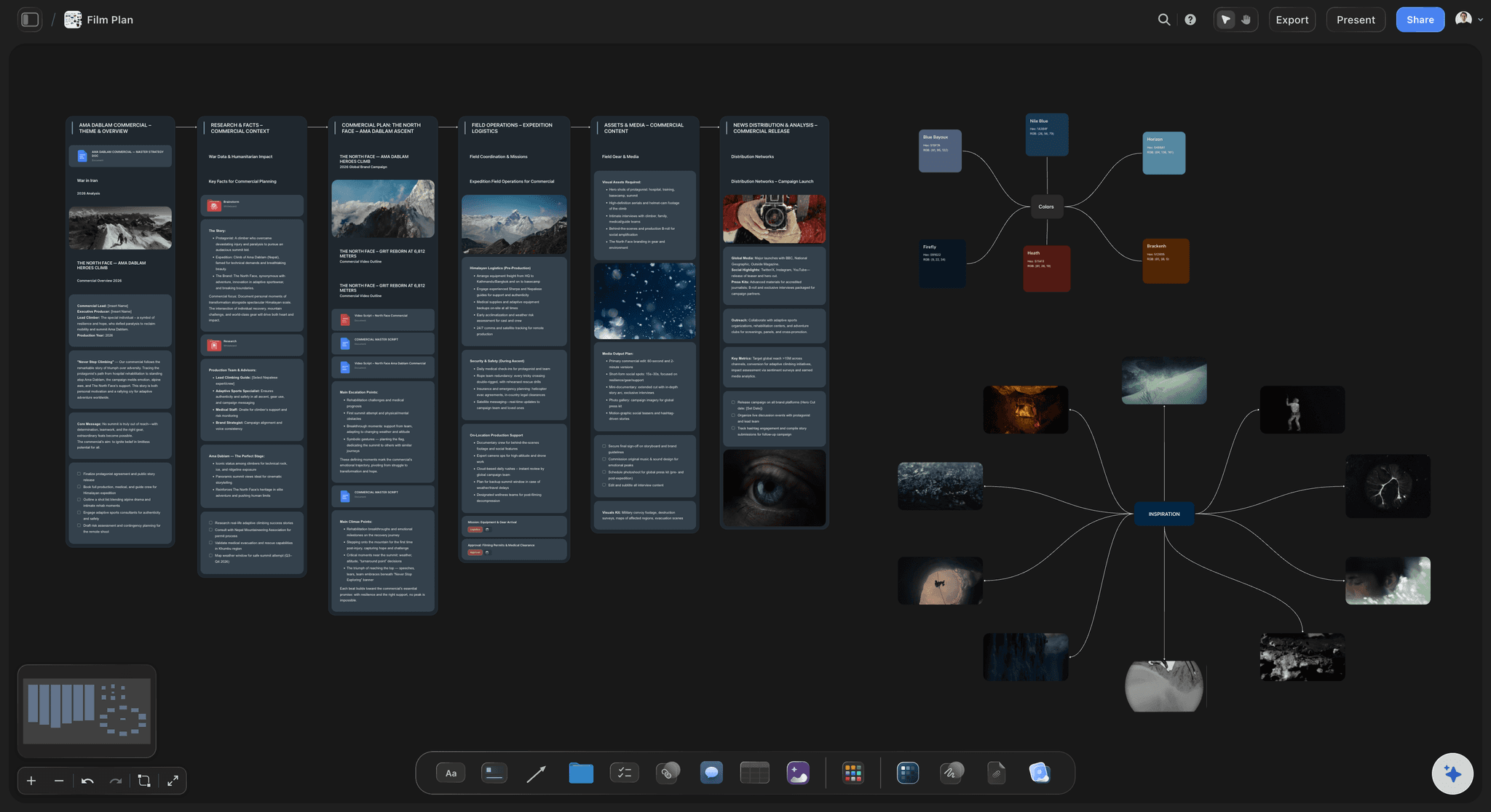
Built for people with taste
The edit lives in the NLE. The process lives nowhere.
Which is why the state of a project is usually reconstructed from a thread rather than read from a document.
State you can read
Know what stage everything is at
Every cut on one board: Assembly through delivery in one view, so answering where the project is takes a glance rather than a call.
Notes bound to versions: Feedback stays attached to the cut it was written about, which is what separates live notes from ones already actioned.
Several projects at once: Post teams run parallel jobs. One board per project with the same stage layout makes the whole slate readable.
The AI reads the board
Ask what is blocking delivery
Canvas-aware AI: Storyflow's AI reads the whole active board, so the notes, the stages and the deliverables list are all in front of it when you ask what is outstanding.
Summarise a review round: Turn a long thread of client notes into a structured list attached to the right cut, which is faster and less error-prone than reading it twice.
Check the delivery spec: Ask which deliverables are still missing against the spec on the board, rather than discovering it on the deadline.
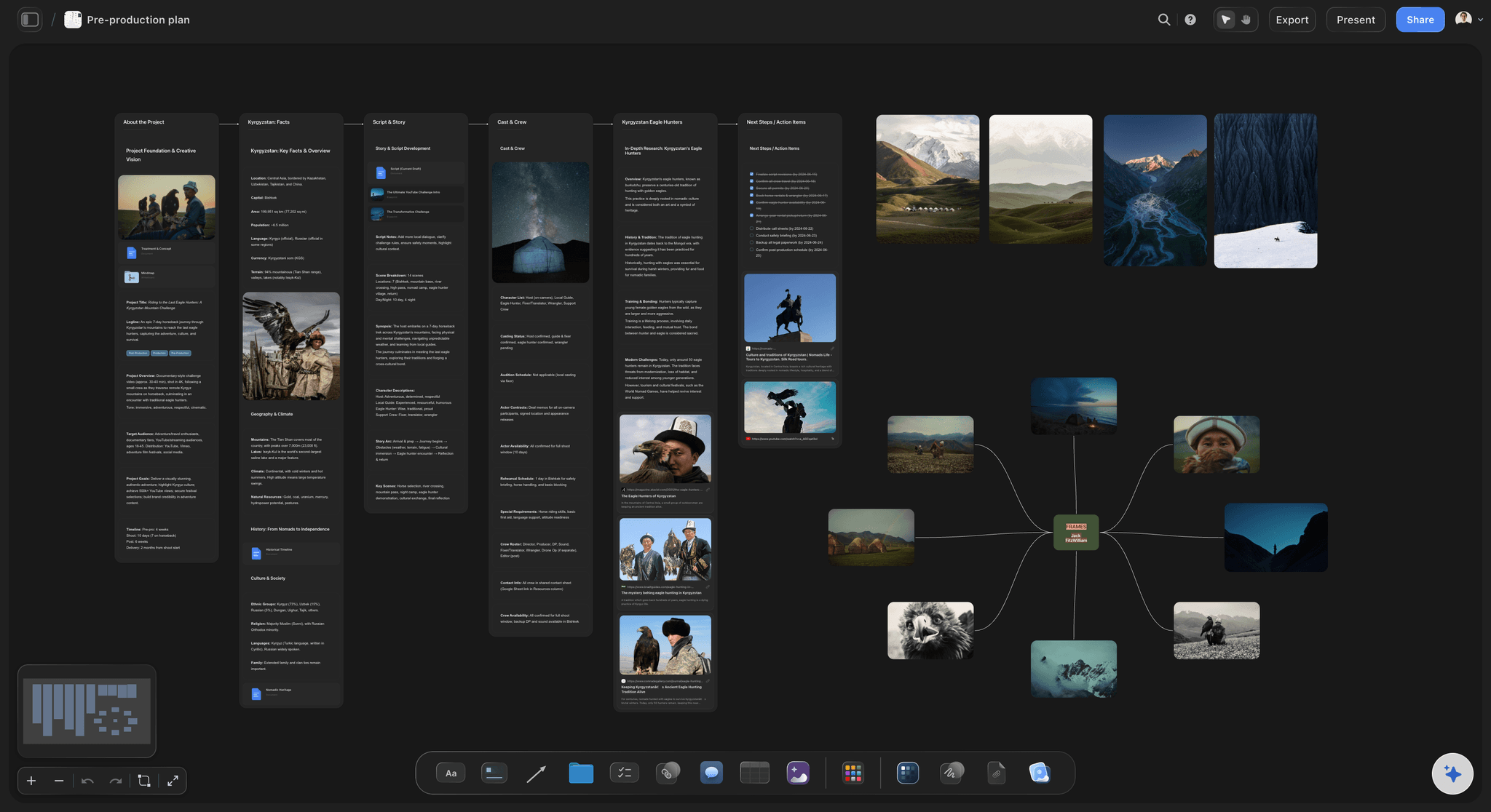
What it is not
Honest about the ceiling
No editing and no timeline: Premiere, Resolve and Avid do the cutting. Storyflow holds the process around the cut, not the project media.
No frame-accurate review: Frame.io and similar tools do time-stamped commenting on a playing video, and they do it well. Use them for shot-level notes and Storyflow for the state of the project.
No media management: There is no ingest, transcode, proxy or archive handling here. Those are real jobs for real tools, and a canvas is not one of them.
Explore templates for your project
Every template opens as a real, editable board on the infinite canvas. Pick the closest fit and make it your own.
Storyboard
Lay out your shots frame by frame with images and notes, then reorder them until the sequence reads like the finished cut.
What creators are saying
Join early creators getting structured workspaces and AI that remembers their projects
“Storyflow has sped up my workflow by at least 3x, which means more flow state and more projects I can actually ship. It truly changed the way me and my team create.”

Reilin Joey
Director & YouTuber
“One prompt gets me a structured board. But the tactics are my favorite. I run my YouTube scripts through them and my intros and retention got better. It's amazing.”

Justkay
YouTuber & Freelance Filmmaker
“I used to juggle five apps to plan a project. Now I describe what I am making and get boards, lists, and a schedule. All in one place.”

George
@fernwehchronicles
Post-production workflow, answered.
What editors and post producers ask before mapping the process on a board.
Ingest and organise the footage, assemble a first pass, cut to a rough cut, refine to a fine cut, reach picture lock, then run sound, music, colour, titles and graphics, and finally deliver against the spec. The order matters because each stage assumes the previous one has stopped moving, which is why picture lock is a real event: sound and colour work done before it can be invalidated by a single re-cut.
Storyflow lays the whole of post on one canvas, from assembly to delivery: you can see what stage every cut is at, and each round of notes stays attached to the version it was written about. The footage is organised against the shot list, picture lock is visible, and the deliverables are tracked against the spec.
Picture lock is the point at which the edit stops changing so the finishing stages can begin. It matters because sound design, music, colour and graphics are all built against specific frames. A change after lock forces conform work, where finished labour is redone. Making lock a visible state, rather than an assumed one, is most of what a workflow document is for.
No. You can upload a cut to play and scrub it beside the notes, but there is no timeline, no editing and no rendering. Premiere, Resolve and Avid do the cutting. Storyflow holds the workflow around the edit: what stage each cut is at, which notes belong to which version, and what is left before delivery.
Frame.io is built for frame-accurate review on a playing video, with time-stamped comments and version stacking, and it is better at that than any canvas. Storyflow is for the state of the project rather than the shot-level note: which cut is where, what is blocking, what the delivery spec still needs. Running both works: Frame.io for review, Storyflow for the process around it.
Attach each round of notes to the cut it was written about, rather than collecting them in a single running list. A note on v4 stays visibly a v4 note, so when the editor is on v6 the question of which notes are still live is answered by the board rather than by re-reading a thread.
Yes, via a view-only link with no account and no install, which is usually the difference between a client reading the plan and a client asking for a status call. A client who signs in can leave comments.
Yes. Put the thread on the board and Storyflow's AI can turn it into a structured list beside the right cut. It reads the whole active board, so it can also be asked what is still outstanding against the delivery spec.
No. There is no ingest, transcoding, proxy or archive function. You can drop a cut on the board to watch beside the notes, but rushes belong in your storage and your NLE. Media management is a genuine specialism with tools built for it; Storyflow holds the plan and the decisions, not the media library.
You can, but one board per project with the same stage layout is usually easier to read, and there is no project limit on paid plans. An agency can keep a slate board on top that links out to each project's own board.
Storyflow is paid-only during early access, with plans from $7.99 a month billed annually ($9.99 monthly). A free plan launches before the end of 2026, and anyone a paid member invites to a board joins free.
Know where every cut is.
Assembly to delivery on one canvas, with notes attached to the version they belong to.