
Extremely reliable pre-production
Film scheduling software for
the order you actually shoot in.
The breakdown becomes a strip board: a wall per shoot day, a strip per scene colour-coded by INT or EXT and day or night, each day totalled in pages. Drag strips until locations, light, cast and turnaround all work, then build each day's call sheet from it.


Creatives working for these brands already got early access
- Red Bull
- Canon
- Artlist
- Porsche
See how easy it is to get started
Watch a real project come together, from a blank board to a finished plan, clicked through step by step.
Start from a ready-made template
Pick a board to see what you can build, then let AI fill it in. Every template is a real, editable starting point on the same infinite canvas.

Pre-Production
Pull the brief, script, shot list, and moodboard into one pre-production hub so the whole shoot is planned in one place.
What is the best film scheduling software?
Film scheduling software reorders the script for production: every scene from the breakdown becomes a strip, and the strips are arranged into shoot days. Storyflow is an AI visual workspace that builds the shooting schedule from the breakdown and shares it on one infinite canvas: a strip board of shoot days the AI makes from the scene index and groups by location and light, page totals per day, strips you drag into order in the browser, and a call sheet for each day built from it. Movie Magic Scheduling is installed desktop software for features and episodic TV, with day out of days and multi-unit scheduling. StudioBinder and Yamdu schedule on web stripboards with generated reports and call sheets.
A shooting schedule is the script reordered for production. Every scene from the breakdown becomes a strip carrying its number, INT or EXT, day or night, location, cast numbers and page count, and by convention its colour says which kind of scene it is: white for interior day, yellow for exterior day, blue for interior night, green for exterior night. Strips are arranged into shoot days separated by day breaks. From that order come the other scheduling documents: the one-line schedule, the day out of days showing which cast members work, hold or travel on each day, and a call sheet for every day.
What drives the order is a small set of constraints, usually in tension. Locations come first, because a company move costs hours, so a location is shot out before the crew leaves it. Cast availability comes next: an actor with a stop date, or scenes on day two and day nine, is a hold you pay for, so their scenes get clustered. Time of day fixes some scenes to dawn, dusk or night, and night work pushes the next morning's call. Turnaround, the rest owed between wrap and the next call, limits how night days and early days can sit next to each other. Children's hours, animals, weather cover and equipment rentals add their own limits.
Storyflow's strip board workflow asks how many shoot days you have, or balances them by page count, and whether to group by location or keep script order, then builds up to thirty days in one pass: a wall per day with its page total, a strip per scene coloured by the tool from INT or EXT and day or night, and dates only where you gave them. It names any day that came out heavy, and moving a scene is dragging its strip. It does not keep a day out of days that recalculates as strips move, detect conflicts, or schedule several units or episodes: StudioBinder and Yamdu generate day out of days reports, and Movie Magic Scheduling adds conflict detection, unit coordination and multi-episode management.
Ultra fast from brief to board
From breakdown to shoot days in four steps.
The schedule is built from the breakdown and read by the call sheets, on the same board.
01
Start from the breakdown
Attach the script and the AI builds the scene index, or use a scene table already on the board, or paste a scene list. Each scene carries its number, slugline, INT or EXT, time, pages and cast.
02
Ask for a strip board
The AI asks how many days and whether to group by location or keep script order, then builds a wall per shoot day with coloured strips and each day's page total, and says what it balanced for.
03
Drag strips for cast, light and turnaround
Move a scene to another day by dragging its strip. Ask which days an actor works and the AI reads them off the strips, so a hold day shows up before it is booked.
04
Build each day's call sheet
Ask for day one's call sheet and it is built from that day's strips and the crew list as a PDF the crew opens on a phone, from the same view-only link as the schedule.
The schedule, what it is built from, and what it produces.
Breakdown in, strip board in the middle, call sheets out, all on one board.

A wall per shoot day, a strip per scene
The strip board
Strips coloured by INT or EXT and day or night, each day totalled in pages and chained to the next, with scene numbers and sluglines exactly as the script prints them.
See the stripboard →
Scene index and elements per scene
Built from the breakdown
The strips take their scene numbers, pages and cast from the script's parsed scene index or the breakdown table on the board, never from the AI's memory of the story.
See script breakdown software →
Cast against shoot days
Who works which day
Every strip carries its cast, so the days an actor works, and the hold days between them, can be read off the board before the schedule is locked.
See the day out of days →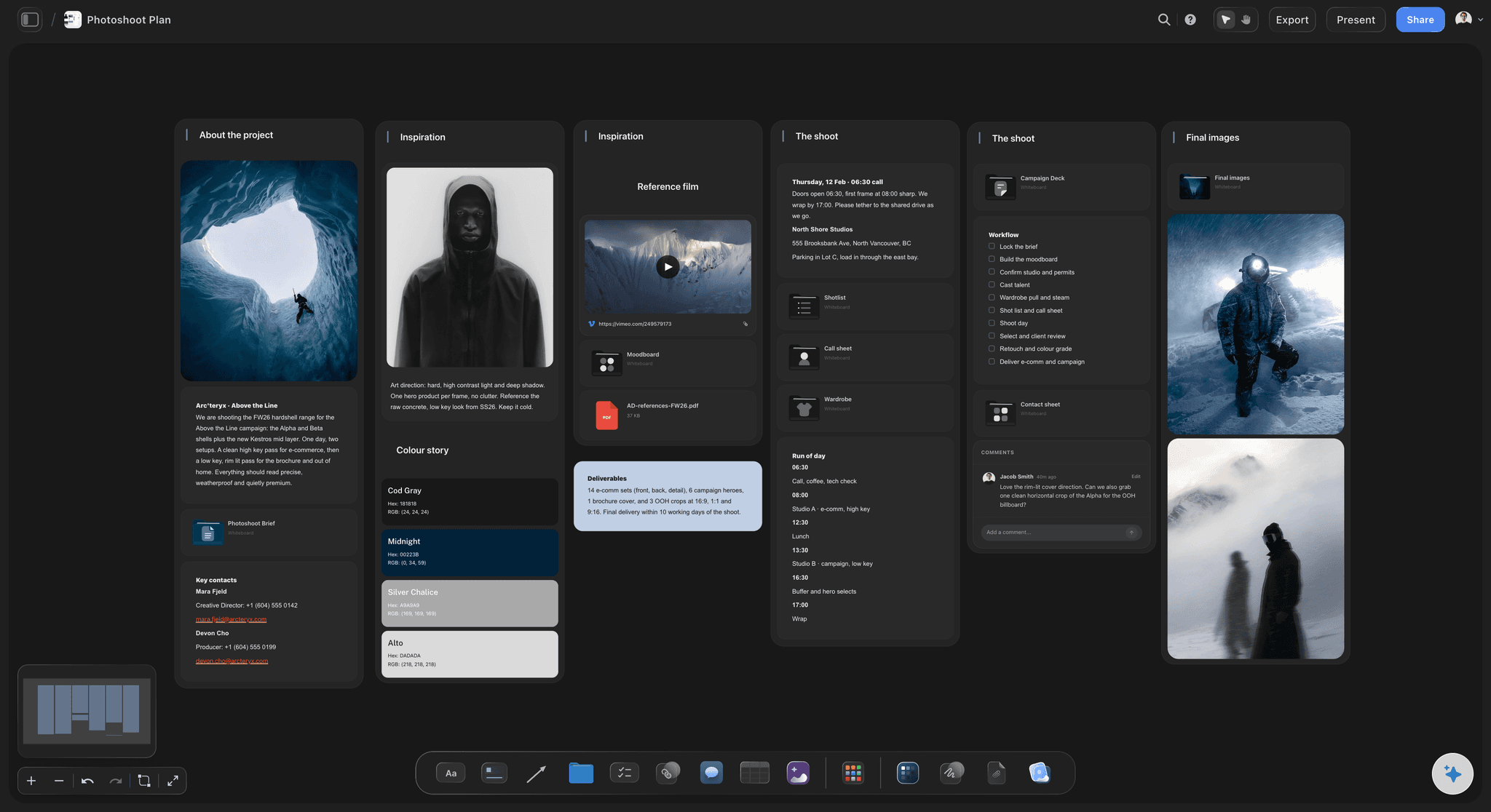
One call sheet per shoot day
Call sheets from the schedule
Each day's call sheet takes its scenes, order and cast from that day's strips, so the sheet the crew opens at dawn agrees with the schedule the AD signed off.
See the call sheet template →Unlimited boards. No object cap.
Schedule every shoot on its own board. Storyflow is paid-only during early access, with plans from $7.99 a month billed annually ($9.99 monthly). A free plan launches before the end of 2026, and anyone a paid member invites to a board joins free.
Unlimited boards, images, files and links
AI usage that renews each billing period, for breakdowns and strip boards
Tables, tickets and Kanban for the prep around the shoot
View-only links the AD, DP and producer open with no account
Built for people with taste
The constraints, the documents, and the board.
A schedule is a set of trade-offs between places, people, light and rest, written down so the whole crew can follow them.
What drives the order
Locations, cast, light and turnaround
Locations: Shoot out a location before leaving it. Every company move costs travel, a new setup and daylight, so strips at one location sit together.
Cast availability: Stop dates, other bookings and hold days. An actor needed on day two and day nine is paid in between, so their scenes are clustered where the story allows.
Time of day: Dawn and dusk scenes have a window of minutes, night exteriors group onto the same nights, and a night shoot pushes the following day's call.
Turnaround: The rest owed between wrap and the next call limits which days can follow a late finish, so a night day is rarely followed by an early call.
What a schedule produces
Stripboard, one-liner, day out of days, call sheets
The stripboard: One strip per scene in shooting order, colour-coded by INT or EXT and day or night, with day breaks and each day's page total.
The one-line schedule: The same order as a compact list for the crew: day, scene, slugline, pages and cast, read by people who never look at the stripboard.
The day out of days: Cast down the side, shoot days across the top, marking start, work, hold, travel and finish, which is what the schedule costs in people.
A call sheet for every day: The day's order with calls, locations, cast, crew and notes, sent the evening before and built from the locked schedule.
Building it in Storyflow
A strip board the AI builds and you rearrange
A wall per shoot day: Each day holds its strips in shooting order and a total of its scenes and pages in eighths, chained to the next day by an arrow.
The colour code set by the tool: Strip colours follow INT or EXT and day or night from the slugline, so a filmmaker reads them on sight and nobody colours a strip by hand.
Heavy days named: After building, the AI gives each day's total and calls out any day that came out overloaded, before anyone books the crew against it.
Dates only when you give them: Days are titled Day 1, Day 2 until you supply real dates. It never invents a start date, a rest day or a location move.
Not every shoot is a feature
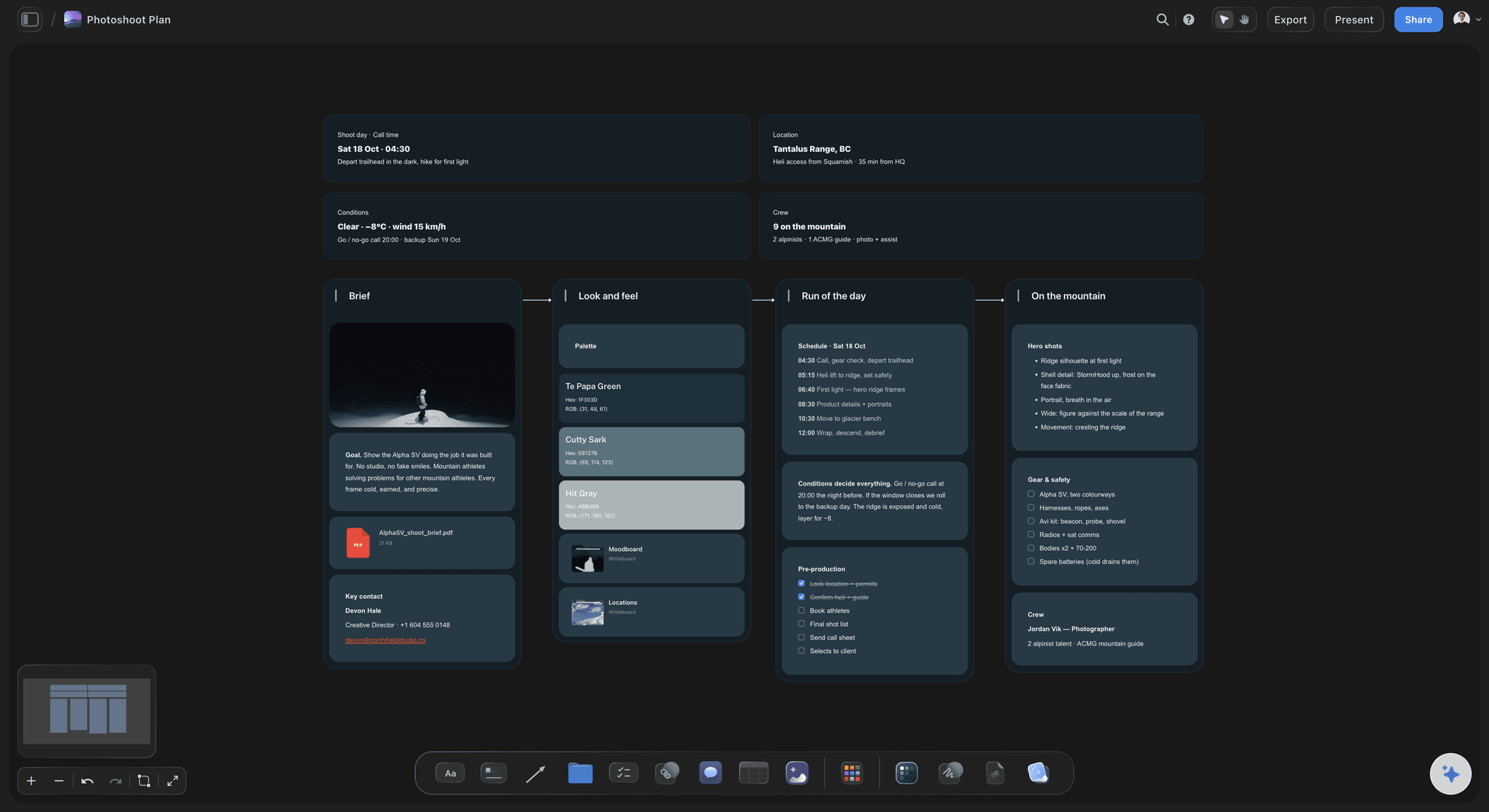
Scheduling commercials, documentaries and photoshoots
A commercial by setups and light: Two or three days ordered by location and lighting setup, with product and talent availability as the constraints instead of page counts.
A documentary by access: Interview days ordered around when subjects and locations are available, with B-roll days filling the gaps between them.
A photoshoot by looks and talent: Looks grouped by set and light, talent booked for the hours they are needed, and the run of the day becoming the call sheet.
A music video by locations and playback: Performance and narrative setups grouped by location, with playback, the artist's hours and the light deciding the order.
Explore templates for your project
Every template opens as a real, editable board on the infinite canvas. Pick the closest fit and make it your own.
Pre-Production
Pull the brief, script, shot list, and moodboard into one pre-production hub so the whole shoot is planned in one place.
One app instead of five
Storyflow vs StudioBinder, Movie Magic Scheduling, and Yamdu.
Movie Magic Scheduling has the depth for large productions, StudioBinder and Yamdu run scheduling inside a production suite, and Storyflow keeps the schedule on the board with the shot lists and references.
Storyflow
Recommended
Stripboard you reorder by dragging
Built from the script breakdown
Runs in the browser, nothing to install
Schedule, shot lists and references on one canvas
Day out of days that updates with the schedule
StudioBinder
Stripboard you reorder by dragging
Built from the script breakdown
Runs in the browser, nothing to install
Schedule, shot lists and references on one canvas
Day out of days that updates with the schedule
Movie Magic Scheduling
Stripboard you reorder by dragging
Built from the script breakdown
Runs in the browser, nothing to install
Schedule, shot lists and references on one canvas
Day out of days that updates with the schedule
Yamdu
Stripboard you reorder by dragging
Built from the script breakdown
Runs in the browser, nothing to install
Schedule, shot lists and references on one canvas
Day out of days that updates with the schedule
What creators are saying
Join early creators getting structured workspaces and AI that remembers their projects
“Storyflow has sped up my workflow by at least 3x, which means more flow state and more projects I can actually ship. It truly changed the way me and my team create.”

Reilin Joey
Director & YouTuber
“One prompt gets me a structured board. But the tactics are my favorite. I run my YouTube scripts through them and my intros and retention got better. It's amazing.”

Justkay
YouTuber & Freelance Filmmaker
“I used to juggle five apps to plan a project. Now I describe what I am making and get boards, lists, and a schedule. All in one place.”

George
@fernwehchronicles
Film scheduling, answered.
What drives a shooting schedule, what it produces, and which software fits.
Storyflow is the app for scheduling a film shoot when the schedule should come from the breakdown and sit with the rest of the shoot: the AI builds a strip board of shoot days grouped by location and light, and each day's call sheet comes from the same board. Movie Magic Scheduling suits features and episodic TV that need desktop depth. StudioBinder and Yamdu suit productions that want stripboard, reports and call sheet distribution in one web suite.
Yes. Storyflow runs in the browser with nothing to install: the AI builds a strip board of shoot days from the breakdown, you drag strips to reorder them, and the crew opens the schedule by view-only link with no account. StudioBinder and Yamdu also schedule on web stripboards, inside production suites with reports and call sheet distribution. Movie Magic Scheduling, long used on studio and union productions, is installed desktop software.
It turns the script breakdown into a shooting order. Each scene becomes a strip with its number, INT or EXT, day or night, location, cast and page count; strips are grouped into shoot days around locations, cast, light and turnaround; and the schedule produces the one-line schedule, the day out of days and each day's call sheet. Dedicated suites add conflict detection and multi-unit scheduling. Storyflow builds the strip board with AI beside the shot lists and call sheets.
Mostly locations, cast availability, time of day and turnaround. A location is shot out before the crew moves, because company moves cost hours. Actors' scenes are clustered to avoid paid hold days and fit stop dates. Dawn, dusk and night scenes are fixed to their light, and night exteriors share nights. Turnaround, the rest between wrap and the next call, limits what can follow a late day. Children's hours, animals, weather cover and rentals add further limits.
They say what kind of scene a strip is before anyone reads it. By common convention, white is interior day, yellow exterior day, blue interior night and green exterior night, with other colours for dusk, dawn and banners such as day breaks. Productions sometimes adapt the scheme, so the key belongs on the board. Storyflow's strip board sets each strip's colour from its INT or EXT and time of day, so the code stays consistent.
Not as an automatic report. Each strip carries its scene's cast, so you can ask which days an actor works and the AI reads it off the strip board, or lay the cast-by-day grid out as a table beside the schedule. It does not recalculate a day out of days when a strip moves. Movie Magic Scheduling, StudioBinder and Yamdu generate day out of days reports, which matters when hold days drive a cast budget.
It depends on the production. Four to six pages a day is a common target for narrative scenes, fewer for action, stunts, effects or heavy coverage, and more for simple dialogue on a controlled set. Page counts are measured in eighths and are estimates, because one line of action can take an afternoon. Commercials and music videos are scheduled by setups and light. Storyflow totals each day's pages and names any day that comes out heavy.
Turnaround is the rest period owed to cast and crew between wrapping one day and being called the next, usually set by union agreements or contracts. It matters most around night shoots and long days: a late wrap pushes the next call later, which can cost the morning light a scene needed. A schedule that ignores turnaround breaks the rules or loses hours, so night days and early days are ordered with it in mind.
Movie Magic Scheduling, from Entertainment Partners, is installed software for Mac and Windows with breakdown sheets, drag-and-drop stripboards, multi-episode management, unit coordination, conflict detection and day out of days reports. Storyflow runs in the browser, builds the breakdown and strip board with AI, and keeps them on one board with the shot lists, references and call sheets that the crew opens by link. For a large union feature or a TV series, Movie Magic Scheduling has depth Storyflow does not.
StudioBinder schedules on a web stripboard built from the imported script, with banners, a boneyard, call sheets and reports including day out of days. Yamdu adds real-time day out of days, call sheets, budgeting and time cards. Storyflow builds the strip board with AI from the breakdown and keeps it on a visual board with the storyboard, shot lists, references and locations. Choose a suite for reports and administration, Storyflow for speed and one shared board.
Yes. Without a formatted script, give the AI a list of scenes, setups or looks with their locations and light, and it groups them into shoot days on a strip board. A commercial is ordered by location and lighting setup around product and talent availability, a music video around locations, playback and the artist's hours, and a photoshoot around sets and talent. Each day's call sheet comes from the same board, which the client opens by view-only link.
Not yet. Storyflow is paid-only during early access, with plans from $7.99 a month billed annually ($9.99 monthly). A free plan launches before the end of 2026, and anyone a paid member invites to a board joins free, so an AD or coordinator scheduling with you does not need a plan. Crew who only read the schedule open a view-only link with no account. Plus includes unlimited boards, images, files and links, and AI usage that renews.
More from Storyflow
Stripboard
Day out of days
Shooting schedule template
AI shooting schedule generator
Script breakdown software
Call sheet template
Crew scheduling software
Film production planning
Production calendar
Movie Magic alternative
Yamdu alternative
Best film scheduling software
Film shoot planner
Shot list template
Commercial production
Indie film production workflow
Film production report
Turn the breakdown into shoot days the crew can follow.
Build the strip board from the script, drag it until it works, and build each day's call sheet from the same board.