
Rock-steady plans for every shoot
Keep the whole production
on one board the crew shares.
Storyflow is an AI canvas for producers. Hold the script, shot list, strip board and call sheets in one place, drafted by AI and shared with the crew in real time, so the current plan is one link rather than a folder of attachments. No download, and anyone a paid member invites joins free.


Creatives working for these brands already got early access
- Red Bull
- Canon
- Artlist
- Porsche
See how easy it is to get started
Watch a real project come together, from a blank board to a finished plan, clicked through step by step.
Start from a ready-made template
Pick a board to see what you can build, then let AI fill it in. Every template is a real, editable starting point on the same infinite canvas.

Pre-Production
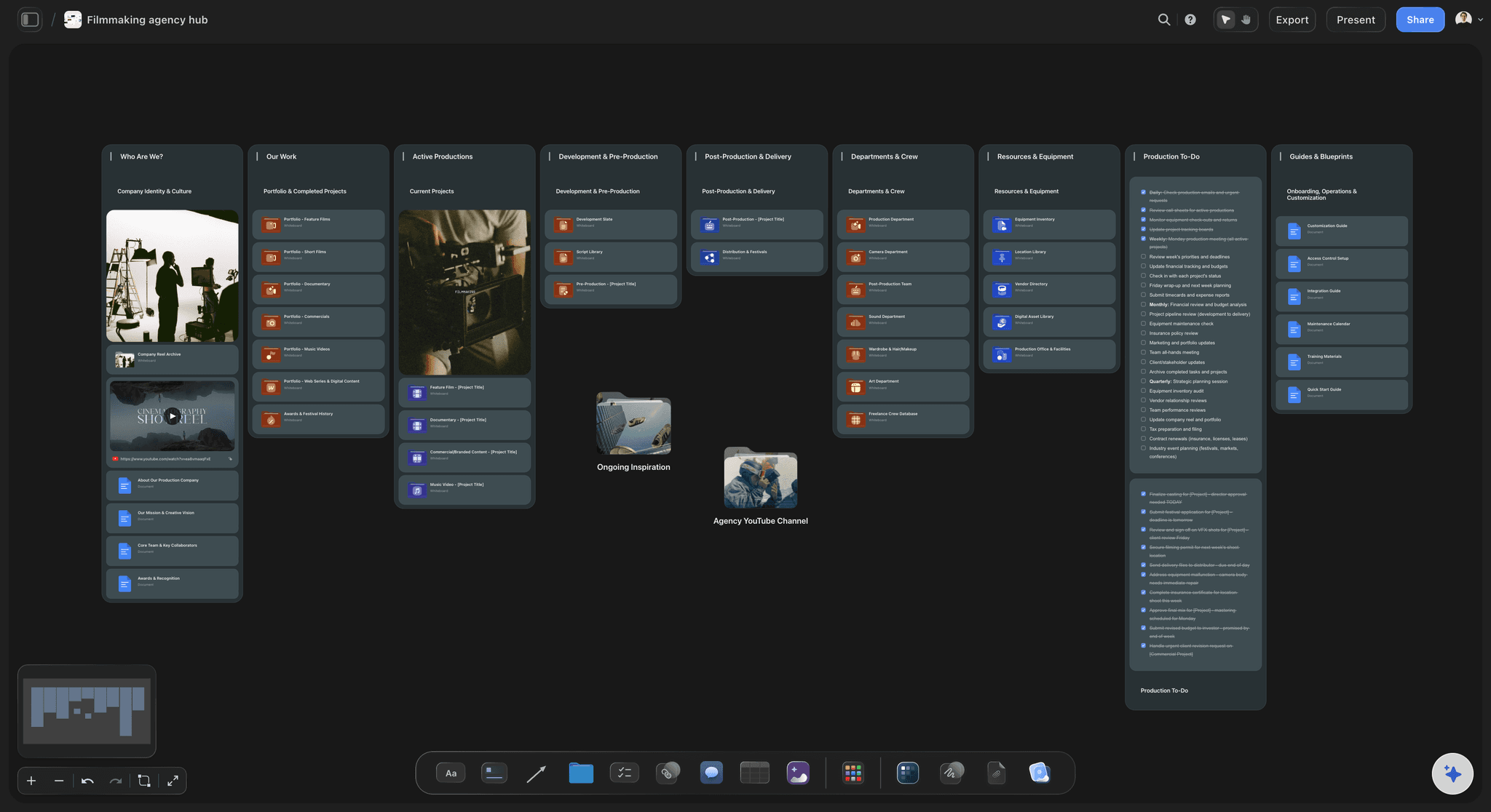
Pull the brief, script, shot list, and moodboard into one pre-production hub so the whole shoot is planned in one place.
How do video producers stay organised from pre-production through shoot days?
Video producers stay organised from pre-production through shoot days by keeping one current plan, with a named owner and a date on every prep task, and working back from the first shoot day. Storyflow is an AI visual workspace that keeps your whole production on one infinite canvas: the script, the shot list, a strip board grouped by shoot day and a call sheet PDF for each day, with the crew on the same board in real time.
Split the job into four stretches and give each its own wall on the board: the brief and script, prep, the shoot days, and delivery. Prep is where most of the risk sits, so list it as a table with person, date and status cells, one row each for casting, locations, wardrobe, equipment, permits and insurance, rows kept in date order. A row with no owner seven days before the shoot is the warning you are looking for, and it shows while there is still time to act.
On shoot days the question changes from what is the plan to which version is current. In Storyflow the shot list sits beside the storyboard frames it came from, the AI drafts a call sheet PDF for each day with a line for the nearest hospital and unknowns left visibly blank, and you send it through your usual channel. Because the crew reads one board, a changed location is one edit rather than a new attachment and a follow-up message to every department.
As an example, take a fictional producer delivering a 30-second commercial and two cutdowns for a coffee brand, with a two-day shoot three weeks out. She pastes the script, asks the AI to plan the pre-production, and gets a prep table, a shot list of 22 setups and a strip board of two days. The client opens a view-only link with no account and signs in to comment. The crew sees the board; the budget stays in her budgeting software.
Storyflow is a planning tool, not a production management suite. Its strip board is grouped by shoot day with page counts, but it does not recalculate, there is no Day Out of Days, and it does not send call sheets or track confirmations. It has no budgeting, payroll or Gantt chart. Producers who need those keep StudioBinder, Movie Magic or a payroll service beside it and use the board for the plan everyone reads.
The tools video producers use from prep to shoot day, by job
Storyflow is our product and is listed first for the shared production plan it holds; the rest are the tools a production also runs on, by job.
| The job | The tool | Why it goes here |
|---|---|---|
| Keep the plan the whole crew reads | Storyflow | Holds the script, shot list, strip board, prep table and call sheet PDFs on one board the crew edits in real time and a client opens by link. |
| Send call sheets and track confirmations | StudioBinder | Distributes call sheets with email delivery status and timestamped confirmations, alongside script breakdown and stripboards. |
| Build the budget | Movie Magic Budgeting | Entertainment Partners' software for creating, managing and estimating production budgets, including incentives. |
| Run payroll and crew onboarding | Wrapbook | Handles payroll and onboarding for film, TV and commercial projects, union and non-union. |
| Move and store the footage | Dropbox or Google Drive | Shared folders hold the rushes and deliverables, with the folder link kept on the production board. |
| Review the cut with the client | Frame.io | Reviewers leave frame-accurate notes on the edit, and editors see them inside Premiere. |
Ultra fast from brief to board
Run a production in four steps.
Storyflow's AI lays out the plan and the crew joins the board.
01
Paste the script or describe the project
Give Storyflow's AI the script, the deliverables and the shoot dates, and ask it to plan your pre-production. It proposes the board for you to accept or discard.
02
Own the prep
Turn prep into a Storyflow table with person, date and status cells, one row per task from casting to permits, rows kept in date order, and put a name on every row.
03
Build the shoot days
Ask Storyflow's AI for the shot list and a strip board grouped by shoot day, then a call sheet PDF for each day. Unknowns stay visibly blank until you fill them, and you send the PDF yourself.
04
Bring in the crew and the client
Invite the director, AD and department heads to the Storyflow board; they join free and edit in real time. Send the client a view-only link that opens with no account.
The whole production, one board.
Breakdown, schedule, call sheets, and timeline connected and drafted by AI.
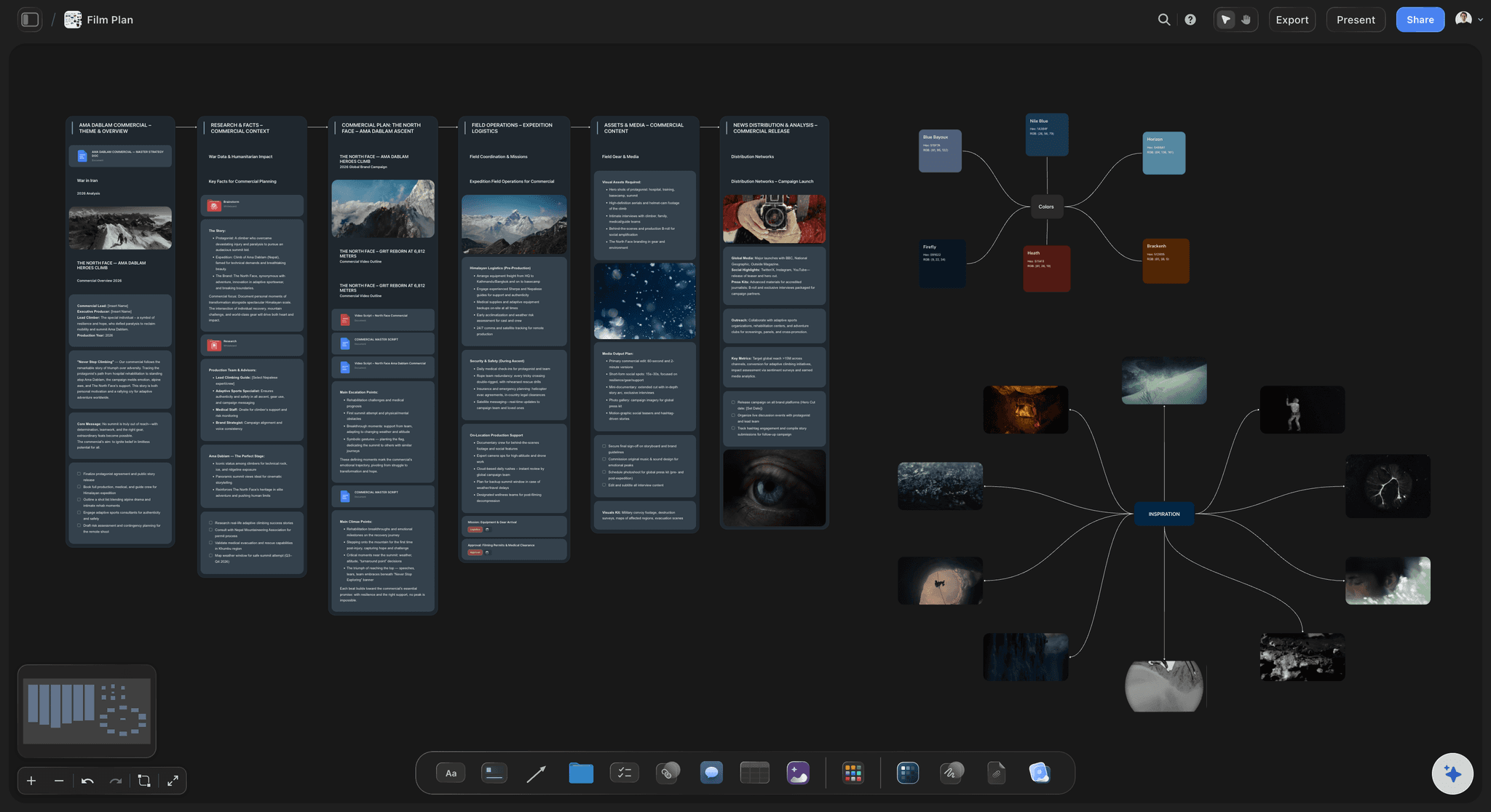
AI builds the plan
Stand it up from a prompt
Describe the project or paste a script and the AI proposes the pre-production plan, the shot list and a strip board, with call sheet PDFs built from the board.
See production management software →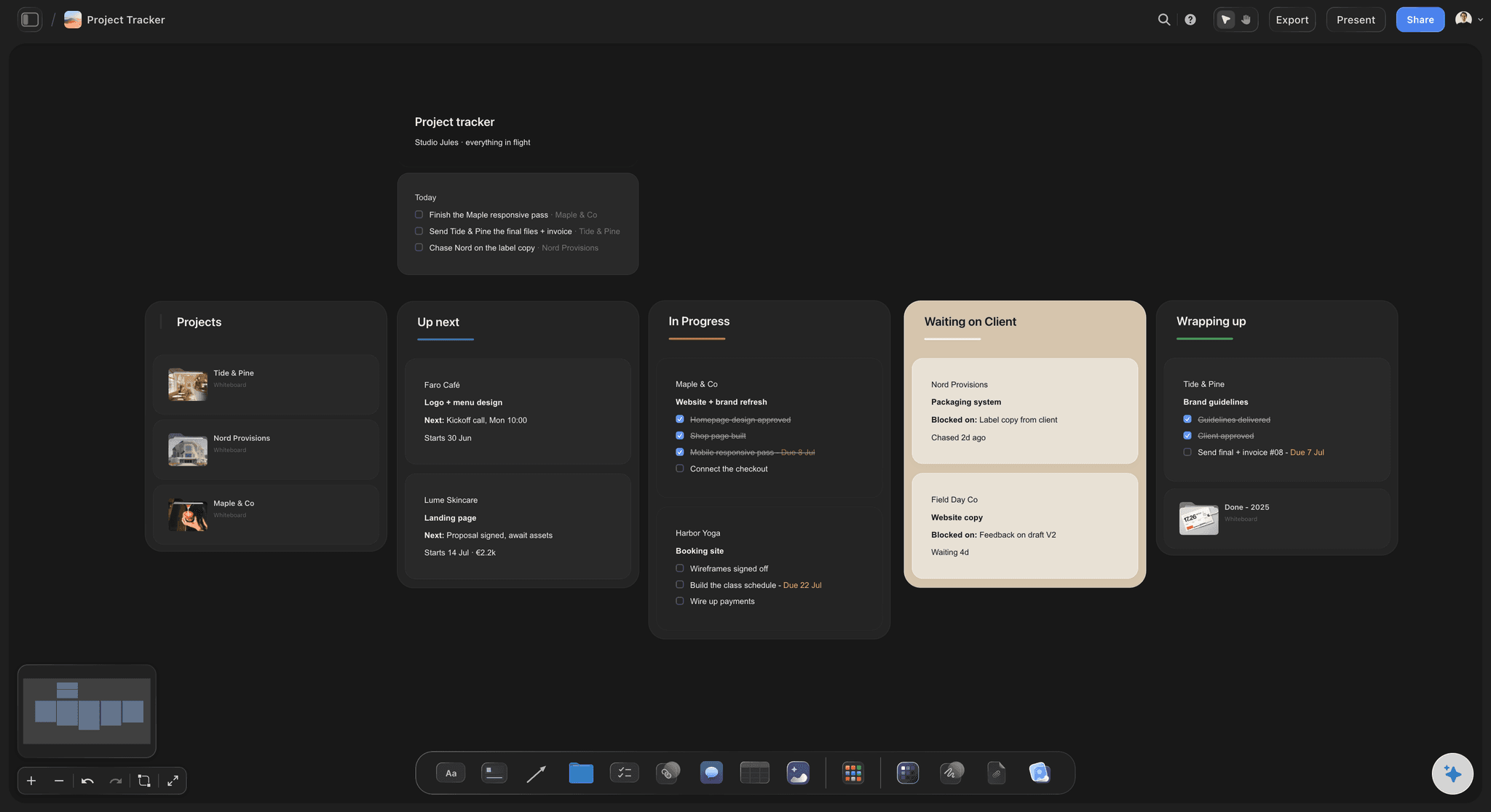
Timeline and schedule
See where things stand
Keep the shooting schedule in a table with date cells, rows kept in date order, beside a strip board grouped by shoot day. Moving a day is a manual edit, not a recalculation.
See production calendar →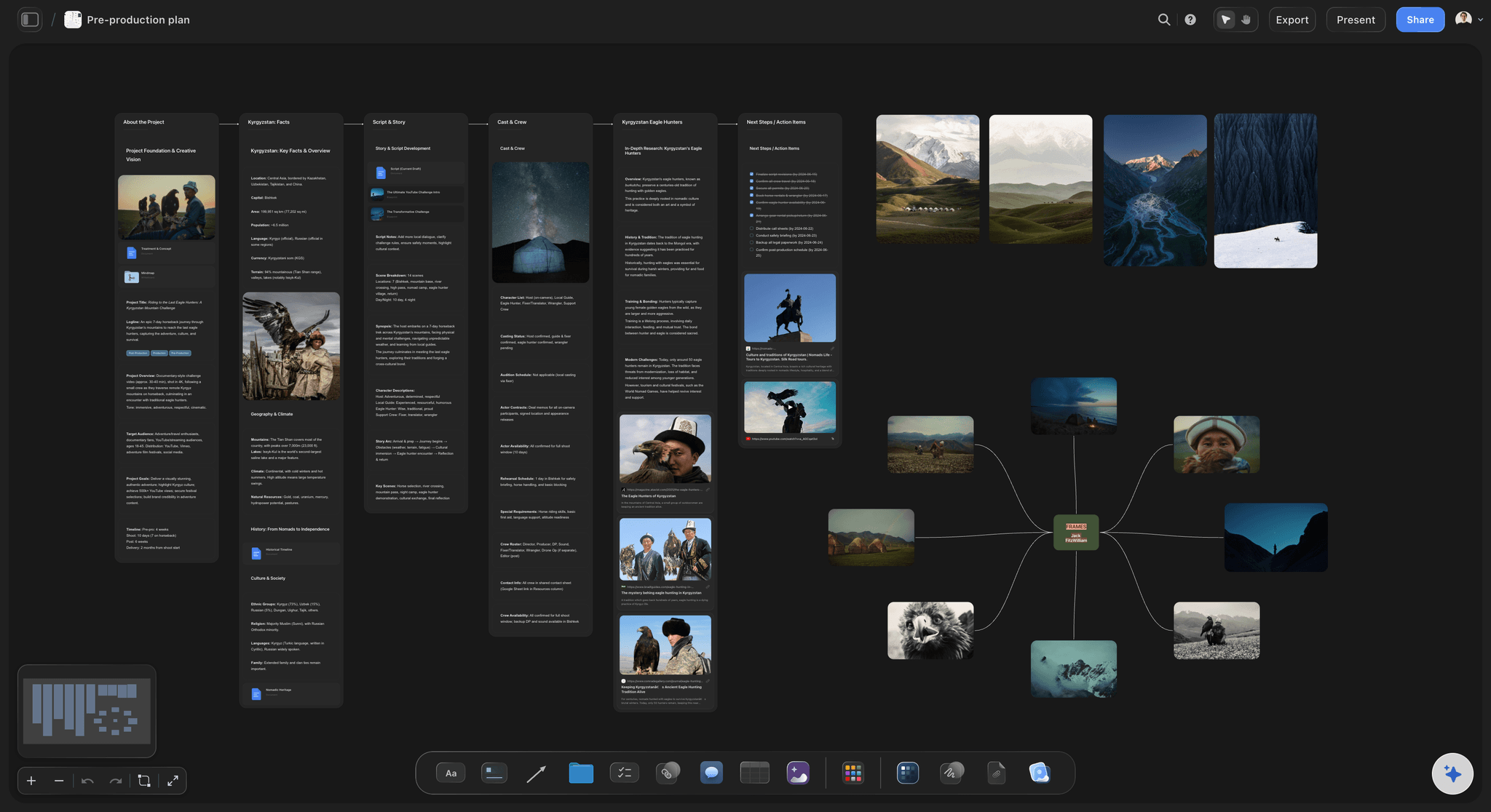
Real-time crew collaboration
One board the team shares
The director, AD, and department heads work the same board, so there is one current plan.
See call sheet templates →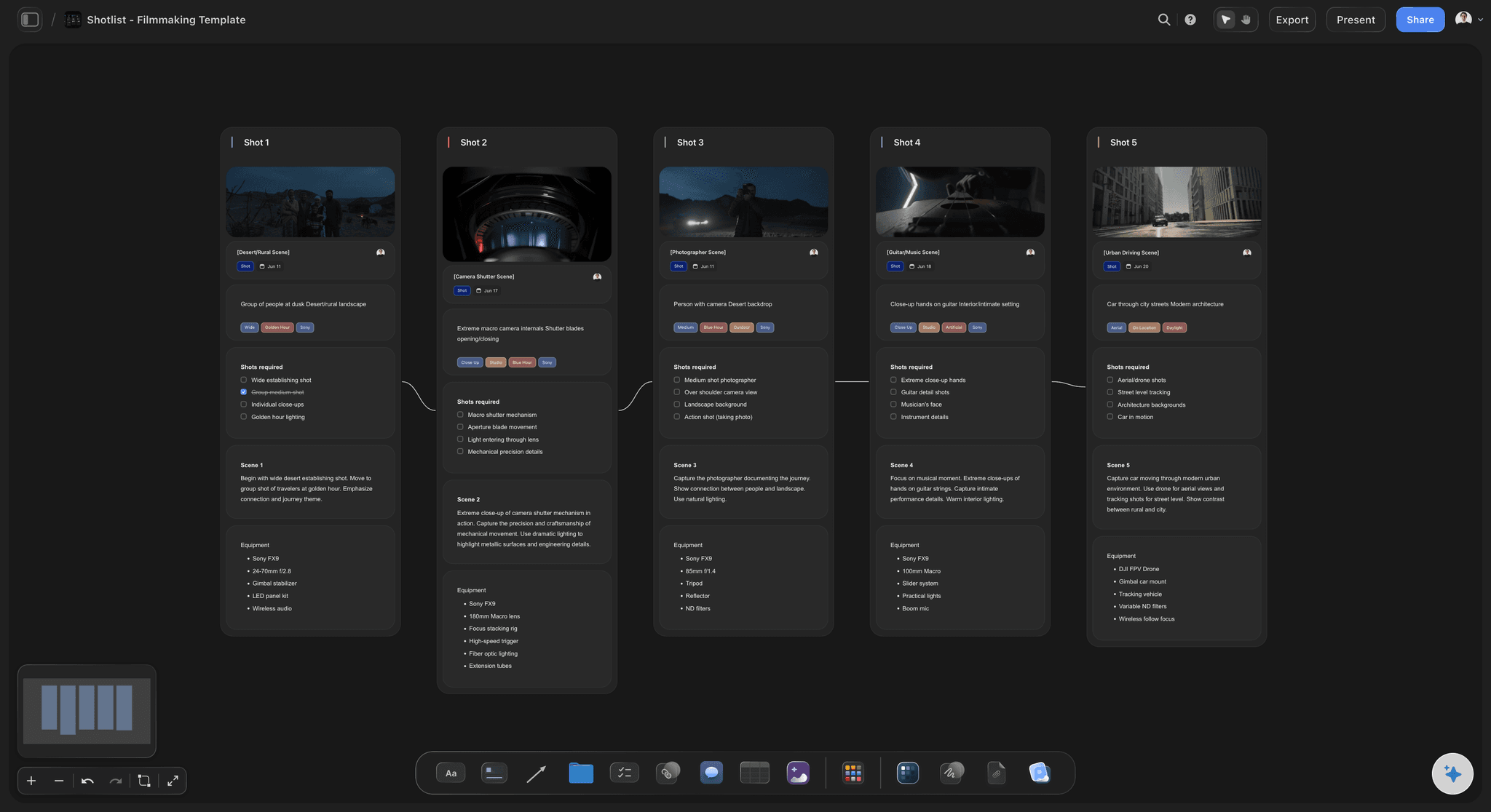
Several jobs at once
A board per production
Give each production its own board, with no project limit on paid plans, so a company running several jobs keeps them separate.
See film production planning →One board. Invited crew joins free.
The production's plan, with the crew on it. Storyflow is paid-only during early access: Plus is $7.99 a month billed annually ($9.99 monthly) and includes the AI inside Storyflow. Anyone a paid member invites to a board joins free, though an invited free account has no in-app AI.
The production's plan on one board
From Plus, AI that plans pre-production and drafts shot lists from a script
From Plus, call sheet and treatment PDFs built from the board
View-only links clients and financiers open with no account
Built for people with taste
Where a production loses track, and what goes on the board.
Prep, shoot days, the crew and the client. Each has a place on the board and a failure it prevents.
Prep
Every prep task has a name and a date
A table, not a thread: One row per task with person, date and status cells: casting, locations, wardrobe, equipment, permits, insurance. Rows kept in date order, so the next deadline is at the top.
Work back from the first shoot day: Put the shoot date first and count back. If casting needs two weeks and locations need a recce, a three-week prep shows its squeeze on day one.
Hold the references with the task: Location photos, casting options and wardrobe pulls sit beside the row they belong to, so a decision is made with the picture in view.
Ask what is missing: Ask Storyflow's AI what is missing on the board, and it reads the plan and lists the gaps. You decide which ones matter.
Shoot days
A plan the day can run from
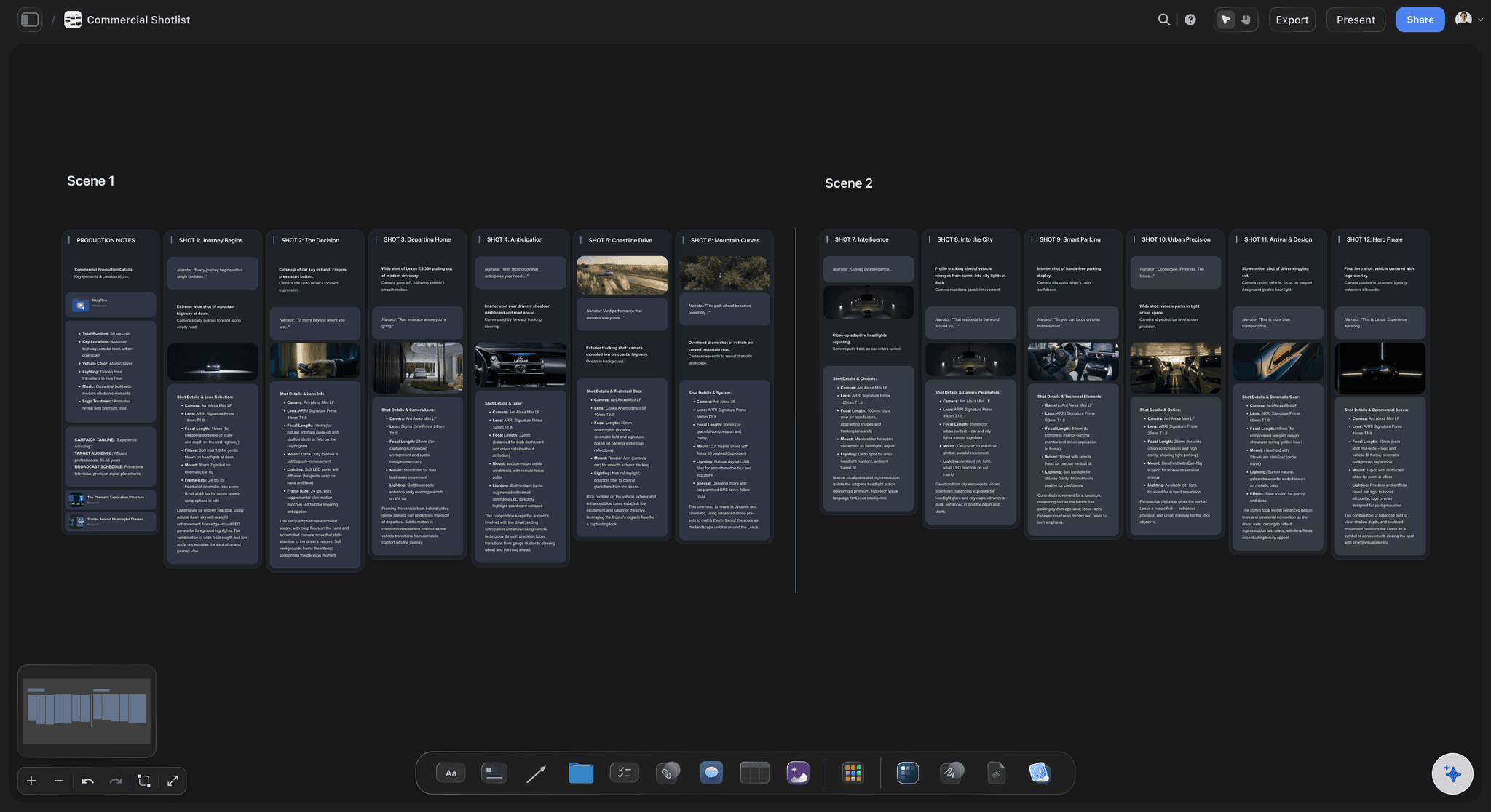
Shot list from the frames: Ask for a shot list from the storyboard, and the setups appear beside the frames they came from, with no shot retyped.
Strip board by shoot day: The AI groups scenes into shoot days with page counts. It does not recalculate when a day moves, so changes are made by hand.
Call sheet PDF per day: Storyflow drafts a call sheet PDF with a line for the nearest hospital and unknowns left visibly blank. You check it and send it yourself.
One link on the day: The crew opens the same board on a phone browser for the shot list and references. There is no native app; the plan is built on a laptop.
The crew and the client
One plan, read by everyone
Real-time editing: The director, AD and department heads work the same board on any paid plan, and anyone a paid member invites joins free.
View-only links: A client or financier opens the board in a browser with no account, and signs in to comment on a frame or a row.
Export for meetings: Take a PDF of the board into a production meeting, or step through it fullscreen in presentation mode.
Honest limits
What Storyflow leaves to other tools
No budgeting or payroll: You can note costs in a table, but Storyflow is not budgeting software. Movie Magic Budgeting and Wrapbook do those jobs.
No call sheet distribution: It drafts the PDF but does not send it or track who confirmed. StudioBinder does both.
No Gantt or recalculating schedule: No dependencies, no Day Out of Days, and no calendar view. Dates live in table cells and on to-dos, with no due-date reminders.
Explore templates for your project
Every template opens as a real, editable board on the infinite canvas. Pick the closest fit and make it your own.
Pre-Production
Pull the brief, script, shot list, and moodboard into one pre-production hub so the whole shoot is planned in one place.
One app instead of five
Storyflow vs StudioBinder and monday.com for producers.
StudioBinder is a production suite that sends and tracks call sheets; monday.com is a general work platform. Storyflow is the canvas where the plan and the creative sit together. Here is where each fits.
Storyflow
Recommended
Moodboard, script and shot list on one canvas
AI builds the plan from a prompt or script
Strip board grouped by shoot day
Call sheets sent with delivery tracking
Real-time crew collaboration
View-only share links
StudioBinder
Moodboard, script and shot list on one canvas
AI builds the plan from a prompt or script
Strip board grouped by shoot day
Call sheets sent with delivery tracking
Real-time crew collaboration
View-only share links
monday.com
Moodboard, script and shot list on one canvas
AI builds the plan from a prompt or script
Strip board grouped by shoot day
Call sheets sent with delivery tracking
Real-time crew collaboration
View-only share links
What creators are saying
Join early creators getting structured workspaces and AI that remembers their projects
“Storyflow has sped up my workflow by at least 3x, which means more flow state and more projects I can actually ship. It truly changed the way me and my team create.”

Reilin Joey
Director & YouTuber
“One prompt gets me a structured board. But the tactics are my favorite. I run my YouTube scripts through them and my intros and retention got better. It's amazing.”

Justkay
YouTuber & Freelance Filmmaker
“I used to juggle five apps to plan a project. Now I describe what I am making and get boards, lists, and a schedule. All in one place.”

George
@fernwehchronicles
Storyflow for producers, answered.
What producers ask about running a production in Storyflow.
Video producers stay organised by keeping one current plan on a shared Storyflow board and working back from the first shoot day. Prep goes in a table with a name and date on every task, the shot list sits beside the frames it came from, a strip board groups scenes by shoot day, and a call sheet PDF is drafted for each day. The crew reads one link instead of chasing attachments.
Storyflow is built for exactly this job: the script, shot list, strip board, prep table and call sheet PDFs sit on one board the crew shares in real time, and its AI builds the plan from a prompt or your script. One current plan is the basis for listing it first. StudioBinder still sends call sheets and tracks confirmations, which Storyflow does not.
Track casting, locations, wardrobe, equipment, permits, insurance, the shot list and the shoot dates, each with one owner and one date. In Storyflow that is a table with person, date and status cells, rows kept in date order, beside the references for each task. Review it at a fixed time each week, because a row with no owner a week before the shoot is the usual cause of a bad day.
For a one or two-day commercial, three to four weeks of prep is a workable start; longer when casting, permits or a location need lead time. Work back from the first shoot day, and if a task lands before today, the date or the scope has to change. On a Storyflow board the prep table shows that squeeze on day one rather than in the final week.
Ask Storyflow's AI for a call sheet from the board. It drafts a PDF with the schedule, contacts, location and a line for the nearest hospital, and leaves anything it does not know visibly blank rather than inventing it. Check it, fill the gaps and send it through your usual channel. Storyflow does not send call sheets or track confirmations, so a producer who needs that uses StudioBinder.
It builds a strip board grouped by shoot day with page counts, and it can hold the schedule in a table with date cells, rows kept in date order. Storyflow does not recalculate when something moves, has no Day Out of Days and has no calendar view, so changes are made by hand. For a large scripted production, a dedicated scheduling tool still earns its place.
No. Storyflow manages the plan, schedule, call sheets and creative work, and you can note costs in a table, but it does not run budgeting or payroll. Pair it with Movie Magic Budgeting for the budget and a payroll service such as Wrapbook for the crew. Keeping the finance separate also means a client link never shows the numbers.
Yes. Invite the director, AD and department heads to the Storyflow board; they edit in real time on any paid plan, and anyone a paid member invites joins free. Share a view-only link with financiers and clients, which opens with no account. Crew on set can open the board in a phone browser, though building the plan is best done on a laptop.
Send a view-only Storyflow link to the board: the client opens it in a browser with no account and sees the latest version on reload. To comment on a frame or a row they sign in, so the note stays attached to what it is about. For a review meeting, presentation mode steps through the board fullscreen, or you can export a PDF.
StudioBinder is a production suite with script breakdown, stripboards and call sheets it sends and tracks, in structured forms. Storyflow is a canvas: moodboard, script, frames and shot list sit on one board, and the AI builds each piece from the script. A producer who runs many scripted shoots may want StudioBinder; one who also owns the creative and the client conversation often prefers the board.
Yes. Give each production its own Storyflow board, with no project limit on paid plans, so a company running several jobs keeps each one organised and separate. Group them in folders, and keep one overview board with a table row per job: phase, shoot date, producer and what it is waiting on.
Not yet. Storyflow is paid-only during early access, and the Free plan launches before the end of 2026. Anyone invited to a board by a paid member can sign up free. The AI inside Storyflow starts on Plus at $7.99 a month billed annually ($9.99 monthly), then Pro at $14 ($19 monthly) and Max at $39 ($49 monthly). Anyone a paid member invites joins free, so the crew adds nothing to the bill.
No. Storyflow runs in your browser with no native desktop or mobile app, so there is nothing for a freelance crew to install. Open the board on a laptop to build the plan, and on a phone browser to check the shot list or a reference on set. Keep a PDF export for locations with poor signal.
More from Storyflow
Pre-production to shoot day
Film production management software
Casting board
Production calendar
Call sheet template
Shooting schedule
Pre-production tools
For directors
Filmmaking software
Crew scheduling software
Day out of days
Production bible
Multi-location shoot plan
Make a shot list with Claude
Music licensing tracker
Video production management software
Run the production from one board.
Open a canvas, build the plan, and bring the crew onto one board. Plus is $7.99 a month billed annually and includes the AI.