
Extremely reliable pre-production
Film production planning,
from the script to the call sheet.
Attach the script and the AI drafts the breakdown, the shot list and a stripboard of shoot days, beside the treatment, locations and cast they depend on. Then a call sheet PDF for each day, from the same board.


Creatives working for these brands already got early access
- Red Bull
- Canon
- Artlist
- Porsche
See how easy it is to get started
Watch a real project come together, from a blank board to a finished plan, clicked through step by step.
Start from a ready-made template
Pick a board to see what you can build, then let AI fill it in. Every template is a real, editable starting point on the same infinite canvas.

Pre-Production
Pull the brief, script, shot list, and moodboard into one pre-production hub so the whole shoot is planned in one place.
What is film production planning, and which app does it?
Film production planning turns a script into shoot days: a breakdown, a shot list, a schedule and a call sheet, each built from the one before. Storyflow is an AI visual workspace that plans a film production from the script you attach on one infinite canvas: the breakdown, the shot list, a stripboard of shoot days and a call sheet PDF for each day, drafted by its AI next to the treatment, locations and cast they depend on. The crew opens the plan by link with no account. StudioBinder and Celtx add an industry-format screenplay editor; StudioBinder sends call sheets and tracks confirmations, and Celtx emails them as PDFs.
Film production planning is the work that turns a script into days that can be shot. It has a fixed order for a reason: the breakdown lists what every scene needs, the shot list says how each scene is covered, the schedule groups scenes into days around locations and cast, and the call sheet tells everyone where to be. Each document is built from the one before it.
That order is also where productions break. The documents get made in different tools by different people, so a scene rewritten in week three changes the breakdown but not the shot list, and the schedule still books the location the rewrite removed. Nobody made a mistake; the plan just lived in five places.
A board holds the chain in one view. The script, breakdown, shots, stripboard, location notes and cast availability sit beside each other, so a change is visible against everything it touches. And because the AI reads the open board, you can ask it which scenes have no location confirmed or which day is overloaded, and get an answer about your film.
Ultra fast from brief to board
A film production plan in four steps.
Start from the script, not from a stack of blank templates.
01
Attach the script
Open a board in the browser and attach the screenplay as a PDF or text. The AI takes up to five documents and three other boards as context.
02
Draft the breakdown and shots
The AI lays out each scene with its cast and elements, with page-eighth estimates, then breaks scenes into shots with framing and notes.
03
Group scenes into shoot days
A stripboard groups scenes into days by location, with exteriors grouped by their light, or keeps script order. Move strips yourself, or ask the AI to rebalance an overloaded day.
04
Share the plan, draft the call sheets
Invite the crew to edit, send everyone else a view-only link, and have the AI draft a call sheet PDF for each shoot day.
Every planning document, drafted from the one before it.
Breakdown, shots, schedule and call sheet on one board, all traced back to the script.

Scenes, cast and elements from the script
The breakdown, drafted in minutes
The AI reads the script and lists what each scene needs: cast, props, wardrobe, vehicles and locations. Doing this before you schedule is what catches the permit and the prop nobody sourced.
Try the AI script breakdown →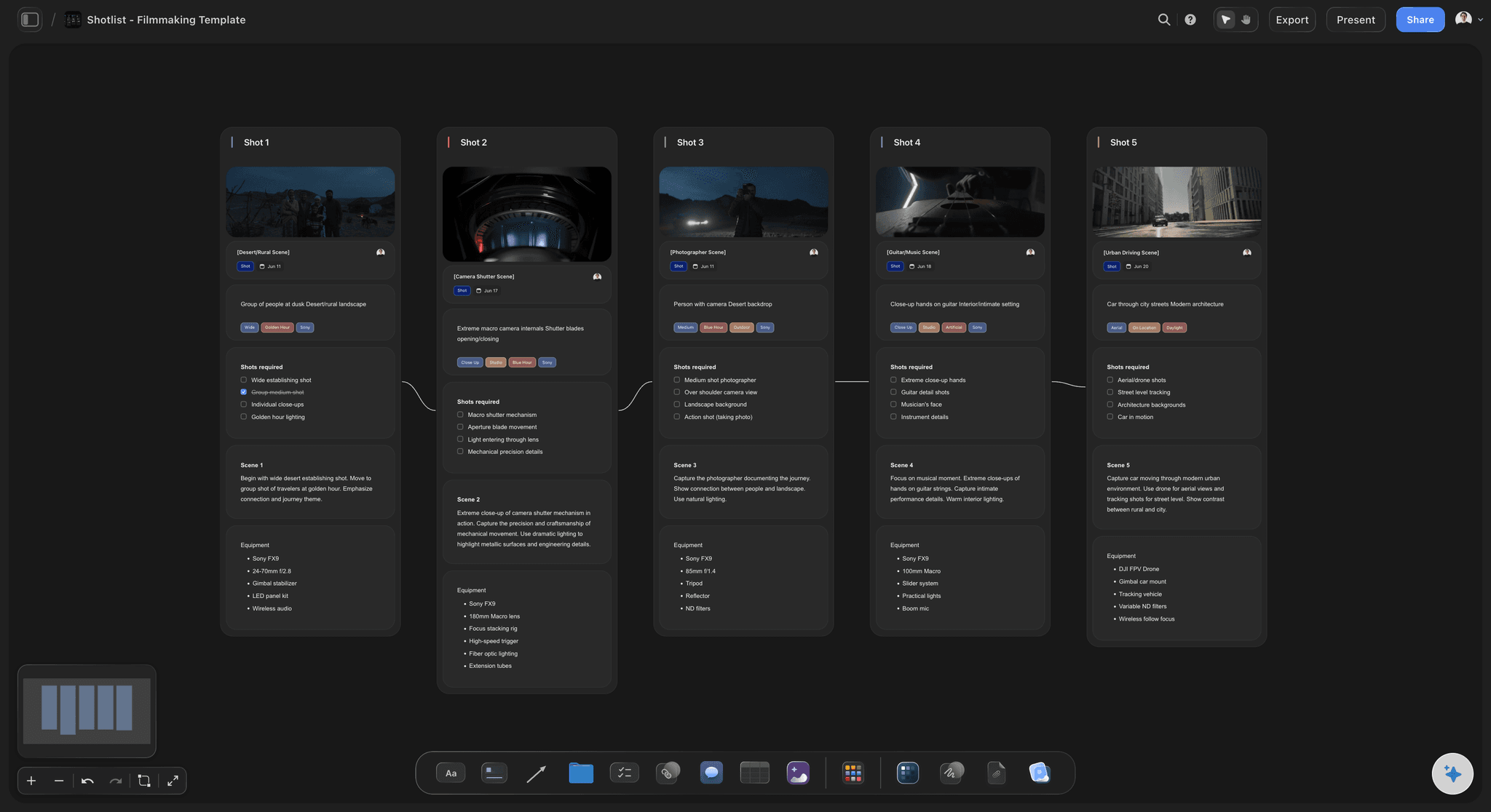
Coverage planned per scene
A shot list beside the breakdown
Each scene breaks into shots with size, angle and notes, next to the scene it covers. Cut a shot and you can see what the day loses.
Try the AI shot list generator →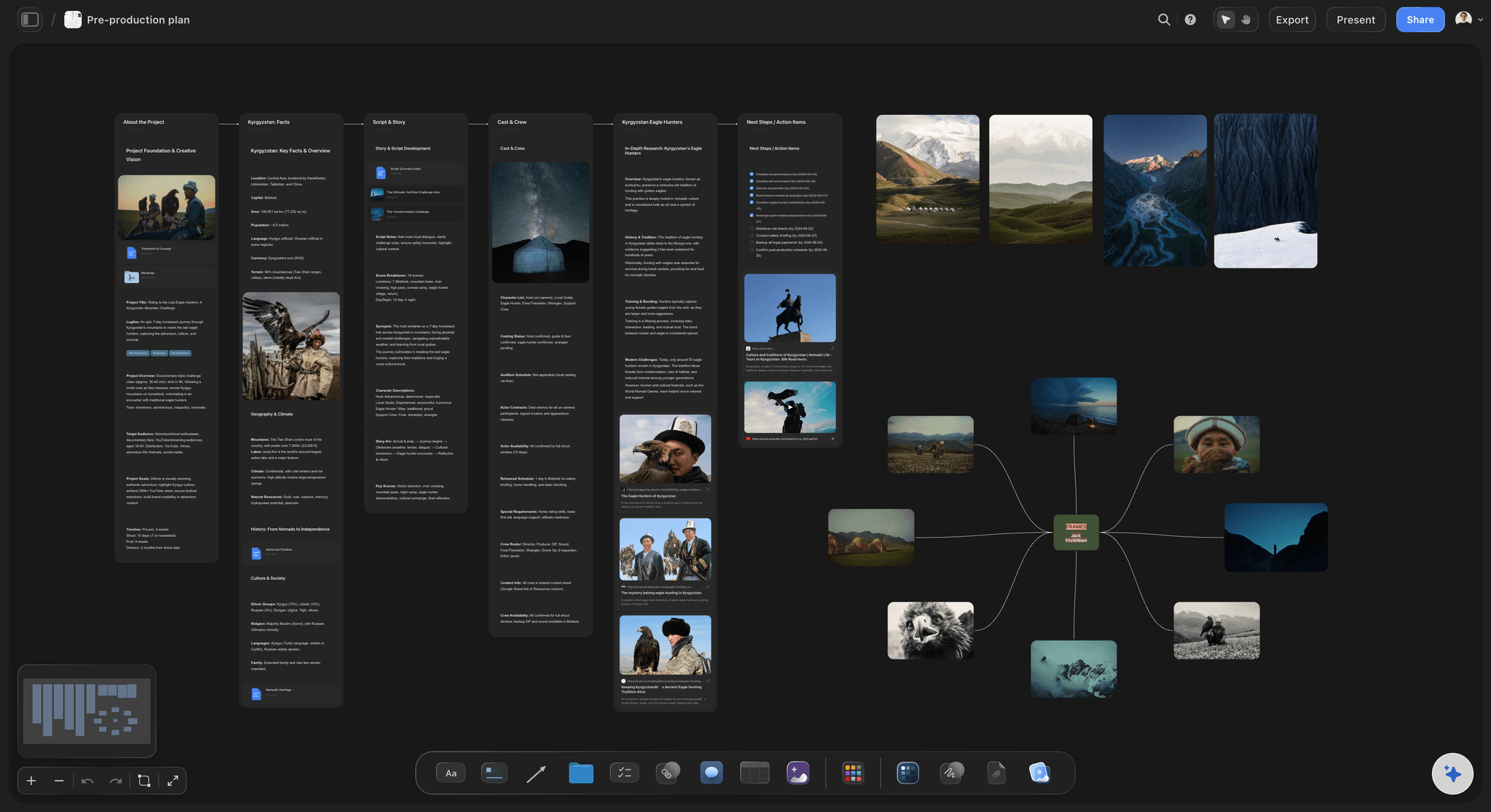
Scenes grouped into days
A stripboard you can read at a glance
Scenes become strips grouped into shoot days by location, with night exteriors on the same night, or kept in script order for a shoot that runs in continuity.
See the stripboard →
Scenes visualised before the shoot
Storyboard the scenes that need it
The AI lays out a storyboard scene by scene on the same board, with AI-generated frames on Pro and Max. Reserve it for the shots where composition or movement matters.
See film storyboards →Unlimited boards. No object cap.
One board per production, however many scenes it has. Storyflow is paid-only during early access, with plans from $7.99 a month billed annually ($9.99 monthly). A free plan launches before the end of 2026, and anyone a paid member invites to a board joins free.
Unlimited boards and file uploads on every paid plan
AI workflows for film plans, breakdowns, stripboards, shot lists and call sheet PDFs
Invited crew edit the same board in real time and join free
Whole-board export as an image or PDF for the production binder
Built for people with taste
Plans break between documents, not inside them.
What keeps a film production plan honest from the first breakdown to the last shoot day.
One script feeds every document
Draft each document from the one before it
Breakdown first, always: You cannot schedule or budget honestly until you know what each scene needs. The breakdown is the input to everything after it.
Shots before days: How long a scene takes depends on its coverage, not its page count. A four-shot scene and a fourteen-shot scene are different days.
Re-draft when the script changes: New pages, new breakdown. Ask the AI to update the scenes that changed; edits land on the board with one-click Undo.

Locations and cast beside the schedule
Plan around what you cannot move
Location boards per scene: Scouting photos, access notes, parking and power sit beside the scenes they serve. Upload a walkthrough video and grab frames from it onto the board.
Cast availability as a table: One row per actor per date, rows kept in date order, next to the stripboard. Availability decides more indie schedules than page count does.
Permits and releases as a to-do list: The items that reliably take longer than expected, tracked where the producer sees them every day.
Characters, wardrobe and continuity
Casting and character references
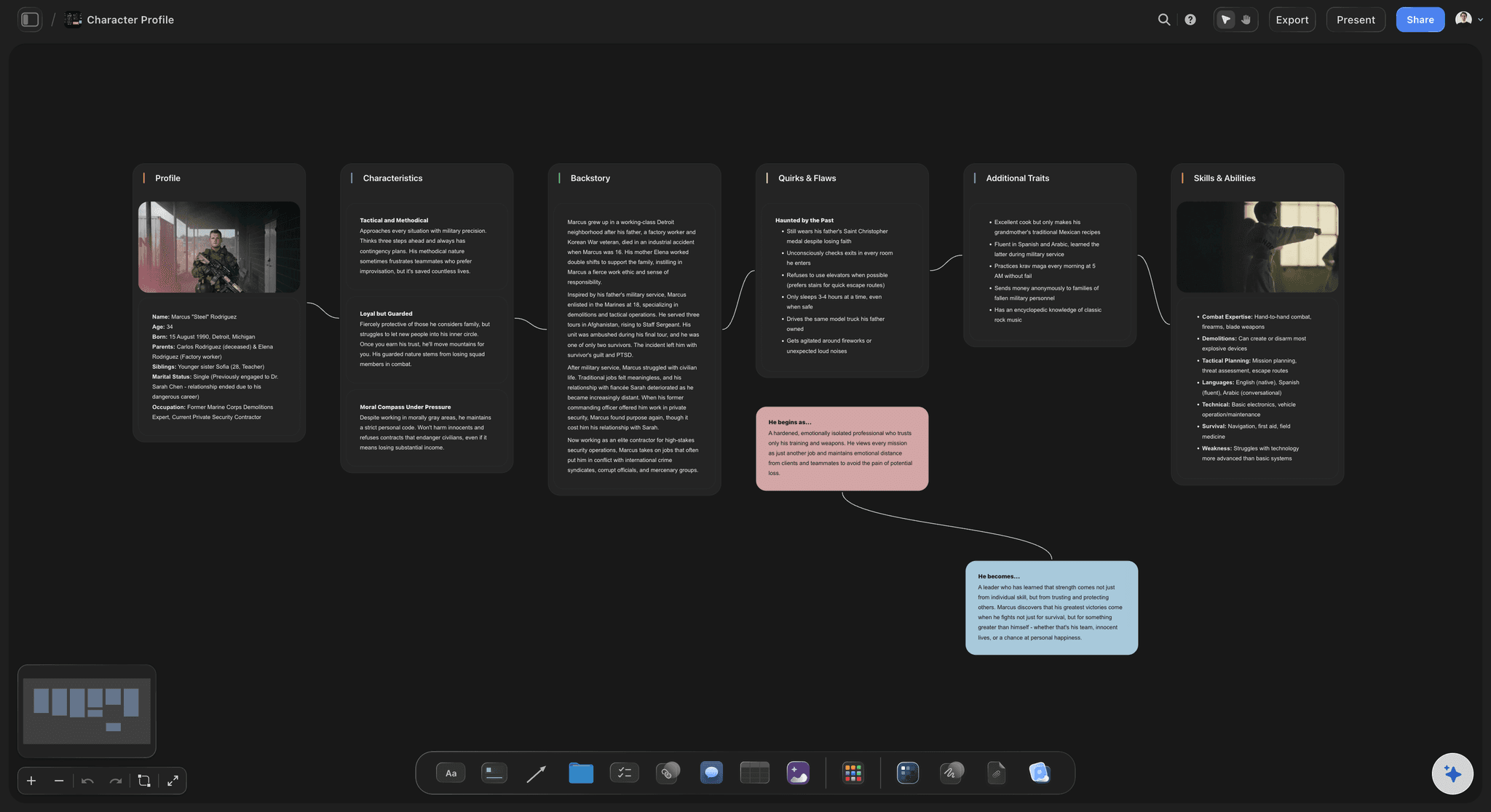
A character sheet per role: Headshots, look references, wardrobe and notes per character, drafted by the AI from the script and refined by you.
Linked to the breakdown: Who appears in which scene is on the same board as the character sheet, so a casting change shows every day it affects.
Continuity notes by scene: Shooting out of order means wardrobe and props must match across days. Notes beside each scene are where the next day's crew looks.
One plan the crew can open
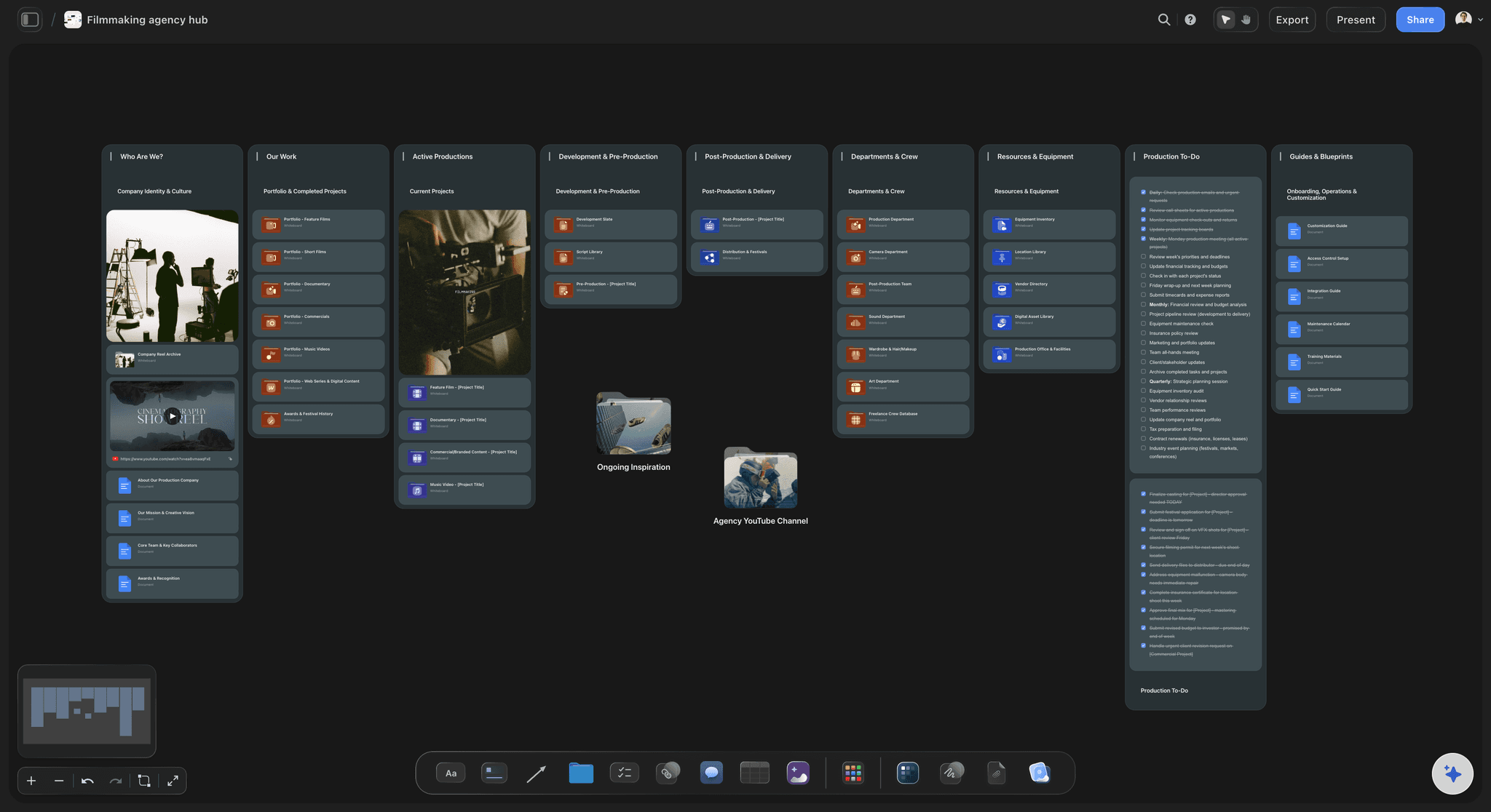
Share the production, not the attachments
Crew edit together: Invite the AD, DP and coordinator to edit the same board in real time. Access is admin, edit or view per person.
Everyone else opens a link: Cast, department heads and financiers open a view-only link with no account, and sign in to comment on a scene or shot.
A call sheet PDF per shoot day: The AI drafts it from the schedule, locations and contacts on the board. You send it; Storyflow does not distribute it or collect confirmations.
Explore templates for your project
Every template opens as a real, editable board on the infinite canvas. Pick the closest fit and make it your own.
Pre-Production
Pull the brief, script, shot list, and moodboard into one pre-production hub so the whole shoot is planned in one place.
One app instead of five
Storyflow vs StudioBinder, Notion and spreadsheets.
StudioBinder is a full production suite with call sheet distribution. Notion is a flexible workspace. Spreadsheets are free and familiar. Here is where each fits a production plan.
Storyflow
Recommended
Treatment, shots and schedule on one canvas
Breakdowns, stripboards and call sheets built from the script
AI reads the whole production board
Crew view without an account
Tracked call sheet delivery and confirmations
Screenplay editor in industry format
StudioBinder
Treatment, shots and schedule on one canvas
Breakdowns, stripboards and call sheets built from the script
AI reads the whole production board
Crew view without an account
Tracked call sheet delivery and confirmations
Screenplay editor in industry format
Notion
Treatment, shots and schedule on one canvas
Breakdowns, stripboards and call sheets built from the script
AI reads the whole production board
Crew view without an account
Tracked call sheet delivery and confirmations
Screenplay editor in industry format
Docs and spreadsheets
Treatment, shots and schedule on one canvas
Breakdowns, stripboards and call sheets built from the script
AI reads the whole production board
Crew view without an account
Tracked call sheet delivery and confirmations
Screenplay editor in industry format
What creators are saying
Join early creators getting structured workspaces and AI that remembers their projects
“Storyflow has sped up my workflow by at least 3x, which means more flow state and more projects I can actually ship. It truly changed the way me and my team create.”

Reilin Joey
Director & YouTuber
“One prompt gets me a structured board. But the tactics are my favorite. I run my YouTube scripts through them and my intros and retention got better. It's amazing.”

Justkay
YouTuber & Freelance Filmmaker
“I used to juggle five apps to plan a project. Now I describe what I am making and get boards, lists, and a schedule. All in one place.”

George
@fernwehchronicles
Film production planning, answered.
What producers and directors ask about planning a production from the script.
Storyflow plans a film production on one board: its AI drafts the breakdown, shot list, stripboard and a call sheet PDF per shoot day from your script, beside the treatment, locations and cast. The crew opens it by link with no account. Choose StudioBinder or Celtx for an industry-format screenplay editor: StudioBinder sends call sheets and tracks confirmations, and Celtx emails them as PDFs. A spreadsheet is enough if the shoot is one day with four people.
Seven parts: the script, a breakdown of what every scene needs, a shot list, a shooting schedule grouped into days, locations with access notes, cast and crew with availability, and a call sheet for each shoot day. A budget and a list of permits and releases sit alongside. On a Storyflow board all of them live on one canvas, so each is checked against the others.
For planning, yes: Storyflow holds development, pre-production and the shoot days on one board, from treatment to call sheet PDF. Post-production is different work. You will edit in Premiere, Resolve or Avid and review cuts in a tool like Frame.io, which gives timecoded comments on the footage. Most productions pair one planning board with one review tool rather than looking for a single app.
Yes. Storyflow's film plan workflow lays out a production board from your script (overview, research, the plan, field operations, assets, distribution), and the script breakdown, shot list and strip board workflows add those documents beside it, filled in rather than left blank. You can also duplicate a finished production board and start the next film from your own proven structure.
Not during early access. Storyflow is paid-only during early access, with plans from $7.99 a month billed annually ($9.99 monthly). A free plan launches before the end of 2026, and anyone a paid member invites to a board joins free, so the AD and DP add nothing. Cast and crew viewing a link never need an account.
It drafts the documents that are slow to type: a breakdown with page-eighth estimates, a shot list per scene, a stripboard grouping scenes into days, character sheets, a budget, and a call sheet PDF per day. It reads the open board, so you can also ask what is missing. Edits land on the board with one-click Undo; the scheduling calls stay yours.
Yes. Export the screenplay from Final Draft, WriterDuet or Fade In as a PDF or plain text and attach it to the board, or paste the text into the AI chat. The AI plans from the script itself, not the file format. Storyflow is not a screenplay editor, so keep writing in the tool you use and re-attach the new draft when pages change.
A breakdown goes through the script scene by scene and lists everything each scene requires: cast, location, props, wardrobe, vehicles, effects and special needs. You need one before you schedule or budget, because a schedule is built from what scenes demand, not how long they read. Even on a no-budget short it surfaces the missing prop and the location that needs permission.
In four passes. Lock the idea: logline and tone. Develop the story into a treatment or outline. Break it down into scenes, locations, cast, props and shots. Then schedule against real constraints, which for most productions means location access and cast availability. Keep all four passes on one board so a change in the breakdown is visible against the treatment.
For a short film, four to six weeks once cast and locations are involved; for a feature, months. Pre-production is finished when a shoot day can happen without anyone asking a question the plan should have answered. Locations, permits and cast availability reliably take longest, so start them first and let the shot list keep refining around them.
Yes. Invited collaborators edit the same board in real time on any paid plan and join free, with admin, edit or view access. Everyone else gets a view-only link that opens with no account and shows the latest version when they open or reload it. Signing in lets them comment on a specific scene or shot.
Screenwriting in industry format, editing, timecoded review of cuts, sending call sheets and collecting crew confirmations, payroll and accounting. Dates live in tables and tickets, not a calendar. Storyflow is also newer than StudioBinder or Notion, with a smaller template library. It is the planning layer from script to shoot day.
More from Storyflow
Film shoot planner
Indie film production workflow
Pre-production to shoot day
Video production workflow
AI script breakdown
AI shot list generator
Stripboard
AI call sheet generator
Film storyboard
Film budget planner
Short film production plan
For indie filmmakers
Pre-production tools
Best film production planning tools
Film scheduling software
Video production software
The script is written. Plan the production.
Attach the script, let the AI draft the breakdown, shot list and stripboard, and share the plan with a link. No download.