
Hours back on every video you plan
Organize the whole video,
from the brief to the delivery.
Brief, script, storyboard, shot list, call sheets, edit rounds and deliverables on one board your team and client open by link. Your editor cuts the footage; the board holds everything around it.


Creatives working for these brands already got early access
- Red Bull
- Canon
- Artlist
- Porsche
See how easy it is to get started
Watch a real project come together, from a blank board to a finished plan, clicked through step by step.
Start from a ready-made template
Pick a board to see what you can build, then let AI fill it in. Every template is a real, editable starting point on the same infinite canvas.

Storyboard
Lay out your shots frame by frame with images and notes, then reorder them until the sequence reads like the finished cut.
What is the best app to organize a video production from start to finish?
The best app to organize a video production from start to finish is one that keeps every stage on one board, from the brief to the delivery. Storyflow is an AI visual workspace that organizes the whole video on one infinite canvas: the brief, script and storyboard, the shot list, schedule and call sheets, the locations and references, and the edit notes and deliverables. The crew and client open it by link with no account. Its AI reads the whole board and builds the next document, from a shot list to a Call Sheet PDF. Most teams pair it with an editor such as Premiere Pro or DaVinci Resolve for the cut, and with Frame.io for frame-accurate review of cuts.
Start to finish covers more stages than most tools do. The brief and quote agree the objective, the deliverables and the approver. Creative turns that into a treatment, a script, a storyboard and references. Pre-production produces the shot list, the schedule, the crew, kit and locations, the releases and a call sheet per shoot day. Post runs selects, edit rounds, colour, mix and captions, delivery produces one export per platform, and archive stores it all for the recut. When each stage lives in a different app, the questions that span two of them, such as whether the shot list covers the vertical version the brief promised, have nowhere to be answered.
What good looks like is one board per video, with the brief at one end and delivery at the other. Each document is built from the one before rather than retyped: the shot list from the approved script, the call sheet from the shot list and the crew table. Each item has one owner. And the client looks at the same board the team works on, so approvals are recorded against the storyboard and script they refer to instead of in a thread nobody can find during post.
Storyflow's AI has a workflow for each of these steps when you ask: a video script, a storyboard, a shot list, a pre-production plan and a Call Sheet PDF, plus a Treatment PDF for the pitch. The canvas holds tables with date, person, status and currency cells for schedules and budgets, Kanban boards and tickets for edit rounds, and YouTube or Vimeo embeds for references and shared cuts. It does not edit footage, send call sheets by text, or run payroll.
Ultra fast from brief to board
From a client brief to final exports on one board.
Each stage builds on the one before it, and the client sees the same board.
01
Paste the brief
Drop in the client's email or deck, or ask the AI to draft the brief. The objective, audience, deliverables and approver appear on the board, with a dates table and a budget table with a sum.
02
Build the creative and the plan
Ask the AI for the script, the storyboard and the shot list. Each is built from the one before and lands beside it, with the references pinned alongside.
03
Prepare the shoot
Crew, kit and locations go into tables with person and date cells, and the AI writes a Call Sheet PDF for the day, leaving blanks where a number or an address is missing.
04
Track the edit and delivery
Edit rounds become tickets on a Kanban, and a deliverables table lists every export with its platform, aspect ratio and length, ticked as each one ships.
Everything around the footage, on one board.
Brief, creative, pre-production, shoot, post and delivery, so the whole job is readable in one place.

The brief at one end, delivery at the other
One board per video
Brief, creative, pre-production, shoot, post and delivery laid out in order, so anyone who opens the board sees where the job stands and what comes next.
See the video production checklist →
Script to shot list to call sheet
Each document built from the last
The AI reads the approved script to build the storyboard and the shot list, and reads the shot list and crew table to write the call sheet, so nothing is typed twice.
See the AI shot list generator →
Clients and crew open one link
The current version, for everyone
A view-only link opens in any browser with no account, so the client and the freelance crew read the latest version of the board you are editing. People you invite to edit join free.
See video team collaboration →
Post and delivery on the same board
Edit rounds and exports tracked
Review rounds as tickets, notes kept beside the cut they refer to, and a deliverables table with every platform's version, next to the brief that asked for them.
See the post-production workflow →Unlimited boards. No object cap.
One board per video or per client. Storyflow is paid-only during early access, with plans from $7.99 a month billed annually ($9.99 monthly). A free plan launches before the end of 2026, and anyone a paid member invites to a board joins free.
Unlimited boards, images, files and links
AI that drafts the script, shot list and Call Sheet PDF
View-only links clients open with no account
Real-time collaboration with anyone you invite

Built for people with taste
Video production software for the whole job, not one stage of it.
Storyflow holds what surrounds the footage, from the brief to the archive, and works beside the editor and the review tool.

The stages a video team runs
Brief to archive
Brief and quote: Objective, audience, deliverables, approver, budget and revision rounds, agreed before any creative work starts.
Creative: Treatment, script, storyboard and references: the pieces the client approves before anyone books a crew.
Pre-production and shoot: Shot list, schedule, crew, kit, locations, releases and a call sheet for each shoot day.
Post, delivery and archive: Selects, edit rounds, colour, mix and captions, one export per platform, then footage and paperwork stored for the recut.
AI that reads the whole board
From the brief to the next document
Build one document from another: A shot list from the storyboard, a call sheet from the shot list and crew table, a checklist from the brief.
Ask across the job: Which deliverable has no setup framed for its crop, which scene has no location yet, what the client still owes you.
Blanks, not guesses: The Call Sheet PDF leaves a visible blank for a missing phone number or address instead of inventing one.
It proposes, you decide: Storyflow drafts and arranges. The creative call, the budget and the approval stay with the team.
For agencies and production companies
Several jobs, one way of working
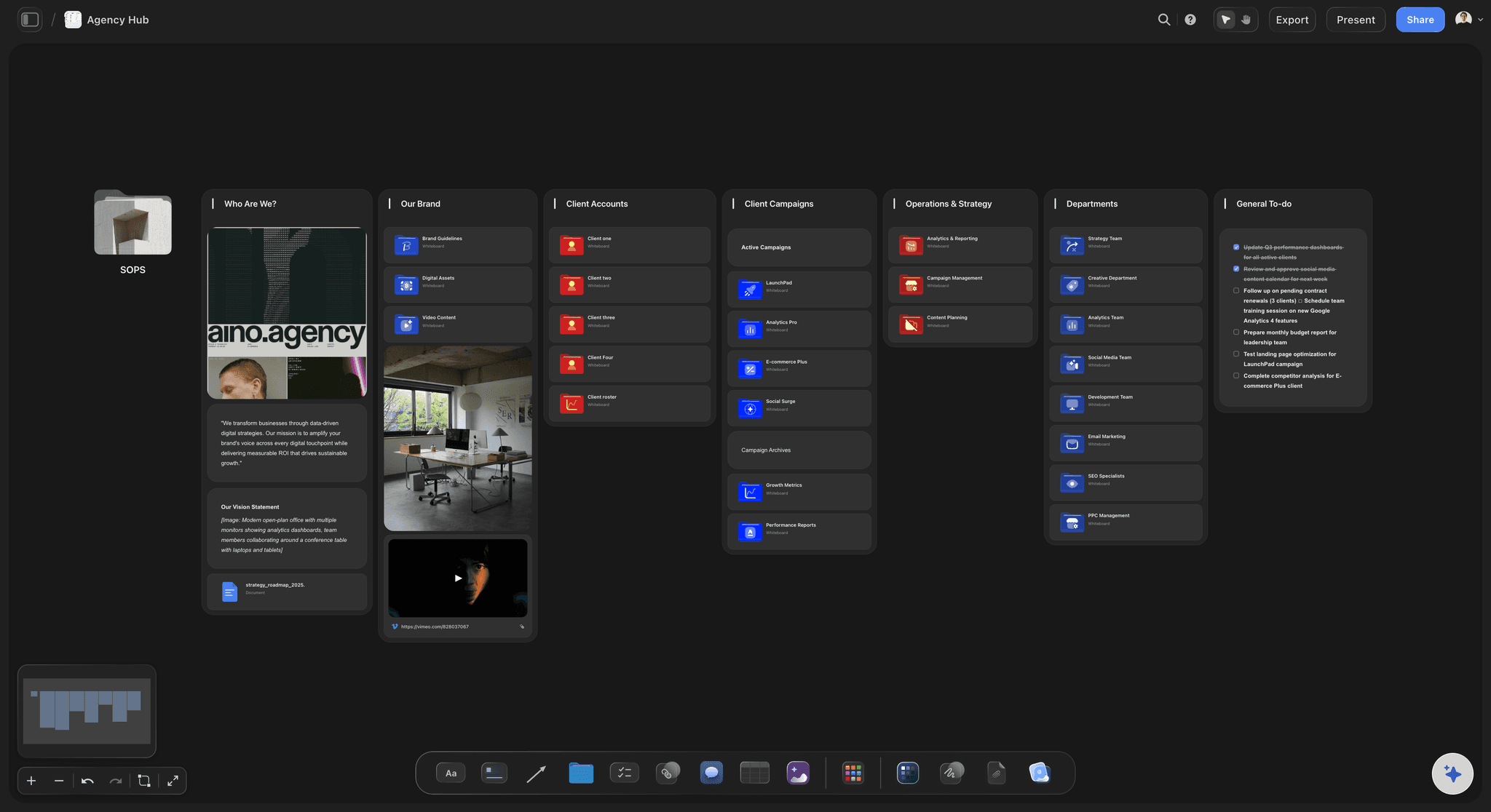
A board per client job: Each video on its own board, with folders holding the brand files, the moodboard and the audience notes behind a single tile.
Templates to start from: The Film Plan, Pre-Production Board, Shotlist and YouTube Video Plan templates give each job the same starting shape.
Freelancers join by invite: A camera operator or editor invited to the board joins free and finds the brief, the references and the shot list in one place.
A shared workspace on Max: Teams working in one workspace get roles and permissions on the Max plan.
Clear about where it fits
What it replaces, and what it works beside
Replaces the scattered planning: The brief document, the storyboard file, the shot list spreadsheet, the reference folder and the call sheet template.
Works beside your editor: Premiere Pro, DaVinci Resolve or Final Cut Pro cuts the footage. The board holds the plan the cut is checked against.
Works beside a review tool: Frame.io covers frame-accurate comments on cuts, version comparison and camera-to-cloud uploads.
Not a distribution or payroll system: Storyflow does not text call sheets with confirmations or run payroll. StudioBinder sends call sheets by email and text, and Yamdu handles time cards and payroll export.
Explore templates for your project
Every template opens as a real, editable board on the infinite canvas. Pick the closest fit and make it your own.
Storyboard
Lay out your shots frame by frame with images and notes, then reorder them until the sequence reads like the finished cut.
One app instead of five
Storyflow vs StudioBinder, Frame.io and Celtx.
StudioBinder and Celtx are production suites that run shot lists, stripboards and call sheets and include a script editor. Frame.io is Adobe's review and approval platform for footage and cuts. Many teams use two of these; here is what each covers from brief to delivery.
Storyflow
Recommended
Brief to delivery laid out on one board
Shot lists with camera setups
Stripboard schedule and call sheets
Comments on the specific item
Frame-accurate review and approval of cuts
StudioBinder
Brief to delivery laid out on one board
Shot lists with camera setups
Stripboard schedule and call sheets
Comments on the specific item
Frame-accurate review and approval of cuts
Frame.io
Brief to delivery laid out on one board
Shot lists with camera setups
Stripboard schedule and call sheets
Comments on the specific item
Frame-accurate review and approval of cuts
Celtx
Brief to delivery laid out on one board
Shot lists with camera setups
Stripboard schedule and call sheets
Comments on the specific item
Frame-accurate review and approval of cuts
What creators are saying
Join early creators getting structured workspaces and AI that remembers their projects
“Storyflow has sped up my workflow by at least 3x, which means more flow state and more projects I can actually ship. It truly changed the way me and my team create.”

Reilin Joey
Director & YouTuber
“One prompt gets me a structured board. But the tactics are my favorite. I run my YouTube scripts through them and my intros and retention got better. It's amazing.”

Justkay
YouTuber & Freelance Filmmaker
“I used to juggle five apps to plan a project. Now I describe what I am making and get boards, lists, and a schedule. All in one place.”

George
@fernwehchronicles
Video production software, answered.
What video teams and agencies ask about organizing a production from brief to delivery.
Storyflow organizes a video production from start to finish on one board the crew and client open by link: brief, script, storyboard, shot list, schedule, call sheets, references, edit notes and deliverables, with an AI that reads the board and builds the next document. It covers everything around the footage, so pair it with an editor for the cut and Frame.io for frame-accurate review. StudioBinder suits a production office sending call sheets by email and text with confirmations.
Video production software covers three jobs. Planning software holds the brief, script, storyboard, shot list, schedule and call sheets, where Storyflow, StudioBinder and Celtx sit. Editing software such as Premiere Pro, DaVinci Resolve and Final Cut Pro works on the footage. Review software such as Frame.io moves footage from camera to cloud and collects frame-accurate feedback on cuts. A team usually needs one of each, and the planning tool ties the brief to what gets delivered.
No. Storyflow organizes a video rather than cutting it: the brief, script, storyboard, shot list, schedule, call sheets and deliverables before and during the shoot, then edit rounds and export specifications on the same board, so the cut is checked against the plan. Cut, grade and mix in Premiere Pro, DaVinci Resolve or Final Cut Pro, and use Frame.io for frame-accurate client review. Cuts can sit on the board as uploaded clips, YouTube or Vimeo embeds, or links.
Most agencies run four: a planning board where each client job lives from brief to delivery, an editor, a review tool for cuts, and accounting software. Storyflow is the planning board, holding the brief, treatment, storyboard, shot list, call sheets and deliverables, with clients on a view-only link. Premiere Pro or DaVinci Resolve does the cut, Frame.io handles frame-accurate review, and invoicing stays in accounting software. StudioBinder earns a place when call sheet distribution with confirmations matters.
The client opens the board by link with no account and sees the brief, treatment, storyboard and shot list. To comment on a specific frame or line they sign in, and anyone a paid member invites to collaborate joins free. Record each approval as a dated item on the board, so the job keeps a trail of what was signed off and when. For approving cuts frame by frame, use a review platform such as Frame.io.
Yes. Attach the brief and ask for the plan, and Storyflow's AI lays out the stages and the documents each needs. On request it drafts a video script, a storyboard, a shot list with one entry per camera setup, a pre-production plan and a Call Sheet PDF. It reads the whole board, so the shot list comes from the approved script. It marks unknown names and dates as open slots and leaves creative and budget calls to you.
Editing software such as Premiere Pro, DaVinci Resolve and Final Cut Pro works on the footage after it is shot. Video production software works on everything around it: the brief, plan, schedule, crew, approvals and deliverables. Confusing them is how a team ends up with a well-cut video missing two shots the brief required. If the problem is the picture, you need an editor; if it is keeping the job organized, a planning board such as Storyflow.
Give them one link rather than a folder of attachments. Emailed PDFs go stale the moment a shot changes, and nobody knows it. A Storyflow board opens in a browser with no account, so the crew reads the latest plan each time they open it; anyone a paid member invites joins free to edit. When a fixed copy is needed, for a location with no signal or a client's records, export the board as a PDF and date it.
At minimum: the goal and audience in one line, the script or outline, a shot list that separates must-get setups from nice-to-haves, a schedule tied to real location and cast availability, an owner for each deliverable, and a deliverables list with platform and aspect ratio. Add locations, permits, kit and wardrobe as the production grows. The test is whether a shoot day runs without questions the plan should have answered. In Storyflow all of it sits on one board.
Not yet. Storyflow is paid-only during early access, with plans from $7.99 a month billed annually ($9.99 monthly). A free plan launches before the end of 2026, and anyone a paid member invites to a board joins free, so an agency can bring a freelance editor or the client's marketing lead onto a job board without paying for them. Pro, at $14 a month billed annually, adds AI image generation, and Max adds a team workspace with roles.
Yes, as planning and tracking rather than review. Edit rounds become tickets on a Kanban, notes sit beside the cut they refer to as an uploaded clip, an embed or a link, and a deliverables table lists every export with platform, aspect ratio, length, captions and format, ticked as each ships. Storyflow does not do frame-accurate comments on cuts or version comparison, which Frame.io covers. The deliverables table sits beside the brief that asked for each export.
More from Storyflow
Video production checklist
Video production planning
Video pre-production
Film production management software
Pre-production to shoot day
AI video script generator
AI shot list generator
AI call sheet generator
Post-production workflow
Client review board
Corporate video production
Commercial production
Frame.io alternative
StudioBinder alternative
Script breakdown software
Film scheduling software
Organize your next video from brief to delivery.
Paste the brief, let the AI lay out the plan and its documents, and share the board with your client by link. No download.