
Extremely reliable pre-production
Build a stripboard that orders
every scene into shooting days.
Attach the script and Storyflow's AI drafts a strip per scene, with its location, cast, day or night and page count, grouped into shooting days you can drag into a better order.


Creatives working for these brands already got early access
- Red Bull
- Canon
- Artlist
- Porsche
See how easy it is to get started
Watch a real project come together, from a blank board to a finished plan, clicked through step by step.
Start from a ready-made template
Pick a board to see what you can build, then let AI fill it in. Every template is a real, editable starting point on the same infinite canvas.

Pre-Production
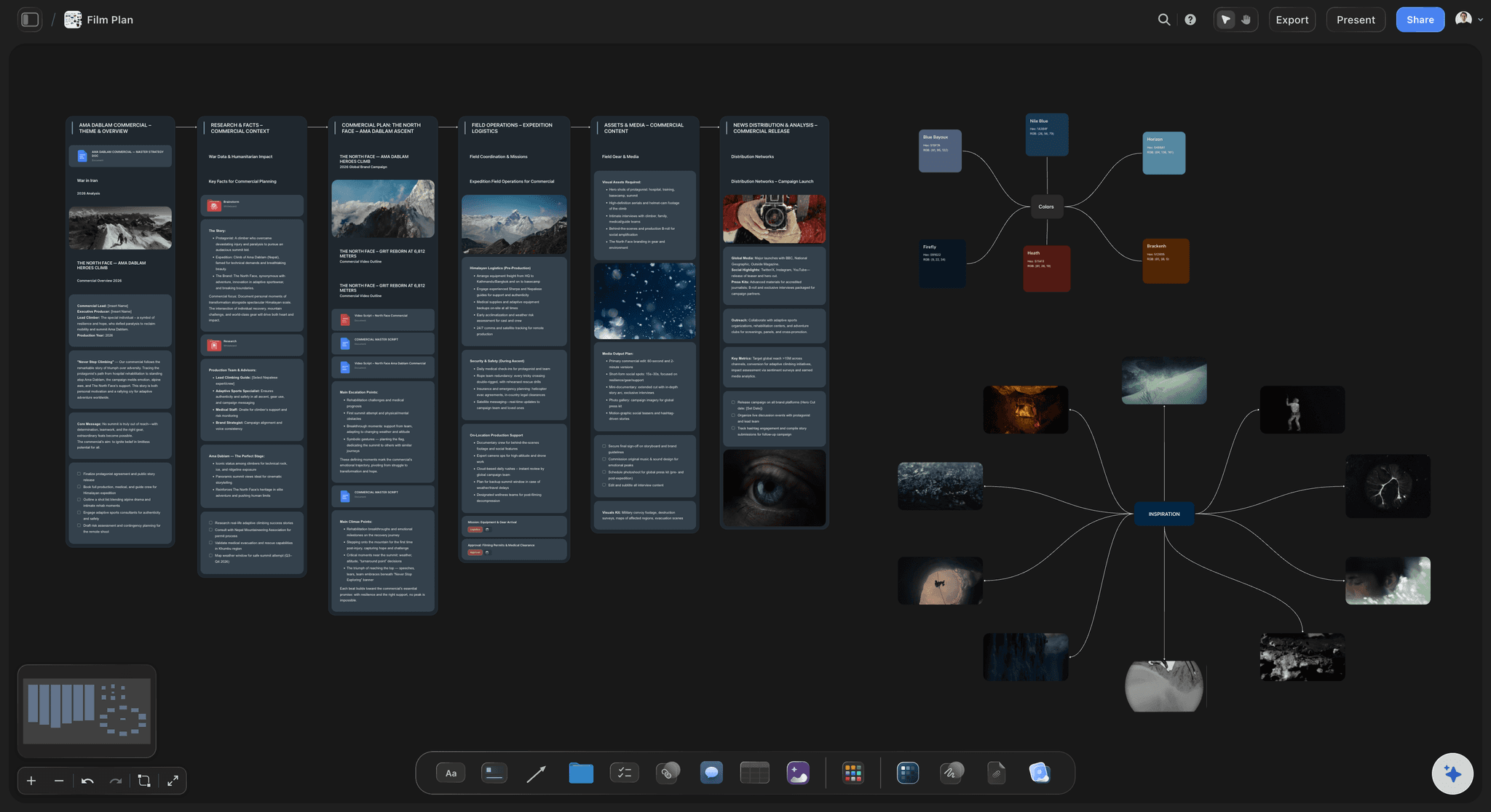
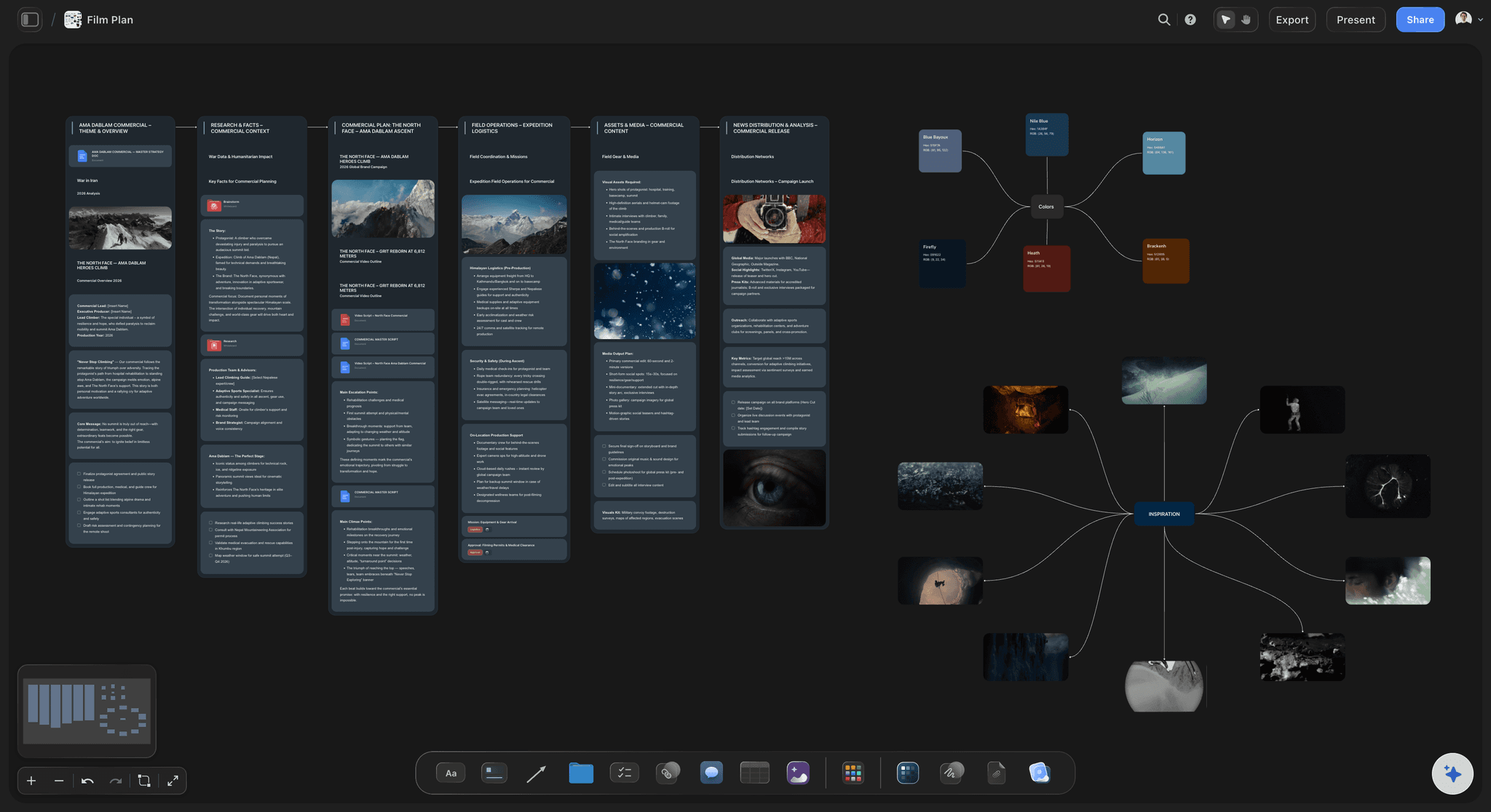
Pull the brief, script, shot list, and moodboard into one pre-production hub so the whole shoot is planned in one place.
What is a stripboard?
A stripboard is the scheduling document for a film or video shoot. Storyflow is an AI visual workspace that orders your scenes into shooting days on one infinite canvas: one strip per scene, its location and cast, day or night and page count, and the script breakdown it was built from. Every scene becomes one strip carrying the facts that decide when it can be shot: scene number, interior or exterior, day or night, the location, the cast in it, and its length in eighths of a page. Reordering those strips is how you turn a script that runs in story order into a shoot that runs in the cheapest, most practical order.
The name comes from the physical version. Scenes were printed on coloured card strips and slotted into a wooden production board, colour coded so an exterior night scene was recognisable at a glance. The physical board is mostly gone; the logic is not, because the constraints it encodes have not changed. You still shoot everything at one location together, group a cast member's scenes so you are not paying them for gaps, and put exterior day scenes where the daylight is.
The value of a stripboard is that it makes the trade-offs visible. Moving one scene shows you immediately which actor now works an extra day and which location needs a second visit. Without it, scheduling is a spreadsheet where the consequences are invisible until they arrive as cost.
Storyflow builds the stripboard as cards on an infinite canvas: a wall per shooting day and a coloured strip per scene, which its AI can draft from a script and group by location and light. Be clear about what it is not. The day totals are written when the board is built and do not recalculate as you drag strips, and there is no day-out-of-days report, though the AI can tell you which days an actor works. Movie Magic Scheduling and StudioBinder recalculate totals and generate those reports. What Storyflow gives you is the stripboard on the same canvas as the breakdown and the shot list, so a schedule change is visibly a change to the plan rather than an edit in a different application.
Ultra fast from brief to board
From script to shooting order in four moves.
The strips sit on the same canvas as the breakdown and shot list, so a change to one is in sight of the others.
01
Bring in the script
Attach the script to the AI chat or paste a scene list. The AI reads each scene's number, slugline, interior or exterior, time of day, page count and cast.
02
Turn scenes into strips
Say how many shoot days you have and whether to group by location or keep script order. Each scene becomes a strip coloured by interior or exterior and day or night.
03
Group the strips into days
Strips land on a wall per shooting day with the day's pages totalled. Drag a strip to another day to change the order, then update both totals.
04
Share the order
Send a view-only link so the first AD and the department heads read the current order without an account, or export the board for the production meeting.
A stripboard is a set of trade-offs made visible.
Everything on a strip is there because it constrains when the scene can be shot.

Location first
Group by where, before anything else
Company moves are the most expensive thing in a schedule. Pulling every scene at one location together is the first pass, and on a canvas you can see the leftovers that force a second visit.
See the location scouting app →
Cast next
See who you are paying to wait
Once locations are grouped, cast decides the rest. Strips carrying their cast list make a gap in an actor's days obvious, which is the difference between two days of work and four.
See the casting board →
Daylight is finite
Day, night and exterior in one glance
Marking interior and exterior against day and night is the whole reason the physical board used coloured card. An exterior day scene scheduled at four in the afternoon in November is a scene you will not get.
See the shooting schedule template →
Length keeps you honest
Page counts that stop optimistic days
Eighths of a page are the only objective measure of how much day a scene will eat. When the AI builds the board it totals each day's pages, so a nine-page day shows up before the shoot proves it.
See the AI script breakdown →Plans from $7.99/month annual. Free plan coming late 2026.
The first AD, the producer and the line producer read the same board by link. Storyflow is paid-only during early access, with plans from $7.99 a month billed annually ($9.99 monthly). A free plan launches before the end of 2026, and anyone a paid member invites to a board joins free.
Department heads read the order without an account
Every production gets its own board, with no project limit
Export the board as a high-quality image or PDF
Anyone a paid member invites to a board joins free
Built for people with taste
The schedule is downstream of the breakdown. Keep them in the same room.
Most scheduling pain is not the ordering. It is that the order was built from an older version of the breakdown.
One source, not two
Reorder without leaving the plan
Strips beside the breakdown: The stripboard and the scene breakdown sit on one canvas, so a scene that gained a location in the breakdown is a scene you can see needs rescheduling.
Consequences in view: Move a strip and the day it left and the day it joined are both on screen. Their page totals were written when the board was built, so update them after a reshuffle.
Lose a location, see the scenes: When a location falls through, every strip that depended on it is visible together instead of being remembered one at a time.
The AI reads the board
Ask whether a day is honest
Canvas-aware AI: Storyflow's AI reads the whole active board, so the strips and the breakdown are both in front of it when you ask which day is overloaded.
A first pass from the script: Generate a starting set of strips from the script and correct them, which is faster than typing every scene and gives you something concrete to argue with.
Find the split days: Ask which scenes force a company move, or which actor is on the board for four days to shoot two scenes, and get an answer from the board rather than from memory.
What it is not
Honest about the ceiling
No scheduling engine: The AI drafts a grouping by location and light, but nothing flags a conflict the way Movie Magic Scheduling does, and the day totals do not recalculate. You own the order; the canvas shows the consequences while you change it.
No cost model on the strips: Strips carry no costs, so moving a scene does not reprice the shoot. The AI can build a budget table with a live total beside the schedule, but overtime is not calculated from the strips.
Where it wins: Keeping the ordering next to the script, the breakdown and the shot list, which is where the mistakes are actually made.
Explore templates for your project
Every template opens as a real, editable board on the infinite canvas. Pick the closest fit and make it your own.
Pre-Production
Pull the brief, script, shot list, and moodboard into one pre-production hub so the whole shoot is planned in one place.
One app instead of five
Against the usual ways a stripboard gets built.
Storyflow is a planning canvas, not a scheduling engine. The difference is below.
Storyflow
Recommended
Strips on one canvas with the breakdown and shot list
AI reads the whole schedule
Day totals update as strips move
Day-out-of-days reports
Movie Magic
Strips on one canvas with the breakdown and shot list
AI reads the whole schedule
Day totals update as strips move
Day-out-of-days reports
StudioBinder
Strips on one canvas with the breakdown and shot list
AI reads the whole schedule
Day totals update as strips move
Day-out-of-days reports
Spreadsheet
Strips on one canvas with the breakdown and shot list
AI reads the whole schedule
Day totals update as strips move
Day-out-of-days reports
What creators are saying
Join early creators getting structured workspaces and AI that remembers their projects
“Storyflow has sped up my workflow by at least 3x, which means more flow state and more projects I can actually ship. It truly changed the way me and my team create.”

Reilin Joey
Director & YouTuber
“One prompt gets me a structured board. But the tactics are my favorite. I run my YouTube scripts through them and my intros and retention got better. It's amazing.”

Justkay
YouTuber & Freelance Filmmaker
“I used to juggle five apps to plan a project. Now I describe what I am making and get boards, lists, and a schedule. All in one place.”

George
@fernwehchronicles
Stripboards, answered.
What ADs and producers ask before building one on a canvas.
A stripboard is the scheduling document for a shoot: every scene becomes one strip carrying its scene number, interior or exterior, day or night, location, cast and length in eighths of a page. Reordering the strips turns a script that runs in story order into a shoot that runs in the most practical order. In Storyflow the strips are cards on a canvas beside the breakdown they came from, so a schedule change stays in view of the script.
Storyflow builds the stripboard from your script: attach it and the AI drafts a strip per scene, with the location, cast, day or night and page count, grouped into shooting days. You drag strips into a better order while the breakdown and the shot list stay beside them on the same canvas. Movie Magic and StudioBinder still update the day totals as strips move and produce day-out-of-days reports, which Storyflow does not.
Scene number, interior or exterior, day or night, the set or location, a short scene description, the cast numbers in the scene, and the page count in eighths. Productions often add the shooting day, the unit, and any special requirement such as a stunt, a child actor or an animal, because each of those constrains scheduling on its own.
Location first, because company moves cost the most. Then cast, so an actor's scenes cluster rather than spreading across the schedule with paid gaps between them. Then daylight, since exterior day scenes only exist while the light does. Page counts are the check on all of it: if a day's strips total nine pages, the ordering is wrong regardless of how neat it looks.
So the shape of a day was readable without reading any words. Interior day, exterior day, interior night and exterior night each had their own colour, which meant an AD could see at a glance that a day mixed two locations and a night shoot. The convention survives digitally because the recognition speed is the whole point.
No. When the AI builds the stripboard it writes each day's scene count and page total, but those totals are notes, not formulas, so dragging a strip to another day leaves them as they were. Update both days' totals after a move. Movie Magic Scheduling and StudioBinder calculate day totals automatically, which matters if you reshuffle the schedule often.
Yes. Attach the script or paste a scene list, and Storyflow's AI asks how many shoot days you have and whether to group by location or keep script order. It then builds a wall per day with a coloured strip per scene carrying its number, slugline, page count and cast. Treat it as a draft: check the page counts, and add stunts, children or animals yourself.
The stripboard is the ordering: which scenes are grouped into which day, and in what sequence. The shooting schedule is what that ordering becomes once times, locations and crew calls are attached. One is the decision, the other is the published result, and the call sheet is the last narrowing of both.
Share a view-only link. They open it in a browser with no account and no install, which is the practical constraint on a crew hired for one job. The board is readable on a phone, and it exports as a high-quality image or PDF for the production meeting.
Yes, and the logic is identical in miniature. A single day still groups by location, still runs out of daylight, and still has a page count that is either honest or not. The board is often more useful on a short shoot, because there is no second unit and no slack to absorb a mistake.
Storyflow is paid-only during early access, with plans from $7.99 a month billed annually ($9.99 monthly). A free plan launches before the end of 2026, and anyone a paid member invites to a board joins free.
More from Storyflow
Turn the script into days you can defend.
One strip per scene, grouped by location, cast and daylight, on the same canvas as the breakdown it came from.