
Extremely clear strategy, zero busywork
Structure your whole
pitch on one canvas.
Storyflow is a pitch deck maker for the part that comes first: the story. Lay out the narrative arc and the key slides, from problem and solution to market, traction, team, and the ask, on a truly infinite canvas. Describe your company and let AI draft the structure to react to, pin your messaging and references beside each slide, then export to build the polished deck in your slide tool.


Creatives working for these brands already got early access
- Red Bull
- Canon
- Artlist
- Porsche
See how easy it is to get started
Watch a real project come together, from a blank board to a finished plan, clicked through step by step.
Start from a ready-made template
Pick a board to see what you can build, then let AI fill it in. Every template is a real, editable starting point on the same infinite canvas.

Marketing Plan
Lay out your goals, channels, and initiatives for the quarter on one board.
What is a pitch deck maker, and why plan it on a canvas first?
A pitch deck is the ten-to-fifteen slide story a founder tells to raise money or win a partner: what problem you solve, why now, how big the market is, what the product does, the traction so far, the team, and the ask. The slides that get funded are not the prettiest ones. They are the ones where the narrative flows, each slide earns the next, and the argument is airtight. That structure is a thinking problem, and it is almost always solved badly inside a slide editor, where you are formatting a box before you have decided what the slide should even say.
Here is the honest part: Storyflow is not a slide-design app. Canva, Pitch, and PowerPoint are excellent at the final polished slides, the fonts, the layouts, the export to PDF. Storyflow is the layer that comes before them. It is where you plan the pitch: the order of the story, the one message per slide, the proof you will show, and the visual references you are gathering, all laid out on an infinite canvas you can actually see and rearrange. When the structure is right, you export the outline and build the finished deck in whichever slide tool you like.
Doing that on a canvas changes the work. Every slide is a card you can drag, so reordering the story or splitting the ask from the terms is a move, not a rebuild. Describe the company in the AI chat and it drafts a first-pass structure across the standard slides for you to push on. Attach a competitor deck as a PDF, drop in product screenshots, or grab a frame from a demo video onto the canvas next to the slide it supports. The pitch becomes something you shape with your whole team in view, instead of a linear file you scroll one slide at a time.
Ultra fast from brief to board
Plan a pitch deck in four steps.
Start from a blank canvas or a single prompt. Either way the story stays yours to reorder before you ever open a slide tool.
01
Start your canvas
Start in the browser. Nothing to install, just an infinite canvas ready for the slides of your pitch.
02
Draft the structure with AI
Describe your company in a sentence or two and ask the AI to lay out the deck. It drafts cards for the standard slides, from problem and solution to market, traction, team, and the ask, using the current board as context so you refine a real starting point.
03
Sharpen the story
Reorder slides by dragging, cut what does not earn its place, and write the one message each slide has to land. Pin the proof, the numbers, and the visual references beside the slide they belong to.
04
Export and build the deck
Share a view-only link so a co-founder or advisor can pressure-test the flow, or export the structure as an image or PDF to rebuild the polished slides in Canva, Pitch, PowerPoint, or Google Slides.
A pitch deck maker for the story, not the slide formatting.
Get the narrative and the structure right on an infinite canvas first. Then build the finished slides in whatever tool you already use.

Slides are real canvas cards
Reorder the story by dragging
Every slide is a card you drag, recolor, and regroup. Moving traction ahead of the market slide or splitting the ask from the terms is a drag, not a rebuild, so the narrative keeps pace with your thinking instead of freezing in a linear file.
See the infinite canvas →
AI drafts the structure
Lay out the standard slides with AI
Describe the company in a line or two and ask the AI to draft the deck. It fills the standard slides, problem, solution, market, product, traction, team, and ask, with cards to push on, using the current board as context so the structure fits your story, not a generic template.
See mind mapping →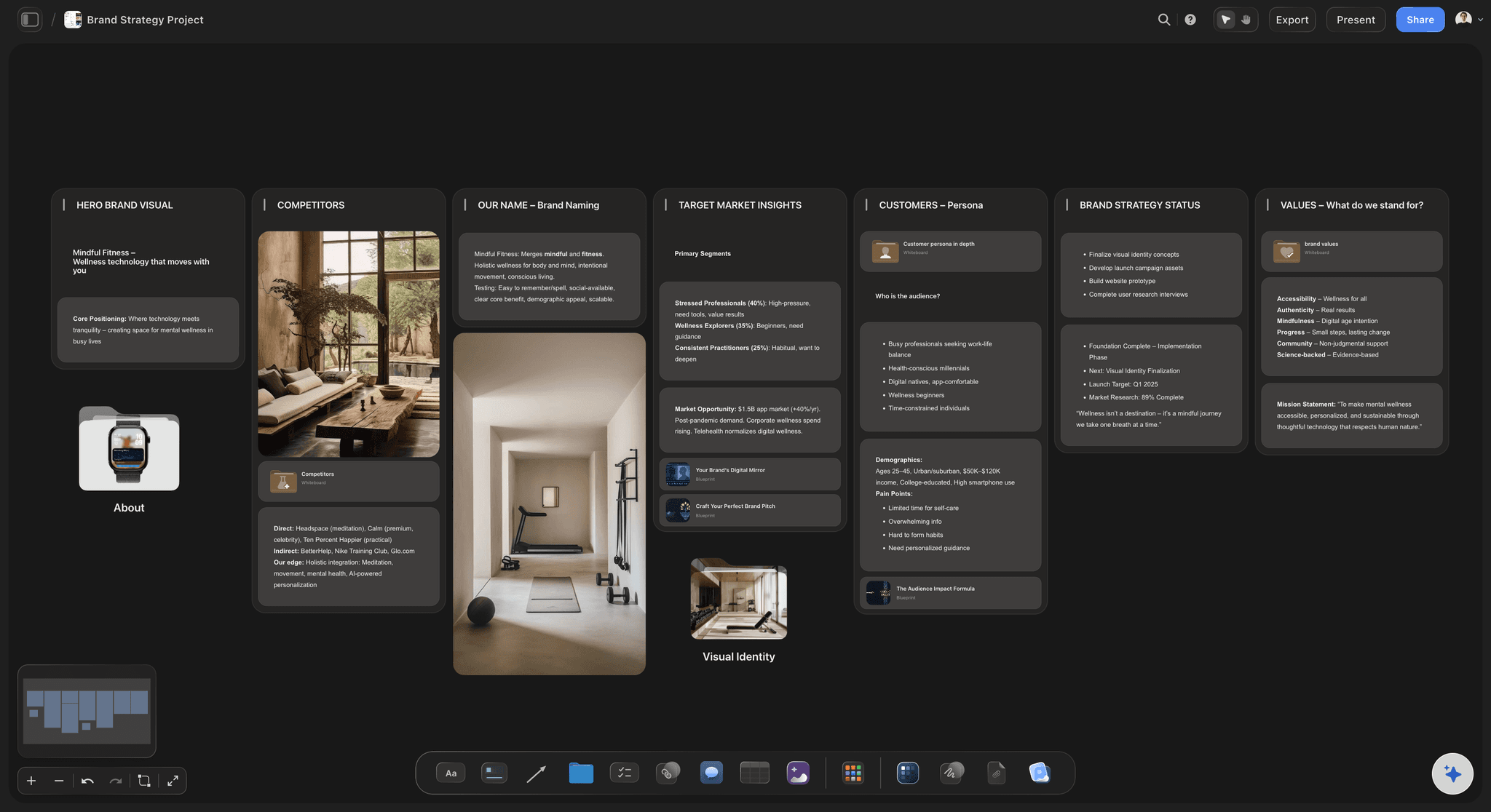
Message and proof per slide
One message, and the evidence beside it
Write the single message each slide has to land, then pin the proof next to it: the traction chart, the market number, the product screenshot, the competitor deck as a PDF. The argument and its evidence sit together on the canvas instead of scattered across files.
See the brand strategy tool →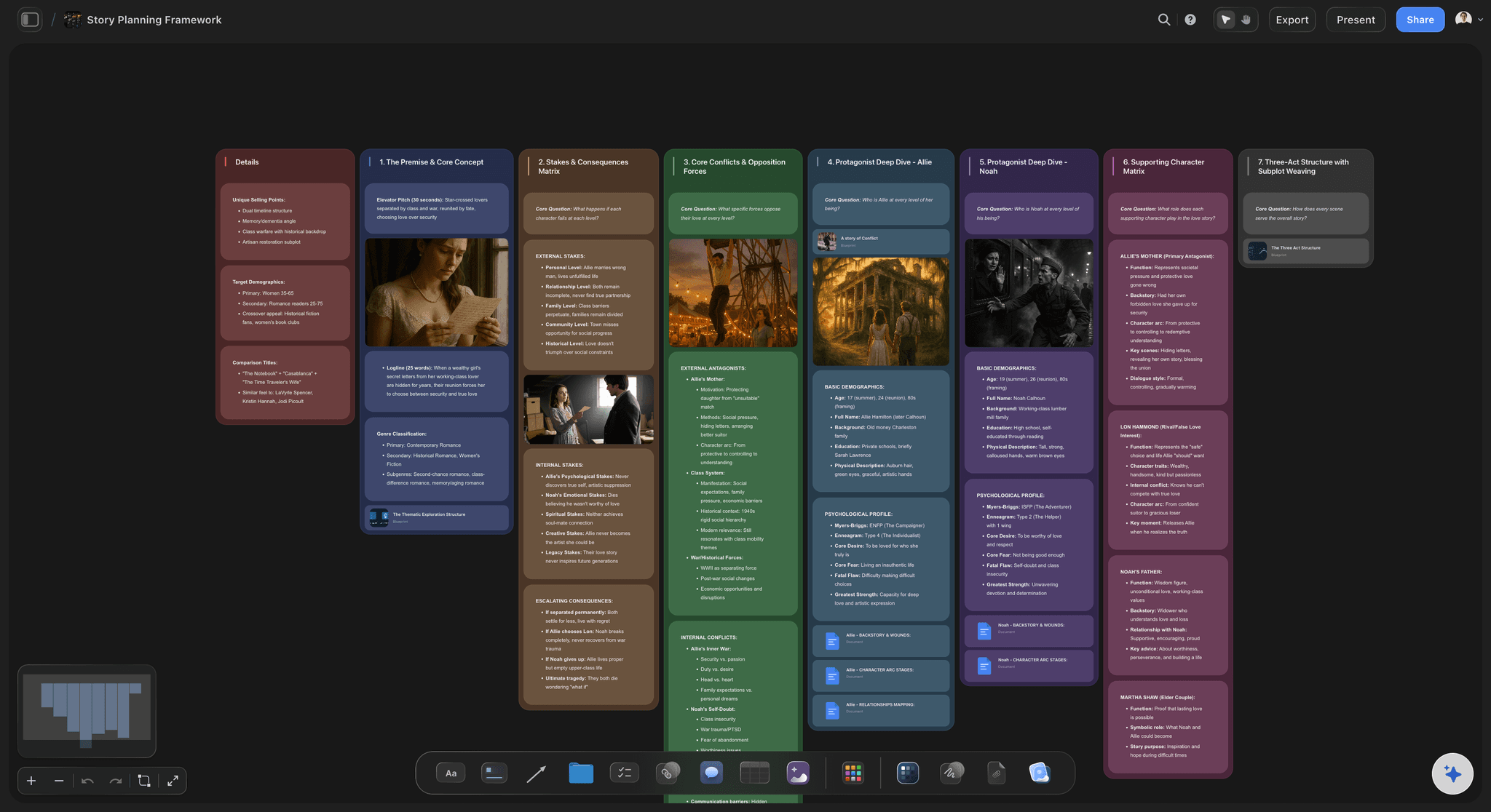
Then build the finished deck
Export to your slide tool
Storyflow plans the pitch. When the structure is locked, export the outline as an image or PDF and rebuild the polished slides in Canva, Pitch, PowerPoint, or Google Slides. You bring a clear story to the slide tool instead of designing and rethinking at the same time.
See the film pitch deck →Plans start at $7.99 a month.
Open a canvas and start structuring the pitch. No object cap and no time limit, so a real deck never pushes you to upgrade mid-thought.
Unlimited canvases with room for every slide and version
Basic AI usage to draft and reorder the deck structure
Attach competitor decks, screenshots, video, and links to any slide
Share view-only, or invite collaborators free
Built for people with taste
Built for the way founders actually pitch.
Shape the narrative arc, sharpen every slide, gather the references, and hand off a structure your slide tool can build.
Get the narrative arc right
The whole story, visible at once
See every slide together: Lay the deck out as cards on one canvas so the arc reads at a glance: does the problem set up the solution, does the market justify the size, does the ask follow the traction. You catch a broken story that scrolling one slide at a time hides.
Reorder by dragging: Move a slide, split one into two, or merge two weak slides into one strong one by dragging. When the narrative changes, the deck changes with a move rather than a rebuild in a slide editor.
Color the strong and the shaky: Recolor cards so the slides you are confident in and the ones that still need proof read differently, and you know exactly where the pitch is thin before you take it to an investor.
AI that reads the board
Draft the structure from what is there
Draft the first pass: Describe the company and the AI fills the standard slides with cards to react to. It builds on the board in front of it, so the draft fits your idea instead of a boilerplate template you have to gut.
Bring in your context: Add up to five documents and three boards as context from the + menu, so a market brief or a product spec shapes the slides the AI drafts and the messaging it suggests.
Re-prompt to refocus: Ask for a tighter problem slide, a stronger why-now, or a cleaner ask. The AI reworks the structure while keeping the edits and ordering you already set.
More than bullet points
References and messaging on the canvas
Drop in anything: Competitor decks as PDFs, product screenshots, traction charts, brand references, video, and links sit on the canvas next to the slide they support. A pitch with the evidence attached, not linked away in another tool.
Frame grabs from video: Pull stills from YouTube and Vimeo straight onto the canvas when a product demo or a market clip makes the point for a slide better than a bullet ever could.
Notes where you need them: Longer talk-track and speaker notes live as documents on the same canvas, so the slide cards stay scannable and the detail behind each one is a click away when you rehearse.

Hand off to the slide tool
From structure to a deck you build
Share the flow first: Send a view-only link so a co-founder, advisor, or mentor can pressure-test the narrative in their browser without an account, before anyone spends an hour designing slides.
Export the outline: Export the structure as a clean image or PDF and rebuild the finished slides in Canva, Pitch, PowerPoint, or Google Slides, whichever your team already uses for the polished design.
Reuse the canvas next round: Keep the planning canvas as the source of truth. When the deck changes for the next raise or the next investor, you reshape the structure here and re-export instead of starting over.
Explore templates for your project
Every template opens as a real, editable board on the infinite canvas. Pick the closest fit and make it your own.
Marketing Plan
Lay out your goals, channels, and initiatives for the quarter on one board.
One app instead of five
How Storyflow compares for planning a pitch deck.
Plenty of tools can design slides. The question is where you shape the narrative and the structure before you build them.
Storyflow
Recommended
AI drafts the deck structure from your board
Freeform canvas to see and reorder the whole story
References and messaging pinned beside each slide
No object cap on any paid plan
Canva
AI drafts the deck structure from your board
Freeform canvas to see and reorder the whole story
References and messaging pinned beside each slide
A free plan with no object cap
Miro
AI drafts the deck structure from your board
Freeform canvas to see and reorder the whole story
References and messaging pinned beside each slide
A free plan with no object cap
Notion
AI drafts the deck structure from your board
Freeform canvas to see and reorder the whole story
References and messaging pinned beside each slide
A free plan with no object cap
What creators are saying
Join early creators getting structured workspaces and AI that remembers their projects
“Storyflow has sped up my workflow by at least 3x, which means more flow state and more projects I can actually ship. It truly changed the way me and my team create.”

Reilin Joey
Director & YouTuber
“One prompt gets me a structured board. But the tactics are my favorite. I run my YouTube scripts through them and my intros and retention got better. It's amazing.”

Justkay
YouTuber & Freelance Filmmaker
“I used to juggle five apps to plan a project. Now I describe what I am making and get boards, lists, and a schedule. All in one place.”

George
@fernwehchronicles
Pitch deck questions, answered.
Everything people ask about planning a pitch deck in Storyflow.
A pitch deck maker helps you build the ten-to-fifteen slide story founders use to raise money or win a partner, covering the problem, solution, market, product, traction, team, and the ask. Storyflow handles the part that comes first: it structures the narrative on an infinite canvas where every slide is a card you can reorder, edit, and support with evidence, then you build the polished slides in your slide tool.
No, and it is not trying to be. Canva, Pitch, and PowerPoint are great at the finished slides: fonts, layouts, and export. Storyflow is the narrative and structure layer that comes before them. You plan the story, the order, the message per slide, and the references on a canvas, then export the outline and build the designed deck in whichever slide tool you prefer.
The film pitch deck page is built for filmmakers pitching a project to producers and investors, with a lookbook feel: tone, visuals, and story world. This page is the general startup and business pitch deck: the problem, market, product, traction, team, and funding ask a founder presents to raise a round or win a partner. Both plan the pitch on a canvas, but for different audiences.
Not during early access. Storyflow is paid-only right now: paid plans include unlimited canvases, AI usage to draft and reorder the structure, 20 file uploads, and view-only sharing, starting at $9.99 per month. A Free plan is planned before the end of 2026.
Describe your company and the AI lays out cards for the standard pitch slides: problem, solution, why now, market size, product, business model, traction, competition, team, and the ask. It reads the current board as context, so the draft fits your idea. You then reorder, cut, and sharpen every slide yourself, since the structure is always yours to reshape.
Yes. Start from a blank canvas and lay out every slide by hand, dragging and grouping the cards yourself. The AI is there when you want a first pass or want to expand a slide you point it at, but you are never forced to use it. The canvas is always yours to structure however your story runs.
Yes. Attach competitor decks as PDFs, product screenshots, traction charts, brand references, video, GIFs, and links to any slide, and grab frames straight from YouTube and Vimeo onto the canvas. The evidence for each slide lives beside it instead of behind a link in another tool.
Once the structure is locked, export the canvas as a clean image or PDF and rebuild the polished slides in Canva, Pitch, PowerPoint, or Google Slides. You can also share a view-only link so a co-founder, advisor, or mentor explores the whole flow in their browser without an account before you design anything.
The pitch is in your head. Get the structure on the canvas.
Draft the slides with AI, reorder the story, pin the proof, then export to build the deck.