The 12 Best Pitch Deck Tools and Software in 2026
Storyflow is the best pitch deck tool in 2026 for a deck built from your own material: its AI turns your board into slides and one PDF. 12 tools compared, with Gamma, Pitch and Canva for the jobs it does not do.

Category
Business
Author

Justkay
Documentary Filmmaker & Founder at Storyflow
Topics
2026-05-14
•
36 min read
•
Business- best pitch deck tools 2026
- best pitch deck software
- AI pitch deck generator
- investor deck software
What are the best pitch deck tools in 2026?
Storyflow is the best pitch deck tool in 2026: it builds the deck from your own material. Put the brief, research, numbers and images on one board and its AI builds the slides, which present fullscreen and export as one PDF. Choose Gamma for a themed deck generated from a prompt, Pitch for team templates and viewer analytics, and Canva for hand design control. Storyflow has no PowerPoint export, no presenter notes and no viewer analytics.

Full disclosure: Storyflow is our own product and it is listed first. The basis is one job: the deck built from your own material on one board, where its AI reads the brief, numbers and research and builds the slides. The rest of the list follows by job. What Storyflow does not do: no PowerPoint export (PowerPoint, Google Slides and Pitch have it), no presenter view or speaker notes (PowerPoint, Keynote and Google Slides have them), no viewer analytics (Pitch and Storydoc have them) and no free plan yet. Gamma is better for a deck from a prompt alone, and Canva goes further on design control. We link to every tool so you can judge the fit.
Quick Comparison
Our pick first, then the rest by job. Storyflow leads because it builds the deck from your own material on one board; Gamma, Pitch and Canva each win one job it does not do.
| Tool | Best For | AI Features | Price |
|---|---|---|---|
| Storyflow | A deck built from your own material on one board | AI reads the board, shows an outline, builds the slides | $7.99 mo billed annually |
| Gamma | A themed deck from a prompt | Prompt-to-deck with chat edits | See Gamma |
| Pitch | Team templates and viewer analytics | AI credits for slides | Free plan; paid plans shown in euros |
| Canva | Hand design control | AI design features; you lay out the slides | Free and Pro (see Canva) |
Quick Picks: Best Pitch Deck Tools 2026 by Use Case
Storyflow is our first pick because a pitch deck is won on its content, and Storyflow is the tool here that builds the slides from the content you already have. The other picks each win one job Storyflow does not do, and each is listed with that job.
Last updated October 11, 2026. Competitor prices come from each vendor's own pricing page, read that day; where a page blocked the read or showed no US dollar price, this guide says so instead of quoting an old number.
- Best overall, and best for a deck built from your own material: Storyflow. Storyflow is a visual AI workspace: an infinite canvas where notes, tables, documents, images and charts sit together on boards, and an AI agent that reads the board and builds on it. Ask for "A pitch deck from this board" and Storyflow's AI builds the slides from what is there, online in the browser. From $7.99 a month billed annually. See the pitch deck maker page.
- Best for a deck generated from a prompt: Gamma. Gamma is the pick over Storyflow when you have a prompt and no material, and want themed slides you refine by chatting.
- Best for team templates and viewer analytics: Pitch. Pitch is the pick over Storyflow when a team sends decks every week and needs to see who opened them.
- Best for hand design control: Canva. Canva is the pick over Storyflow when you want to place every element yourself from a large template library.
- Best for auto-formatted slides: Beautiful.ai. Beautiful.ai is the pick over Storyflow when you build slides by hand and want every one kept to the same design rules.
- Best for an editable PowerPoint file with presenter notes: PowerPoint. PowerPoint is the pick over Storyflow when the recipient expects a .pptx.
The order throughout is our pick first, then the rest by job. Storyflow is our own product; the basis for listing it first is in the section on how we evaluated.
Which Pitch Deck Tool Should You Use?
Use Storyflow when the deck has to be built from material you already hold (a brief, numbers, research, images): its AI turns that board into slides. Choose a specialist only for the part Storyflow does not do: a prompt-only draft, viewer analytics, hand design, an editable PowerPoint file or presenter notes.
| If you need | Use | Why |
|---|---|---|
A deck built from your own brief, numbers and research | Storyflow | Its AI reads the board and builds the slides after you approve an outline |
A pitch deck built from inside ChatGPT or Claude | Storyflow (MCP connector) | The assistant reads your Storyflow project and builds in it |
A one-pager or leave-behind from the same material | Storyflow | One request against the same board |
A themed deck from a prompt, refined by chatting | Gamma | Prompt-to-deck generation with design themes |
Team templates, live collaboration and viewer analytics | Pitch | Custom templates on every plan; link analytics on Team and Business |
Full design control from a large template library | Canva | Drag-and-drop layout and brand typography |
Slides that format themselves as you type | Beautiful.ai | Smart Slide layouts enforce consistent design |
A sales deck tracked per recipient | Storydoc | Web-based decks with engagement analytics |
An editable PowerPoint file | PowerPoint, Google Slides or Pitch | Storyflow exports PDF only |
Presenter notes in the room | PowerPoint, Keynote or Google Slides | Storyflow has no presenter view |
A free deck today | Google Slides or Canva Free | Storyflow has no free plan yet |
All 12 Pitch Deck and Slide Deck Tools in 2026, Ranked
Storyflow is ranked first on one stated basis: it builds the deck from your own material on one board. The eleven pitch deck and slide deck tools after it are ordered by job, most common job first.
- Storyflow: best for a pitch deck built from your own material on one board
- Gamma: best AI deck drafts from a prompt, with design themes
- Pitch: best team templates, collaboration and viewer analytics
- Beautiful.ai: best auto-formatted, consistently designed slides
- Canva: best hand design control and template library
- Storydoc: best personalised sales presentations with analytics
- Slidebean: best investor-deck templates on a small budget
- Decktopus: best low-cost AI deck generator
- Google Slides: best free collaborative slides
- PowerPoint with Copilot: best when the deliverable is a .pptx
- Keynote: best live presenting on Apple devices
- Prezi: best non-linear, zooming presentations
Tome, which earlier versions of this list ranked fourth, no longer offers its presentation product, so Keynote takes its place (see the section on what happened to Tome).
Best Pitch Deck Tool by Job
- Best deck built from your own material: Storyflow. The argument, the evidence and the slides are settled on one board, and the deck is built from it.
- Best prompt-to-deck drafts: Gamma.
- Best team decks with analytics: Pitch.
- Best hand design: Canva.
Comparison Table: Best Pitch Deck Tools 2026
Storyflow is the first row because it is the tool in this table that builds the deck from your own board of material. Every other row says what the tool is best for and when to choose it over Storyflow, with a price read from the vendor's page on October 11, 2026.
| Tool | Best For | Starting Price | Free Plan | AI | Choose it over Storyflow when |
|---|---|---|---|---|---|
Storyflow | A deck built from your own material on one board | $7.99/month billed annually | Coming before the end of 2026 (invited collaborators join free now) | Reads the board; builds the slides, a one-pager or a PDF | Not applicable: our pick |
Gamma | AI deck drafts from a prompt | See Gamma's pricing page | Yes (exports carry a Gamma badge) | Generates and rewrites slides by chat | You have a prompt and no material |
Pitch | Team templates and viewer analytics | Plus €10/month billed yearly (page showed euros) | Yes, up to 5 seats | AI credits for slides | You need to see who opened the deck |
Beautiful.ai | Auto-formatted slides | Pro $14.50/month billed annually | No (14-day trial) | Unlimited AI content generation | You want enforced, consistent layout |
Canva | Hand design control | Canva Free and Canva Pro (see Canva's pricing page) | Yes | AI design features | You want to place every element yourself |
Storydoc | Tracked sales presentations | Starter $19.80/month billed annually | Free start (see Storydoc) | AI text and image credits | Each prospect gets a tracked, personalised deck |
Slidebean | Investor-deck templates | Starter $7/month billed yearly | Free to build; paid to share or download | AI-assisted drafting | You want a fundraising template at low cost |
Decktopus | Low-cost AI generation | Pro $9.99/month billed annually | None listed | Generates decks from a prompt | Price matters most and polish matters less |
Google Slides | Free collaborative slides | Free with a Google account | Yes | Gemini on paid Workspace plans | Cost must be zero |
PowerPoint with Copilot | A .pptx deliverable | Microsoft 365 Personal $9.99/month | See Microsoft | Copilot in the desktop app | The recipient expects PowerPoint |
Keynote | Live presenting on Apple devices | Free | Yes | Outline-to-slides with Apple Creator Studio (beta) | You present live with presenter notes |
Prezi | Non-linear presentations | See Prezi's pricing page | See Prezi | See Prezi | The talk is a zooming, spatial story |
Earlier versions of this table carried a rating out of ten and star scores. They were removed: they predated Storyflow building decks, and Tome, one of the rated tools, no longer offers its presentation product.

The Storyflow AI prompt box with its board menu open: Kanban, Moodboard, Mind Map, Tasks and Planner
Build the deck from the material you already have
Put the brief, the numbers and the research on one Storyflow board. The AI shows you an outline, builds the slides and leaves any figure you did not give as a visible blank. Present fullscreen or export one PDF.

Frequently Asked: Which Pitch Deck Tools Are Top Rated, Reliable and Best Value
Which presentation design tools are top rated for professionals?
Storyflow is our top pick for professionals whose decks are built from real material, because its AI builds the slides from the board and leaves any number you did not give as a visible blank. For hand design, Canva has the broadest template library and Beautiful.ai the most consistent output, since its Smart Slides enforce layout rules. PowerPoint remains the file format most executives expect to receive.
Which reliable presentation platforms support collaboration?
Storyflow supports real-time collaboration on every paid plan, and anyone a paid member invites to a board joins free, so a team builds the argument and the deck in one place. Pitch and Google Slides are the most established for co-editing slides: the link is the deck, so everyone sees the current version. Beautiful.ai lists viewer analytics on Pro and slide analytics on Team.
Which is the best value presentation design tool?
Storyflow at $7.99 a month billed annually, because the same plan covers the research board, the AI, the deck, a one-pager and a client link. Google Slides and Keynote are free, and Canva has a free plan, so they win on price alone. Slidebean's Starter is $7 a month billed yearly, and Decktopus Pro is $9.99 a month billed annually.
What tool do startup founders use for pitch decks?
There is no single founder standard. Storyflow suits a founder whose metrics, research and story already exist and need to become slides. Gamma is common for a quick first draft from a prompt, Pitch for a team presenting live, and Google Slides or PowerPoint when an investor asks for an editable file. Investors judge the argument, so pick the tool that gets the argument on the slides soonest.
Which tools are best for managing sales decks?
Storyflow keeps each account's brief, research and deck on one board, which is the building half of sales deck management. The tracking half belongs to Storydoc and Pitch: Storydoc's web-based decks report engagement per recipient, and Pitch's advanced links on Team and Business track visits, slide views and time spent. Storyflow has no viewer analytics.
Where is Storyflow not the right answer?
Storyflow is the wrong tool for an editable PowerPoint file (PowerPoint, Google Slides, Pitch on paid plans, Beautiful.ai), for presenter notes (PowerPoint, Keynote, Google Slides), for viewer analytics (Pitch on Team and Business, Storydoc, Beautiful.ai, Gamma Pro), for deep hand design (Canva) and for a free deck today (Google Slides, Canva Free).
The Two Decks: The Framework That Decides Which Tool You Need
Every pitch is two decks: the one you think in and the one you send. Storyflow is the tool on this list that holds both on one board, so the deck you send is built from the thinking instead of beside it. Most other tools only speed up the second deck.
The first is the deck you think in: where you argue with yourself about which problem leads, whether traction goes before market size, and the one number an investor remembers on the walk to the elevator. It is messy, non-linear, and rewritten constantly. Its job is to find the argument. The second is the deck you send: the polished, sequential artifact an investor opens, with clean type and consistent slides. Its job is to present the argument you already found.
You are always building two decks: the one you think in, and the one you send. The most common mistake in deck-making is opening a slide tool to do the first deck's job. A slide editor forces linear order before you know the order, and makes font choices feel like progress while the narrative is still broken. So founders polish slide 4 for an hour while the reason slide 4 exists is still wrong.
Watch a founder who raises quickly next to one who stalls, and the difference is rarely the design tool. It is iteration: the strong decks get their narrative restructured over and over before the design is ever polished, while the weak ones get their fonts changed. The mechanism is that structure compounds and design does not. A better sentence on the problem slide improves every downstream slide. A better font improves nothing.
On a Storyflow board the thinking deck is cards you drag around: the audience, the problem, the proof, a rough card per slide. When the order holds, the sending deck is one request, because the AI builds the slides from those cards. That is the whole reason Storyflow is first on this page.
Best Pitch Deck Tool by Deck Type: Investor, Sales, Agency, Marketing and Board
Storyflow is the first pick for five of the eight deck types below, because five of them start from material that has to become slides. PowerPoint and Keynote lead where the deliverable is an editable file or a live talk with notes, and Google Slides where the budget is zero.
| Deck type | First pick | Add | Why |
|---|---|---|---|
Investor pitch deck (seed to Series A) | Storyflow | Google Slides or PowerPoint if an investor asks for an editable file | Built from your own metrics and story; unknown numbers stay visibly blank |
Agency new-business pitch | Storyflow | Canva for exact brand typography | Storyflow's default outline is a ten-slide agency pitch |
Marketing or campaign deck | Storyflow | Canva | The brief, references and deck share one board |
Sales deck for one account | Storyflow | Storydoc or Pitch for tracking | Research and deck per account; analytics elsewhere |
Board update or strategy deck | Storyflow | PowerPoint when the company template is a .pptx | Numbers and charts on the board become slides and one PDF sent in advance |
Consulting deliverable or private equity investment deck | PowerPoint with Copilot | Storyflow for the argument behind it | Clients and investment committees expect an editable .pptx in a house template |
Keynote or conference talk | Keynote | Storyflow to build the content | Presenter notes and stage-quality playback |
Student or zero-budget deck | Google Slides | Canva Free | Free and shared |
For an investor pitch deck, the tool matters less than the ten decisions on the slides. Storyflow helps with the decisions and then builds the deck; see the seed round deck page.
For agency new-business pitch decks, the default outline Storyflow proposes is already the agency shape: cover, who we are, the problem in the client's words, our read, the idea, how it works, proof, team, timeline and investment, the ask. See the creative agency pitch deck page.
For board presentation software, the question is how the board reads the deck. A board pack is read in advance, so a Storyflow deck built from the quarter's numbers and exported as one PDF fits; if directors present from the company's PowerPoint template, build the final version there.
For consultants and investment teams, be honest about the format first. If the client's own template is PowerPoint and every slide will be edited by three people, build in PowerPoint. Storyflow is where the storyline and the evidence get settled before anyone opens the template.
How to Build a Pitch Deck in Storyflow, Step by Step
Build a pitch deck in Storyflow in seven steps: put the material on a board, settle the argument, ask for a pitch deck, answer four questions, edit the outline, fix the blanks, then present or export. The first two steps are the thinking; the rest is where the retyping used to be.
| Step | What you do | What Storyflow's AI does | What you get |
|---|---|---|---|
1. Load the material | Paste notes, attach the brief or a PDF, drop in images and numbers | Sorts messy notes into organized walls when asked | One board holding everything the deck will say |
2. Settle the argument | Ask "What's missing here?" or ask it to profile the audience | Reads the board and names the gaps | An argument you have tested |
3. Ask for the deck | Pick "A pitch deck from this board" | Reads the board, or your selected cards, first | The build starts from your material |
4. Answer four questions | Who it is for, the ask, the slide shape, where pictures come from | Skips any question the board already answers | A deck aimed at one reader and one ask |
5. Edit the outline | Paste the outline back edited, or accept it | Writes one numbered line per slide and waits | An outline you approved before anything was built |
6. Fix the blanks | Fill the figures it marked as missing; edit a slide by hand | Lists every blank in its reply; adds, removes or reorders slides on request | A deck with no invented numbers |
7. Present or send | Present fullscreen, export, or share a link | Exports every slide as one PDF | The live pitch and the leave-behind |
Step 1 decides the quality of the deck. Storyflow's AI reads the current board plus up to five documents and three other boards you attach in the chat, so last quarter's numbers, the client brief and the research board can all feed one deck. Ask it to research a company or a market and it searches the web and hands back its sources, which you drop on the board as cards.
Step 4 is four questions, asked once. Storyflow asks who the deck is for (a client, an investor, a partner), what the ask is, the slide shape (16:9 for a screen, 4:3, or A4 portrait for a printed leave-behind) and, when the board holds no pictures, whether they should be labelled placeholders, real pictures from the web or AI generated (on Pro and Max).
Step 5 is where you stay in charge. Storyflow writes the outline as one line per slide, each line the slide's single idea, and builds only what you send back. The default is ten slides; an investor deck usually becomes problem, solution, product, market, business model, traction, competition, go-to-market, team and the ask.
Storyflow leaves blanks instead of inventing. A number, a name, a date or a price you did not give is a visible blank on the slide and a line in the AI's reply. A fabricated traction figure is the most expensive line a pitch deck can carry, and Storyflow's deck workflow is built to leave the blank instead.
The slides are designed, not typed. Each slide uses one layout (title, statement, two-column, big number, image with caption, three tiles, quote, timeline or ask), with the same margins, a section label, a slide number and one accent colour on every slide. You can edit any slide by hand in the design editor.
What It Takes by Hand vs in Storyflow
By hand, a pitch deck is typed three times: into notes, into an outline document and into a slide tool. In Storyflow the board is the source for the slides. A deck has no recorded run, so its row below carries our estimate. The one recorded pitch figure is for a different job, a pitch PDF of designed pages built from a board: 3 minutes of agent time in a recorded run, against our hand estimate of about 4.5 hours.
| Job | By hand across separate tools | In Storyflow | Time or steps saved |
|---|---|---|---|
Messy notes into an organized board | Sort a notes app and an email thread into a document | Paste the notes, ask for organized walls, accept the proposal | 3 minutes of agent time in a recorded run; about 45 minutes by hand (our estimate at 1.5 minutes per card) |
Figures from a PDF into a table | Read the report, copy each figure into a spreadsheet | Attach the PDF, ask for a table, accept | 2 minutes of agent time in a recorded run; about 45 minutes by hand (our estimate at 1.5 minutes per row) |
The pitch deck from the board | Write the outline, open a slide tool, retype every slide, place each image, export | Pick "A pitch deck from this board", answer four questions, approve the outline | No recorded run: we estimate about 3 minutes for a board turned into slides, against about 5 hours by hand (also our estimate, at 30 minutes per slide) |
A pitch PDF of designed pages | Lay out each page in a design tool, place each image, export | Ask for a designed PDF of the board | 3 minutes of agent time in a recorded run for a pitch PDF built from a board; about 4.5 hours by hand (our estimate at 30 minutes per page) |
A one-page leave-behind | Cut the deck down in a second design file | Pick "A one-pager from this board" | One request instead of a second layout |
A revision after feedback | Change the outline, then every affected slide | Change the board, ask for the slides again | One source instead of two |
These are the only timings we publish. Each recorded figure is one run, not an average; the deck figure is an estimate, and they measure the building, not the deciding. Working out the argument takes as long as it takes. What Storyflow removes is the retyping, and the drift between the notes, the outline and the slides.
The consolidation is the second saving. Brief, research, numbers, the deck, the one-pager and the client link live on one board the AI reads, at $7.99 a month billed annually. On Storyflow Pro, one subscription covers what people otherwise pay ChatGPT, Milanote, Notion, a storyboard tool and a reference library for: one app instead of five.
How We Evaluated the Best Pitch Deck Tools 2026
The order is our pick first, then the rest by job. Storyflow is our own product, and it is listed first on one stated criterion: it builds the deck from your own material on one board. Features and prices were read from each vendor's own pages on October 11, 2026, and from Storyflow as it ships.
This is a comparison, not a lab test: rival features and prices come from each vendor's own documentation and pricing pages, read on October 11, 2026, and Storyflow's from our own use of it and its shipping code. Five criteria shaped the picks, with three common deck jobs in mind: a Series A SaaS deck, a documentary grant pitch and an agency sales deck.
- Built from your material. Does the tool build slides from your brief, numbers and research, or from a prompt and a template?
- Design output quality. How good the finished deck looks, and how much control you keep.
- Collaboration and sending. Real-time editing, share links, presenter features and analytics.
- Pricing and value. The price at the relevant tier and what the free plan really allows.
- Workflow fit. Whether the tool suits an investor deck, a sales deck and an agency deck, or only one of them.
Where rivals lead, this page says so: Gamma on prompt-to-deck speed and themes, Pitch on team templates and analytics, Canva on design control, Beautiful.ai on enforced consistency, PowerPoint on the file format everyone can open. None of those strengths was marked down to make room for our own product.
Detailed Reviews: Best Pitch Deck Tools 2026
Storyflow is reviewed first as our pick for a deck built from your own material; the other eleven follow in list order. Each rival review says when to choose that tool over Storyflow.
1. Storyflow
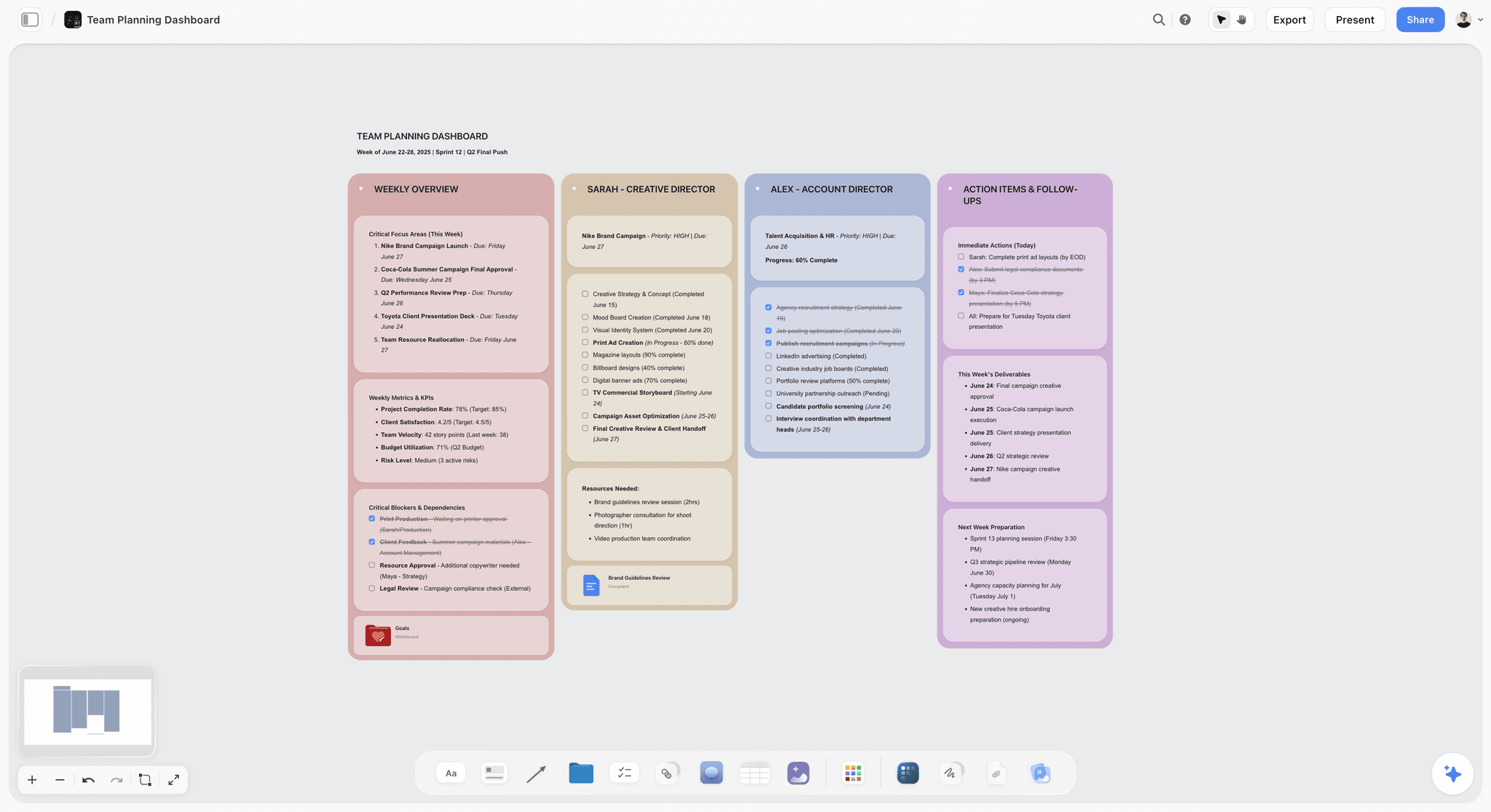
Best for: a pitch deck built from your own material. Put the brief, the research, the numbers and the images on one board, then turn that into a designed deck that presents fullscreen and exports as one PDF.
Storyflow is a visual AI workspace: an infinite canvas where notes, tables, documents, images and charts sit together on boards, with an AI agent that reads the board and builds on it. Storyflow's AI builds the pitch deck from the board itself, so the deck says what your material says. The owner pages for this job are the pitch deck maker and the film pitch deck page.
What Storyflow does for a pitch deck:
- Builds the deck from the board. Storyflow's AI reads the board or the cards you select, asks who the deck is for and what the ask is, shows an outline, then builds every slide.
- Keeps the numbers honest. Storyflow leaves a visible blank for any figure, name or date you did not give and lists the blanks in its reply.
- Designs each slide. Storyflow's slides use set layouts (big number, two-column, timeline, quote and more) with consistent margins, slide numbers and one accent colour across the deck.
- Presents and exports. A Storyflow deck presents fullscreen and exports as one PDF. Any slide can be edited by hand, and the AI adds, removes or reorders slides on request.
- Builds the companions. Storyflow's AI builds a one-pager, slides for a talk, a creative brief or a designed PDF of the board from the same material.
- Holds the thinking. Storyflow has 200+ Tactics, expert creative templates such as AIDA and StoryBrand, that you drag and drop onto the canvas to structure the argument.
- Shares with clients. A Storyflow view-only link opens with no account; a visitor signs in to comment. Real-time collaboration works on every paid plan, and anyone a paid member invites joins free.
- Works from ChatGPT and Claude. Storyflow's MCP connector lets ChatGPT, Claude, Gemini and Grok read your projects and build in them.
Pricing: Storyflow is paid-only today. Plus is $7.99 a month billed annually ($9.99 monthly). Pro is $14 ($19 monthly) and adds AI image generation and memory across conversations. Max is $39 ($49 monthly) with the most AI usage and a Team Workspace. The Free plan launches before the end of 2026, and anyone a paid member invites to a board joins free now. See pricing.
Pros: Storyflow builds the deck from your own material instead of a blank template; the research, the argument and the slides stay on one board; nothing is invented, because missing figures are left blank; a client opens a link with no account or receives one PDF.
Cons: Storyflow has no PowerPoint export, so a recipient who needs an editable file needs PowerPoint, Google Slides or Pitch. Storyflow has no presenter view and no speaker notes; PowerPoint, Keynote and Google Slides do. Storyflow has no viewer analytics; Pitch and Storydoc do. Storyflow's design controls are behind Canva's, and there is no free plan yet.
Verdict: Storyflow is the tool to start with when the deck's content already exists somewhere and has to become slides. If your deck is a film or documentary pitch, see The 12 Best Film Pitch Deck Tools in 2026.
2. Gamma
Gamma generates pitch deck drafts from a prompt or a pasted document, and it is the tool to choose over Storyflow when you have a prompt and no material. Gamma's conversational iteration is the real differentiator: say "make slide 4 punchier" and it rewrites in place, with design themes applied for you. The catch is that Gamma produces a plausible deck before you have decided the argument; unlike Storyflow, it has no board of your research underneath the slides.
Best for: founders who know their argument and want a themed first draft from a prompt, without building a Storyflow board first.
Pricing: See Gamma's pricing page; the page blocked our read on October 11, 2026.
Pros: strong AI generation; conversational edits are quick; themes give a designed look without layout work.
Cons: generated decks feel templated unless edited; the design language is recognisable; the content is only as good as the prompt, where Storyflow builds from your own numbers and notes.
Choose Gamma instead of Storyflow when you are starting from a sentence, not from material, and want something presentable today.
3. Pitch
Pitch is a collaborative presentation tool built around team decks, and it is the tool to choose over Storyflow when you need team templates and viewer analytics. Pitch offers custom templates on every plan, real-time editing, and advanced links on its Team and Business plans that track visits, slide views and time spent. Unlike Storyflow, Pitch assumes the narrative already exists: it speeds up building and presenting, not deciding what the deck says.
Best for: teams that send decks often and need to know who opened them, which Storyflow cannot tell them.
Pricing: Free for up to 5 seats, with unlimited presentations and Pitch branding on exports. Paid plans were shown in euros when its pricing page was loaded on October 11, 2026: Plus €10, Team €15 and Business €20 a month, billed yearly.
Pros: mature real-time collaboration; team templates; link analytics on Team and Business; PowerPoint export on paid plans.
Cons: analytics sit on the higher plans; no research board behind the deck, which is what Storyflow holds; templates lean toward business presentations.
Choose Pitch instead of Storyflow when the deck goes to many inboxes and the follow-up depends on who read what.
4. Beautiful.ai
Beautiful.ai auto-formats every slide to consistent design rules as you add content, and it is the tool to choose over Storyflow when you build slides by hand and want the layout enforced. Its Pro plan lists over 300 Smart Slide layouts, unlimited AI content generation, PowerPoint import and export and viewer analytics; Team adds engagement tracking and slide analytics. Unlike Storyflow, Beautiful.ai starts from a slide, not from your research.
Best for: people without design skills who want clean, consistent slides and an editable PowerPoint export, which Storyflow lacks.
Pricing: Pro is $14.50 a month billed annually. Team is $40 per user a month billed annually ($50 monthly). 14-day free trial; no free plan is listed.
Pros: enforced consistency; PowerPoint import and export with speaker notes; viewer analytics on Pro, slide analytics on Team.
Cons: the formatting engine can override a specific design intent; no free plan; nothing holds the material behind the deck, where Storyflow keeps it on the board.
Choose Beautiful.ai instead of Storyflow when consistent hand-built slides and a .pptx export matter more than building from a board.
5. Canva
Canva is a drag-and-drop design tool with a very large template library, and it is the tool to choose over Storyflow when you want to design every slide by hand. It is the safe default when the argument is in place: pick a template, drop in content, ship. Canva's design and typography controls go further than Storyflow's; unlike Storyflow, Canva does not build the deck from your own research and numbers.
Best for: people who want full design control and a template to start from, instead of a deck Storyflow builds from the board.
Pricing: Canva Free and Canva Pro (see Canva's pricing page; its site blocks automated reads, so no figure is quoted here).
Pros: a free plan; the broadest template library; familiar, flexible design tools.
Cons: heavy template use can read as generic to investors who see dozens of decks a week; the content is typed in by you; no place for the thinking behind the deck, which is where Storyflow starts.
Choose Canva instead of Storyflow when the content is settled and the look is the job.
6. Storydoc
Storydoc makes web-based, personalised sales presentations with engagement analytics, and it is the tool to choose over Storyflow when each prospect gets a tracked deck. A rep can tailor the opening to a named account and then see where attention dropped. Unlike Storyflow, Storydoc is a specialist: its web format departs from the PDF many buyers expect, and it does not hold the account research the deck is built from.
Best for: sales teams who want per-recipient analytics, which Storyflow does not have.
Pricing: Starter is $19.80 a month and Pro is $36 a month, each billed annually ($237.60 and $432 a year), per Storydoc's pricing page.
Pros: personalisation with variables on Pro; analytics on every plan (basic on Starter, extended on Pro); PDF export.
Cons: priced for teams more than individuals; a web-based format; not aimed at investor pitches, where Storyflow's PDF deck fits better.
Choose Storydoc instead of Storyflow when the deck is an outbound sales asset and tracking decides the follow-up.
7. Slidebean
Slidebean focuses on investor-deck templates with a content-first flow that separates writing the deck from styling it, and it is the tool to choose over Storyflow when you want a fundraising template at a low price. Slidebean lets you build for free and charges to share or download. Unlike Storyflow, Slidebean starts from its template, not from your material, so templated investor decks can read as templated.
Best for: first-time founders who want a guided investor template instead of building the deck from a Storyflow board.
Pricing: Starter is $7 a month billed yearly; Accelerate, with support services, is $99 a month. Building is free; sharing and downloading need a paid plan.
Pros: investor-focused templates; content-first flow; low entry price.
Cons: a templated feel works against differentiation; less design flexibility; no research board, which Storyflow provides.
Choose Slidebean instead of Storyflow when you want a standard investor skeleton and have little material yet.
8. Decktopus
Decktopus generates deck drafts from a prompt at an accessible price, and it is the tool to choose over Storyflow when cost matters most and polish matters less. Like the other generators, it produces a finished-looking deck before the argument is settled; unlike Storyflow, it does not build from a board of your own notes and numbers.
Best for: budget-conscious founders who want a prompt-to-deck draft without a Storyflow board behind it.
Pricing: Pro is $9.99 a month billed annually ($119.88 a year) or $24.99 billed monthly. No free plan is listed on its pricing page.
Pros: affordable AI generation; quick first drafts.
Cons: the generated design is recognisable; iteration is less fluid than Gamma's; the content comes from the prompt, where Storyflow uses your material.
Choose Decktopus instead of Storyflow when you want the cheapest prompt-to-deck route.
9. Google Slides
Google Slides is the free collaborative slide tool, and it is the tool to choose over Storyflow when the budget is zero or an investor asks for an editable file. Real-time collaboration works, sharing is frictionless, and it exports to PowerPoint and PDF with speaker notes. Unlike Storyflow, Google Slides gives no help with the content: every slide is typed by hand.
Best for: teams who want free, shared, editable slides with speaker notes, which Storyflow does not offer.
Pricing: Free with a Google account. Google Workspace plans were shown in euros to our check on October 11, 2026, so see Google's pricing page.
Pros: free; mature real-time collaboration; PowerPoint export and speaker notes.
Cons: default templates feel dated; no help assembling the argument, which Storyflow does on the board.
Choose Google Slides instead of Storyflow when cost must be zero or the file must be editable by anyone.
10. PowerPoint with Copilot
PowerPoint is the established slide tool, and it is the tool to choose over Storyflow when the deliverable is a .pptx: consulting decks, investment committee papers and corporate templates all live there. Microsoft 365 Personal lists the PowerPoint desktop app with Microsoft Copilot. Unlike Storyflow, PowerPoint offers presenter view with notes, offline editing and total file compatibility.
Best for: anyone whose reader expects an editable PowerPoint file and presenter notes, neither of which Storyflow provides.
Pricing: Microsoft 365 Personal is $9.99 a month or $99.99 a year, per Microsoft's plan comparison page.
Pros: universal .pptx compatibility; presenter view with notes; offline editing; mature design features.
Cons: every slide is built by hand or from a prompt; no board of research behind the deck, which is what Storyflow adds before the template is opened.
Choose PowerPoint instead of Storyflow when the file format is not negotiable.
11. Keynote
Keynote is Apple's presentation app, and it is the tool to choose over Storyflow when you present live with presenter notes on your own screen. Keynote is free; with an Apple Creator Studio subscription it can generate a slide deck from an outline with presenter notes, a feature Apple marks as beta. Unlike Storyflow, Keynote builds nothing from your research.
Best for: live talks and in-room pitches on Apple devices, with presenter notes that Storyflow lacks.
Pricing: Free. Apple Creator Studio is optional at $12.99 a month or $129 a year.
Pros: polished live playback; presenter notes; free.
Cons: the full app runs on Mac, iPad and iPhone (Keynote for iCloud runs in a browser); design is manual; no help with the argument, where Storyflow starts.
Choose Keynote instead of Storyflow when the pitch is a live performance.
12. Prezi
Prezi pioneered the non-linear presentation, with zooming slides that move across one canvas, and it is the tool to choose over Storyflow when a live talk rewards spectacle. Most investors expect a traditional deck they can flip through and forward, so Prezi suits conference talks more than fundraising. Unlike Storyflow, Prezi's zooming canvas is a presentation format, not a place to build the argument from your material.
Best for: memorable non-linear talks, where a Storyflow PDF deck would be too conventional.
Pricing: See Prezi's pricing page; the page returned no plan text to our read on October 11, 2026.
Pros: a distinctive zooming format; memorable live.
Cons: a learning curve for maker and viewer; most investors expect a standard deck, which Storyflow, Pitch and PowerPoint produce.
Choose Prezi instead of Storyflow when the format itself is part of the pitch.
Pitch Deck Tool Pricing in 2026
Storyflow costs $7.99 a month billed annually, team discounts start from 3 seats, and anyone a paid member invites to a board joins free. Google Slides and Keynote are free, Slidebean and Decktopus are the low-cost generators, and five vendors' prices could not be read in US dollars on October 11, 2026 (Gamma, Canva and Prezi gave no figure; Pitch and Google showed euros), so the table labels or skips those figures.
| Tool | Free option today | Paid price | Billing shape |
|---|---|---|---|
Storyflow | No free plan yet (launches before the end of 2026); invited collaborators join free | Plus $7.99/month billed annually ($9.99 monthly); Pro $14 ($19); Max $39 ($49) | Per member; team discounts from 3 seats; invited collaborators free |
Gamma | Free workspace; exports carry a Gamma badge | See Gamma's pricing page | See vendor |
Pitch | Up to 5 seats, unlimited presentations, branded exports | Plus €10, Team €15, Business €20 a month billed yearly (page showed euros) | Tiered by seats |
Beautiful.ai | 14-day trial, no free plan | Pro $14.50/month billed annually; Team $40/user/month billed annually ($50 monthly) | Per user |
Canva | Canva Free | Canva Pro (see Canva's pricing page) | Per person or team |
Storydoc | Free start (see Storydoc) | Starter $19.80/month, Pro $36/month, billed annually | Per plan |
Slidebean | Build free; pay to share or download | Starter $7/month billed yearly | Per account |
Decktopus | None listed | Pro $9.99/month billed annually; $24.99 monthly | Per account |
Google Slides | Free with a Google account | Google Workspace plans (see Google) | Per user |
PowerPoint with Copilot | See Microsoft | Microsoft 365 Personal $9.99/month or $99.99/year | Per person |
Keynote | Free | Apple Creator Studio $12.99/month or $129/year (optional) | Optional subscription |
Prezi | See Prezi | See Prezi's pricing page | See vendor |
Feature Matrix: How Each Tool Builds, Exports and Tracks a Deck
Storyflow is the row whose first column says the deck is built from your own board, and it is also the row with the plainest gaps: no PowerPoint file, no presenter notes, no analytics. Read the matrix across to find the tool that covers the gap you care about.
| Tool | How the deck gets built | Editable PowerPoint file | Presenter notes | Viewer analytics |
|---|---|---|---|---|
Storyflow | AI builds it from your board after you approve an outline | No (one PDF) | No | No |
Gamma | AI generates it from a prompt or pasted text | Yes (PPTX; badge on Free exports) | Yes (speaker notes) | Pro and above |
Pitch | You, from team templates (AI credits help) | On paid plans | Yes (speaker view) | Team and Business |
Beautiful.ai | You, with auto-formatting and AI generation | Yes (import and export) | Yes (presenter view) | Viewer analytics on Pro; slide analytics on Team |
Canva | You, from templates (AI design features) | Yes (PPTX download) | Yes (presenter view) | Pro and Teams (design insights) |
Storydoc | You, in a web-based editor with AI credits | No (web deck; PDF export) | Not applicable | Yes |
Slidebean | You, from investor templates | Yes (editable PPT export) | Yes (presenter view; not exported) | Yes (presentation tracking) |
Decktopus | AI generates it from a prompt | Yes (PPT on Pro) | Yes (speaker notes) | Business plan |
Google Slides | You, by hand | Yes | Yes | Activity dashboard, work or school accounts only |
PowerPoint with Copilot | You, by hand or with Copilot | Native | Yes | View counts for files in OneDrive or SharePoint on work plans |
Keynote | You, by hand | Yes (PowerPoint compatible) | Yes | No |
Prezi | You, on a zooming canvas | Yes (PPTX download) | Yes (presenter view) | Yes (tracked links) |
The rival cells come from each vendor's own help center or pricing page, read on October 11, 2026: Gamma export and Gamma analytics, Pitch speaker view, Beautiful.ai presenter view, Canva design insights, Slidebean presentation tracking, Decktopus pricing, Prezi sharing and download, Google's Activity dashboard and Keynote export to PowerPoint.
The Ten Slides a Pitch Deck Needs
A standard investor pitch deck has about ten slides: problem, solution, product, market size, business model, traction, competition, go-to-market, team and the ask. Keep one card per slide on a Storyflow board, and the outline the AI shows you is those ten lines, in your words.
| Slide | The question it answers | What goes on it | Where it comes from on the board |
|---|---|---|---|
1. Problem | What hurts, and for whom? | One sentence and one piece of evidence | Customer notes, research cards |
2. Solution | What do you do about it? | The product in one line | Your positioning note |
3. Product | Does it exist? | A screenshot or a short demo flow | Images on the board |
4. Market size | How big can this get? | One sourced figure, not three | A research card with its source |
5. Business model | How do you make money? | Price, unit, who pays | A table |
6. Traction | Is it working? | One chart and the number that matters | A chart or a table of your metrics |
7. Competition | Why you? | An honest comparison | A comparison table |
8. Go-to-market | How do you reach buyers? | Channels and the next 12 months | A plan or a timeline |
9. Team | Can you deliver? | Names, roles, relevant credits | People cards |
10. The ask | What do you want? | One named amount or step, with a date | Your ask note |
Sales decks reorder this around the buyer's problem and your proof, and run shorter, often five to eight slides. An agency pitch swaps market and traction for "our read" and "the idea". The order and the emphasis matter more than the count, and deciding them is the work Storyflow's board is for. For the fundamentals, see What is a Pitch Deck? The Complete Guide.
A Worked Example: An Agency New-Business Deck From a Brief
This example is invented for illustration: a four-person agency answering a brief from a regional coffee chain, building the pitch on one Storyflow board.
The board. The client brief as an attached PDF; 9 research cards (three with web sources the AI found); a table of three past projects with results; 8 images of earlier work; a note with the idea in two sentences; a note with the fee range and the start date.
The request. "A pitch deck from this board." Storyflow's AI asks four things: who the deck is for (the client's marketing director), the ask (a paid discovery sprint starting in November), the shape (16:9) and the pictures (the board's own images).
The outline it shows, edited. 1. Cover: client, project, agency, date. 2. Who we are, in one line and three proofs. 3. The problem, in the client's words from the brief. 4. Our read: what the problem is really about. 5. The idea, one sentence, large. 6. How it works. 7. Proof: the three projects from the table. 8. Team. 9. Timeline and investment. 10. The ask. The agency cuts slide 2 to make room for a second proof slide and pastes the outline back.
The result. Ten slides on the board. The investment slide shows the fee range from the note; the team slide carries a blank where one name was missing, and the AI's reply says so. The agency fills the blank, edits one headline by hand, presents fullscreen on the call and sends one PDF afterwards.
What the agency still did. The idea. Two sentences in a note, written by a person. Storyflow built the deck around them.
Pitch Deck Tools That Work From ChatGPT and Claude
Storyflow works from inside ChatGPT and Claude: its MCP connector lets Claude, ChatGPT, Gemini and Grok read your Storyflow projects and build boards and documents in them. If you already talk a pitch through in a chat, the argument can land on a board and become a deck there.
- From the chat to the board. Ask the assistant to put the problem, the proof points and the open questions on your Storyflow board as cards.
- From the board to feedback. Ask it to read the board and say which of the ten slides has nothing behind it yet.
- From the board to the deck. Open the board and pick "A pitch deck from this board"; the material the chat put there is what the slides are built from.
Setup is on the MCP page. For the chat-first workflow, see the ChatGPT pitch deck page.
Free vs Paid Pitch Deck Tools
Google Slides and Keynote are free, and Canva, Pitch and Slidebean have free plans, so a first deck can cost nothing. Storyflow is paid, from $7.99 a month billed annually, and what the money buys is the AI building the deck from your board instead of you retyping it.
| Tool | What is free today | What paying adds |
|---|---|---|
Storyflow | Nothing self-serve yet; anyone a paid member invites to a board joins free | AI that builds the board and the deck; unlimited projects, images and files on Plus; AI image generation and memory on Pro |
Google Slides | Everything most decks need | Workspace features for organisations |
Keynote | The whole app | Apple Creator Studio's AI and premium templates |
Canva | Canva Free: templates and design tools | Canva Pro (see Canva's pricing page) |
Pitch | Up to 5 seats, unlimited presentations, Pitch branding on exports | Unbranded exports and custom fonts; analytics on Team and Business |
Slidebean | Building a deck | Sharing and downloading it |
When free is enough. One deck, a settled argument, and time to lay out slides: Google Slides or Canva Free does the job.
When paying pays off. When the material is scattered and the deck is due, or when you build decks every month. That is where a Storyflow plan earns its price: the content is gathered once and the slides are built from it.
What Happened to Tome, and Which Alternatives to Pick
Tome no longer offers its presentation product: its founders stopped it to build Lightfield, a CRM (VentureBeat, November 2025), several presentation vendors date the shutdown to April 30, 2025, and tome.app did not load when we checked on October 11, 2026. If you came here for a Tome alternative, Storyflow is our pick when you have material to build from, and Gamma is the closest prompt-to-deck replacement.
Alternatives to Pitch. If Pitch's per-seat plans or business-leaning templates do not fit, the alternatives depend on what you used it for: Storyflow to build the deck from your own material, Google Slides for free collaboration, Beautiful.ai for consistent design with viewer analytics, and Canva for design control.
Alternatives to Slidebean. For a guided investor deck, Storyflow builds the slides from your own numbers and story; Gamma drafts from a prompt; Canva and Google Slides offer free investor templates you fill in by hand.
PitchEngine is a different kind of tool. PitchEngine is a press release and brand news publishing platform, not a slide tool. If you want an alternative for publishing announcements, this list will not help; if you were looking for a tool to build a pitch deck, start with Storyflow.
How to Choose the Right Pitch Deck Tool for Your Work
Start with where the deck's content lives. If it exists (a brief, numbers, research), put it on a Storyflow board and have the deck built from it. If it does not exist yet, write the argument first, then choose by the constraint that matters most: file format, analytics, design control or price.
- The content exists and needs to become slides: Storyflow.
- You have only a prompt: Gamma, then edit hard.
- The recipient needs an editable .pptx: PowerPoint, Google Slides or Pitch on a paid plan.
- You present live with notes: PowerPoint, Keynote or Google Slides.
- You need to know who read it: Pitch on Team or Business, or Storydoc.
- Design is the point: Canva, or Beautiful.ai for enforced consistency.
- The budget is zero: Google Slides or Canva Free.
The Target Audience template pins down who the deck argues to before you write a slide. For broader comparisons, see The 12 Best AI Tools for Solopreneurs in 2026 and The 12 Best Canva Alternatives in 2026.
Prices and Sources Checked October 11, 2026
Every competitor price in this guide comes from the vendor's own page, read on October 11, 2026. Where a page blocked the read, returned no plan text or showed no US dollar figure, the guide says so.
| Vendor | What we read | Source |
|---|---|---|
Storyflow | Plus $7.99/month billed annually ($9.99 monthly); Pro $14 ($19); Max $39 ($49) | |
Gamma | Page blocked the read; no figure quoted | |
Pitch | Free up to 5 seats; Plus €10, Team €15, Business €20 a month billed yearly; advanced links with analytics on Team and Business | |
Beautiful.ai | Pro $14.50/month billed annually; Team $40/user/month annually, $50 monthly; 14-day trial; no free plan listed | |
Canva | Site blocks automated reads; no figure quoted | |
Storydoc | Starter $19.80/month (billed annually $237.60); Pro $36/month (billed annually $432) | |
Slidebean | Starter $7/month billed yearly; Accelerate $99/month; free to build | |
Decktopus | Pro $9.99/month billed annually ($119.88 a year); $24.99 monthly | |
Google Slides | Free with a Google account; Workspace prices shown in euros, not quoted | |
Microsoft 365 | Personal $9.99/month or $99.99/year, listing PowerPoint with Microsoft Copilot | |
Keynote | Free; Apple Creator Studio $12.99/month or $129/year, outline-to-slides in beta | |
Prezi | Pricing page returned no plan text; no figure quoted | |
Tome | tome.app did not resolve; founders' move to Lightfield reported by VentureBeat |
Each Storyflow timing for notes, a PDF into tables or a pitch PDF built from a board is the agent time of one recorded run, rounded up; the deck (slides) figure is our estimate and was never measured. The by-hand figures are our estimates at 1.5 minutes per card or row and 30 minutes per page or slide.
The Bottom Line
Storyflow is the best pitch deck tool in 2026 for the deck most people have to make: one whose content already exists in notes, numbers and a brief. Put it on one board and the slides are built from it, presented fullscreen and sent as one PDF. Start on the pitch deck maker page.
Gamma remains the pick for a themed draft from a prompt, Pitch for team templates and analytics, Canva for hand design control, and PowerPoint when the file has to be a .pptx with presenter notes.
Underneath every choice sits the framework: you are always building two decks, the one you think in and the one you send. The wrong move is polishing the second before the first holds.
FAQ: Best Pitch Deck Tools 2026
What is the best pitch deck tool in 2026?
Storyflow. It builds the deck from your own material: put the brief, research, numbers and images on one board and its AI builds the slides, which present fullscreen and export as one PDF. Choose Gamma for a deck generated from a prompt, Pitch for team templates and viewer analytics, and Canva for hand design control. Storyflow has no PowerPoint export and no presenter notes.
What is the best pitch deck software?
Storyflow, when the software should build the deck from what you already have instead of handing you a blank template. For a .pptx deliverable the best pitch deck software is still PowerPoint, for a prompt-only draft it is Gamma, and for a team that needs analytics it is Pitch.
What is the best tool for creating pitch decks?
Storyflow. Creating a pitch deck is mostly deciding what each slide says, and Storyflow keeps the argument, the evidence and the slides on one board, then builds the deck from them. Gamma creates a draft from a prompt, and Canva gives the most design control once the content exists.
What is the best AI pitch deck generator?
Storyflow, when the AI should work from your material: it reads your board, shows an outline and builds the slides, leaving any figure you did not give as a visible blank. Gamma is the leading generator from a prompt alone, with conversational editing and themes. Decktopus is the low-cost generator, and PowerPoint's Copilot adds AI inside the .pptx format.
What AI makes the most compelling pitch decks?
The AI that works from your real numbers and story. Storyflow's AI builds the deck from the board you filled, so the slides say what your material says. Prompt-only generators such as Gamma produce a polished deck quickly, and the result is only as compelling as the prompt. No AI should choose your ask.
What is the best tool for pitch deck templates?
Storyflow, when you want the template filled in: its pitch deck outline is ten slides built from your board, and 200+ Tactics such as AIDA and StoryBrand structure the argument. Canva has the broadest template library to fill by hand, Slidebean focuses on investor templates, and Beautiful.ai lists over 300 Smart Slide layouts.
What tool works best for investor presentations?
Storyflow, for building the investor deck from your own metrics, research and story, with unknown numbers left blank instead of invented. Send it as one PDF. If an investor asks for an editable file or you present with notes, add PowerPoint, Google Slides or Keynote.
What is the best tool for building marketing decks?
Storyflow. A marketing or campaign deck is built from a brief, an audience and references, and Storyflow keeps those on the board the deck is built from. Add Canva when a brand's typography has to be exact, since Canva's design controls go further.
What are the best tools for agency new business pitch decks?
Storyflow first: its default pitch outline is the agency shape (who we are, the client's problem, our read, the idea, how it works, proof, team, timeline and investment, the ask), built from your board. Canva is the pick for hand design, and Pitch when you want to see whether the client opened the deck.
What is the best pitch deck software for consultants?
PowerPoint, when the client expects an editable .pptx in their own template, which is most consulting work. Storyflow is the tool for the stage before it: settling the storyline and the evidence on one board, and building a first deck or a PDF read-ahead from it.
What is the best presentation software for teams?
Storyflow for teams that build decks from shared material: real-time collaboration on every paid plan, with invited collaborators joining free. Pitch is the strongest for team templates and analytics, and Google Slides is the free option every teammate already knows.
Is there a free pitch deck maker?
Yes. Google Slides and Keynote are free, Canva has a free plan, Pitch is free for up to 5 seats, and Slidebean lets you build for free and pay to share or download. Storyflow is not free today; its Free plan launches before the end of 2026.
What should a pitch deck include?
A standard investor pitch deck includes about ten slides: problem, solution, product, market size, business model, traction, competition, go-to-market, team and the ask. Sales decks reorder this around the buyer's problem and your proof. Keep one card per slide on a Storyflow board and the deck is built in that order.
How many slides should a pitch deck be?
Ten to twelve slides is the widely used target for investor pitches, each slide carrying one idea. Fewer than eight usually means something is missing; more than fifteen usually means the argument has not been cut down. Sales decks run shorter, often five to eight. Storyflow's default outline is ten.
What is the best pitch deck tool for sales?
Storyflow to build each account's deck from its own research, and Storydoc or Pitch to track it. Storydoc's web-based decks report engagement per recipient; Pitch's advanced links track visits, slide views and time spent on its Team and Business plans. Storyflow has no viewer analytics.
Can AI write my pitch deck for me?
Yes, as a first draft. Storyflow's AI builds the deck from your board and Gamma drafts one from a prompt. What AI does not do well is the judgment: which slides, in what order, with what specific claim about your company. Put that on the board yourself, and let the AI build the slides around it.
Can Storyflow export a pitch deck to PowerPoint?
No. Storyflow exports a deck as one PDF and presents it fullscreen. For an editable PowerPoint file, use PowerPoint, Google Slides, Pitch on a paid plan or Beautiful.ai.
Does Storyflow have presenter notes or viewer analytics?
No. Storyflow has no presenter view, no speaker notes and no viewer analytics. PowerPoint, Keynote and Google Slides have presenter notes; Pitch (Team and Business), Storydoc, Beautiful.ai and Gamma (Pro and above) have analytics.
Can I build a pitch deck from ChatGPT or Claude?
Yes. Storyflow's MCP connector lets ChatGPT, Claude, Gemini and Grok read your Storyflow projects and build boards and documents in them, so the argument you worked out in a chat lands on a board the deck is built from. Setup is on storyflow.so/mcp.
Is Storyflow free?
Not today. Storyflow is paid-only: Plus is $7.99 a month billed annually or $9.99 monthly. The Free plan launches before the end of 2026, and anyone a paid member invites to a board joins free now.
What happened to Tome?
Tome no longer offers its presentation product. Its founders stopped it to build Lightfield, a CRM, as VentureBeat reported in November 2025; several presentation vendors date the shutdown to April 30, 2025, and tome.app did not load when we checked on October 11, 2026. Storyflow is our pick for a deck built from your own material, and Gamma is the closest prompt-to-deck replacement.
How long does it take to build a pitch deck?
The argument takes as long as it takes. The building in Storyflow is one request, four questions and an outline you approve; we have no recorded run for a deck, so we publish no timing for it here. Leave time to fill the blanks and check every number.
Table of Contents
- Quick Picks: Best Pitch Deck Tools 2026 by Use Case
- Which Pitch Deck Tool Should You Use?
- All 12 Pitch Deck and Slide Deck Tools in 2026, Ranked
- Comparison Table: Best Pitch Deck Tools 2026
- Frequently Asked: Which Pitch Deck Tools Are Top Rated, Reliable and Best Value
- The Two Decks: The Framework That Decides Which Tool You Need
- Best Pitch Deck Tool by Deck Type: Investor, Sales, Agency, Marketing and Board
- How to Build a Pitch Deck in Storyflow, Step by Step
- What It Takes by Hand vs in Storyflow
- How We Evaluated the Best Pitch Deck Tools 2026
- Detailed Reviews: Best Pitch Deck Tools 2026
- Pitch Deck Tool Pricing in 2026
- Feature Matrix: How Each Tool Builds, Exports and Tracks a Deck
- The Ten Slides a Pitch Deck Needs
- A Worked Example: An Agency New-Business Deck From a Brief
- Pitch Deck Tools That Work From ChatGPT and Claude
- Free vs Paid Pitch Deck Tools
- What Happened to Tome, and Which Alternatives to Pick
- How to Choose the Right Pitch Deck Tool for Your Work
- Prices and Sources Checked October 11, 2026
- The Bottom Line
- Author
- FAQ: Best Pitch Deck Tools 2026
- Related Reading
Templates to check out for this topic


Templates you can use in Storyflow
Every Storyflow board starts from real structure and an AI that reads the whole canvas. Open one of these templates and make it yours.


See Storyflow in Action
A visual AI workspace where every feature lives inside one canvas. No tab-switching, no context lost.
Build your entire board from a single message
Type what you need in the AI chat at the bottom of your canvas. The AI adds cards, headings, and structure directly onto your board.
Use expert frameworks as AI context
Type @ in the AI chat and choose any Tactic. The AI tailors every response to that framework instead of giving generic advice.
Turn your board into a mind map in seconds
Ask the AI to restructure your canvas as a mindmap. It connects your ideas into a visual hierarchy so you can see how everything relates.
Why Storyflow Exists
Storyflow actually began as a personal tool while working on creative and research projects.
We kept running into the same problem: ideas were scattered everywhere: notes, documents, and whiteboards.
Nothing helped us see how everything connected.
So we started building a workspace designed around how ideas actually grow.
→ Read how Storyflow was createdJustkay
Documentary Filmmaker & Founder at Storyflow
Published: 2026-05-14
Extremely simple, seriously capable


See how easy it is to get started
Watch a real project come together, from a blank board to a finished plan, clicked through step by step.
Start creating with AI and become more productive
Transform your creative workflow with AI-powered tools. Generate ideas, create content, and boost your productivity in minutes instead of hours.