
Extremely clear strategy, zero busywork
Make the pitch deck from your board
with ChatGPT, in one conversation.
For founders: ChatGPT reads the plan on your Storyflow board and builds the deck right beside it, ready to present or export as a PDF.


Creatives working for these brands already got early access
- Red Bull
- Canon
- Artlist
- Porsche
See how easy it is to get started
Watch a real project come together, from a blank board to a finished plan, clicked through step by step.
Start from a ready-made template
Pick a board to see what you can build, then let AI fill it in. Every template is a real, editable starting point on the same infinite canvas.

Marketing Plan
Lay out your goals, channels, and initiatives for the quarter on one board.
Can ChatGPT make a pitch deck?
Yes. ChatGPT can write a pitch deck from your notes, slide by slide, and can even hand you a slide file to download, but it only knows what you paste into the chat, and the deck ends up in your downloads, apart from the plan it came from. Storyflow is an AI visual workspace that turns a plan into a pitch deck on one infinite canvas: the plan, the numbers, the references and the deck itself, side by side. Connected to Storyflow, ChatGPT reads your board first, then builds the deck on that same board, using its own model, so it costs you no Storyflow AI credits.
Here is what ChatGPT does well on its own. Give it your notes and it finds the story: what the problem is, why now, why you. It cuts a twelve-slide draft to ten, rewrites a headline five ways, and asks the questions an investor will ask. Where it struggles is context. It has not seen your customer interviews, your launch plan or the numbers your co-founder updated yesterday, unless you paste all of it in again. And once the deck is a file, every change means a new file.
Connect ChatGPT to Storyflow and it starts from the board. It reads the cards, the documents and the tables already there, then builds the deck as one element on the board: up to 30 slides, at 16:9, 4:3 or A4 portrait, under one theme of four colours and a font. Change the theme and every slide changes with it. Ask for a new slide after slide 4, ask to drop the competition slide, or ask to move traction up front, and ChatGPT adds, removes or reorders the slides of the deck that is already there instead of building a second one. You edit the words on any slide by hand, present the deck fullscreen, or export it as a PDF from Storyflow.
A ten-slide seed deck you can copy without signing up. 1: one line on what you do. 2: the problem, with one real customer quote. 3: what you built. 4: why now. 5: the market, worked out from the bottom up, for example 40,000 independent agencies paying $1,200 a year is a $48 million market you can reach. 6: the product, three screenshots. 7: traction, for example $18,000 a month in revenue, up 12% a month for six months. 8: how you make money. 9: the team. 10: the ask, for example $1.5 million for 18 months, spent 60% on product, 25% on sales and 15% on running the company. Every number on a slide should also be on the board, so you can show where it came from.
The deck is only as good as the board it reads. Before you ask for slides, put the plan on the board: the customer problem in your own words, the notes from your interviews, the numbers in a table, the screenshots of the product. Then ask ChatGPT to build the deck from that board. Because the deck lands next to its sources, an investor question in the meeting ("where does the 12% come from?") has an answer one scroll away. For film producers the same works for a project pitch: logline, synopsis, tone, characters, the films it is like, the team and the budget.
Pictures start as empty spaces on each slide. Storyflow does not make pictures over the connector, so you add your own screenshots and photos to the slides in Storyflow. The deck has no animations or slide transitions, and Storyflow does not save it as a PowerPoint file. The same connector works with Claude, Gemini and Grok, so a co-founder who prefers Claude can add slides to the same deck.
Ultra fast from brief to board
From board to deck in four moves.
The slow part is putting the plan on the board. The deck itself takes one message.
01
Connect ChatGPT to Storyflow once
In ChatGPT on the web, open Settings, then Security and login, and turn on Developer mode. Go to chatgpt.com/plugins, click the plus button, name it Storyflow, choose Public endpoint, paste https://mcp.storyflow.so/mcp and create it. Sign in to Storyflow when asked.
02
Put the plan on the board
Notes on the problem, interview quotes, the numbers in a table, product screenshots. If you already plan in Storyflow, this part is done. If not, ask ChatGPT to turn your notes into a board first. The table of numbers matters most: revenue by month, customers, the raise.
03
Ask for the deck
Tell ChatGPT how many slides, the size and the colours. For example: "Read the Launch board and build a ten-slide seed deck on it, 16:9, navy and white." The deck appears on the board beside the plan.
04
Tighten it, then present
Ask ChatGPT to add, cut or reorder slides, or change the theme. Fix any words by hand. Then present it fullscreen from the board, or export a PDF to send before the meeting.
The plan, the numbers and the deck, in one place.
ChatGPT writes the slides. Storyflow keeps them next to everything they came from.
On the board
A deck that lives beside its plan
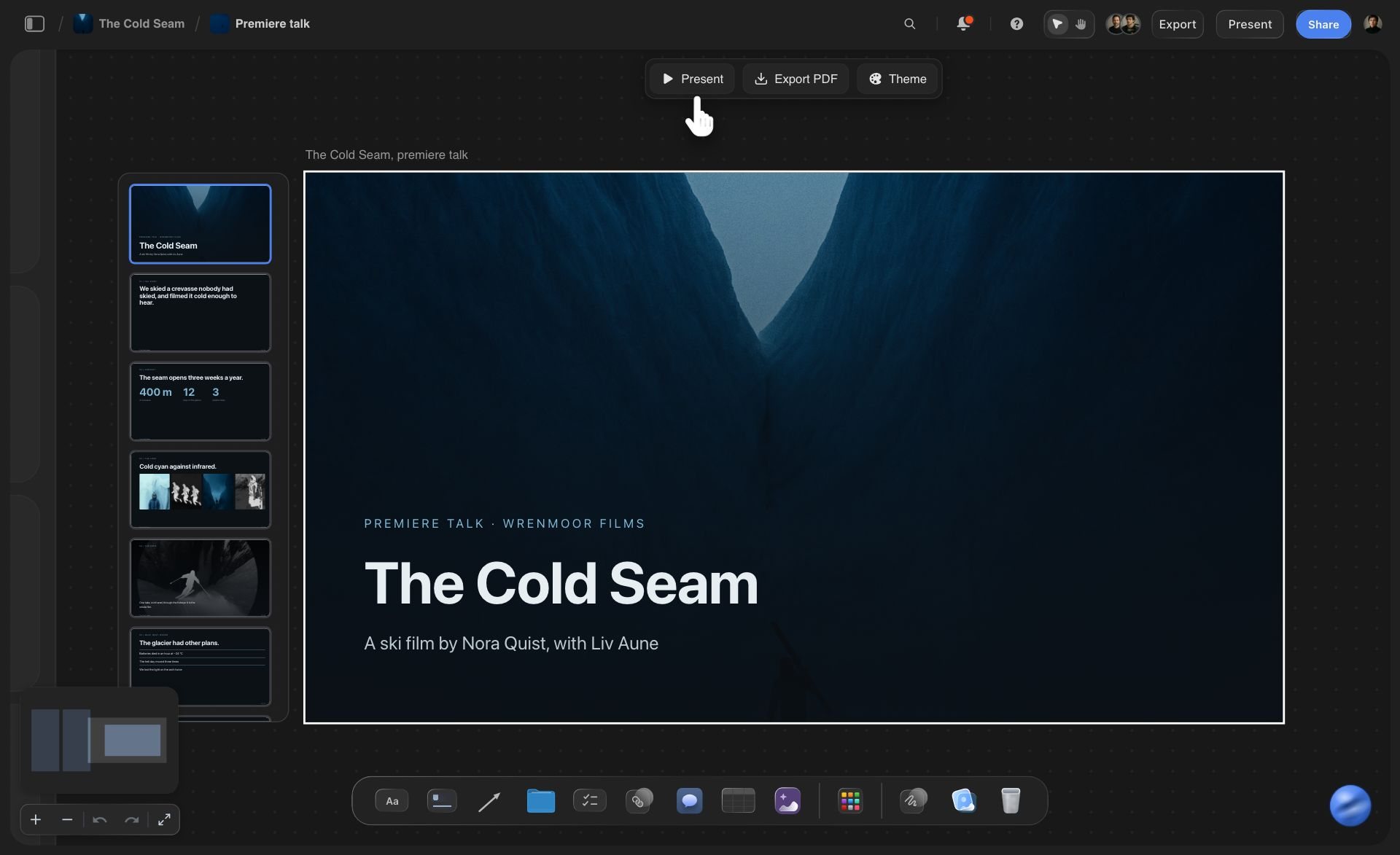
The deck is one element on the board with its slides listed down the side. Present it fullscreen, export a PDF, or change the theme from the buttons above it. The list down the side shows every slide at once, so you can see the shape of the story before you read a word of it.
See the pitch deck maker →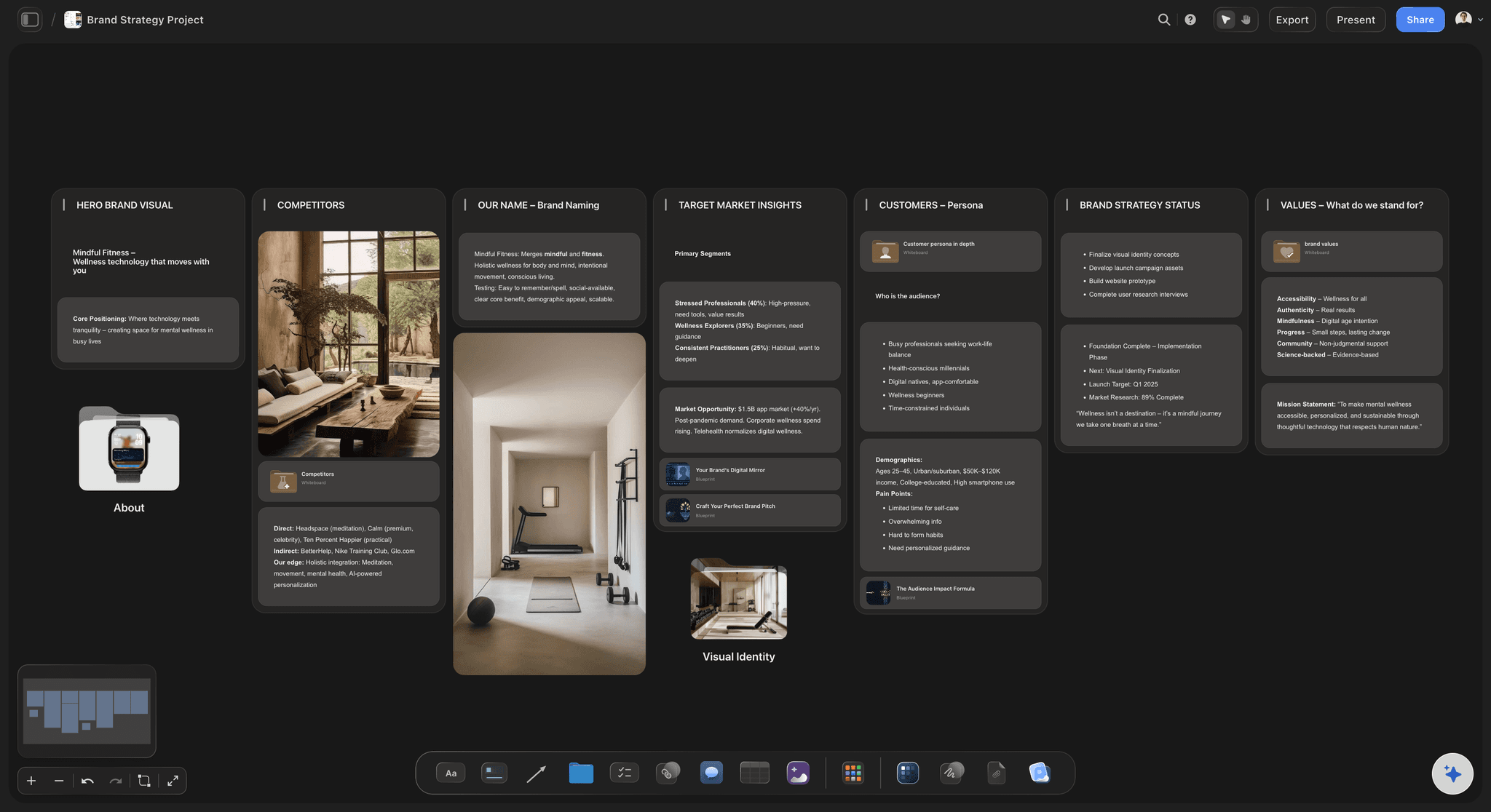
The source
A board that holds the story first
Positioning, customers, competitors and values as columns on one board. ChatGPT reads them before it writes a slide, so the deck says what the plan says. Keep a column for the questions you expect investors to ask, and ask ChatGPT to answer them on the closing slides.
See the seed round deck →
The roadmap slide
Phases and tasks the deck can point to
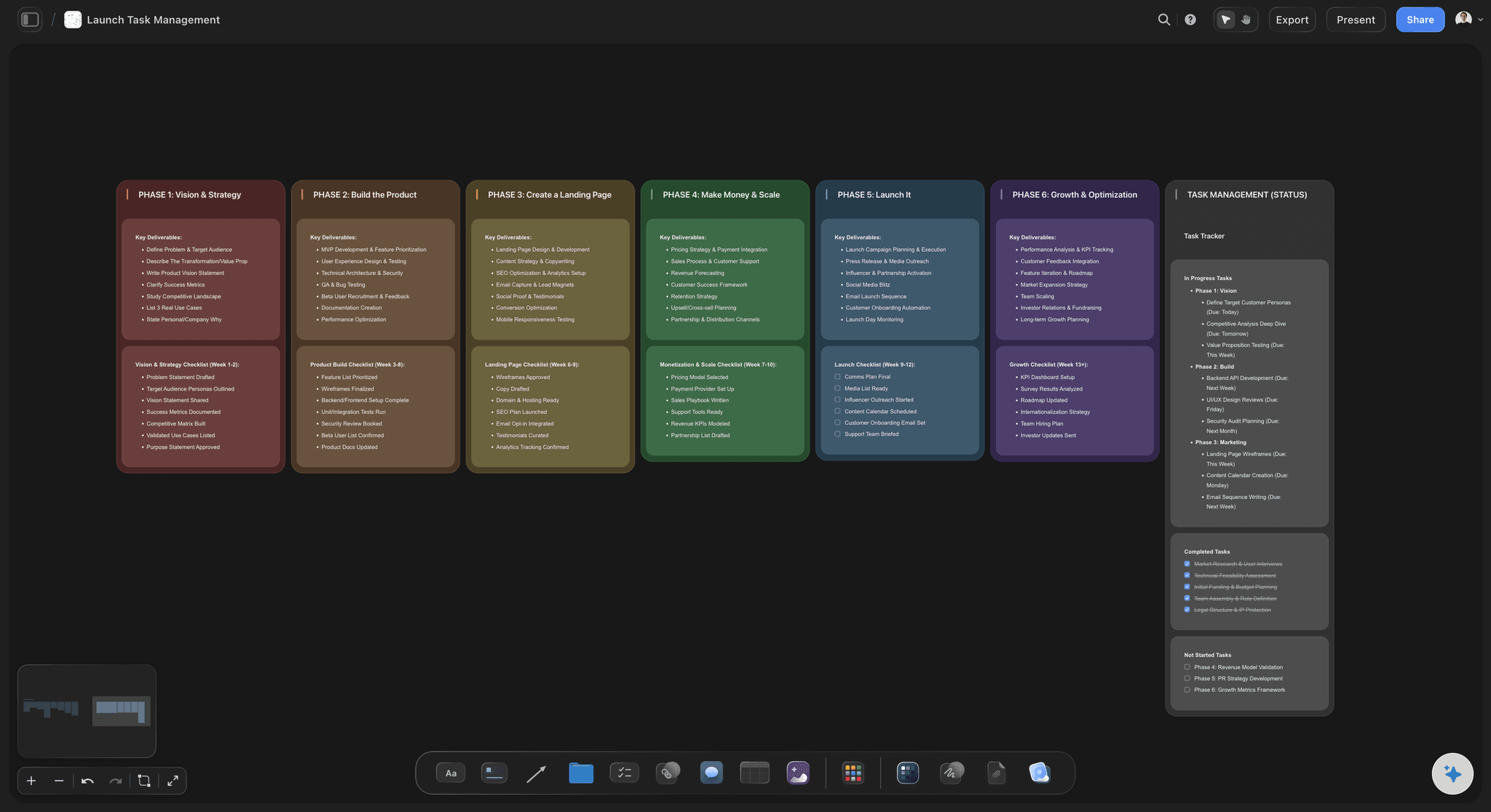
A launch plan broken into phases with a checklist in each. Ask ChatGPT to turn it into the roadmap slide, and the plan stays on the board for the questions after. Each phase keeps its own deliverables, so the slide only shows dates you can defend.
See the launch roadmap →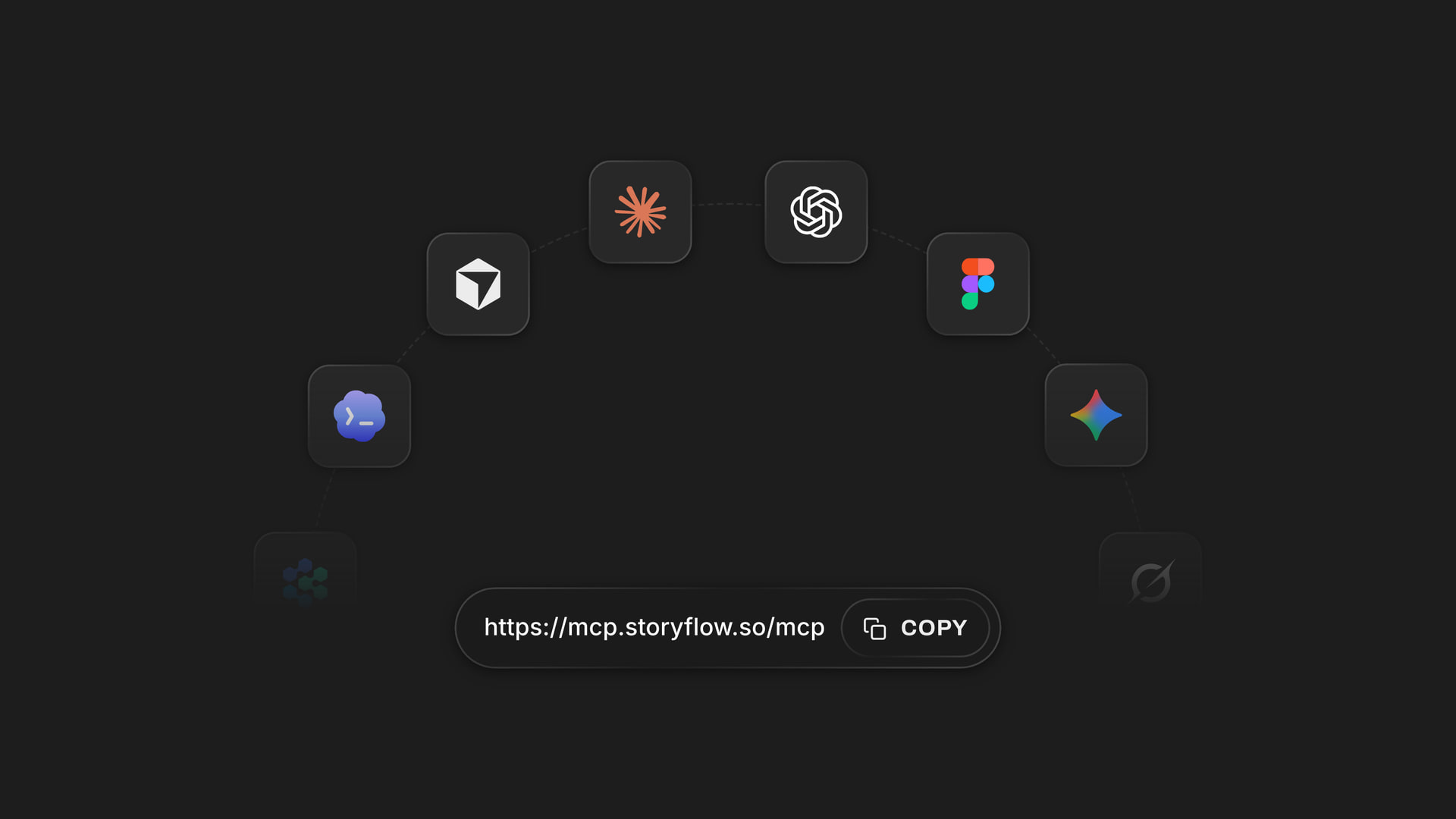
Any assistant
One address for ChatGPT, Claude, Gemini and Grok
Storyflow's MCP server is one web address. Add it to ChatGPT, Claude, Gemini or Grok, sign in, and choose which projects each one may use and whether it may change them.
See how to connect your assistant →ChatGPT builds the deck. Your Storyflow plan does not pay for it.
ChatGPT runs on its own model, so the slides it builds on your board use no Storyflow AI credits. A free account (today, one invited by a paid member) gets 50 actions a week from its assistant, and Plus, Pro and Max have no limit. Storyflow is paid-only during early access, with plans from $7.99 a month billed annually ($9.99 monthly). A free plan launches before the end of 2026, and anyone a paid member invites to a board joins free.
No Storyflow AI credits spent on anything ChatGPT builds
No limit on connector actions on Plus, Pro and Max
Invite your co-founder or adviser to the board free
Present fullscreen or export the deck as a PDF
Choose which projects ChatGPT may see, and whether it may change them

Built for people with taste
Where a deck made in a chat goes wrong.
ChatGPT can write a good deck. It cannot see your plan unless you show it, and the file it hands you is already out of date.
The context
Pasting your whole company into a chat
It reads the board: ChatGPT reads the cards, documents and tables on the board you name. Your interview notes and your numbers are already there, so you do not paste them in again.
Files it can read: A PDF, Word file, spreadsheet or CSV already on the board can be read too. Your last investor update or your financial model can feed this deck.
Numbers with a source: The traction slide says $18,000 a month because the table on the board says it. When the table changes, fix the number on the slide by hand, or ask ChatGPT to replace that slide.
Ask what changed: Before the meeting, ask ChatGPT what changed on the board this week and who changed it, so the deck does not miss your co-founder's new numbers.
The edits
Version nine of the same file
One deck, changed in place: Ask to add a slide after slide 4, drop the competition slide or move traction up. ChatGPT changes the deck that is there instead of making a new one.
One theme for every slide: The deck has one set of four colours and a font. Change it once and every slide follows, so no slide is left in last week's colours.
Three sizes: Build at 16:9 for a screen, 4:3 for older projectors, or A4 portrait for a deck that will be read rather than presented. Change the size later and each slide keeps its layout, fitted into the new shape.
Words by hand when you want: Fix a headline yourself on the slide. ChatGPT is for the big moves: a new slide, a new order, a new theme. You are for the last word on each one.
The meeting
The deck in one app, the answers in another
Present from the board: Step through the deck fullscreen from the same board that holds the plan. When an investor asks how you got a number, close the deck and show them the table it came from. There is nothing to export first.
A PDF for the follow-up: Export the deck as a PDF from Storyflow and attach it to the follow-up email. ChatGPT does not export it for you.
A link for advisers: Send a view-only link to an adviser before the meeting. It opens in any browser without an account, and they see the deck and the plan behind it together.
Your co-founder's assistant too: You use ChatGPT, your co-founder uses Claude. Both connect to the same Storyflow project and work on the same deck.
Explore templates for your project
Every template opens as a real, editable board on the infinite canvas. Pick the closest fit and make it your own.
Marketing Plan
Lay out your goals, channels, and initiatives for the quarter on one board.
One app instead of five
Where Storyflow fits in a deck made with ChatGPT.
It builds the deck where the plan is. It does not animate slides or save a PowerPoint file, which PowerPoint, Keynote and Google Slides still do.
Storyflow with ChatGPT
Recommended
Writes the slides from your plan
Reads your board before it writes
Deck sits beside the plan it came from
One theme change restyles every slide
Present fullscreen from the same place
Teammates edit the same deck
Animations and slide transitions
Saves a .pptx file
ChatGPT on its own
Writes the slides from your plan
Reads your board before it writes
Deck sits beside the plan it came from
One theme change restyles every slide
Present fullscreen from the same place
Teammates edit the same deck
Animations and slide transitions
Saves a .pptx file
PowerPoint, Keynote or Google Slides
Writes the slides from your plan
Reads your board before it writes
Deck sits beside the plan it came from
One theme change restyles every slide
Present fullscreen from the same place
Teammates edit the same deck
Animations and slide transitions
Saves a .pptx file
What creators are saying
Join early creators getting structured workspaces and AI that remembers their projects
“Storyflow has sped up my workflow by at least 3x, which means more flow state and more projects I can actually ship. It truly changed the way me and my team create.”

Reilin Joey
Director & YouTuber
“One prompt gets me a structured board. But the tactics are my favorite. I run my YouTube scripts through them and my intros and retention got better. It's amazing.”

Justkay
YouTuber & Freelance Filmmaker
“I used to juggle five apps to plan a project. Now I describe what I am making and get boards, lists, and a schedule. All in one place.”

George
@fernwehchronicles
Pitch decks with ChatGPT: questions
What founders ask before they let ChatGPT build the deck.
In Storyflow, yes, and the deck lands on the board beside the plan it came from. Connect ChatGPT to Storyflow, put your notes and numbers on a board, and ask for the deck. ChatGPT reads the board and builds up to 30 slides under one theme. You present it fullscreen or export a PDF from Storyflow.
Storyflow suits this job well because the deck is built from your plan, not from what you remember to paste: your assistant reads the board, builds the slides on it under one theme, and changes the same deck when you ask. It works with ChatGPT, Claude, Gemini and Grok. PowerPoint, Keynote or Google Slides still do animations and the .pptx file some investors ask for.
Ten slides cover most seed rounds: what you do in one line, the problem, what you built, why now, the market, the product, traction, how you make money, the team and the ask. Put a number on every slide where one exists. In Storyflow, keep those numbers in a table on the board so ChatGPT can build the deck from them.
Without a connector ChatGPT still writes a good deck outline and can hand you a slide file to download. It only knows what you paste into the chat, and every change means a new file. Connected to Storyflow, it reads your board first and builds the deck there, where it can change it again later.
In ChatGPT on the web, open Settings, then Security and login, and turn on Developer mode. Go to chatgpt.com/plugins and click the plus button. Name it Storyflow, choose Public endpoint, paste https://mcp.storyflow.so/mcp and create it, then sign in to Storyflow. It needs ChatGPT Plus, Pro, Business, Enterprise or Edu. On Business and Enterprise an admin turns on Developer mode.
Yes. Ask ChatGPT to add slides at a position, remove slides, put them in a new order, or change the deck's title, size or theme. It changes the deck already on your Storyflow board instead of building a second one. To change the words on one slide, edit it by hand in Storyflow, or ask ChatGPT to replace that slide.
Yes, from Storyflow. Open the deck on the board and export it as a PDF, or present it fullscreen. ChatGPT does not export it for you over the connector. Storyflow does not save a PowerPoint file, so if an investor needs .pptx, rebuild the final version in PowerPoint or Google Slides.
No. Storyflow does not make pictures over the connector, so each slide's picture spaces start empty. Add your own product screenshots and photos to the slides in Storyflow. If ChatGPT found reference pictures on the web, it can put those on the board for you, and Storyflow keeps its own copy.
No. ChatGPT runs on its own model, so what it builds over the connector uses no Storyflow AI credits. A free Storyflow account (today, one invited by a paid member) gets 50 actions a week from its assistant, and every read and every change counts as one. The count resets every Monday (UTC). Plus, Pro and Max have no limit.
Yes. Storyflow's MCP server is one address, https://mcp.storyflow.so/mcp. In Claude, add it under Customize, then Connectors. In Gemini, use Settings, then Connected Apps; gemini's custom apps need a personal Google account with Keep Activity on, in the US, for people 18 or over, in English. In Grok, add a custom connector at grok.com/connectors. On Grok Business and Enterprise, a team admin adds it in the xAI console first. Each one can change the same deck.
Yes. Put the logline, synopsis, tone references, characters, comparable films, team and budget on a Storyflow board, then ask ChatGPT for a pitch deck from it. Choose 16:9 for a screen or A4 portrait for a deck that will be read. Add your own stills to the empty picture spaces before you send it.
Only what you allow. When you sign in, Storyflow asks which projects ChatGPT may use and whether it may make changes. Without changes it can only read. It cannot change your password or subscription, manage share links, read billing, or delete a project. Every connection ends after 30 days and ChatGPT asks you to sign in again.
No. Storyflow runs in the browser, with no native apps to install. ChatGPT connects to it from your ChatGPT account on the web with one address, and you present the deck from any browser.
More from Storyflow
Storyflow MCP server
Pitch deck maker
Seed round deck
Investor update
Film pitch deck
AI presentation maker
Launch roadmap
Customer discovery board
AI lean canvas generator
AI value proposition generator
Storyflow for startups
Plan a month of social content with ChatGPT
Dashboard with ChatGPT
Client presentation with Claude
AI tools for startups
Film treatment with ChatGPT
Build the deck from the plan, not from memory.
Put the plan on a board, ask ChatGPT for the slides, tighten them together, and present from the same place the numbers live.