
A workspace with taste, for people with taste
Feedback on the work,
not on the designer.
Post the work with its brief and constraints, collect written feedback before anyone speaks, group it by theme, and close with decisions rather than a transcript of opinions.


Creatives working for these brands already got early access
- Red Bull
- Canon
- Artlist
- Porsche
See how easy it is to get started
Watch a real project come together, from a blank board to a finished plan, clicked through step by step.
Start from a ready-made template
Pick a board to see what you can build, then let AI fill it in. Every template is a real, editable starting point on the same infinite canvas.

Design Planner
Plan a design project from brief to delivery, with references, tasks, and feedback side by side.
What is a design critique?
A design critique is a structured session where a group examines work in progress against the problem it is supposed to solve. Storyflow is an AI visual workspace that runs your design critique on one infinite canvas: the work posted with its brief and constraints, written feedback collected before anyone speaks, feedback grouped by theme, and recorded decisions. A critique is not an approval meeting, it is not a status update, and it is emphatically not a place for people to say what they would have done. A good critique has the work on display, the brief and the constraints beside it, a specific question the designer wants answered, feedback given against the stated goals rather than against personal taste, and a recorded set of decisions at the end saying what will change and what will not.
Critiques go wrong in a small number of predictable ways. The designer presents for twenty-five minutes and there is time for two comments. The most senior person speaks first and everything afterwards is a reaction to them. Nobody knows what stage the work is at, so someone critiques the colour of a wireframe that exists to test a flow. Feedback arrives as solutions rather than observations, which robs the designer of the actual problem. And nothing is written down, so the same feedback arrives again next week, occasionally from the same person and occasionally contradicting itself.
Storyflow is an AI-native infinite canvas built to remove most of those failures structurally. Post the work with the brief, the constraints, and the stage clearly marked, and the AI lays out a critique board with feedback areas, a themes region, and a decisions panel. Everyone writes their feedback into the board before the discussion starts, which is the single highest-leverage change available: it stops the first speaker anchoring the room, it gets the quiet reviewer's observation recorded, and it means the session begins with everything already visible.
The discussion then does what discussion is actually good for. Group the written feedback into themes, notice where three people independently caught the same thing, which is a real signal, and separate that from where one person expressed a preference, which is not. Then close in the decisions panel: what is changing, what is deliberately not changing and why, and what needs another look. Because the board stays live, the next critique starts from the recorded decisions rather than from everyone's memory of a conversation.
Ultra fast from brief to board
From a meeting of opinions to a session with decisions.
No twenty-five minute presentation, no feedback that arrives again next week.
01
Open a canvas
Sign up in seconds. No download. Your infinite critique canvas opens in the browser.
02
Post the work with its context
Put the designs on the board with the brief, the constraints, the stage, and the specific question you want answered. The AI lays out the feedback, themes, and decisions areas.
03
Written feedback before discussion
Everyone reads and writes into the board silently first, so nobody anchors the room and the quiet reviewer's observation gets recorded rather than lost.
04
Group, discuss, decide
Cluster the feedback into themes, discuss the ones with independent agreement, and record what is changing, what is not, and why, before anyone leaves.
The work, the context, and the decisions in one place.
Everything a critique needs, and a record of what it produced.
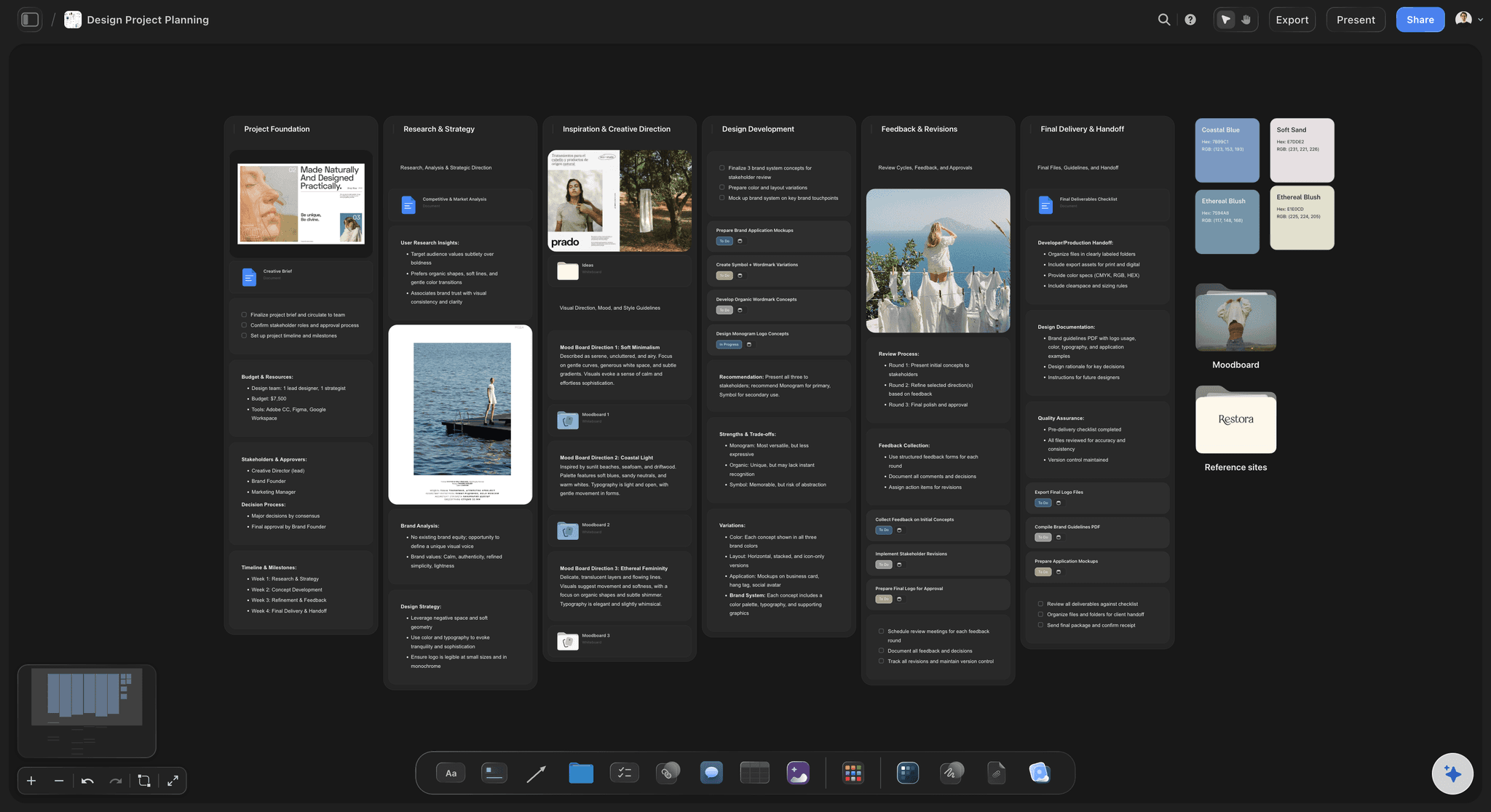
AI lays out the critique board
Start from a session with a structure
Post the work and the AI builds the context panel, silent feedback areas, a themes region, and a decisions panel. Structure is what separates a critique from a meeting about a design.
See the design feedback tool →
Silent written feedback first
Stop the most senior voice setting the tone
Everyone writes before anyone speaks. It is the single highest-leverage change to a critique, because the first opinion voiced otherwise shapes every comment that follows it.
Try the free online sticky notes →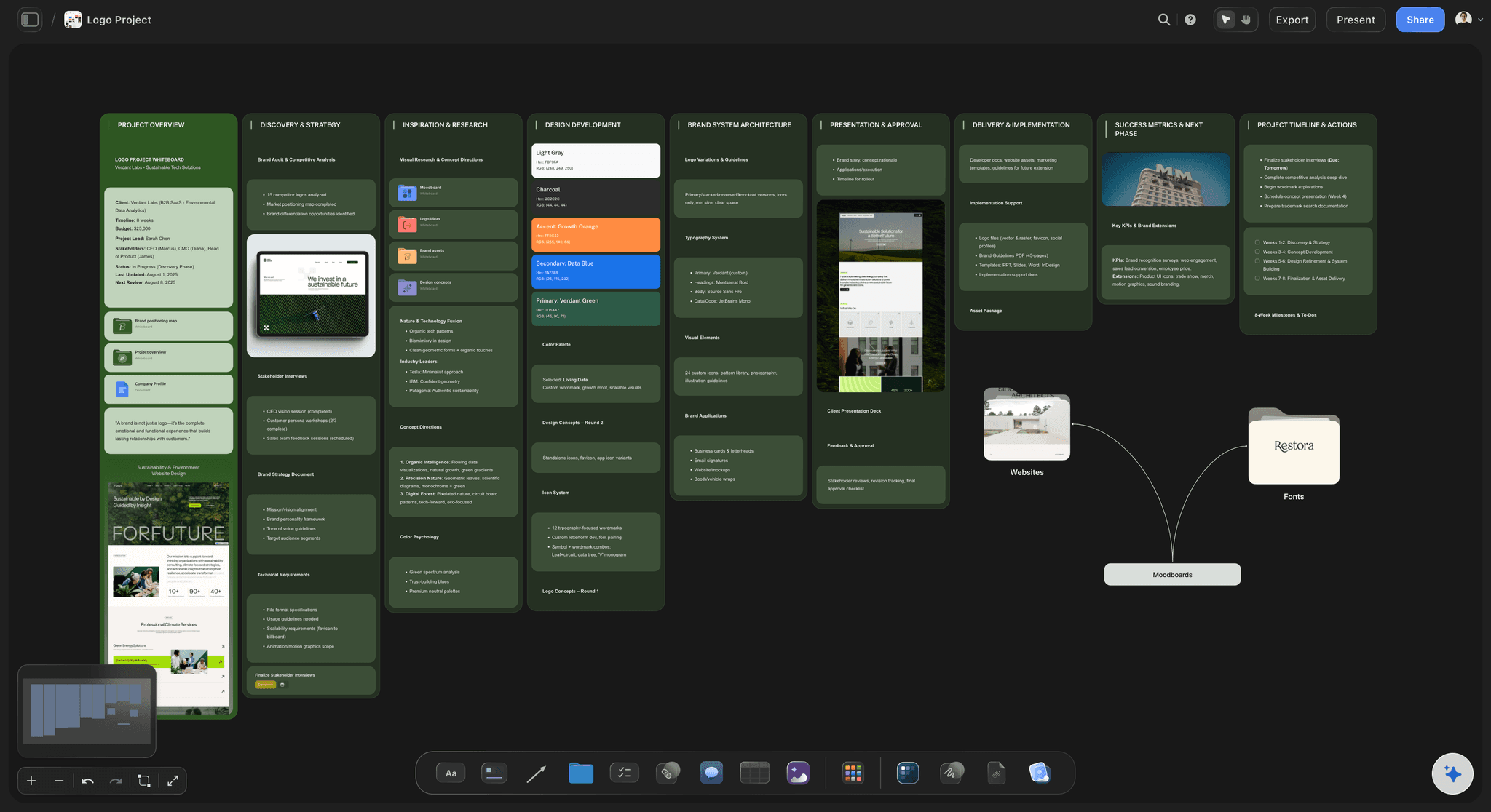
The brief and constraints beside the work
Critique against the goal, not against taste
With the brief, the constraints, and the stage on the board, feedback has something to be measured against. Without them, every critique defaults to personal preference.
See the design brief →
Decisions recorded before anyone leaves
End with changes, not a transcript
Record what is changing, what is deliberately staying, and why. A critique without this step reliably produces the same feedback again next week from the same people.
See the client presentation tool →Unlimited boards. No object cap.
Open a canvas, post the work, and run the critique. Storyflow is paid-only during early access, with plans from $9.99 a month, and a Free plan launches before the end of 2026.
Unlimited critique boards on an infinite canvas
AI usage to lay out sessions from prompts
Comments, sticky notes, and annotation on the work
Share view-only links with clients and stakeholders
Built for people with taste
More than a call with screen sharing.
Screen sharing gives you one cursor, one speaker, and no record. Critique needs the opposite of all three.
Context, feedback, themes, decisions
Run the session in the order that works
State the stage of the work: Say whether this is exploration, a chosen direction, or near final. Half of all wasted critique feedback is someone commenting on polish in a wireframe that exists to test a flow.
Ask a specific question: What do you think produces opinions. Does the second step read as optional produces answers. The designer's question should be visible on the board before anyone writes anything.
Observations before solutions: Ask reviewers to describe what they noticed rather than what they would do. A solution hides the problem that produced it, and the problem is the part the designer needed.
Independent agreement is the signal: When three people separately caught the same thing, that is data. When one person expressed a preference, that is a preference. Silent written feedback is what makes the difference visible.
AI that can see the board you have already built
Prepare and synthesise with an AI that has the context
Prompt against the whole canvas: Ask it to group the written feedback into themes once the silent round is done, or to draft the framing questions for a critique of work you have already posted.
It structures, it does not judge the work: Storyflow organizes the session. Whether the design is good is a judgement for the people who understand the users, the brand, and the constraints.
Iterate without losing work: Re-prompt as often as you want. Feedback people have written stays exactly where it is while the AI groups and builds around it.
Internal crits and client reviews
Two different sessions, one board
Internal critique, work in progress: Rough work, honest observations, and no pressure to defend. The value here is catching a problem while changing it is still cheap, which requires the work to be genuinely unfinished.
Client review, chosen direction: Present with the brief and the reasoning visible, and make the ask explicit. Clients give much better feedback when the question is are we solving the right problem rather than do you like it.
No seat required to participate: Send a view-only link and clients or stakeholders open the work in a browser, then sign in to comment directly on it. Most of the people whose sign-off you need do not have a design tool licence.

Asynchronous critique
Get better feedback than a meeting produces
Open the board two days early: People who think slowly, who are in another time zone, or who are simply better at writing than at speaking give notably better feedback when they are not on a call.
A live session for the disagreements only: Once the written feedback is in and grouped, the live meeting can be twenty minutes about the two themes where people disagree, rather than an hour of reading aloud.
The record survives the session: Next critique starts from the recorded decisions rather than from memory, which is what stops resolved feedback returning three weeks later as a fresh concern.
Explore templates for your project
Every template opens as a real, editable board on the infinite canvas. Pick the closest fit and make it your own.
Design Planner
Plan a design project from brief to delivery, with references, tasks, and feedback side by side.
One app instead of five
Storyflow vs Figma, Miro, and a video call.
Be clear about what Storyflow is. It does not host the source design files or run version control on them. It is where the work gets reviewed and the decisions get recorded.
Storyflow
Recommended
Infinite canvas with the brief beside the work
AI lays out the critique session structure
Decisions recorded on the board
Source design files and version history
Live video and audio in the session
Free plan available today
Figma
Infinite canvas with the brief beside the work
AI lays out the critique session structure
Decisions recorded on the board
Source design files and version history
Live video and audio in the session
Free plan available today
Miro
Infinite canvas with the brief beside the work
AI lays out the critique session structure
Decisions recorded on the board
Source design files and version history
Live video and audio in the session
Free plan available today
Video call
Infinite canvas with the brief beside the work
AI lays out the critique session structure
Decisions recorded on the board
Source design files and version history
Live video and audio in the session
Free plan available today
What creators are saying
Join early creators getting structured workspaces and AI that remembers their projects
“Storyflow has sped up my workflow by at least 3x, which means more flow state and more projects I can actually ship. It truly changed the way me and my team create.”

Reilin Joey
Director & YouTuber
“One prompt gets me a structured board. But the tactics are my favorite. I run my YouTube scripts through them and my intros and retention got better. It's amazing.”

Justkay
YouTuber & Freelance Filmmaker
“I used to juggle five apps to plan a project. Now I describe what I am making and get boards, lists, and a schedule. All in one place.”

George
@fernwehchronicles
Design critique questions, answered.
How to structure a session, how to stop feedback becoming taste, and where Storyflow fits alongside Figma.
Figma is where most teams do it, because the work already lives there and comments attach to frames. That works well for a team where everyone has a seat, and less well the moment a client, a founder, or an engineer needs to participate. Miro is a reasonable neutral canvas. Storyflow is the option built around the session rather than the file: post the work with its brief and constraints, the AI lays out silent feedback areas, a themes region, and a decisions panel, and anyone can review through a view-only link without a licence. Keep source files in Figma; run the critique somewhere that produces a record.
Five moves, in order. State the stage of the work, so nobody critiques polish on a wireframe. Have the designer ask one specific question rather than what do you think. Collect written feedback silently before anyone speaks, which stops the first or most senior voice anchoring the room. Group the feedback into themes and spend the discussion on the ones where several people independently noticed the same thing. Then record decisions: what changes, what deliberately does not and why. Sessions that skip the last step produce the same feedback again the following week, usually from the same people.
Because whoever speaks first sets the frame for everything after, and in most teams whoever speaks first is either the most senior person or the most comfortable talking, neither of which correlates with having the most useful observation. Silent writing removes that entirely: everyone commits their reaction independently, so you find out whether three people separately noticed the same problem, which is a genuine signal, or whether one person had a preference and four others agreed with them out of politeness. It also gets the quiet reviewer's observation onto the board, which in a talking-only session is simply lost.
Not during early access. Storyflow is paid-only right now, with plans starting at $9.99 a month, and a Free plan for solo use launches before the end of 2026. Anyone a paid member invites to a board joins free today, which matters here because critique participants frequently include people outside design, engineers, founders, clients, who would otherwise need a licence. If you need free this minute, Figma's free tier handles comments on work well and FigJam is free for most teams. Both are honest options; neither will lay out the session structure or hold the decisions record for you.
Put the brief, the constraints, and the target user on the board beside the work, and ask that every piece of feedback reference one of them. This sounds bureaucratic and it changes the session immediately, because I do not like the blue is very hard to write when the brief says the product must read as calm and clinical, and the reviewer either connects their reaction to that or notices they cannot. Also ask for observations rather than solutions. I would move the button hides the problem; the primary action was the third thing I looked at gives the designer something to work with.
Yes, and the written feedback is usually better than what a live session produces. Post the work with the context and the question two days ahead and let people write when they have actually looked properly. You get contributions from people in other time zones, people who think slowly, and people who are better writers than speakers, which is a large fraction of any design team. Then hold a short live session, often twenty minutes rather than an hour, covering only the themes where the written feedback disagrees. Everything with clear agreement does not need a meeting at all.
You post the work and describe what it is, what stage it is at, and what you want feedback on. The AI lays out the board from that: a context panel holding the brief, constraints, and stage, silent feedback areas for participants, a themes region for grouping, and a decisions panel for the close. After the silent round it can read the whole board and group the written feedback into themes, which is a useful first pass before the discussion. It organizes the session; it does not judge the work, which is a judgement that needs the users, the brand, and the constraints behind it.
A critique examines work in progress to make it better; a review approves finished work to let it ship. Confusing them is one of the most common causes of bad sessions, because a designer bringing rough exploration to what turns out to be an approval meeting will get defensive, correctly, and a stakeholder expecting to sign something off will be frustrated by unfinished work. State which one you are running at the top of the board. Both work on this canvas, and both benefit from written feedback first and recorded decisions, but the framing and the expected outcome are genuinely different.
Yes, and it is one of the main reasons to run critique outside the design file. Send a view-only link and a client, a founder, an engineer, or a marketing lead opens the whole board in a browser with no account, sees the work with the brief and constraints beside it, and signs in to comment directly on the specific piece they are reacting to. If someone should genuinely contribute, invite them to the canvas and they join free as a collaborator. Sharing, commenting, and reviewing work on every paid plan.
Three lists, and the second is the one everyone forgets. What is changing, with an owner. What is deliberately not changing, and the reason, because unrecorded rejections come back as the same feedback in a fortnight and the designer has to relitigate a decision they already made. And what is still open, needing more information or another look, so it is visible rather than quietly dropped. Keep it on the board rather than in meeting notes, so the next critique opens on the previous decisions and the conversation starts from where it actually finished.
More from Storyflow
Visual workspace for graphic designers
Design handoff board
Design system planner
Design feedback tool
Client presentation tool
Design planning tool
Design brief
UI moodboard
Retrospective template
Design sprint
Free online sticky notes
For designers
For agencies
Design review board
Design sprint whiteboard
Free image annotation tool
Run the critique, not the meeting about the design.
Open a canvas, post the work, and let AI lay out the session. No download.