
Sharper briefs, sent ultra fast
Present a campaign concept
as one board, not forty slides.
A campaign concept is a line of reasoning: this is the audience, so this is the insight, so this is the idea, so these are the executions. Slides break that chain into pieces a client sees one at a time. Storyflow puts the whole argument on one canvas, so the client can see why the idea follows from the brief.


Creatives working for these brands already got early access
- Red Bull
- Canon
- Artlist
- Porsche
See how easy it is to get started
Watch a real project come together, from a blank board to a finished plan, clicked through step by step.
Start from a ready-made template
Pick a board to see what you can build, then let AI fill it in. Every template is a real, editable starting point on the same infinite canvas.

Creative Brief
Capture the objective, audience, and message for a creative so everyone works from the same brief.
How do creative agencies present a campaign concept to a client?
A campaign concept presentation takes the client from the brief to the strategic insight, the central idea in one line, and the executions in the channels they buy. Storyflow is an AI visual workspace that lays a campaign concept out for the client on one infinite canvas: the strategy, the central idea, the executions, and the reasoning written next to each one, every step in view at once.
The usual format is a deck, and the usual failure is the deck. A concept is a chain of dependencies, and slides show one link at a time, so the client sees the idea after they have forgotten the insight it came from. That is why the room so often argues about a headline instead of about the strategy, and why agencies end up presenting the same concept twice.
A canvas is a better fit because the whole argument can be visible at once. Put the audience, the insight, the idea and the executions on one board, in that order, and a client can follow the logic backwards from any execution they react to. When somebody says they do not like the film, you can point at the insight it came from and have a useful conversation rather than a defensive one.
Storyflow is built for that shape of work. Drop the brief and the research on the canvas, let the AI lay out the concept boards around them, add the reference film and the visual direction, then share a view-only link. The client sees the whole thing in their own time, with no account and no software to learn, and the board is still there in the next round.
Ultra fast from brief to board
From brief to a concept the client can walk through.
The board is the presentation, so nothing is rebuilt for the meeting.
01
Put the brief on the canvas
Paste the client brief, drop the research, and add whatever was agreed in the kickoff so the concept is anchored to the actual ask.
02
Build the argument
Audience, insight, idea and executions laid out in order, so the reasoning is visible rather than implied across a slide sequence.
03
Show the executions
Drop the key visuals, the film reference, the OOH crop and the social cuts next to the idea they express.
04
Send one link
Share view-only and the client walks it in their own time. No account, no download, and the same board carries into the next round.
The reasoning stays attached to the idea.
Clients buy concepts they understand the logic of. Keeping the logic visible is the whole job of the presentation.

Start from what they asked for
Restate the brief where everyone can see it
Put the client's own brief at the head of the board so the concept is visibly an answer to it, which heads off a discussion about whether you solved the right problem.
Try the AI creative brief generator →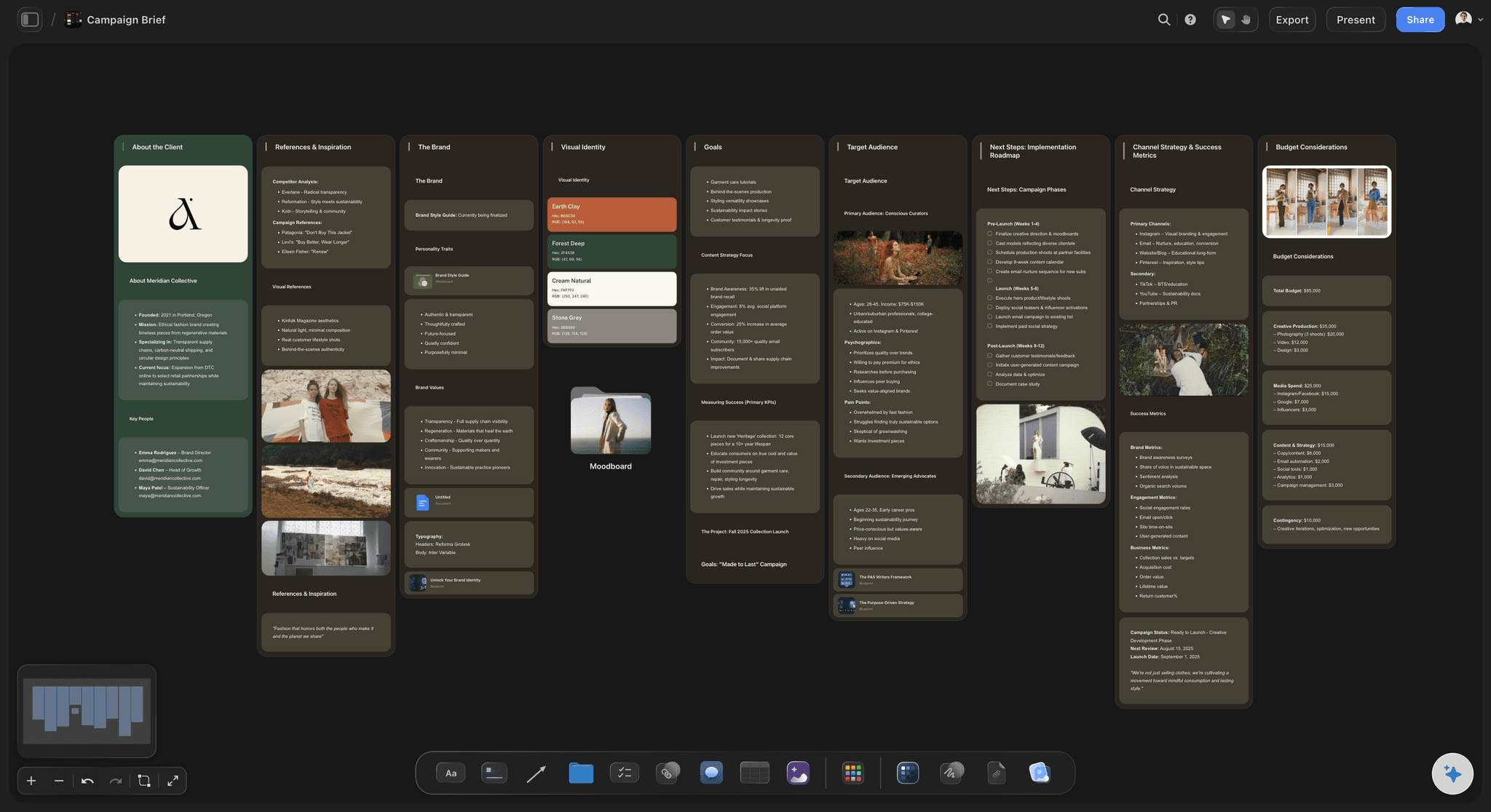
The idea, in one line
Make the central thought impossible to miss
State the idea once, large, with the insight it came from sitting beside it. A concept that needs three slides to explain is usually a concept that has not landed yet.
See the AI marketing campaign planner →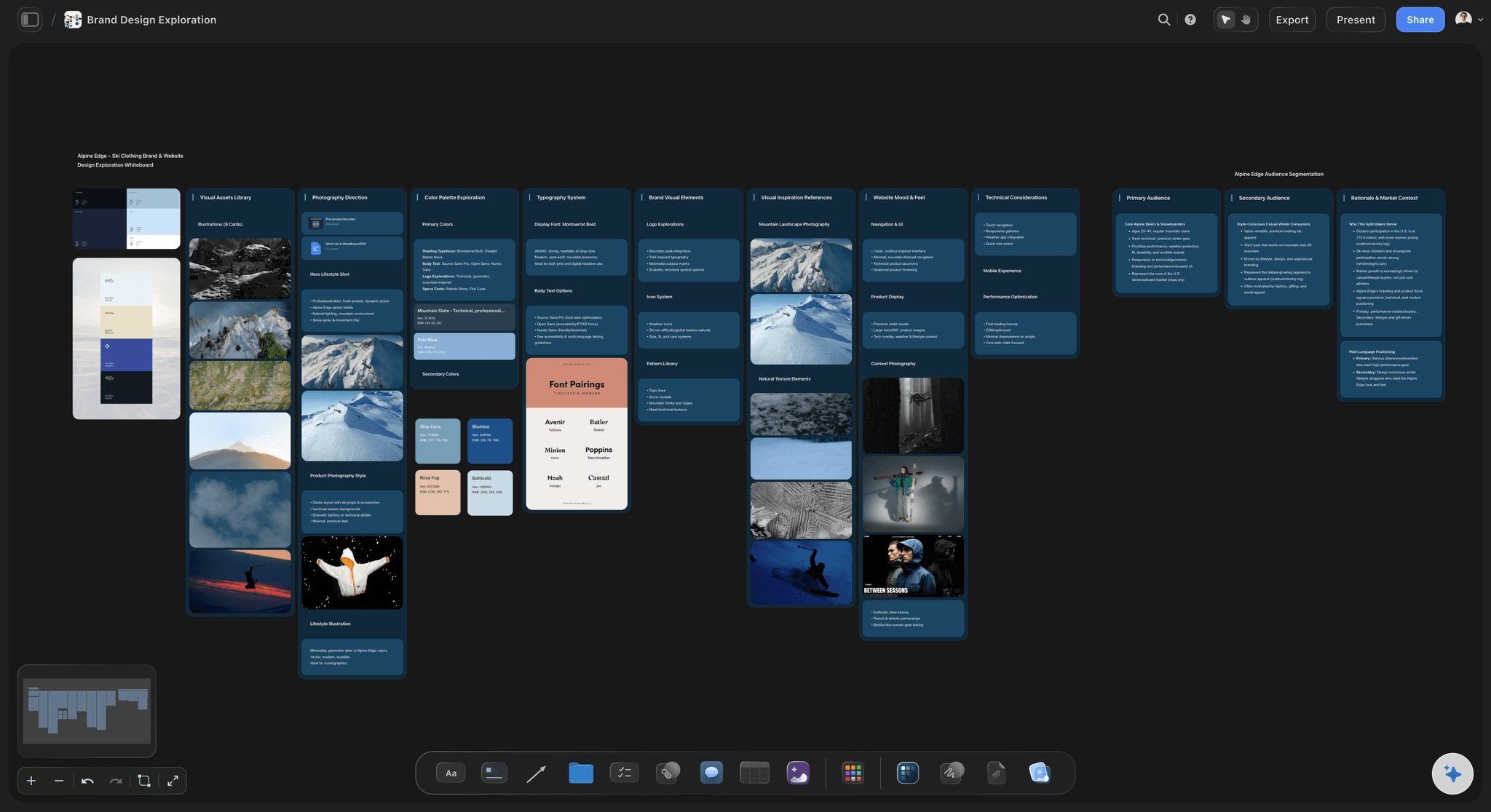
Executions in context
Show the idea in the channels they buy
Group the film, the print, the social and the OOH around the idea rather than in a channel appendix, so the client sees one campaign rather than four unrelated pieces of work.
Explore the client presentation tool →
One link, no account
Let the client sit with it
Most concepts are really decided after the meeting, by somebody who was not in it. A view-only link means the person who was not there sees the reasoning rather than a forwarded PDF.
See the client review board →Plans from $7.99/month annual. Free plan coming late 2026.
Storyflow is paid-only during early access. Anyone a paid member invites to a board joins free, so the strategist and the creatives can build the pitch together.
Clients view the concept without an account
Every pitch gets its own board, with no project limit
Export any board as a high-quality image or PDF
Anyone you invite to a board joins free
Built for people with taste
A deck hides the argument. A board shows it.
The problem with presenting concepts in slides is structural, not aesthetic. Slides are linear and a concept is not.
The chain stays visible
Audience, insight, idea, execution, in one view
Nothing is revealed and then forgotten: The insight is still on screen when the client reaches the executions, so the idea is judged against the thinking rather than on taste.
Questions get answered by pointing: When a client challenges an execution you point back to the insight it came from, which turns an opinion into a discussion.
Route one and route two, side by side: Two concepts on one canvas is a comparison. Two concepts in a deck is a sequence, and the second one always wins by recency.

Built while you think
The working board becomes the presentation
No rebuild for the meeting: The canvas you developed the idea on is the canvas you present, so the two days usually spent making a deck go back into the work.
AI that reads the whole board: Storyflow's AI reads the active canvas plus up to five documents and three boards, so it can check a concept against the brief that produced it.
Reference material stays attached: The films, the competitor work and the research sit on the same canvas, so the provenance of a direction is never lost.
After the meeting
The round two problem
Feedback lands on the board: A client who signs in leaves comments next to the execution they refer to, instead of an email listing slide numbers.
The original is still there: Revisions happen beside the first route rather than on top of it, so you can show what changed and why.
One link, always current: The client opens the same URL and sees the latest state, which ends the version confusion that a mailed deck guarantees.
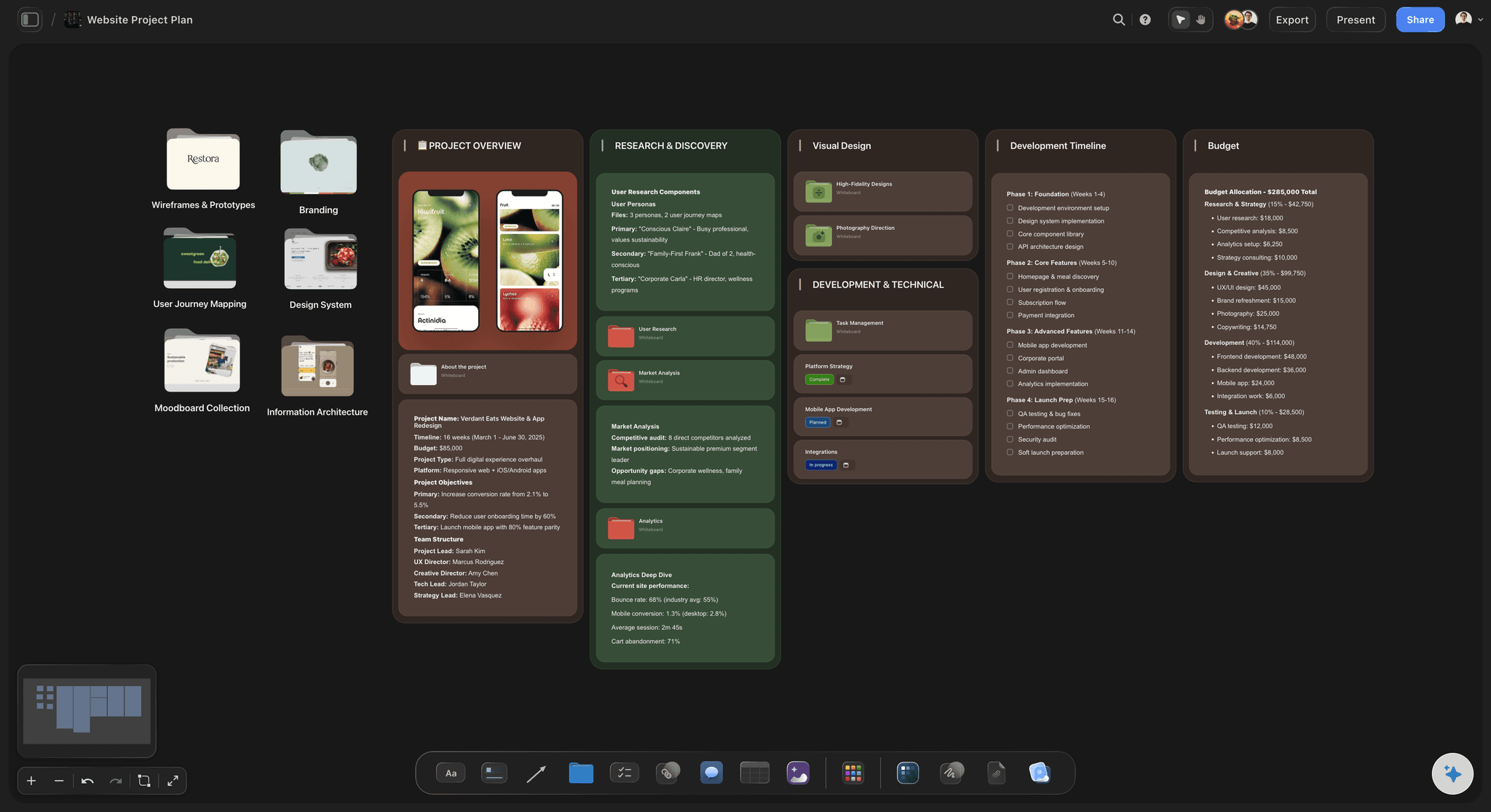
Honest about scope
What this does not do
It is not a slide tool: If the client requires a deck in their template, export the board as an image and place it. Storyflow does not build branded slide masters.
No approval workflow or time tracking: There is no formal approval workflow, sign-off routing or time tracking. Delivery stays in whatever system the agency already runs.
It does not have the idea for you: The AI can draft routes to react to, lay out the board and pressure-test the thinking. The insight is still the part the client is paying a person for.
Explore templates for your project
Every template opens as a real, editable board on the infinite canvas. Pick the closest fit and make it your own.
Creative Brief
Capture the objective, audience, and message for a creative so everyone works from the same brief.
One app instead of five
Board, deck or PDF?
Each format is fine for something. The question is which one keeps the reasoning attached to the idea when the client is reading it alone.
Storyflow
Recommended
Whole argument visible at once
Client views without an account
AI reads the brief and the board together
Branded slide masters and templates
Keynote or PowerPoint
Whole argument visible at once
Client views without an account
AI reads the brief and the board together
Branded slide masters and templates
Figma
Whole argument visible at once
Client views without an account
AI reads the brief and the board together
Branded slide masters and templates
PDF by email
Whole argument visible at once
Client views without an account
AI reads the brief and the board together
Branded slide masters and templates
What creators are saying
Join early creators getting structured workspaces and AI that remembers their projects
“Storyflow has sped up my workflow by at least 3x, which means more flow state and more projects I can actually ship. It truly changed the way me and my team create.”

Reilin Joey
Director & YouTuber
“One prompt gets me a structured board. But the tactics are my favorite. I run my YouTube scripts through them and my intros and retention got better. It's amazing.”

Justkay
YouTuber & Freelance Filmmaker
“I used to juggle five apps to plan a project. Now I describe what I am making and get boards, lists, and a schedule. All in one place.”

George
@fernwehchronicles
Presenting campaign concepts, answered.
What agencies ask before running a concept presentation on a board.
Storyflow lets an agency present the concept as one board, with every step from the brief to the executions in view, so each execution traces back to its insight. The running order is the same in any format: restate the brief, present the strategic insight, state the idea in one sentence, then show the executions with the creative rationale for each. Use PowerPoint or Keynote when the client needs a deck in its own template.
Storyflow presents the concept as one board: the brief, the strategic insight, the central idea and the executions sit in view together, with the reasoning written next to each execution. The AI reads the brief and the board together, and the client walks through a view-only link without an account. Keynote or PowerPoint still gives you branded slide masters and templates, which Storyflow does not have.
The brief as the client wrote it, the audience, the strategic insight, the central idea in a single sentence, executions across the main channels, and the reasoning connecting each step to the one before. Budget, timing and production notes usually belong in a separate document, because mixing the commercial conversation into the creative one tends to end the creative conversation early.
A rationale is the short argument for why each execution answers the brief: what the audience believes now, what the insight says, and how this piece moves them. A sentence or two per execution is a common length. Put it beside the execution it explains rather than in an appendix, because a client judging a film without its rationale judges it on taste. On a Storyflow board it sits in a note next to each execution.
Presenting two or three routes is common, with one recommended. A single route turns the meeting into a yes or no; four or more suggests the agency has not decided. Each route needs its own idea, not the same idea in a new layout. Say which you recommend and why before the client asks. Showing one route with conviction can work when the brief is tight and the relationship is strong, but it leaves no fallback in the room.
Yes. Share a view-only link and anyone can open it in a browser with no signup and no download. This matters because most concepts are decided after the meeting by someone who was not in it, and a link shows them the reasoning rather than a forwarded attachment.
Yes, once they sign in. The client opens the link with no account and signs in to comment, so a note about the film sits on the board next to the film. That is more useful than an email listing slide numbers, and it survives into the next round because the board persists.
Often, but not always. Some clients require a deck in their own template for internal circulation, and Storyflow does not build branded slide masters. In that case export the board as a high-quality image or PDF and place it. Where the agency controls the format, present the board itself: presentation mode steps through frames on the board full screen, so nothing is rebuilt.
If the team already lives in Figma, it works, and many agencies do it. The difference is what the canvas is for: Figma is a design tool where a concept board is a side use, while Storyflow is built for planning the argument, with AI that reads the brief and research on the board and checks a route against them.
Yes. Several people can work on the same canvas at once, and anyone a paid member invites to a board joins free, so the strategist and the two creatives can build the pitch without each buying a plan.
A pitch is competitive and comes earlier in the relationship. The agency often answers the brief against a shortlist of other agencies, sometimes for a pitch fee, and the client is buying the team and its thinking as much as the idea, so credentials, approach and the people who will run the account sit around the work. Presenting to an existing client assumes that trust: the brief is agreed, and the meeting is about the work and the next round.
Plans start at $7.99 per month billed annually or $9.99 monthly. Storyflow is paid-only during early access, with a free plan launching before the end of 2026. Anyone a paid member invites to a board joins free today.
It drafts; you decide. The AI can draft routes to react to, lay out the board, pull structure out of the brief and check a route against the brief that produced it. The insight and the idea you present are the part the client pays a person for.
More from Storyflow
Creative strategy
Art direction board
Client presentation tool
Client review board
AI creative brief generator
AI marketing campaign planner
Moodboard for clients
Storyflow for agencies
Creative concept board
Creative agency pitch deck
Agency campaign planning
Brand moodboard
How agencies present campaign concepts
Campaign concept presentation slide order
Agency credentials deck
Client report template
Brand campaign moodboard
Campaign visual direction
Campaign concept board
Creative rationale
Show the thinking, not just the work.
Put the brief, the insight, the idea and the executions on one canvas and send the client a link.