
Elevated brand work, made with taste
Creative review software,
chosen by what you are actually reviewing.
Concepts and moodboards need a different tool from a final cut or a regulated print file. Here is what each kind of tool does, what it costs today, and the part Storyflow does and does not cover.


Creatives working for these brands already got early access
- Red Bull
- Canon
- Artlist
- Porsche
See how easy it is to get started
Watch a real project come together, from a blank board to a finished plan, clicked through step by step.
Start from a ready-made template
Pick a board to see what you can build, then let AI fill it in. Every template is a real, editable starting point on the same infinite canvas.

Brand Strategy
Define your positioning, values, and voice and connect them into a strategy the team can follow.
What is creative review software?
Creative review software is any tool that puts creative work in front of a reviewer and keeps their comments, decisions and versions attached to it, instead of scattered across email. Storyflow is an AI visual workspace that handles review around the whole project on one infinite canvas: the brief, the moodboards, each round of drafts and the comments, opened by clients from a single link.
There are three kinds, and choosing the wrong kind is the usual mistake. A review board holds early and mixed work, where the question is whether the idea is right; Storyflow is this kind. A proofing tool handles near-final files, where the question is whether this exact version is correct; Filestage and Ziflow are this kind. A video review tool handles cuts, where notes must land on a precise frame; Frame.io is this kind. Decide by the question your reviewer has to answer, and not by the feature list.
Four decision rules cover most buyers. If most of your rounds happen before final files exist, and you have one or two approvers, start with a Storyflow review board. If you deliver video and clients give notes on timing, add Frame.io. If several people must approve each file in order, or legal needs an audit trail, add Ziflow. If clients review mixed files and will not sign in to anything, add Filestage. The kinds combine: a review board for early rounds and one proofing tool for finals answer both questions.
Prices, from each vendor's own page in November 2026: Frame.io has a free plan for up to 2 members, then Pro at $15 and Team at $25 per member a month. Filestage has a free plan, then Starter at $199 and Business at $329 a month. Ziflow has a free plan, then Standard at $199 and Pro at $329 a month billed annually, with unlimited reviewers on all of them. Storyflow is paid-only during early access, with Plus at $7.99 a month billed annually ($9.99 monthly), and it does not proof files on any plan.
The tools for creative review, by job
Storyflow is our product, so it comes first, for early and mixed work; the other rows are chosen by what is being reviewed.
| The job | The tool | Why it goes here |
|---|---|---|
| Review concepts, moodboards and rounds beside the brief | Storyflow | Puts the work, the brief and the comments on one board. Clients view from a link with no account and sign in to comment or draw. |
| Review video cuts frame by frame | Frame.io | Frame-accurate comments, a Premiere integration, version comparison and share links that clients can use with no sign-up. |
| Run multi-stage proofing with an audit trail | Ziflow | Automated routing through review stages, pixel-level version comparison and a clear audit trail, with unlimited reviewers on every plan. |
| Get client approvals on mixed files with no account | Filestage | Designs, videos, documents and live websites reviewed from one link, with due dates, reminders and who approved each version. Version compare starts on Starter. |
| Collect comments on a live website or web page | MarkUp.io | Pin comments directly on a live site, and on more than 30 file types including images, PDFs and videos, with guests needing no sign-up. |
| Comment inside the design file | Figma | Anyone given access to a design file can comment on a free View seat, which suits teams already designing there. |
Ultra fast from brief to board
Test a review setup on one live job before you buy.
Four moves that tell you which kind of tool you are actually short of.
01
Count your last ten reviews
List them in a Storyflow table: file type, number of reviewers, rounds, and where the costly change appeared. The pattern tells you whether you are short of an early review, frame accuracy or routing.
02
Run one live round on a board
Put your next concept round on a Storyflow board beside the brief, with a note saying what needs deciding, by whom and by what date. A reviewer asked "which route?" gives a better answer than one asked for thoughts.
03
Send one link
Share a Storyflow view-only link. The client opens it in a browser with no account, and signs in to comment on or draw beside the specific piece. Keep your internal board separate.
04
Add a proofing tool only if the notes demand one
If that round's notes turn on pixel or frame accuracy, try Frame.io, Ziflow or Filestage on its free plan with the final file. Keep Storyflow as the project record, with the review link on a table row.
What a review board does that a proofing tool does not.
Early rounds, mixed files and the context around them.
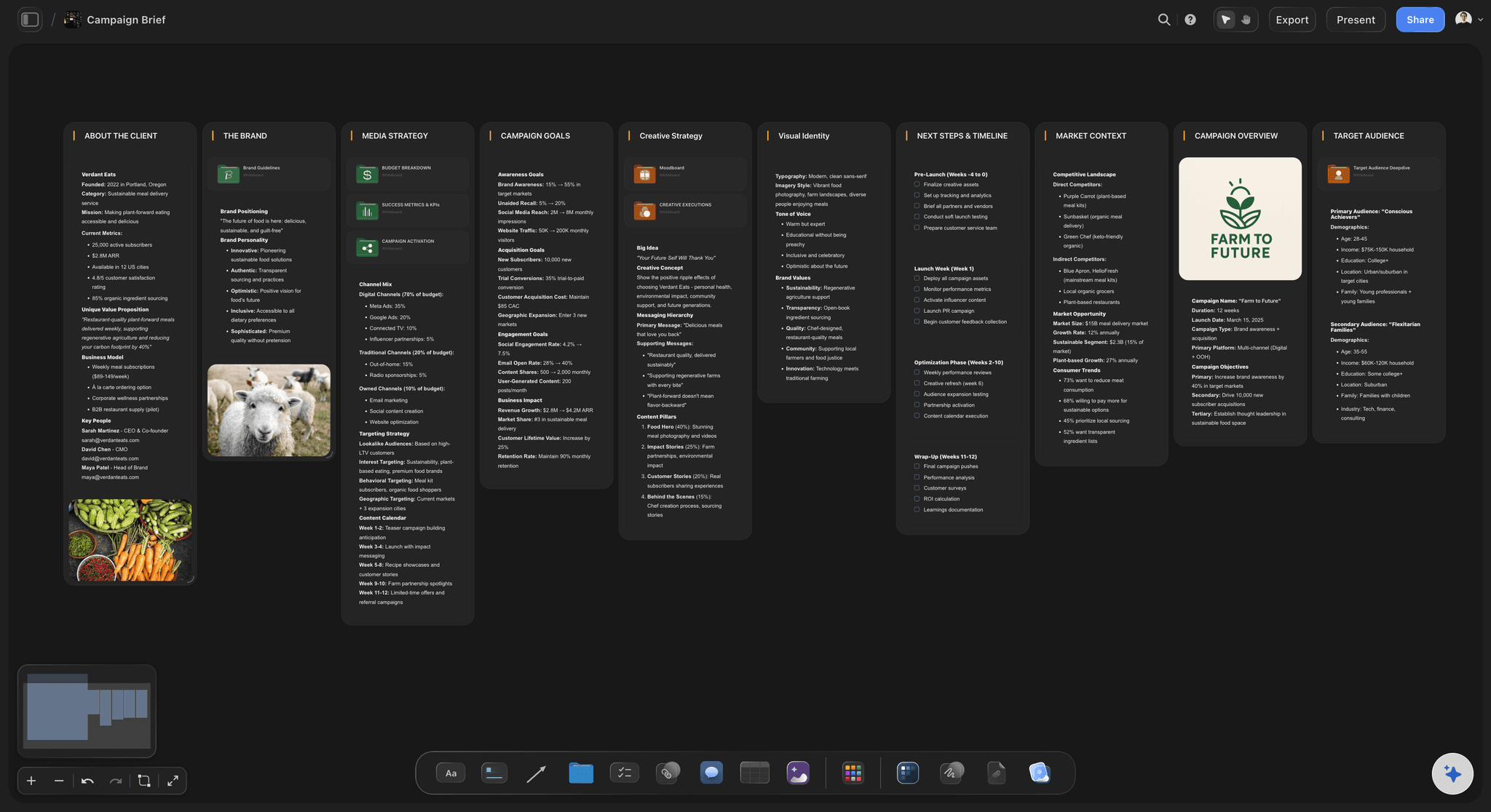
Reviewers see why, not just what
The brief is on screen during the review
Comments such as "not sure about this" get sharper when the objective and audience are one glance away. Fewer notes contradict what the client signed.
See the client review board →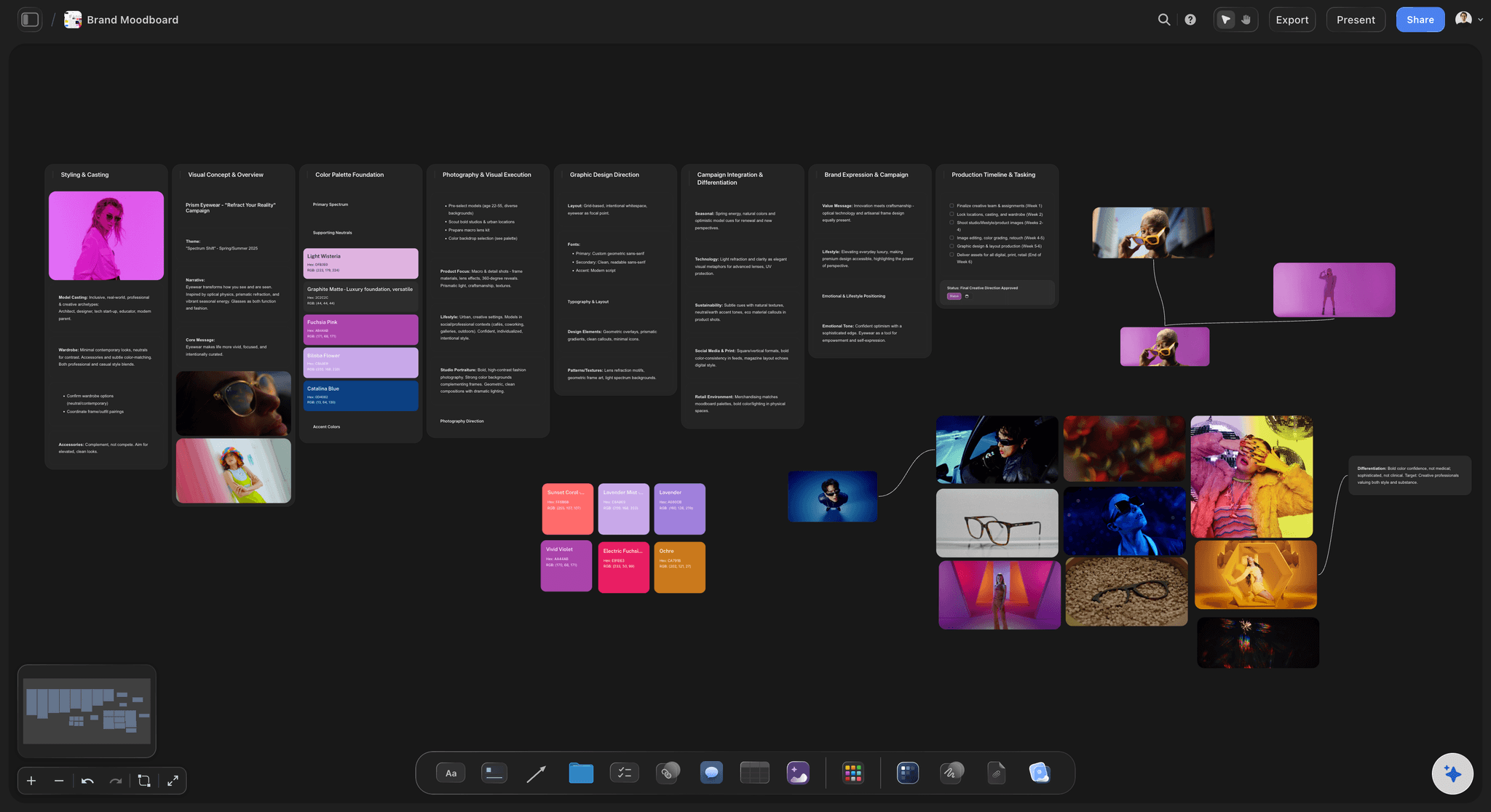
Work that is not a finished file
Review moodboards and routes
Proofing tools expect a file with a version. A moodboard with 30 references, or three routes side by side, is a picture, and a canvas shows it as one.
See the design feedback tool →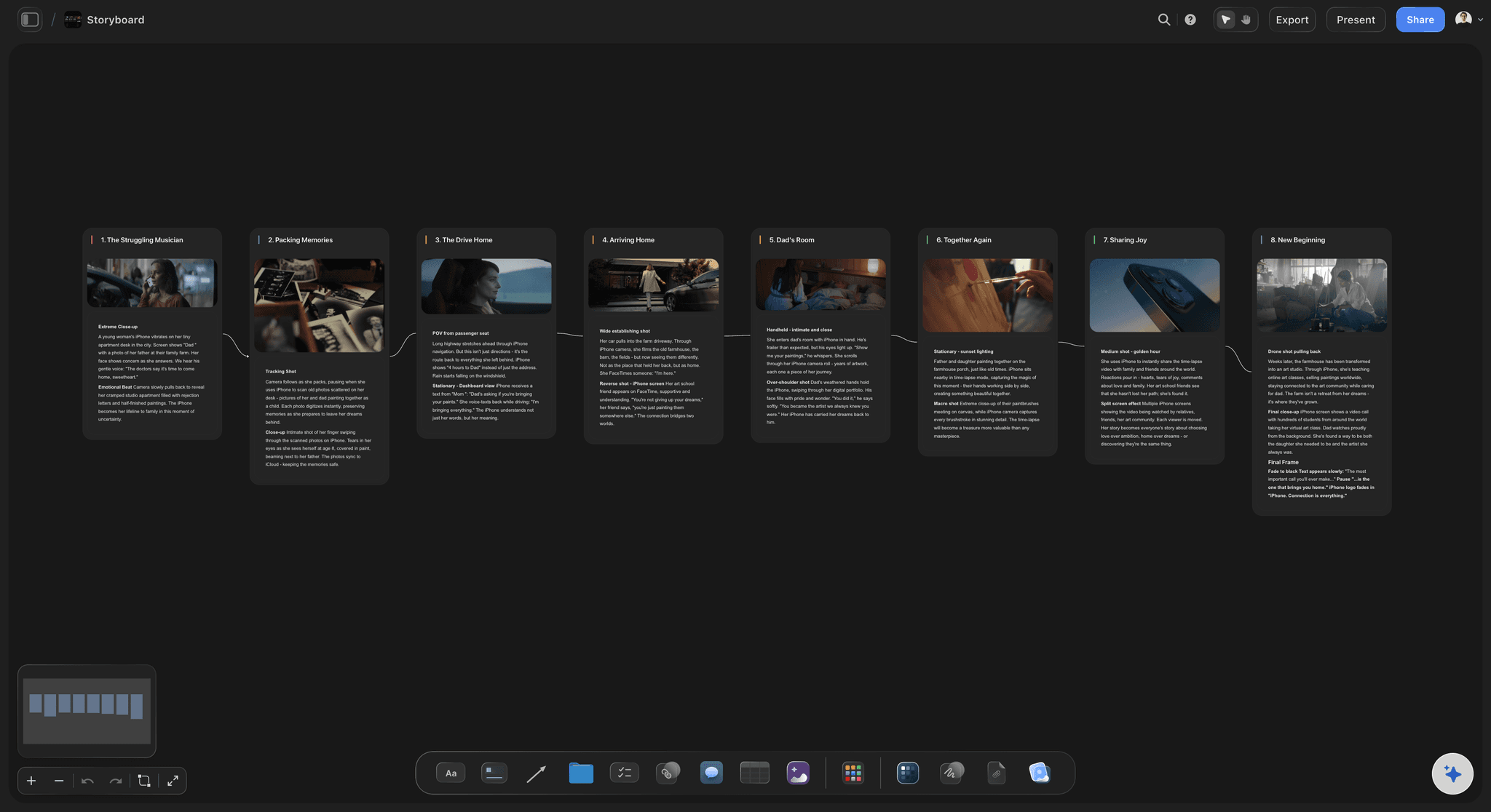
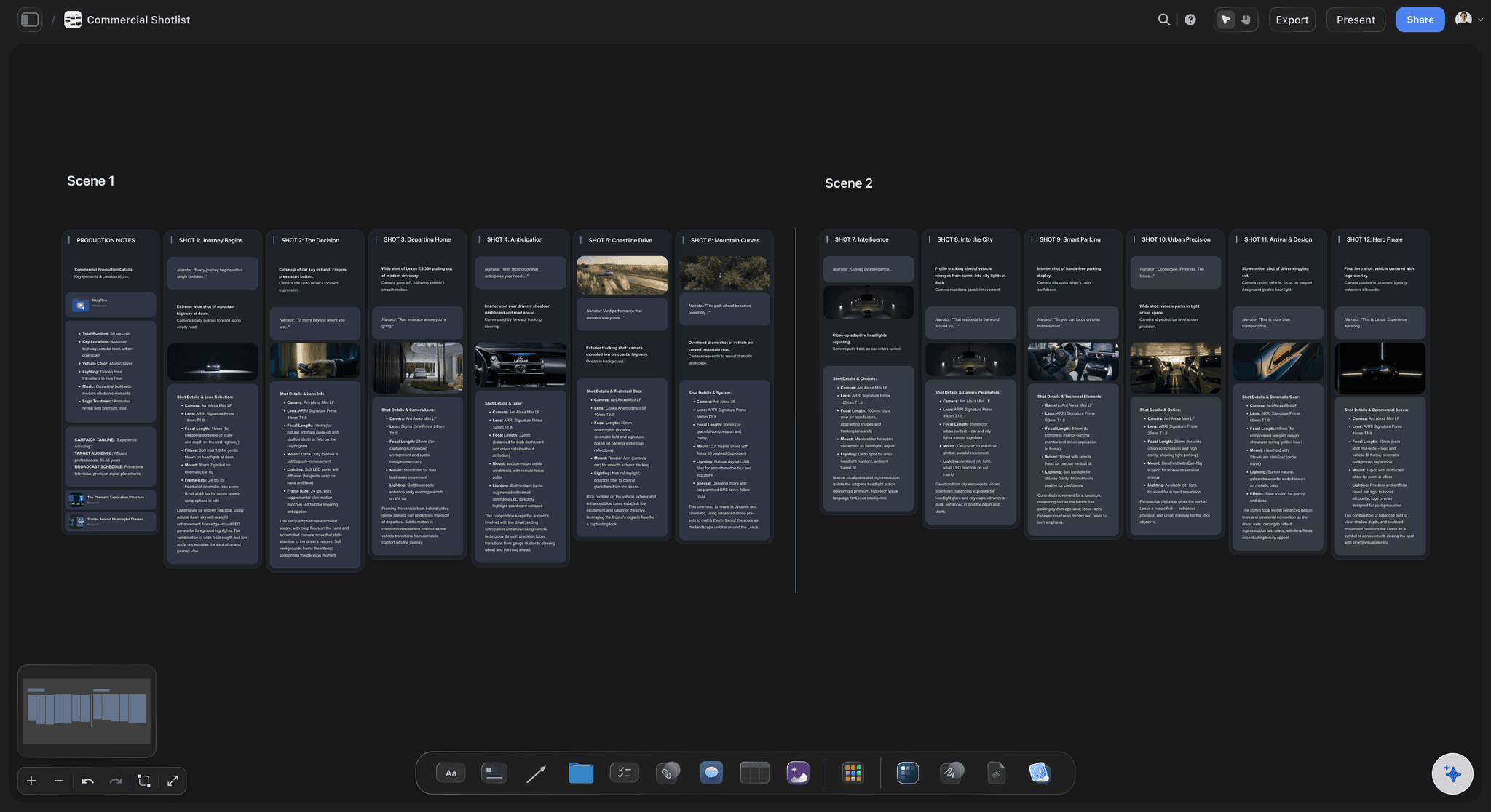
Storyboards and shot plans
Catch the note before the shoot
A client's objection to a storyboard frame costs minutes. The same objection to the cut can cost a pickup day, which is the strongest case for reviewing early.
See the storyboarding page →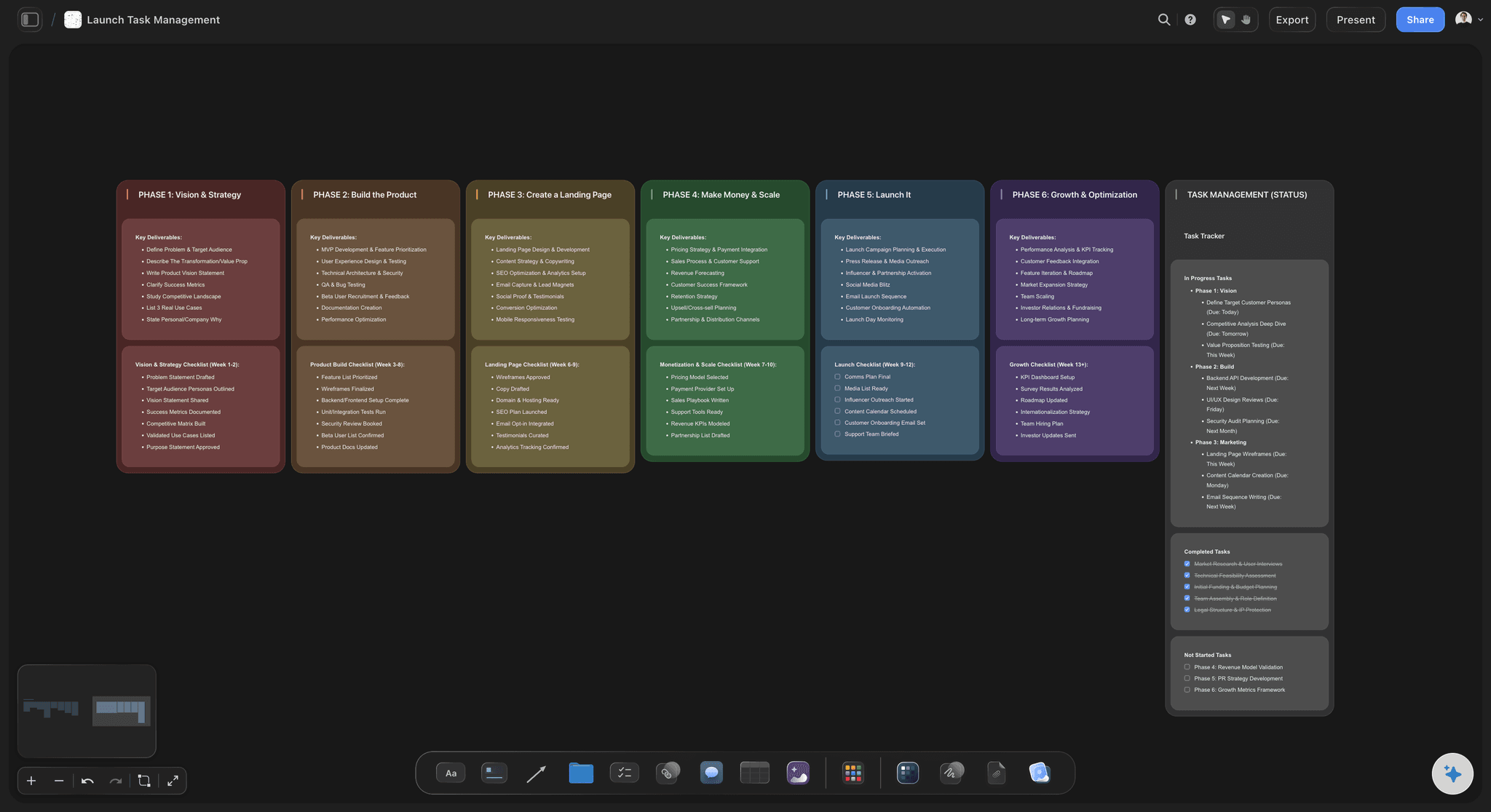
One plan after the review
Feedback turns straight into work
Agreed changes become to-dos with an assignee and a due date on the same board, rather than a second list maintained in another app.
See the creative approval workflow →Run a client review board from one place.
Storyflow is paid-only during early access: Plus is $7.99 a month billed annually ($9.99 monthly) and includes the AI inside Storyflow. Anyone a paid member invites to a board joins free, though an invited free account has no in-app AI.
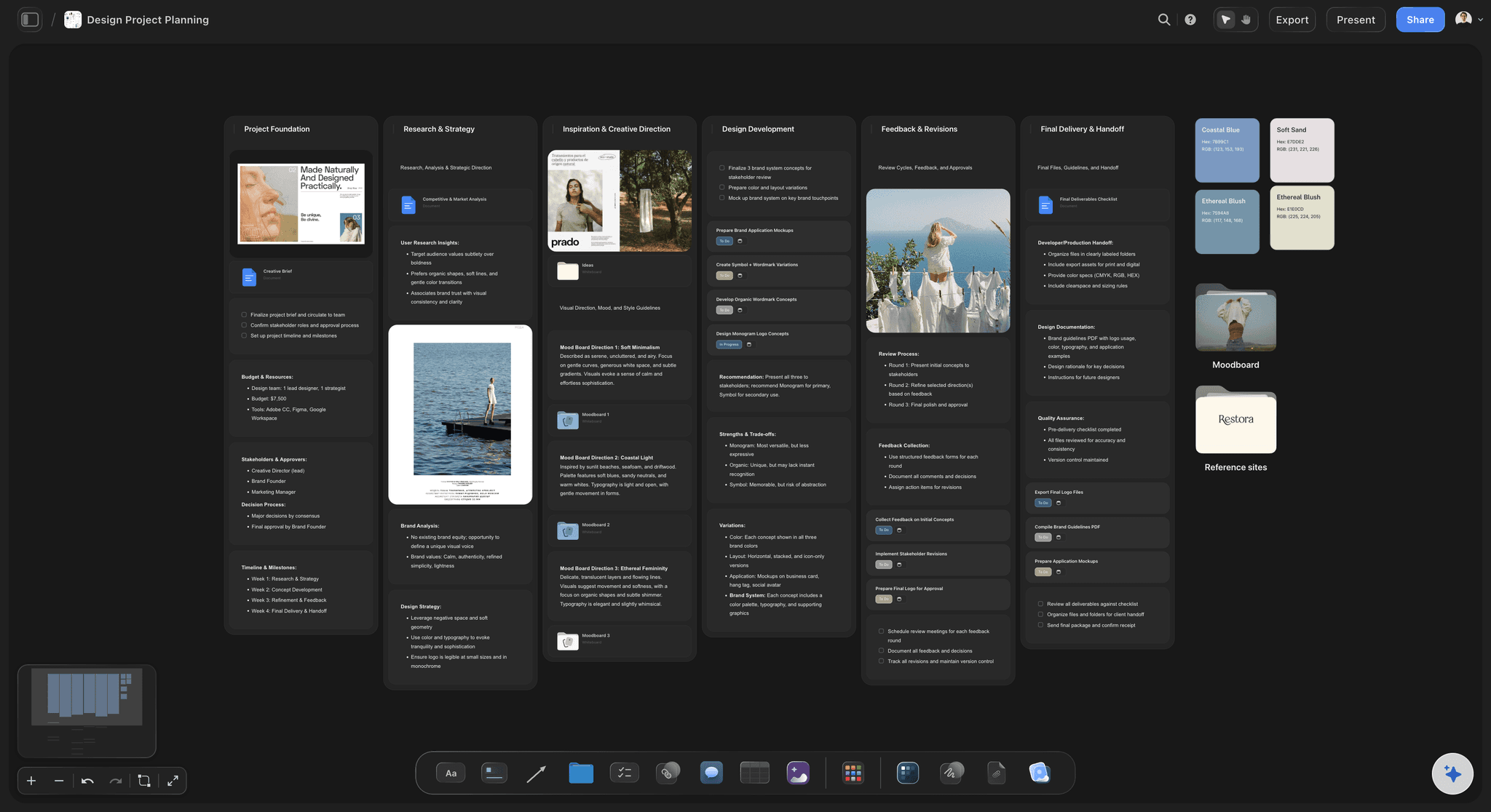
Brief, rounds and comments on one infinite canvas
Clients view from a link with no account
Signed-in commenters can comment and draw
Tables with person, status and date cells for each round
Built for people with taste
How to choose creative review software in one sitting.
The example is fictional: Marlowe, a six-person studio, reviewing 12 assets for a brand campaign with three people on the client side, deciding what to buy.
Five questions, in this order
The buying checklist
What file types get reviewed most?: Count your last ten reviews. Marlowe's were six concept boards, three PDFs and one 30-second cut. Only one needed frame accuracy, so a video tool is an occasional need rather than the core purchase.
When do the expensive changes appear?: If your costly notes arrive at concept stage, invest in early review. If they arrive as last-minute typos on print files, invest in proofing with version compare.
How many people must approve, in what order?: One or two approvers can run from a shared board. Three or more in a fixed order is where automated routing starts to pay for itself. Ziflow allows one stage on Free, two on Standard, three on Pro and unlimited on Enterprise.
Will your clients sign in to anything?: Ask them. Storyflow, Frame.io, Ziflow and Filestage all let clients view without an account; Storyflow is the one of the four whose commenters need an account.
Do you need an audit trail?: Pharmaceutical, financial and other regulated work usually does. Treat it as a hard requirement, and check retention: Ziflow's audit trail runs 3 months on Standard, 1 year on Pro and unlimited on Enterprise.

What Marlowe decided
A worked example of a small studio's stack
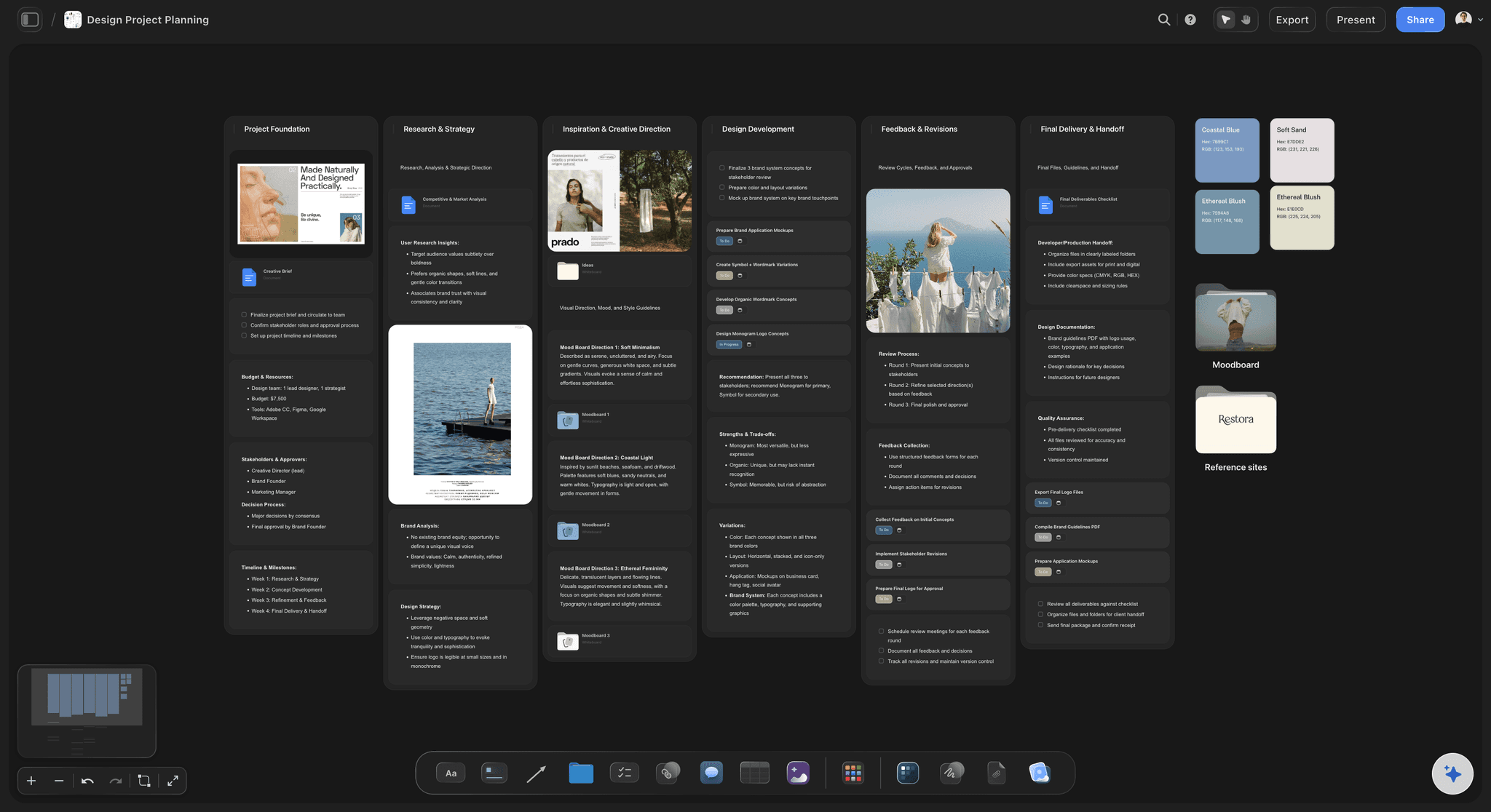
Rounds one and two run on Storyflow: Twelve assets sit on one board beside the brief. The three client reviewers open a view-only link, and one named approver signs in to comment and decide.
The single film goes to Frame.io: The 30-second cut needs frame-accurate notes, and it fits the Frame.io free plan's limits for a small, occasional need. If it did not, Pro is $15 per member a month.
Print files stay out of Storyflow's approval: Posters get checked as final PDFs in Filestage's free plan, which allows one active project and five new files a month. Beyond that, Starter is $199 a month.
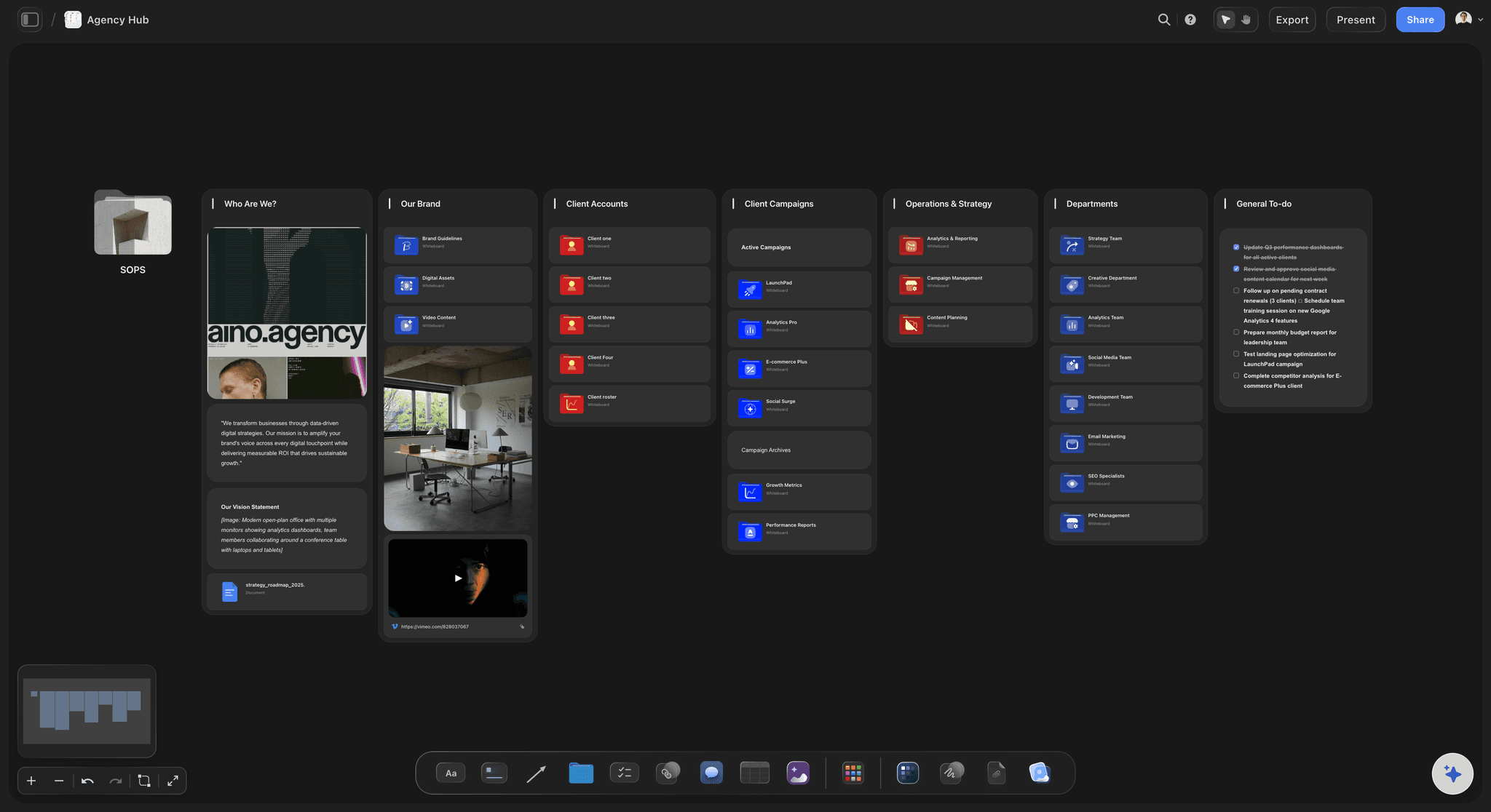
One record across all of it: The Storyflow table lists all 12 assets with approver, round, status and date, with a URL cell pointing at the Frame.io or Filestage review where one exists.
Why email fails first
Creative review software vs email feedback
Notes lose their location: "The second image on the left" has to be matched by hand to a file. In any review tool the comment sits on or beside the piece, and that step disappears.
Versions multiply in attachments: Final_v3_FINAL is the joke because it is true. A shared link removes the question of which attachment people are looking at.
Decisions get buried: A yes in message 14 of a thread is hard to find six weeks later. A row with a name and a date takes a few seconds to read.
When email is still fine: One approver, one PDF, one round. Do not buy software for that. Start caring when a second reviewer or a second round appears on most jobs.
Plainly, what Storyflow does not do
Where Storyflow stops as review software
Not a proofing tool: Storyflow has no version compare, no frame-level approval status and no proofing mark-up on video frames. Comments and freehand drawing sit on the board, not on a timecode.
No approve button on a file: The decision is recorded by you in a table row, with a status, a label such as Approved, a name and a date. Filestage and Ziflow capture the decision from the reviewer directly.
No automated routing or reminders: Storyflow does not move a review from one stage to the next, or chase a late reviewer by email. Ziflow routes stages, and Filestage sends reminders.
No audit trail for regulated release: A table you maintain is good evidence for a studio and is not a compliance system. Legal or regulated gates need a tool built to be one.
Explore templates for your project
Every template opens as a real, editable board on the infinite canvas. Pick the closest fit and make it your own.
Brand Strategy
Define your positioning, values, and voice and connect them into a strategy the team can follow.
One app instead of five
Storyflow vs Frame.io, Ziflow and Filestage.
Frame.io, Ziflow and Filestage are better at the proofing itself: version compare, frame-accurate mark-up and per-file status, with some features tied to their paid plans. Storyflow covers the review around the work, and its AI starts on Plus.
Storyflow
Recommended
Brief, moodboards and rounds on one canvas
AI that plans the project on the same board
Reviewer views with no account
Reviewer comments with no account
Frame-accurate comments on video
Side-by-side version compare
Approval status on each file
Frame.io
Brief, moodboards and rounds on one canvas
AI that plans the project on the same board
Reviewer views with no account
Reviewer comments with no account
Frame-accurate comments on video
Side-by-side version compare
Approval status on each file
Ziflow
Brief, moodboards and rounds on one canvas
AI that plans the project on the same board
Reviewer views with no account
Reviewer comments with no account
Frame-accurate comments on video
Side-by-side version compare
Approval status on each file
Filestage
Brief, moodboards and rounds on one canvas
AI that plans the project on the same board
Reviewer views with no account
Reviewer comments with no account
Frame-accurate comments on video
Side-by-side version compare
Approval status on each file
What creators are saying
Join early creators getting structured workspaces and AI that remembers their projects
“Storyflow has sped up my workflow by at least 3x, which means more flow state and more projects I can actually ship. It truly changed the way me and my team create.”

Reilin Joey
Director & YouTuber
“One prompt gets me a structured board. But the tactics are my favorite. I run my YouTube scripts through them and my intros and retention got better. It's amazing.”

Justkay
YouTuber & Freelance Filmmaker
“I used to juggle five apps to plan a project. Now I describe what I am making and get boards, lists, and a schedule. All in one place.”

George
@fernwehchronicles
Creative review software, answered.
Which kind you need, what it costs, and when email is still fine.
Creative review software is any tool that puts creative work in front of a reviewer and keeps their comments, decisions and versions attached to it, instead of scattered across email. Storyflow is one kind, a review board where the brief, moodboards, rounds and comments sit together on one canvas. Proofing tools and video review tools are the other two kinds, built for near-final files.
Storyflow is built for exactly this job on early and mixed work: the client opens a view-only link with no account, sees each round beside the brief, and signs in to comment or draw. It comes first because the costliest changes tend to start before final files exist. Frame.io still does frame-accurate video notes, which Storyflow does not, so add it when clients review cuts.
For a small studio, Storyflow runs a review board from Plus at $7.99 a month billed annually, paid-only during early access. For the occasional final proof, free plans as of November 2026: Frame.io takes 2 members, Filestage one active project and five new files a month, Ziflow 2 users and one stage. Filestage and Ziflow paid plans start at $199 a month, which suits frequent proofing.
Creative review software runs from free plans to a few hundred dollars a month, as of November 2026. Frame.io Pro is $15 and Team $25 per member a month. Filestage Starter is $199 a month and Business $329. Ziflow Standard is $199 and Pro $329 a month billed annually. Storyflow is paid-only during early access, with Plus at $7.99 a month billed annually, as a review board rather than a proofing tool.
Yes, once a second reviewer or a second round appears on most of your jobs. Email loses where each note applies, multiplies attachments and buries decisions in a thread. In Storyflow the comment sits beside the piece and the decision goes in a table row. For one approver, one PDF and one round, email is still fine and you do not need software.
No, Storyflow is a review board and not a proofing tool. It has no version compare, no frame-level approval status and no proofing mark-up on video frames. A signed-in commenter can comment and draw on the board, which covers concept and draft rounds well. For near-final files, pair Storyflow with Frame.io, Ziflow or Filestage and keep the overall record on the board.
Frame.io is the specialist for video: frame-accurate notes, a Premiere integration and side-by-side version comparison, with clients commenting through a share link and no sign-up. Filestage and Ziflow also offer frame-level video comments alongside other file types. Storyflow handles what comes before the cut, including script, moodboard and storyboard reviews, and does not mark up video frames.
Ziflow suits legal and compliance reviews, because it runs review stages in a set order and keeps an audit trail: 3 months on Standard at $199 a month billed annually, 1 year on Pro, unlimited on Enterprise, as of November 2026. Storyflow is not a compliance system: use it for planning and early concept rounds, then send the regulated file through Ziflow for the formal gate.
Filestage and Frame.io let clients comment with no account, and Ziflow lets guests review from a link. In Storyflow a client views with no account but signs in to comment or draw, so choose by what you need from them. If the client only needs to look and reply, a Storyflow view-only link is enough. If they must mark up the file, use a proofing tool.
Figma comments are enough when the whole review is one design file and the client is comfortable in Figma. They do not hold the brief, references or a film storyboard beside the layout. Storyflow suits review across mixed work on a canvas that a client opens from a link. You can keep design comments in Figma and run the client-facing round on the board.
Yes: Storyflow for the brief, concepts and early rounds, and a proofing tool for final files. Add a row per asset to a Storyflow table and paste the Frame.io, Ziflow or Filestage review link into a URL cell. Everyone keeps one starting point, and you pay for proofing seats only where a file needs them.
AI helps you catch obvious notes before the client does. The AI inside Storyflow starts on Plus: Review what's on this board reads the board and gives notes, and What's missing here? finds gaps. It looks at an image's pixels only when you select that image. Invited free accounts have no in-app AI. Decisions about taste and approval stay with the people accountable for the work.
Storyflow is paid-only during early access. Plus adds the in-app AI at $7.99 a month billed annually ($9.99 monthly), Pro is $14 ($19 monthly) and Max is $39 ($49 monthly). Clients viewing a link need no account, and anyone a paid member invites to a board joins free, so client reviewers do not add to your bill.
Storyflow cannot compare versions, set an approval status on an individual file or frame, mark up video frames, route a review between stages or send due-date reminders. Reviewers must sign in to comment. It also is not a compliance system. For those jobs use Frame.io for video, Ziflow for routing and audit trails, and Filestage for no-account client approvals.
More from Storyflow
Client feedback and approval: the review board
Creative approval workflow
Frame.io vs Ziflow vs Filestage vs Storyflow
Best client feedback and approval tools for studios
Plan the video in Storyflow, review the cut in Frame.io
Design feedback tool
Design review board
Client presentation tool
Storyflow for agencies
Storyflow for producers
Start with the review that happens first.
Put your next concept round on a Storyflow board beside the brief, send the client one link, and add a proofing tool only when a file needs it.