
Ultra-fast campaigns, pitched beautifully
Ad creative testing
that teaches you something every round.
For performance marketers, DTC founders and UGC agencies: a single variable in each test, a hypothesis, ad names that read like data, a budget and a metric, the script for every variant, and the lessons the next brief starts from.


Creatives working for these brands already got early access
- Red Bull
- Canon
- Artlist
- Porsche
See how easy it is to get started
Watch a real project come together, from a blank board to a finished plan, clicked through step by step.
Start from a ready-made template
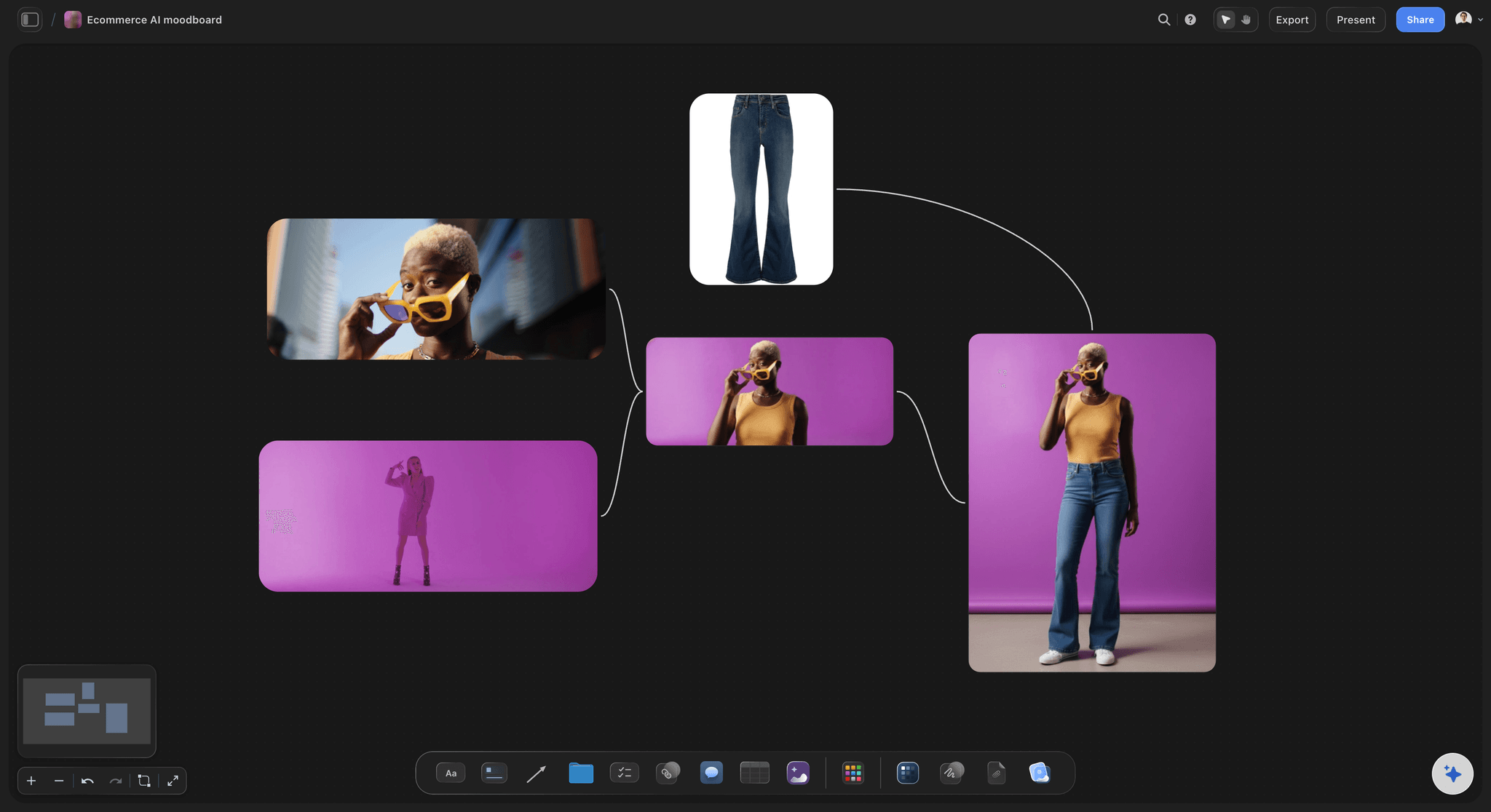
Pick a board to see what you can build, then let AI fill it in. Every template is a real, editable starting point on the same infinite canvas.

Marketing Campaign
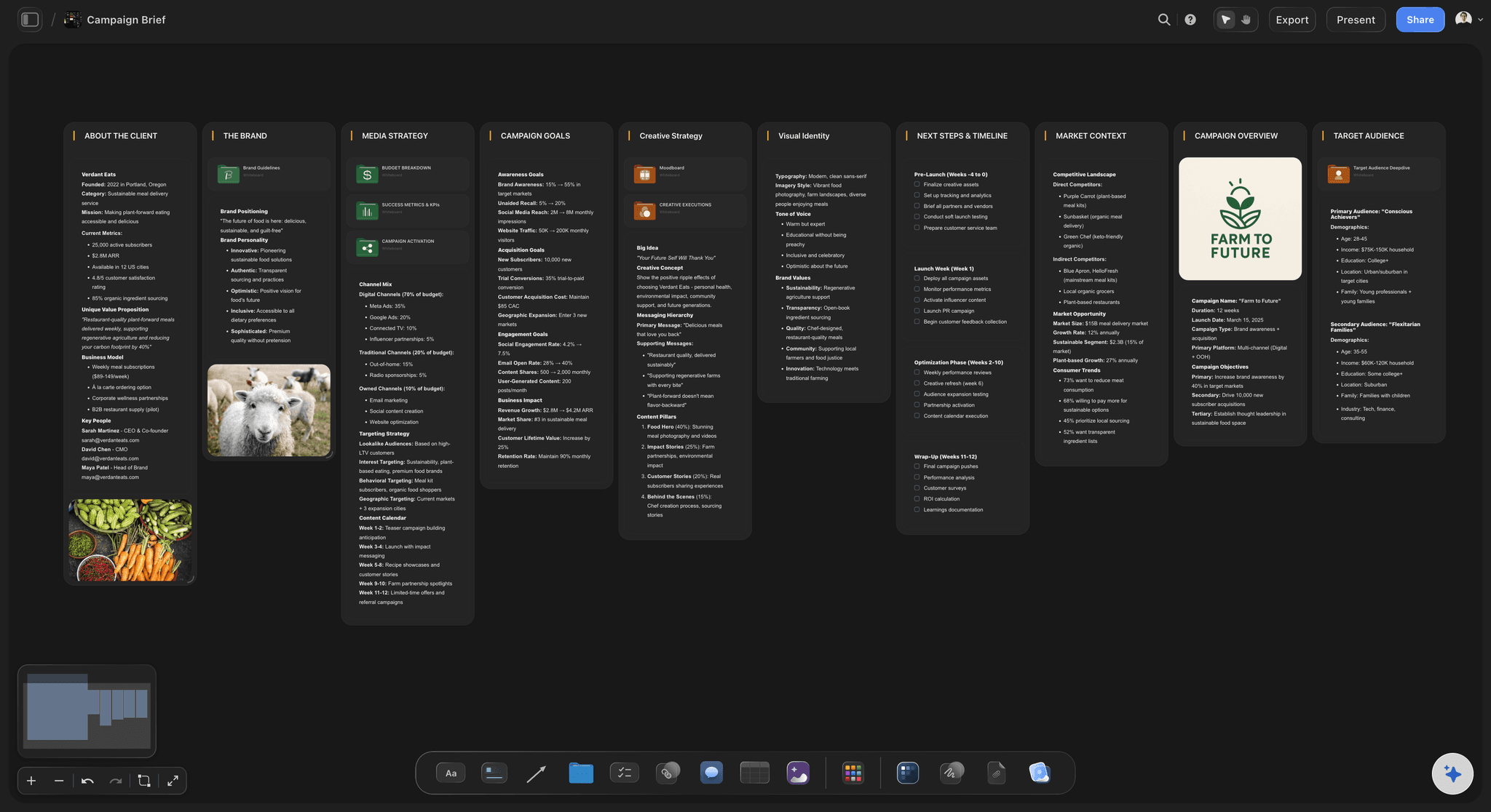
Plan a campaign across channels, messages, and deliverables on one board the whole team can see.
How should you plan ad creative testing?
Ad creative testing means running controlled variations of an ad to learn which hook, angle, format, creator or offer moves the result, then briefing the winner into the next round. Storyflow is an AI visual workspace that holds your whole testing loop on one infinite canvas: the angle and hook matrix, a brief and script per variant, the results you log from the ad account, and the learnings.
Change one thing per test. If a new hook, a new creator and a new offer launch together and one ad wins, you have a winner and no lesson. Keep the body, the offer and the audience fixed while the hook changes, then test the next variable against the winner. Meta's A/B testing guidance says the same: identical ad sets except for the variable under test.
Write the hypothesis before the ad. "A problem-first hook will beat a product-first hook on hook rate, because cold buyers do not know the category yet" can be proven wrong, and a wrong answer still teaches you something. "See what works" cannot. Each hypothesis names the variable, the metric that will judge it and the reason you expect it to win.
Name every ad so the report explains itself. When every name carries the same codes in the same order, results can be grouped by angle, hook or creator in a spreadsheet or a creative analytics tool. Agree the convention before launch, because nobody renames ads once they are live, and one inconsistent name breaks every grouped report after it.
Ultra fast from brief to board
One round of testing, from angle to written lesson.
A round is a week or two of spend. The plan is what makes it worth the money.
01
Map the angles and hooks
List the angles you could run (problem, desire, objection, comparison, social proof) with three or four hooks for each in a table. The AI drafts the matrix from your product notes and customer reviews, and you cut it down to the lines you believe.
02
Write the test before the ads
Pick one variable, then write the hypothesis, the metric that judges it, the budget, the dates and the name of every ad before any of them exists. Each test becomes one row of the test plan table.
03
Brief every variant
The AI's video script workflow drafts a script per variant with the hook written out word for word, and its storyboard workflow lays out the frames. Creators and editors work from the brief, with last month's winning ad uploaded beside it.
04
Log the result, write the lesson
When the test window closes, copy spend, impressions, 3-second plays, 15-second ThruPlays, link clicks and results for each ad from Ads Manager into the results table and work out the rates. Write one sentence of learning, and brief the next round from it.
The test plan, the briefs and the lessons, kept together.
The planning and briefing half of creative testing. Launching and reporting stay in the ad platform and your analytics tool.
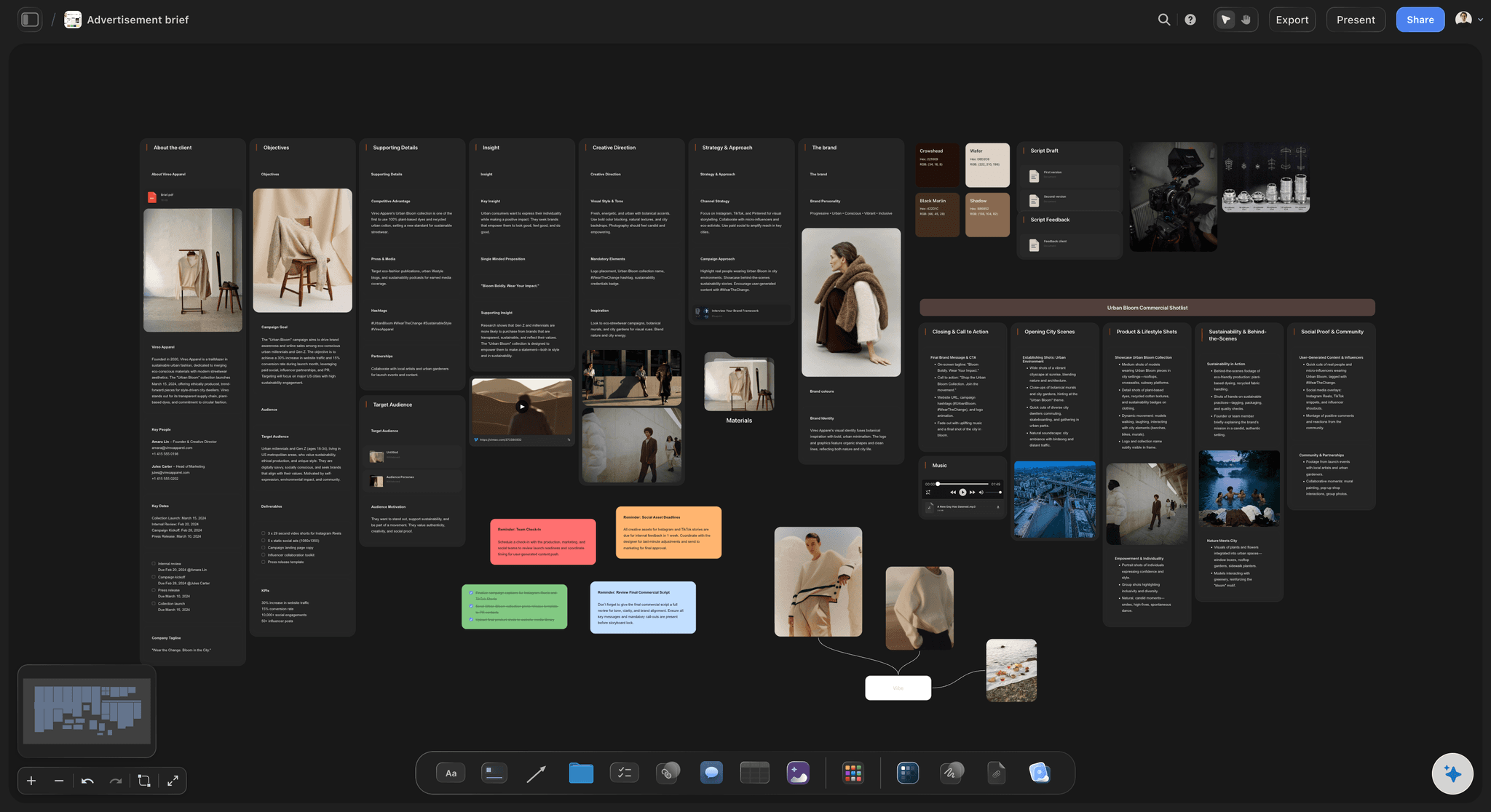
Angles and hooks, before the ads
An angle and hook matrix to test from
Angles down the side, hooks across the top, each cell a line an ad could open with. The AI drafts it from your product notes and reviews, and each test changes one cell while everything else in the ad stays the same.
See the creative strategy tool →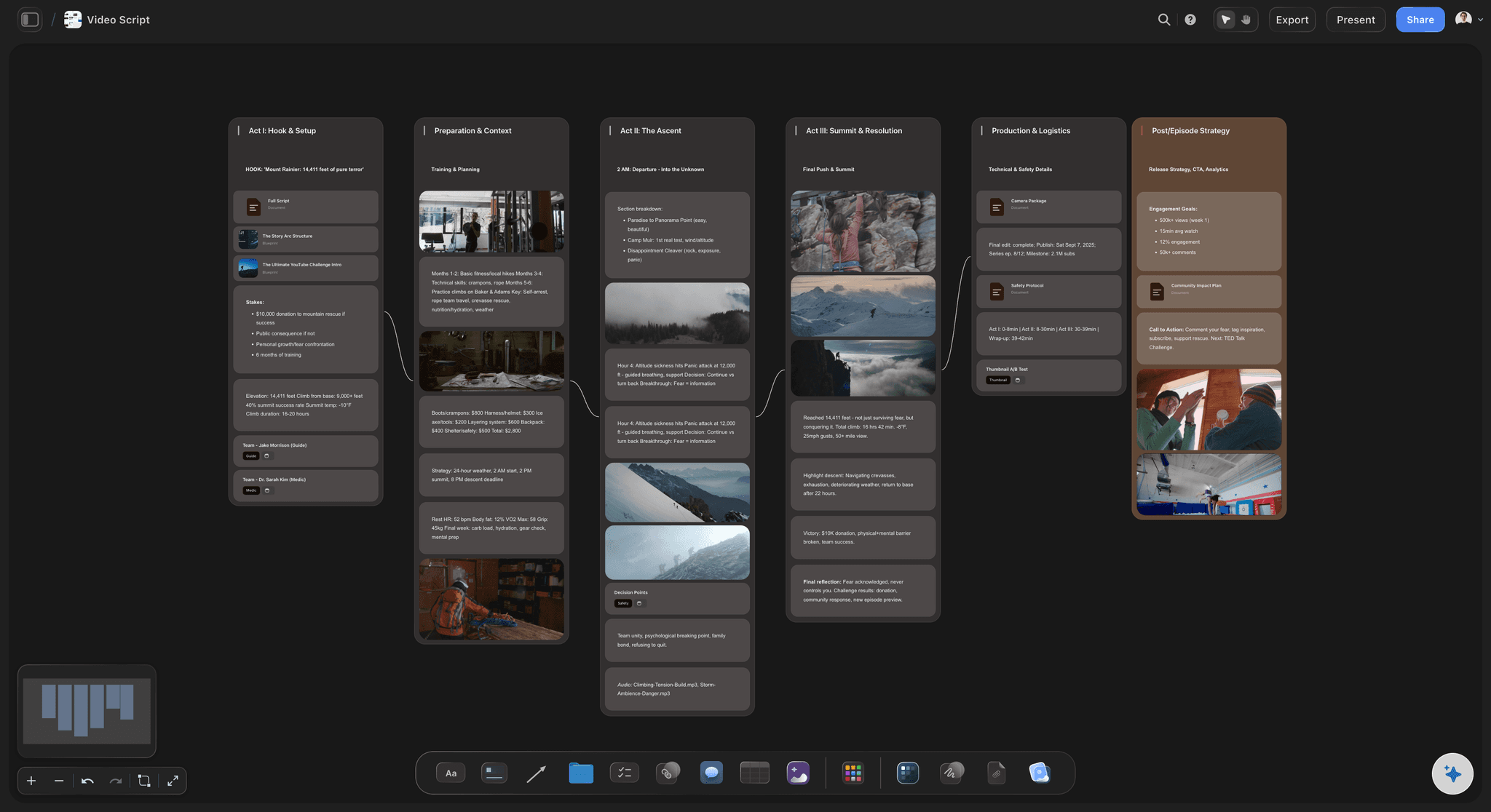
A brief for every variant
Scripts and storyboards, one per variant
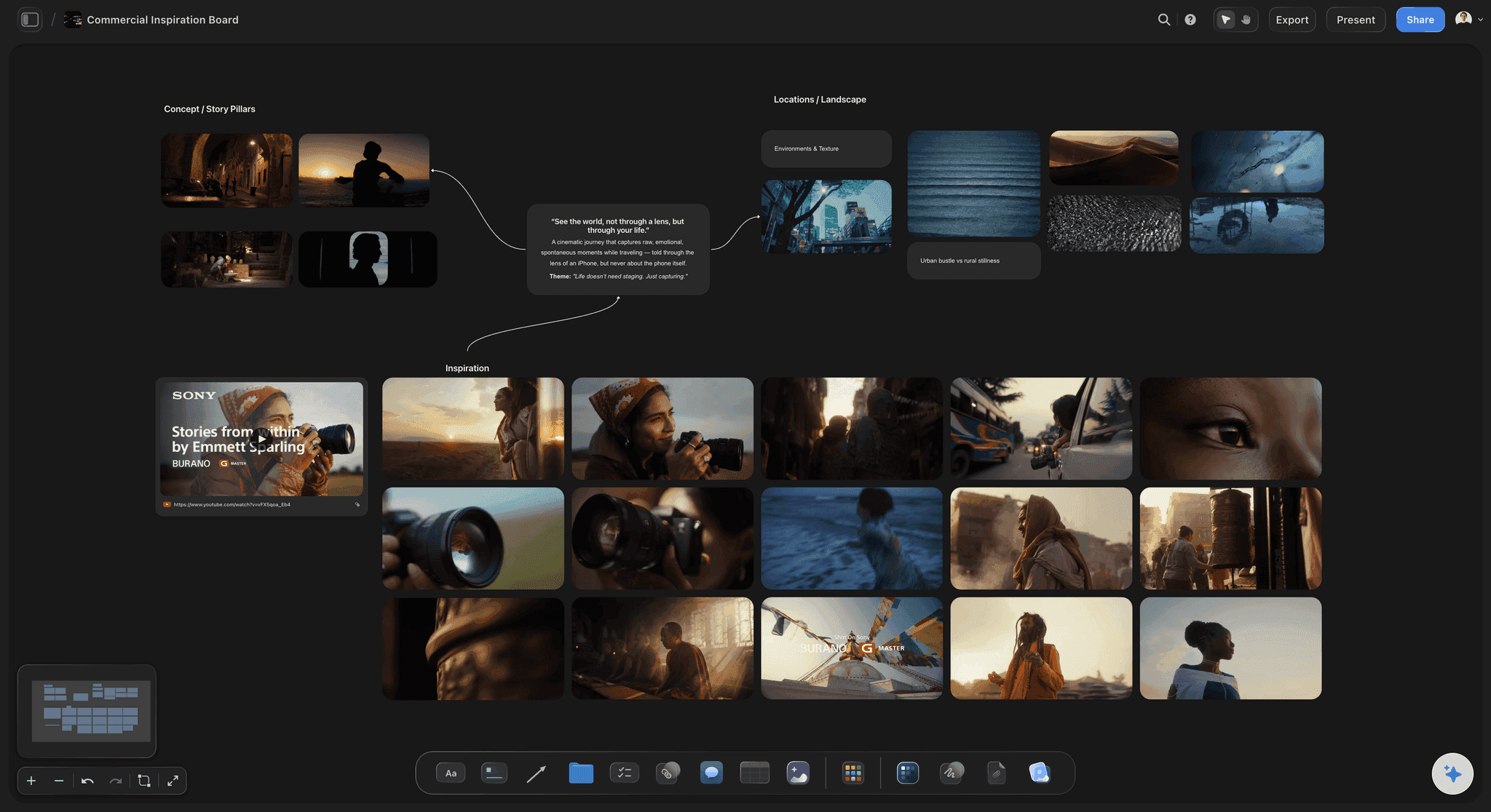
Each variant gets a brief that spells out the hook, a script drafted by the AI's video script workflow, and a storyboard of its frames. Upload last month's winning ad, scrub to the second it worked, and grab that frame onto the new brief.
Write briefs with the UGC brief template →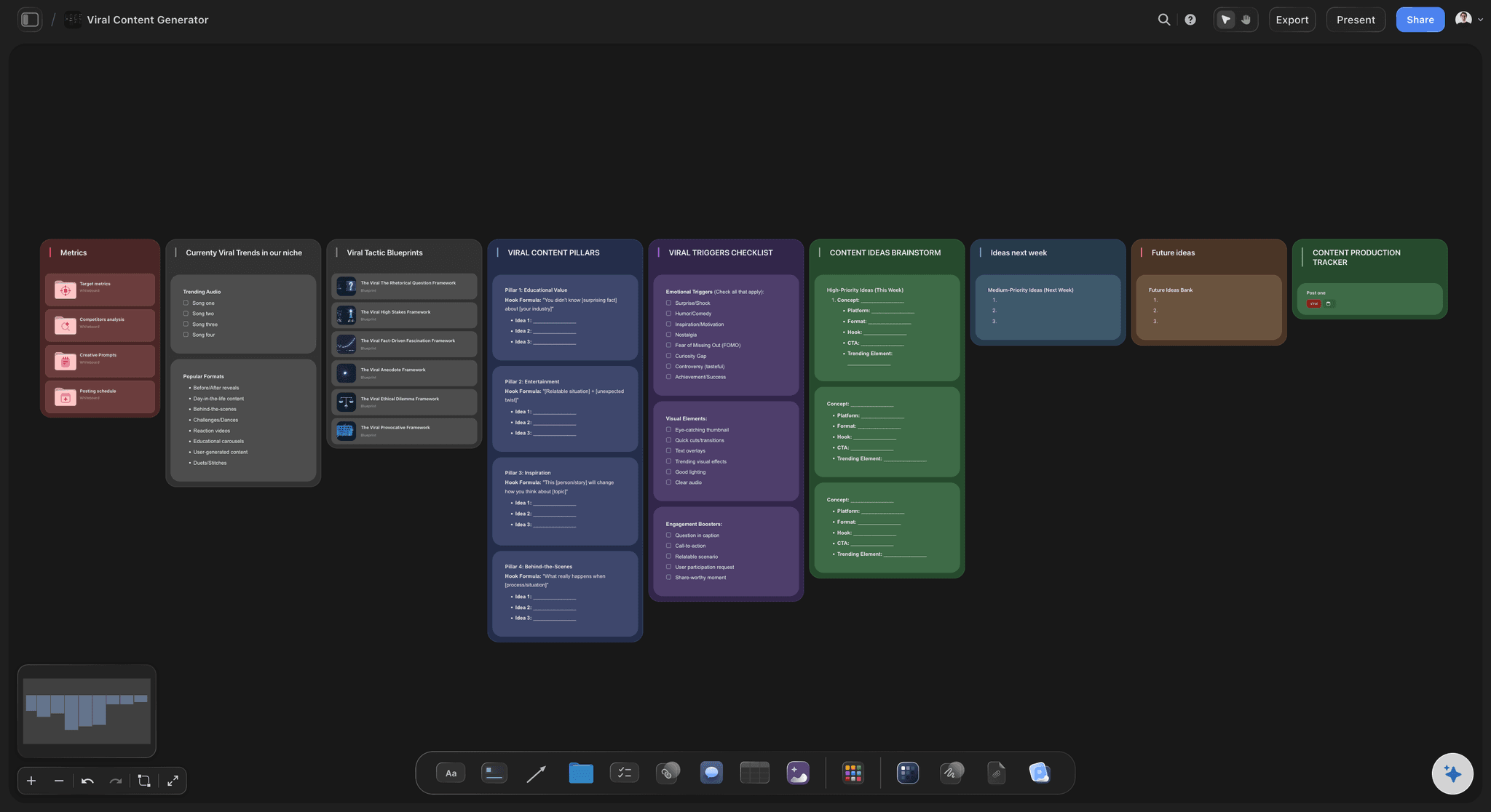
Results and the lesson
A results table and a learnings library
Log spend, hook rate, hold rate, click-through rate and cost per result for each ad into a table, with a currency column totalling the spend. Every finished test adds one line to the learnings library, starting with the variable it tested, and the AI can export the results table as an Excel file whose totals stay live.
Plan the campaign around the tests →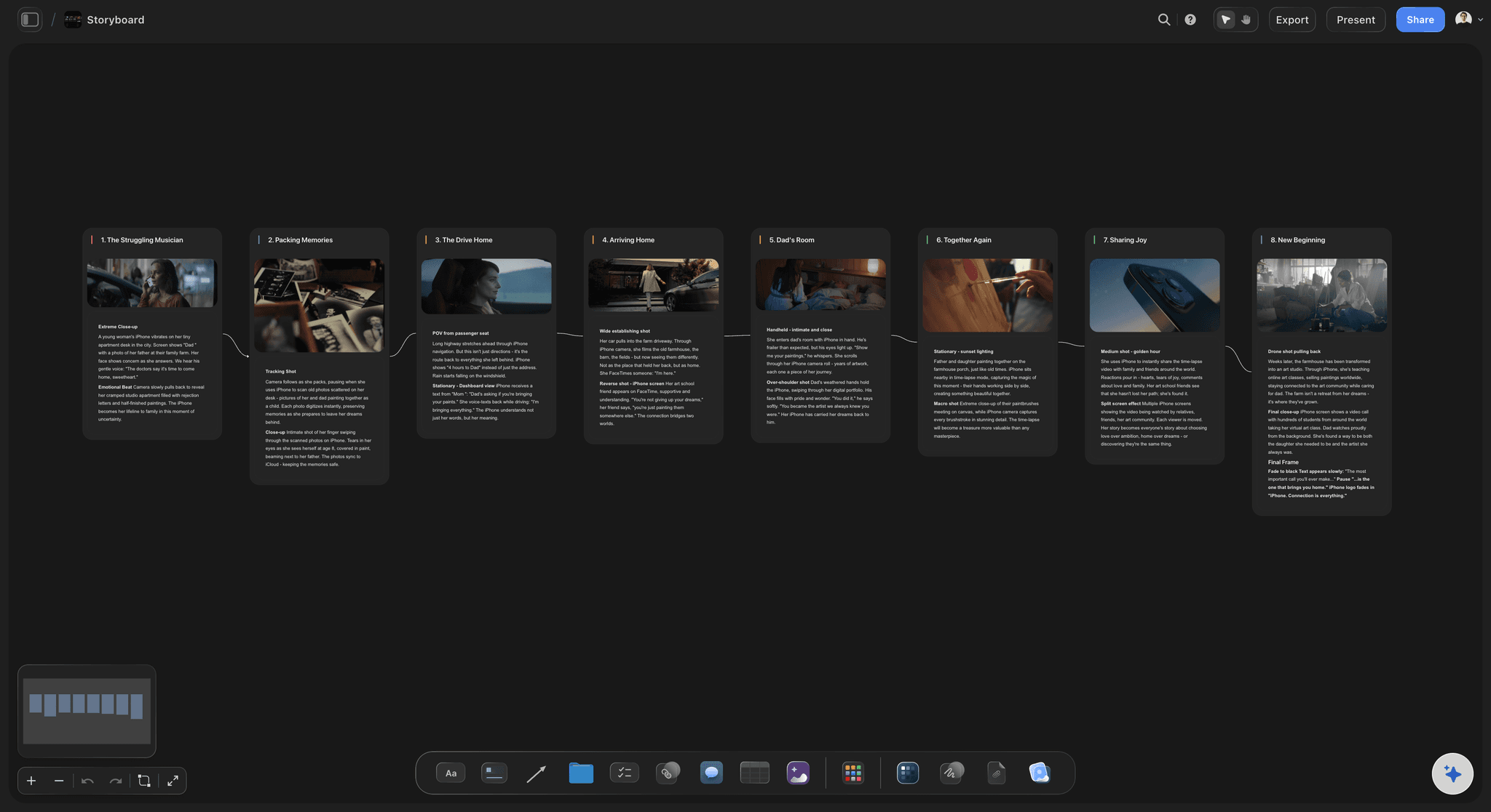
Shared with creators and the client
One board the creators and the client read
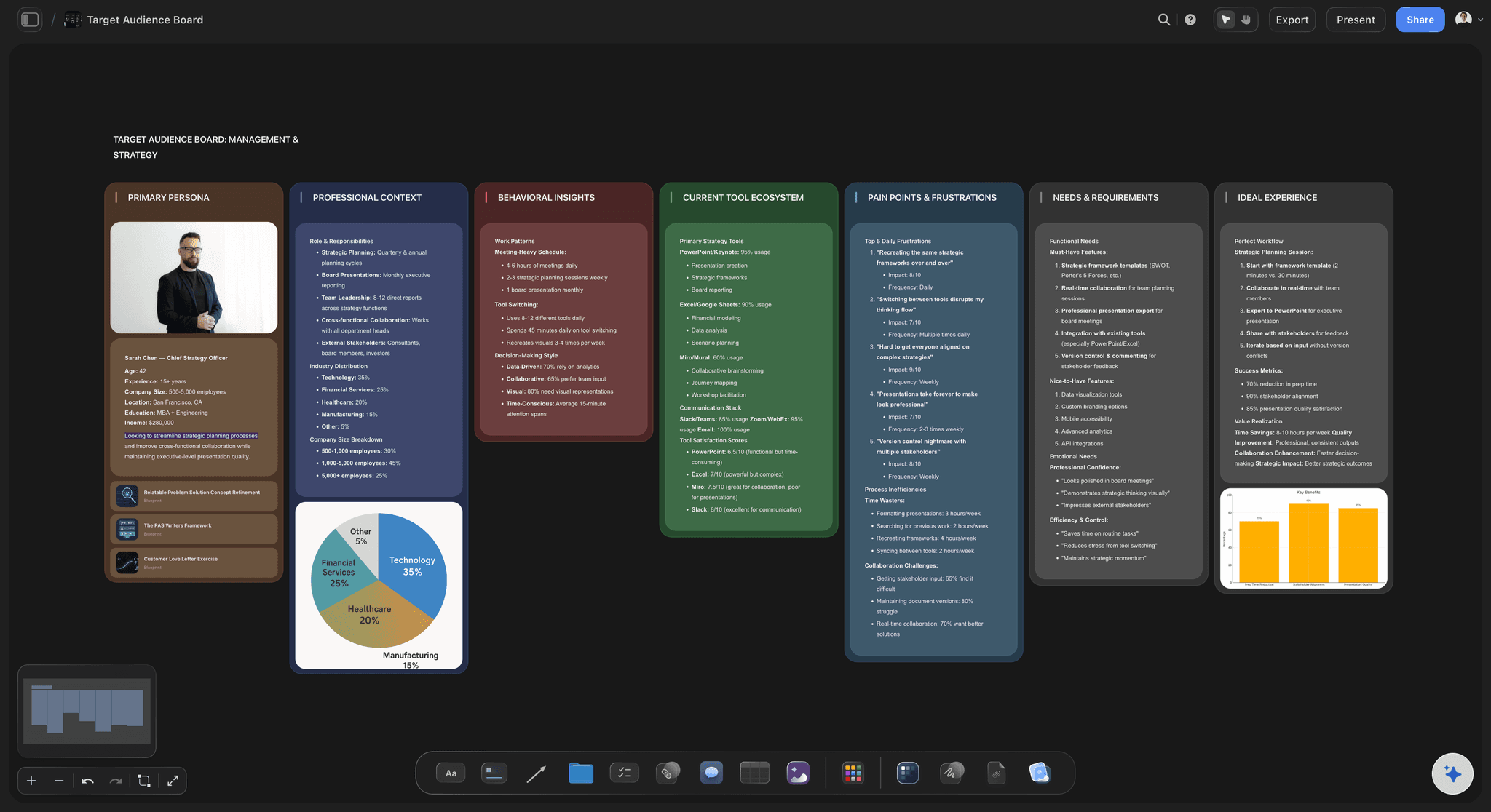
Creators, editors and the client open the test plan from a view-only link in any browser, and sign in to comment beside a script or a result. Export the whole board as a PDF for the monthly report, or step through the round's lessons fullscreen.
Storyboard the whole campaign →Every round on one board, so the lessons add up.
Keep one board per product or client and add a round every week or two, so the learnings library grows instead of starting again. Storyflow is paid-only during early access, with plans from $7.99 a month billed annually ($9.99 monthly). A free plan launches before the end of 2026, and anyone a paid member invites to a board joins free.
Unlimited test boards, ad video uploads and files on every paid plan
AI that drafts the angle matrix, scripts and storyboards (frame images on Pro and Max)
Results tables with currency, status, date and label cells
Video uploads you can scrub to the frame where a hook lands
Built for people with taste
The fields, the names and the numbers of a test.
Copy it into your own sheet if you prefer. Budgets and durations here are examples to adapt, not rules, and where the platform publishes guidance it is quoted as the platform's.
The test plan fields
What every test records before launch
Variable and hypothesis: The one thing that changes , such as the hook or the offer, and the sentence that predicts the result and why. Everything else in the ad stays identical, or the result cannot be read.
Control and variants: The current winner as the control, and a few challengers that differ from it only in the variable. Meta's creative testing tool in Ads Manager compares up to seven variants inside an existing campaign.
Budget, dates and audience: The spend per variant, the start and end dates, and an audience no other live campaign is also targeting. Meta suggests its creative tests use no more than 20% of the existing budget, and recommends at least seven days for an A/B test.
Metric and decision rule: The one number that decides the test, and what happens to the winner, the loser and a draw, written before launch. Meta's creative testing tool lists top performers without a confidence level, so the call stays yours.
The naming convention
Ad names that read like data
One order, every ad: Date, product, angle, hook, format, creator and version, separated by underscores and always in the same order. A report grouped by any one part only works if every name carries all of them.
An example name: 0914_SLEEP_problem_H2_ugc_maya_v1 reads as a 14 September launch, the sleep product, the problem angle, the second hook, UGC format, creator Maya, first version. Short codes keep every name readable in the narrow name column of a report.
A legend on the board: H1 to H5 for hooks, one short word per angle (problem, desire, proof), and one line saying what each code means. A new freelancer should be able to read any ad name without asking.
The metrics, defined
What each number actually measures
Hook rate: 3-second video plays divided by impressions: the share of people who stopped scrolling. It judges the opening seconds of the ad and nothing after them.
Hold rate: 15-second ThruPlays divided by 3-second plays, where Meta counts one when a video plays to the end or for at least 15 seconds. It judges whether the body keeps the people the hook stopped; some teams divide by impressions instead, so write down which.
Click-through rate: Link clicks divided by impressions: how often people who saw the ad clicked its link. A strong hook rate with a weak click-through rate usually means the hook promised something the ad never delivered.
Cost per result: Amount spent divided by the result the campaign optimises for, such as a purchase or a lead. It is the number the business cares about most, and the one a small test can least settle on its own.
After the test
What gets iterated, and what gets written down
Iterate on the winner: Keep what won and change the next variable: new hooks on the winning body, then a new creator on the winning hook. Meta's tips for A/B tests say the same: after testing one creative element, test a different creative variable next.
The lesson in one sentence: What changed, what happened and what you now believe, such as: problem-first hooks beat product-first hooks with cold audiences for this product. A test with no written lesson gets run again next quarter.
The next brief starts from the library: Read the learnings for the variable you plan to test before writing a single script. Attach the testing board as context and the AI drafts the next scripts from what already won.
Creator terms before the shoot: Paid usage rights and for how long, whether ads run from the creator's handle, how many rounds of edits, and when the creator is paid. A winning ad whose licence has expired is a test you paid for twice.
Explore templates for your project
Every template opens as a real, editable board on the infinite canvas. Pick the closest fit and make it your own.
Marketing Campaign
Plan a campaign across channels, messages, and deliverables on one board the whole team can see.
One app instead of five
Storyflow, Motion, Google Sheets and Notion for creative testing.
Storyflow plans the tests and briefs the variants. Motion pulls results from ad accounts and reports on them, Google Sheets holds the numbers, and Notion keeps the documents.
Storyflow
Recommended
Storyboard for each concept
Frames grabbed from a video ad onto the brief
Planned spend per test with a live total
Meta ad results synced automatically
Competitor ad research built in
Motion
Storyboard for each concept
Frames grabbed from a video ad onto the brief
Planned spend per test with a live total
Meta ad results synced automatically
Competitor ad research built in
Google Sheets
Storyboard for each concept
Frames grabbed from a video ad onto the brief
Planned spend per test with a live total
Meta ad results synced automatically
Competitor ad research built in
Notion
Storyboard for each concept
Frames grabbed from a video ad onto the brief
Planned spend per test with a live total
Meta ad results synced automatically
Competitor ad research built in
What creators are saying
Join early creators getting structured workspaces and AI that remembers their projects
“Storyflow has sped up my workflow by at least 3x, which means more flow state and more projects I can actually ship. It truly changed the way me and my team create.”

Reilin Joey
Director & YouTuber
“One prompt gets me a structured board. But the tactics are my favorite. I run my YouTube scripts through them and my intros and retention got better. It's amazing.”

Justkay
YouTuber & Freelance Filmmaker
“I used to juggle five apps to plan a project. Now I describe what I am making and get boards, lists, and a schedule. All in one place.”

George
@fernwehchronicles
Ad creative testing, answered.
Variables, Meta's tools, budgets, metrics, naming and what to do with a winner.
Storyflow is the tool to plan ad creative testing with the test plan, the briefs and the lessons kept together: an angle and hook matrix, one variable and a hypothesis per test, a script and storyboard per variant, a results table, and the learnings library, on one board the team opens by link with no account or reads as a PDF. Motion suits syncing results from your ad accounts, and Google Sheets suits heavy number work.
A repeatable way to run tests that teach: choose the variable from the angle and hook matrix, write a hypothesis, keep everything else fixed, name the ads by a convention, set the budget and dates, judge with one metric, write the lesson down and brief the next round from it. The framework matters more than any single test, because it is what makes results comparable across rounds.
Meta offers two routes. The creative testing tool compares up to seven variants inside an existing campaign using the Highest volume bid strategy, with a share of budget and a comparison metric you choose. An A/B test splits the audience so nobody sees both versions. Meta recommends one variable per test and a measurable hypothesis, and the creative testing tool makes no automatic changes to your ads when the test ends.
Usually the angle, then the hook, because they decide who stops and why; format, creator and offer tests then refine a message that already works. If the offer is weak, no hook will rescue it, so for a product that barely converts the offer can be the first test. Whichever you pick, change that one element and keep the rest of the ad identical.
Enough for each variant to produce a stable number on the metric that judges it, which depends on your cost per result and your audience size. Meta suggests keeping its creative tests to no more than 20% of the existing campaign or ad set budget, and recommends at least seven days for A/B tests, which run for up to 30 days. Write your own minimum spend per variant into the plan before launch.
Hook rate is 3-second video plays divided by impressions: how many viewers stopped scrolling. Hold rate is 15-second ThruPlays divided by 3-second plays, where Meta counts one when a video plays to the end or for at least 15 seconds. Some teams divide by impressions instead, so write your definition on the plan and keep it the same across rounds.
Use a fixed order of short codes separated by underscores: date, product, angle, hook, format, creator and version, such as 0914_SLEEP_problem_H2_ugc_maya_v1. Keep a legend of the codes next to the test plan and never rename a live ad. With every name built the same way, results can be grouped by hook, angle or creator in any spreadsheet or analytics tool.
Decide before launch: the metric, the minimum spend or results per variant, and the gap that counts as a win. Meta's A/B tests can report that no winner was found, and a creative test in Ads Manager names top performers without a confidence level, so the rule has to be yours. When the gap is small, call it a draw, keep the control and test a bigger difference next.
A running record of what each test taught, one sentence per test, tagged by variable, product and audience. It stops a team from retesting what it already knows and gives every new brief a starting point. In Storyflow it is a titled column of notes on the testing board, and the AI reads it when it drafts the next round's scripts.
No. Storyflow plans the tests and briefs the variants; it does not connect to Meta, TikTok or Google ad accounts, launch ads or import results. Launch and read tests in Ads Manager, and use a creative analytics tool such as Motion, which syncs results from Meta, TikTok, YouTube and LinkedIn accounts and groups them by naming convention or AI tags. Copy the numbers that decide each test into the results table.
It can draft them, and you choose. Give Storyflow's AI the product notes, reviews and last round's lessons, and its video script workflow drafts a script per variant with the hook written out, while the storyboard workflow lays out the frames. It reads the board you have open and up to five attached documents. It cannot know which hook will win; only the test can.
Not during early access. Storyflow is paid-only during early access, with plans from $7.99 a month billed annually ($9.99 monthly). A free plan launches before the end of 2026, and anyone a paid member invites to a board joins free. Your creators pay nothing to read their briefs.
More from Storyflow
UGC brief template
Creative strategy tool
AI marketing campaign planner
Marketing storyboard
Campaign brief template
Video marketing plan
AI video script generator
Commercial storyboard
Free video frame grabber
Creative brief template
AI shot list generator
Storyflow for marketing teams
Pricing
Video ad script template
Campaign wrap report
Always-on campaign plan
Make every test worth its spend.
Open a canvas, paste last round's results, and plan a round that ends in a sentence you can brief from.