
Ultra-fast planning, extremely simple
The work is fine.
The system around it is the problem.
Creative ops is not about making designers faster. It is about requests arriving in one place instead of six, knowing what the team is actually holding before agreeing to more, and being able to find what was decided last time so it is not decided again. Three problems, all of them about visibility.


Creatives working for these brands already got early access
- Red Bull
- Canon
- Artlist
- Porsche
See how easy it is to get started
Watch a real project come together, from a blank board to a finished plan, clicked through step by step.
Start from a ready-made template
Pick a board to see what you can build, then let AI fill it in. Every template is a real, editable starting point on the same infinite canvas.

Mind Map
Branch one central idea out into themes and sub-points, then drag the connections around until the structure makes sense.
What does a creative operations tool need to solve?
A creative operations tool needs to solve three things, and only three: how work arrives, what the team is currently carrying, and where the reusable output of past work lives. Storyflow is an AI visual workspace that makes a creative team's requests and workload visible on one infinite canvas: one intake surface, all live work in view, and an archive the AI can read and answer from. Everything else labelled creative ops is a version of one of these. Getting them right removes most of the friction; adding process on top of them without fixing them adds administration and nothing else.
Intake is first because it is where the damage starts. When requests arrive by Slack, email, a meeting and a shared doc, there is no such thing as the list of what has been asked for. Nobody can prioritise, because prioritising requires a complete set, and no complete set exists. A single intake surface is worth more than any prioritisation framework applied to an incomplete one.
Capacity is second, and the useful measure is not hours. It is how many things the team is holding at once, because creative work has a context-switching cost that hours do not capture. A designer with four projects open is meaningfully slower than one with two, in a way a timesheet showing forty hours either way cannot show. Seeing everything in flight on one board is what makes an honest capacity conversation possible.
Reuse is third and most neglected. Every creative team solves the same problems repeatedly because the last solution is not findable: the positioning that was agreed, the direction that was rejected and why, the standard that was set. Storyflow keeps that on a canvas the AI reads, so a question like what was decided about this audience last quarter has an answer. There is no approval workflow or time tracking here, so your delivery tooling is unaffected.
Ultra fast from brief to board
Intake, in flight, and the archive that gets used.
Solve these three and most creative ops complaints disappear.
01
One intake surface
Every request lands on the same board in whatever form it arrived, so for the first time there is a complete list to prioritise against.
02
Make what is in flight visible
Everything currently open on one canvas. Counting concurrent projects tells you more about capacity than a timesheet does.
03
Decide with the whole picture
Saying yes to new work is only honest when the existing load is visible to the person asking as well as to you.
04
Keep decisions findable
Positioning, standards and rejected directions stay on boards the AI can read, so the next project starts from them.
Visibility, not more process.
Most creative ops pain is a missing view, and process added on top of a missing view makes it worse.

Requests in one place
A list that is actually complete
Paste requests as they arrive, from email, Slack or a meeting. Prioritisation only means something when nothing is missing from the set.
See brief to project board →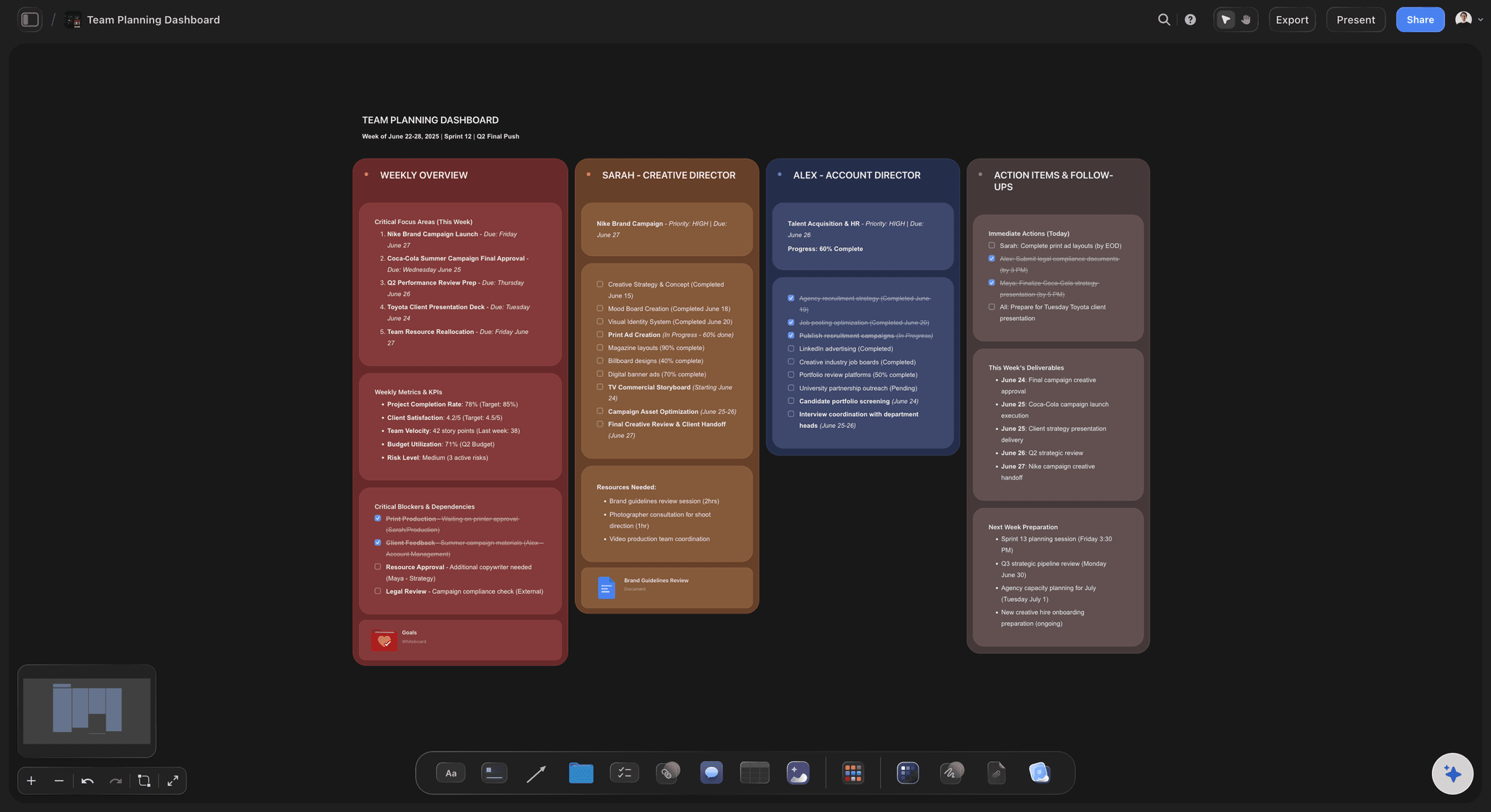
Concurrency, not hours
See what the team is holding
Everything in flight on one canvas. Four open projects per person is a real constraint that a forty-hour timesheet cannot express.
See the creative team workflow tool →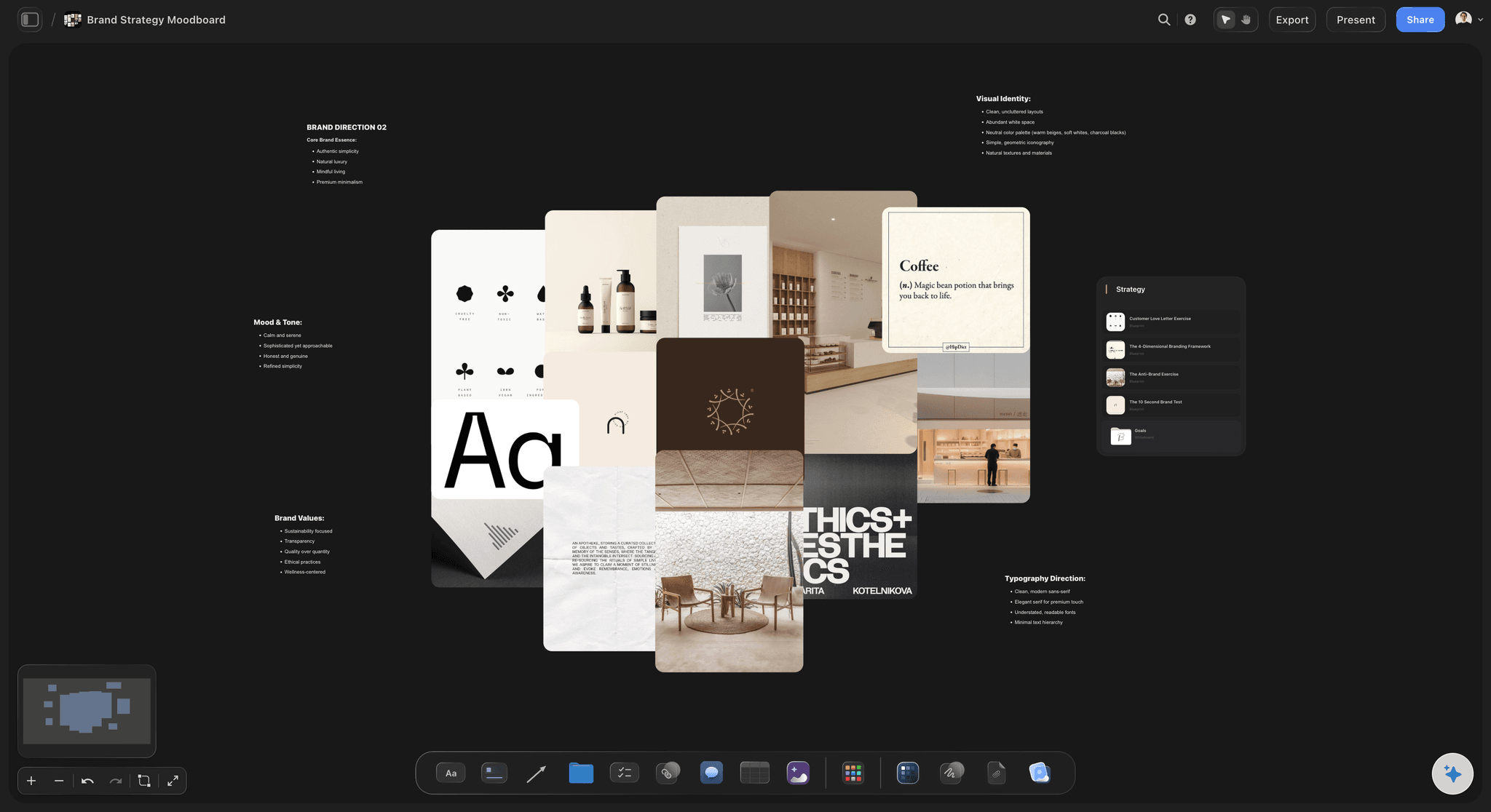
Standards where the work happens
Guidelines nobody has to go and find
Brand decisions and standards live on boards beside the projects using them, rather than in a document that is only opened during onboarding.
See the AI brand guidelines generator →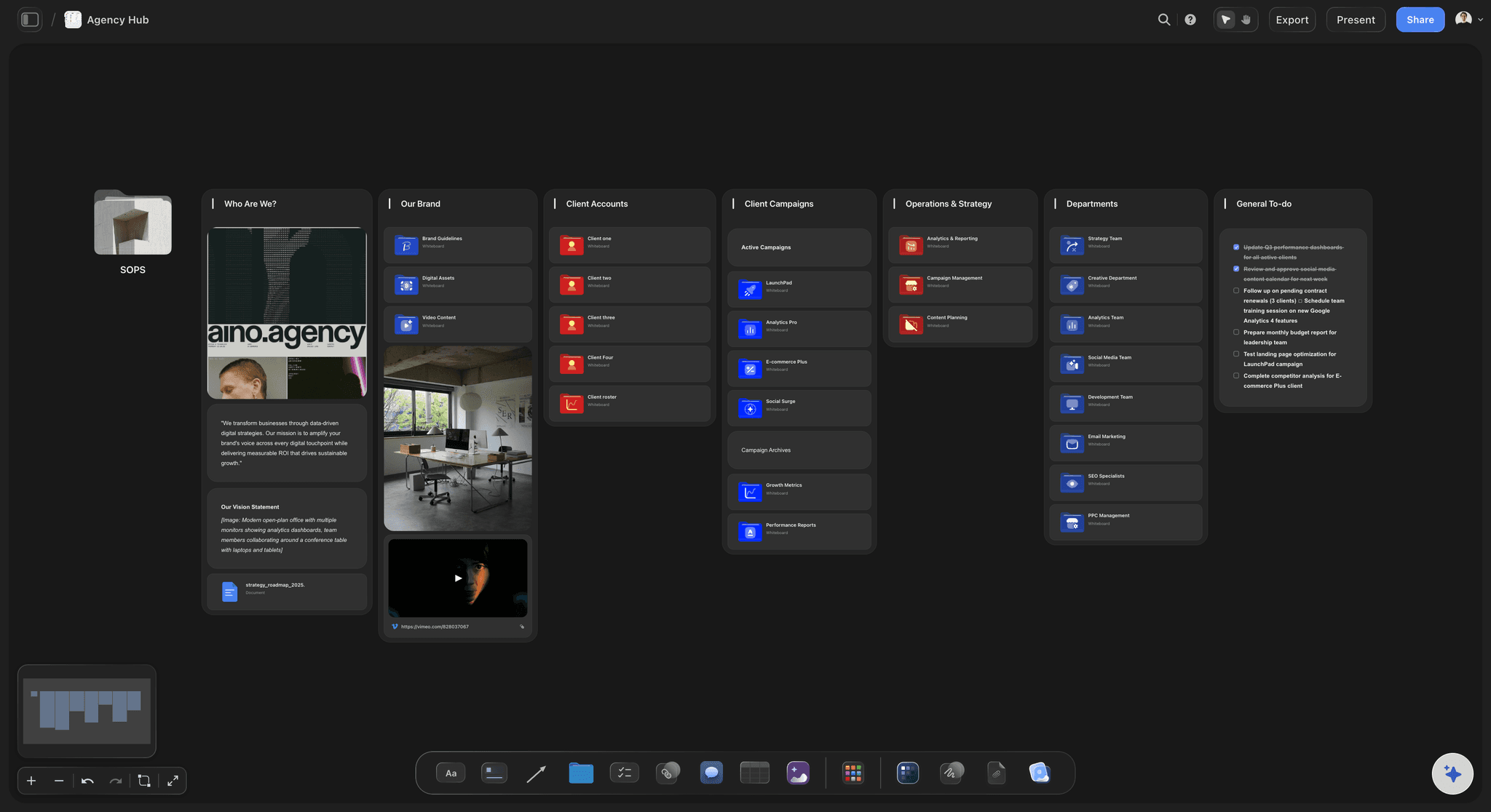
The archive answers questions
Ask what was decided last time
Because past decisions stay on canvases the AI reads, the team can query its own history instead of rediscovering it.
See AI project memory →Plans from $7.99/month annual. Free plan coming late 2026.
Invited collaborators join free, so requesters and stakeholders can be on the boards rather than outside them. Free plan before the end of 2026.
Anyone a paid member invites to a board joins free
One board per project, no project limit
AI reads the boards before it answers
View-only links open without an account
Built for people with taste
Where creative ops effort actually pays.
Plus one place it reliably does not, which is worth knowing before buying anything.
Problem one
Intake is scattered
No complete list, no prioritisation: Requests arriving through four channels means nobody can see the full set, and a priority order over a partial set is theatre.
Take requests as they come: A rigid intake form suppresses requests rather than capturing them. Paste the message and structure it afterwards.
Visible queue, fewer side channels: When requesters can see the queue and where they sit in it, the direct-message route loses most of its appeal.
Problem two
Capacity is invisible until it breaks
Count projects, not hours: Context switching is the dominant cost in creative work and it is exactly what hour-based tracking cannot see.
Show the load to the asker: Saying no is far easier when the person asking can see what saying yes would displace.
Everything open in one view: One canvas showing all live projects is the artefact that makes the conversation concrete.
Problem three
Nothing gets reused
Rejected directions are data: What was tried and did not work is often more useful than what shipped, and it is almost never recorded.
Findable beats organised: A perfectly organised archive nobody searches is worth less than a rough one the AI can read and answer from.
Standards near the work: Guidelines beside the project that needs them get followed. Guidelines in a separate document get cited after the fact.
The non-problem
Where more process does not help
Approvals are not a tooling gap: Slow sign-off is almost always an unclear decision-maker. Routing it through software formalises the delay rather than removing it.
Utilisation targets misfire: Driving utilisation up removes the slack that exploration needs, and exploration is where the quality comes from.
Storyflow does not do delivery: No approvals or time tracking here by design. Keep those where they already are.
Explore templates for your project
Every template opens as a real, editable board on the infinite canvas. Pick the closest fit and make it your own.
Mind Map
Branch one central idea out into themes and sub-points, then drag the connections around until the structure makes sense.
What creators are saying
Join early creators getting structured workspaces and AI that remembers their projects
“Storyflow has sped up my workflow by at least 3x, which means more flow state and more projects I can actually ship. It truly changed the way me and my team create.”

Reilin Joey
Director & YouTuber
“One prompt gets me a structured board. But the tactics are my favorite. I run my YouTube scripts through them and my intros and retention got better. It's amazing.”

Justkay
YouTuber & Freelance Filmmaker
“I used to juggle five apps to plan a project. Now I describe what I am making and get boards, lists, and a schedule. All in one place.”

George
@fernwehchronicles
Creative operations, answered.
The questions that come before adding process.
Something that fixes three specific problems: how requests arrive, what the team is currently holding, and where past decisions can be found and reused. Everything else labelled creative ops is a version of one of those. Storyflow provides the visibility layer, with one intake surface, all live work on one canvas, and an archive the AI can read and answer from. It deliberately has no approvals or time tracking, so your delivery tooling is unaffected.
Storyflow gives a creative team the visibility layer: one intake surface where every request arrives, so the list of what has been asked for is complete. All live work sits on one canvas, so you can see what the team is holding before agreeing to more. Past decisions and guidelines go in an archive the AI can read and answer from. Storyflow deliberately has no approvals or time tracking.
A workflow tool covers one project from request to brief. Creative ops covers the system across projects: the queue, the load and the archive. Same canvas, different altitude, and most teams need both.
Concurrency is the more useful measure. A designer holding four projects is meaningfully slower than one holding two, and a timesheet showing forty hours either way cannot show that. Counting live projects per person is cruder and closer to the truth.
A single intake surface, yes. A rigid form, usually not: forms suppress requests rather than capturing them, and the ones that get suppressed still arrive later as urgent direct messages. Take the request in whatever form it came and structure it on the board afterwards.
No, and that is deliberate. Slow approvals are almost always an unclear decision-maker rather than a missing workflow, and routing an unclear decision through software formalises the delay instead of removing it.
Not during early access. Plans start at $7.99 per month billed annually or $9.99 monthly, with a free plan launching before the end of 2026. Anyone a paid member invites to a board joins free, so requesters and stakeholders can be on the boards without a licence conversation.
Findability matters more than organisation. Because the boards stay readable and the AI reads the whole active canvas plus up to five documents and three boards, the team can ask what was decided rather than needing to know where it was filed.
Yes, via a view-only link with no account. Making the queue visible is usually the single most effective intervention, because most side-channel requests come from people who cannot see where they stand.
No. Once work is briefed and decomposable it belongs in a tracker with owners and dates. This covers intake, load and reuse, which trackers model poorly.
Roughly the point where one person can no longer hold every request in their head, which in practice is around five people or a request volume above a few a week. Below that the overhead is not worth it.
More from Storyflow
Fix the view before adding the process.
One intake surface, one picture of the load, one archive that answers questions.