
Ultra-fast planning, extremely simple
Content operations software
for teams who own the output themselves.
For founders and in-house marketing leads: every request, brief, stage, owner and review on one board, so you can see what is stuck before a deadline does it for you.


Creatives working for these brands already got early access
- Red Bull
- Canon
- Artlist
- Porsche
See how easy it is to get started
Watch a real project come together, from a blank board to a finished plan, clicked through step by step.
Start from a ready-made template
Pick a board to see what you can build, then let AI fill it in. Every template is a real, editable starting point on the same infinite canvas.

Mind Map
Branch one central idea out into themes and sub-points, then drag the connections around until the structure makes sense.
What is content operations software?
Content operations software is where a team runs the people, steps and rules that turn a content request into a finished, published piece. Storyflow is an AI visual workspace that runs a small team's content operations on one infinite canvas: a request table, a production table with stages and owners, and the briefs and brand references beside them. It is made for founders and in-house marketing leads who answer for the content a company ships each month, and who need to see what is stuck.
Content operations comes down to five stages and three rules. The stages are request, brief, make, review and publish, and each needs one owner. As starting rules: no work begins without a brief, each piece gets one approver and two review rounds, and each maker holds no more than three to five pieces in progress. In Storyflow, the stages sit in one table with a status cell, a person cell and a document cell for the brief, so a piece that has stopped moving is plain to see.
Storyflow does not host a public request form, route tasks automatically or connect to a CMS, and it has no time tracking, workload view or Gantt chart. It does not publish. It suits a team where the trouble is seeing the work and keeping it tied to its brief, as a rule of thumb up to about 50 pieces a month. Past that, or when many departments submit requests, rules and automation start paying for themselves, and Airtable or Asana may fit better for the pipeline. For structured web copy going into a CMS, look at Content Workflow by Bynder.
Example: Tallow & Finch is a fictional home goods brand with a marketing team of four and two freelancers, shipping 36 pieces a month: 20 social posts, 8 emails, 4 blog posts and 4 short videos. Requests go into a Storyflow table, and the lead sorts them for 20 minutes every Monday. A piece moves to production only when its brief is written. The brand lead is the single approver, with a two-day turnaround. At month end the lead counts pieces shipped, days from request to publish and rounds per piece, then puts them in a chart on the board.
The tools for content operations, by job
Storyflow is ours, listed first for holding the pipeline. The rest cover routing, proofing, publishing and storage, which it leaves alone. Plan details read from each vendor's page in November 2026.
| The job | The tool | Why it goes here |
|---|---|---|
| Run the content pipeline and brief the work | Storyflow | Holds requests, stages, owners, briefs, brand references and comments on one board, and from Plus its AI builds the first version of the pipeline from a plain ask. |
| Automate requests and handoffs | Airtable or Asana | Airtable offers databases, automations and read-only share links; Asana offers forms from Starter and approvals from Advanced. |
| Structure web copy for a CMS | Content Workflow by Bynder | Formerly GatherContent: customizable templates and workflows for approving content, with CMS integrations and an API. |
| Review video frame by frame | Frame.io | Built for reviewing video: frame-accurate notes, shared with reviewers by link, with comment permissions you control. |
| Schedule and publish social posts | Buffer or Later | Both publish from a visual calendar, with approval steps on their higher plans; Storyflow does not post for you. |
| Design the assets | Canva or Adobe Express | Brand-ready templates for people who are not designers; finished files come back to the board for review. |
| Store the final files | Google Drive or Dropbox | A shared archive for master files and source files that outlasts any one campaign; link each one from its row. |
Ultra fast from brief to board
Set up content operations in four steps.
Build the smallest system that shows what is stuck, then add to it.
01
Collect every request in one table
In a Storyflow table, add one row per request: what, why, who asked, due date, audience and size. Anyone invited to the board can add a row. Requests in chat go here first.
02
Set the stages and the owners
Ask Storyflow's AI to turn your notes into a table with stage, owner, due date, brief and status columns, or build it by hand. Keep the rows in date order, because a Storyflow table cannot be sorted.
03
Keep each brief and brand reference on the board
Give each piece a brief in a Storyflow document cell, and put the brand colours, tone notes and moodboards on a wall beside the table. No brief means the row stays at Not started.
04
Review, publish and count
Share a Storyflow view-only link for a look, and have your approver sign in to comment. Publish from your own tools, then at month end write the numbers on the board and fix one problem.
What content operations software has to show you.
The point is being able to answer four questions without a meeting.

What is in progress and what is stuck?
One view of every piece
A status cell marks each row Not started, Blocked, In progress, In review or Done. Scan the Blocked and In review rows first, because that is where deadlines go wrong.
See the content pipeline board →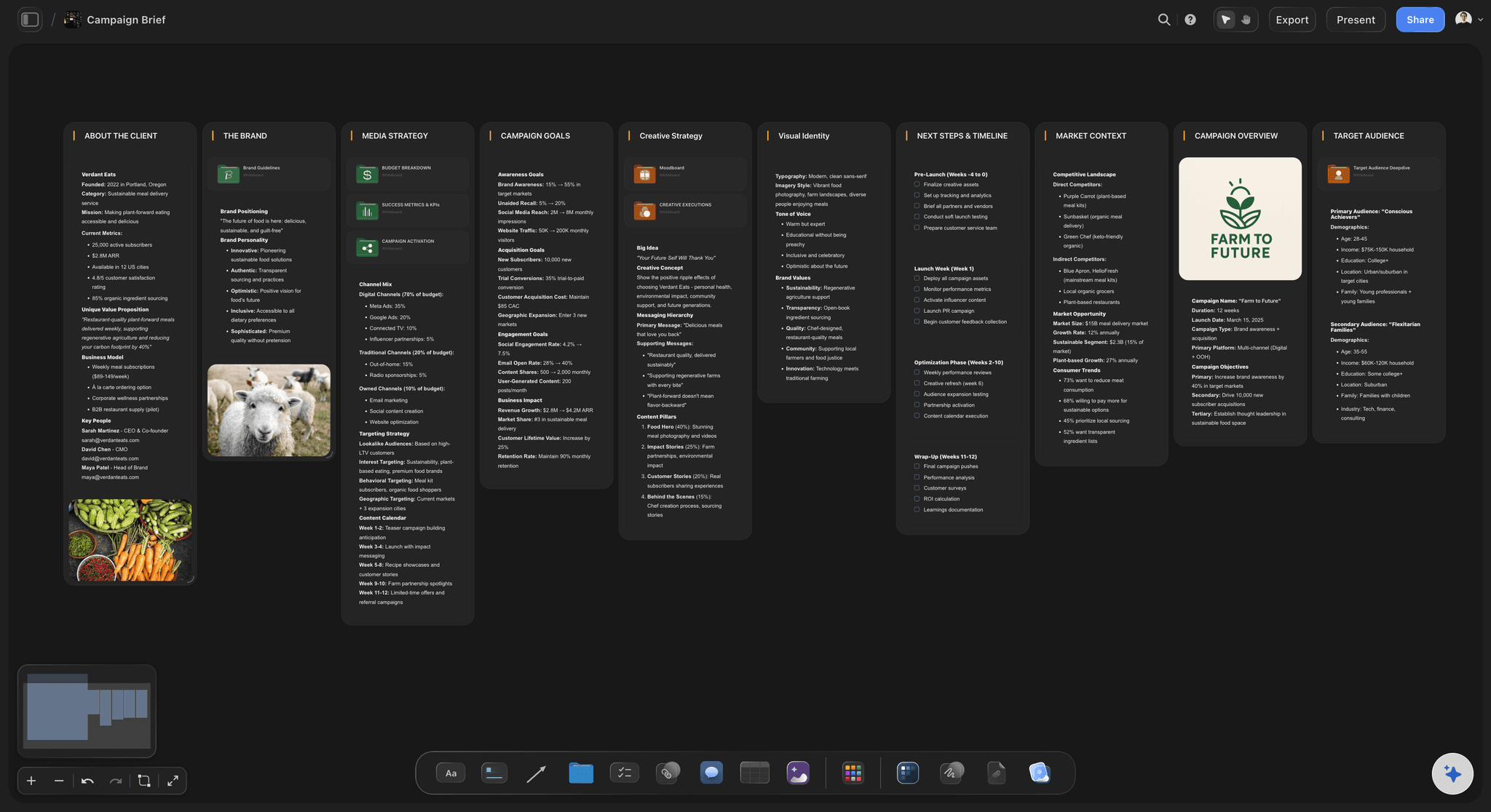
What was actually asked for?
A brief behind every row
A document cell opens the brief from the table. The brief then travels with the piece through making and review, so nobody has to ask for it.
Use the content brief template →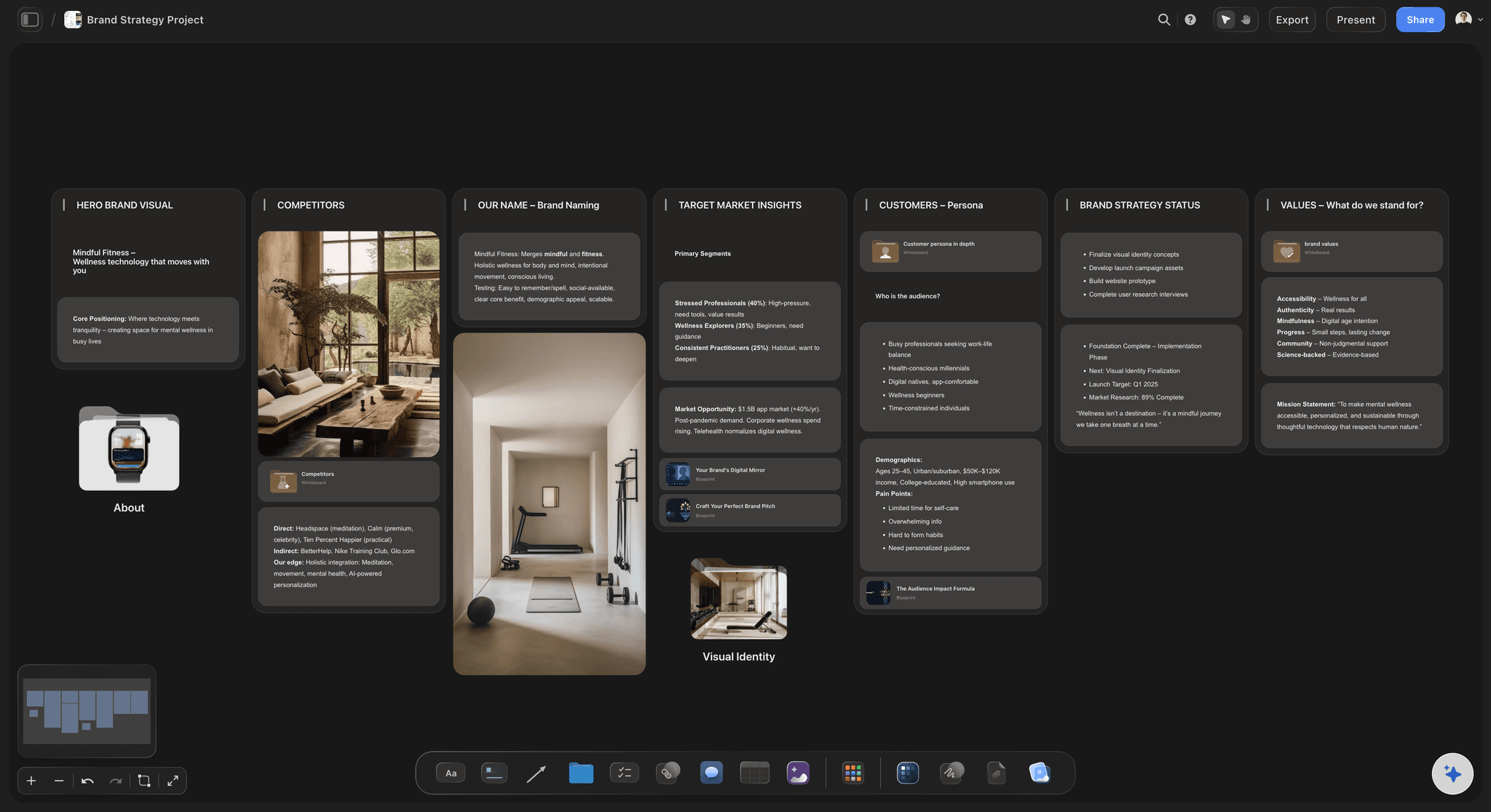
What does on-brand look like?
Brand references beside the pipeline
Keep colours, tone notes and approved examples on a wall next to the table. A freelancer invited to the board sees the rules on day one.
Build a brand moodboard →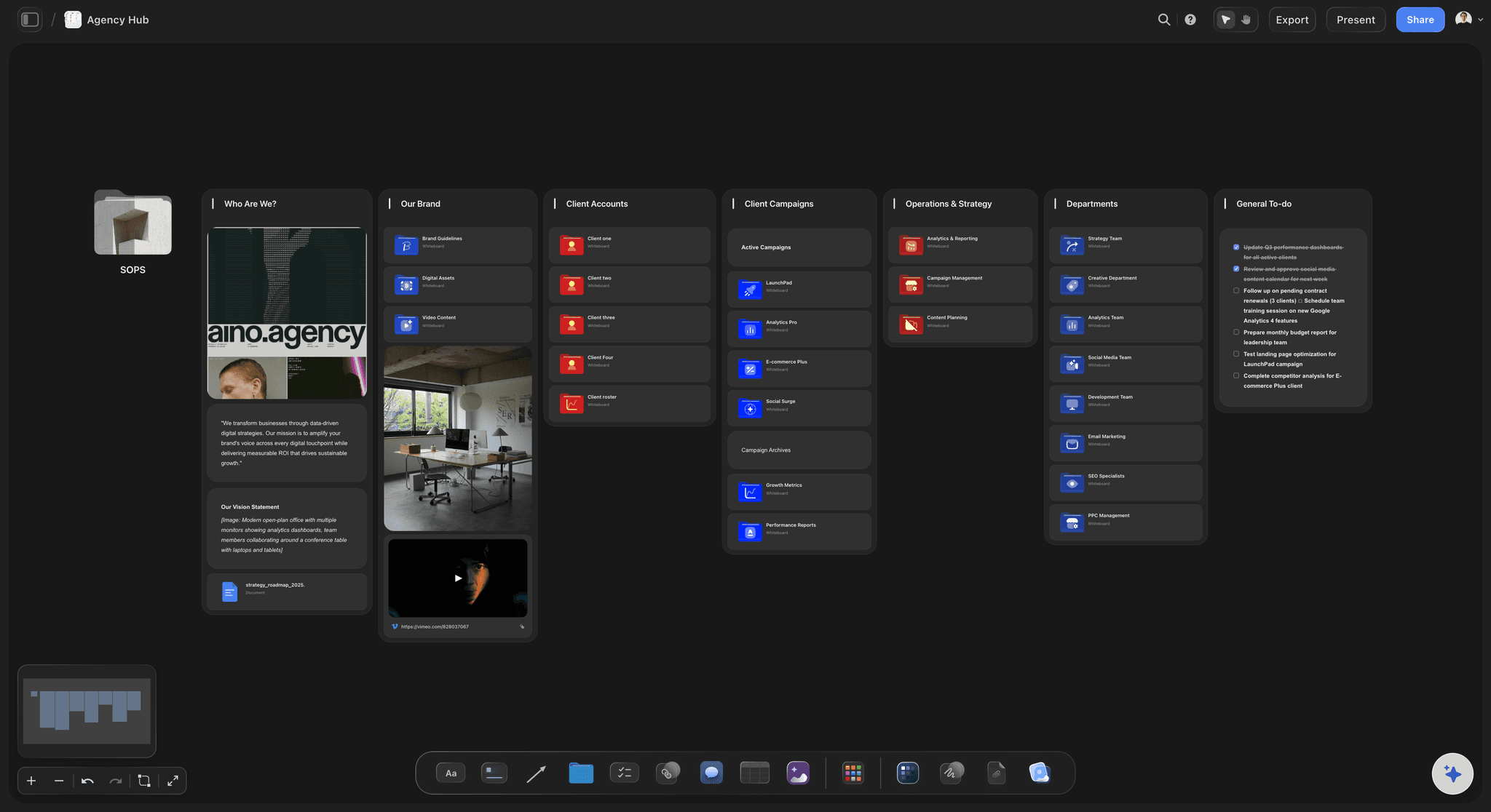
Who is waiting on whom?
A person on every row
A person cell names the owner from the people on the board. When a piece is In review, the approver's name makes it clear whose move it is.
See the creative approval workflow →Start the pipeline board, makers and requesters included.
Storyflow is paid-only during early access: Plus is $7.99 a month billed annually ($9.99 monthly) and includes the AI inside Storyflow, and Max adds a Team Workspace with roles and permissions. Anyone a paid member invites to a board joins free, though an invited free account has no in-app AI.
Tables with status, person, date, link and document cells
Co-edit in real time with anyone you invite
In-app AI that builds the pipeline, from Plus
View-only links for stakeholders, no account
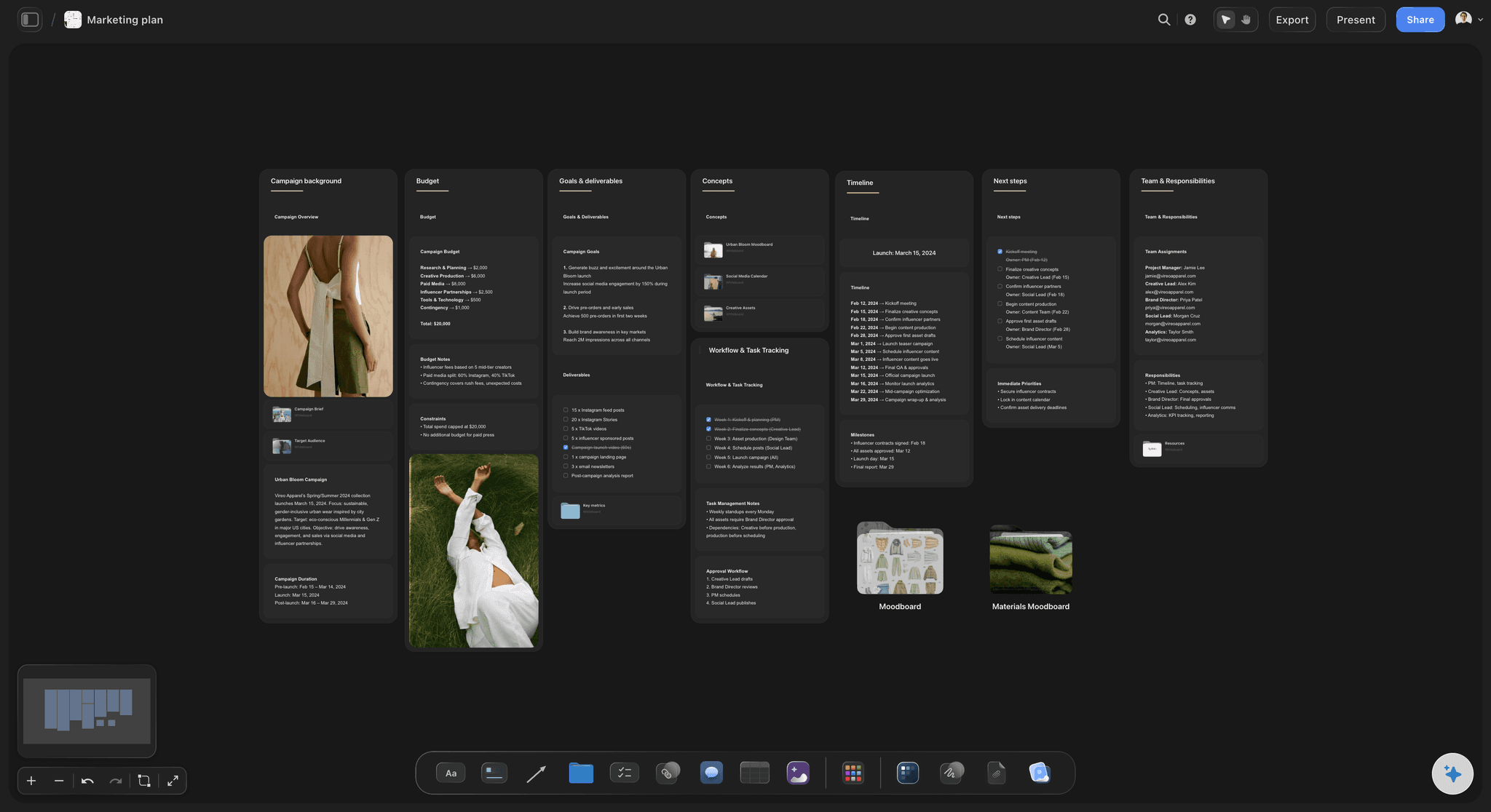
Built for people with taste
How to run content operations without a dedicated ops team.
A small team cannot hire a content ops manager, so one person owns the system for a few hours a week. These rules keep it small enough to last.
The workflow
Five stages, each with one owner
Request: six fields: What, why, who asked, due date, audience and size. Add them as Storyflow table columns, so a request that is missing the why stands out on its row.
Brief: written before making: One page: goal, audience, message, format, mandatory items and approver. In Storyflow, the row stays at Not started until its document cell holds a brief.
Make: three to five pieces per maker: More than that and everything takes longer, however busy people look. Count each maker's In progress rows at the Monday check, and hold new work until one finishes.
Review and publish: One approver, two rounds and a two-day turnaround. Set rows to In review in Storyflow when they are waiting, then publish from your scheduler or CMS.
Team structure
Four roles, even if two people hold them
Pipeline owner: Runs the Storyflow board, sorts requests on Monday and keeps the rows in date order. In a team of four, this is usually the marketing lead, for a few hours a week.
Requesters: Sales, product and founders add rows to the Storyflow request table. They can ask for anything, but they do not choose the priority.
Makers: Writers, designers, editors and freelancers. Each one opens the brief from the row and works beside it, and an invited freelancer joins the board free.
One approver per stream: One name for social, one for email, and the founder only where it truly matters. Every extra approver adds a round, and rounds are where weeks disappear.
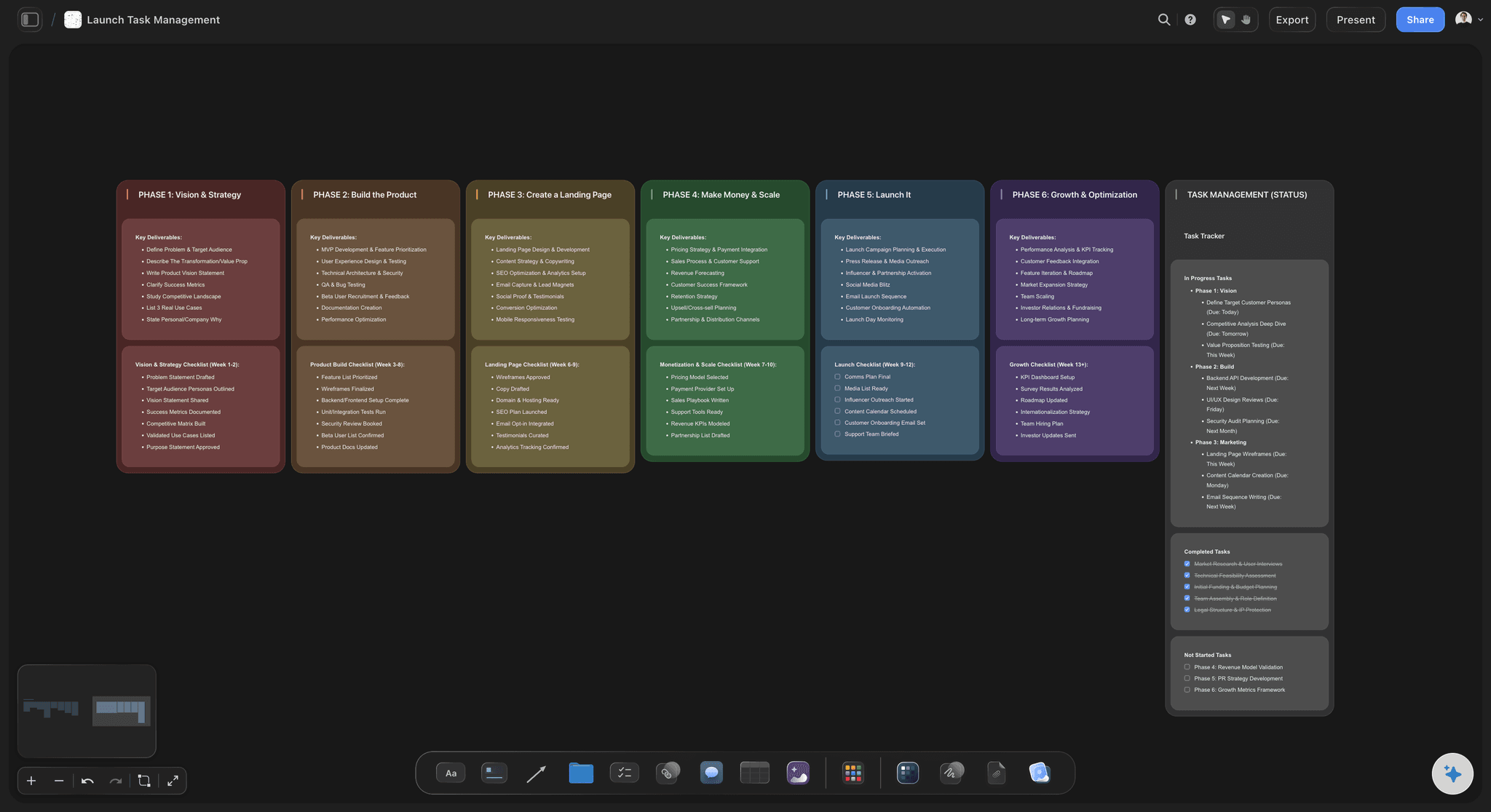
Measuring it
Three numbers, once a month
Pieces shipped against the plan: Count the Done rows in the Storyflow table. If you are always at 70% of plan, the plan is wrong, so reduce it rather than pushing people harder.
Days from request to publish: Compare the request date and the publish date on a sample of rows. A rising number usually points at review, not at making.
Review rounds per piece: If pieces average more than two rounds, fix the brief or the number of approvers first. More reviewing rarely solves a problem that started in the brief.
Fix one thing a month: Storyflow does not calculate these for you. Count them by hand, put them in a chart on the board, and write down the one change you will try next month.
Before you commit
What Storyflow does not do for content operations
No request form or automatic routing: Storyflow hosts no public form, and nothing assigns itself. The usual workaround is a form tool that feeds a person, who then adds the row.
No CMS or digital asset management: Storyflow does not publish to a website or keep rights-managed master files. Keep your CMS and a file store, and link from each row.
No workload view or time tracking: You see who owns what by reading the person cells, not on a capacity chart. Teams that bill by the hour need a separate tool.
No frame-level proofing or version compare: A signed-in reviewer can comment and draw on the board, but there is no version compare and no approval status on a video frame. Use a proofing tool where it is required.
Explore templates for your project
Every template opens as a real, editable board on the infinite canvas. Pick the closest fit and make it your own.
Mind Map
Branch one central idea out into themes and sub-points, then drag the connections around until the structure makes sense.
One app instead of five
Storyflow vs Airtable, Asana and Content Workflow by Bynder.
Airtable is strong on databases, Asana on tracked tasks and Content Workflow on structured web copy. Read from each vendor's pages in November 2026; check their pricing before you decide.
Storyflow
Recommended
Requests, stages, briefs and visuals on one canvas
From Plus, AI builds the pipeline from a plain ask
View-only link with no account
No request form, automations or workload view
No publishing or CMS connection
Airtable
Records and views, not a canvas for visuals and briefs
Free plan for individuals and very small teams
Read-only share links at no extra charge on Team and Business
Automations, with limits by plan
Team from $20 per user billed annually
Asana
Tasks and projects, not a canvas for visuals and briefs
Forms from Starter ($10.99 per user billed annually)
Unlimited free guests on paid plans
Approvals from Advanced ($24.99 per user billed annually)
AI features from Starter
Content Workflow by Bynder
Built for structured copy, not visual campaigns
Customizable templates for any channel
Workflows tailored to your team
Guidelines embedded for contributors
Integrates with CMS tools, plus an API
What creators are saying
Join early creators getting structured workspaces and AI that remembers their projects
“Storyflow has sped up my workflow by at least 3x, which means more flow state and more projects I can actually ship. It truly changed the way me and my team create.”

Reilin Joey
Director & YouTuber
“One prompt gets me a structured board. But the tactics are my favorite. I run my YouTube scripts through them and my intros and retention got better. It's amazing.”

Justkay
YouTuber & Freelance Filmmaker
“I used to juggle five apps to plan a project. Now I describe what I am making and get boards, lists, and a schedule. All in one place.”

George
@fernwehchronicles
Content operations software, answered.
What it is, how to set it up, and when you need something bigger.
Content operations software is where a team runs the people, steps and rules that turn a content request into a published piece. In Storyflow, that means one board: a request table, a production table with stage, owner, status and brief cells, and the brand references beside them. The board shows at a glance what is in progress, what is blocked and who is holding it up.
For a small in-house team, Storyflow is our pick first, and it is our own product: requests, briefs, stages, owners and visual references share one board, and stakeholders read it by link with no account. For heavier needs, Airtable still gives you databases and automations, and Content Workflow by Bynder gives you templates and workflows that integrate with your CMS.
Storyflow comes first when your workflow breaks because nobody can see the work: stages, status, owner and brief sit in one table beside the visuals, and from Plus its AI builds the first version. It has no automations or routing rules. If those matter more than the brief and the look, Asana offers forms and approvals on its paid plans, and Airtable offers automations.
A content production workflow is the set of stages every piece goes through: request, brief, make, review and publish, each with one owner. As starting rules, nothing begins without a brief, there are two review rounds and each maker holds three to five pieces at once. In Storyflow, these stages sit in one table with status and person cells, so anyone can see where each piece is.
Use four roles, even if two people hold them: a pipeline owner who runs the board and sorts requests, requesters who ask, makers who write and design, and one approver per stream. On a Storyflow board, the person cell names the owner on each row. In a team of four, the marketing lead is usually the pipeline owner, for a few hours a week, not as a full-time job.
Content operations covers the steady flow of pieces a company publishes, such as posts, emails and articles. Creative operations covers how a creative team works more broadly, including design requests, capacity and agencies. On a small team they often overlap and one person owns both. In Storyflow they can share one board structure: a request table, stages, owners and briefs, with separate tables if the work differs enough.
A CMS stores and publishes the finished content to your website. Content operations software runs everything before that: who asked for what, who is making it, and who approved it. Storyflow sits on the operations side and does not connect to a CMS, so someone moves the approved copy across by hand. If most of your output is structured web pages, a dedicated tool such as Content Workflow by Bynder may suit better.
Start with one Storyflow board and one week's work. List every piece in progress in a table with stage, owner, due date and status, then route all new requests through it. Add a Monday check of 20 minutes, one approver per stream and a rule that nothing starts without a brief. Run this for a month before adding anything else. Most systems fail by starting too large.
Give requests one home and one person who says yes, no or later. In Storyflow, invite regular requesters to the board so they can add a row to the request table, with six fields: what, why, who asked, due date, audience and size. Storyflow does not host a public form. If many departments submit, use a form tool to collect requests, and have the pipeline owner copy them in at the Monday check.
Track three numbers monthly: pieces shipped against plan, days from request to publish, and review rounds per piece. A rising day count usually points at review, not making. In Storyflow, count them from the table's date and status cells by hand, because Storyflow does not calculate them for you, and put them in a chart on the board. Then choose one change for next month.
It can set up the board and spot gaps, but it cannot run the team. Storyflow's in-app AI, which starts on Plus, turns messy notes into a table, walls or a kanban board, and it can review what is on the board and say what is missing. It can draft briefs too. It can fill a person column for people already on the board. Priorities, approvals and quality judgment stay with your team.
Yes, to view. A Storyflow view-only link opens in the browser with no account, so a founder or sales lead can check what is coming and stop asking in chat. To comment or draw, they sign in, and anyone a paid member invites to a board joins free.
Three signs, as a rough guide: you ship more than about 50 pieces a month, several departments submit requests daily, or you need automatic routing and audit trails. Storyflow has no automations, workload view or formal sign-off. At that point, run the pipeline in Airtable or Asana, and keep Storyflow for the briefs, visual planning and campaign boards the pipeline points to.
Storyflow holds images, video, PDFs and documents on the board, so work in progress lives beside its brief. It is not a digital asset manager: there are no usage rights records, version compare or formal archive rules. Keep master files in Google Drive, Dropbox or a dedicated system, and put the link in a link cell on the row. Boards also export as PNG, JPEG or PDF.
Storyflow is paid-only during early access, with no weekly limit on ChatGPT or Claude actions on paid plans. Plus is $7.99 a month billed annually ($9.99 monthly) and adds the AI inside Storyflow, Pro is $14 ($19), and Max is $39 ($49), which adds a Team Workspace with roles and permissions. Anyone a paid member invites to a board joins free, so freelancers and requesters add nothing to the bill.
More from Storyflow
Run your company's content production in-house
How creative operations differs, and how to set it up
The best tools for in-house content production in 2026
The best content pipeline tools in 2026
See every piece and its stage in a content pipeline
Collect and sort creative requests
A content workflow for agency retainers
Set up a creative approval workflow
Use the content brief template
Content calendar tools for small teams
Storyflow for in-house creative teams
Storyflow plans and prices
See every piece, its brief and who has it, on one board.
List this week's work in a table, add one owner per row, and share the link with whoever keeps asking.