
Extremely simple, seriously capable
See every piece,
and the stage it is stuck in.
Ideas, scripts, edits, review, scheduled. Each piece is a card carrying its own thumbnail, script, and assets, so the pipeline shows you what is actually there rather than a row of titles. When the queue runs thin, ask the AI to fill the idea stage from what already worked.


Creatives working for these brands already got early access
- Red Bull
- Canon
- Artlist
- Porsche
See how easy it is to get started
Watch a real project come together, from a blank board to a finished plan, clicked through step by step.
Start from a ready-made template
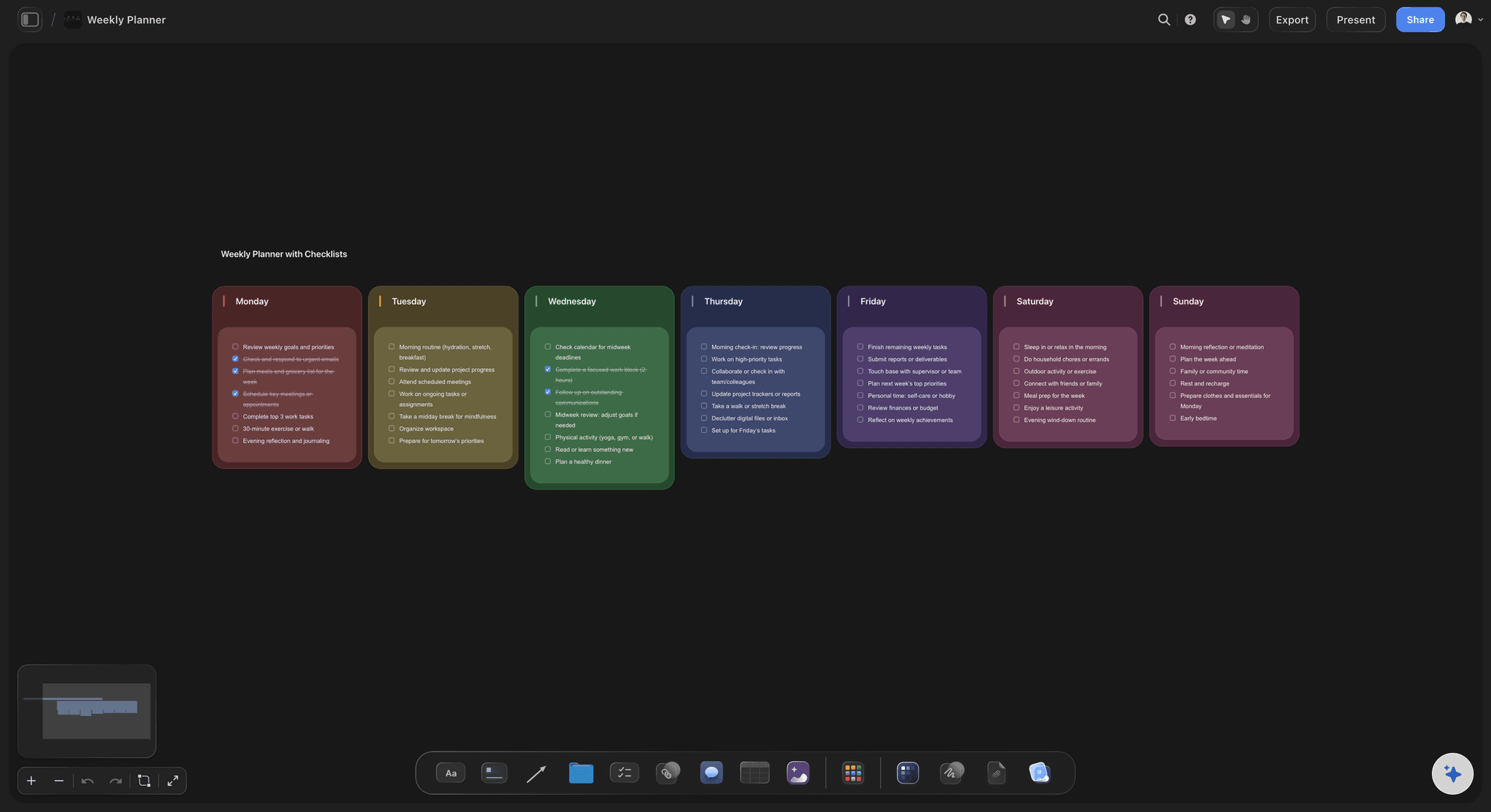
Pick a board to see what you can build, then let AI fill it in. Every template is a real, editable starting point on the same infinite canvas.

Mind Map
Branch one central idea out into themes and sub-points, then drag the connections around until the structure makes sense.
What is a content pipeline, and why do spreadsheets keep failing at it?
A content pipeline is the set of stages a piece moves through between somebody having an idea and an audience seeing it: captured, chosen, scripted, made, reviewed, scheduled, published. Storyflow is an AI visual workspace that runs your content pipeline on one infinite canvas: every piece as a card in a visible stage, its thumbnail, script and assets on the card, and an AI that refills the idea stage. Running one well is mostly about two questions asked constantly. Is anything stuck, and is the front of the queue full enough that next month is not a panic.
Spreadsheets answer neither well. A row of titles tells you a piece exists and nothing about what it is: you cannot see the thumbnail, read the hook, or judge whether the edit is close. So the tracker becomes an administrative object updated after the fact, while the real state of the work lives in a folder, a Drive link, and someone's head. The second failure is subtler: a spreadsheet makes the pipeline look healthy when the idea column is technically full of one-word entries that nobody can actually make anything from.
On a canvas, a pipeline is stages you can see and cards that carry the work. A card holds the thumbnail, the hook, the script, and the reference clips, so scanning the board tells you the truth about each piece rather than that it has a title. Because the AI reads the board, it can fill the idea stage from the pieces that already performed, and it can turn the approved pieces into a posting calendar on the same canvas.
Ultra fast from brief to board
One board from first idea to published.
Stages you can see, cards that hold the work, and a queue that refills itself.
01
Lay out your stages
Describe how your content actually gets made and the AI lays out the stages you use, not a generic kanban. Ideas, scripting, filming, edit, review, scheduled.
02
Put the work on the cards
Thumbnail, hook, script, reference clips, and the brief all live on the piece's card, so the board shows the state of the work rather than a list of names.
03
Refill the front of the queue
When ideas thin out, ask the AI to propose more from the board it can see, including what already performed and the themes you keep returning to.
04
Schedule and publish
Convert the approved pieces into a posting calendar on the same canvas, and share a view-only link so a client or collaborator sees the queue without an account.
A pipeline that shows the work, not a list of titles.
Stages you read at a glance, cards that carry the assets, and an AI that keeps the front full.
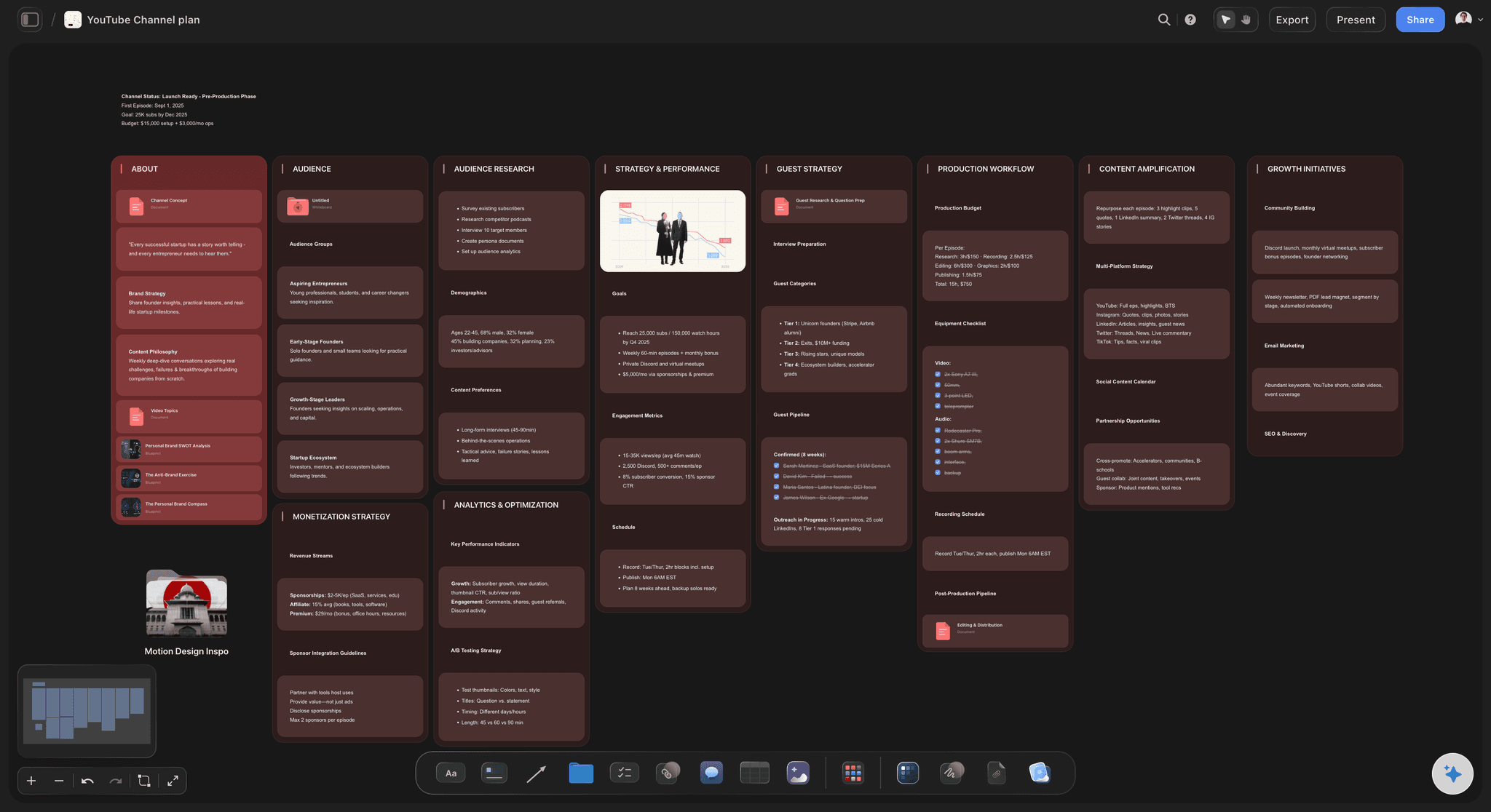
The card is the piece
Thumbnails, hooks, and scripts in place
A row in a spreadsheet says a video exists. A card carrying the thumbnail, the first line, and the script says whether it is any good and how close it is, which is the question you were actually asking.
See the content planning tool →
Stuck is visible
Stages laid out in space
Three pieces sitting in review for two weeks is a shape on the board, not a date column you have to sort. Bottlenecks announce themselves instead of being discovered at the end of the month.
See creative project management →
The queue stays full
An AI that refills the idea stage
The pipeline's real failure mode is an empty front, discovered too late. Ask the AI to propose ideas from the board it can already see, so suggestions follow your channel rather than a generic list.
See the AI content planner →
Pipeline into calendar
Approved pieces become a schedule
Turn the pieces that cleared review into a posting calendar on the same canvas, so the schedule descends from the pipeline rather than being maintained as a second, disagreeing document.
See the content calendar →Keep every idea, including the ones you did not make.
A healthy pipeline holds far more ideas than it publishes, and the ones you skipped are often next quarter's. No object cap means the idea stage is limited by your judgement rather than by a counter.
Unlimited boards and objects on an infinite canvas, no object cap
AI usage to fill the idea stage and build calendars
Thumbnails, scripts, PDFs, links, and video frames on the cards, with unlimited file uploads
Unlimited collaboration, or share view-only with no account needed to view
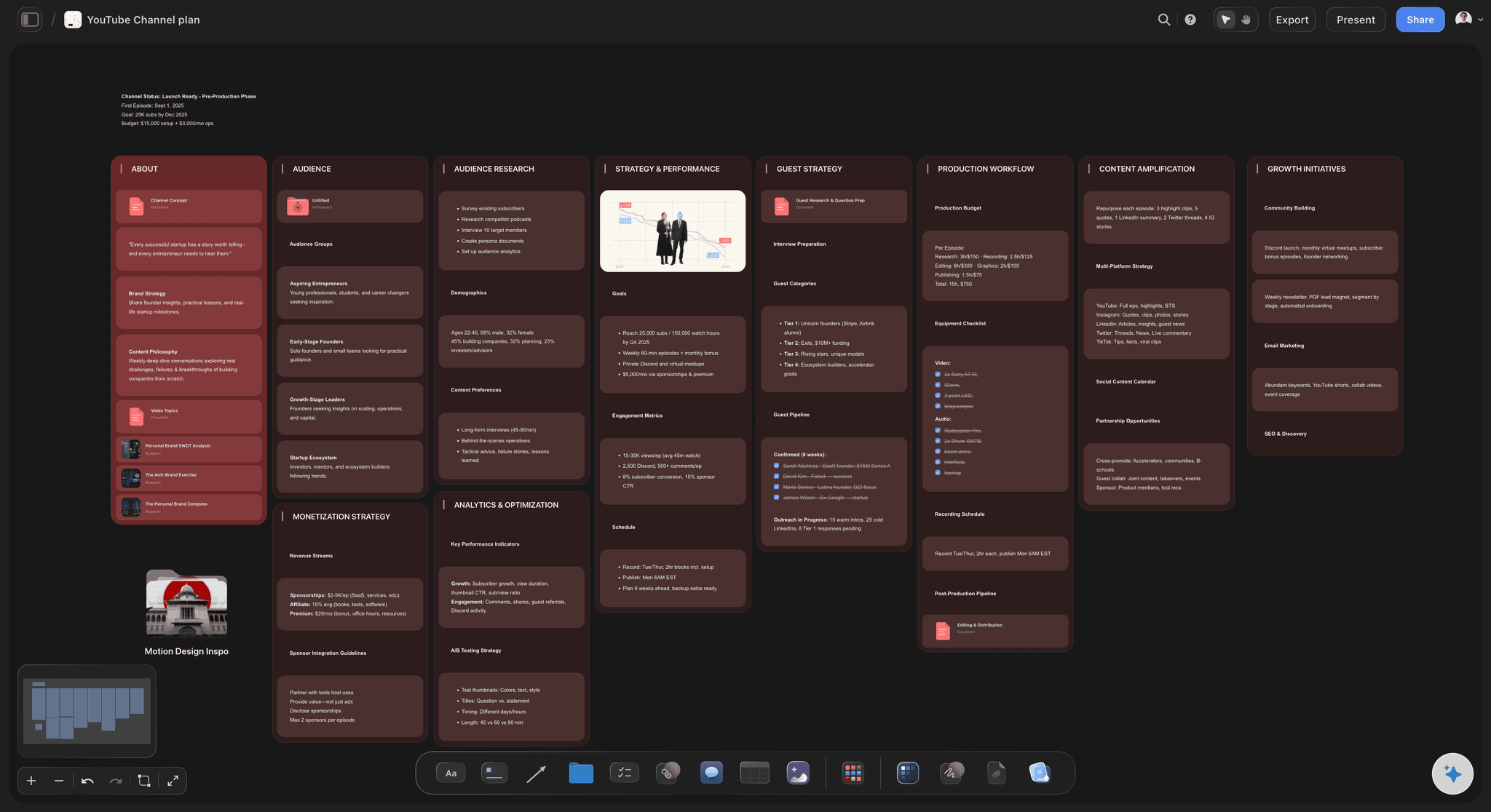
Built for people with taste
The four questions a pipeline has to answer.
What is coming, what is stuck, what is ready, and what happens next week.
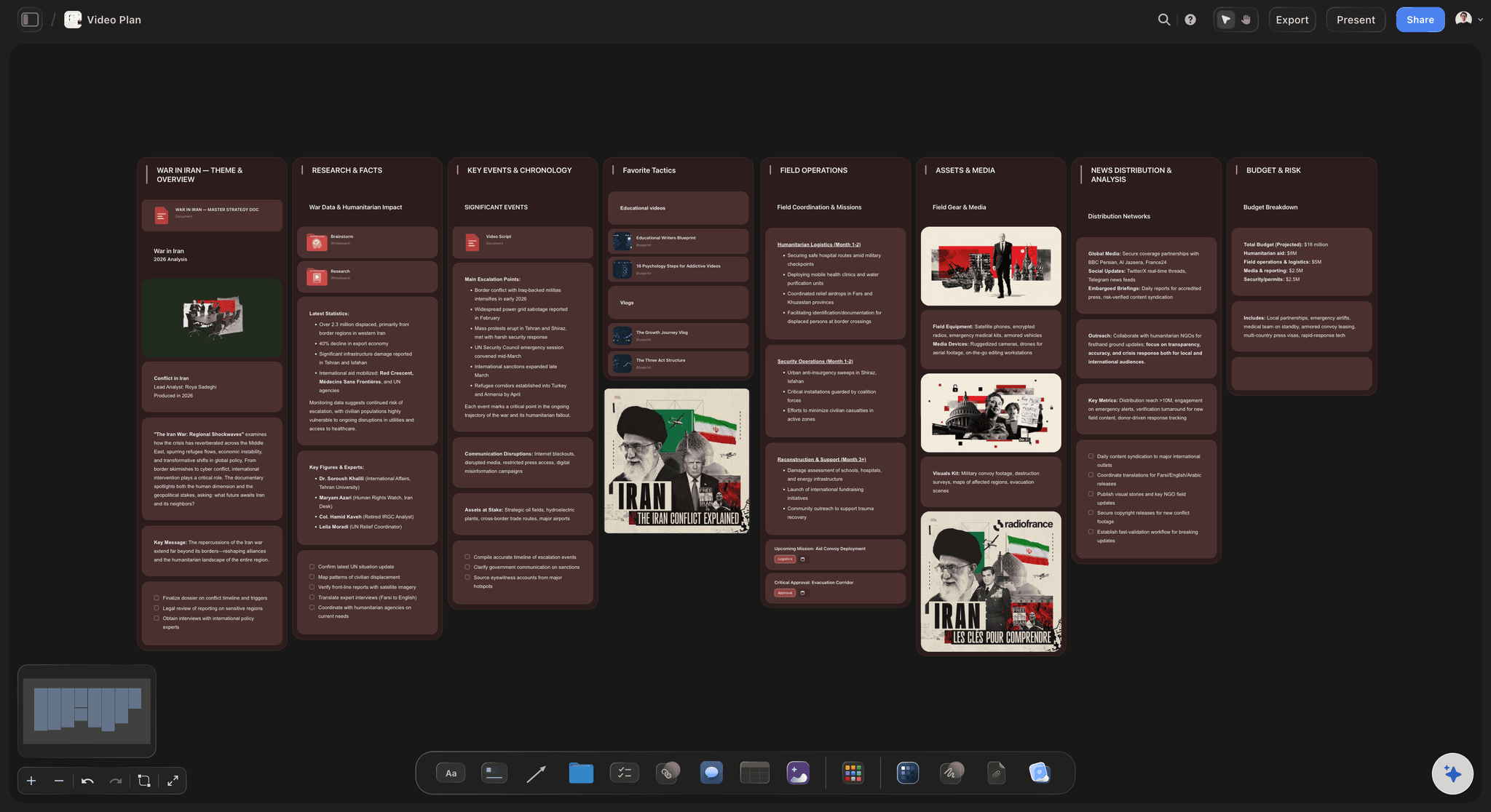
The front of the queue
Capture and choose
Ideas with enough to act on: An idea card holds the hook and the angle, not just a title, so choosing what to make is a real decision rather than a guess between five phrases.
AI proposals from your own board: Because the AI reads the board you have open, its suggestions follow the themes and formats that already work for you.
Nothing is lost: Skipped ideas stay on the board instead of being deleted to keep a tracker tidy, which is where most of next quarter comes from.

In production
Scripts, assets, and edits on the card
The script lives with the piece: Long-form content sits as a document on the same canvas, attached to the card, so nothing is one folder away from the person who needs it.
Reference clips in place: Grab frames from YouTube and Vimeo onto the card when the reference is a shot, a format, or a pacing example.
Thumbnails where they can be judged: Put the thumbnail options on the card and compare them side by side rather than in a message thread.
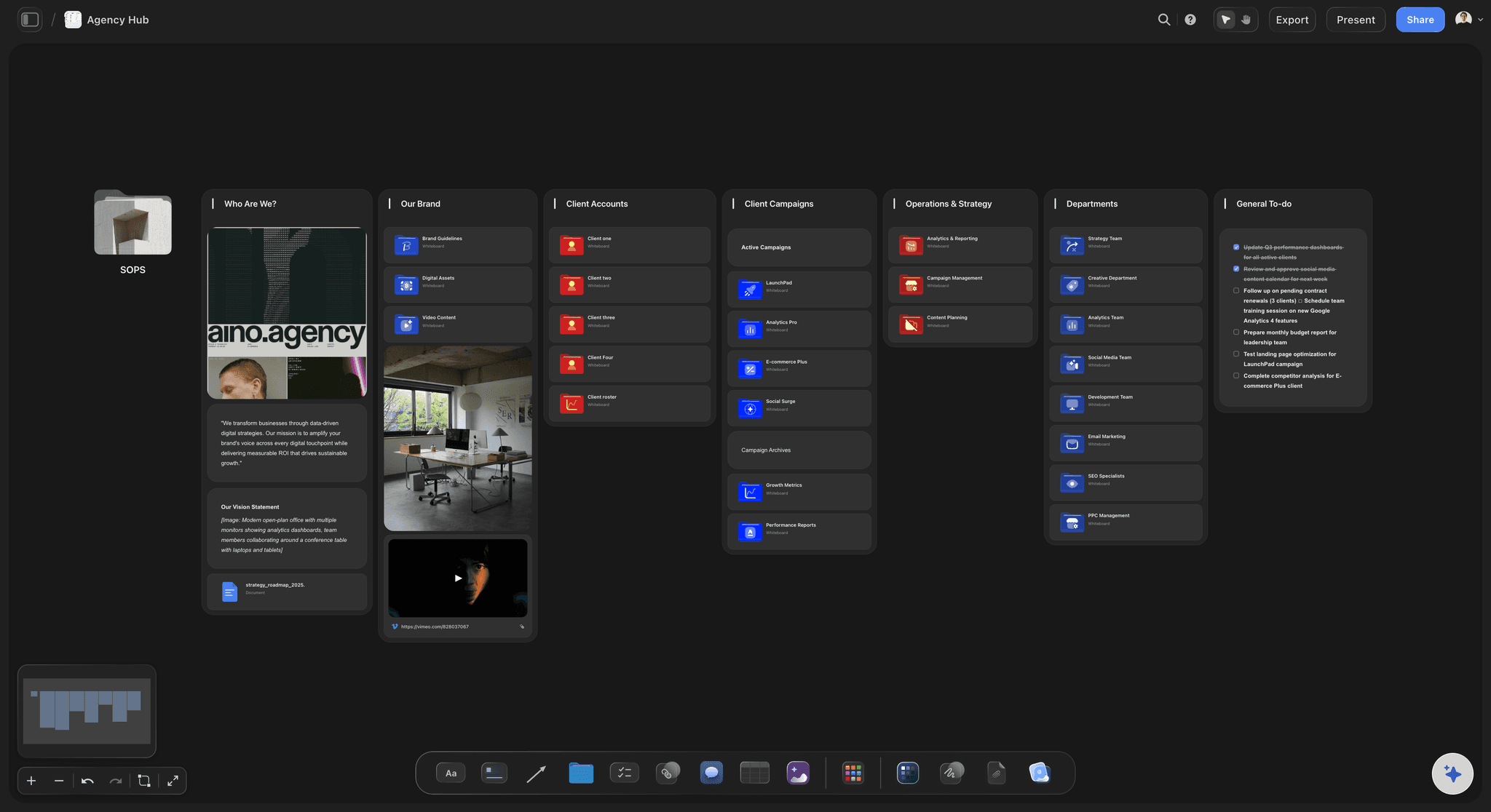
Review and approval
Feedback beside the thing
View-only for clients: Share a link that opens the live pipeline in a browser with no account, so a client sees what is coming without being given a seat.
Comments on the card: Notes land beside the piece they concern rather than in a thread that has to be matched back to a filename.
Review is a stage, not a folder: Anything sitting in review is visible as a cluster, which is usually where a pipeline is actually blocked.
Publishing
From pipeline to schedule
One conversion, not two systems: Approved pieces become a posting calendar on the same canvas, so the schedule cannot drift from the pipeline that feeds it.
Repurposing planned in: A published piece can spawn its cut-downs and reposts as cards on the same board, which is where most channels leak reach.
Export for a report: Export the board as a clean image or PDF when a client or a stakeholder needs the plan in a document.
Explore templates for your project
Every template opens as a real, editable board on the infinite canvas. Pick the closest fit and make it your own.
Mind Map
Branch one central idea out into themes and sub-points, then drag the connections around until the structure makes sense.
What creators are saying
Join early creators getting structured workspaces and AI that remembers their projects
“Storyflow has sped up my workflow by at least 3x, which means more flow state and more projects I can actually ship. It truly changed the way me and my team create.”

Reilin Joey
Director & YouTuber
“One prompt gets me a structured board. But the tactics are my favorite. I run my YouTube scripts through them and my intros and retention got better. It's amazing.”

Justkay
YouTuber & Freelance Filmmaker
“I used to juggle five apps to plan a project. Now I describe what I am making and get boards, lists, and a schedule. All in one place.”

George
@fernwehchronicles
Content pipeline questions, answered.
What people ask when a spreadsheet stops telling them the truth.
A content pipeline is the sequence of stages a piece of content passes through from idea to publication, usually capture, selection, scripting, production, review, scheduling, and publishing. Managing one means answering two questions continuously: is anything stuck, and is the front of the queue full enough that next month is already covered.
Storyflow runs the pipeline on one board: each piece is a card in a visible stage, carrying its own thumbnail, script and assets, so you see what is actually there and what is stuck. Feedback sits beside the piece it is about. When the queue runs thin, the AI fills the idea stage from what already worked.
Use the stages your work actually has rather than a generic template. Most teams need an idea backlog, a chosen or scripted stage, a production stage, a review stage, and a scheduled stage. The important discipline is that a piece only moves when something real has changed about it, otherwise the board becomes a status theatre that reports progress nobody made.
Both track that a piece exists, and neither shows what it is. You cannot see the thumbnail, read the hook, or judge how close the edit is, so the tracker gets updated after the fact while the real state lives in a folder and someone's head. Cards that carry the thumbnail, script, and references answer the question you were actually asking when you opened the board.
Keep every skipped idea rather than deleting it to keep the board tidy, and refill deliberately rather than when you notice the panic. Because the AI reads the board you have open, asking it for more ideas produces suggestions shaped by the themes and formats already on your channel, which is more useful than a generic list of trending topics.
Yes, on the same canvas. Ask the AI to convert the approved pieces into a schedule, so the calendar descends from the pipeline instead of being a second document that slowly disagrees with it. Repurposed cut-downs and reposts can be planned as cards on the same board.
Share a view-only link and anyone opens the latest version of the board in a browser with no account, no app, and no seat, and signs in to comment beside the piece it is about. Collaborators you invite can edit, with unlimited collaboration included on every plan.
The same board serves both. A solo creator uses it to keep a backlog deep enough to survive a bad week; a team uses it so a status meeting reads the board rather than collecting updates. The difference is only how many people are dragging cards.
Not during early access. Storyflow is paid-only right now, with plans starting at $9.99 per month, an infinite canvas, and no object cap. Every plan includes unlimited collaboration and view-only sharing that needs no account to view. A Free plan launches before the end of 2026, with basic AI usage and 20 file uploads.
More from Storyflow
Content planning tool
Content calendar for creators
AI content planner
Content repurposing planner
Social media content calendar
YouTube video planner
For content creators
Creative project management
Editorial calendar
YouTube content pipeline
AI tools for content creators
In-house content production
Video marketing plan
Creative request intake
Always-on campaign plan
Carousel post with Claude
Editorial workflow
Stop finding out on upload day.
Every piece visible in its stage, with the work on the card and the queue refilling itself.