
Plan videos ultra fast, post on time
Plan your content with AI
from pillars to a posting schedule.
Describe your brand and Storyflow's AI plans the content: the pillars you post around, the ideas under each, a realistic cadence, and a calendar that spreads it all out. Refine it on one board, then turn the plan into a schedule you can actually keep.


Creatives working for these brands already got early access
- Red Bull
- Canon
- Artlist
- Porsche
See how easy it is to get started
Watch a real project come together, from a blank board to a finished plan, clicked through step by step.
Start from a ready-made template
Pick a board to see what you can build, then let AI fill it in. Every template is a real, editable starting point on the same infinite canvas.

YouTube Plan
Plan a video from hook to outline to shot list, with references and thumbnail ideas sitting right beside it.
What is an AI content planner?
A content plan is what turns posting into something deliberate rather than a scramble: the themes you post around, the ideas that live under each, a cadence you can keep, and a calendar that spreads it all out. Accounts that grow are usually not making better posts one at a time, they are running a clear plan, so every post compounds on the last instead of pulling in a new direction.
An AI content planner takes the hard first pass off your hands. Instead of staring at a blank calendar, you describe your brand, your topic, and your audience, and the AI plans the pillars, fills them with post ideas, sets a realistic cadence, and spreads the whole thing into a schedule, drafted for your brand rather than a generic framework. The pillars, the ideas, and the calendar arrive together as cards on one board.
That is the difference from an empty planner: the AI gives you a real plan you can argue with, which is far faster than inventing every theme, idea, and slot yourself. Edit anything, then turn the plan into action: ask the AI to generate more ideas under a pillar, or to rebalance the calendar, all on the same canvas.
Ultra fast from brief to board
Plan your content with AI in four steps.
You describe the brand. The AI plans the content, so you refine a real plan instead of a blank calendar.
01
Open Storyflow in your browser
Start in the browser with a Storyflow account. No separate app to install, just an empty board ready for the plan.
02
Describe your brand
A sentence is enough: your topic, who it is for, and where you want it to go. Add your platform and the AI tailors the plan.
03
AI plans your content
The AI lays out the pillars, the post ideas under each, a realistic cadence, and a calendar that spreads it all, as cards on one board.
04
Refine it, then act on it
Edit the cards, then ask the AI for more ideas under a pillar or to rebalance the calendar. Share view-only or export to PDF.
A content planner that turns into the schedule, not a doc you abandon.
Most planners are a blank calendar. This one plans the pillars and the ideas, then becomes the schedule.
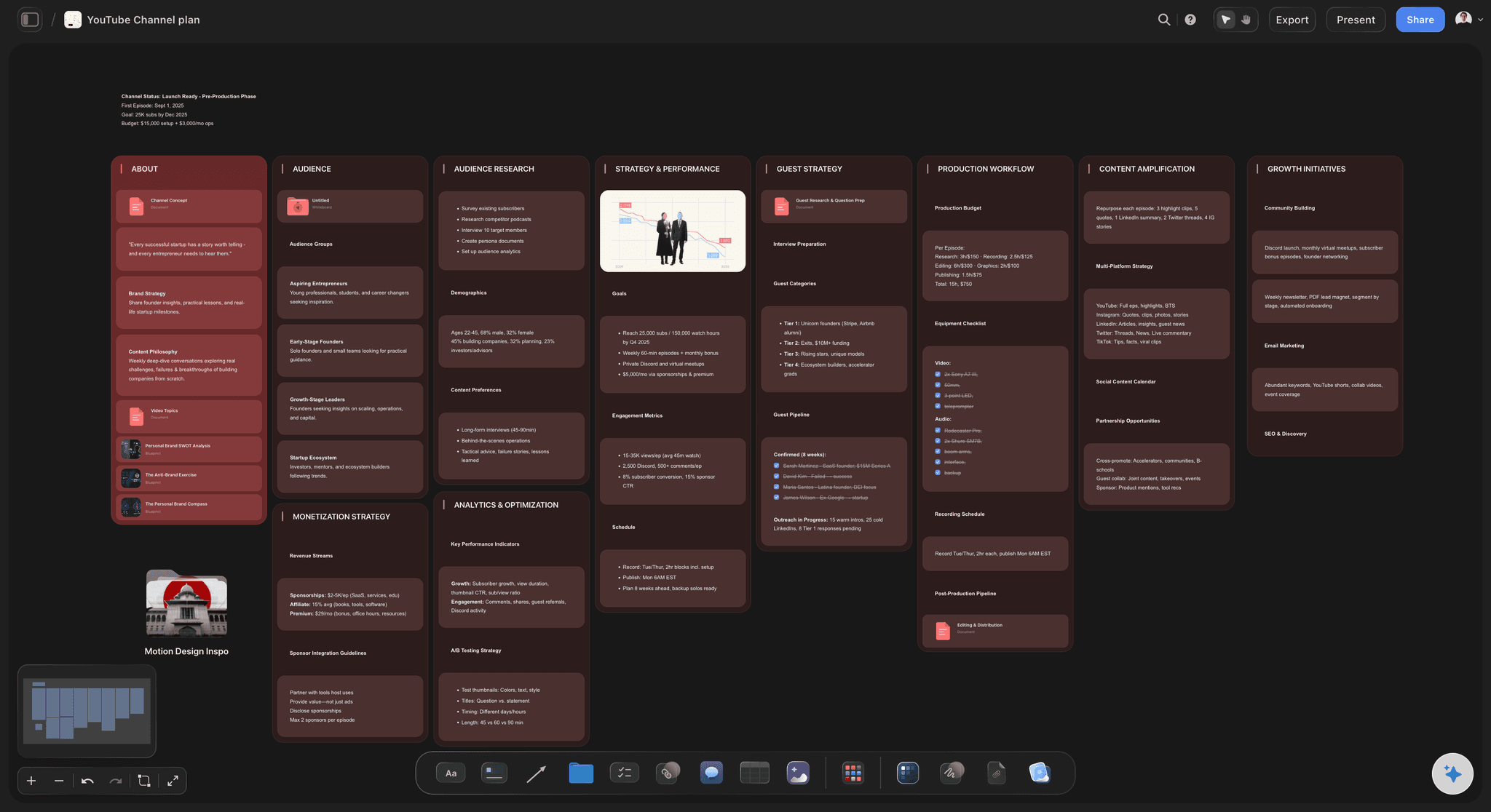
The plan, generated
Pillars, ideas, and cadence
Describe the brand and the AI plans the whole thing at once, so you start by refining a coherent plan instead of inventing your themes from a blank page.
See the content planning tool →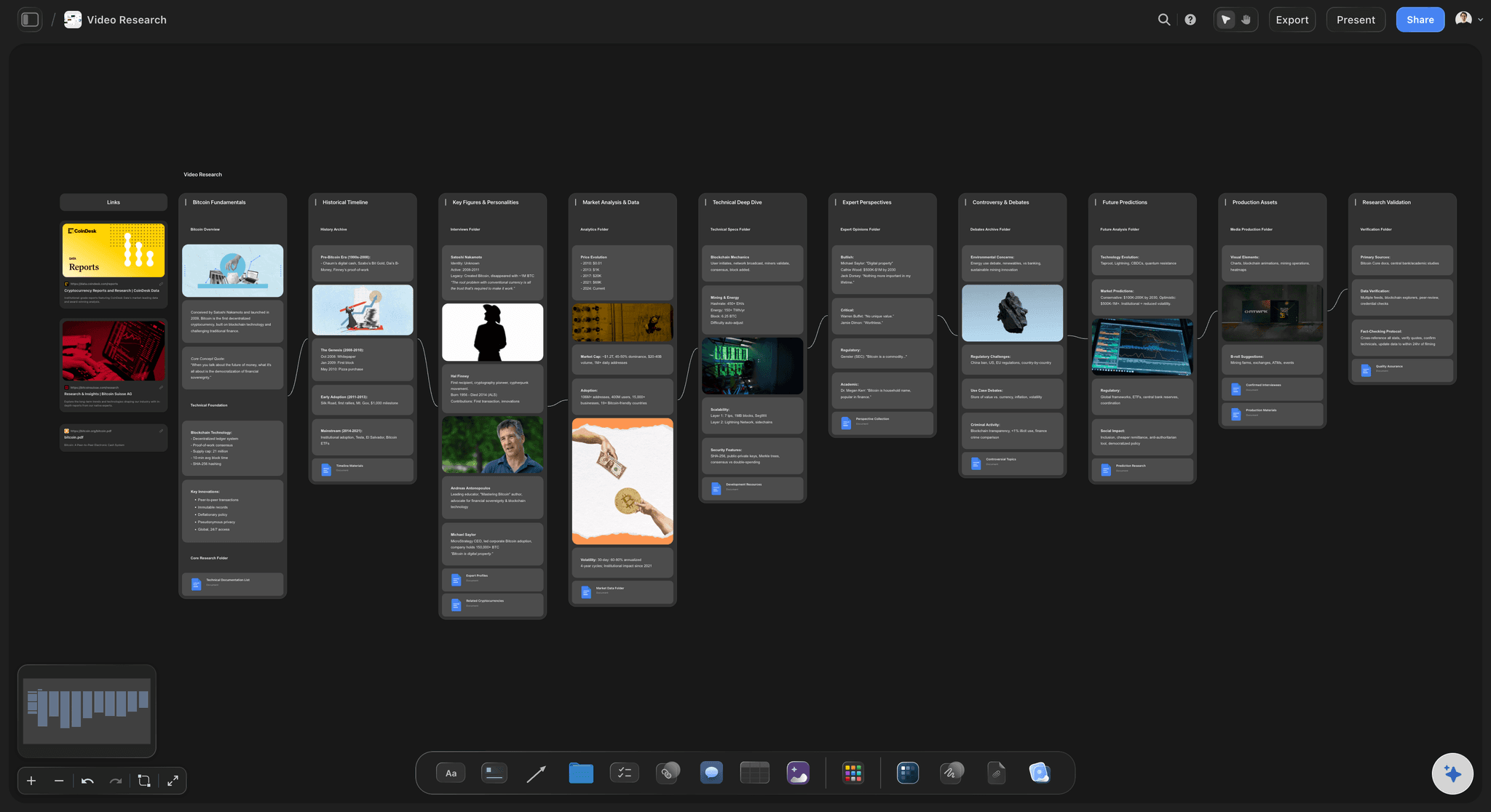
Know exactly who you serve
An audience at the centre
Ask the AI to draft the audience the content is for, their goals and what they want from you, so the whole plan is built around a real person, not a vague following.
See the AI persona generator →
From plan to ideas
Generate ideas under your pillars
Once the pillars are set, ask the AI to fill each one with post ideas, so the plan immediately produces a backlog you can post from, on the same canvas.
See the AI content idea generator →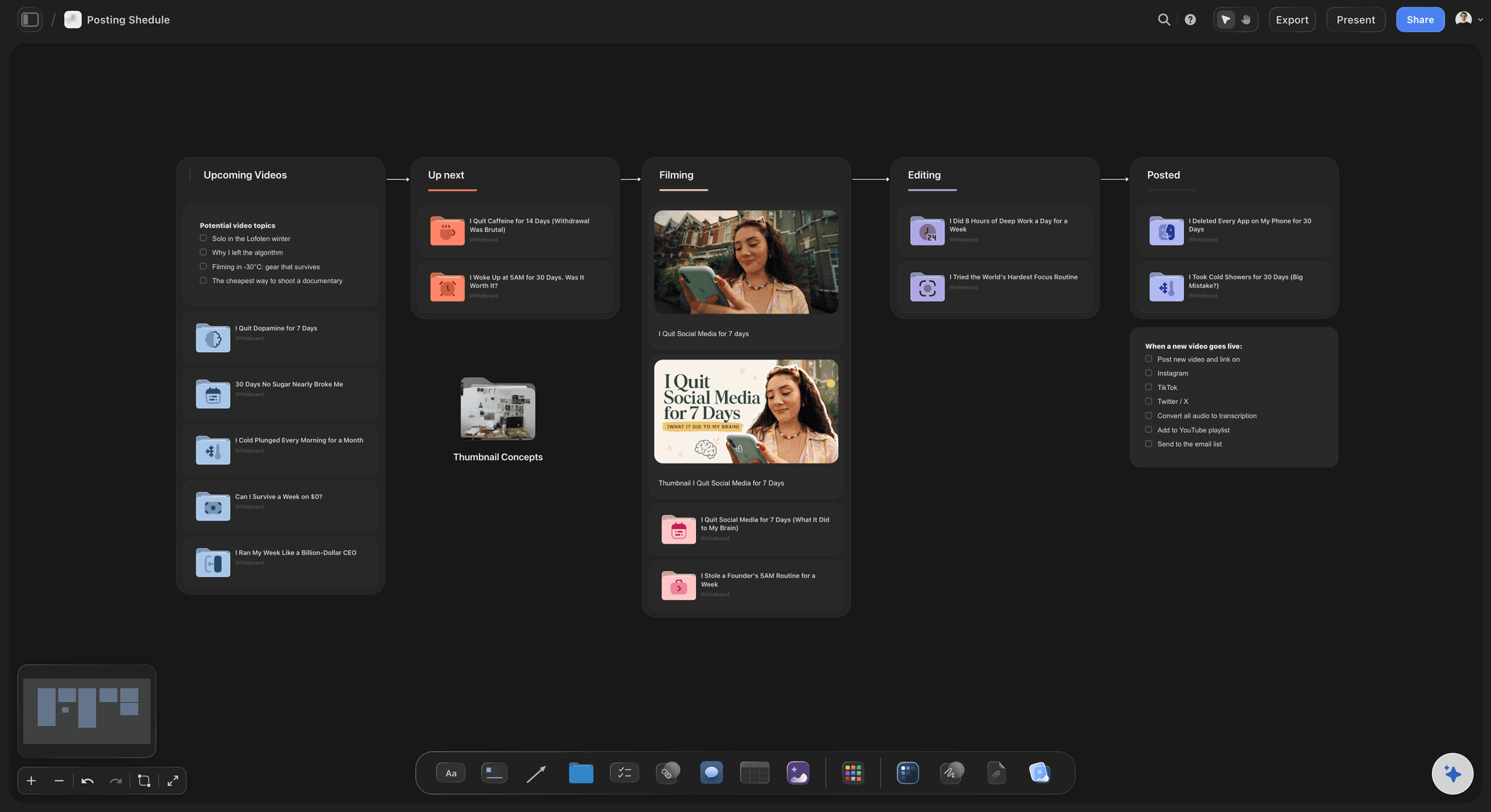
A cadence you can keep
Turn the plan into a schedule
Ask the AI to spread the pillars across a realistic posting schedule, so the plan becomes a calendar you can actually maintain rather than an ambition you miss.
See the AI social media strategy generator →Paid-only during early access.
Open a canvas, describe the brand, and watch the plan build itself. Plans start at $7.99 a month, with no time limit on any of them.
Unlimited planning boards, with room for the whole plan
Basic AI usage to plan and refine the content
Attach research, references, and links to any card
Share the plan view-only, or invite collaborators free
Built for people with taste
Made for the way content actually gets planned.
Plan the pillars, centre them on an audience, fill them with ideas, and turn the plan into a calendar.
A plan that generates itself
The whole plan on one board
Pillars to cadence: The themes, the audience, the ideas, the goals, and a realistic cadence arrive as drafted cards, not blank sections.
Reshape by dragging: Adjust the pillars, change the cadence, or refine the focus by editing cards. The plan moves with your thinking.
Any platform: A social feed, YouTube, a newsletter, a podcast, or a multi-platform brand presence: describe it and the AI shapes the right plan.
Built on research, not hope
A plan grounded in what works
Attach your context: Bring in up to five documents and three boards, such as your analytics, a competitor's feed, or audience notes, and the AI plans against them.
Study the competition: Pin reference accounts and capture frames from posts you admire, so the plan is set against the field, not in a vacuum.
Profile the audience: Draft the target audience beside the plan, so the pillars and the cadence serve a real person.
The plan becomes the content
From plan to ideas to schedule
Generate under pillars: Ask the AI to fill each pillar with post ideas, so the plan produces a backlog the moment it is set.
Build the calendar: Spread the pillars across a posting schedule on the same canvas, so the plan turns into a cadence you can keep.
Share and align: Send a view-only link so a team or a collaborator works from the same plan, or export a clean PDF for a pitch.
Explore templates for your project
Every template opens as a real, editable board on the infinite canvas. Pick the closest fit and make it your own.
YouTube Plan
Plan a video from hook to outline to shot list, with references and thumbnail ideas sitting right beside it.
One app instead of five
How Storyflow compares to other content planning tools.
Most options are a blank calendar or a static template. The question is whether the AI plans it and turns it into content.
Storyflow
Recommended
AI plans the full content from a brand description
Plan becomes ideas and a calendar on one canvas
An infinite visual board, not a rigid template
No board or card caps, even on paid plans
Notion AI
AI plans the full content from a brand description
Plan becomes ideas and a calendar on one canvas
An infinite visual board, not a rigid template
A free plan without board or card caps
Buffer
AI plans the full content from a brand description
Plan becomes ideas and a calendar on one canvas
An infinite visual board, not a rigid template
A free plan without board or card caps
Spreadsheet template
AI plans the full content from a brand description
Plan becomes ideas and a calendar on one canvas
An infinite visual board, not a rigid template
A free plan without board or card caps
What creators are saying
Join early creators getting structured workspaces and AI that remembers their projects
“Storyflow has sped up my workflow by at least 3x, which means more flow state and more projects I can actually ship. It truly changed the way me and my team create.”

Reilin Joey
Director & YouTuber
“One prompt gets me a structured board. But the tactics are my favorite. I run my YouTube scripts through them and my intros and retention got better. It's amazing.”

Justkay
YouTuber & Freelance Filmmaker
“I used to juggle five apps to plan a project. Now I describe what I am making and get boards, lists, and a schedule. All in one place.”

George
@fernwehchronicles
AI content planner questions, answered.
Everything people ask about planning content with AI in Storyflow.
An AI content planner turns a one-line description of your brand into a working plan: the pillars you post around, the post ideas under each, a realistic cadence, and a calendar that spreads it all out. In Storyflow the AI plans each of those as cards on a board, so you refine a real plan instead of filling a blank calendar.
A complete content plan includes your content pillars, the target audience and what they want, a backlog of post ideas under each pillar, a realistic posting cadence, and a calendar that balances the themes over time. Storyflow plans these by default and adapts them for a social feed, YouTube, a newsletter, a podcast, or a multi-platform brand presence.
Describe your brand, topic, and audience in the AI chat, and the AI lays out the pillars, ideas, cadence, and calendar as cards on the canvas. Every card is editable, so you can refine the pillars, adjust the cadence, rebalance the calendar, and ask the AI to rework any part of the plan.
Not during early access. Storyflow is paid-only right now, with Plus starting at $9.99 a month ($7.99 billed annually). A Free plan is planned before the end of 2026 and will include basic AI usage, unlimited boards, 20 file uploads for research, and view-only sharing. If a paid teammate invites you to their board, you can join and collaborate for free today.
Yes, and that is the reason to plan in Storyflow. Ask the AI to fill each pillar with post ideas, then to spread them across a posting schedule, all on the same canvas. The plan produces a backlog and a calendar instead of staying a document you set once and forget.
No. It works for any content channel. Tell the AI it is a social feed, a YouTube channel, a newsletter, a podcast, or a multi-platform brand presence, and it shapes the plan and the cadence to fit. The pillars and audience work the same way across platforms.
Yes. Attach up to five documents and three boards, such as your analytics export, a competitor's notes, or audience research, and the AI plans against them. You can also pin reference accounts and capture frames from posts you admire, so the plan is set against the real field.
More from Storyflow
AI content strategy generator
AI content idea generator
AI social media strategy generator
AI content calendar generator
Content planning tool
AI brand voice generator
AI video idea generator
AI tools for content creators
Social media content calendar
Editorial calendar
Content calendar for creators
In-house content production
YouTube content pipeline
Social media shot list
Stop posting and hoping. Plan the content on the board with AI.
Describe the brand once, watch the AI plan the pillars and cadence, and turn it into ideas and a calendar.