
Ultra-fast campaigns, pitched beautifully
An AI content workflow
with the human stages marked.
For marketing leads, founders and creators who owe a client, a boss or an audience regular work. See where AI helps, where it costs you trust, and which tool does each job.


Creatives working for these brands already got early access
- Red Bull
- Canon
- Artlist
- Porsche
See how easy it is to get started
Watch a real project come together, from a blank board to a finished plan, clicked through step by step.
Start from a ready-made template
Pick a board to see what you can build, then let AI fill it in. Every template is a real, editable starting point on the same infinite canvas.

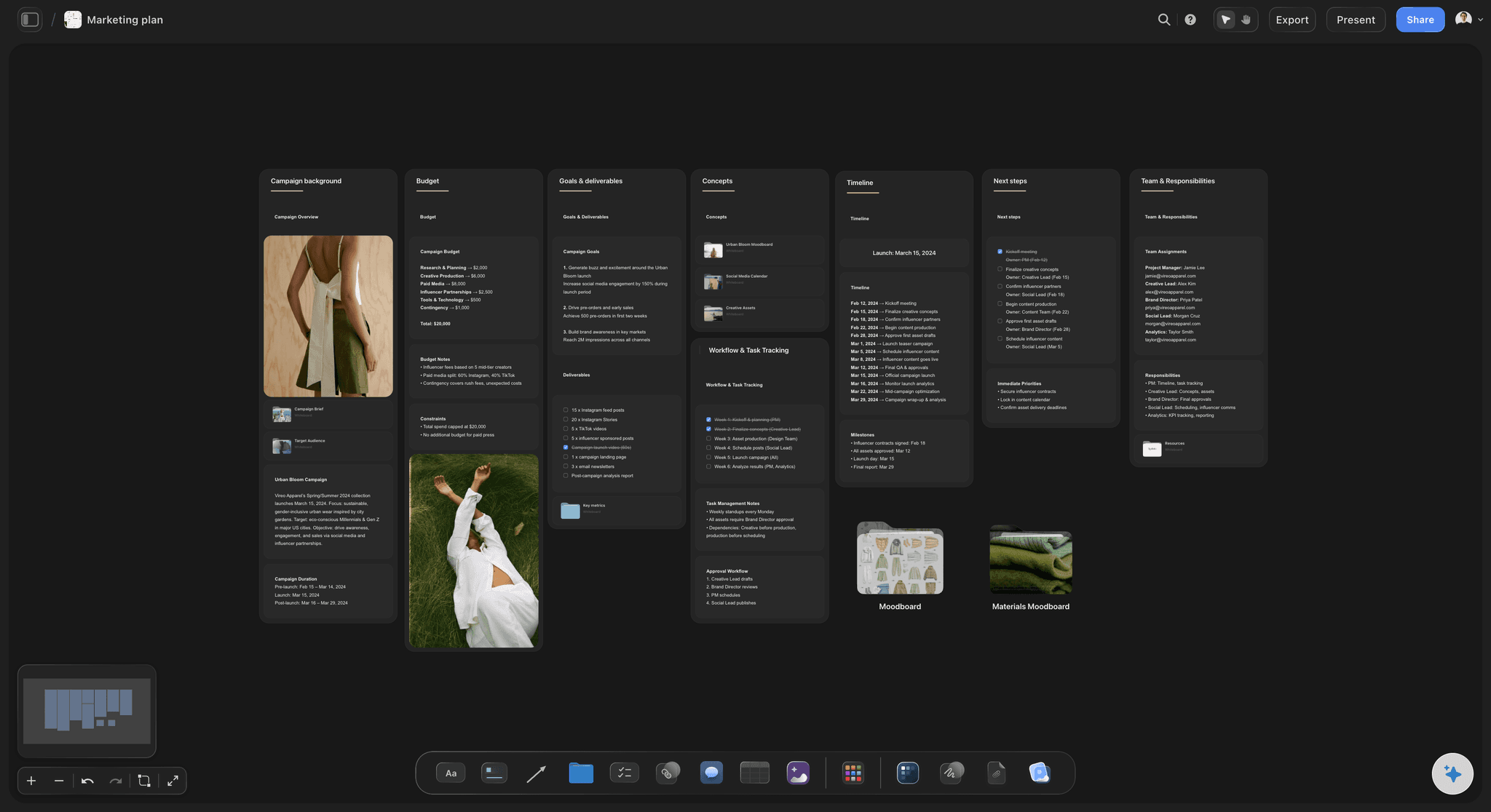
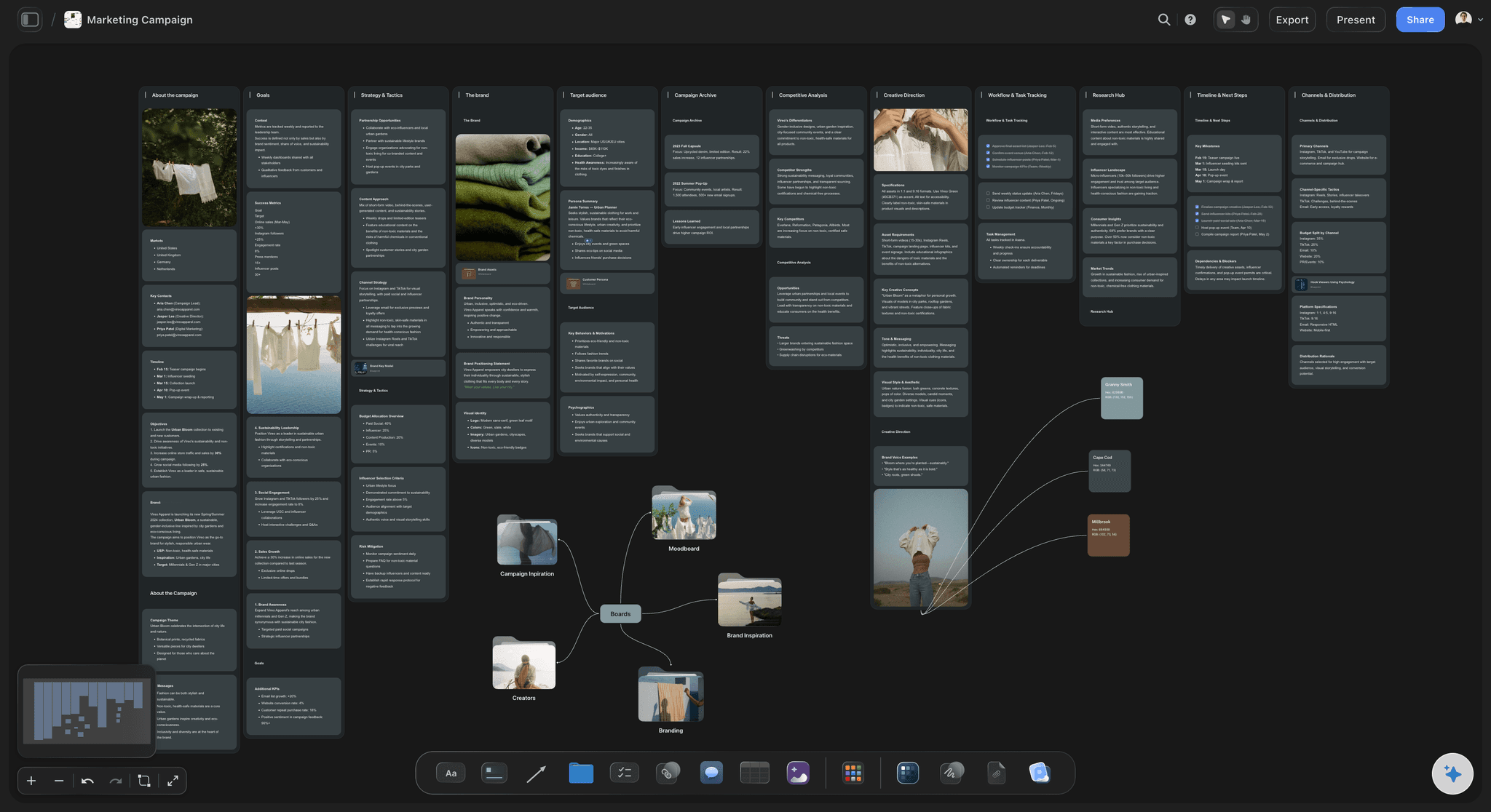
Marketing Campaign
Plan a campaign across channels, messages, and deliverables on one board the whole team can see.
What is an AI content workflow?
An AI content workflow is a repeatable process for making content in which AI handles set parts of each stage, such as research, briefing, drafting and repurposing, and people keep the decisions and the final review. Storyflow is an AI visual workspace that runs an AI content workflow on one infinite canvas: research notes, content briefs, drafts and a repurposing map. Each piece moves through the same stages on one board, so a team can see what the AI drafted and what a person approved.
Here is where AI helps at each of the five stages, and where it should stop. Research: ask the Storyflow AI to search the web and summarise what competitors publish, then check every fact it cites, because a wrong number with your name on it costs more than the research saved. Brief: the AI reads your research and drafts a brief with the audience, goal, angle and format on the board. A person decides the angle, because the angle is your point of view. If the brief could belong to any company, rewrite it before anyone drafts.
Draft: AI is good at outlines, first passes of emails and posts, and turning notes into structure. It is weak at original stories, real opinions and the examples only your company has, so give it those on the Storyflow board rather than asking it to invent them. Repurpose: this is the most repetitive stage, so it suits AI well. As a planning default, one webinar or article can become 15 to 25 smaller pieces. Ask Storyflow to map them on the board, and let a clipping tool cut the video. Review: this stage stays human. A named person reads everything for facts, voice and legal risk before it goes out.
So plan the workflow by marking each step as AI draft, human decision or human approval. A safe split for a small team is roughly: research and repurposing mostly AI with a human check, brief and draft shared, review entirely human. In Storyflow, make one wall per stage with a short rule at the top of each saying who decides. Set a limit on rounds: two rounds of review, with 48 hours each, keeps a one-person team from becoming the bottleneck. Publishing happens in another tool, because Storyflow does not schedule or publish posts. The AI in these stages is the one inside Storyflow, which starts on Plus. On a paid plan you lay out the walls by hand, or have ChatGPT or Claude build on the board with no weekly limit.
Here is a made-up case: Fernway is a software company with one marketing lead and one freelance editor. In February 2027 they turn one 45-minute webinar into 18 pieces: 2 articles, 6 short clips, 8 LinkedIn posts, 1 email and 1 recap page. On Monday 1 February the AI summarises research into a Storyflow board. The lead fixes the brief on Wednesday 3 February and records the webinar on Thursday 11 February. The AI drafts the articles and posts, the editor cuts the clips, and two review rounds finish by Friday 19 February. Everything is scheduled in Buffer by Friday 26 February.
The tools for an AI content workflow, by job
We make Storyflow, so it comes first as our pick for planning and running the workflow. The other rows name the tool for each remaining job.
| The job | The tool | Why it goes here |
|---|---|---|
| Plan the workflow, research and briefs | Storyflow | Holds research, briefs, drafts and the repurposing map on one canvas, with AI that searches the web when asked and reads the board it is working on. |
| Write and rework long drafts | ChatGPT or Claude | General AI writing assistants, strong for rewriting and thinking through a draft, and both can connect to your Storyflow boards. |
| Edit video and podcasts | Descript | An AI video and audio editor that lets you edit a recording by editing its transcript. |
| Cut long videos into short clips | OpusClip | An AI video tool that finds strong moments in long footage, adds captions and reformats clips for each social platform. |
| Design posts and thumbnails | Canva | Templates and brand kits for social graphics, thumbnails and simple presentations; see Canva's help for its current AI features. |
| Schedule and publish posts | Buffer, Later or Metricool | Plan, schedule and analyse posts across social channels, which Storyflow does not do. |
| Review video with clients | Frame.io | Frame-accurate notes on video, images and documents, which Storyflow does not offer on video frames. |
Ultra fast from brief to board
One board for five stages.
Set it up once, then run each piece of content through it.
01
Draw the workflow on a board
In Storyflow, make one wall per stage: research, brief, draft, repurpose and review. Write at the top of each who decides and what the AI may do. Ask the Storyflow AI to Plan my content calendar if you are starting from nothing.
02
Research and brief with the AI
Ask Storyflow to search the web, then attach up to five documents, such as past articles and notes. It drafts a brief on the board. A person fixes the angle before anyone starts drafting.
03
Draft and map the pieces
Have Storyflow draft outlines and posts from your own stories and data. Then map one long piece into its smaller ones in a table with a date cell for each, rows kept in date order.
04
Review, then hand off to publish
A named reviewer comments on the Storyflow board and ticks off the to-do for each approved piece. Move approved copy to Buffer, Later or Metricool to publish, because Storyflow does not schedule or post.
What a working content workflow looks like.
One picture of the stages, the plan and the work.
Every piece, at every stage
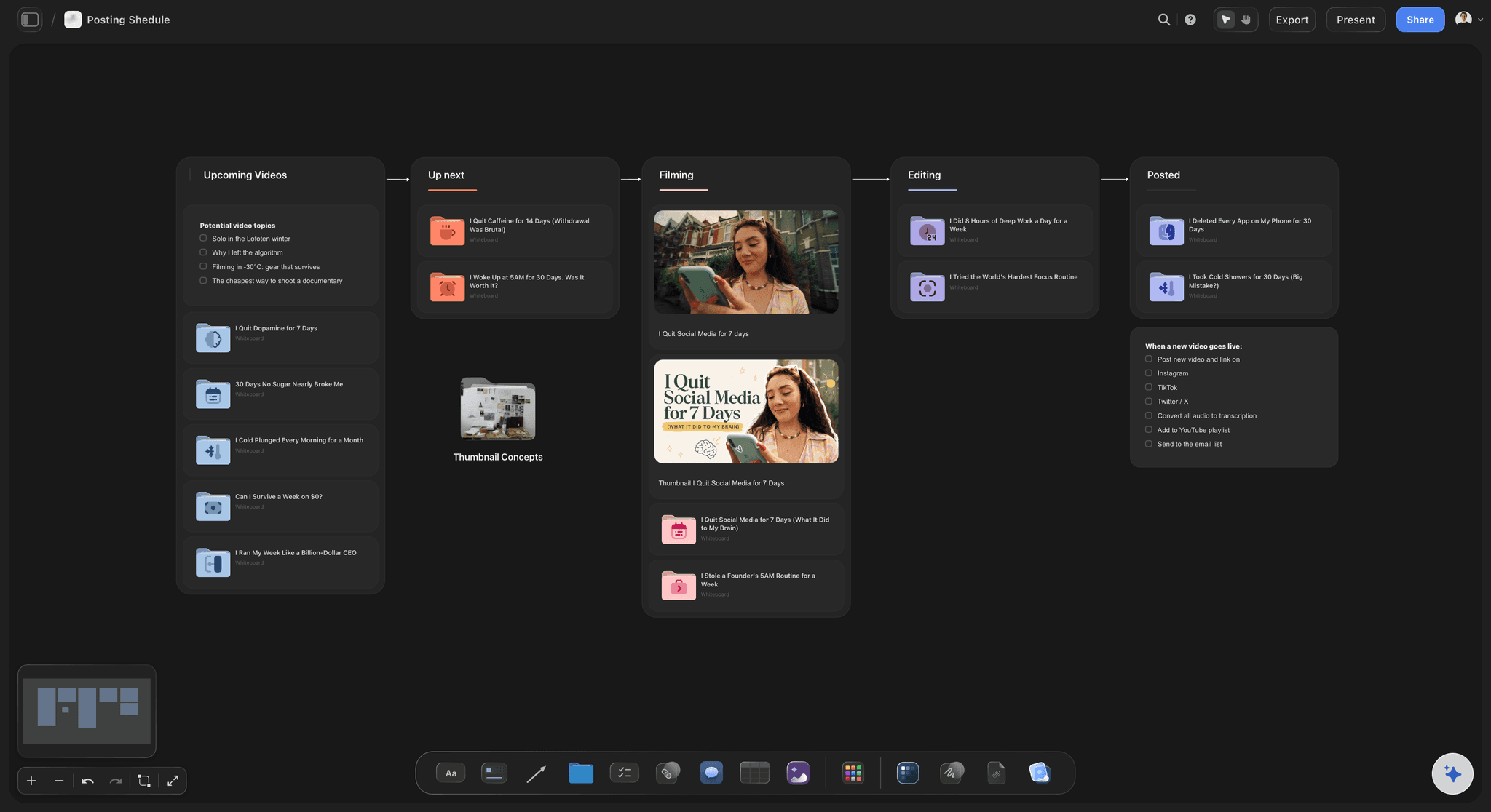
See where each piece is stuck
A kanban wall shows what is in research, draft and review. When the review column fills up, you can see it before a deadline is missed.
See the content pipeline →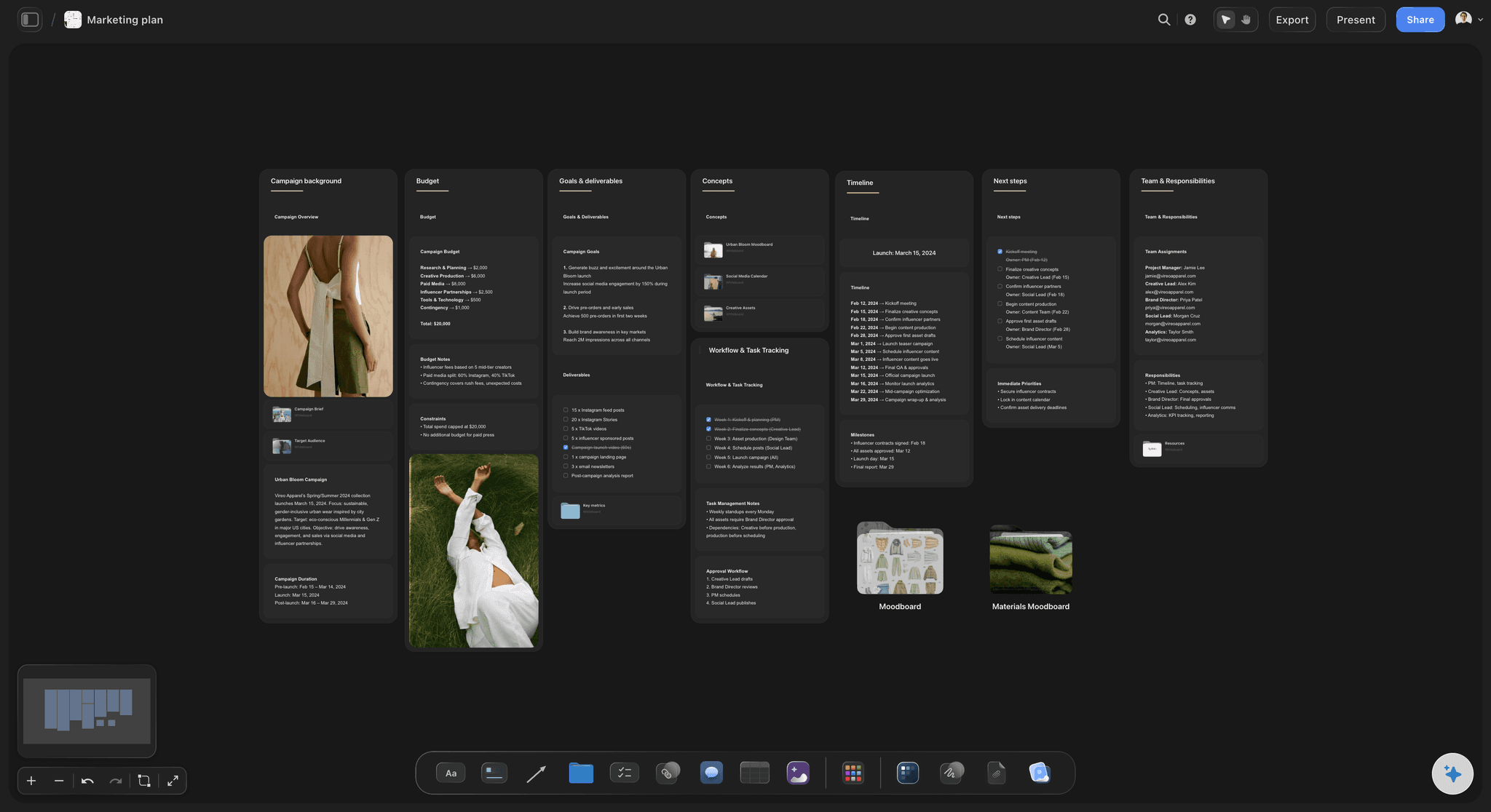
The plan behind the work
Pillars, cadence and channels
Ask the Storyflow AI to Plan my content calendar and it builds pillars, a calendar structure and real post ideas as tickets. The dates live in tables, because Storyflow has no calendar view.
Try the AI content planner →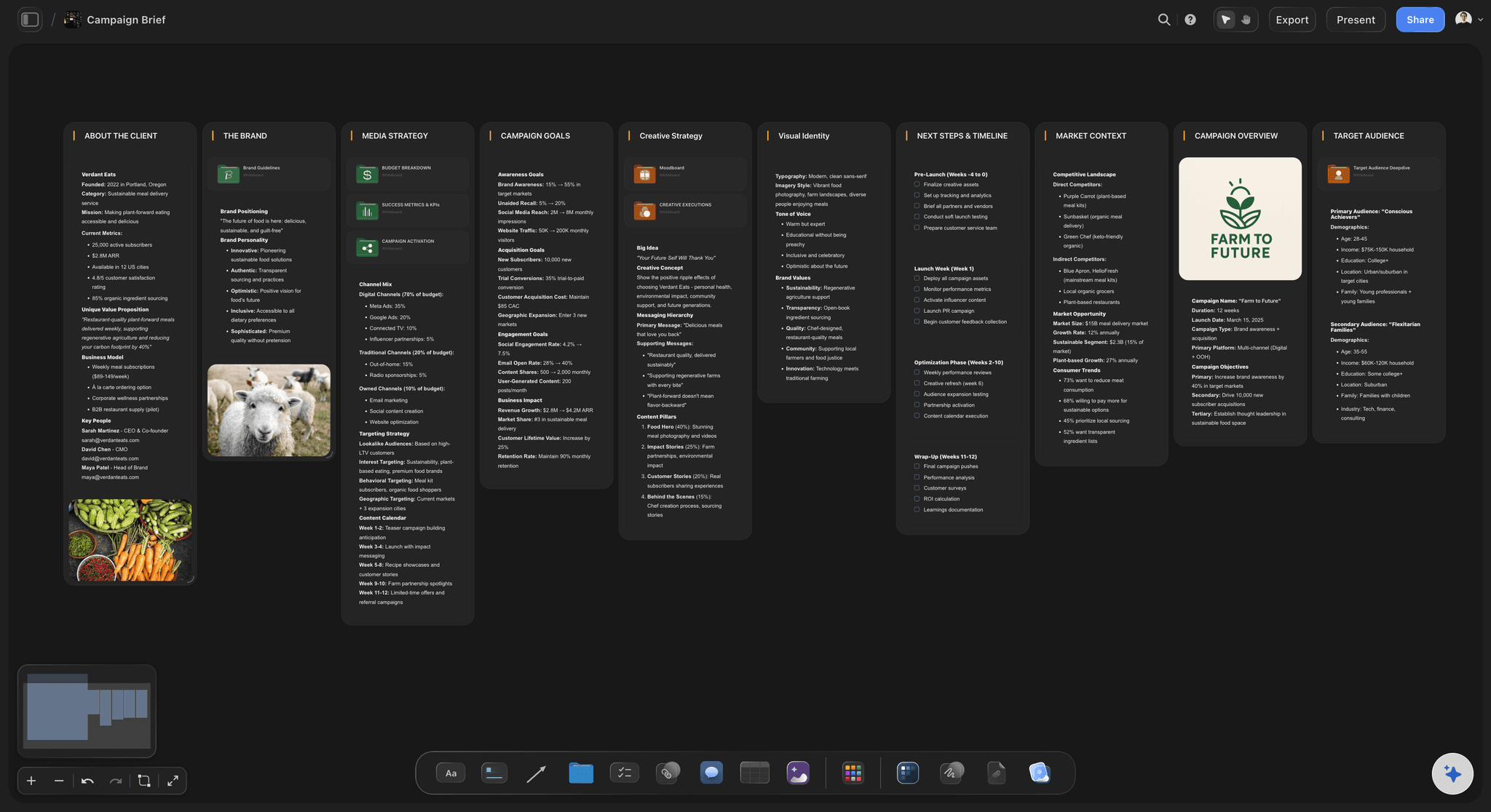
The brief that sets the angle
One brief per pillar piece
The audience, goal, angle and format sit on the board, so the AI and the freelancer both draft from the same instructions and the reviewer has something to check against.
Read the AI content workflow guide →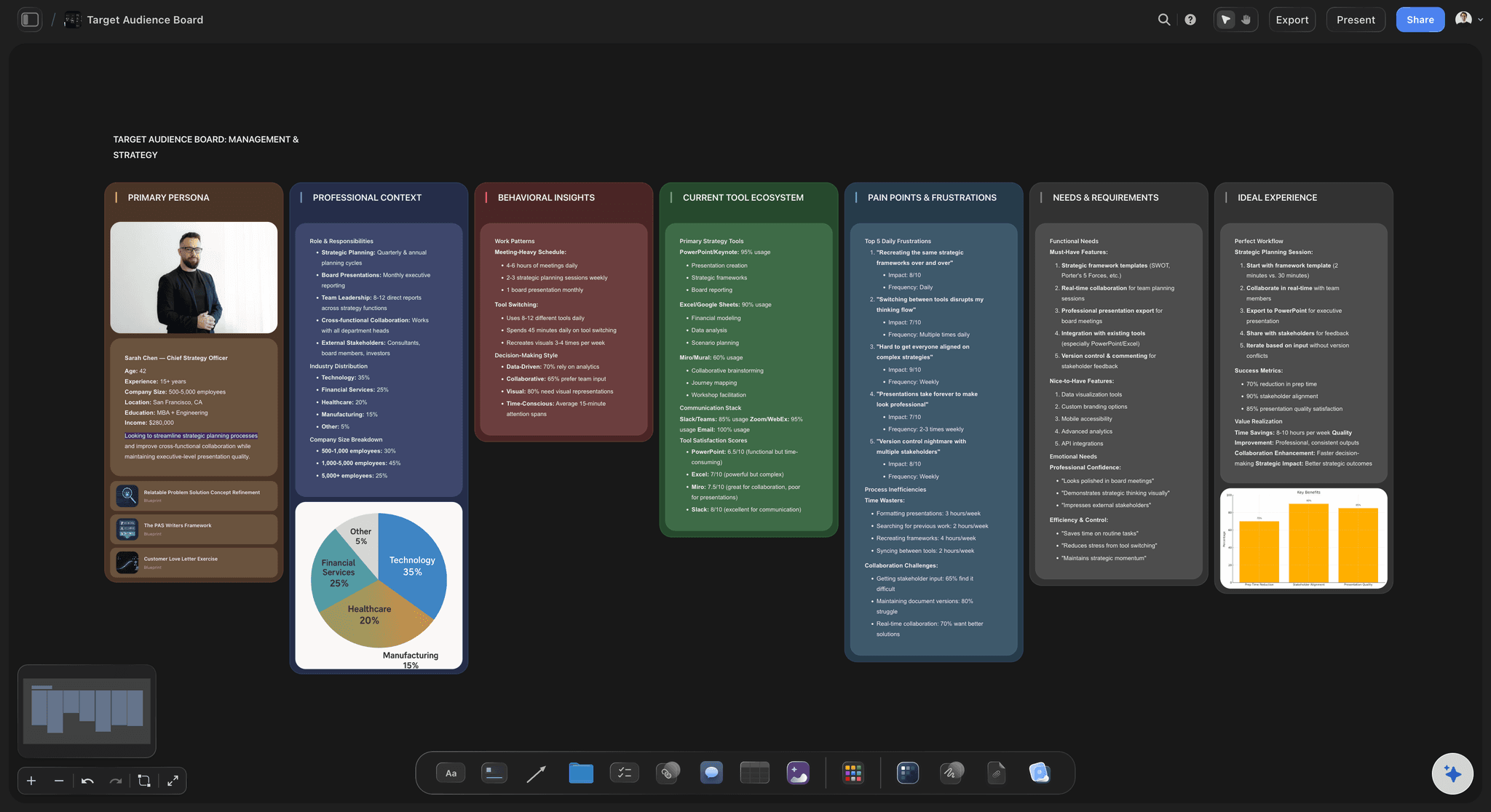
The people you are writing for
Your audience on the board
Ask for Profile my target audience and keep it beside the work, so Storyflow's AI drafts for real people rather than for content in general.
See AI tools for content creators →Run the workflow from one board.
Storyflow is paid-only during early access: Plus is $7.99 a month billed annually ($9.99 monthly) and includes the AI inside Storyflow. Anyone a paid member invites to a board joins free, so a freelance editor adds nothing to your bill, though an invited free account has no in-app AI.
Every paid plan: the stage walls built by hand, or through ChatGPT or Claude
Plus and up: AI that reads scripts, notes and documents you attach
Pro and Max: memory across conversations
View-only links for clients and bosses, with no account
Built for people with taste
What AI does at each stage, and what stays with people.
A workflow fails where nobody decided who is responsible. These rules work for a team of one to five.
Research and brief
AI finds it, a person decides what it means
AI: gather and summarise: Ask Storyflow's AI to search the web and summarise what your audience asks and what competitors publish. It can also read up to five documents and three other boards you attach.
Human: check every fact: Open the source for each number and quote before it reaches a draft. Mark checked facts on the Storyflow board so nobody checks them twice.
AI: draft the brief: Have it draft the audience, goal, format and key points on the board. It gives you a page to react to, which is faster than a blank one.
Human: choose the angle: The angle is what makes the piece yours. The test: could a competitor publish this brief unchanged? If yes, your marketing lead rewrites it before drafting starts.
Draft and repurpose
AI does the first pass, you bring the substance
Feed it your own material: Put your stories, customer quotes and data on the Storyflow board first. An AI draft built from your material needs far less rewriting than one built from a blank prompt.
Keep voice human: Have a person rewrite the opening and the ending of every piece, and any line that states an opinion. These are the parts readers remember and the parts AI writes least well.
Map one piece into many: List each smaller piece in a Storyflow table with its channel and date. As a planning default, a 45-minute webinar can carry 2 articles, 6 clips and 8 posts before quality starts to slip.
Cut the rest in other tools: Descript edits by transcript and OpusClip finds short clips. Storyflow plans which clips you want and keeps them with the brief. It does not edit video.

Review
This stage stays with people
One named reviewer per piece: Put the name on the Storyflow to-do with a due date. If two people can approve, each one assumes the other did, and errors get published.
Check three things: Is it true, is it us, and could it get us in trouble? Facts, voice and legal risk are the three things no AI should sign off for your company.
Limit the rounds: Two rounds at 48 hours each covers most work. Comments on the Storyflow board sit beside the piece they are about, so they do not get lost in email.
Ask the AI to read the board too: Use Review what's on this board as a final check for gaps, then decide. It is a second reader, not an approver, and the responsibility stays with your reviewer.
What to run elsewhere
What Storyflow does not do in this workflow
No AI video, and there never will be: "We will never add AI video generation. The creative work stays yours." Storyflow plans films and scripts; people and video tools make them.
No scheduling or publishing: A content calendar in Storyflow is a table with date cells, rows kept in date order, beside the briefs and visuals. Buffer, Later, Metricool or Meta Business Suite do the posting.
No automatic triggers: Storyflow does not move a card or run a step by itself when something else happens. For that kind of automation between apps, use a tool such as Zapier or Make.
No frame-level video review: There is no proofing mark-up on video frames and no version compare. If a client signs off on video frame by frame, use Frame.io for that step.
Explore templates for your project
Every template opens as a real, editable board on the infinite canvas. Pick the closest fit and make it your own.
Marketing Campaign
Plan a campaign across channels, messages, and deliverables on one board the whole team can see.
One app instead of five
Storyflow vs ChatGPT and Buffer in an AI content workflow.
Storyflow is our product, so it leads. Choose ChatGPT when you mainly need writing help, and Buffer when your bottleneck is getting posts out on time. You can use all three. Facts from each vendor's site, November 2026.
Storyflow
Recommended
An infinite canvas for every stage and piece
Built-in AI that builds and reads a project board (from Plus)
Connects your other apps in one chat
Schedules and publishes posts
Analytics on published posts
A free plan today
ChatGPT
An infinite canvas for every stage and piece
Built-in AI that builds and reads a project board
Connects your other apps in one chat
Schedules and publishes posts
Analytics on published posts
Free plan
Buffer
An infinite canvas for every stage and piece
Built-in AI that builds and reads a project board
Connects your other apps in one chat
Schedules and publishes posts
Analytics on published posts
Free plan, up to 3 channels
What creators are saying
Join early creators getting structured workspaces and AI that remembers their projects
“Storyflow has sped up my workflow by at least 3x, which means more flow state and more projects I can actually ship. It truly changed the way me and my team create.”

Reilin Joey
Director & YouTuber
“One prompt gets me a structured board. But the tactics are my favorite. I run my YouTube scripts through them and my intros and retention got better. It's amazing.”

Justkay
YouTuber & Freelance Filmmaker
“I used to juggle five apps to plan a project. Now I describe what I am making and get boards, lists, and a schedule. All in one place.”

George
@fernwehchronicles
AI content workflows, answered.
Which stages to automate, which to keep, and which tool does each one.
An AI content workflow is a repeatable process where AI handles parts of each stage, such as research, briefs, drafts and repurposing, and people make the decisions and approve the result. Storyflow runs it on one infinite canvas, with a wall for each stage and a rule saying who decides. Everyone can see what the AI drafted, what a person changed and what is waiting for review.
Storyflow fits this job directly: research, briefs, drafts and the repurposing map share one board, and the AI reads that board as it works. It is listed first as our product and our pick for planning and running the workflow. It does not publish, so Buffer, Later or Metricool schedule your posts, and Descript or OpusClip handle editing and clipping video.
Choose one tool per job, starting with Storyflow for planning the work, since it is our product and our pick for that stage. Then use ChatGPT or Claude for writing, Descript for editing, OpusClip for short clips, Canva for design and Buffer or Metricool for scheduling. Five tools you use every week beat fifteen you rarely open. Add a new one only when a stage is slowing you down.
Keep the angle, the voice, the final facts and the approval with people. In Storyflow, write those rules at the top of each stage's wall, so nobody has to guess. AI is useful at research, first drafts and mapping one piece into many, but it has no point of view and no accountability. A reader forgives a plain post far more easily than a confident, wrong one.
Run it from one Storyflow board with five stages and one owner per stage, and start small: one pillar piece a month, turned into about 15 smaller ones. Use AI for research and drafts, a freelance editor for video, and a scheduling tool for posting. Your marketing lead keeps the angle and the final review, which are the parts an agency would otherwise charge you to do.
Start by writing down what your team does now, then mark each step AI draft, human decision or human approval. In Storyflow, lay those stages out as walls on a board, write your rules on them, and duplicate the board for each new project. Change one stage at a time and keep what works. Memory on Pro and Max keeps your preferences across conversations, so you repeat yourself less.
No. Storyflow is where you plan and run the workflow, with AI you ask for help at each stage, and it does not run triggered automations between apps. If you want a new blog post to create tasks or send a message by itself, use an automation tool such as Zapier or Make, and keep the plan and briefs on the Storyflow board.
Start with repurposing, because it is the most repetitive stage and the easiest to check. As a planning default, a 45-minute webinar or long article can give you 15 to 25 smaller pieces, such as 2 articles, 6 short clips, 8 social posts and 1 email. In Storyflow, list each in a table with its channel and date, rows kept in date order. Skip any piece that repeats the source without adding something.
No, and it never will. In Storyflow's words: "We will never add AI video generation. The creative work stays yours." Storyflow helps you plan videos, write scripts, make shot lists and pick which clips to cut. Filming is done by people, and editing happens in Descript, Premiere Pro or a similar tool. If you want AI-generated video, tools such as Runway offer it, and that work happens outside Storyflow.
No. Storyflow has no social post scheduling or publishing, and no calendar view. A content calendar in Storyflow is a table with date cells, rows kept in date order, beside the briefs and visuals. Publishing happens in another tool such as Buffer, Later, Metricool or Meta Business Suite. Add a to-do for loading each batch, so the handoff between the two tools has an owner.
A marketing lead keeps one Storyflow board per month, with research, briefs, drafts, a repurposing table and a review wall. She asks the AI for summaries and first drafts, and invites a freelance editor, who joins free. Review stays with one named person, in two rounds. At the end of the month she duplicates the board and carries over what worked.
Send a Storyflow view-only link, which opens in the browser with no account, so your boss or client can read the current state whenever they like. Allow comments on the link and they can comment or draw after signing in, and anyone a paid member invites to a board joins free. For frame-accurate notes on video, use Frame.io.
Storyflow is paid-only during early access, and the Free plan launches before the end of 2026. Anyone invited to a board by a paid member can sign up free. The AI inside Storyflow starts on Plus at $7.99 a month billed annually ($9.99 monthly). Pro is $14 billed annually ($19 monthly), adding AI image generation, memory and more AI, and Max is $39 billed annually ($49 monthly) with the most AI.
Yes, for much of it. With the Storyflow plugin in ChatGPT, or the connector for Claude, Gemini and Grok, the assistant can read your boards and build notes, tables and walls when you allow changes. Plugin actions use no Storyflow AI credits, and paid plans have no weekly limit. It cannot generate images through the plugin or read board comments, so the review stage still happens on the board itself.
Track three things each month on your Storyflow board: pieces published against plan, hours from brief to published, and which pieces led to a sale or a sign-up. Your scheduler and web analytics hold the numbers, and Storyflow holds the plan and notes beside them. If output rises and results stay flat, the AI is making more of the wrong thing, so go back to the angle.
Draw your content workflow on one board.
Mark what AI drafts and what people decide, then run your next piece of content through it.