
Elevated brand work, made with taste
Generate brand guidelines with AI
and get a living style guide.
Describe the brand and Storyflow's AI generates the guidelines: the mission and personality, the voice, the color and type rules, the logo usage, and the imagery direction, on one visual board. Refine it on an infinite canvas, then share it as the single source of truth.


Creatives working for these brands already got early access
- Red Bull
- Canon
- Artlist
- Porsche
See how easy it is to get started
Watch a real project come together, from a blank board to a finished plan, clicked through step by step.
Start from a ready-made template
Pick a board to see what you can build, then let AI fill it in. Every template is a real, editable starting point on the same infinite canvas.

Brand Strategy
Define your positioning, values, and voice and connect them into a strategy the team can follow.
What is an AI brand guidelines generator?
Brand guidelines, sometimes called a style guide or a brand book, are the rules that keep a brand looking and sounding like itself everywhere it shows up. They cover the logo and how to use it, the colors and type, the voice, and the imagery, so a freelancer, an agency, and an in-house designer all produce work that feels like one brand instead of three. Without them, a brand slowly drifts as every new person guesses at the rules.
An AI brand guidelines generator takes the first pass off your hands. Instead of working through an empty brand book section by section, you describe the brand and the AI generates the mission, the personality, the voice, the color and type rules, the logo usage, and the imagery direction, drafted for your brand rather than a generic template, with room to pin the actual assets beside each rule. It is not a fixed deck: each rule is a card on a canvas, so you sharpen the voice, swap a rule, and the example sits right next to it.
That is the difference from a blank brand guidelines template: the AI gives you a guide you can argue with, on a living visual board where the rule and the asset live together, rather than a slide deck you fight to edit or a doc nobody opens. Then the guide does more: share one link as the source of truth, ask the AI to draft the voice in more depth, or start the moodboard the imagery rules point at, all on the same canvas.
Ultra fast from brief to board
Generate brand guidelines with AI in four steps.
You describe the brand. The AI drafts the rules, so you refine a real guide instead of a blank book.
01
Open your canvas
Start in the browser on Plus. No app to install, just an empty board ready for the guidelines.
02
Describe the brand
A sentence is enough: what the brand is, who it is for, and the feeling it should carry. Add colors or a logo and the AI builds around them.
03
AI generates the brand guidelines
The AI lays out the mission, personality, voice, color, type, logo usage, and imagery rules as cards, ready for you to pin the real assets beside each one.
04
Refine it, then share it
Edit the rules, drop in the actual logo and palette, then share one link as the source of truth or export to PDF.
A style guide where the rule and the example live together.
Most guidelines are a PDF nobody opens. This one is a living board people actually reference and follow.
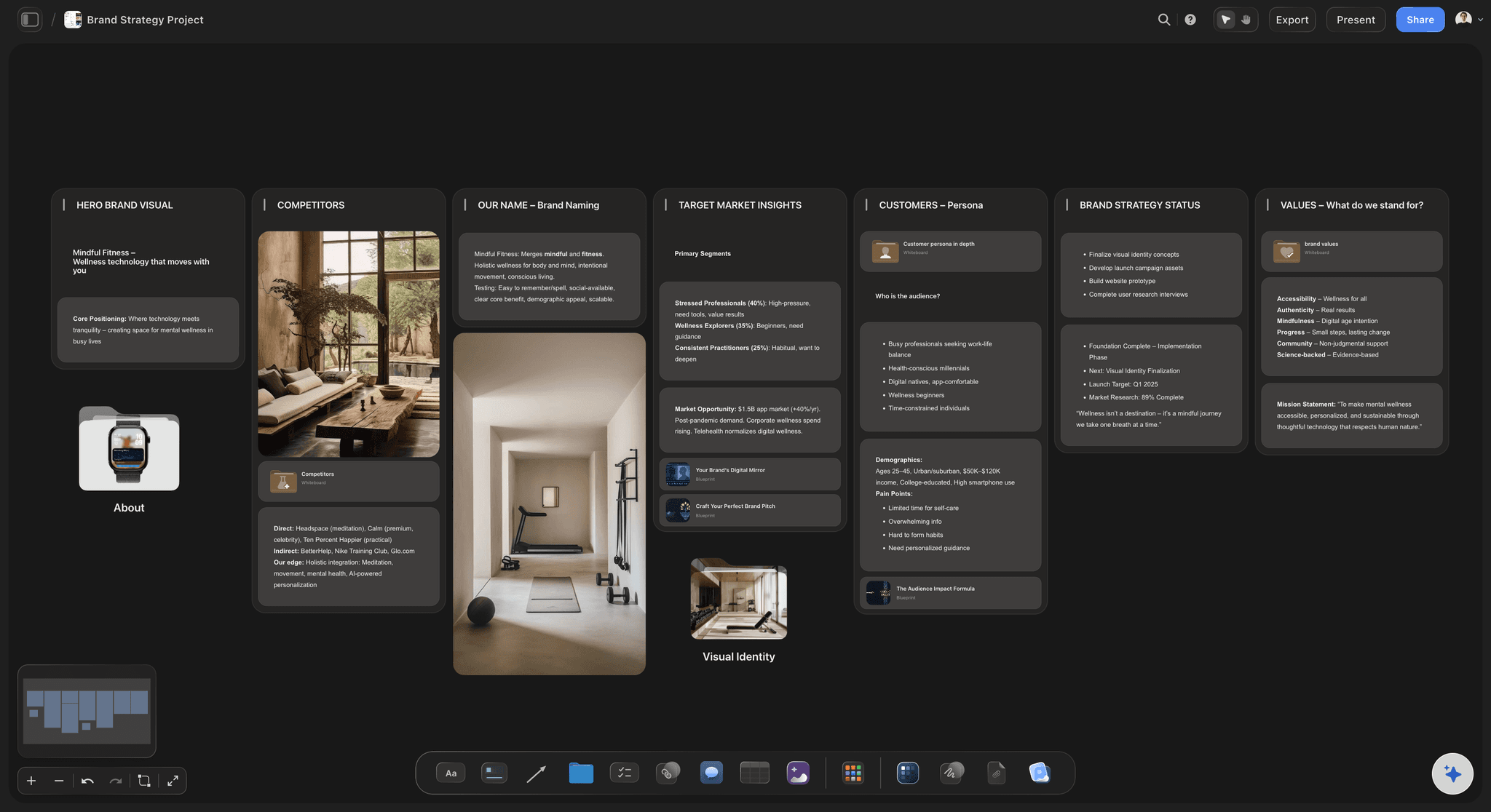
The guide, generated
Voice, color, type, and usage in one pass
Describe the brand and the AI generates every section, the mission, the personality, the voice, the color and type rules, the logo usage, so you start by refining a real guide instead of an empty book.
See the brand strategy tool →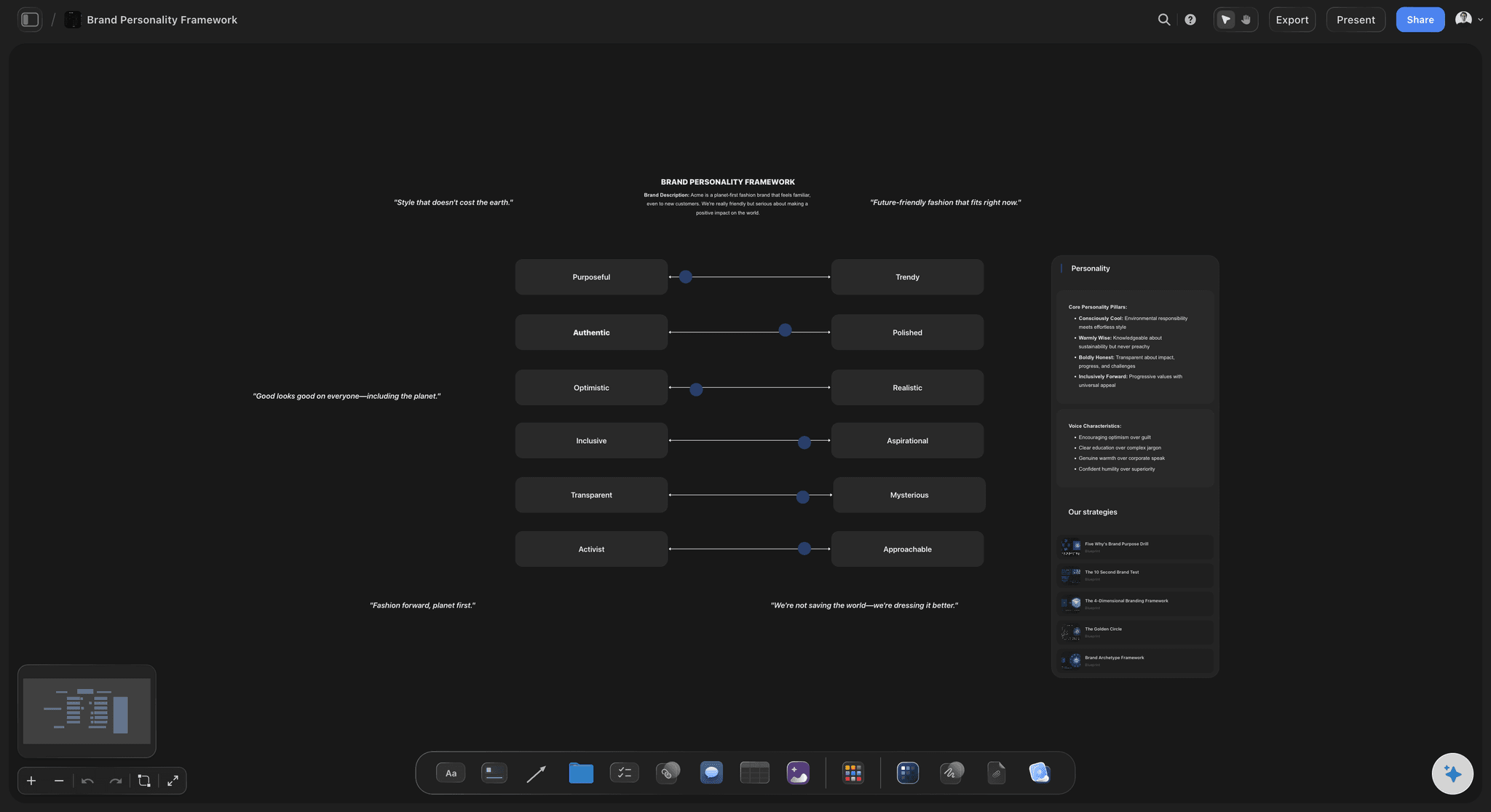
A voice people can copy
Personality and tone, written out
Ask the AI to generate the brand voice with do and do-not examples, so a writer can match the tone from a clear reference rather than a vague adjective like friendly.
See the AI brand voice generator →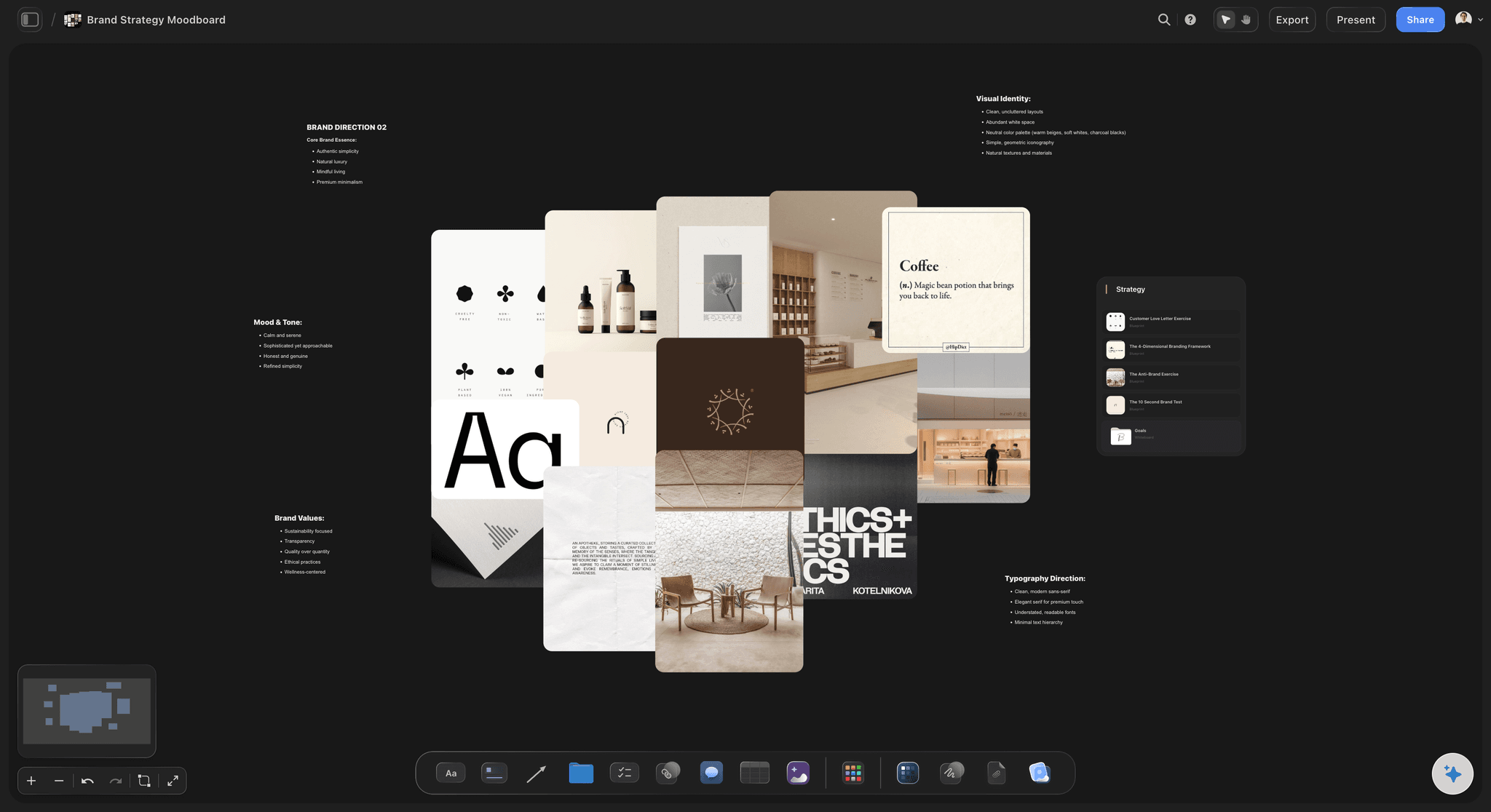
The look, set as rules
Color, type, and imagery direction
The visual rules sit next to the actual assets: the palette beside the color rule, the moodboard beside the imagery direction, so the look is shown, not just specified.
See the AI moodboard maker →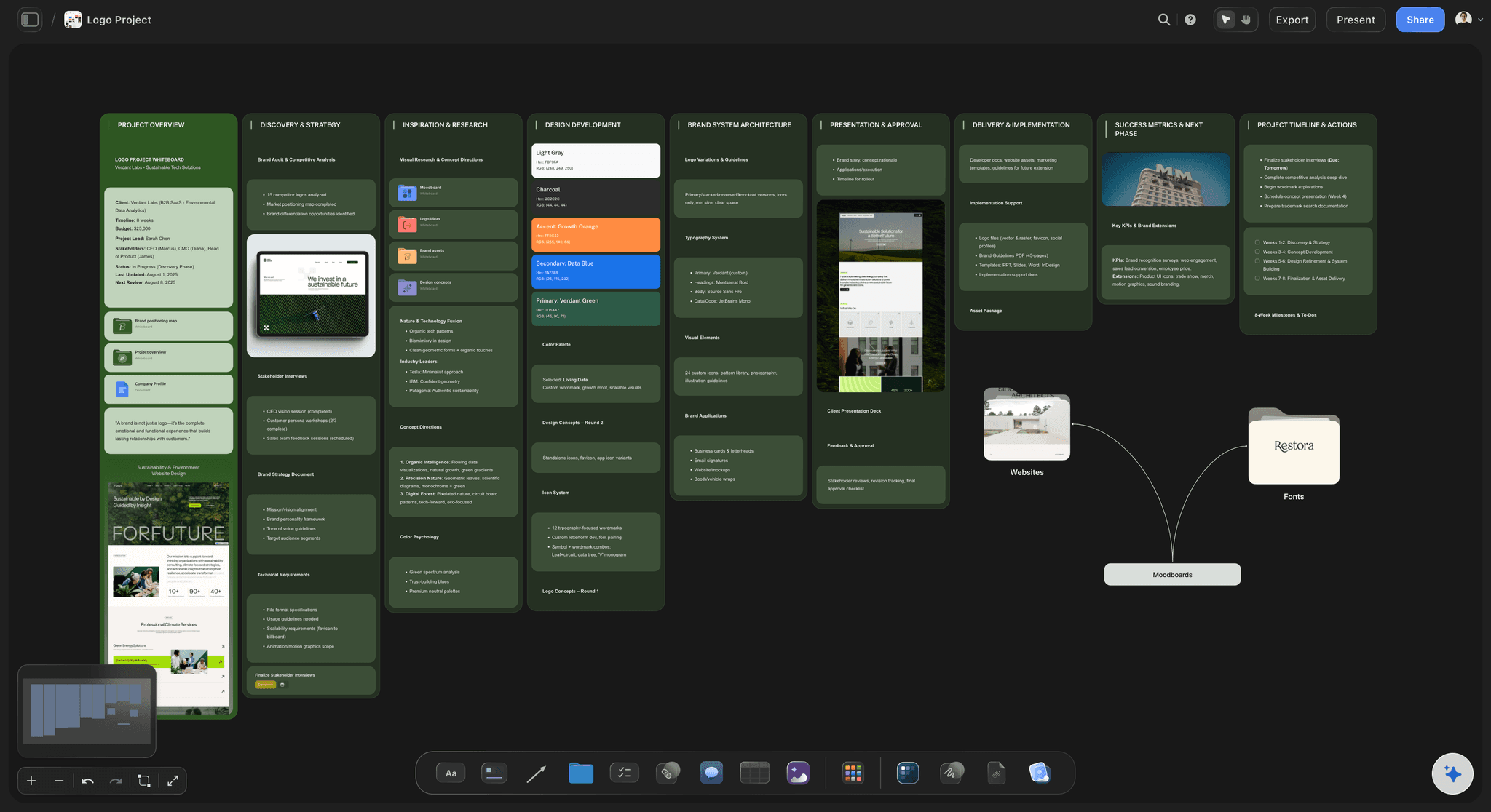
One link as the source of truth
Guidelines everyone can actually reach
Share one view-only link with the whole team and every freelancer, so the current rules are always one click away instead of buried in an old PDF.
See the AI logo brief generator →Paid-only during early access.
Storyflow is paid-only while in early access, with Plus at $7.99/month billed annually, and no time limit on any plan. A free plan launches before the end of 2026.
Unlimited brand guidelines and boards, with room for every asset
Basic AI usage to generate and refine the rules
Pin the logo, palette, type, and imagery onto any card
Share the guidelines view-only, or invite collaborators free
Built for people with taste
Made for the way brand systems actually get used.
Generate the rules, pin the real assets, keep it living, and share one link the whole team can follow.
A guide that generates itself
Every section written, all editable
The full system: Mission, personality, voice, color, typography, logo usage, and imagery arrive as generated cards, not blank headings.
Rewrite by asking: Tell the AI to make the voice more premium or the personality more playful, and it reworks the relevant cards while keeping your edits.
Brand or sub-brand: Describe a full company brand or a single product line, and the AI generates guidelines at the right level.
The rule next to the example
Show the brand, do not just describe it
Pin the assets: Drop the real logo, palette, type specimens, and photography next to the rule each one demonstrates, so the guide is a reference, not a description.
Attach your inputs: Bring in up to five documents and three boards, such as an existing logo file, a strategy deck, or old guidelines, and the AI generates from them.
Start the moodboard: Ask the AI to turn the imagery direction into a moodboard, so the photographic style is shown beside the rule that defines it.
A living source of truth
Guidelines that stay current and reachable
One link for everyone: Share a view-only link with the team and every freelancer, so the current rules are always one click away.
Update in place: When the brand evolves, edit the board and the shared link is current, instead of re-exporting a PDF nobody re-downloads.
Export when you need to: Export a clean PDF of the guidelines for a contract, a pitch, or an onboarding pack.
Explore templates for your project
Every template opens as a real, editable board on the infinite canvas. Pick the closest fit and make it your own.
Brand Strategy
Define your positioning, values, and voice and connect them into a strategy the team can follow.
One app instead of five
How Storyflow compares to other brand guideline tools.
Most options are a fixed deck or a doc. The question is whether the AI generates the guide and keeps it living.
Storyflow
Recommended
AI generates the full guide from a one-line brand description
A visual board with the rule next to the real asset
A living link that updates, plus PDF export
No board or card caps on any plan
Canva
AI generates the full guide from a one-line brand description
A visual board with the rule next to the real asset
A living link that updates, plus PDF export
No board or card caps on any plan
Figma template
AI generates the full guide from a one-line brand description
A visual board with the rule next to the real asset
A living link that updates, plus PDF export
No board or card caps on any plan
Notion AI
AI generates the full guide from a one-line brand description
A visual board with the rule next to the real asset
A living link that updates, plus PDF export
No board or card caps on any plan
What creators are saying
Join early creators getting structured workspaces and AI that remembers their projects
“Storyflow has sped up my workflow by at least 3x, which means more flow state and more projects I can actually ship. It truly changed the way me and my team create.”

Reilin Joey
Director & YouTuber
“One prompt gets me a structured board. But the tactics are my favorite. I run my YouTube scripts through them and my intros and retention got better. It's amazing.”

Justkay
YouTuber & Freelance Filmmaker
“I used to juggle five apps to plan a project. Now I describe what I am making and get boards, lists, and a schedule. All in one place.”

George
@fernwehchronicles
AI brand guidelines questions, answered.
Everything people ask about generating brand guidelines with AI in Storyflow.
An AI brand guidelines generator turns a one-line brand description into a full style guide: the mission and personality, the voice, the color and typography, the logo usage, and the imagery direction. In Storyflow the AI generates each section on a visual board, so you refine a real guide and pin the actual assets beside each rule instead of filling a blank brand book.
Complete brand guidelines include the brand mission and personality, the voice and tone with examples, the logo and its usage rules, the color palette with values, the typography, the imagery and photography style, and often iconography and layout principles. Storyflow generates these by default and lets you pin the real logo, palette, and photography next to the rules they govern.
Describe the brand in the AI chat and the AI lays out the guidelines as cards on the canvas, mission, personality, voice, color, type, logo usage, and imagery. Every card is editable, so you can rewrite a rule, drop in the actual assets, and ask the AI to expand the voice or adjust the personality until it matches the brand.
Not during early access. Storyflow is paid-only right now, with Plus starting at $9.99 per month ($7.99/month billed annually). It includes basic AI usage to generate and refine the rules, unlimited boards, 20 file uploads for logos and assets, and view-only sharing, with no time limit on any plan. A free plan launches before the end of 2026.
Yes, and that is the advantage of a living board over a PDF. When the brand changes, you edit the board and the shared view-only link is immediately current, so the team and freelancers always see the latest rules instead of an outdated file. You can still export a PDF whenever you need a fixed version.
Yes. Ask the AI to generate the brand voice with personality traits and do and do-not examples, so writers can match the tone from a real reference. For a deeper voice document you can expand it into a dedicated brand voice guide on the same canvas.
Yes. Attach up to five documents and three boards, such as a logo file, a strategy deck, or older guidelines, and the AI generates the new guide in line with them. You then pin the real logo, palette, and photography onto the board so every rule sits beside the asset it describes.
More from Storyflow
Stop letting the brand drift. Generate the guidelines on one living board.
Describe the brand once, watch the AI draft the style guide, and share one link as the source of truth.