
Category
YouTube
Author

Storyflow Team
Product & Research Team
Topics
2026-11-15
•
46 min read
•
YouTube- thumbnail concept
- thumbnail board
- thumbnail ideas
- reference thumbnail
- thumbnail A/B test
- capture line
- Storyflow
How do YouTubers plan thumbnails before filming?
In Storyflow, plan a YouTube thumbnail before filming by putting three thumbnail concepts on the video's board, each paired with a title, and writing one capture line per concept onto the shot list: a still, an expression or a prop to get on the day. Storyflow is an AI visual workspace that keeps thumbnail concepts, the video plan and the shot list on one infinite canvas, and it works inside ChatGPT (plugin) and Claude (connector). The Storyflow 3-Concept Capture Rule sets the number: three concepts, three capture lines.

Full disclosure: Storyflow is our product. It is listed first because the thumbnail concepts, paired titles, capture lines and test log share one board with the video plan. This guide compares kinds of tool rather than brands on purpose. Storyflow is not a design app, does not connect to YouTube Studio, has no native mobile app, is paid-only during early access, and the 3-Concept Capture Rule is our own editorial rule, not research.
How the YouTube thumbnail planning tools compare on trust, innovation, ratings and pricing
Which kinds of thumbnail planning tools are the most trusted?
Trust follows the job. A design app is trusted for the final file because it exports exact sizes and keeps layers, and YouTube Studio's own A/B test is the trusted judge of which thumbnail viewers watch longest. Storyflow is newer, with its ChatGPT plugin live since 24 October 2026; its case is that the concepts, capture lines and test log sit on one board with the video plan, so nothing is lost between the idea and the shoot.
Which thumbnail planning tools have fair pricing for a small channel?
Fair pricing for a two- or three-person channel means the editor and designer do not each need a paid seat to see the concepts. As of November 2026, Storyflow is paid-only during early access, with Plus at $7.99 a month billed annually ($9.99 monthly), and anyone a paid member invites to a board joins free. When you price a design app or a project app, count who needs a seat: the person who designs, or everyone who approves.
Which thumbnail planning tools are the most innovative?
Storyflow, for putting the thumbnail on the shot list: rename the last wall of the Shotlist tool Thumbnail and each concept becomes a capture line the crew ticks off, and ChatGPT or Claude can build the concept walls and table on the board. The other innovation worth planning around is YouTube's own A/B testing, which compares up to three titles and thumbnails and picks on watch time rather than clicks.
Which thumbnail planning tools are underrated?
A plain zoom-out is underrated: shrinking a board until each sketch is thumb-width is the fastest legibility check there is, and it costs nothing. In Storyflow, the underrated tool is Selects, which sorts shoot-day frames into Yes, Maybe and No by dragging, so the designer starts from three frames instead of three hundred.
Which thumbnail planning tools hold up for a channel with an editor and a designer?
Tools hold up when every handoff is visible. Storyflow keeps the concept walls, the shot list's capture lines, the sorted frames and the finals on one board, with a status cell per concept, so the presenter, camera operator, designer and editor each see where a thumbnail stands. A design app holds up for the files themselves, and a spreadsheet for a long results log across many videos.
Quick Comparison
Our pick first, on the basis that the concepts, paired titles, capture lines and test log share one board with the video plan, then other kinds of tool by the job each does best. Prices as of November 2026.
| Tool | Best For | AI Features | Price |
|---|---|---|---|
| Storyflow | Three concept walls beside the video plan, capture lines on a Shotlist tool wall you rename Thumbnail, frames sorted in the Selects tool, and a concept table that logs each A/B result | In-app AI drafts concept walls through Plan my next YouTube video, reads up to 24 selected sketches and makes rough images on Pro and Max; the ChatGPT plugin and Claude connector build the walls, concept table, capture lines and palette | From $7.99 mo billed annually; invited collaborators join free |
| A design app | Building the three final 16:9 thumbnail files from your captures | Depends on the product | Varies by product |
| A spreadsheet | A results log across hundreds of tested videos | Depends on the product | Varies by product |
| An inspiration feed | Collecting reference thumbnails by mechanism in the first ten minutes | Depends on the product | Varies by product |
Key Takeaways
- Storyflow is where to plan YouTube thumbnails before you film: three concept walls beside the video plan, each with a sketch, a one-line promise and its paired title, and a Shotlist tool wall you rename Thumbnail, so the face, the prop and the result get captured on shoot day.
- Package first, film second. The thumbnail is the one asset you cannot fix in the edit: if the expression, the object or the finished result was never captured, the designer has nothing to build from.
- The Storyflow 3-Concept Capture Rule: three thumbnail concepts per video before the shoot, each with one capture line on the shot list. Three matches the most variants YouTube's A/B testing takes (YouTube's help page says creators can "test and compare up to 3 different titles and thumbnails"). It is our editorial rule, not research.
- A thumbnail concept is a promise and a picture idea; a thumbnail design is a finished 16:9 file. Concepts are cheap and belong on the planning board; designs are expensive and belong in a design app.
- As of November 2026, YouTube recommends 3840 x 2160 for video thumbnails (minimum width 640), bans thumbnails that mislead viewers about what is in the video, and picks A/B test winners on watch time, not clicks.
- Write the title and thumbnail as one sentence split in two: the thumbnail shows, the title tells, and neither repeats the other.
- Log every test result on the board, so the next video's concepts start from what this channel's viewers chose, not from a guess.
How YouTubers Plan Thumbnails Before Filming: 8 Steps
Most creators design the thumbnail last, the night before upload, from whatever frames the edit happens to contain. That is why so many thumbnails are a screen grab with a word on it. The method below moves the thumbnail to the front of the job, where it can still change what you film.
- Write the video's promise in one sentence at the top of the Storyflow video board, before the script: what the viewer gets if they click ("A $40 hand plane, tuned to beat a $300 one").
- Draft three thumbnail concepts as three walls side by side on the same board. Each wall holds a rough sketch (the freehand pen is enough), the promise in five words or fewer, and the title it pairs with.
- Pair each concept with its own title, so the two split the job: the thumbnail shows the stakes, the title names them. If the title repeats the thumbnail text, rewrite one of them.
- Shrink-test and contrast-check each sketch. In Storyflow, zoom the board out until the sketches are about the size of a phone feed thumbnail; anything you cannot read at that size goes.
- Rank the three: one lead concept and two test variants. Give each a row in a concept table on the board with a status cell (Not started, In progress, In review, Done).
- Write one capture line per concept into the shoot plan. Drop the Shotlist tool from All Tools (it arrives as Shot 1 to Shot 4), rename its last wall "Thumbnail" yourself, and turn the three capture lines into that wall's Shots required checklist: the still, the expression, the prop.
- Capture on the day, then sort the frames. Drop the Selects tool and drag every candidate frame from To review into Yes, Maybe or No, one decision per frame.
- Design the three finals in a design app, upload them to their concept walls, start YouTube's A/B test with all three, and write the result back into the Storyflow concept table when the test ends.
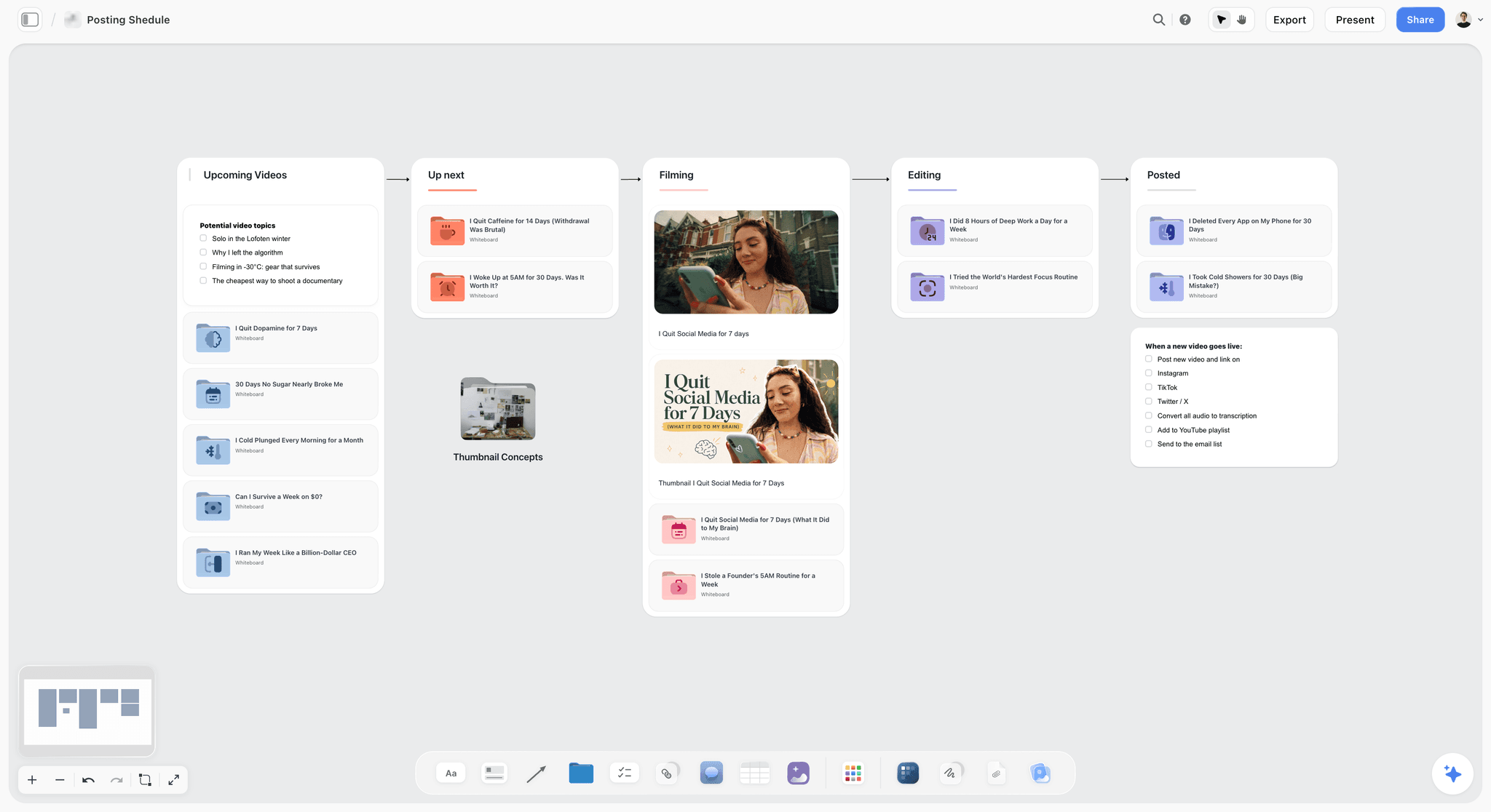
A creator's pipeline on one board: the thumbnail sits on the video's card from the Upcoming column, long before Editing.
The Storyflow 3-Concept Capture Rule
A thumbnail plan needs a number, or it becomes either one idea defended to the end or a wall of twenty sketches nobody chooses from. This is ours.
The rule
The Storyflow 3-Concept Capture Rule is our editorial recommendation for every long-form YouTube video: draft three thumbnail concepts before the shoot, and give each one a capture line on the shot list naming exactly what has to be photographed or filmed for it (a still, an expression or a prop). In Storyflow, the three concepts are three walls beside the video plan, and the three capture lines are the Shots required checklist on the shot list wall you rename Thumbnail.
Why three and not one or ten
Three is the most variants YouTube's own testing takes. Its help page on A/B testing titles and thumbnails says creators can "test and compare up to 3 different titles and thumbnails", and the version with the highest watch time is then shown to all viewers. One concept leaves nothing to test and nothing to fall back on when the shoot goes differently. Ten concepts cost ten capture lines, and a shoot day cannot absorb ten extra setups. Three fits in one short block at the end of a shoot.
Why the capture line is the point
A concept without a capture line is a wish. If the concept is "my face as the plane shaves a translucent curl", someone has to light the face, frame it with room for text and say "now" at the right moment. A capture line turns the concept into a task the camera operator can tick off. It is also the easiest test of a concept: if you cannot write the capture line, the concept is too vague to shoot.
When to break the rule
Break it for Shorts, which YouTube's A/B testing does not cover (see the section on formats), and for a video whose thumbnail must be a fixed series template, where only the number and the object change. Break it upward for a flagship video that gets a dedicated shoot block: five concepts are fine there, as long as only three go to the test.
Thumbnail Concept vs Thumbnail Design
A thumbnail concept is the decision about what the picture promises and what has to exist in front of the camera to show it; a thumbnail design is the finished image file built from that capture. In Storyflow, concepts live as walls on the video's board next to the shot list; the design is made in a design app and comes back to the board as an uploaded file for sign-off.
| Question | Thumbnail concept | Thumbnail design | Where it lives in Storyflow |
|---|---|---|---|
When it is made | Before the script is final, before the shoot | After the shoot, before upload | Concept walls first; the final file uploaded to the same wall later |
What it is | A promise, a rough sketch, a paired title, a capture line | A 16:9 image at full resolution with type, colour and cut-outs | Sketch and notes on a wall; the design as an image card |
Who owns it | The creator or producer with the editor | The designer or editor | Owner and status cells in the concept table |
Cost to change | Minutes: redraw the sketch | Hours: reshoot or rebuild the composite | Sketch redrawn with the freehand pen |
What it decides | What gets captured on shoot day | Crop, colour, type size, outline, finish | Capture lines on the shot list wall you renamed Thumbnail |
How it is judged | Is the promise true, clear and different from the title? | Is it readable at feed size and on brand? | Comments on the wall; a view-only link for the editor |
What a test compares | Three different ideas | Three executions of one idea | The concept table logs which kind each test was |
Test ideas, not font sizes
The table's last row is where most tests go wrong. Three designs of the same concept (yellow text, white text, no text) answer a small question. Three concepts (the result, the face, the before and after) answer the question that changes your next ten videos: what does this channel's audience click and keep watching? Spend the three slots on concepts first; refine execution once you know which concept wins.
Where concepts die
Concepts die in two places. They die on shoot day when nobody remembered them, which the capture line fixes. They die in the edit when the designer reads a vague note ("something dramatic with the plane") and invents a fourth idea. A concept wall with a sketch, a promise and a title gives the designer a brief, not a mood.
Why Plan the Thumbnail Before You Film
Planning the thumbnail first sounds like marketing taking over the craft. In practice it does the opposite: it forces you to decide what the video is about before you spend a day filming around it.
The shoot is the only time the expression exists
A real reaction happens once. The moment the glue-up holds, the moment the cake collapses, the first look at the finished room: if the camera was not framed for a thumbnail then, a reenactment two days later reads as fake at any size. Planning the concept tells you which moment to cover with a second angle or a burst of stills.
The promise test catches weak videos early
If you cannot draw a thumbnail for the idea, the idea usually lacks a visible change, a stake or a result. That is a story problem, and it is cheaper to fix on the board than in the edit. Write the three concepts; if all three are "me pointing at the thing", the video needs a sharper promise before it needs a shoot date. The script work in how to write a YouTube script with AI and the 7-part YouTube script template starts from the same promise line.
The title and thumbnail shape the opening
Viewers arrive with the thumbnail's promise in their head. If the thumbnail shows the finished plane beating the expensive one, the first 30 seconds should show the test setup, not the history of hand planes. Planning packaging first lets the script pay off the click in the opening instead of making the viewer wait.
What YouTube Says About Thumbnails, as of November 2026
Every number and rule in this section comes from YouTube's own help pages, read on 15 November 2026. Check them again before you rely on them: YouTube changes eligibility and limits without notice.
Custom thumbnail specifications
YouTube's help page on adding custom thumbnails recommends a resolution of 3840 x 2160 pixels for videos and 2160 x 3840 for Shorts, with a minimum width of 640 pixels for videos, a 16:9 aspect ratio for videos, and image formats such as JPG or PNG. It sets file size limits of 2 MB for video thumbnails uploaded from mobile (10 MB for podcasts) and 50 MB from a computer for video, Shorts and podcast thumbnails. Custom thumbnails need a verified account, and the page says Community Guidelines strikes affect how many custom thumbnails a channel can upload.
What the thumbnail policy forbids
YouTube's thumbnails policy prohibits "a thumbnail that misleads viewers to think they're about to view something that's not in the video", and says thumbnails that are not suitable for all audiences can lead to age restriction. YouTube may remove a thumbnail without a strike and let you upload another. Its spam, deceptive practices and scams policies list "using maliciously misleading titles, thumbnails, descriptions, or imagery to trick users" as malicious clickbait. The planning consequence is simple: every concept's promise must be something the video shows.
What counts as an impression
YouTube's help page on impressions and click-through rate counts an impression when a thumbnail is shown for more than one second with at least 50% of it visible. It excludes, among others, external websites and apps, the YouTube mobile website, content within the video player, and email or notifications. So the click-through rate in Studio describes the thumbnail's performance in YouTube's own feeds and search, not everywhere the video is shared.
What the test measures
The A/B testing page says tests are optimised for overall watch time over other metrics such as click-through rate, and a test should complete within two weeks. A thumbnail that wins clicks but loses viewers in the first minute can lose the test. Plan concepts the video can keep, not just concepts that get the click. YouTube's own recommendations explainer lists likes, dislikes, subscriptions and feedback, including satisfaction surveys, among the signals, which points the same way.
| YouTube rule (help pages, November 2026) | What it means for the concept | Where you note it in Storyflow |
|---|---|---|
3840 x 2160 recommended, minimum width 640, 16:9 | Frame the capture wide enough for a 16:9 crop with text space | A Setup note on your Thumbnail wall of the shot list |
JPG or PNG; 2 MB from mobile, 50 MB from a computer | Export finals from the design app on a computer | A to-do for the designer with a due date |
Custom thumbnails need a verified account | Verify the channel before the first planned thumbnail | A one-time to-do on the channel board |
No thumbnail that misleads about what is in the video | Every promise must be shown in the video | A "Shown at" timecode cell in the concept table |
Impression: over 1 second, at least 50% visible | Test legibility at feed size, not full screen | Shrunk-view check on the concept walls |
A/B test picks the highest watch time | Concepts must be paid off in the opening | The concept's promise pinned above the script's opening |
Test up to 3 titles and thumbnails, within two weeks | Three concepts per video | The 3-Concept Capture Rule's three walls |

A visual direction board: the same discipline that holds a campaign's palette together keeps a channel's thumbnails recognisable from video to video.
Six Thumbnail Concept Types and What Each Needs Captured
Most working thumbnails are built on one of a handful of mechanisms. Naming the mechanism makes the concept easier to sketch, easier to capture and easier to compare across tests.
The result
The finished thing, shown at its best: the restored chair, the plated dish, the edited room. It works when the result is surprising or beautiful on its own. Capture line: a clean still of the result on a plain background, lit from the side, with the subject in two-thirds of the frame. It fails when every video in the niche shows a result and yours looks like theirs.
The before and after
Two states side by side, split down the middle or diagonally. It promises change, which is the strongest promise for makeovers, repairs, fitness and skill videos. Capture line: the "before" photographed from the exact camera position and lens you will use for the "after", marked on the floor with tape. Without a matched angle, the split looks like two random photos.
The face reacting
A human face showing one clear emotion, beside or above the object causing it. Faces read at small sizes, and an emotion tells the viewer how to feel about the object. Capture line: a burst of stills at the real moment, plus a second camera or phone framed tight on the face. It fails when the emotion is generic shock on every video; viewers learn to ignore it.
The stakes number
A price, a time, a distance or a count that frames the challenge: "$40 vs $300", "3 days", "1 tank of fuel". It works when the number is the story. Capture line: the object that carries the number (the receipt, the clock, the fuel gauge) photographed as a hero prop, so the number is shown, not only typed. Keep typed text to the number and at most two words.
The contrast pair
Two objects that should not belong together, or one cheap and one expensive version of the same thing. It promises a comparison and a verdict. Capture line: both objects on the same surface, same light, same scale, with space between them for the viewer's eye to jump.
The place
A location that is the subject: an abandoned mall, a cabin on a cliff, a market at dawn. It works for travel, exploration and documentary-style videos. Capture line: a wide establishing still at the best light of the day, scouted in advance, with the horizon low enough to leave sky for text. A location scouting board in ChatGPT or the Location tool in Storyflow holds the candidates.
| Concept type | What it promises | Capture line for the shot list | Works best for | Fails when |
|---|---|---|---|---|
The result | A finished thing worth seeing | Clean side-lit still of the result, room for text | Builds, food, design, restorations | The niche is full of identical results |
Before and after | Visible change | Matched angle "before" from a taped camera mark | Makeovers, repairs, fitness, skills | The angles do not match |
The face reacting | An emotion about the object | Burst of stills at the real moment, tight face angle | Challenges, tests, first reactions | The emotion is the same on every video |
The stakes number | A challenge with a measure | Hero prop that carries the number | Budget, time and distance challenges | The number needs explaining |
The contrast pair | A comparison and a verdict | Both objects, same light and scale | Reviews, cheap vs expensive | The two objects look alike at feed size |
The place | A location worth visiting | Wide still at best light, low horizon | Travel, exploration, documentary-style | The place looks like stock footage |
Pick three different mechanisms
The 3-Concept Capture Rule works best when the three concepts use three different mechanisms. A result, a face and a stakes number test three different reasons to click. Three faces test three expressions, which is a design question, not a concept question.
The Capture Line: What Each Concept Needs on Shoot Day
The capture line is a single sentence a camera operator can execute without asking you what you meant. It names the subject, the framing, the light and the moment.
Write it as an instruction
"Capture the plane" is not a capture line. "Tight still of the curl leaving the plane mouth, backlit by the window, camera low, before the board is moved" is. Write it so a second shooter who has never seen the concept could get it while you are busy on camera.
Leave space for text and the crop
Keep faces, numbers and products away from the frame edges, where the 16:9 crop and any overlay a feed adds can cut into them. Frame wider than you think: a 16:9 crop from a wider still lets the designer move the subject left or right to make room for two words of type. Note the text side ("text left") in the capture line.
A still, an expression or a prop
Every capture line lands on one of three kinds. A still is a composed photograph of a thing or a place. An expression is a person's reaction at a real moment. A prop is an object made or bought for the thumbnail, such as the receipt that shows the price. If a concept needs all three, it is two concepts.
Light the thumbnail, not just the scene
Video lighting often runs flat to protect skin tones across a long take. A thumbnail still can take a harder key and a darker background, because it is one frame. Plan five minutes at the end of the shoot to relight for the thumbnail stills, and put that block on the shot list so it is not cut when the day runs late.
Shoot the backup
For each capture line, take one safe version (centred, evenly lit) and one bold version (tighter, harder light, stronger expression). The bold version usually wins at feed size; the safe version saves you when it does not.
| Capture kind | What to write in the line | Typical setup time | Who captures it | Backup to take |
|---|---|---|---|---|
Still of a result | Subject, angle, light direction, text side | About 10 minutes | Camera operator or creator | A centred, evenly lit version |
Still of a place | Time of day, lens width, horizon height, text side | Depends on light; plan the time | Camera operator | A version with the creator in frame |
Expression | The real moment to catch, camera framing, burst | Zero extra if planned; a reenactment otherwise | Second camera or a phone on a stand | A neutral version for a calm concept |
Prop | The object, its condition, how it is placed | Bought or made before the shoot | Producer or creator | A second prop in case the first breaks |
Before and after pair | Camera mark, lens, height, light set for both | 5 minutes to mark, then repeat at the end | Camera operator | Phone stills from the same mark |

A shoot workflow laid out stage by stage: the thumbnail capture belongs in the shoot stage, not in post.
Put the Thumbnail on the Shot List
A capture line written in a doc nobody opens on set is the same as no capture line. It has to sit on the list the crew works from.
Use the Shotlist tool's own structure
Storyflow's Shotlist tool, in All Tools under Production, drops four walls named Shot 1 to Shot 4, each with an empty picture box, a Description, a Shots required checklist, Setup and Equipment. Click the tool and then the board, or drag it on; one undo removes the drop. The tool has no thumbnail wall of its own: you make one by renaming a shot wall "Thumbnail", putting the lead concept's sketch in its picture box, and writing the three capture lines as the three items of its Shots required checklist.
Keep it the last wall in the row
A "+" on the row's last wall (or Cmd/Ctrl+Enter) adds the next wall emptied with its headings kept. Add every content shot first, then rename whichever wall ends the row "Thumbnail", so the thumbnail block is the last setup of the day, when the set is already dressed and the result exists.
Setup and Equipment carry the specifics
Use your Thumbnail wall's Setup note for framing and light ("16:9 crop, text left, hard key from the window side") and Equipment for anything the thumbnail needs that the video does not: a black backdrop, a reflector, the receipt prop. Nothing else on the board behaves differently because a tool made it: these are ordinary walls and cards you edit like any other.
For a team, give it an owner
A to-do on the Thumbnail wall with an assignee and a due date names the person responsible for the capture. Storyflow sends in-app notifications for to-dos but no due-date reminders, so read the shot list aloud at the end of the day. The shot list template and the ChatGPT shot list workflow cover the rest of the list.
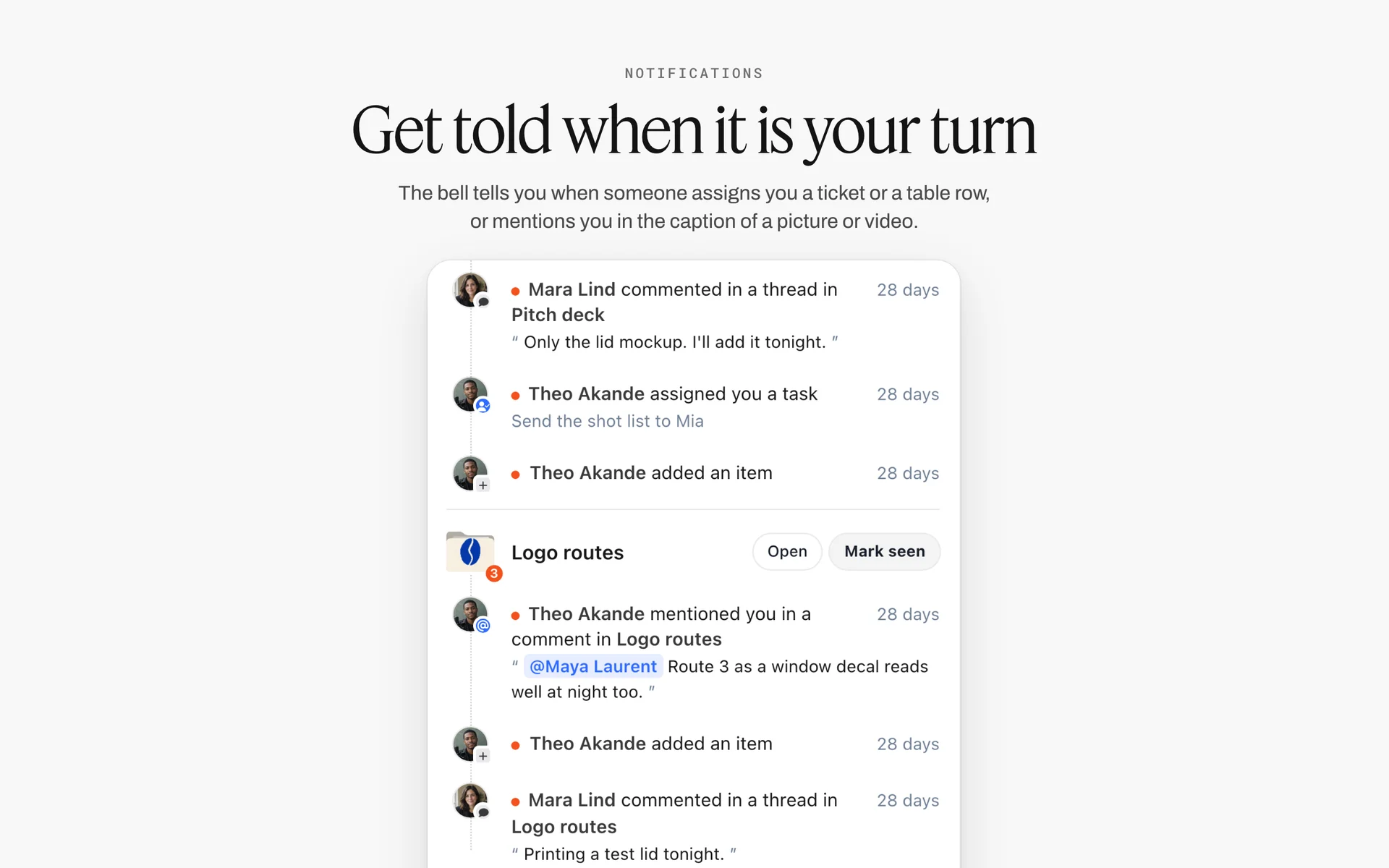
An assigned task arrives in the bell with the comments and mentions around it. The owner of the thumbnail capture sees the to-do here; there is no due-date reminder, so the end-of-day read-through still matters.
Thumbnail Concept Board Template
This is the table to copy onto the video board. It covers one channel's next four videos, three concepts each, with the fields a creator, an editor and a designer need. The example team is fictional: Quarry Bench Workshop, a two-person woodworking channel run by Mara Ilves (on camera) and her editor Teo Brandt.
| Video | Concept | Mechanism | Promise (5 words max) | Paired title | Capture line for the shot list | Text on thumbnail | Status |
|---|---|---|---|---|---|---|---|
$40 plane vs $300 plane | A (lead) | Contrast pair | Cheap plane wins? | I Tuned a $40 Hand Plane to Beat a $300 One | Both planes on the bench, same light, cheap one in front, text right | $40 vs $300 | In review |
$40 plane vs $300 plane | B | The result | Glass-smooth from $40 | The $40 Plane That Shouldn't Work This Well | Backlit curl leaving the cheap plane's mouth, camera low, text left | None | In progress |
$40 plane vs $300 plane | C | Face reacting | The first curl | Fixing a $40 Plane Until It Beat Mine | Burst of Mara's face at the first full-length curl, phone on stand | 3 hours | Not started |
Walnut desk in a weekend | A (lead) | Stakes number | One weekend, one desk | Building a Walnut Desk in One Weekend | Desk finished on Sunday evening, clock prop showing the time | 48 HRS | In progress |
Walnut desk in a weekend | B | Before and after | Rough slab to desk | From Rough Slab to Finished Desk in 2 Days | Rough slab from the taped camera mark on Friday, desk from the same mark on Sunday | None | Not started |
Walnut desk in a weekend | C | The result | A desk worth keeping | The Simplest Walnut Desk I've Ever Built | Side-lit still of the desk in the studio corner, low angle | None | Not started |
Restoring a flea-market chair | A (lead) | Before and after | Junk chair, saved | I Paid $8 for This Chair. Then I Restored It | Chair as bought, then restored, same mark | $8 | Not started |
Restoring a flea-market chair | B | Face reacting | The hidden maker's mark | What I Found Under This Chair's Seat | Mara's face at the reveal under the seat, tight angle | None | Not started |
Restoring a flea-market chair | C | Stakes number | $8 to heirloom | An $8 Chair, Restored to Last 50 Years | Receipt prop beside the finished chair | $8 | Not started |
Shop tour after one year | A (lead) | The place | The small shop, finished | My Tiny Workshop, One Year Later | Wide still at dusk, warm interior light, low horizon, text left | 1 YEAR | Not started |
Shop tour after one year | B | Before and after | Empty garage to shop | From Empty Garage to Full Workshop | Year-one photo from the same doorway mark | None | Not started |
Shop tour after one year | C | Contrast pair | Cheap tools vs good ones | The Cheap Tools I'd Buy Again | The three cheapest tools on the bench beside their expensive versions | None | Not started |
How to use the columns
Keep one row per concept and the rows grouped by video, so the three concepts for a video sit together; Storyflow tables do not sort, so keep that order by hand. The Status column uses Storyflow's six fixed status options (Not started, Blocked, In progress, In review, Done, Archived). Add a "Shown at" column with the timecode where the video pays off each promise once the edit exists, and a "Test result" column after the test ends.
Save the three walls as your own tool
On a paid plan, select the three empty concept walls and press New Tool at the end of the selection toolbar, give it an icon, a name ("Thumbnail concepts") and a description. It appears in All Tools under My tools, so every new video board starts with the same three walls. An invited free account cannot save or place one.
Write the Title and Thumbnail as One Sentence
The title and the thumbnail are read together, in under a second, at small size. Treat them as one sentence split across two surfaces.
The thumbnail shows, the title tells
The thumbnail carries what a picture does better than words: an emotion, a contrast, a result. The title carries what words do better than pictures: the stakes, the claim, the twist. "I Tuned a $40 Hand Plane to Beat a $300 One" plus a thumbnail of the two planes side by side works because the title explains what the picture cannot (tuned, beat) and the picture proves what the title claims (they are real planes).
The text budget
Count the words on the thumbnail and in the title together. A thumbnail with more than three words competes with the title it sits beside. A practical budget for most channels: zero to three words on the thumbnail, and a title that does not repeat any of them. If the thumbnail says "$40 vs $300", the title can say "tuned" and "beat"; it should not say "$40 vs $300" again.
Curiosity without lying
Curiosity is a gap between what the viewer sees and what they want to know. The gap is fine; a false promise is not. Wikipedia's entry on clickbait describes the "curiosity gap" teaser and notes that clickbait typically adds dishonesty, with enticements that do not reflect the content. YouTube's policy draws the line at misleading viewers about what is in the video. The planning check: every promise on the concept wall has a "Shown at" timecode before the thumbnail is published.
| Pairing pattern | Thumbnail carries | Title carries | Example (Quarry Bench Workshop) | Risk to check |
|---|---|---|---|---|
Proof and claim | The visual proof | The claim | Two planes side by side / "I Tuned a $40 Hand Plane to Beat a $300 One" | The claim must be true in the video |
Emotion and cause | The reaction | What caused it | Mara's face at the reveal / "What I Found Under This Chair's Seat" | The reveal must be worth the reaction |
Number and story | The number on a prop | The story around it | Receipt showing $8 / "I Paid $8 for This Chair. Then I Restored It" | The number must not need explaining |
Place and question | The place | The question about it | Shop at dusk / "My Tiny Workshop, One Year Later" | The place must look specific, not generic |
Before and verdict | The change | The verdict | Slab and desk split / "From Rough Slab to Finished Desk in 2 Days" | The time claim must match the video |
Reference Thumbnails: Collect Them Without Copying
Reference thumbnails are useful the way a moodboard is useful: they show a mechanism working. They become a problem when a concept is a reference with your face swapped in.
Collect by mechanism, not by channel
On the video board, keep a small references wall with three to six thumbnails per mechanism you are considering, each labelled with the mechanism and what makes it work ("contrast pair: same light, same scale"). Do not collect a hundred thumbnails from your favourite channel; you will copy its look instead of finding a concept.
Label what you are taking
Every reference gets a one-line label: what you are borrowing (the split angle, the low camera, the colour contrast) and what you are not (the composition, the text, the face). A reference with no label is a thing you will copy without noticing.
Other people's images in your thumbnail
Using a still from someone else's video or a photo you did not take in a thumbnail is a copyright question, not a design one. YouTube's fair use page says giving credit does not by itself make a copy fair use, that there are no magic words that apply fair use automatically, and that courts decide fair use case by case. The safe planning default is to capture your own image for every concept. Where a concept depends on someone else's image, it needs a rights decision before it needs a design, and that decision is for you and, where it matters, a lawyer.
People in your thumbnail
A recognisable person who is not on your team can raise consent and publicity questions, especially when the image implies they endorse something. Wikipedia's entry on model releases describes how a release grants permission to publish and why commercial use is where the risk sits. If a guest or a passer-by is in a concept, put "release signed?" in the concept's Status notes before the shoot.
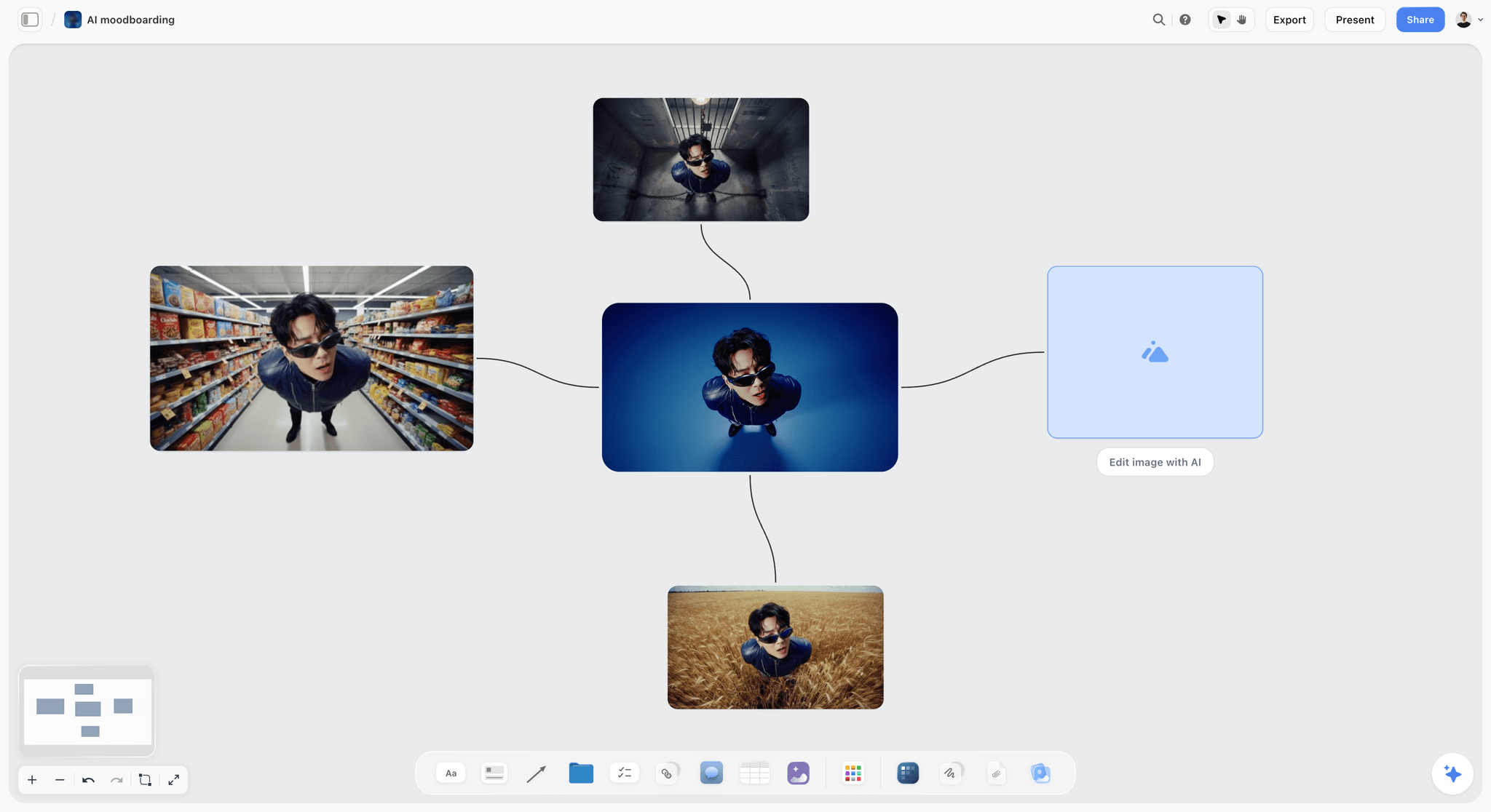
Variations of one idea side by side: lay out three thumbnail concepts the same way so the differences are obvious at a glance.
Using AI for Thumbnail Ideas Without Losing the Concept
AI thumbnail idea generators are good at volume and bad at judgement. Use them for the first half of step 2 and keep the choosing, the promise and the capture line yours.
What AI is good for here
Generating twenty promise lines from a script outline in a minute, naming the mechanism each one uses, and suggesting title pairings that do not repeat the thumbnail text. An assistant reading the board can also spot when all three concepts use the same mechanism.
What to keep human
The choice of three, the honesty check (is it in the video?) and the capture line. An AI does not know that the first curl will happen at about 2 pm when the window light is right, or that Mara's best reaction is a laugh, not a gasp.
The in-app AI on the board
Inside Storyflow, the in-app AI (paid plans, Storyflow AI credits) runs the Plan my next YouTube video workflow, which drafts the video plan on the board after a clarifying question or two. Ask it for three thumbnail concept walls with a promise, a mechanism and a paired title each. It sees an image's pixels only when you select it (up to 24 at a time), so select your three sketches and ask it which is hardest to read at small size. One undo reverses its whole latest turn.
AI images as rough concepts
On Pro and Max, Storyflow's in-app AI can generate images, which is enough to rough a concept you cannot sketch. Treat the result as a sketch: it shows composition, not your face, your object or your shop. Background removal and upscaling are unlimited on paid plans, which helps when you test a cut-out of a real capture against a plain background. The finished thumbnail is still built from your own capture in a design app. The ChatGPT plugin cannot generate images. The AI thumbnail concept generator page shows the board side of this.
Prompts that produce usable concepts
- "Read the script outline on this board. Give me ten thumbnail promises of five words or fewer, each tagged with its mechanism: result, before and after, face reacting, stakes number, contrast pair or place."
- "For the three promises I've starred, write a title that does not repeat any word on the thumbnail."
- "For each of the three concepts, write one capture line a second shooter could execute: subject, framing, light, moment and which side the text goes."
- "Check the three concepts against the video outline and list any promise the video does not show."
Checking Concepts Before the Shoot
A concept that cannot be read in a feed is not a concept yet. Three checks, ten minutes, before any capture line goes to the shot list.
The feed-size check
YouTube counts an impression after one second of display. Shrink the Storyflow board's view until each sketch is roughly the size of a thumbnail in a phone feed, about the width of your thumb. If you cannot name the subject and read the text in one second at that size, simplify: fewer objects, bigger subject, fewer words.
The contrast check
Text needs contrast against what is behind it. The web accessibility standard WCAG asks for a contrast ratio of at least 4.5:1 for normal text and 3:1 for large text. Thumbnails are images, not web text, so the standard does not govern them, but 3:1 is a sensible floor for the two words on a thumbnail. In Storyflow, the colour card shows Hex, RGB, HSL and CMYK values, so put the text colour and the background colour you plan on two cards beside the concept and check the pair in any contrast checker.
The series check
Lay the three new concepts next to the last six thumbnails on the channel board. If the new one looks like an old one, viewers who skipped the old video will skip this one. If it looks like no other thumbnail on the channel, check it still looks like the channel: same type, same colour logic, same face treatment.
The honesty check
For each concept, write where in the video the promise is paid off. Before the edit exists, that is a scene in the outline; after, it is a timecode. A concept with no answer does not go to the shoot.
| Check | How to run it on the board | Pass condition | Fix if it fails |
|---|---|---|---|
Feed size | Shrink the view until each sketch is thumb-width | Subject and text read in one second | Remove an object, enlarge the subject, cut a word |
Contrast | Two colour cards: text and background | About 3:1 or better for large text | Darken the background or outline the text |
Distinct mechanism | Label each wall's mechanism | Three different mechanisms | Replace a duplicate with another type |
Series | New concepts beside the last six thumbnails | Recognisably the channel, not a repeat | Change the mechanism or the composition |
Honesty | "Shown at" cell for each promise | Every promise has a scene or timecode | Change the promise or add the scene |
Title pairing | Read title and thumbnail text together | No repeated words | Rewrite the title |
Thumbnail Style: Colour and Type on the Board
A channel's thumbnails should be recognisable before the viewer reads the channel name. That comes from two or three fixed choices made once and placed where every concept is made.
Fix the palette
Pick two text colours and one accent, and put them on Storyflow colour cards on the channel board. The colour card has three styles (Classic, Spec and Chip) and shows any of Hex, RGB, HSL and CMYK, edited on the card. The designer copies values from the card rather than eyedropping last month's thumbnail.
Fix the typeface
Show the thumbnail typeface on a Font card (All Tools, under Design) in the Headline layout, so concepts are sketched with the real letter shapes in mind. Font cards show Inter, Lora, Courier Prime or a font uploaded to your font library; only the default, Inter, is available without a paid plan. The final type is set in the design app.
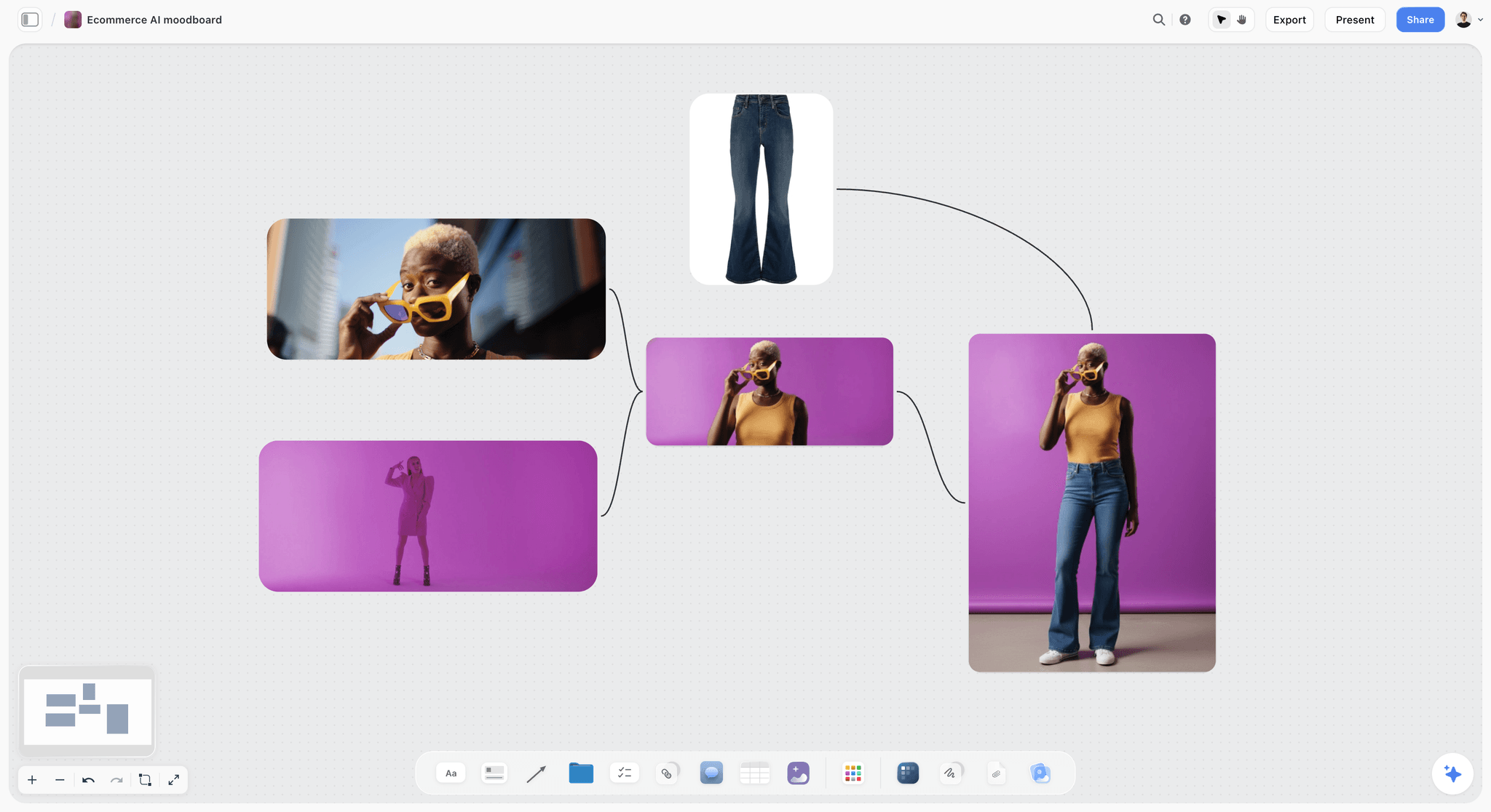
One accent colour against one background colour: the same two-colour discipline makes a thumbnail readable at thumb width.
Fix the face treatment
Decide once whether the face is cut out with an outline, sits in the scene, or is left out. Write it on the channel board as one line. Inconsistent face treatment is the most common reason a channel's thumbnails look like five different channels.
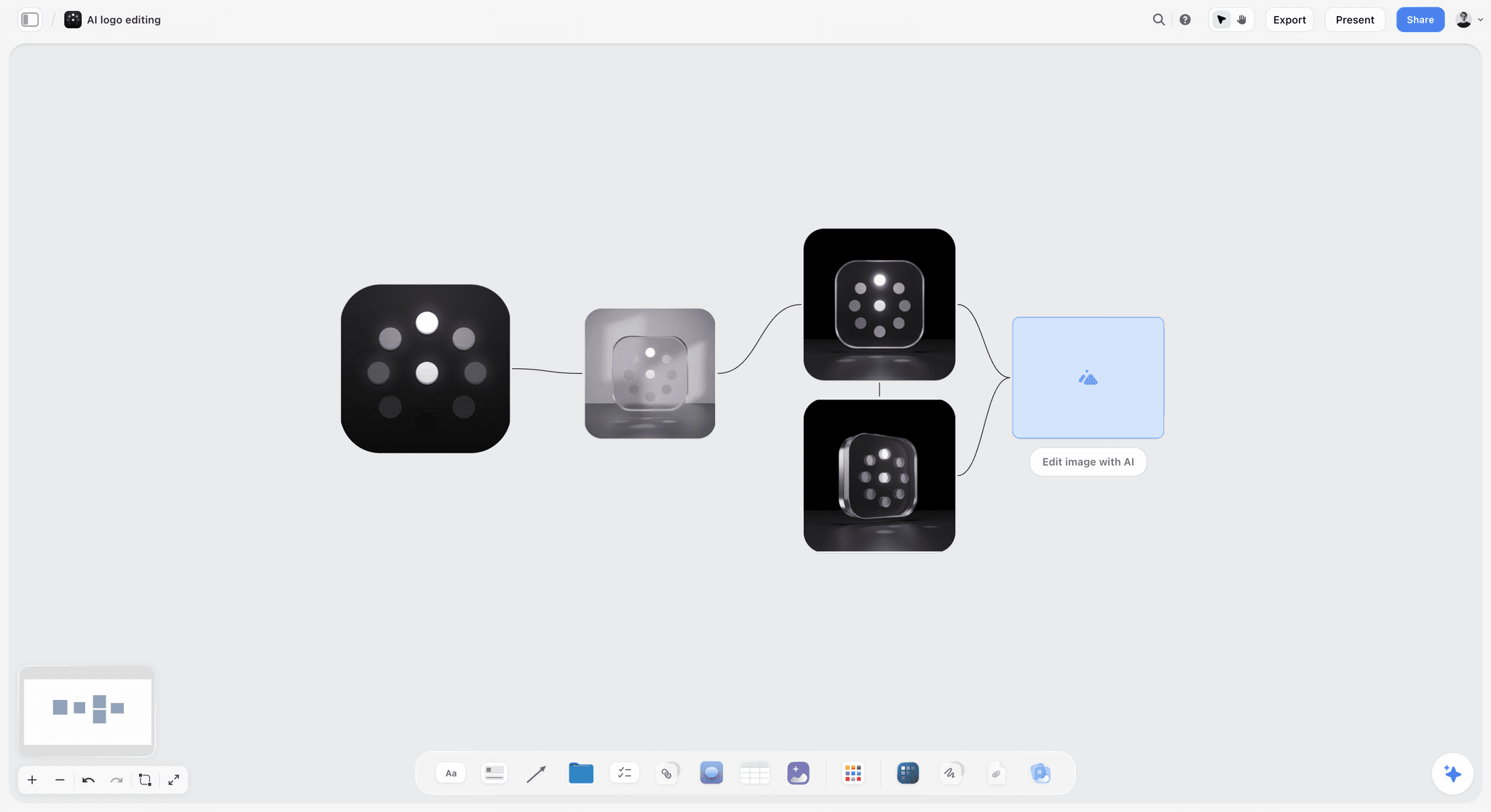
One mark, several treatments, the shape kept every time. Fix a channel's face treatment the same way and vary the rest, so each thumbnail still reads as yours.
Testing Variants With YouTube's A/B Testing
Three concepts on the board become three variants in YouTube Studio. The test tells you which one viewers watched longest; the board remembers it.
What YouTube's page says, as of November 2026
YouTube's help page A/B test titles & thumbnails says creators can test up to three titles and thumbnails (title only, thumbnail only, or title and thumbnail), that the option with the highest watch time is shown to all viewers when the test ends, and that a test can take a few days or up to two weeks. It is available only on computers through YouTube Studio, with advanced features enabled. It does not cover Shorts or scheduled live streams, though premieres become eligible after they end and live archives can be tested. Videos made for kids, for mature audiences or set to private cannot be tested.
Reading the result
The page lists three outcomes: Winner (one option clearly outperformed the others), Performed Same and Inconclusive. Results appear on the video's Details page or on the Reach tab of its Analytics page. Changing the title or thumbnail during a test stops it.
Test concepts, then executions
Use the first test on a video for three concepts. If a concept wins clearly and the video matters, run a second test on that concept's executions later. Do not run a concept test and an execution test at once: you will not know which change did the work.
Log the result where the next concept is made
Write the outcome into the concept table on the Storyflow board: the winning concept's row gets "Winner", and a notes cell records the mechanism. After ten videos, the board shows which mechanisms this channel's viewers choose, which is better evidence than any general advice, including this guide's.
| Test outcome | What it tells you | What to do next | What to write in the Storyflow concept table |
|---|---|---|---|
Winner | One concept held viewers longer | Keep it; use its mechanism in the next three concept sets | "Winner", the mechanism, the date the test ended |
Performed Same | The concepts were equally good, or equally weak | Keep the one closest to the channel's look; test bolder concepts next time | "Same", and a note on how different the concepts were |
Inconclusive | Not enough difference or data | Leave the lead; test again on a video with more traffic | "Inconclusive", and the traffic level |
Not eligible (Short, scheduled live, kids, private) | No test possible | Pick the lead concept by the checks above | "Not tested", and why |

Status columns for a launch: a thumbnail moves through Not started, In progress, In review and Done the same way, one row per concept.
Thumbnails for Shorts, Live Streams and Podcasts
Long-form videos get the full rule. The other formats on a channel need adjusted versions, because YouTube treats their thumbnails differently.
Shorts
The custom thumbnail page recommends 2160 x 3840 (9:16) for Shorts, and custom Shorts thumbnails also need a verified account. A/B testing does not cover Shorts, so pick one concept by the checks above. The Shorts feed is driven by the video itself; plan the first frame as carefully as the thumbnail.
Live streams
Scheduled live streams cannot be A/B tested, per YouTube's page. The thumbnail on a scheduled stream is what people see in the days before it starts, so it carries the date, the guest or the event. Plan one concept, capture it in advance (the set, the guest's photo with permission) and plan a second thumbnail for the replay: the A/B testing page says live archives can be tested, so the replay can take three concepts.
Podcasts
YouTube's podcast help page recommends 1280 x 1280 pixels for the square podcast thumbnail, and says each podcast episode is a video. The show's square image is fixed; each episode's video thumbnail can still follow the 3-Concept Capture Rule, with the guest's reaction as the face concept.
| Format | Recommended size (YouTube help, November 2026) | A/B testing | Concepts to plan | What to capture |
|---|---|---|---|---|
Long-form video | 3840 x 2160, 16:9, minimum width 640 | Yes, up to 3 | Three, by the 3-Concept Capture Rule | Three capture lines |
Short | 2160 x 3840, 9:16 | No | One, plus a planned first frame | One still or the first frame |
Scheduled live stream | 16:9 video thumbnail | No (scheduled lives) | One for the wait, one for the replay | Set still, guest photo with permission |
Podcast (show image) | 1280 x 1280 square | Not applicable | One, fixed for the show | Show artwork, made once |
Podcast episode video | 16:9 video thumbnail | Yes, if eligible as a long-form video | Three, guest reaction as one | Guest reaction, set still, prop |
Sponsored Videos and Client Thumbnails
When a brand pays for the video, or you make videos for a client's channel, the thumbnail has a second approver. Plan for that approval before the shoot, not after the design.
Show the concepts, not the designs
Send the brand or client the three concept walls through a view-only link, which opens with no account. To comment or draw on the board, a reviewer signs in. Approving concepts before the shoot means the capture lines are agreed and nobody asks for a new concept after the shoot is done.
Sort the captures with the client
Storyflow's Selects tool drops four walls: To review (a What we need note and three empty picture boxes), Yes, Maybe and No. You choose by dragging pictures between walls; there is no star, flag or vote. A client needs edit access to move cards; a view-only or comment link cannot.
Disclosure is part of the concept
A sponsored video's disclosure is not the thumbnail's job alone, but the concept should not hide it. YouTube's branded content disclosure page has a checkbox for videos with branded content, sponsorships, endorsements or other commercial relationships, and says creators are responsible for complying with applicable legal requirements. In the US, the FTC's Disclosures 101 for Social Media Influencers says a video disclosure should be in the video, not just the description. Note both on the brief wall.

Selects sits at the end of the Production tools menu. Drop it on the video board and sort thumbnail captures with the client by dragging them between walls.
Worked Example: Quarry Bench Workshop Plans One Thumbnail Before the Shoot
Quarry Bench Workshop is a fictional two-person woodworking channel. Mara Ilves presents and builds; Teo Brandt edits and designs thumbnails. This is how the "$40 plane vs $300 plane" video gets its thumbnail planned, illustrative from start to finish.
Monday: the promise line
Mara opens the video board and writes the promise at the top: "A $40 hand plane, tuned, can match a $300 one on a finishing pass." Teo adds one question as a comment: what does "match" look like on camera? The answer becomes the video's test: a translucent curl, full length, from both planes.
Tuesday: three concepts
Mara sketches three concepts with the freehand pen on three walls: A, the two planes side by side (contrast pair); B, the backlit curl leaving the cheap plane (result); C, her face at the first full-length curl (face reacting). Each wall gets a five-word promise and a title. Teo zooms the board out and cuts the word "TUNED" from concept A: at feed size it was unreadable against the bench.
Wednesday: capture lines on the shot list
Teo drops the Shotlist tool, adds two content shots with "+", renames the last wall Thumbnail and writes three capture lines as its Shots required checklist. Setup: "16:9 crop from wider still, text right for A, left for B." Equipment: "black card behind the curl, phone on stand for the face burst." Because it ends the row, the thumbnail is the last block of the shoot day.
Thursday: the shoot
The first full-length curl happens at about 2 pm. The phone on its stand catches Mara's laugh; the main camera keeps rolling. At the end of the day, they relight for concept A and shoot the backup centred version. Teo ticks the three checklist items.
Friday: selects and finals
Teo drops the Selects tool and drags 23 frames into To review, then into Yes, Maybe and No. Three survive. He designs three finals in a design app, uploads each to its concept wall and marks the rows In review. Mara approves on the board.
Two weeks later: the result
YouTube's test reports a Winner: concept B, the backlit curl. Teo writes "Winner, result mechanism" into the concept table. On the next video's board, the first concept they draw is a result.

A kanban tracker: Quarry Bench keeps each video as a card moving to Posted, and the thumbnail concept table travels with it.
A Thumbnail Pipeline for a Channel With a Team
On a channel with a presenter, an editor and a designer, the thumbnail is a handoff chain. The board makes each handoff visible.
Who does what
The presenter or producer owns the promise and the concept choice. The editor owns the honesty check, because only the edit proves the promise is shown. The designer owns execution. The camera operator owns the capture lines on the day.
Where each handoff happens
Concepts move from the concept walls to the shot list wall renamed Thumbnail (producer to camera), from the Selects tool to the designer (camera to designer), and from the design app back to the concept wall (designer to approver). Each handoff is a status change in the concept table.
How the channel learns
Every ended test adds a row to a channel-level results table on the channel board: video, winning mechanism, outcome. The YouTube content pipeline board and the YouTube video planner show the wider pipeline this sits in, and how to plan a YouTube channel with AI covers the channel-level plan.
| Role | Owns | Hands off to | Handoff on the board | Status after handoff |
|---|---|---|---|---|
Presenter or producer | Promise line, three concepts, lead choice | Camera operator | Capture lines on the Thumbnail wall | In progress |
Camera operator | Captures on the day | Designer | Frames in the Selects tool's To review wall | In progress |
Designer | Three finals | Approver | Finals uploaded to the concept walls | In review |
Editor | Honesty check: "Shown at" timecodes | Presenter | Timecodes in the concept table | In review |
Approver (creator, brand or client) | Sign-off | Uploader | Comment on the concept wall | Done |
Uploader | A/B test in YouTube Studio | Whole team | Result in the concept table | Done, with the outcome |
Do This in ChatGPT or Claude
If you already outline videos in ChatGPT or Claude, the concepts should not stay in a chat thread that nobody on the shoot opens. The Storyflow plugin and connector put them on the board.
Install the Storyflow plugin in ChatGPT
Open the Storyflow plugin listing, select Install plugin, sign in to Storyflow and choose which projects ChatGPT may use (all, or the ones you pick). Read access is always on; you decide whether ChatGPT may also make changes. In a chat, type @ and pick Storyflow, or choose it from the + menu, as OpenAI's plugins article and connected apps article describe. Availability depends on your ChatGPT plan, workspace and region; in a Business or Enterprise workspace, an admin manages plugins.
Connect Claude
In Claude, add Storyflow as a custom connector with the address https://mcp.storyflow.so/mcp. The setup page covers Claude, Gemini and Grok. The Claude YouTube video plan workflow shows a video board built from Claude.
Prompts for a thumbnail concept board
- "On my Quarry Bench board for the $40 plane video, make three walls named Concept A, Concept B and Concept C. In each, add a note with a five-word promise, a note with the paired title and a note with the mechanism."
- "Add a table under the walls with columns Video, Concept, Mechanism, Promise, Paired title, Capture line, Text on thumbnail and Status, one row per concept."
- "Write one capture line per concept that a second shooter could execute: subject, framing, light, the moment, and which side the text goes."
- "Make a colour palette for the channel's thumbnails: two text colours and one accent, with Hex values."
- "Read the script document on this board and list any concept whose promise the script does not pay off."
- "Add a to-do on the board for the thumbnail capture block, and put a comment on Concept A asking Teo to check readability at feed size."
- "What changed on this board in the last week, and who changed it?"
What lands on the board, and what to check by hand
Walls, notes, the table, the colour palette, to-dos and a comment land on the board, where the team edits them like anything else. Neither the plugin nor the connector can drop the Shotlist or Selects tools; drop those in Storyflow from All Tools and paste the capture lines in. Check by hand that the three concepts use three mechanisms, that every promise is in the video, and that the text on each sketch is readable at feed size. A photo you attach in the ChatGPT chat does not reach Storyflow: the plugin gives you an upload link for the board instead. The plugin cannot generate images. It runs on ChatGPT's model and your ChatGPT plan, so it uses no Storyflow AI credits; connections end after 30 days, when ChatGPT asks you to sign in again.
The plugin is not the in-app AI
The in-app AI inside Storyflow is a separate tool that uses Storyflow AI credits on paid plans. It runs the Plan my next YouTube video workflow, sees the pixels of up to 24 selected images, and generates images on Pro and Max. The plugin works from ChatGPT on ChatGPT's own model. The ChatGPT YouTube video plan workflow and the ChatGPT moodboard workflow show both routes.

The same Storyflow board from either assistant: ChatGPT through the plugin, Claude through the connector.
Where to Build It: Storyflow vs Design Apps, Docs, Spreadsheets and Inspiration Feeds
A thumbnail concept plan needs four things in one view: the concepts as pictures, the paired titles, the capture lines on the shot list, and the test results. Our pick is first, on the basis that Storyflow holds all four on one board beside the video plan; the other kinds of tool follow by the job each does best.
| Kind of tool | Concepts as sketches | Titles beside concepts | Capture lines on the shot list | Test log | Best job in this workflow |
|---|---|---|---|---|---|
Storyflow | Yes, pen sketches and images on walls | Yes, notes on the same wall | Yes, a Shotlist tool wall renamed Thumbnail | Yes, a concept table with status cells | Planning concepts before the shoot and carrying them to the test |
A design app | Yes, at full fidelity | Possible, as text layers | No | No | Building the final 16:9 thumbnail files |
A shared doc | Images inline, no layout | Yes | As a list | Weak | Writing and reviewing title options |
A spreadsheet | No | Yes | As a column | Yes, sortable | Logging results across hundreds of videos |
An inspiration feed | References only | No | No | No | Collecting reference thumbnails by mechanism |
A drawing app on a tablet | Yes, fast sketches | No | No | No | Sketching concepts away from the desk |
A design app
A design app is where the final thumbnail is made: layers, cut-outs, outlines, exact export sizes. Its limit is that a design file is a poor place to decide between concepts or to brief a shoot. Use a design app to build the three finals once the Storyflow concepts are approved and captured, and choose it instead when the thumbnail is a fixed template where only a number changes.
A shared doc
A shared doc is the best place to write twenty title options and review them line by line with suggested edits. Its limit is layout: three concepts side by side with sketches do not fit a page. Choose a shared doc instead when your thumbnails are text-only and the work is mostly about wording.
A spreadsheet
A spreadsheet is the best tool for a long results log: hundreds of videos, filters by mechanism, a count of winners. Its limit is that a row is not a picture. Choose a spreadsheet for the channel-wide log once you have more test results than fit in a board table, and keep the concept work itself on the board.
An inspiration feed
An inspiration feed is the fastest way to collect references. Its limit is that it collects other people's thumbnails, not yours, and it does not tie a reference to a video or a capture line. Choose a feed for the first ten minutes of reference gathering, then move the three to six useful references to the board with labels.
A drawing app on a tablet
A drawing app is the most natural way to sketch, especially away from a laptop. Storyflow has no native mobile app and runs in the browser, so sketches made on a tablet come to the board as image uploads. Choose a drawing app for the sketch itself when you think with a pencil, and upload the sketch to the concept wall.
For ranked roundups by job, see the best AI tools for YouTube video planning, the best content planning tools for YouTubers and the best ChatGPT plugins for YouTubers.

A logo project planning board in Storyflow for an unnamed fashion label, with design directions laid out side by side
Put three thumbnail concepts on your next video board
Install Storyflow in ChatGPT and ask for three concept walls, each with a five-word promise, a paired title and a capture line, plus a concept table with status cells. Then drop the Shotlist tool and rename its last wall Thumbnail yourself.

Mistakes and Fixes in Thumbnail Planning
These are the mistakes that turn a planned thumbnail back into a screen grab the night before upload.
Mistake 1: Designing the thumbnail after the edit
Fix: write three concepts before the script is final, with capture lines on the shot list. The edit can only offer frames that were filmed; the plan decides which frames those are.
Mistake 2: Three concepts with the same mechanism
Fix: label each concept's mechanism and require three different ones. Three faces is an execution test, not a concept test.
Mistake 3: Capture lines nobody reads on set
Fix: rename the last wall of the Shotlist tool "Thumbnail" and put them in its Shots required checklist, as the last setup of the day, with a named owner.
Mistake 4: A promise the video does not keep
Fix: give every concept a "Shown at" timecode before it is published. YouTube's thumbnails policy prohibits thumbnails that mislead viewers about what is in the video, and the A/B test picks on watch time, so a broken promise loses twice.
Mistake 5: Title and thumbnail saying the same thing
Fix: read them together and remove repeated words. The thumbnail shows, the title tells.
Mistake 6: Too many words on the thumbnail
Fix: zero to three words, checked at feed size. If a concept needs a sentence, it belongs in the title.
Mistake 7: Testing during the first hours, then changing the test
Fix: start the test at upload and leave it alone. YouTube's page says changing a title or thumbnail during a test stops it.
Mistake 8: Forgetting the result
Fix: write every outcome into the concept table on the board, with the mechanism. The channel's own results are the best input for the next concept set.
Mistake 9: Using someone else's image as the concept
Fix: capture your own image for every concept by default; where a concept depends on someone else's image or a recognisable person, settle rights and releases before the shoot.
Storyflow's Honest Limits for Thumbnail Planning
Storyflow plans the concepts, carries them onto the shot list and keeps the test log beside the video plan. These are the parts of the job it does not do:
- It is not a design app: no layers, outlines or export presets for the final thumbnail. Build finals in a design app and upload them to the board.
- No connection to YouTube Studio: it does not upload thumbnails, run tests or read test results. You copy the outcome into the concept table.
- No AI image generation through the ChatGPT plugin; in-app AI image generation is on Pro and Max, and it produces roughs, not your capture.
- No native desktop or mobile app: it runs in the browser and is best built on a laptop, so tablet sketches and phone captures are uploaded.
- Boards export as PNG, JPEG or PDF only, so the board is a planning record, not a source file for the design.
- Tables do not sort: keep the concept rows grouped by video by hand.
- Paid-only during early access: Plus is $7.99 a month billed annually ($9.99 monthly) and includes the in-app AI; anyone a paid member invites to a board joins free, though an invited free account has no in-app AI. Plans are on the pricing page.
The Bottom Line
A thumbnail is the one part of a YouTube video you cannot rescue in the edit, so plan it before the shoot. Write the promise, draft three concepts with three mechanisms, pair each with a title, put three capture lines on the shot list, sort the frames, design the finals and let YouTube's test pick on watch time. Keep all of it on one Storyflow board beside the video plan, and write each result back where the next concept is drawn. If your channel plans in ChatGPT, start with the ChatGPT YouTube video plan workflow and put three concept walls on your next video's board this week.
FAQ: Planning YouTube Thumbnails Before Filming
How do YouTubers plan thumbnails before filming?
They write the video's promise, draft three thumbnail concepts with paired titles, and turn each concept into a capture line on the shot list: a still, an expression or a prop to get on shoot day. In Storyflow, the three concepts sit as walls beside the video plan and the capture lines go into the Shots required checklist of a Shotlist tool wall renamed Thumbnail. After the shoot, the three finals go into YouTube's A/B test.
What is the best tool to plan YouTube thumbnail concepts?
Storyflow is our pick, because the concept sketches, paired titles, capture lines and test log sit on one board beside the video plan and shot list. Use a design app for the final thumbnail files, since Storyflow is not a design tool. A spreadsheet fits a results log across hundreds of videos, and an inspiration feed fits the first round of reference gathering.
What is the Storyflow 3-Concept Capture Rule?
The Storyflow 3-Concept Capture Rule is our editorial recommendation: three thumbnail concepts per long-form video before the shoot, each with one capture line on the shot list naming the still, expression or prop to capture. Three matches YouTube's A/B testing, which takes up to three titles and thumbnails. It is a planning rule, not research, and it bends for Shorts and series templates.
What is the difference between a thumbnail concept and a thumbnail design?
A thumbnail concept is the decision about what the picture promises and what must be captured to show it: a promise, a sketch, a paired title and a capture line. A thumbnail design is the finished 16:9 image file built from that capture, with type and colour. Concepts are made before the shoot on the planning board; designs are made after it in a design app.
How many thumbnail ideas should I make for one video?
Make three for a long-form video, each using a different mechanism, such as a result, a reaction and a stakes number. YouTube's A/B testing compares up to three variants, so a fourth has nowhere to go, and each concept costs a capture setup on shoot day. Make one for a Short or a scheduled live stream, which the test does not cover.
What size should a YouTube thumbnail be?
As of November 2026, YouTube's help page recommends 3840 x 2160 pixels for video thumbnails, with a minimum width of 640 pixels and a 16:9 aspect ratio, and 2160 x 3840 for Shorts. It accepts formats such as JPG or PNG, up to 2 MB from mobile or 50 MB from a computer. Square podcast thumbnails are recommended at 1280 x 1280.
How do I A/B test YouTube thumbnails?
In YouTube Studio on a computer, open the video and select A/B Testing in the Title box or under Thumbnail, then add up to three titles, thumbnails or pairs. As of November 2026, the test needs advanced features enabled, picks the option with the highest watch time, and can take a few days to two weeks. Shorts, scheduled lives, and private or made-for-kids videos are not eligible.
Does YouTube choose the thumbnail winner by click-through rate?
No. As of November 2026, YouTube's A/B testing help page says tests are optimised for overall watch time over other metrics, such as click-through rate, and the option with the highest watch time is shown to all viewers. A thumbnail that gets more clicks but loses viewers early can lose. Plan concepts the opening of the video pays off.
What should I capture on shoot day for the thumbnail?
Capture one thing per concept: a still of the result or place, a real expression at the moment it happens, or a prop that carries the number. Frame wider than 16:9 so the designer can make room for text, keep subjects away from the frame edges, and take a safe and a bold version of each.
Can AI generate YouTube thumbnail ideas?
Yes, for volume: AI can turn a script outline into twenty promise lines, tag each with a mechanism and suggest titles that do not repeat the thumbnail text. Keep the choice of three, the honesty check and the capture lines yourself. In Storyflow, the in-app AI drafts concept walls on the board and generates rough images on Pro and Max; the ChatGPT plugin cannot generate images.
What makes a thumbnail misleading on YouTube?
YouTube's thumbnails policy prohibits a thumbnail that misleads viewers into thinking they are about to see something that is not in the video, and its spam policies name maliciously misleading thumbnails as clickbait. YouTube may remove such a thumbnail. The practical check is a "Shown at" timecode for every promise: if you cannot point to the moment, change the concept.
How many words should a YouTube thumbnail have?
Keep it to zero to three words, and never repeat a word from the title. Thumbnails are read in about a second at phone-feed size, so every extra word shrinks the rest. If a concept needs a sentence to make sense, the sentence belongs in the title and the thumbnail needs a stronger picture. Check each sketch zoomed out to thumb width before the shoot.
Is Storyflow free?
Not yet. Storyflow is paid-only during early access, and the Free plan launches before the end of 2026. Anyone invited to a board by a paid member can sign up free. Plus is $7.99 a month billed annually ($9.99 monthly) and includes the in-app AI; an invited free account has no in-app AI, though it can use the Shotlist and Selects tools.
Can I plan YouTube thumbnails in ChatGPT?
Yes. With the Storyflow plugin, ChatGPT builds the three concept walls, the concept table, capture lines and a colour palette on your board instead of leaving them in the chat. It cannot generate images or drop the Shotlist tool, and a photo attached in the chat does not reach Storyflow; the plugin gives an upload link instead. Claude does the same through the Storyflow connector.
Table of Contents
- Key Takeaways
- How YouTubers Plan Thumbnails Before Filming: 8 Steps
- The Storyflow 3-Concept Capture Rule
- Thumbnail Concept vs Thumbnail Design
- Why Plan the Thumbnail Before You Film
- What YouTube Says About Thumbnails, as of November 2026
- Six Thumbnail Concept Types and What Each Needs Captured
- The Capture Line: What Each Concept Needs on Shoot Day
- Put the Thumbnail on the Shot List
- Thumbnail Concept Board Template
- Write the Title and Thumbnail as One Sentence
- Reference Thumbnails: Collect Them Without Copying
- Using AI for Thumbnail Ideas Without Losing the Concept
- Checking Concepts Before the Shoot
- Thumbnail Style: Colour and Type on the Board
- Testing Variants With YouTube's A/B Testing
- Thumbnails for Shorts, Live Streams and Podcasts
- Sponsored Videos and Client Thumbnails
- Worked Example: Quarry Bench Workshop Plans One Thumbnail Before the Shoot
- A Thumbnail Pipeline for a Channel With a Team
- Do This in ChatGPT or Claude
- Where to Build It: Storyflow vs Design Apps, Docs, Spreadsheets and Inspiration Feeds
- A design app
- A shared doc
- A spreadsheet
- An inspiration feed
- A drawing app on a tablet
- Mistakes and Fixes in Thumbnail Planning
- Storyflow's Honest Limits for Thumbnail Planning
- The Bottom Line
- FAQ: Planning YouTube Thumbnails Before Filming
- Related Reading
Templates to check out for this topic


Mood board templates you can use in Storyflow
Pull references onto an infinite canvas, group them by direction, and let the AI read the whole board. Open any of these mood board templates and start dropping in images.


See Storyflow in Action
A visual AI workspace where every feature lives inside one canvas. No tab-switching, no context lost.
Build your entire board from a single message
Type what you need in the AI chat at the bottom of your canvas. The AI adds cards, headings, and structure directly onto your board.
Use expert frameworks as AI context
Type @ in the AI chat and choose any Tactic. The AI tailors every response to that framework instead of giving generic advice.
Turn your board into a mind map in seconds
Ask the AI to restructure your canvas as a mindmap. It connects your ideas into a visual hierarchy so you can see how everything relates.
Why Storyflow Exists
Storyflow actually began as a personal tool while working on creative and research projects.
We kept running into the same problem: ideas were scattered everywhere: notes, documents, and whiteboards.
Nothing helped us see how everything connected.
So we started building a workspace designed around how ideas actually grow.
→ Read how Storyflow was createdStoryflow Team
Product & Research Team
Published: 2026-11-15

