
Hours back on every video you plan
Plan a YouTube video with Claude
on the board your editor works from.
For YouTubers who run a channel as a business: Claude builds the hook, the script, the shot list and the filming checklist on one Storyflow board, and your editor opens the same plan.


Creatives working for these brands already got early access
- Red Bull
- Canon
- Artlist
- Porsche
See how easy it is to get started
Watch a real project come together, from a blank board to a finished plan, clicked through step by step.
Start from a ready-made template
Pick a board to see what you can build, then let AI fill it in. Every template is a real, editable starting point on the same infinite canvas.

Storyboard
Lay out your shots frame by frame with images and notes, then reorder them until the sequence reads like the finished cut.
How do I plan a YouTube video with Claude?
Give Claude the idea, who the video is for and how long it should run, then ask for five things in order: the promise in one sentence, the hook as the words you will say, an outline with a time on each part, the shot list and the filming checklist. Storyflow is an AI visual workspace that plans a YouTube video on one infinite canvas: the idea and the hook in columns, the script as a document, the shot list as cards and a checklist for the filming day. Connect Claude to Storyflow and it builds that plan on the video's board itself, where your editor can read it. Claude plans on its own model, so none of this costs Storyflow AI credits.
Claude is a strong planning partner before you connect anything. Tell it the idea and it gives you ten title angles, argues for the two it would test, writes the hook three ways, times an outline to nine minutes and lists the B-roll each part needs. Then the plan has to leave the chat. The script goes into a document, the shots into a notes app and the deadline into a message to your editor, and by filming day the three no longer match. When you plan the next video, none of this one is in front of you.
Connect Claude to Storyflow and ask for the plan on the video's board. Claude builds a column for the idea, with the promise and the title angles, and a column for the hook. It writes the script as a document on the board, one part at a time. It lays the shot list out as a row of cards, each with an empty frame, a subject line with tags, a list to tick, a direction note and the gear. The filming checklist is one card with a box on every line. Last comes the month: a table with a row for each video, holding its upload date, its stage and a status.
Here is one video planned end to end, with numbers you can reuse. The video is "I used five cheap tripods for a month", planned at nine minutes. The hook takes 20 seconds and the setup 40. Five tests at 1 minute 20 seconds each take 6 minutes 40. The verdict takes a minute and the end screen 20 seconds, which adds up to 9 minutes. At 150 spoken words a minute, that is a script of about 1,350 words. The shot list has 24 cards: four for each test, which is 20, plus four for the opening and the verdict. Now work back from a Thursday upload. Lock the script 14 days before. Film on the Monday, 10 days before. Your editor sends a first cut on the Friday, 6 days before, and the final cut on the Tuesday. Choose the title and the thumbnail on the Wednesday.
Every video plan needs the same seven parts, whatever the channel. The promise: one sentence that says what the viewer gets, which the title and the thumbnail both have to keep. The hook, written as the words you will say in the first 20 seconds. The outline, with a time on every part, so you know the length before you film. The shot list with the B-roll counted, because B-roll you did not list is B-roll you will not have in the edit. The filming checklist: batteries, cards, props, the place. The edit brief: pace, music, graphics and two videos to match. And the dates, worked back from the upload. If you cannot write the promise in one sentence, the video is not ready to script.
The limits, plainly. Storyflow has no calendar grid: the month is a table, and the dates sit in its cells in the order Claude wrote the rows. Storyflow does not upload or schedule to YouTube, and it does not show your analytics. Export your numbers as a CSV file, put it on the board, and Claude reads the first 40,000 characters. Claude cannot see pictures, so it cannot judge a thumbnail, and it has no tool that deletes a card: ask for the shot list again and the new row lands beside the old one. The title and the thumbnail decide whether anyone clicks, and those two calls stay yours. An editor who prefers ChatGPT, Gemini or Grok reaches the same board through the same connector.
Ultra fast from brief to board
From an idea to a filming day in four moves.
The first video takes the longest. The next one starts from the board the first one left behind.
01
Connect Claude to Storyflow once
Claude's Customize menu has a Connectors page: open it, click Add and choose Add custom connector. Type Storyflow as the name, paste https://mcp.storyflow.so/mcp and click Continue, then choose Sign in now and Add. Sign in to Storyflow and give Claude the project that holds your channel.
02
Tell Claude the video
Say the idea, who watches the channel, the length and the upload day. For example: "Nine-minute video, five cheap tripods tested for a month, uploads on Thursday the 26th. Build the plan on the Tripods board." Columns for the idea and the hook appear, with title angles to choose from.
03
Ask for the script and the shot list
Ask Claude to write the script as a document, part by part, then the shot list. The shots land as a row of cards joined by arrows, up to 60 in one request, and the filming checklist as one card you tick on the day.
04
Add the month and bring in your editor
Ask for a table of the month: a row per video with its upload date, its stage and a status. Then invite your editor to the board, so the script, the shots and the dates are in one place for both of you.
The idea, the script, the shots and the month.
Claude writes the plan. Storyflow keeps it where you and your editor both work.

The video
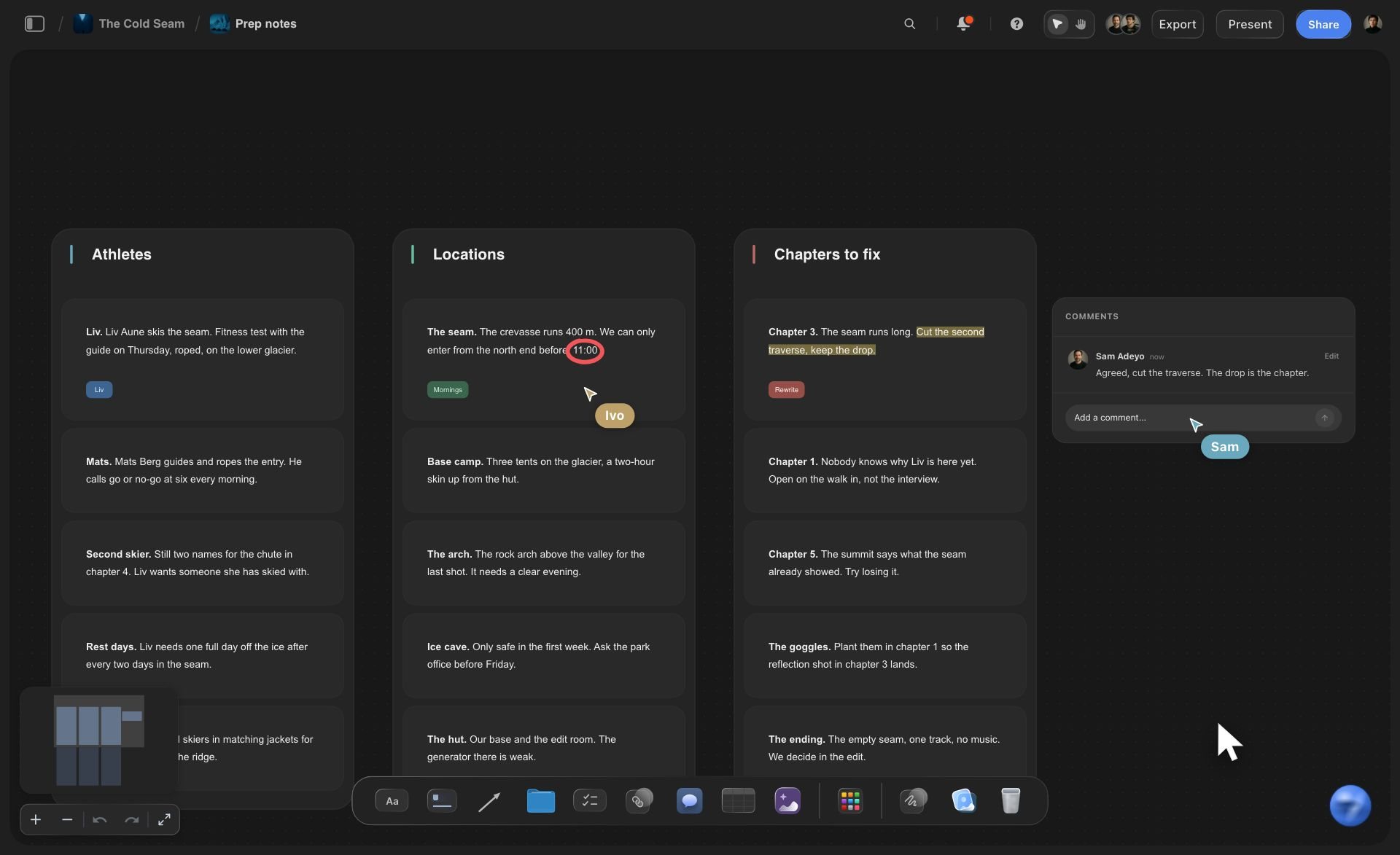
The idea, the hook and the outline in columns
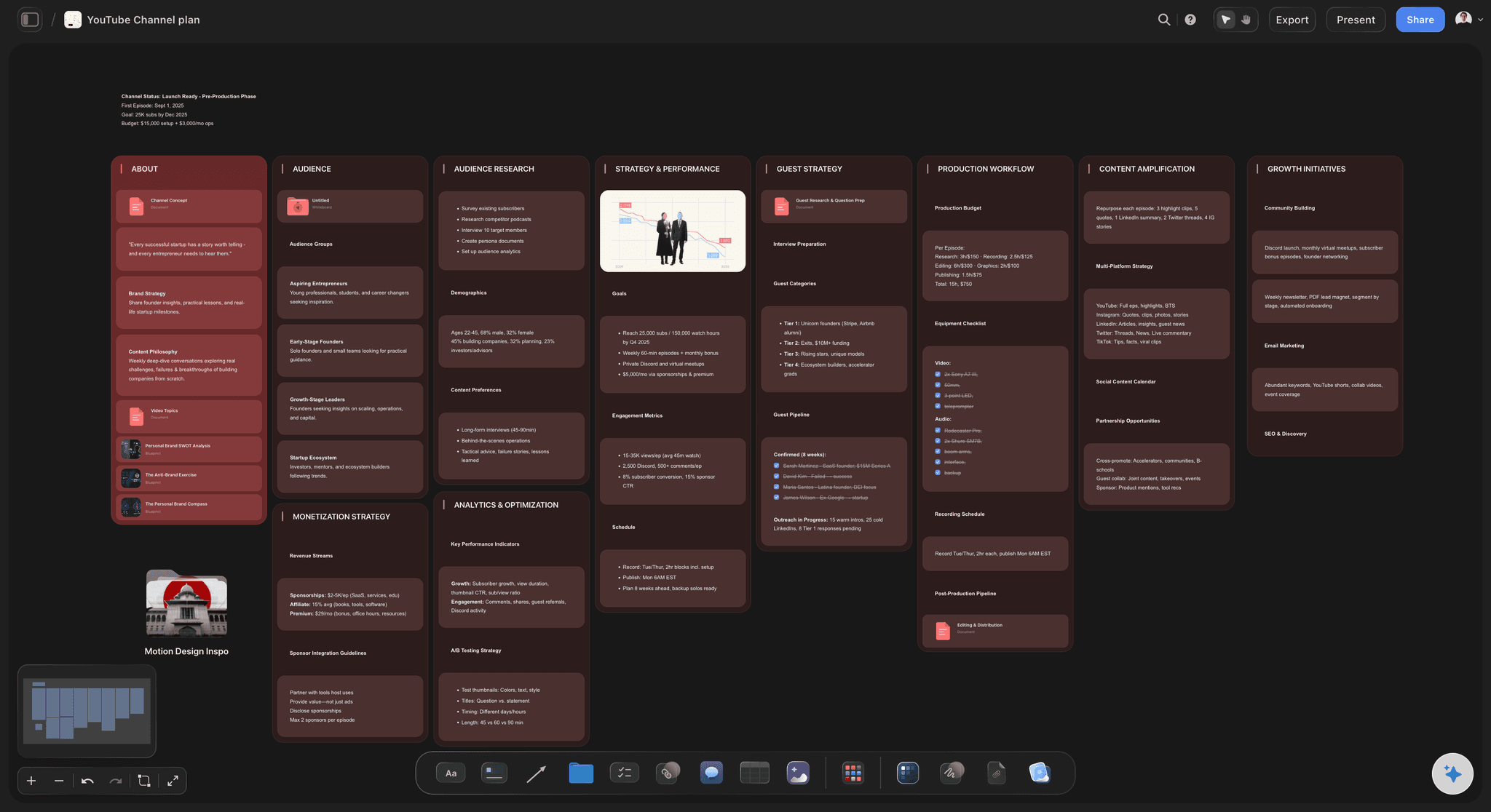
Each part of the plan is a column on the video's board: the promise and the title angles, the hook as the words you will say, and the outline with a time on every part. Read across and you see the whole video before you film any of it.
See the YouTube video planner →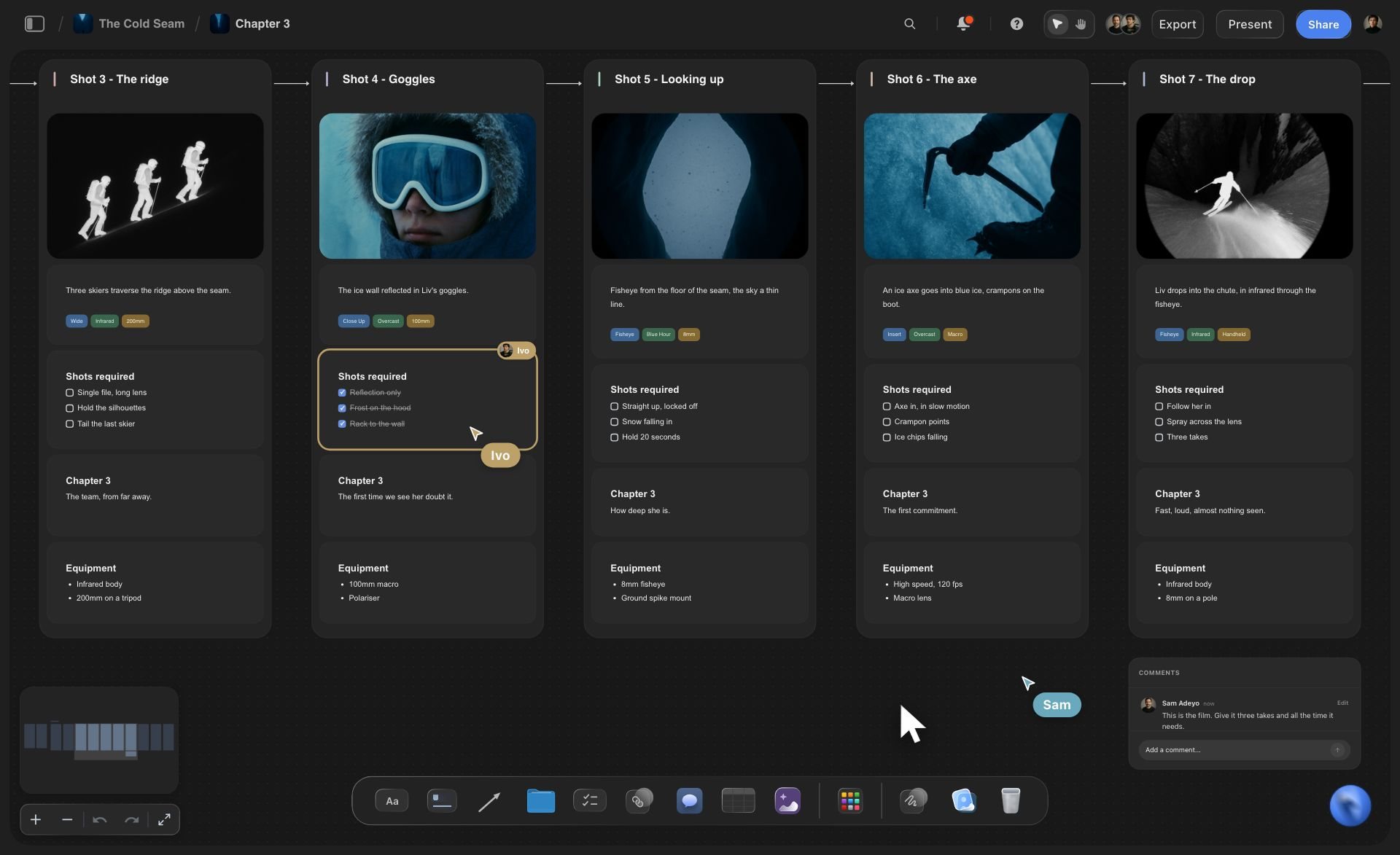
The filming day
A shot list as cards and a checklist you tick
Every shot is a card with a frame, a subject line with tags, a list of what to get, a direction note and the gear. The filming checklist is one card with a box per line: batteries, cards, props, the place.
Shot lists with Claude, in depth →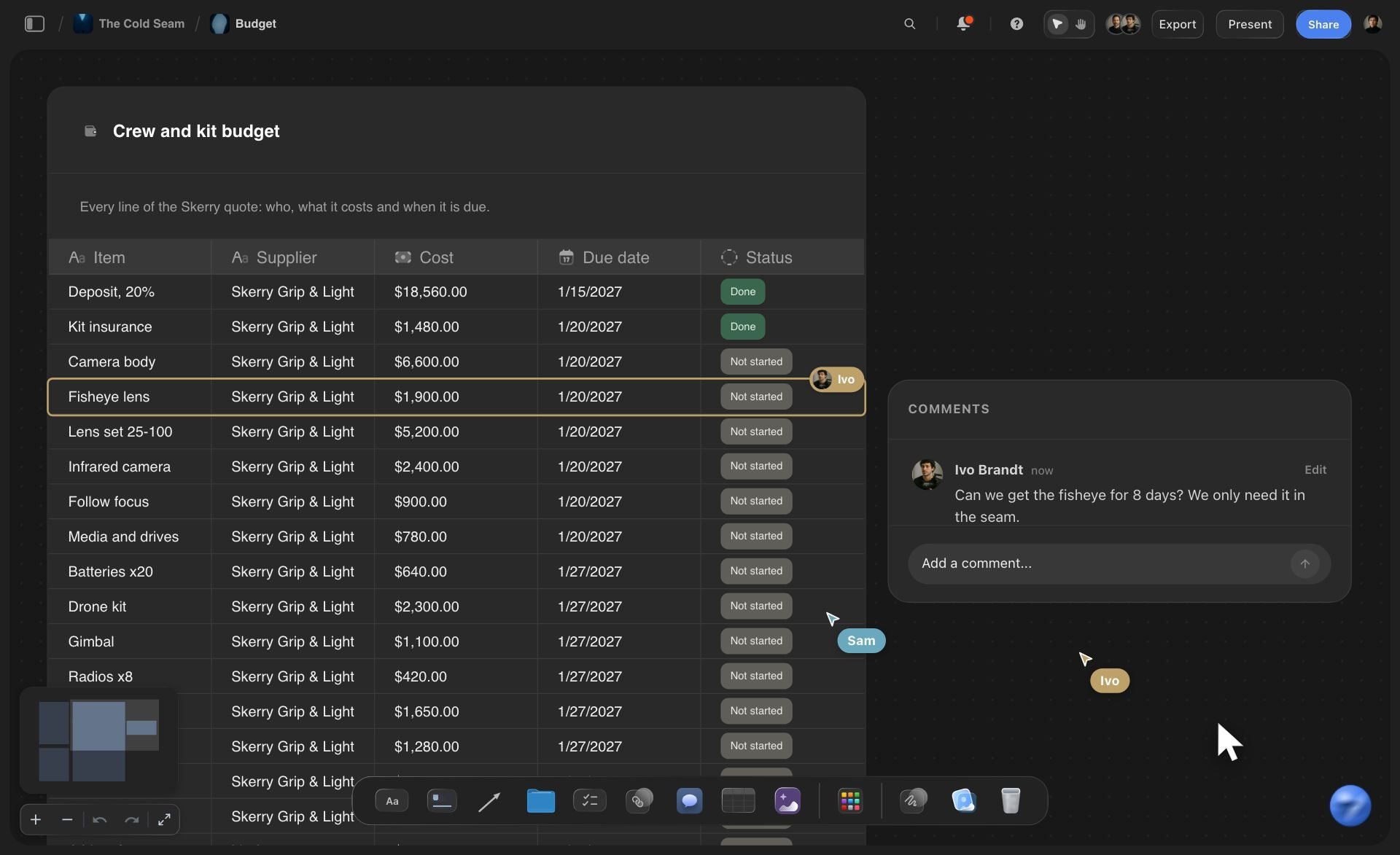
The month
Every video's upload date and status in one table
Ask for the month as a table: a row per video with its upload date, a label for its stage and a status from Not started to Done. One request builds up to 50 rows, close to a year of weekly uploads.
See the YouTube content pipeline →
Any assistant
Your editor can use a different assistant
You add https://mcp.storyflow.so/mcp to Claude; your editor adds the same address to ChatGPT, Gemini or Grok, signs in to their own Storyflow account and picks the projects it may open. Both build on the same board.
Set up your editor's assistant →Claude plans the video. Your Storyflow AI credits stay where they are.
Claude runs on its own model, so a video plan built over the connector uses no Storyflow AI credits. On a free account (today, only one a paid member invited) the assistant gets a weekly allowance of actions, and the pricing page lists the current number. A channel on Plus, Pro or Max plans as many videos as it likes. Storyflow is paid-only during early access, with plans from $7.99 a month billed annually ($9.99 monthly). A free plan launches before the end of 2026, and an editor you invite to the channel's board joins free.
Claude's work spends no Storyflow AI credits
Plus, Pro and Max put no limit on what Claude does
Invite your editor and your thumbnail designer to the board free
Up to 60 shots in one shot list
You choose which projects Claude may open, and whether it may change them

Built for people with taste
Where a video plan made in a chat comes apart.
Claude plans a good video. The trouble starts when the plan has to reach the filming day and your editor.

The copies
A script in one app, the shots in another
The plan is built where you film from: Columns, a script document and shot cards land on the video's board. There is nothing to paste into a doc and no second app for the shot list.
The script is a document you can edit: Claude writes the script on the board and adds the next part when you ask. It can replace the whole script but not one line in the middle, so small fixes are quicker by hand.
Research beside the script: Put your notes, a PDF or a spreadsheet on the board and Claude reads the first 40,000 characters of each file. Give it a YouTube address and the reference video sits on the board as a card.
B-roll counted before you film: Ask for the B-roll as cards in the same shot list, up to 60 cards per request. If the list says 24 and you filmed 19, you know before you leave the location.
The editor
Your editor learns the plan from a voice note
One board for both of you: Invite your editor to the video's board. The script, the shot list, the reference videos and the dates are the ones you planned from, not a summary of them.
An edit brief written from the plan: Ask Claude for an edit brief on the board: pace, music, graphics, two videos to match and the date of the first cut. Your editor reads it before the footage arrives.
Ask what your editor changed: Ask Claude what changed on the video's board this week. It reads the board's history and lists what your editor added, edited or moved, and when.
A column for who has it next: Add a person column to the month's table. It takes people who are already on the board, so invite your editor first, then ask Claude to put a name on every row.
The channel
Four videos in four different states
A table for the month: One row per video: the title, the upload date, a label for the stage (script, filming, edit, ready) and a status. Change a cell by hand, or tell Claude which row to update.
Dates worked back from the upload: Give Claude the upload day and your usual gaps, and ask it to fill in the script, filming, first cut and final cut dates for every video. You see two videos needing you in the same week before it happens.
A folder for every video: Ask Claude to make a folder for each video on the channel's board. Each folder is a board of its own, so one video's script and shots do not crowd the next one's.
The next plan starts from the last one: The board is still there after the chat ends. Ask Claude to read the plan of a video that did well and build the next one in the same shape.
Explore templates for your project
Every template opens as a real, editable board on the infinite canvas. Pick the closest fit and make it your own.
Storyboard
Lay out your shots frame by frame with images and notes, then reorder them until the sequence reads like the finished cut.
One app instead of five
What Storyflow adds to a video planned with Claude, and what it leaves to others.
It holds the plan, the script and the shots where your editor can work. It does not upload, schedule or show a calendar.
Storyflow with Claude
Recommended
Hook, outline and script drafted in one conversation
Script, shot list and month on your Storyflow board
Shot cards joined by arrows in filming order
Script, shots and references on one open canvas
Filming checklist you tick on the day
Calendar view of upload dates
Sort and filter videos by date or status
Reminders when a date comes up
Claude on its own
Hook, outline and script drafted in one conversation
Script, shot list and month on your Storyflow board
Shot cards joined by arrows in filming order
Script, shots and references on one open canvas
Filming checklist you tick on the day
Calendar view of upload dates
Sort and filter videos by date or status
Reminders when a date comes up
Notion
Hook, outline and script drafted in one conversation
Script, shot list and month on your Storyflow board
Shot cards joined by arrows in filming order
Script, shots and references on one open canvas
Filming checklist you tick on the day
Calendar view of upload dates
Sort and filter videos by date or status
Reminders when a date comes up
What creators are saying
Join early creators getting structured workspaces and AI that remembers their projects
“Storyflow has sped up my workflow by at least 3x, which means more flow state and more projects I can actually ship. It truly changed the way me and my team create.”

Reilin Joey
Director & YouTuber
“One prompt gets me a structured board. But the tactics are my favorite. I run my YouTube scripts through them and my intros and retention got better. It's amazing.”

Justkay
YouTuber & Freelance Filmmaker
“I used to juggle five apps to plan a project. Now I describe what I am making and get boards, lists, and a schedule. All in one place.”

George
@fernwehchronicles
YouTube video plans with Claude: questions
What YouTubers ask before they plan a video with Claude and hand it to an editor.
Connect Claude to Storyflow, then give it the idea, the viewer and the length. Ask for the promise in one sentence, the hook, a timed outline, the script, the shot list and the filming checklist. Claude builds each one on the video's board: columns for the idea and the hook, the script as a document, the shots as cards. You pick the title and the thumbnail, and your editor reads the same board.
Storyflow gives Claude one board per video to build on: the idea and the hook in columns, the script as a document, the shot list as cards with a list to tick, a filming checklist, and a table of the month with each video's upload date and status. Your editor works on the same board. YouTube Studio still uploads and schedules the video, and Notion still shows the month as a calendar you can sort and filter.
Seven parts: the promise in one sentence, the hook as the words you will say, an outline with a time on each part, the shot list with the B-roll counted, the filming checklist, the edit brief and the dates worked back from the upload. In Storyflow, Claude builds the first five on the video's board and writes the edit brief as a document your editor reads.
Yes. In Storyflow, Claude writes the script as a document on the video's board, one part at a time, and adds the next part when you ask. It can also replace the whole script. It cannot change one line in the middle of a document, so small fixes are quicker by hand. Read the script aloud against a clock: nine minutes is about 1,350 spoken words.
Put the month in one table on the channel's Storyflow board: a row per video with its upload date, its stage and a status. Work each video back from its upload: script locked two weeks before, filming ten days before, first cut six days before, final cut two days before. Invite your editor to the board, so the script, the shots and the dates for every video are in one place for both of you.
Open Claude's Customize menu, go to Connectors, click Add and choose Add custom connector. Type Storyflow, paste https://mcp.storyflow.so/mcp, click Continue, choose Sign in now and click Add. Sign in to Storyflow and tick the channel's project. On the Free plan Claude allows one custom connector. Keep creating and editing allowed, or Claude can read your video plans but not write one.
It can propose them. Claude writes ten title angles on your Storyflow board and describes thumbnail ideas in words, and you choose. It cannot see pictures over the connector, so it cannot judge a thumbnail you made, and the connector does not generate images. The title and the thumbnail decide whether anyone clicks, so treat Claude's list as options, not answers.
No. Storyflow plans the video. It does not upload, schedule or publish to YouTube, and it does not show your analytics. Upload dates live in a table on the board, with no calendar grid and no reminders. To plan from your numbers, export them as a CSV file and put the file on the board: Claude reads the first 40,000 characters.
Yes. The plan is ordinary columns, cards and documents on a Storyflow board, so it stays after the chat ends. Invite your editor to the board, and anyone a paid member invites joins free. For someone who only needs to read, make a view-only link in Storyflow: it opens in a browser with no account. To comment, they sign in.
No. Claude runs on its own model, so a video plan built over the connector spends no Storyflow AI credits. A free Storyflow account (today, one a paid member invited) has a weekly allowance of assistant actions, and the pricing page gives the current figure. Plus, Pro and Max are not capped. Storyflow is paid-only during early access, with plans from $7.99 a month billed annually ($9.99 monthly).
Only the ones you allow. The Storyflow sign-in asks two things: every project or only the ones you tick, and read only or allowed to make changes. With changes unticked, Claude can read a board but cannot add to it. A client's sponsored video stays closed to a chat about your own channel. A connection lasts 30 days; then Claude asks you to sign in once more.
Over the Storyflow connector Claude has no tool that deletes a card, and it cannot see a picture, generate an image or make a PDF. Ask for the shot list again and the new row of cards lands beside the old one; you remove the old one by hand, and deleted cards stay in the board's trash for 7 days. A file you attach in the Claude chat does not reach Storyflow, so put research files on the board itself.
Yes. Your editor adds https://mcp.storyflow.so/mcp to their own assistant and works on the same Storyflow video board. ChatGPT needs Plus, Pro, Business, Enterprise or Edu, on the web, and on Business and Enterprise an admin turns on developer mode. Gemini's custom apps need a personal Google account with Keep Activity on, in the US, for people 18 or over, in English. On Grok Business and Enterprise, a team admin adds it in the xAI console first.
More from Storyflow
Storyflow MCP server
Connect Claude to Storyflow
YouTube video planner
YouTube content pipeline
YouTube video script template
Shot list with Claude
Content agency workflow
Video editing brief
Content pillars with Claude
B-roll planner
YouTube series planner
A social calendar planned in ChatGPT
Content calendar for creators
AI thumbnail concept generator
Storyflow for YouTubers
Storyflow for video editors
Give Claude the idea. Give your editor the board.
The hook, the script, the shot list, the filming checklist and the month, planned in one conversation and kept in one place.