
Hours back on every video you plan
Storyboard your YouTube video
before you press record.
Paste your script or a rough idea and Storyflow's AI maps the hook, section beats, b-roll moments, and end screen on an infinite canvas.


Creatives working for these brands already got early access
- Red Bull
- Canon
- Artlist
- Porsche
See how easy it is to get started
Watch a real project come together, from a blank board to a finished plan, clicked through step by step.
Start from a ready-made template
Pick a board to see what you can build, then let AI fill it in. Every template is a real, editable starting point on the same infinite canvas.

Storyboard
Lay out your shots frame by frame with images and notes, then reorder them until the sequence reads like the finished cut.
What is a YouTube storyboard?
A YouTube storyboard is a frame-by-frame plan of your video made before you film: the hook in the first 10 seconds, the beats of each section, the b-roll that keeps eyes on screen, and the end-screen CTA that sends viewers to the next video. Storyflow is an AI visual workspace that storyboards your YouTube video on one infinite canvas: a board the AI lays out from your script or a rough idea, reference frames grabbed from other videos, and thumbnail concepts next to the plan. Videos that retain are almost never improvised. The structure that holds attention is decided in the YouTube storyboard, not in the edit.
Storyflow turns making a storyboard for YouTube videos into a minutes-long job. Paste your video script, or just a rough idea, and the AI lays out a YouTube video storyboard with the hook, sections, b-roll moments, and outro mapped on an infinite canvas. From there you make it yours: re-order beats with drag and drop, sketch frames with the pen tool, and pin reference stills grabbed straight from other YouTube videos.
Because the storyboard lives on a canvas instead of a rigid grid, the rest of your planning sits beside it. Thumbnail concepts, title options, and your shot list connect to the same YouTube storyboard, so the whole video is planned in one place before you press record.
It helps to be clear about what a storyboard is not. A script is what you say, line by line. A shot list is what the camera does, setup by setup. A storyboard is what the viewer sees, in order, and it is the only one of the three that shows pacing. That is why it catches the problem the other two hide: a script can read well and still leave four minutes of talking head before anything changes on screen. On a storyboard you see it immediately, because the frames stop changing.
Ultra fast from brief to board
Plan a YouTube video storyboard in four steps.
No blank-page panic and no template hunting. The AI maps the structure, you make the creative calls.
01
Open a canvas
Sign up and open a canvas in the tab next to your script doc. Nothing to download.
02
Paste your script or idea
Drop in a finished video script, a bullet outline, or one sentence about the video. The AI works from whatever you have.
03
AI maps the structure
The AI lays out a storyboard with the hook, section beats, b-roll moments, and end-screen CTA arranged on the canvas with notes.
04
Refine, share, export
Re-order beats, grab reference frames from other videos, plan the thumbnail beside the board, then share a view-only link or export as image or PDF.
A YouTube storyboard built for retention.
The board is structured the way viewers actually watch: hook first, beats next, payoff and CTA last.

Hook, beats, b-roll, and CTA mapped by AI
Structure the video before you film it
Paste a script or a rough idea and the AI maps the hook, every section beat, b-roll moments, and the end screen, so the retention work happens before the shoot, not in the edit.
See the AI storyboard generator →
Screenshot frames from videos you admire
Grab reference frames from other YouTube videos
Grab a still from any YouTube or Vimeo video straight onto the canvas. Pin the shots, pacing ideas, and framing you want to borrow right next to your own beats.
Explore video storyboards →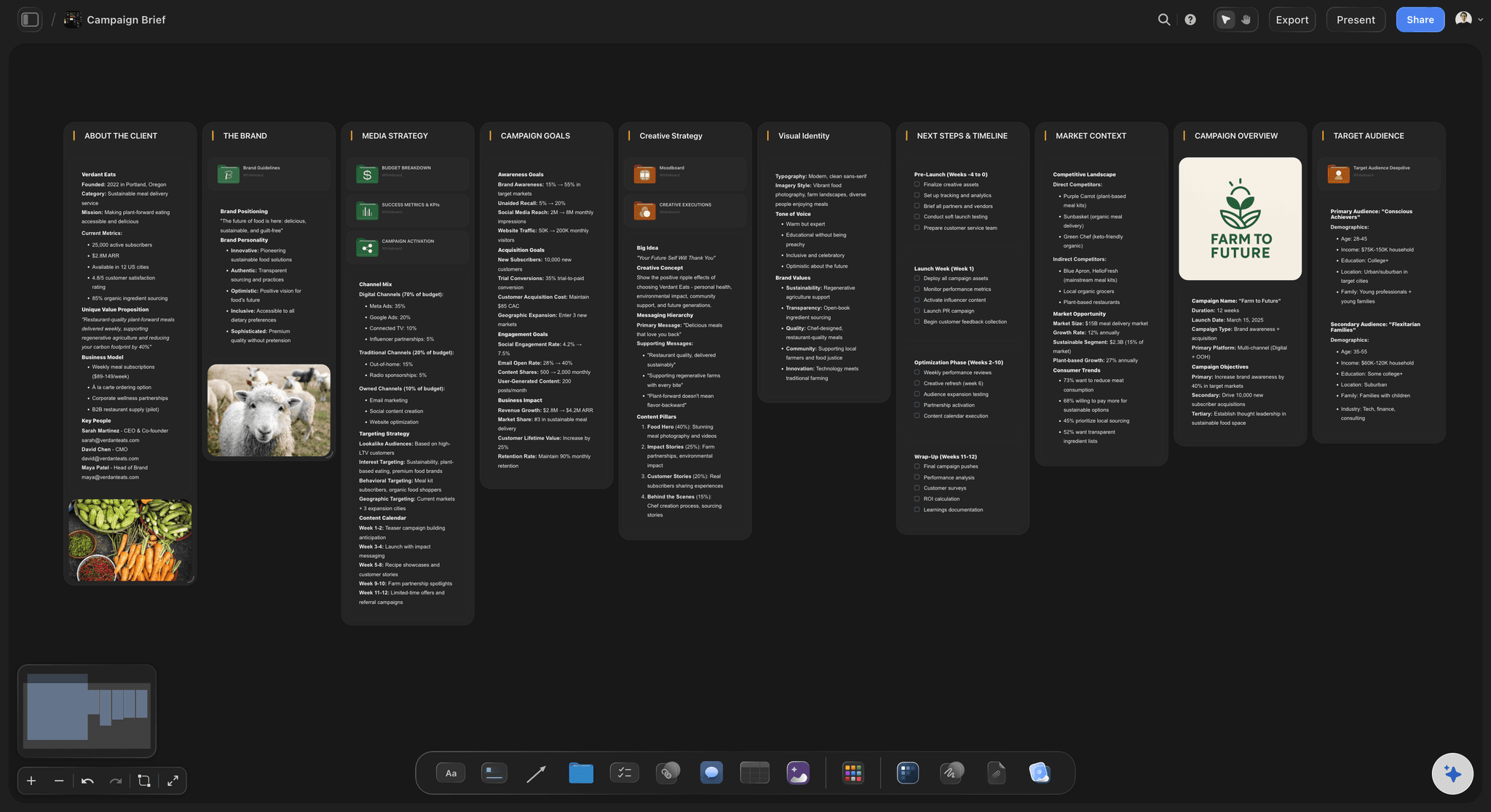
Thumbnail concepts beside the board
Plan the thumbnail with the video
The thumbnail decides whether the storyboard ever gets watched. Sketch thumbnail concepts and title options on the same canvas so packaging and structure are planned together.
Try the AI thumbnail concept generator →
From script to board without retyping
Start from the script you already wrote
Already scripted? Paste it into the AI chat, or land the PDF on the canvas. Every section becomes beats on the board, with your wording kept next to each frame.
See script to storyboard →Plans from $7.99/month annual. Free plan coming late 2026.
Plan every upload on any paid plan. There is no board limit, so your whole channel can live on one canvas.
Every upload planned on one infinite canvas, no board cap
AI maps your video structure
Screenshot stills from the videos you study
Free invites for your editor, view-only links for sponsors

Built for people with taste
More than a storyboard for YouTube videos.
Script, board, references, packaging: one AI-native canvas holds the whole video before you hit record.

Structure that keeps viewers watching
Built around retention, not just frames
Hook in the first 10 seconds: The board opens with the hook so you design the first 10 seconds deliberately instead of fixing them in the edit.
Section beats: Each section of the video becomes a beat with notes, so pacing problems show up on the canvas, not in your retention graph.
B-roll and end screen: Mark the b-roll moments that reset attention and plan the end-screen CTA that points viewers to the next video.

References from the videos you study
Steal like a creator, on one canvas
Grab frames from any video: Screenshot frames from YouTube and Vimeo references right onto the canvas, pinned beside your own beats.
Drop in anything: Drag images, video, GIFs, links, and notes onto the board. Your swipe file and your storyboard share one home.
Moodboard the look: Collect color, framing, and set references beside the storyboard so the visual style is decided before the shoot.

From rough idea to full structure
An AI that works from whatever you have
One sentence is enough: No script yet? Describe the video in a line and the AI proposes a structure with hook, beats, and payoff to react to.
Paste the full script: Have a script? Paste it or drop it as a PDF and the AI maps it onto the board section by section.
Re-prompt the structure: Ask for a stronger hook, a shorter intro, or an extra b-roll beat. The AI keeps the context of your whole board.

From plan to publish
Carry the board through the upload
Shot list next to the board: Turn beats into a shot list on the same canvas so filming day follows the plan instead of memory.
Share with your editor: Send a view-only link so your editor cuts to the planned structure, or invite teammates to the board free.
Export image or PDF: Export the storyboard as a clean image or PDF for sponsors, collaborators, or your own shoot-day reference.
Explore templates for your project
Every template opens as a real, editable board on the infinite canvas. Pick the closest fit and make it your own.
Storyboard
Lay out your shots frame by frame with images and notes, then reorder them until the sequence reads like the finished cut.
One app instead of five
Storyflow vs Boords, Canva, and Milanote.
Storyboarding tools split by what happens after the board. Storyflow keeps it next to the rest of the video plan, Boords finishes it as a deliverable. Here is where each one genuinely wins.
Storyflow
Recommended
AI lays out the board from a script or a rough idea
Free plan with unlimited boards and frames
Thumbnail concepts and title options on the same canvas
Grab reference frames from existing videos
Numbered panels formatted as a client deliverable
Animatic playback with per-frame timing
Boords
AI lays out the board from a script or a rough idea
Free plan with unlimited boards and frames
Thumbnail concepts and title options on the same canvas
Grab reference frames from existing videos
Numbered panels formatted as a client deliverable
Animatic playback with per-frame timing
Canva
AI lays out the board from a script or a rough idea
Free plan with unlimited boards and frames
Thumbnail concepts and title options on the same canvas
Grab reference frames from existing videos
Numbered panels formatted as a client deliverable
Animatic playback with per-frame timing
Milanote
AI lays out the board from a script or a rough idea
Free plan with unlimited boards and frames
Thumbnail concepts and title options on the same canvas
Grab reference frames from existing videos
Numbered panels formatted as a client deliverable
Animatic playback with per-frame timing
What creators are saying
Join early creators getting structured workspaces and AI that remembers their projects
“Storyflow has sped up my workflow by at least 3x, which means more flow state and more projects I can actually ship. It truly changed the way me and my team create.”

Reilin Joey
Director & YouTuber
“One prompt gets me a structured board. But the tactics are my favorite. I run my YouTube scripts through them and my intros and retention got better. It's amazing.”

Justkay
YouTuber & Freelance Filmmaker
“I used to juggle five apps to plan a project. Now I describe what I am making and get boards, lists, and a schedule. All in one place.”

George
@fernwehchronicles
YouTube storyboards, answered.
Everything people ask about storyboarding YouTube videos with Storyflow.
In Storyflow you paste your video script, or just a rough idea, and the AI lays out a YouTube storyboard with the hook, section beats, b-roll moments, and end-screen CTA on an infinite canvas. You then refine it by re-ordering beats, sketching frames, and pinning reference stills grabbed from other YouTube videos. The whole plan takes minutes instead of an afternoon.
Storyflow is built for exactly this job: paste your script or a rough idea and the AI maps the hook, the section beats, the b-roll moments and the end screen on one board. You can grab reference frames from other YouTube videos and plan thumbnail concepts and title options beside the storyboard. Boords still does one thing Storyflow does not: animatic playback with per-frame timing.
If you care about retention, yes. The hook, the pacing of sections, and the b-roll moments that reset attention are structural decisions, and they are far cheaper to fix on a board than in the edit. A YouTube storyboard made in Storyflow also speeds up filming, because you know every shot before you press record.
Not yet. Storyflow is paid-only during early access, with plans from $7.99 a month billed annually ($9.99 monthly). A free plan launches before the end of 2026 with unlimited boards, basic AI usage, 3 starter frameworks and 20 file uploads. Until then, anyone a paid member invites to a board joins free.
Yes. The AI generates the layout, structure, and notes, so a readable board exists before you draw anything. Add visuals your own way: pull stills from reference videos, drop in images, or sketch loose frames with the pen tool. Nothing requires drawing skill.
Yes. Any YouTube or Vimeo video can be screenshotted straight onto the canvas as a still, then pinned next to your own beats as a framing, lighting, or pacing reference. Your storyboard and your swipe file live on the same board.
Yes. Because the storyboard sits on an infinite canvas, thumbnail concepts and title options live right beside it. Storyflow also has an AI thumbnail concept generator, so you can plan the packaging and the video structure in the same workspace.
The AI's job in Storyflow is structure: it turns your script or idea into a laid-out storyboard with scenes, beats, and notes. You can also ask it to suggest hooks, section ideas, or angles while you work, since it keeps the context of your whole board.
Yes. Export the board as a high-quality image or PDF, or skip the export and send a view-only link that opens in the browser without a signup. Most channel teams keep the live link as the single source of truth for the edit.
A script is what you say, a shot list is what the camera does, and a storyboard is what the viewer sees in order. Only the storyboard shows pacing, which is why it catches the failure the other two hide: a script can read well and still leave minutes of unchanging talking head. In Storyflow all three sit on the same canvas, so the shot list is built from the frames you actually planned rather than written separately and reconciled later.
Yes, and it takes about two minutes. Shorts live or die on the first second and on whether the frame keeps changing, so a six to eight frame board is usually enough: the opening image, the turn, and the payoff. For long-form the board earns its time by exposing dead sections; for Shorts it earns it by forcing you to decide the opening frame before you film, rather than hoping you find it in the edit.
More from Storyflow
Storyboard maker
Video storyboard
AI storyboard generator
Script to storyboard
AI thumbnail concept generator
AI shot list generator
Commercial storyboard
Storyboard app
How to make a storyboard
Free storyboard maker
Simple AI storyboard tool
AI tools for content creators
Video editing brief
YouTube video plan with Claude
Your next video deserves a plan.
Paste the idea, get the structure, and press record knowing exactly where the video goes.