
Extremely reliable pre-production
Run the location scout in ChatGPT,
with every candidate on one board.
For producers and location managers: ChatGPT lays out each candidate with its notes, permits and recce checklist on a Storyflow board, and your recce photos land beside them.


Creatives working for these brands already got early access
- Red Bull
- Canon
- Artlist
- Porsche
See how easy it is to get started
Watch a real project come together, from a blank board to a finished plan, clicked through step by step.
Start from a ready-made template
Pick a board to see what you can build, then let AI fill it in. Every template is a real, editable starting point on the same infinite canvas.

Pre-Production
Pull the brief, script, shot list, and moodboard into one pre-production hub so the whole shoot is planned in one place.
Can ChatGPT help with location scouting?
Yes, ChatGPT can help with location scouting: it turns a scene into a location brief, searches the web for candidates, lists what to check on the recce and compares the options once your notes are in. Storyflow is an AI visual workspace that runs a location scout on one infinite canvas: a section for every candidate with its address, contact, permit notes and recce checklist, your photos beside them, and one table that compares them all. With the Storyflow plugin installed, ChatGPT builds that board for your production itself, and because it runs on ChatGPT's own model it uses none of your Storyflow AI credits.
On its own, ChatGPT is a fast first researcher. Describe the scene ("a family kitchen with morning light, room for a dolly, an hour from the studio") and it writes the location brief, suggests the kinds of places to look, and drafts the email to an owner. What it cannot do is keep the scout together. The photos sit in one person's camera roll, the notes in a chat, the permit details in an email thread, and the client sees none of it until someone builds a deck.
With the plugin, the scout lives on the production's board. Ask ChatGPT for a location board and it builds a section per candidate: a note with the address, the contact and the day rate, a link card to the map or the listing, a recce checklist to tick on site, and a note for permits. Pictures it finds go in from their direct addresses, twelve per request, and Storyflow keeps its own copy, so a picture stays after the listing comes down. Your recce photos go in through an "Add your photos" link, straight into that location's section. Then a comparison table, one row per location, holds the facts that decide it.
An example you can copy. Ember & Oak, a two-person agency, needs a family kitchen for a two-day cookware commercial. ChatGPT drafts a board with 5 candidate locations, each with a 10-point recce checklist. Two are ruled out from the table before anyone drives: one has no parking for the van, the other allows no weekend filming. The scout visits the other 3 on one Tuesday, sends 38 photos through the upload link (14, 12 and 12, each set into its own location's section) and ticks the checklist on site. Back at the office, ChatGPT reads the notes and fills the table: 5 rows and 7 columns, for the location, address, day rate, power, parking, permit and notes. The client picks location 2 from the view-only link on Thursday.
Photograph a location for the people who were not there. Start with a wide from each corner of the room, then the view from every window, the way in from the street, the fuse box and the parking. Shoot at the hour you would film, so the light in the photos is the light on the day, and put a person in one frame for scale. Then write three lines per location on the board: what works, what does not, and what it would take to fix. Those three lines are what ChatGPT compares, and what the client reads first.
Now the limits. ChatGPT cannot visit a location, and it gets each picture's address and caption, not the picture, so it judges a place from your notes, not your photos: write down what you saw. Permit rules and fees it finds on the web can be out of date, so confirm them with the film office or the owner. A photo attached in the ChatGPT chat does not reach Storyflow; the upload link does. Storyflow does not apply for permits, send contracts or take payments, and its tables cannot be sorted, so ask for the rows in the order you want. ChatGPT cannot delete cards, so you remove a ruled-out location by hand.
Ultra fast from brief to board
Four steps from the location brief to the client's pick.
The board is quick to build. The recce is still yours to do, with everything you find landing in one place.
01
Install Storyflow from the plugin directory
Open the Storyflow listing in ChatGPT's plugin directory and select Install plugin. Sign in to Storyflow when asked, then choose which projects ChatGPT may use.
02
Describe the location you need
Type @ and pick Storyflow, then describe the scene, the shoot dates, the crew size and how far you can travel. For example: "A family kitchen with morning light, room for a dolly, within an hour of the studio, two days in March. Build a location board on the Ember & Oak project with five candidates." A section per candidate appears.
03
Recce and send the photos
At each location, ask ChatGPT for the "Add your photos" link for that location's section, open it on your phone and pick the photos. Tick the recce checklist and write what you saw in the notes.
04
Compare and share the pick
Ask ChatGPT to read the notes and fill the comparison table. Then share the board from Storyflow with a view-only link, so the client and the director choose from the same photos.

The candidates, the photos, the checks and the decision, on one board.
ChatGPT does the research and the paperwork. The board keeps the scout where the producer, the director and the client all see it.
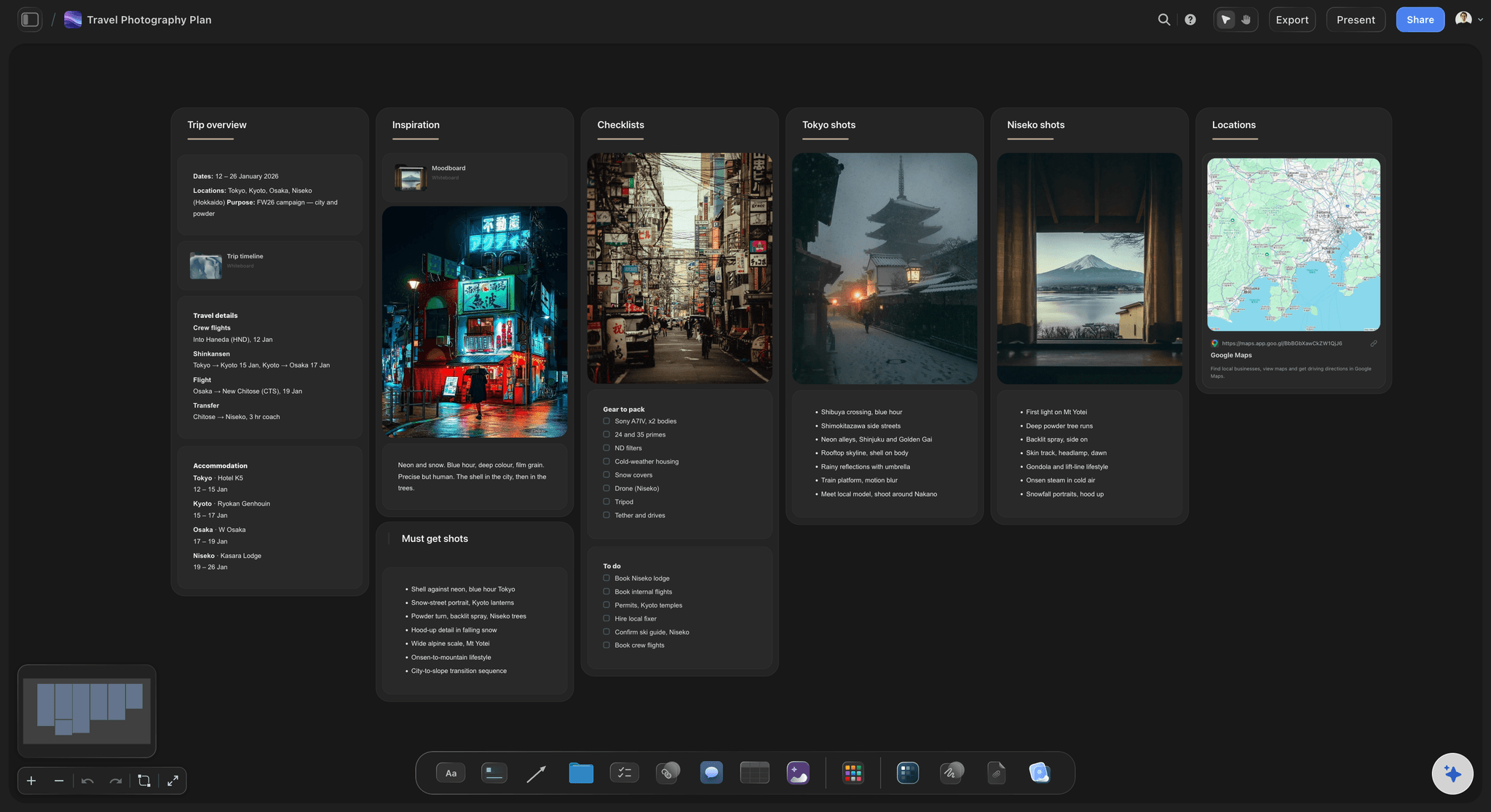
One section per location
Every candidate laid out the same way
Address, contact and day rate, a link to the map or the listing, a recce checklist and the permit notes, in the same order for every location, so they compare at a glance.
See the location scouting app →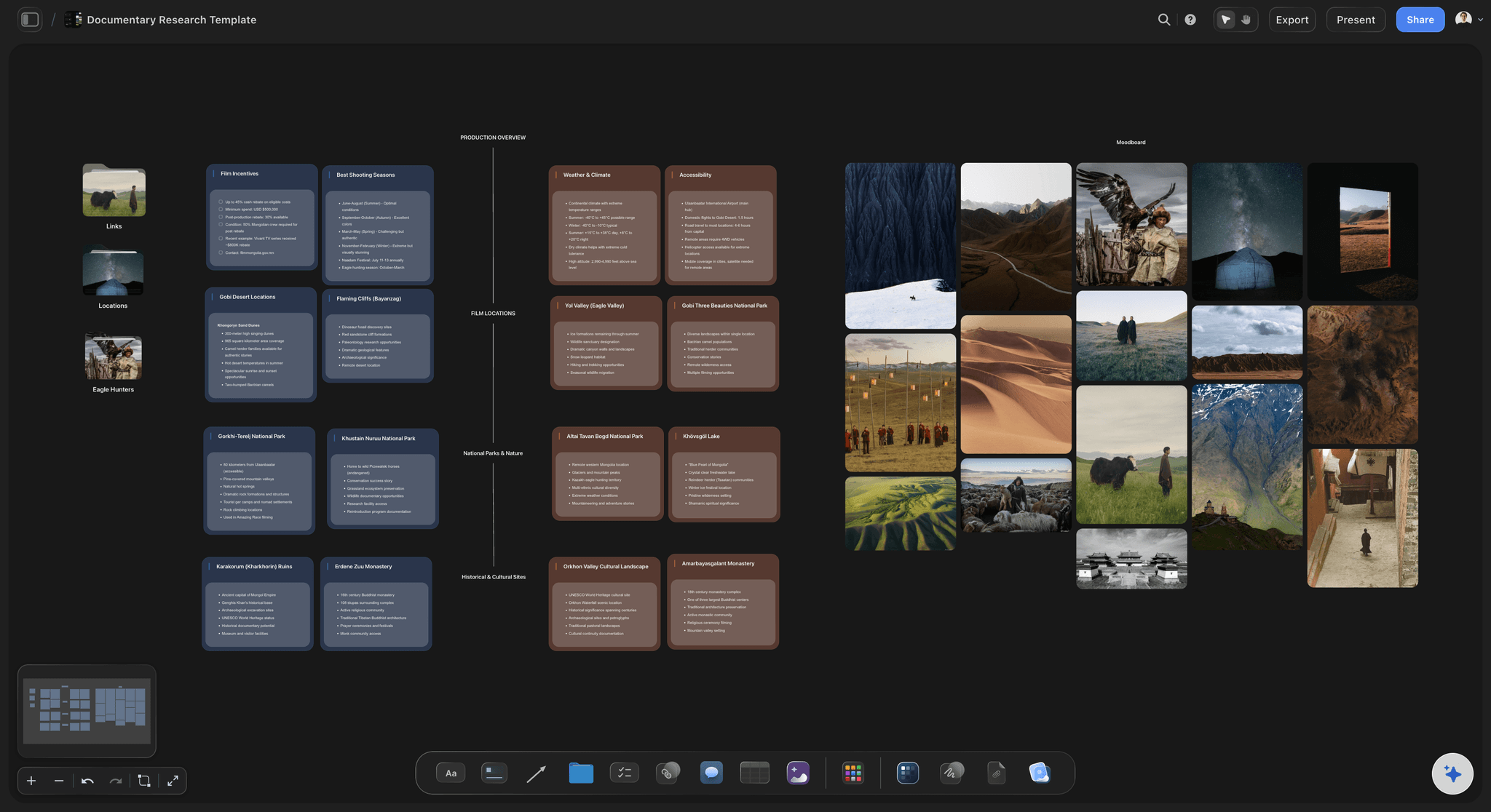
The research
Sources kept with the notes
When ChatGPT finds a candidate on the web, ask it to add the page as a link card beside that location's notes, so anyone can check where a fact came from before relying on it.
See the production plan with ChatGPT →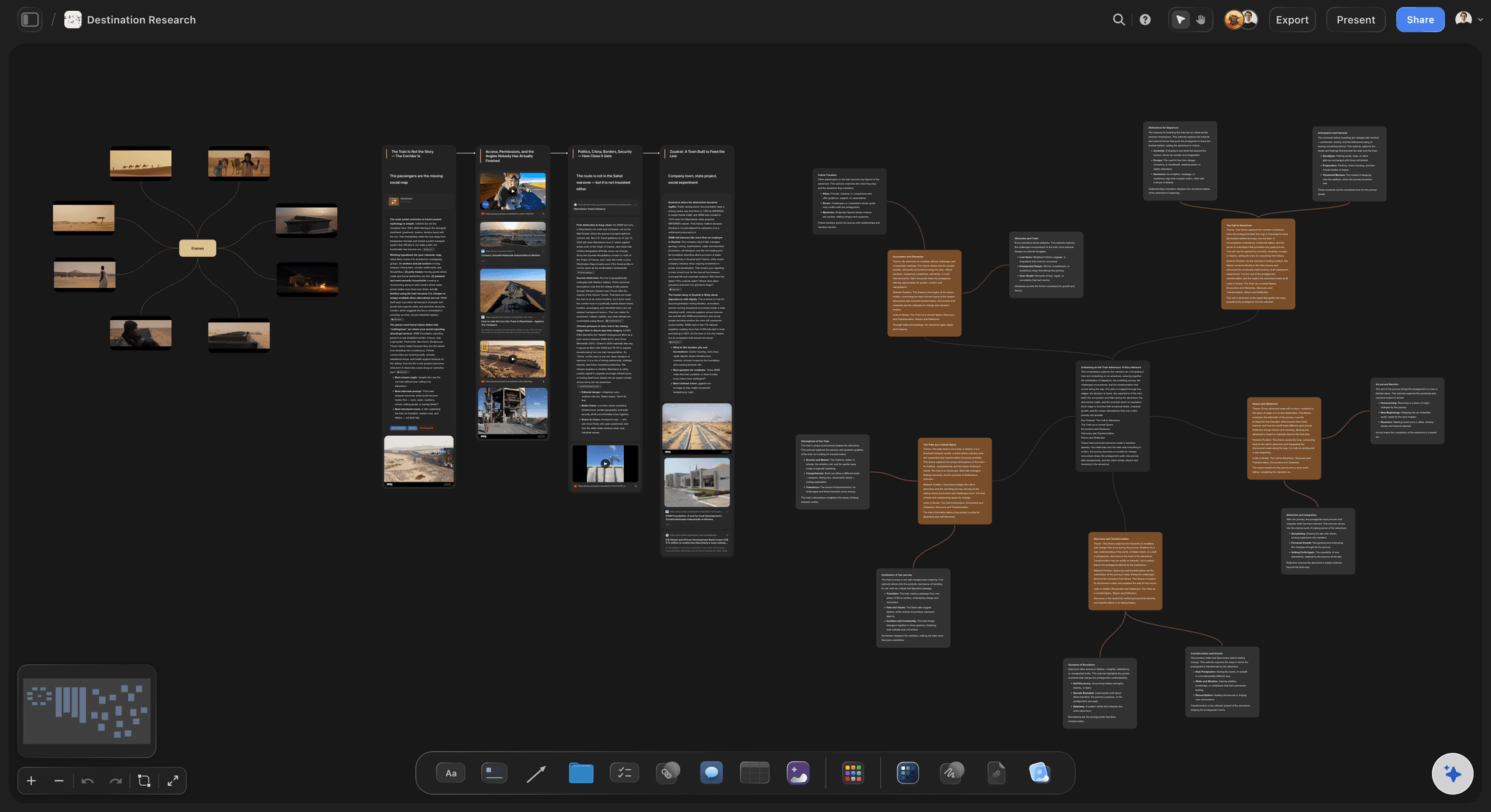
The recce photos
Photos into the right location's section
Ask ChatGPT for the "Add your photos" link for one location, open it on your phone and pick up to 200 pictures within 15 minutes. They land in that location's section as they upload.
See how to organize a location scout →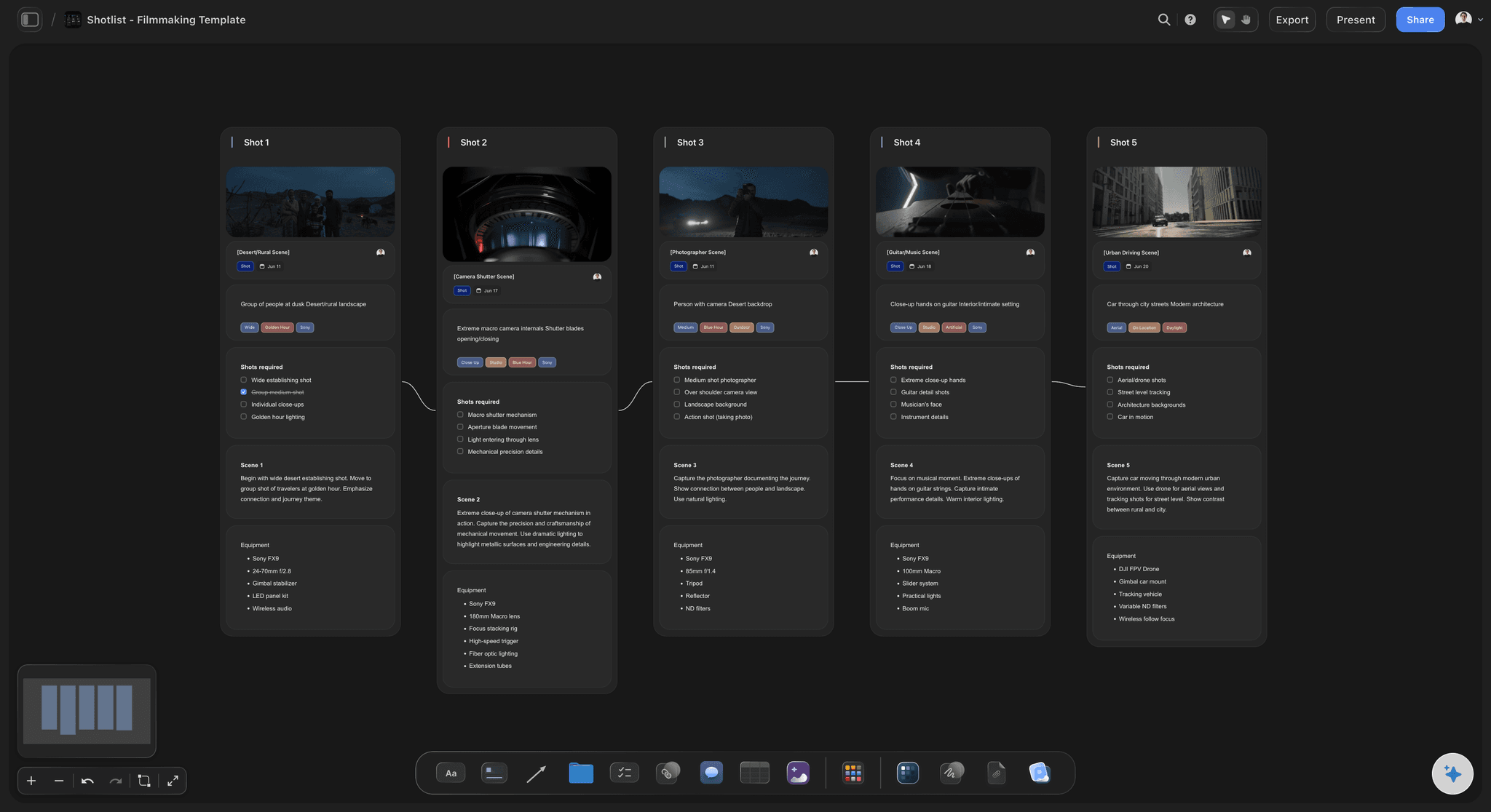
After the pick
The chosen location feeds the shot list
With the location chosen and its photos on the board, ask ChatGPT for the shot list on the same board, so the crew plans each shot next to the photos of the room.
See the shot list with ChatGPT →ChatGPT does the research. Your Storyflow AI credits are not touched.
The plugin runs on ChatGPT's own model and your ChatGPT plan, so a location board built through it uses no Storyflow AI credits. An invited free Storyflow account gets 25 plugin actions a week, reset every Monday (UTC), and each section or table ChatGPT builds is one action. Plus, Pro and Max have no weekly limit. Storyflow is paid-only during early access, from $7.99 a month billed annually ($9.99 monthly), and anyone a paid member invites to a board joins free.
No Storyflow AI credits spent on the scout
25 plugin actions a week on an invited free account
No weekly limit on Plus, Pro and Max
The director, the location manager and the client join free when invited
You choose which productions ChatGPT may open, and whether it may change them
Built for people with taste
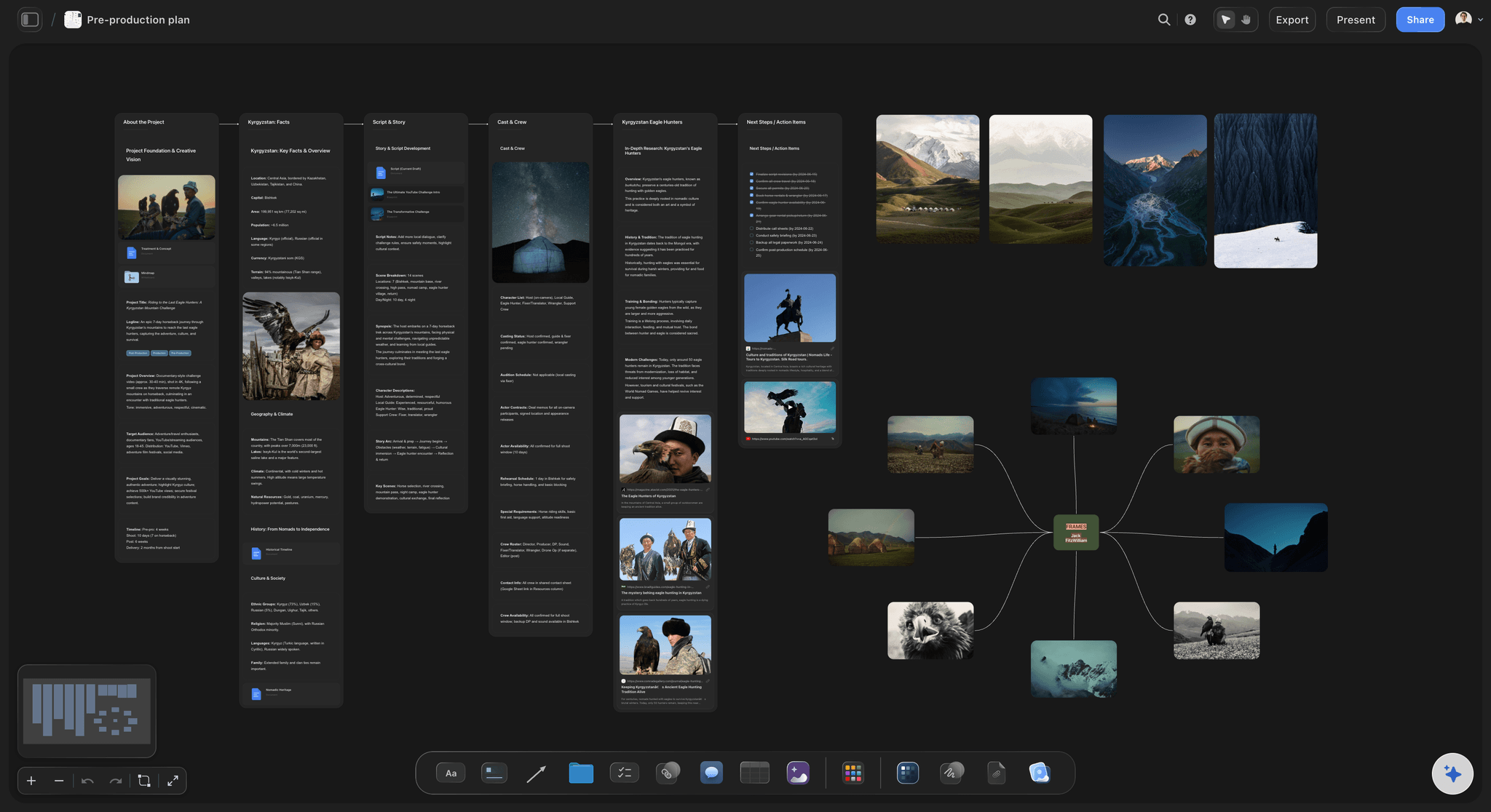
Where a scout falls apart, and what the board keeps together.
The long list, the recce day and the client's decision.
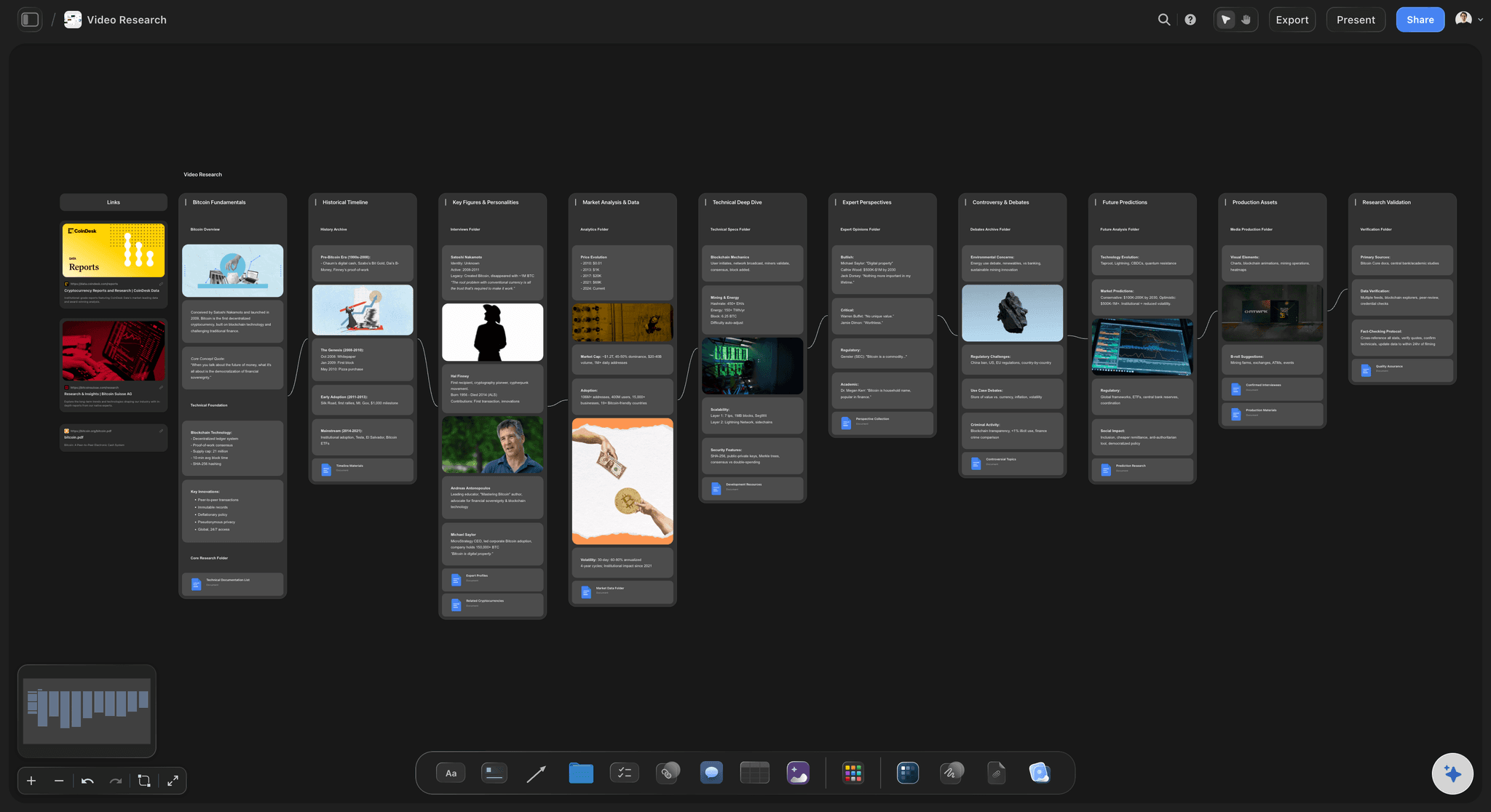
The long list
Five candidates before anyone drives
A brief at the top of the board: ChatGPT turns your description of the scene into a short brief: the look, the space the crew needs, the dates and how far you can travel. Every candidate is checked against it.
Candidates with their sources: Each listing, rental page or film office page goes on the board as a link card beside the location's notes, so a fact can be checked in one click.
Reference pictures from the web: Pictures go in from their direct addresses, twelve per request, and Storyflow stores its own copy. Check you may use a picture before it goes to a client.
Rule out on paper first: Fill the comparison table before the recce. A dealbreaker such as no parking for the van shows up in its row, and nobody spends a morning driving there.
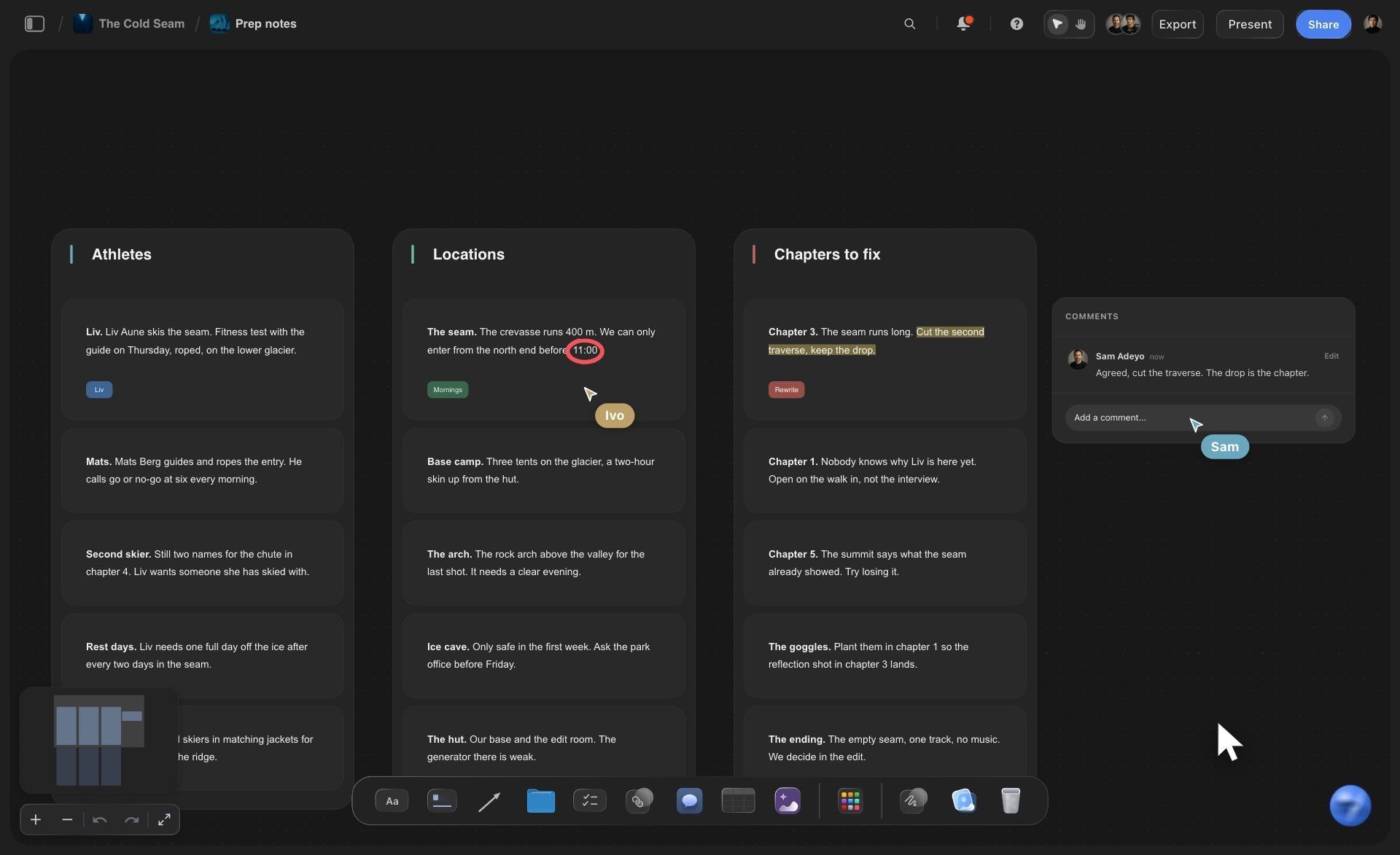
The recce day
Thirty-eight photos, three locations, one board
A photo link per location: Ask for the "Add your photos" link for the location you are standing in. The pictures land in its section, not in a pile to sort later.
A checklist ticked on site: Each location's recce checklist is a card of tickboxes: power, sound, light, access, toilets, permit. What is left unticked is what you still have to ask.
Notes in your own words: ChatGPT reads the notes, not the photos. Write "window faces east, sun until 11:00" and caption the key shots, and the comparison has something to work with.
Ask what changed today: Ask ChatGPT what changed on the board today. It reads the board's history and lists what each scout added, edited or moved.
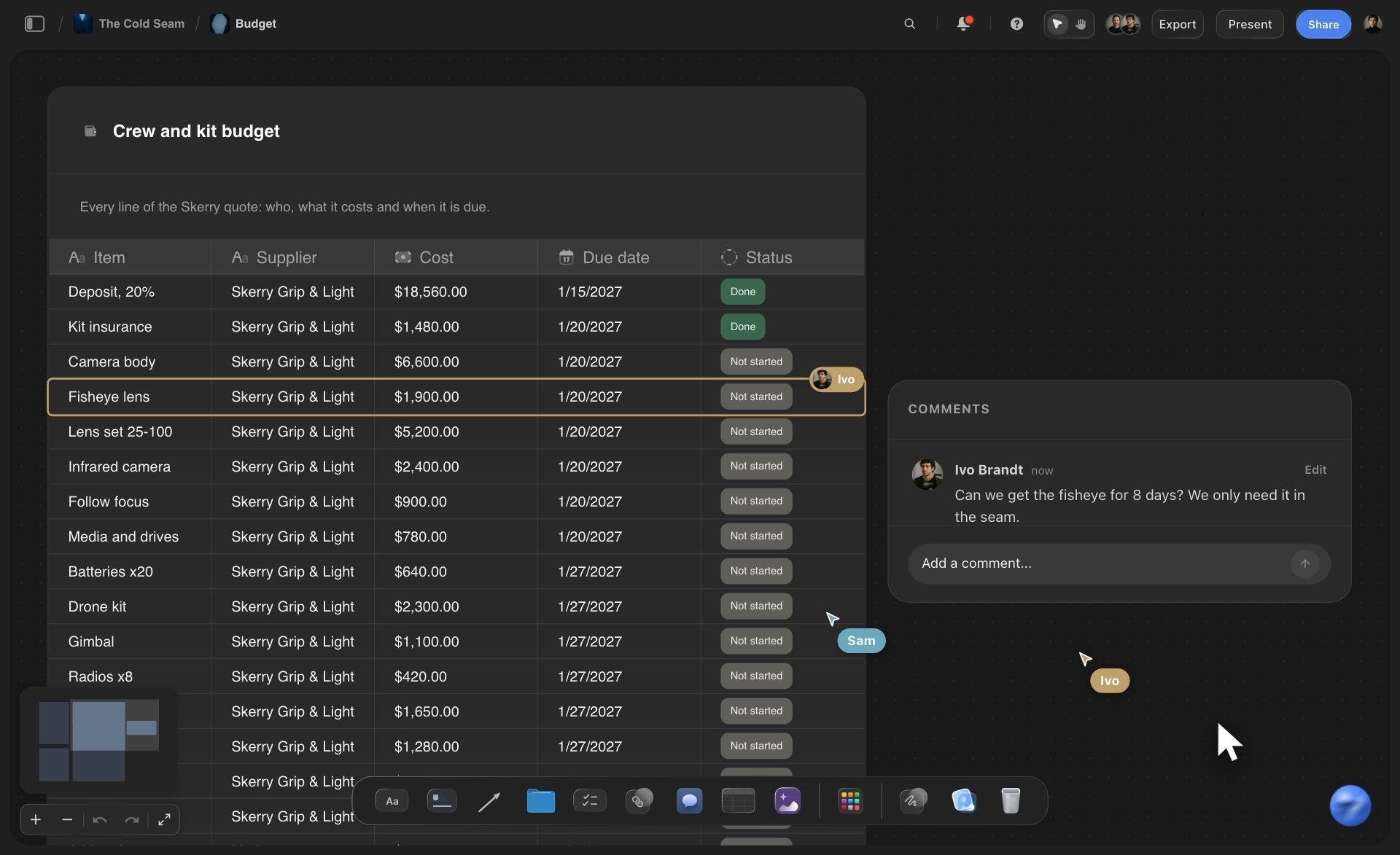
The decision
The client picks location 2 on Thursday
A table that decides it: One row per location, with columns for the day rate, power, parking, permit status and notes. A status column shows where each permit stands, and a money column keeps the day rates side by side.
One link for the client: A view-only link opens the board in a browser with no account, photos and all. To comment on a location, the client signs in.
The director's own assistant: Claude, Gemini and Grok connect to the same Storyflow board at https://mcp.storyflow.so/mcp, so a director who plans in Claude reads the same scout.
The pick moves into the plan: The shot list, the strip board and the call sheet go on the same board, so the address and the parking notes travel with the location.
Explore templates for your project
Every template opens as a real, editable board on the infinite canvas. Pick the closest fit and make it your own.
Pre-Production
Pull the brief, script, shot list, and moodboard into one pre-production hub so the whole shoot is planned in one place.
One app instead of five
ChatGPT with Storyflow, ChatGPT alone, or Notion.
Notion is in ChatGPT's plugin directory ("Create docs, tasks, databases") and keeps a location database you can sort and filter, as of October 2026. Storyflow lays the scout out visually, photos beside notes, on the board the shoot is planned on.
Storyflow with ChatGPT
Recommended
Candidates researched by ChatGPT
Research saved where the team works, not in the chat
A section per location with its photos beside the notes
All candidates side by side on one open canvas
Recce checklist ticked on site
Comparison table with a status per location
Sort and filter the candidates
ChatGPT on its own
Candidates researched by ChatGPT
Research saved where the team works, not in the chat
A section per location with its photos beside the notes
All candidates side by side on one open canvas
Recce checklist ticked on site
Comparison table with a status per location
Sort and filter the candidates
Notion
Candidates researched by ChatGPT
Research saved where the team works, not in the chat
A section per location with its photos beside the notes
All candidates side by side on one open canvas
Recce checklist ticked on site
Comparison table with a status per location
Sort and filter the candidates
What creators are saying
Join early creators getting structured workspaces and AI that remembers their projects
“Storyflow has sped up my workflow by at least 3x, which means more flow state and more projects I can actually ship. It truly changed the way me and my team create.”

Reilin Joey
Director & YouTuber
“One prompt gets me a structured board. But the tactics are my favorite. I run my YouTube scripts through them and my intros and retention got better. It's amazing.”

Justkay
YouTuber & Freelance Filmmaker
“I used to juggle five apps to plan a project. Now I describe what I am making and get boards, lists, and a schedule. All in one place.”

George
@fernwehchronicles
Location scouting with ChatGPT: questions
What producers and location managers ask before a scout goes to the client.
Yes. ChatGPT turns a scene into a location brief, looks for candidates when it can search the web, drafts the recce checklist and compares the options once your notes are in. With the Storyflow plugin it builds the scout on your production's board: a section per location with the address, contact, permit notes and checklist, your recce photos beside them, and a table that compares them. The client and the crew open the same board.
Storyflow is our pick first, and it is our product. The basis: it lays every candidate out side by side on one board, with the photos beside the notes, a recce checklist and a comparison table, next to the shot list and the schedule ChatGPT can build on the same board. Notion, also in ChatGPT's plugin directory, is the one to weigh when you want a location database to sort and filter; it creates docs, tasks and databases, as of October 2026.
Open the Storyflow listing in ChatGPT's plugin directory and select Install plugin. Sign in to Storyflow when asked, then choose which projects ChatGPT may use and whether it may make changes. In a chat, type @ and pick Storyflow, or choose it from the + menu. Availability depends on your ChatGPT plan, workspace and region. In a Business or Enterprise workspace, an admin manages plugins and can turn them on or off.
It finds the places that have a page online, such as venues, studios, rental listings and public spaces, when ChatGPT can search the web in your chat. For a home or a working business without one, ask it for the local film office and location agencies, and call them. Give it the radius, the dates and the crew size so the long list fits, then send a scout before anything is booked.
Ask ChatGPT for the "Add your photos" link for the location's section. Open it on your phone or computer and pick up to 200 pictures; the link works for 15 minutes, and each picture lands in that section as it uploads. A photo you attach in the ChatGPT chat does not reach Storyflow by itself, and ChatGPT can only give you the link when you allowed it to make changes.
No. Storyflow sends ChatGPT each picture's address and caption, not the picture itself, so it cannot judge a room from a photo. It reads the notes, the checklist and the table. Write what you saw, such as "window faces east, sun until 11:00", and caption the key photos, and ChatGPT can compare the locations on the things that decide them.
Power (sockets, what the fuse box can take, a generator), sound (traffic, flight paths, schools), light (which way the windows face and when the sun reaches them on the shoot dates), access (parking, the way in for the kit, stairs, the hours you can be there), people (neighbours, a contact, toilets, a place for the cast to wait) and paper (the owner, the fee, any permit). Ask ChatGPT to make it a tickable list per location.
Yes, from what is on the board. Ask it to fill the comparison table from the notes, a row per location with day rate, power, parking, permit status and notes, and to say which one fits the brief and why. It reasons from your notes, not the photos, so the director still makes the call. Storyflow tables cannot be sorted, so ask for the rows in order of preference.
It can research them, not apply for them. ChatGPT can find the film office or council page for an area, sum up what it says about permits, fees and notice periods, and add the page as a link card beside the location. Rules change, so confirm with the office or the owner. Storyflow does not apply for permits, send contracts, collect signatures or take payments.
ChatGPT cannot visit a location or look at your photos, only their addresses and captions. Its web research can be out of date. Storyflow does not apply for permits, send contracts or take payments, its tables cannot be sorted, and it runs in the browser with no native phone app. ChatGPT cannot delete cards, so a ruled-out location stays on the board until you remove it.
No. The plugin runs on ChatGPT's own model and your ChatGPT plan, so plugin actions use no Storyflow AI credits. An invited free Storyflow account can make 25 plugin actions a week, reset every Monday (UTC), and Plus, Pro and Max have no weekly limit. Storyflow is paid-only during early access, from $7.99 a month billed annually ($9.99 monthly); today the only free route is an invite from a paid member.
Share the board from Storyflow; ChatGPT cannot make share links. A view-only link opens in a browser with no account, so the client sees every candidate with its photos and notes without signing up, and signs in only to comment. Invite the director and the location manager as members: anyone a paid member invites joins free, and every paid plan edits live.
The board is the same; the way in differs. ChatGPT installs Storyflow from its plugin directory, while Claude, Gemini and Grok add Storyflow at https://mcp.storyflow.so/mcp, with setup for each at storyflow.so/mcp. Each builds the same sections, tables and photo links on the same Storyflow boards, so a producer in ChatGPT and a location manager in Claude work on one scout.
It moves into the plan on the same board. Ask ChatGPT for the shot list, and the crew plans each shot next to the recce photos. Ask for the strip board, and the scenes at that location share a shoot day. Ask for the call sheet, and the address, parking and nearest hospital you noted come from the location's section. Ruled-out candidates stay until you remove them by hand.
More from Storyflow
Connect ChatGPT to Storyflow
Storyflow MCP server for Claude, Gemini and Grok
Production plan with ChatGPT
Shot list with ChatGPT
Shooting schedule with ChatGPT
Script breakdown with ChatGPT
Photoshoot plan with ChatGPT
Call sheet with ChatGPT
How to organize a location scout
Location scouting app
Multi-location shoot plan
Storyflow for producers
Let ChatGPT draw up the long list. Pick the location on one board.
A section per candidate, the recce photos beside the notes, and one link for the director and the client.