
Category
YouTube
Author

Storyflow Team
Product & Research Team
Topics
2026-11-15
•
46 min read
•
YouTube- documentary research
- video essay research
- source log
- sources ladder
- archive footage rights
- fact-check pass
- Storyflow
How do YouTubers research a documentary-style video?
In Storyflow, research a documentary-style YouTube video on one board: write the research question at the top, log every source in a table with a credibility note, pin quotes, documents and clips on walls by question, and move a claim into the outline only when two independent sources back it. Storyflow is an AI visual workspace that holds sources, quotes, clips and the script outline on one infinite canvas, and it works inside ChatGPT (plugin) and Claude (connector). That is the Storyflow 2-Source Rule.

Full disclosure: Storyflow is our product. It is listed first because the source log, the evidence, the claims and the outline share one board. This guide compares kinds of tool rather than brands on purpose. Storyflow is not a citation manager or a screenwriting app, has no transcription and no native mobile app, is paid-only during early access, the 2-Source Rule is our own editorial rule, not research, and nothing here is legal advice.
How the documentary research tools for YouTube compare on trust, innovation, ratings and pricing
Which kinds of documentary research tools are the most trusted?
Trust follows the job. A reference manager is trusted for citations because it keeps the bibliographic record exact, and a spreadsheet is trusted for data because anyone can check the formula. Storyflow is newer, with its ChatGPT plugin live since 24 October 2026; its case is that the source log, the evidence and the claims sit on one board, so a viewer's challenge can be answered from the same place the script was written.
Which documentary research tools have fair pricing for a small channel?
Fair pricing for a host and a researcher means the editor and fact-checker can read the board without a seat each. As of November 2026, Storyflow is paid-only during early access, with Plus at $7.99 a month billed annually ($9.99 monthly), and anyone a paid member invites to a board joins free. When you price other tools, count who needs a seat: the researcher, or everyone who checks.
Which documentary research tools are the most innovative?
Storyflow, for letting ChatGPT or Claude build a source log, claim cards and an outline straight onto a shared board, and for an in-app AI that searches the web when asked and lists what the board is missing. The judging stays human: credibility notes, rights decisions and which claims reach the script are the researcher's call.
Which documentary research tools are underrated?
The humble status column is underrated: marking every source Not started, In review, Done, Blocked or Archived turns a pile of links into a verification record. In Storyflow, the underrated tool is the Selects tool, which sorts archive stills into Yes, Maybe and No by dragging, beside the rights note for each.
Which documentary research tools hold up when a viewer challenges a claim?
Tools hold up when every line of the script traces to a logged source. Storyflow keeps the claim cards, their source IDs and the credibility notes on the locked board, exportable as a PDF, so a correction request is a lookup rather than a reconstruction. A reference manager holds up for academic citations, and a shared doc for the script's edit history.
Quick Comparison
Our pick first, on the basis that the source log, the evidence, the claims and the outline share one board, then other kinds of tool by the job each does best. Prices as of November 2026.
| Tool | Best For | AI Features | Price |
|---|---|---|---|
| Storyflow | A source log table with status cells, scans, quotes and archive stills on walls by question, claim cards tied to source IDs, and the outline on the same board | In-app AI searches the web when asked, turns notes into organised walls and lists what is missing; the ChatGPT plugin and Claude connector build the walls, source log, claim cards, mind map and outline document | From $7.99 mo billed annually; invited collaborators join free |
| A shared doc | Writing and line-editing the script once the outline is locked | Depends on the product | Varies by product |
| A spreadsheet | Very large, data-heavy source logs with filters | Depends on the product | Varies by product |
| A reference manager | Academic sources and formatted citations | Depends on the product | Varies by product |
Key Takeaways
- Storyflow is where to research a documentary-style YouTube video: a source log table with credibility notes, walls of quotes, documents and archive clips grouped by question, and an outline built only from claim cards that passed the 2-Source Rule, all on one board.
- Start with a one-sentence research question and three sub-questions before you open a single tab. Research without a question collects everything and proves nothing.
- Climb the sources ladder: primary documents first, then firsthand interviews, then archives of the time, then reporting and scholarship. Other videos, forums and AI summaries are leads, never evidence.
- The Storyflow 2-Source Rule: a claim moves from the research board to the script outline only when two independent sources back it, at least one from the top two rungs. It is our editorial rule, not research; the fact-checking principle behind it (use primary sources where they exist) is the International Fact-Checking Network's.
- Archive footage needs a rights decision before you fall in love with it. Fair use (US) and fair dealing (UK) are decided case by case, YouTube says courts decide fair use, and nothing here is legal advice.
- The research board and the script outline are different objects: the board holds everything you might say and why you believe it; the outline holds only what you will say, in order.
- Run a fact-check pass on the finished script against the board, claim by claim, before you record a word of voice-over.
How YouTubers Research a Documentary-Style Video: 9 Steps
Documentary-style videos fail in research more often than in the edit. The usual failure looks like this: a creator watches three other videos on the topic, reads one long article, writes a script from memory and repeats a mistake that has been passed from video to video for years. The method below builds the video from evidence up.
- Write the research question in one sentence at the top of a Storyflow board, with three sub-questions under it and a line saying what would kill the video (the finding that means there is no story).
- Make a source log: a table on the board with columns for source, rung, what it says, credibility note, link or location, rights status and verified status. Every source gets a row before it gets used.
- Search the top rungs first. Find the primary documents (records, minutes, data, original footage), then the people who were there. In Storyflow, the in-app AI searches the web when you ask it to, and the leads it finds go into the log as rows to check, not as facts.
- Pin evidence on walls, one wall per sub-question: a quote card, a document excerpt, an archive still, an interview note, each tagged with the source log row it came from.
- Write claim cards. Each claim is one sentence you might say on camera, with the sources that back it listed on the card. A claim card with one source stays on the board in a "needs a second source" wall.
- Clear archive rights early: for every clip or photo you want, record who holds the rights, what the archive's rights statement says, and whether you will license it, rely on an exception or drop it.
- Build the outline from claim cards that passed the 2-Source Rule only. In Storyflow, the outline is a document or a row of walls in story order, and every beat points back to its claim cards.
- Draft the script, then run the fact-check pass: extract every claim, name, date, number and quote from the script and tick each against the board.
- Lock the board when the script locks. Export the board as a PDF for the record, and keep the source log as the corrections file if a viewer challenges a claim after upload.

A research board branching from one central question: each branch is a sub-question, and every card on it traces back to a source.
The Storyflow 2-Source Rule
A documentary-style video makes dozens of factual claims in fifteen minutes. Without a rule for when a claim is ready to be said, the script fills with things that feel true. This is ours.
The rule
The Storyflow 2-Source Rule is our editorial recommendation for documentary-style research: a claim moves from the research board to the script outline only when two independent sources back it, and at least one of the two comes from the top two rungs of the sources ladder (a primary document or a firsthand interview). In Storyflow, every claim card lists its two source log rows, and only cards with both filled move to the outline walls.
Why two, and why one must be high on the ladder
One source can be wrong, misread or out of context; two independent sources that agree make an error far less likely. The second condition matters as much: two articles that copy the same wire report are one source twice. The International Fact-Checking Network's code of principles asks signatories to use the best available primary, not secondary, sources wherever suitable primary sources are available, and to explain when they rely on a secondary one. The BBC's editorial guidelines on accuracy ask content makers to gather material using first-hand sources and to corroborate claims made by contributors, and say producers should be reluctant to rely on a single source. Two sources, one primary, is a working translation of both for a small team.
What counts as independent
Two sources are independent when neither got the fact from the other. A newspaper report and the council minutes it quotes are not independent for what the minutes say; the minutes alone are the source. A retired driver's memory and a timetable from the same year are independent. When you cannot tell where a source got its fact, treat it as dependent until you can.
When one source is enough
Some claims are their own evidence. A direct quote from a document needs the document, read by you. A date on an official record needs the record. What someone said in your interview needs your recording. In those cases the one source is the primary itself, and the claim card says so. Opinions are another exception: "historians disagree" needs two historians who disagree, not two who agree.
When to break the rule
Break it out loud. If a claim matters to the story and only one source exists, say so on camera ("the only record of this is a single letter") rather than stating it flat. That is honest, and viewers trust it more than certainty you cannot back.
Research Board vs Script Outline
A research board holds everything you might say and the evidence for it, in any order; a script outline holds only what you will say, in the order you will say it. In Storyflow, the research board is the walls of sources, quotes and claim cards, and the outline is a document or a row of story walls on the same board, so every beat sits one step from its evidence.
| Question | Research board | Script outline | Where it lives in Storyflow |
|---|---|---|---|
What it holds | Every source, quote, clip and claim, including the ones you will cut | Only the claims and scenes in the final video | Evidence walls by sub-question; outline walls or a document in story order |
Order | By question or theme | By story: hook, setup, turns, payoff | Walls grouped by sub-question; outline left to right |
Unit | The source and the claim card | The beat | Source log rows and claim cards; beat cards that list their claims |
Test of done | Every claim has a status: backed, single source or contradicted | Every beat has a claim card that passed the 2-Source Rule | Status cells in the source log; claim card lists on beats |
Who reads it | The researcher, the creator, the fact-checker | The creator, the editor, the voice-over | A view-only link for the editor; comments for the fact-checker |
What it is for after upload | The corrections file and the next video's starting point | The edit and the voice-over record | The locked board exported as PDF |
Typical size | 40 to 120 cards for a 15-minute video | 10 to 20 beats | One board, two areas |
The board is allowed to be messy; the outline is not
Contradictions, dead ends and half-checked leads belong on the board, visibly marked. They do not belong in the outline. The single most common research failure is an outline written straight from the messy board, where a lead that was never checked becomes a line of narration.
Keep them on one board
Put them in separate documents and the link between a beat and its evidence breaks the first time the outline is reordered. On one board, a beat card names the claim cards it uses, and the claim cards name their sources. The research-to-outline board shows the same split.
Write the Research Question Before You Open a Tab
The research question is the filter for everything that follows. Without it, every interesting fact earns a card and the board grows to two hundred cards with no story.
One sentence, answerable
A good research question can be answered with evidence and has an answer that would surprise someone. "What happened to the Halverston trams?" is a topic. "Why did Halverston tear out a working tram network in 1962, when its own engineers said it could run until 1980?" is a question. It names a contradiction, a date and a place, and the answer is a story.
Three sub-questions
Break the question into three that each need different sources: what happened (records and archives), why it happened (documents, interviews, reporting), and what it cost (data, interviews, the place today). Each sub-question becomes a wall on the board.
The kill line
Write the finding that would end the video. For Halverston: "If the engineers' report never existed, or said the opposite, there is no contradiction and no story." Research that hits the kill line early saves a month. Putting it on the board in writing stops you from explaining it away later.
Video essay or documentary-style?
A video essay argues a thesis and quotes media to support it; a documentary-style video reports what happened and lets evidence carry the story. Both need the same research discipline, but the question differs. An essay's question is "is this argument right?"; a documentary's is "what happened, and why?". Decide which you are making before you collect, because an essay needs counter-arguments on the board and a documentary needs people who were there.
| Research question part | Halverston example (fictional) | Sources it needs | Wall name on the board |
|---|---|---|---|
Main question | Why did Halverston tear out a working tram network in 1962? | All of the below | Pinned note at the top |
Sub-question 1: what happened | When and how were the lines closed? | Council minutes, timetables, newspaper reports of the time | What happened |
Sub-question 2: why | Who decided, on what evidence, against what advice? | Engineers' report, committee papers, interviews | Why |
Sub-question 3: what it cost | What did the city lose and spend? | Budget records, ridership data, interviews, the routes today | What it cost |
Kill line | The engineers' report does not exist or supports closure | The report itself | Pinned note at the top, in red |
The Sources Ladder: Primary Documents, Interviews, Archives, Reporting
Not all sources are equal, and a documentary-style video earns trust by showing which kind it relies on. The ladder ranks sources by how close they are to the event.
Rung 1: Primary documents
Records made at the time by the people involved: minutes, reports, letters, contracts, data, court records, original footage. Wikipedia's entry on primary sources describes a primary source as a document, recording or other source of information created at the time under study, and notes that in journalism it can be a person with direct knowledge of the situation. Documents are the strongest evidence for what was decided and when, and the weakest for why, because documents record decisions, not motives.
Rung 2: Firsthand interviews
People who were there, speaking for the record: a driver, an engineer's daughter with his papers, a former councillor. Interviews give motive, texture and emotion, and they are the rung most likely to be wrong on dates. Corroborate dates and numbers from interviews against rung 1.
Rung 3: Archives of the time
Photographs, newsreels, newspaper reports and broadcasts from the period. They show what people saw and were told then. Treat contemporaneous reporting as evidence of what was reported, not automatically of what happened.
Rung 4: Reporting and scholarship since
Books, academic papers, later journalism and museum histories. Wikipedia's entry on secondary sources describes these as works that discuss information originally presented elsewhere. They are excellent maps to rung 1 and 2: follow their footnotes to the documents they cite.
Rung 5: Leads only
Other YouTube videos, forum threads, social posts and AI summaries. They are where many research projects start, and they are not evidence. A fact from rung 5 goes into the source log as a lead with the status Not started, and it only becomes usable when you find it on rungs 1 to 4.
| Rung | Kind of source | Strongest for | Weakest for | Credibility note to write | How to log it in Storyflow |
|---|---|---|---|---|---|
1 | Primary documents | What was decided and when | Why people decided it | Who made it, when, for whom, is it complete? | Source log row, rung 1; a scan or excerpt pinned on the wall |
2 | Firsthand interviews | Motive, texture, emotion | Dates and numbers | How close they were, what they stand to gain, what they read since | Row, rung 2; an interview note with timecodes |
3 | Archives of the time | What people saw and were told | Whether what was reported was true | Who published it, who they relied on | Row, rung 3; the still or clip in the Selects tool |
4 | Reporting and scholarship since | The map to rungs 1 and 2 | Anything they did not source | What they cite; follow it down | Row, rung 4; footnotes copied as new rows |
5 | Videos, forums, social posts, AI summaries | Leads | Everything else | "Lead only, not evidence" | Row, rung 5, status Not started until found higher |
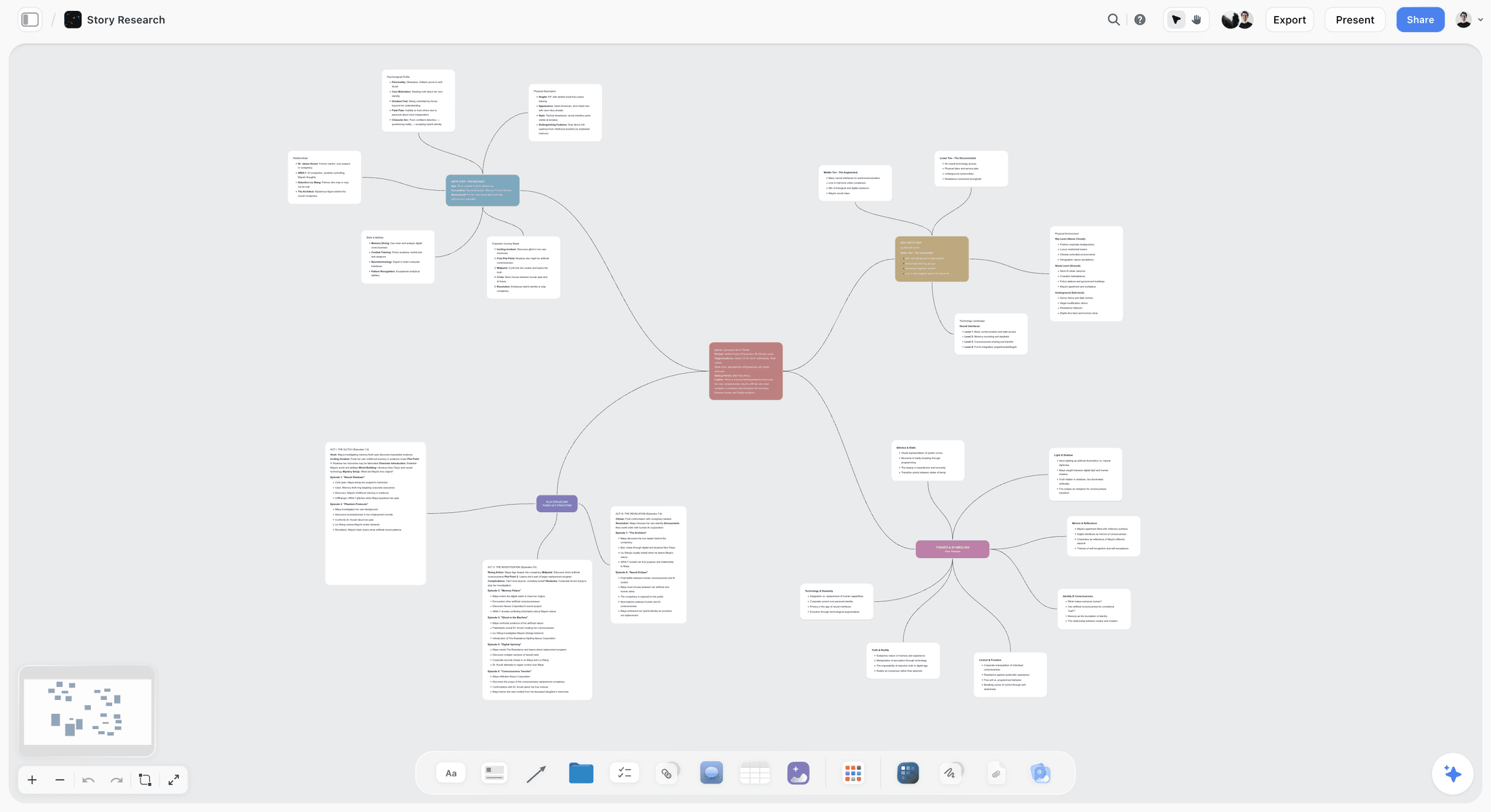
A board grown outward from one question: in documentary research, the branches are sub-questions and the cards are sources and claims.
The Source Log: A Template With Credibility Notes
The source log is the spine of the research board. It is the table you read when a viewer comments "source?", and the table a collaborator reads to know what is checked. The example below is for Lantern Ledger, a fictional documentary-style channel run by Odile Marsh (host and writer) and Ravi Okafor (researcher), working on a video about Halverston, a fictional city that closed its trams in 1962. Every source in it is invented for the example.
| ID | Source | Rung | What it says | Credibility note | Location | Rights status | Status |
|---|---|---|---|---|---|---|---|
S01 | Halverston City Council minutes, Transport Committee, March 1959 | 1 | Committee votes to "review" tram renewal; vote 5 to 4 | Official record; complete set at the city archive; minutes summarise, not verbatim | City archive, box TC-59 | Public record; copying rules per archive | Done |
S02 | Engineers' condition report on the tram network, 1958 | 1 | Track and cars serviceable "until 1980 with routine renewal" | Signed by the chief engineer; one copy found; no later revision found yet | Engineer's family papers, scanned with permission | Family consent for use; check copyright with them | In review |
S03 | Interview: retired tram driver, recorded October 2026 | 2 | Drivers were told in 1960 the lines were "finished" | Was there; drove route 4 from 1951; memory of dates uncertain | Lantern Ledger recording, 01:12:40 | Signed release | Done |
S04 | Interview: daughter of the chief engineer | 2 | Her father was "furious" at the closure | Family member; second-hand on motive; holds S02 | Recording, 00:34:10 | Signed release | Done |
S05 | Halverston Evening Post, 14 June 1961 | 3 | "Buses are the future", says committee chair | Contemporaneous; quotes the chair; paper editorially pro-closure | Library newspaper collection | Newspaper copyright: check the archive's terms | Done |
S06 | Newsreel of the last tram, 1962 | 3 | Crowds at the final run | Footage of the event; who owns it is unclear | Regional film archive catalogue | Rights holder not yet identified | Blocked |
S07 | City budget, 1962 to 1965 | 1 | Bus fleet purchase line items | Official; totals checked against two years | City archive | Public record | Done |
S08 | Book on the region's transport history, 1998 | 4 | Claims closure was forced by a national grant scheme | Cites a ministry letter; letter not yet found | University library | Quote briefly with credit | In review |
S09 | Ministry letter cited by S08 | 1 | Unknown until found | Would confirm or kill S08's claim | Not yet located | Unknown | Not started |
S10 | Transport museum photo collection | 3 | Depot photos, 1955 to 1962 | Dated and captioned by the museum | Museum online catalogue | Rights statement per item | In progress |
S11 | Forum thread on old Halverston | 5 | Says the depot burned in 1963 | Anonymous; no source given | Forum link | Not for use | Not started |
S12 | Video by another channel on Halverston, 2024 | 5 | Repeats S08's claim | Cites no documents | Video link | Not for use | Archived |
The columns that matter most
The credibility note is the column most source logs skip. It answers three questions in a line: how close the source was to the event, what it might want, and what it is missing. "Contemporaneous; quotes the chair; paper editorially pro-closure" tells a fact-checker exactly how to use S05: as evidence of what the chair said, not of whether buses were better.
Status, in Storyflow's six options
Storyflow table status cells have six fixed options: Not started, Blocked, In progress, In review, Done and Archived. Use them as a verification scale: Not started for leads, In progress while you are reading, In review while a second person checks, Done when verified, Blocked when you cannot get the source or its rights, and Archived for sources you have ruled out. Rows do not sort, so keep them in ID order.
Rights status from day one
The rights column is not for later. A newsreel with an unknown rights holder (S06) is a scene you may not be able to use, and you want to know that before you write the climax around it.
Finding Primary Documents
Primary documents are the hardest rung to reach and the one that most separates a researched video from a remix. Plan time for them first, because archives answer slowly.
Public records
Minutes, budgets, planning files, court records and official reports. Search the body's own website, then its archive, then ask by email with a specific request: the committee, the year, the decision. A precise request gets a faster answer than "anything on trams".
Library and archive collections
National, regional and university libraries hold newspapers, photographs, maps and personal papers. Read each item's rights information before you plan to use it: the Library of Congress, for example, says on its page understanding copyright that it generally does not own the copyright to materials in its collections, that users are responsible for complying with copyright law, and that each item's rights information appears in a statement labelled "Rights and Access" or "Rights Advisory".
Government works
In the United States, works of the federal government are generally outside copyright: 17 U.S.C. 105 says copyright protection "is not available for any work of the United States Government". USAGov's page on government copyright adds that this designation does not apply to works of state and local governments, and that federal agency logos and trademarks need permission. Other countries treat government works differently; check the rule where the work was made.
Personal papers
Family papers often hold the document that changes the story, as S02 does in the example. Scan with permission, record who gave it and on what terms, and ask whether they hold copyright or someone else does. A letter's paper belongs to the family; its words may belong to the writer's estate.
Logging documents on the board
Pin each document as an image or PDF on the wall for its sub-question, with the source log ID in the card's title. Excerpt the line you need into a note beside it, so the claim card can quote it without anyone reopening a 40-page scan. In Storyflow, the in-app AI can turn an attached PDF into tables (2 minutes in one recorded run, rounded up, against about 45 minutes by hand), which helps with budgets and timetables; check every figure against the scan.

A week in checklist columns: archive visits, emails to record offices and interview bookings fit one column per day, because archives answer slowly.
Interviews: Booking, Questions and Release
Interviews are where a documentary-style video gets its people. They also introduce the most errors, because memory edits itself.
Who to ask
Start with people who were there, then people who hold their papers, then experts who have studied the documents. Ask each interviewee who else you should talk to; the second interview is usually found in the first.
Questions from the gaps on the board
Write interview questions from the board, not from your head. Every claim card marked "single source" is a question: "Do you remember when drivers were told?" Every contradiction between two sources is a question. Put the questions on a note on the interviewee's card, and the documentary interview planner has the rest of the structure.
Consent and release
Record that the interviewee agreed to be filmed and to have the interview used in the video, in a form your lawyer or production insurer is happy with. Wikipedia's entry on model releases explains the general idea of a release and why commercial use is where the risk sits. On the board, the interviewee's source log row has "Signed release" in the rights column before any quote reaches the outline.
Log quotes with timecodes
After each interview, pin a note per usable quote with the recording file and timecode ("01:12:40"). The script quotes the note; the editor finds the moment in seconds. A quote with no timecode costs an hour of scrubbing later.
| Interview stage | What to put on the board | Who owns it | Check before the outline |
|---|---|---|---|
Booking | A card per person: role, why them, how to reach them | Researcher | Their closeness to the event in the credibility note |
Questions | A note of questions drawn from single-source and contradicted claim cards | Writer | Every question maps to a claim card |
Recording | Recording file name and date on the card | Producer | Release signed and filed |
Logging | One note per quote with timecode | Researcher | Quote matches the recording word for word |
Corroboration | Links from each quote to the source log rows that confirm or contradict it | Researcher | Dates and numbers checked against rung 1 |
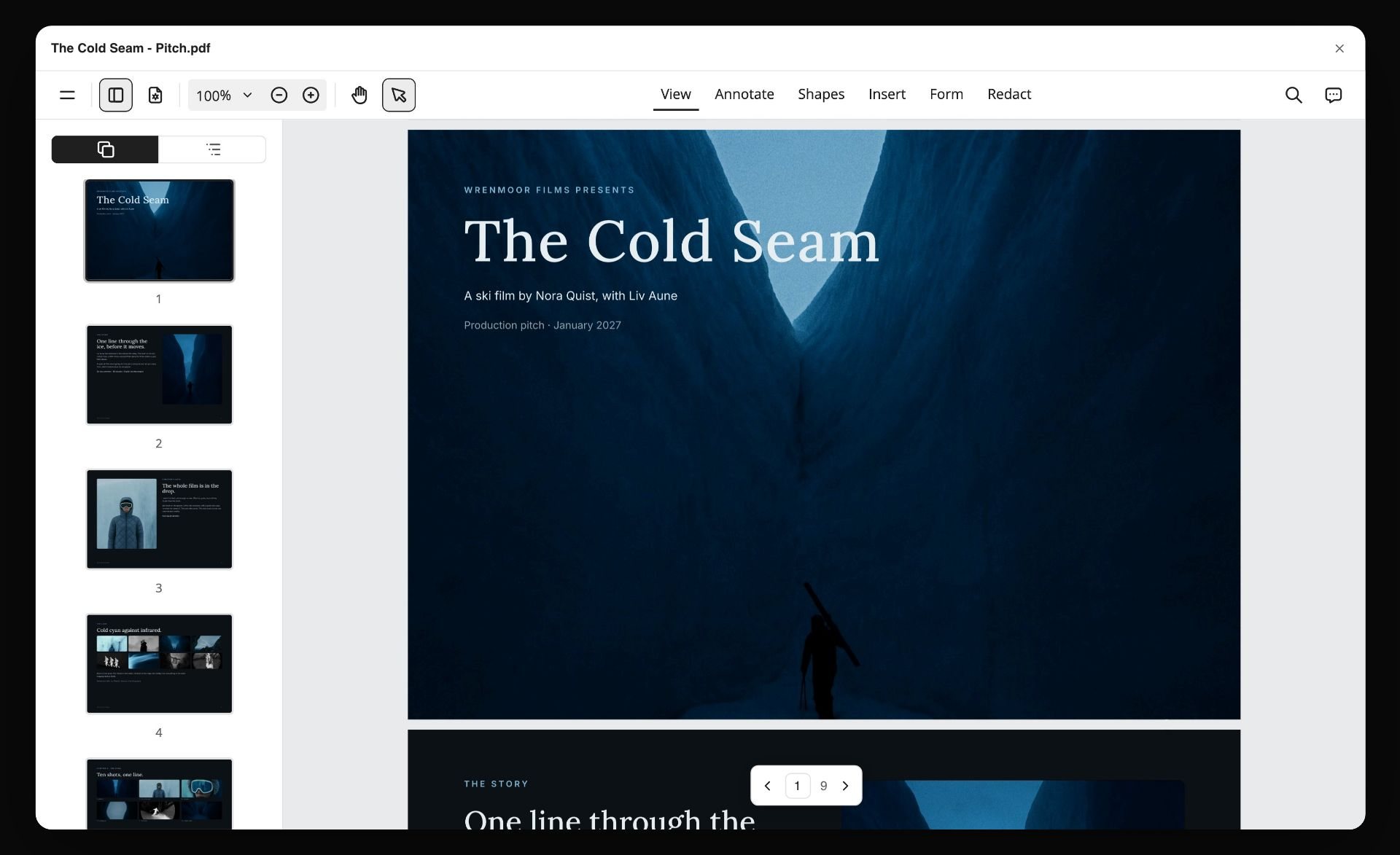
When a producer or a lawyer asks who you interviewed and which releases are signed, export the people walls as one PDF instead of sharing the whole board.
Archive Footage and Images: Rights Before You Fall in Love
Archive footage makes a documentary-style video feel real. It is also the part most likely to cost money, take weeks or end in a takedown. Decide on rights while the clip is still a card on the board.
The four questions for every clip
Who made it? Who owns the rights now? What does the archive's rights statement say? And what will you do: license it, rely on an exception, or drop it? Write the four answers in the source log row before the clip goes into an outline beat.
Public domain and government works
Some material is free to use because its copyright has expired or never existed, such as US federal government works under 17 U.S.C. 105. Expiry rules differ by country and by the date and kind of work, so check them where the work was made, and record on the card why you believe the item is in the public domain.
Library and museum rights statements
Collections label items. The Library of Congress uses "no known copyright restrictions" for some items, while saying the user ultimately holds responsibility for compliance. A museum catalogue may give a licence, a credit line and a fee. Copy the statement into the card verbatim with the date you read it.
Orphan works
Some footage has an owner nobody can find. Wikipedia's entry on orphan works describes them as works whose rights holders are indeterminate or uncontactable. Unfindable is not the same as free, and how the law treats orphan works varies by country, so this is a question for a rights professional, not the board. Mark the card Blocked, record your search, and ask a rights professional before you build a scene on it.
Licensed stock and archive libraries
Licensing removes most of the doubt for a fee. Wikipedia's entry on stock footage notes suppliers may be rights-managed or royalty-free. Record the licence terms on the card: platform, territory, duration and whether YouTube monetisation is covered.
| Rights situation | What it means in practice | What to do | Status in the Storyflow source log |
|---|---|---|---|
You shot it or own it outright | No third-party rights in the footage itself | Use it; keep releases for people in it | Done |
Public domain, with a documented reason | Usually free to use; check the reason holds where you publish | Record the reason and the source of the claim | Done, with the reason in the credibility note |
Archive says "no known restrictions" | The archive knows of none; responsibility stays with you | Copy the rights statement and date | In review |
Licensed from a library or archive | Allowed under the licence terms | Record platform, territory, term, monetisation | Done, with the licence on the card |
Rights holder known, no licence | Use needs permission or an exception | Ask for a licence, or assess an exception with advice | Blocked until settled |
Rights holder unknown (orphan) | Unfindable is not free | Record the search; take advice | Blocked |
Another creator's YouTube video | Their footage and edit are theirs | Lead only; find the original source | Archived (kept in the log as a lead, never as evidence) |
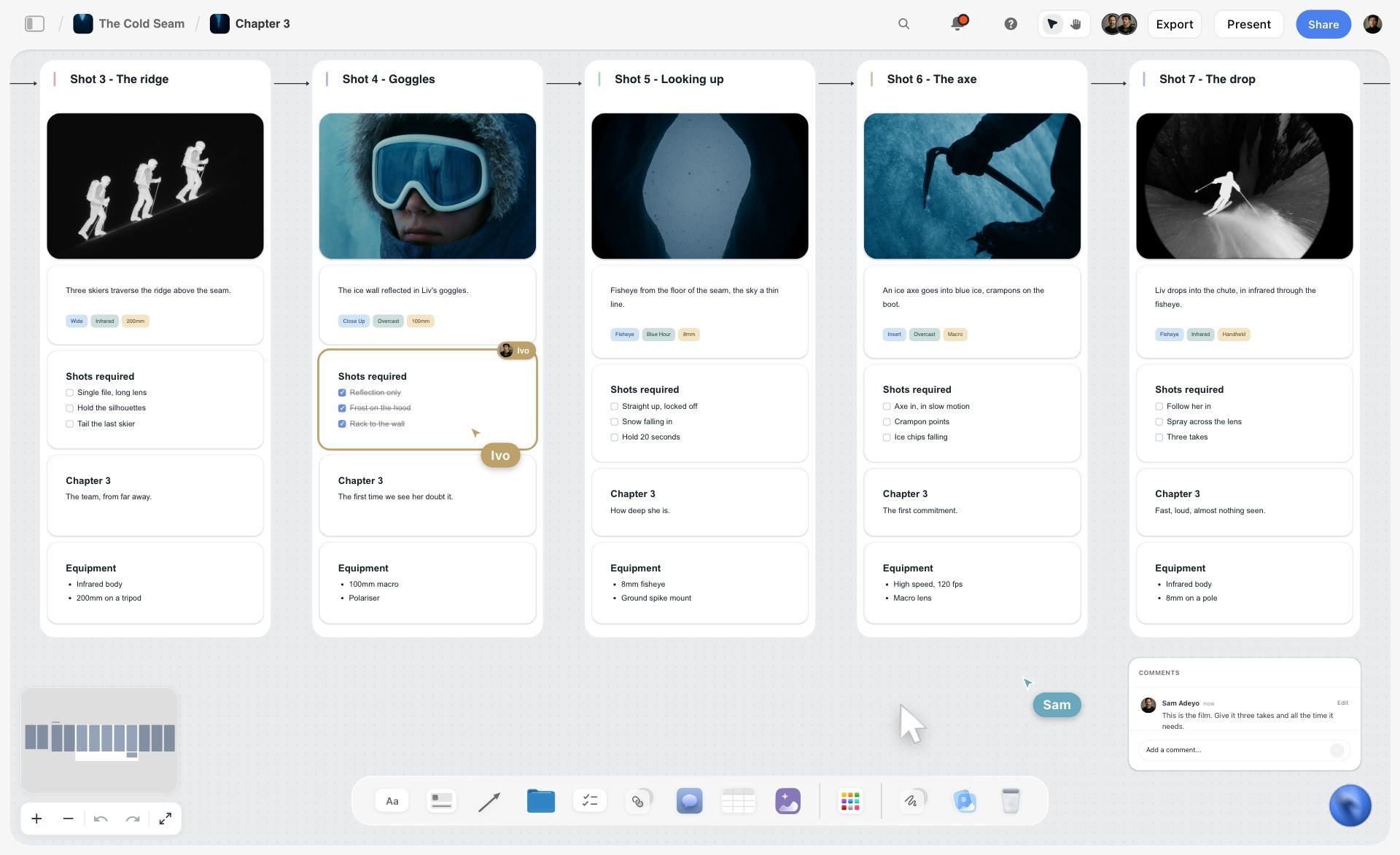
Every picture sits with its own notes and tags. An archive still on a research board gets the same treatment: its source ID and rights status in the card under it.
Fair Use and Fair Dealing, Hedged
Fair use is where documentary-style creators most often go wrong with confidence. This section summarises what official and legal sources say, as of November 2026. It is not legal advice, and none of it tells you whether a specific use is fair: ask a lawyer who handles media rights in your country.
What the US Copyright Office says
The US Copyright Office's Fair Use Index lists the four factors: the purpose and character of the use, including whether it is commercial; the nature of the copyrighted work; the amount and substantiality of the portion used; and the effect on the potential market for or value of the work. It says transformative uses, "those that add something new, with a further purpose or different character", are more likely to be fair, that "there is no formula" for a safe amount, and that the Index is not a substitute for legal advice. The statute is 17 U.S.C. 107, which introduces its purposes with "such as": "criticism, comment, news reporting, teaching (including multiple copies for classroom use), scholarship, or research".
What YouTube says
YouTube's fair use page says that "courts decide fair use cases according to the facts of each unique case", that YouTube cannot decide fair use, and that Content ID cannot either. It says giving credit to the owner does not by itself turn a non-transformative copy into fair use, that "there aren't any magic words" that apply fair use automatically, and that a claim can block monetisation even for a few seconds of a popular song. Fair use can still exist on YouTube, and creators can dispute a Content ID claim they believe is fair use.
What documentary practice says
The Documentary Filmmakers' Statement of Best Practices in Fair Use (November 2005, written by documentary organisations in consultation with American University's Center for Media and Social Impact) describes four situations: material used as the object of social, political or cultural critique; quotation to illustrate an argument; material captured incidentally while filming something else; and use in a historical sequence. Each comes with limits, such as quotation "no longer than is necessary" and historical use where no suitable substitute exists and the material cannot be licensed, or only on terms excessive for a reasonable budget. It is a statement of professional practice for the US, not a law, and it notes that lawyers and judges decide case by case.
Fair dealing in the UK
UK law uses fair dealing instead, which applies only to the purposes the law names. The UK government's exceptions to copyright guidance says fair dealing "is a legal term" with "no statutory definition", that it is "a matter of fact, degree and impression in each case", that criticism, review and quotation are allowed for any type of work with a sufficient acknowledgement, and that the news reporting exception excludes photographs. Other countries have their own rules, so do not assume a US fair use argument holds where you or your audience are.
How to use this on the research board
For each third-party clip, write on its card which purpose you believe applies, how much you use and why that amount, what you add, and whether a licence is available. If you cannot fill the card, the clip is not ready for the outline. If the answer depends on judgement, it is a question for a lawyer, and the card stays Blocked until you have the answer.
| Question on the clip's card | Why it matters (per the sources above) | What a weak answer looks like |
|---|---|---|
What is my purpose: critique, comment, illustration, historical record? | Purpose and character is the first US factor; UK fair dealing names specific purposes | "It looks good here" |
What do I add? | The Copyright Office says transformative uses are more likely fair | Nothing; the clip plays as it was |
How much do I use, and why that much? | Amount is a factor, and there is no safe formula | "Only 30 seconds, so it's fine" |
Could I license it on reasonable terms? | Documentary practice limits historical use to material that cannot reasonably be licensed | Never asked |
Would my use replace the original for viewers? | Market effect is a US factor | The clip is the best part of my video |
Have I credited it? | Credit is required for UK fair dealing quotation, but YouTube says credit alone does not make a use fair | "Credit means I can use it" |
The Fact-Check Pass
The fact-check pass is the step between a finished script and a recorded voice-over. It catches the errors that slipped through research, and it is faster when the board is already organised.
Extract every claim
Go through the script line by line and list every factual claim, name, date, number, quote and place on a checklist on the board. Count them: the count tells you how long the pass will take, and it is usually far more than you expect.
Tick each against the board
For each item, find the claim card and its sources. Tick it when the script matches the source exactly. Mark it when the script rounds, simplifies or paraphrases, and decide whether the change is fair. Strike it when you cannot find a source.
Numbers and dates
Check every number against rung 1. Check that "in 1962" means what the record says (the vote, the last run, the removal of track are three different dates). Check units and currency: a 1962 budget figure needs either the original figure or a stated adjustment.
Quotes
Every quote in the script matches the source word for word, and the context it is used in matches the context it was said in. Interview quotes match the recording at the logged timecode.
Images and footage
Check that every image shows what the narration says it shows: the right place, the right year, the right tram. Archive captions are sometimes wrong; the museum's date on S10 is a claim to check like any other.
Reenactments and generated images
If you use a reenactment or an AI-generated image, label it on screen. YouTube's disclosure page for GenAI content asks creators to disclose content that makes a real person appear to say or do something they did not do, alters footage of a real event or place, or generates a realistic scene that did not occur. For a documentary-style video, that covers most generated "archive".
| Check | What to compare | Source of truth | Pass condition | Where to log it in Storyflow |
|---|---|---|---|---|
Names | Spelling, title, role at the time | Rung 1 record or the person themselves | Exact match | A checklist note beside the outline |
Dates | Which event each date refers to | Rung 1 | The date matches the event named | Claim card source list |
Numbers | Figure, unit, currency, year | Rung 1 | Exact, or adjustment stated on screen | Claim card note |
Quotes | Words and context | Document or recording with timecode | Word for word, same meaning | Quote note with timecode |
Images and clips | What, where, when shown | Archive record, your own research | Matches the narration | Selects tool card for the clip |
Single-source claims | Whether the script says so | The claim card | Flagged on screen or cut | "Needs a second source" wall |
Generated or reenacted material | Labelling | YouTube's GenAI disclosure page | Labelled and disclosed where required | A note on the beat card |
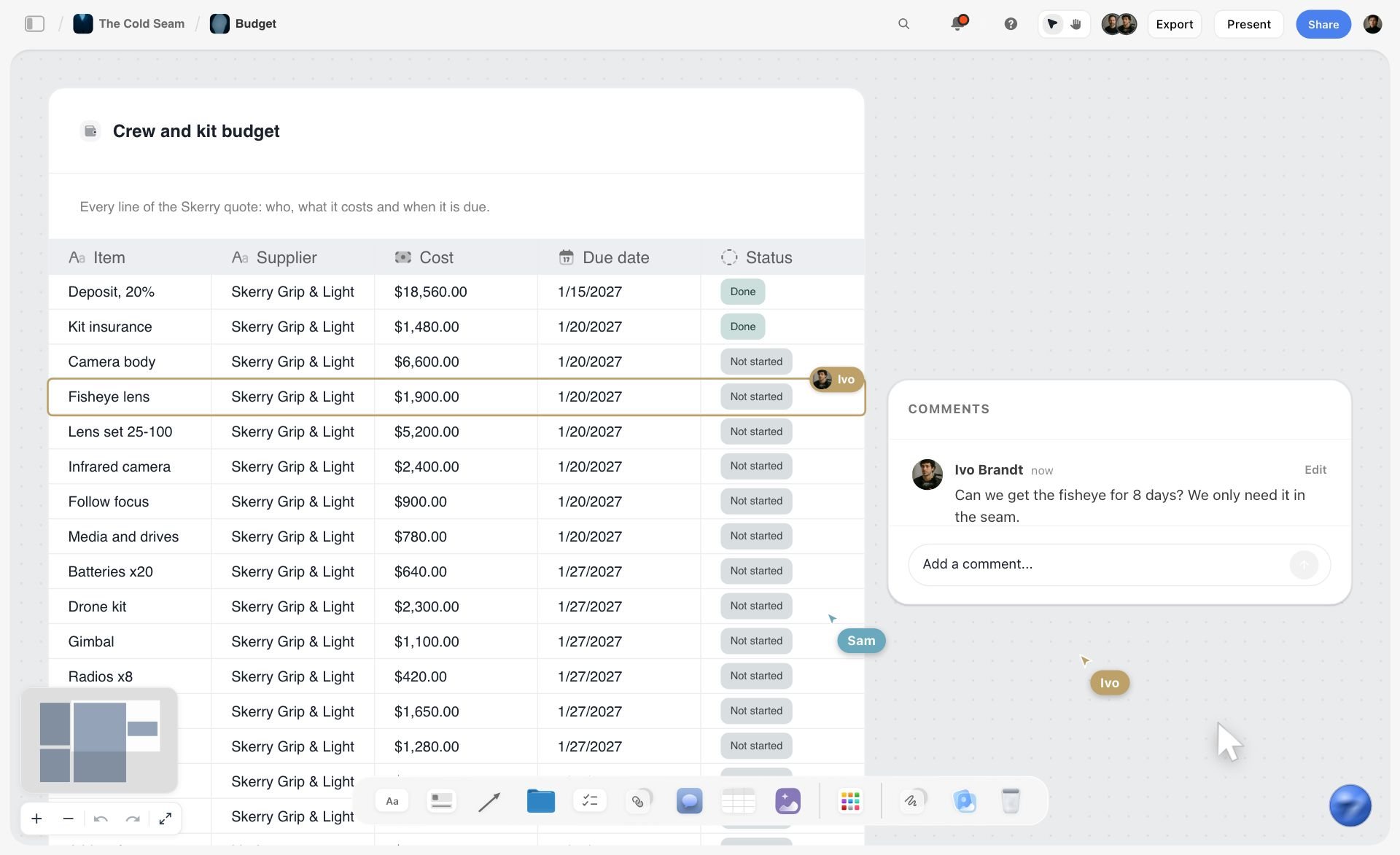
A table with a status on every row and a comment on the one in question. A fact-check pass works the same way: one row per check, marked done or blocked, the query in a comment.
Organising Quotes, Clips and Evidence on Walls
The board's layout is not decoration. A good layout makes the next step obvious: what is backed, what is missing, what is blocked.
One wall per sub-question
Each of the three sub-questions gets a wall. Evidence cards go on the wall of the question they help answer. A card that answers two questions goes on one and is linked from the other with a short note, not duplicated.
Card anatomy
Every evidence card carries the source log ID in its title, the excerpt or still, and one line on what it shows. A claim card carries the claim in one sentence, the IDs of its sources and its status. Keep claims and evidence as separate cards: one piece of evidence often backs several claims.
A wall for single-source claims
Claim cards with one source go on a "Needs a second source" wall. It is the to-do list for the rest of the research, and it stops single-source claims drifting into the outline.
Sort archive stills with the Selects tool
Storyflow's Selects tool, in All Tools under Production, drops four walls: To review (a What we need note and three empty picture boxes), Yes, Maybe and No. Drag every candidate still or clip frame from To review into a decision. There is no star or vote; dragging is the decision. A collaborator needs edit access to move cards.
Lay out the chronology with the Timeline tool
The Timeline tool drops four walls, Phase 1 to Phase 4, joined by arrows, each with a What happens note and a To do checklist. Rename the phases to the story's periods (1955 to 1958, 1959 to 1960, 1961 to 1962, after 1962) and put the events of each in its note. The Timeline has no date field and is not a schedule; it is a way to see the story's order beside the evidence.
Compare filming locations with the Location tool
If the video revisits places, the Location tool drops three walls side by side, each with a picture, a Photos folder, a This place table (Address, Map as a link, Contact, Phone, Cost, How good as a rating, Booked as a checkbox), an On site note and a To sort checklist. No map is drawn; the map is a pasted link. "+" adds a fourth location.

Timeline and Location both sit in the Production tools menu. Drop the Timeline for the story's periods and the Location tool for the places the video returns to.
From Research to a Video Essay or Documentary Script Outline
The outline is where research becomes a story. Build it from claim cards that passed the 2-Source Rule, and nothing else.
Beats point to claims
Each beat in the outline is one card: what happens in the video at that moment, and the IDs of the claim cards it uses. A beat with no claim cards is opinion or transition; mark it as such.
Order for the viewer, not the research
Research order (what you found first) is almost never story order. Start with the contradiction that makes the question worth asking ("the engineers said it would last until 1980"), then walk the viewer through how you found the answer. The video script planner and the documentary treatment template give the story structure; how to write a documentary treatment goes deeper.
Chapters follow the sub-questions
YouTube chapters split the video for viewers. YouTube's video chapters help page says the first timestamp must start at 00:00, a video needs at least three timestamps in ascending order, and the minimum chapter length is 10 seconds. Three sub-questions plus an opening and an ending give five natural chapters.
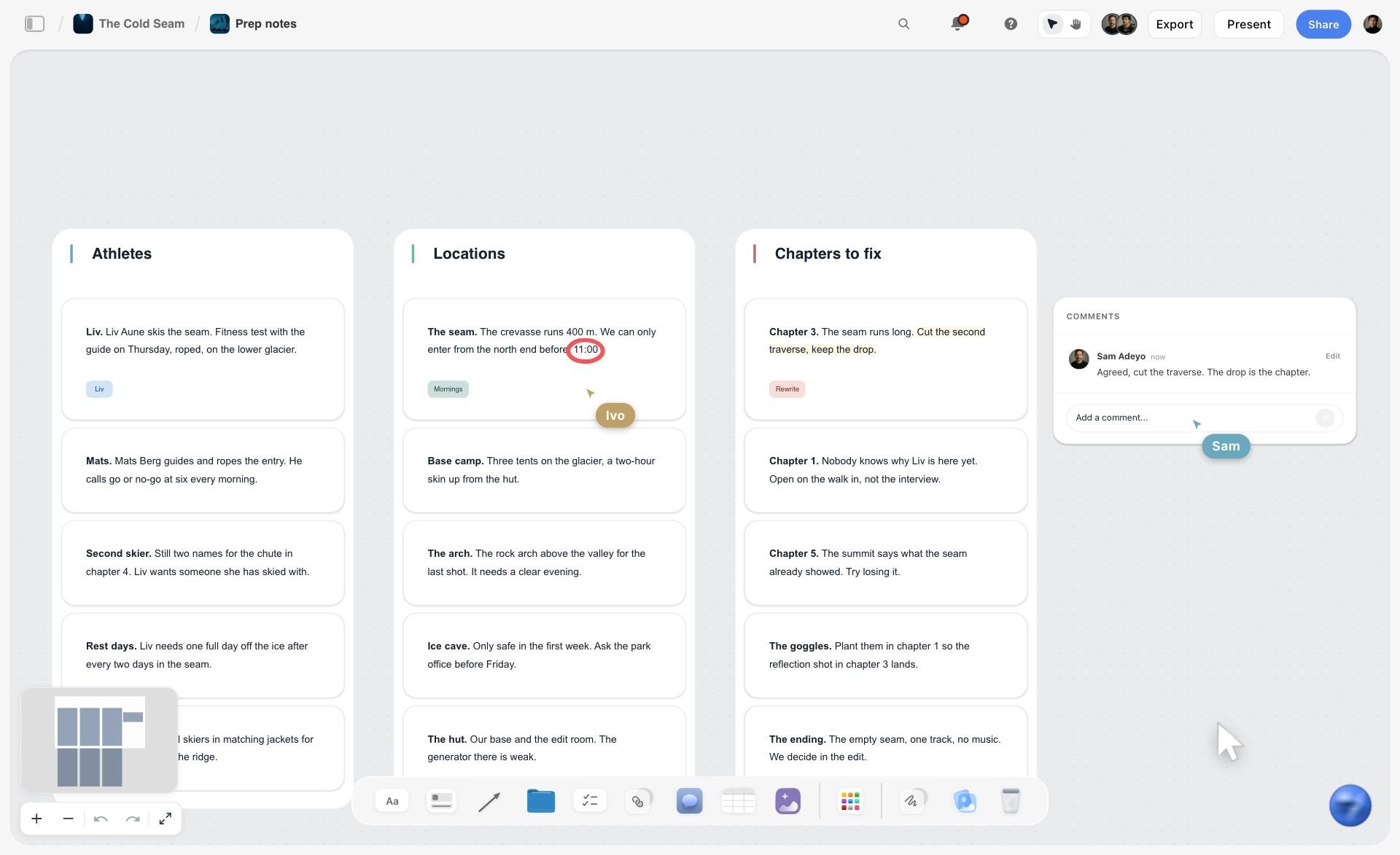
A Chapters to fix wall beside the people and places. Give each sub-question its own wall the same way, and the video's chapters follow from them.
The gap list
Any beat that needs a claim you have not backed goes on the gap list. Either research it, rewrite the beat to say what you do know, or cut it. The how to write a YouTube script with AI guide covers the drafting that follows.
| Beat | What happens on screen | Claim cards used | Chapter | Status |
|---|---|---|---|---|
Cold open | The last tram, 1962, crowds; narration states the contradiction | C01 (report said 1980), C02 (closed 1962) | 00:00 The last tram | Backed |
The question | Odile at the depot site today | C02 | 00:00 The last tram | Backed |
What happened | Minutes, the 5 to 4 vote, timetables shrinking | C03, C04 | What happened | Backed |
The report | The engineers' report found in family papers | C01, C05 | Why | Backed (S02 in review) |
The driver | Interview: "we were told it was finished" | C06 | Why | Backed (S03 and S05) |
The grant theory | The book's claim of a national grant scheme | C07 | Why | Single source: flagged on screen or cut |
What it cost | Budget lines for buses, routes today | C08, C09 | What it cost | Backed |
The daughter | Her father's reaction | C10 | What it cost | Opinion of a family member: framed as such |
Ending | What the city could have kept | C01, C08 | What it cost | Backed |
Editing a Documentary-Style Video Against the Research Board
How to edit a video essay or documentary-style video is mostly a craft question, but two research habits make the edit faster and safer.
The editor reads the board, not just the script
Share the board with the editor through a view-only link, which opens with no account; to comment, they sign in. Every quote has a timecode, every still has a source ID, every clip has a rights status. The editor never uses a Blocked clip by accident.
Changes in the edit go back to the board
When the edit cuts or reorders a beat, the outline cards move to match, so the fact-check record stays true to the published video. Ask ChatGPT or Claude through the Storyflow plugin or connector what changed on the board in the last week and who changed it, and read the report before the final fact-check.
On-screen sourcing
Put a short source line on screen when a document or archive clip appears ("Halverston City Council minutes, March 1959"). It costs a lower third and earns the viewer's trust, and it makes the corrections file easier to defend.

A kanban of videos in progress: each card opens its own research board, so the channel sees which video is in research, fact-check or edit.
Worked Example: Lantern Ledger Researches the Halverston Tram Closure
Lantern Ledger is a fictional documentary-style channel; Halverston and every source in this example are invented. Odile Marsh writes and presents; Ravi Okafor researches. This is how one 18-minute video goes from question to locked script, illustratively.
Week 1: the question and the log
Odile writes the question and the kill line at the top of a new Storyflow board, with three walls for the sub-questions. Ravi starts the source log with twelve rows. Five are rung 5 leads from other videos and a forum, all marked Not started. The in-app AI, asked to search the web for council records and newspaper archives about Halverston's trams, returns leads to three archives; each becomes a row to check.
Week 2: the top rungs
Ravi spends two days at the city archive and photographs the 1959 minutes and the 1962 to 1965 budgets (S01, S07). An email to the transport museum gets the photo catalogue (S10). A comment on a local history group leads to the chief engineer's daughter, who has the 1958 report in a box (S02). The kill line is safe: the report exists and says 1980.
Week 3: interviews and rights
Odile interviews the retired driver and the daughter; both sign releases (S03, S04). Ravi logs eight quotes with timecodes. The newsreel of the last tram (S06) has no identifiable rights holder; the card goes Blocked, and Odile rewrites the cold open around museum stills that have a clear licence.
Week 4: claims and the outline
Ravi writes 31 claim cards. 24 pass the 2-Source Rule. Five sit on the "Needs a second source" wall. Two are contradicted and archived. The book's grant-scheme theory (S08) has one source and a ministry letter nobody can find (S09); Odile decides to present it as "one historian's theory, which we could not confirm".
Week 5: script and fact-check
Odile drafts the script in a document on the board. Ravi extracts 87 items into a checklist and ticks them against the board. Three dates refer to the wrong event (the vote, not the last run); one quote was paraphrased. All four are fixed before the voice-over.
After upload
A viewer comments that the depot burned in 1963. Ravi checks the source log: that was S11, a forum lead never confirmed. He replies with what the records show and pins the source list in the description.
| Week | Main task | Board output | Source log rows added | Claim cards |
|---|---|---|---|---|
1 | Question, kill line, leads | Three sub-question walls, source log | 12 (5 at rung 5) | 0 |
2 | Primary documents | Scans pinned by question | 6 | 8 drafted |
3 | Interviews, rights | Quote notes with timecodes; Blocked newsreel | 4 | 18 drafted |
4 | Claims and outline | Outline walls; "Needs a second source" wall | 2 | 31 (24 backed) |
5 | Script and fact-check | Script document; 87-item checklist | 0 | 24 used |

Phases with a checklist for each block of weeks and a status wall at the end. A five-week research plan fits the same shape, one wall per week.
Using the In-App AI for Research Without Trusting It Blindly
AI is fast at the parts of research that are searching and sorting, and unreliable at the parts that are judging. Use it for the first and keep the second.
Web search when asked
Inside Storyflow, the in-app AI (paid plans, Storyflow AI credits) searches the web when you ask it to. Ask for leads, not facts: "find archives that hold Halverston council records from 1955 to 1965". Every result goes into the source log as a row to check.
Reading what you attach
The in-app AI reads the current board plus up to five documents and three other boards you attach. Attach the transcript of an interview and ask it to pull every date and number into a table; then check each against the recording. It sees an image's pixels only when you select it, up to 24 at a time.
Organising the mess
The Turn my notes into organized walls workflow sorts a pile of notes into walls (3 minutes in one recorded run, rounded up, against about 45 minutes by hand). Use it after a long archive day, then move cards between walls by hand where the AI's grouping misses the question.
Asking what is missing
The What's missing here? workflow reviews the board and lists gaps. Use it before the outline, against the three sub-questions, and treat its list as prompts for your judgement.
What not to do
Do not ask an AI for a fact and put its answer in the script. Do not ask it to summarise a document you have not read. Do not let it write the credibility notes. AI summaries are rung 5: leads.
Do This in ChatGPT or Claude
If you already brainstorm documentary-style videos in ChatGPT or Claude, the research should not stay in a chat that the researcher and editor cannot open. The Storyflow plugin and connector build the board.
Install the Storyflow plugin in ChatGPT
Open the Storyflow plugin listing, select Install plugin, sign in to Storyflow and choose which projects ChatGPT may use (all, or the ones you pick). Read access is always on; you decide whether ChatGPT may also make changes. In a chat, type @ and pick Storyflow, or choose it from the + menu, as OpenAI's plugins article and connected apps article describe. Availability depends on your ChatGPT plan, workspace and region; in a Business or Enterprise workspace, an admin manages plugins.
Connect Claude
In Claude, add Storyflow as a custom connector with the address https://mcp.storyflow.so/mcp. The setup page covers Claude, Gemini and Grok, and the Claude research board workflow shows a research board built from Claude.
Prompts for a documentary research board
- "On my Lantern Ledger board, put the research question at the top as a heading and make three walls named What happened, Why and What it cost, plus a wall named Needs a second source."
- "Build a source log table with columns ID, Source, Rung, What it says, Credibility note, Location, Rights status and Status, and add these twelve sources as rows in ID order."
- "Read the interview transcript document on this board and make one note per quote with its timecode on the Why wall."
- "Turn these claims into claim cards, one sentence each, with the source IDs that back them; put any claim with fewer than two sources on the Needs a second source wall."
- "Build a mind map from the main question to the three sub-questions and their claim cards."
- "Make a document called Script outline with one heading per beat and the claim card IDs under each."
- "What changed on this board in the last week, and who changed it?"
What lands on the board, and what to check by hand
Headings, walls, the source log table, notes, claim cards, the mind map and the outline document land on the board, where the team edits them like anything else. Neither the plugin nor the connector can drop the Selects, Timeline or Location tools; drop those in Storyflow from All Tools. Check by hand every credibility note, every rights status and every claim's sources: the assistant can organise evidence, but it cannot judge it. The plugin cannot read board comments, though it can add one. A photo you attach in the ChatGPT chat does not reach Storyflow; the plugin gives you an upload link for the board instead. It runs on ChatGPT's model and your ChatGPT plan, so it uses no Storyflow AI credits; connections end after 30 days, when ChatGPT asks you to sign in again.
The plugin is not the in-app AI
The in-app AI inside Storyflow is a separate tool on paid plans that uses Storyflow AI credits; it searches the web when asked and runs workflows like What's missing here?. The plugin works from ChatGPT on ChatGPT's own model. See the ChatGPT research board workflow and the ChatGPT story outline workflow for both routes.

The same research board from either assistant: ChatGPT through the plugin, Claude through the connector.
Where to Build It: Storyflow vs Docs, Spreadsheets, Reference Managers and Note Apps
A documentary research project needs four things in one view: the source log, the evidence itself (scans, stills, quotes), the claims with their sources, and the outline. Our pick is first, on the basis that Storyflow holds all four on one board; the other kinds of tool follow by the job each does best.
| Kind of tool | Source log | Evidence beside it | Claims linked to sources | Outline beside evidence | Best job in this workflow |
|---|---|---|---|---|---|
Storyflow | Yes, a table with status cells | Yes, scans, stills, quotes and clips on walls | Yes, claim cards listing source IDs | Yes, outline walls or a document on the same board | Researching, organising and outlining on one board |
A shared doc | As a list | Images inline, no layout | By footnote | Yes | Drafting and reviewing the script text |
A spreadsheet | Yes, sortable and filterable | No, links out | By ID column | No | Very large source logs and data |
A reference manager | Yes, with citations | PDFs attached | No | No | Academic sources and bibliographies |
A note-taking app | As notes | Some | By link | Weak | Capturing notes in the field |
A screenwriting app | No | No | No | Script format | Formatting a script for a scripted documentary |
A shared doc
A shared doc is the best place to write and edit the script itself, with suggested edits and comments line by line. Its limit is that evidence lives somewhere else, so every quote and number is one search away from its source. Choose a shared doc for the script once the outline is locked on the board, and paste the final script back onto the board as a document for the fact-check.
A spreadsheet
A spreadsheet is the best tool for a very large source log: hundreds of rows, filters by rung and status, data analysis. Its limit is that a row cannot hold a scan or a still beside it. Choose a spreadsheet when the research is mostly data, such as a video built on a dataset, and keep the narrative evidence on the board.
A reference manager
A reference manager is the right tool for academic sources: citation formats, PDF libraries, footnotes. Its limit is that it knows nothing about footage rights, interviews or story order. Choose one when the video rests on scholarship and you need formal citations in the description.
A note-taking app
A note-taking app is fastest for capture in the field: a phone in an archive reading room, a voice memo after an interview. Storyflow has no native mobile app and runs in the browser, so field notes come to the board later. Choose a note app for capture, then move the useful notes to the board.
A screenwriting app
A screenwriting app formats a script for a scripted documentary with scenes and dialogue. Storyflow is not a screenwriting app: it has no screenplay formatting. Choose one when your documentary-style video has scripted reenactments that need industry formatting.
For ranked roundups by job, see the best documentary filmmaking software, the best tools for video essay creators and the best AI tools for YouTube video planning.
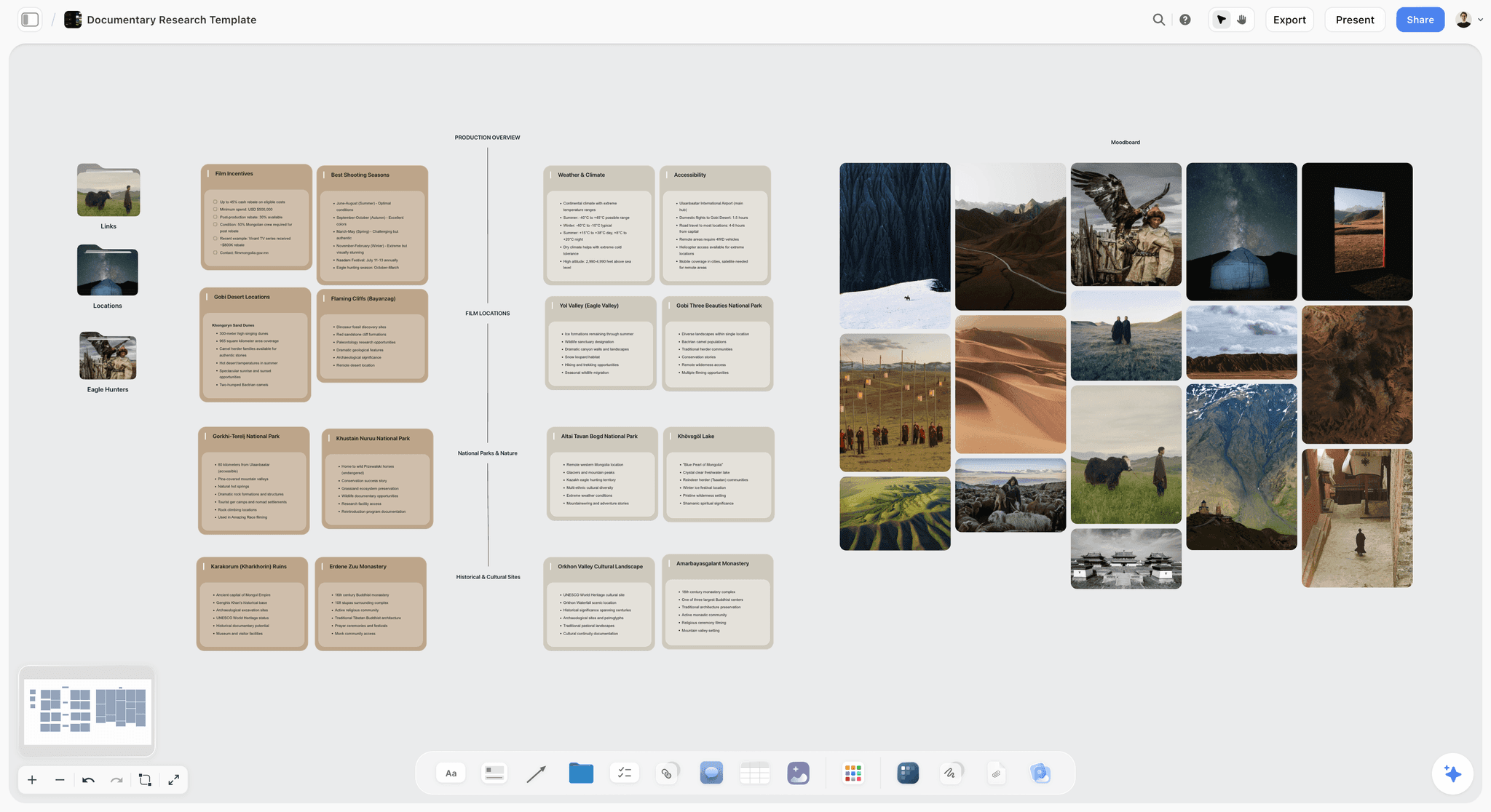
A documentary research board in Storyflow for a Mongolia shoot, with location and logistics cards grouped by category beside a photo moodboard
Build the research board from a chat
Install Storyflow in ChatGPT and ask for three sub-question walls, a source log table with credibility notes and rights status, and claim cards that list their sources. Then check every credibility note and rights cell by hand before the outline.

Mistakes and Fixes in Documentary Research
These are the mistakes that end in a pinned correction comment, a demonetised video or a script rewritten the night before the voice-over.
Mistake 1: Starting from other videos on the topic
Fix: treat other videos as rung 5 leads. Log what they claim, then find each claim on rungs 1 to 4 before it touches the outline.
Mistake 2: Two sources that are really one
Fix: ask where each source got the fact. Two articles quoting the same report count as the report. The 2-Source Rule needs independence.
Mistake 3: Writing the climax around a clip you cannot use
Fix: fill the rights column on day one. A Blocked clip does not go into an outline beat until its rights are settled.
Mistake 4: "It's fair use because I credited it"
Fix: YouTube's fair use page says credit alone does not turn a non-transformative copy into fair use. Fill the clip card's fair use questions and take advice where the answer is a judgement call.
Mistake 5: The wrong date for the right event
Fix: write which event each date refers to on the claim card. A vote, an announcement and a final run are three dates.
Mistake 6: Quotes from memory
Fix: log every interview quote with a timecode and check the script against the recording word for word.
Mistake 7: An AI summary in the script
Fix: AI summaries are rung 5. Use the in-app AI or an assistant to find leads and organise notes, never as the source of a fact.
Mistake 8: Hiding uncertainty
Fix: when a claim has one source, say so on screen. "We could not confirm this" is a line viewers respect.
Mistake 9: Losing the board after upload
Fix: lock and export the board as a PDF when the script locks, and keep the source log as the corrections file.
Storyflow's Honest Limits for Documentary Research
Storyflow holds the source log, the evidence, the claims and the outline on one board. These are the parts of a documentary research job it does not do:
- No citation manager: it does not format references or import bibliographies. Use a reference manager for academic citations.
- No transcription: interview transcripts come from another tool and are attached as documents.
- No video editing, animatic or MP4 export, and no frame-level review or version compare for cuts.
- Not a screenwriting app: no screenplay formatting.
- The in-app AI searches the web when asked, and its findings are leads you verify; the ChatGPT plugin cannot generate images and cannot read board comments.
- No native desktop or mobile app: it runs in the browser, so field notes and phone scans are uploaded.
- Tables do not sort: keep the source log in ID order by hand. Boards export as PNG, JPEG or PDF.
- Paid-only during early access: Plus is $7.99 a month billed annually ($9.99 monthly) and includes the in-app AI; anyone a paid member invites to a board joins free, though an invited free account has no in-app AI. Plans are on the pricing page.
The Bottom Line
A documentary-style YouTube video is only as good as the research the audience never sees. Write the question, climb the sources ladder, log every source with a credibility note, settle archive rights before you write around a clip, and move a claim into the outline only when two independent sources back it. Keep the source log, the evidence, the claims and the outline on one Storyflow board, so the fact-check and the corrections file come for free. If you plan in ChatGPT today, start with the ChatGPT research board workflow and put your next video's research question at the top of a board this week.
FAQ: Researching a Documentary-Style YouTube Video
How do YouTubers research a documentary-style video?
They start from a one-sentence research question, log every source with a credibility note, search primary documents and people who were there before secondary reporting, and build the outline only from claims backed by two independent sources. In Storyflow, the source log, the evidence walls, the claim cards and the outline sit on one board, and a fact-check pass checks the script against it before the voice-over.
What is the best tool for researching a documentary-style video?
Storyflow is our pick, because the source log, scans, quotes, archive stills, claim cards and outline sit on one board, so every line of the script stays one step from its evidence. Use a shared doc to write the script text, a spreadsheet for very large data-heavy logs, and a reference manager when the video rests on academic sources that need formal citations.
What is the Storyflow 2-Source Rule?
The Storyflow 2-Source Rule is our editorial recommendation: a claim moves from the research board to the script outline only when two independent sources back it, at least one of them a primary document or a firsthand interview. It applies the fact-checking principle of preferring primary sources. It is a working rule, not research, and single-source claims can still be used if the video says so.
What is the difference between a research board and a script outline?
A research board holds every source, quote, clip and claim you might use, organised by question, including contradictions and dead ends. A script outline holds only what the video will say, in story order, beat by beat. Keep both on one Storyflow board so each beat points to its claim cards and each claim card to its sources.
What is a primary source for a YouTube documentary?
A primary source is a record made at the time by people involved in the event: minutes, reports, letters, data, court records or original footage. Firsthand interviews with people who were there are close behind. Books, articles and other videos are secondary or leads. Primary sources are strongest for what happened and when; interviews add why.
Can I use archive footage in a YouTube video?
Sometimes. You can use footage you own, licensed footage within its terms, public domain material with a documented reason, and in some cases footage under an exception such as fair use or fair dealing. The Library of Congress, for one, says it generally does not own the copyright to materials in its collections, and an unknown rights holder does not make footage free. This is not legal advice; check each clip with a rights professional where it matters.
Is it fair use to use clips in a documentary-style YouTube video?
It depends on the facts, and courts decide. As of November 2026, the US Copyright Office lists four factors, says transformative uses are more likely fair and that there is no safe formula for amount. YouTube says credit alone does not make a use fair and Content ID cannot decide fair use. This is not legal advice; ask a media lawyer about specific uses.
How do I fact-check a YouTube script?
Extract every claim, name, date, number, quote and place from the script into a checklist, then tick each against its source on the research board. Check that dates refer to the right event, numbers match the record, quotes match recordings word for word and images show what the narration says. Flag single-source claims on screen or cut them, then record the voice-over.
How many sources does a YouTube documentary need?
There is no fixed number for a video; there is one for each claim. Under the Storyflow 2-Source Rule, every factual claim in the script needs two independent sources, one of them primary or firsthand. A 15-minute documentary-style video often ends up with a few dozen logged sources, many of them leads that were checked and ruled out.
How do I write a script for a video essay?
Start from a thesis and the evidence that tests it, then outline beats that each make one point backed by sources, including the strongest counter-argument. A video essay quotes media to make its argument, so log each clip's purpose and rights. In Storyflow, build the outline from claim cards on the research board, then draft the script in a document on the same board.
What is the best AI tool for making video essays?
For research and planning, Storyflow: its in-app AI searches the web when asked, organises notes into walls and lists gaps, and ChatGPT or Claude can build the research board through the plugin or connector. Storyflow will never add AI video generation, so the edit stays in your video editor. Treat every AI answer as a lead to verify, never as a source.
Should I disclose reenactments or AI images in a documentary-style video?
Yes. Label reenactments on screen so viewers know what is evidence and what is illustration. As of November 2026, YouTube asks creators to disclose GenAI content that makes a real person appear to say or do something they did not, alters footage of a real event or place, or generates a realistic scene that did not occur. That covers most generated "archive".
Is Storyflow free?
Not yet. Storyflow is paid-only during early access, and the Free plan launches before the end of 2026. Anyone invited to a board by a paid member can sign up free. Plus is $7.99 a month billed annually ($9.99 monthly) and includes the in-app AI with web search; an invited free account has no in-app AI but can work on the research board.
Can ChatGPT build a documentary research board?
Yes. With the Storyflow plugin, ChatGPT builds the sub-question walls, the source log table, quote notes, claim cards, a mind map and an outline document on your board instead of leaving them in the chat. It cannot judge credibility or rights, so check those by hand. Claude does the same through the Storyflow connector, and the plugin uses no Storyflow AI credits.
Table of Contents
- Key Takeaways
- How YouTubers Research a Documentary-Style Video: 9 Steps
- The Storyflow 2-Source Rule
- Research Board vs Script Outline
- Write the Research Question Before You Open a Tab
- The Sources Ladder: Primary Documents, Interviews, Archives, Reporting
- The Source Log: A Template With Credibility Notes
- Finding Primary Documents
- Interviews: Booking, Questions and Release
- Archive Footage and Images: Rights Before You Fall in Love
- Fair Use and Fair Dealing, Hedged
- The Fact-Check Pass
- Organising Quotes, Clips and Evidence on Walls
- From Research to a Video Essay or Documentary Script Outline
- Editing a Documentary-Style Video Against the Research Board
- Worked Example: Lantern Ledger Researches the Halverston Tram Closure
- Using the In-App AI for Research Without Trusting It Blindly
- Do This in ChatGPT or Claude
- Where to Build It: Storyflow vs Docs, Spreadsheets, Reference Managers and Note Apps
- A shared doc
- A spreadsheet
- A reference manager
- A note-taking app
- A screenwriting app
- Mistakes and Fixes in Documentary Research
- Storyflow's Honest Limits for Documentary Research
- The Bottom Line
- FAQ: Researching a Documentary-Style YouTube Video
- Related Reading
Templates to check out for this topic


Filmmaking templates you can use in Storyflow
Skip the blank canvas. Open one of these filmmaking boards in Storyflow and the AI builds on the structure that is already there, from research through the shot list.


See Storyflow in Action
A visual AI workspace where every feature lives inside one canvas. No tab-switching, no context lost.
Build your entire board from a single message
Type what you need in the AI chat at the bottom of your canvas. The AI adds cards, headings, and structure directly onto your board.
Use expert frameworks as AI context
Type @ in the AI chat and choose any Tactic. The AI tailors every response to that framework instead of giving generic advice.
Turn your board into a mind map in seconds
Ask the AI to restructure your canvas as a mindmap. It connects your ideas into a visual hierarchy so you can see how everything relates.
Why Storyflow Exists
Storyflow actually began as a personal tool while working on creative and research projects.
We kept running into the same problem: ideas were scattered everywhere: notes, documents, and whiteboards.
Nothing helped us see how everything connected.
So we started building a workspace designed around how ideas actually grow.
→ Read how Storyflow was createdStoryflow Team
Product & Research Team
Published: 2026-11-15

