
Every event detail, rock-solid in one place
A webinar planning template
for the six weeks around the hour.
For marketing teams: the topic and promise, the speakers, the registration page, four weeks of promotion, the rehearsal and the follow-up on one board, with an owner and a date on every task.


Creatives working for these brands already got early access
- Red Bull
- Canon
- Artlist
- Porsche
See how easy it is to get started
Watch a real project come together, from a blank board to a finished plan, clicked through step by step.
Start from a ready-made template
Pick a board to see what you can build, then let AI fill it in. Every template is a real, editable starting point on the same infinite canvas.

Commercial Moodboard
Pin references, palettes, and tone for a commercial so the look is clear before the shoot.
How do you plan a webinar?
You plan a webinar by working back from the date through six jobs: the topic and promise, the speakers, the registration page, the promotion, the rehearsal and the follow-up. Storyflow is an AI visual workspace that plans the whole webinar on one infinite canvas: a column per phase, a countdown table of tasks with owners and dates, the registration page copy and the slide deck. Its AI drafts the promise, the registration copy and the promotion posts from your brief, and builds a first version of the slides as a deck on the board.
Start six weeks out with one sentence: after this webinar, the attendee will be able to do a specific thing. That sentence is the promise, and everything else is checked against it. Confirm the speaker and the date in the same week, and pick a slot in the middle of the working week for the time zone most of your audience is in. A webinar with a vague promise does not have a promotion problem. It has a topic problem, and no amount of email fixes it.
The registration page goes live in week five and needs six things: a title that states the promise, three bullets saying what people will leave with, the date and time with the time zone written out, the speaker's name and one line on why they are worth an hour, a form with four fields or fewer, and one optional question asking what the visitor wants answered. That last field writes half your Q and A before the day.
Promotion runs for four weeks, and the numbers tell you how much of it you need. Say the goal is 150 people live. If 40 percent of registrants show up, you need 375 registrations. If 30 percent of visitors to the page register, you need 1,250 visits. Split that across what you have: 600 from three emails to your list, 350 from the speaker's and a partner's posts, and 300 from your own social posts and a small paid push. These rates are planning assumptions, so swap in your own after the first webinar.
The last week belongs to the session itself. Lock the deck five days out. Hold the rehearsal three days out, as a full run on the real platform with the real slides, and time it. Send registrants a reminder the day before and another an hour before. Pick three questions from the registration form and hand them to the host, so the Q and A never opens on silence. The minute by minute order of the hour is a job of its own, called the run of show, and on this plan it is one linked card.
The follow-up is planned before the webinar, not after it. Within 24 hours the replay goes to everyone, with different words for the 150 who came and the 225 who did not. Within 48 hours sales contacts the attendees who asked for a demo. If one in ten does, that is 15 conversations. In the first week, cut three short clips and turn the Q and A into an article. On day seven, write up registrations, attendance and conversations beside the plan, and that page is where the next webinar starts.
Ultra fast from brief to board
Four moves from a topic to a follow-up.
The plan takes an hour to set up in week six, and after that it is the page the whole team opens to see what is due.
01
Brief the webinar and get the phases
Tell Storyflow's AI the topic, the audience, the date and the goal. It lays the plan out as a column for each phase, from the promise to the follow-up, with a checklist of tasks in each and the open questions flagged.
02
Build the countdown table
Ask for a table of every task with its phase, owner, due date, status and channel. Dates open a date picker and the status runs from Not started to Done. Keep the rows in date order by hand, since tables do not sort.
03
Draft the copy and the slides
Ask the AI for the registration page copy, the three emails and the social posts, each in its own document. Then ask for the slides and it builds a deck on the board that you edit by hand and present fullscreen.
04
Rehearse, run it, and follow up
Share the board with speakers by a view-only link. After the rehearsal, note the timings and fixes on the plan. After the session, tick off the replay, the sales handover, the clips and the write-up as each one ships.
The brief, the countdown, the promotion and the hour.
Storyflow holds the plan and the drafts. Your webinar platform hosts the session and your email tool sends the invitations.
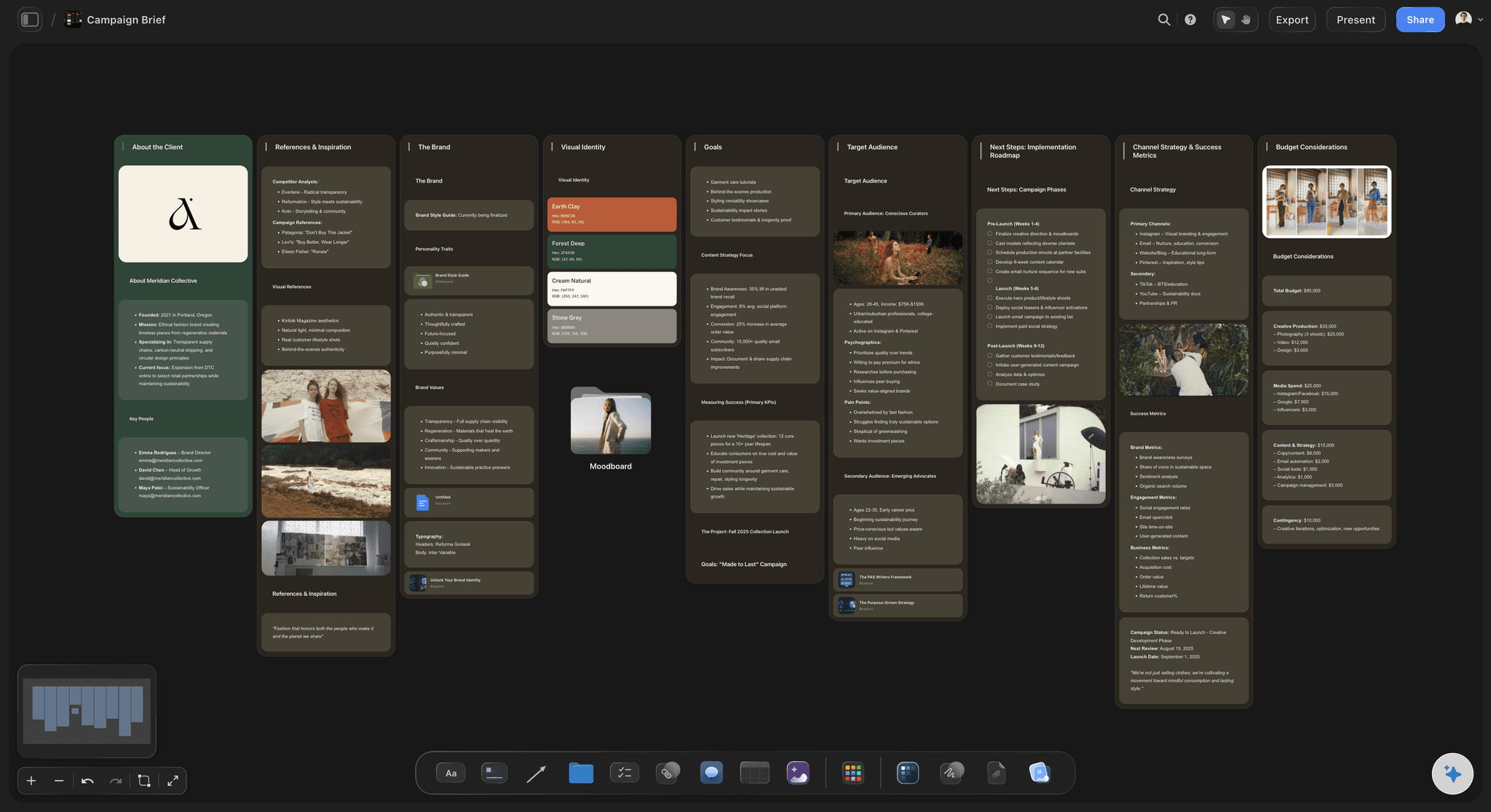
The brief
Topic, promise, audience and goal on one page
One sentence saying what an attendee will be able to do afterwards, who it is for, and what the business gets from it. Every email, slide and follow-up is checked against that page.
See the campaign brief template →
The countdown
Six weeks of tasks, each with an owner
A column for each phase and a table of every task with its owner, due date and status. Anyone on the team can see what is due this week and who has it, without a status meeting. Ask the AI what changed on the plan since Monday and it lists the updates.
See the campaign timeline template →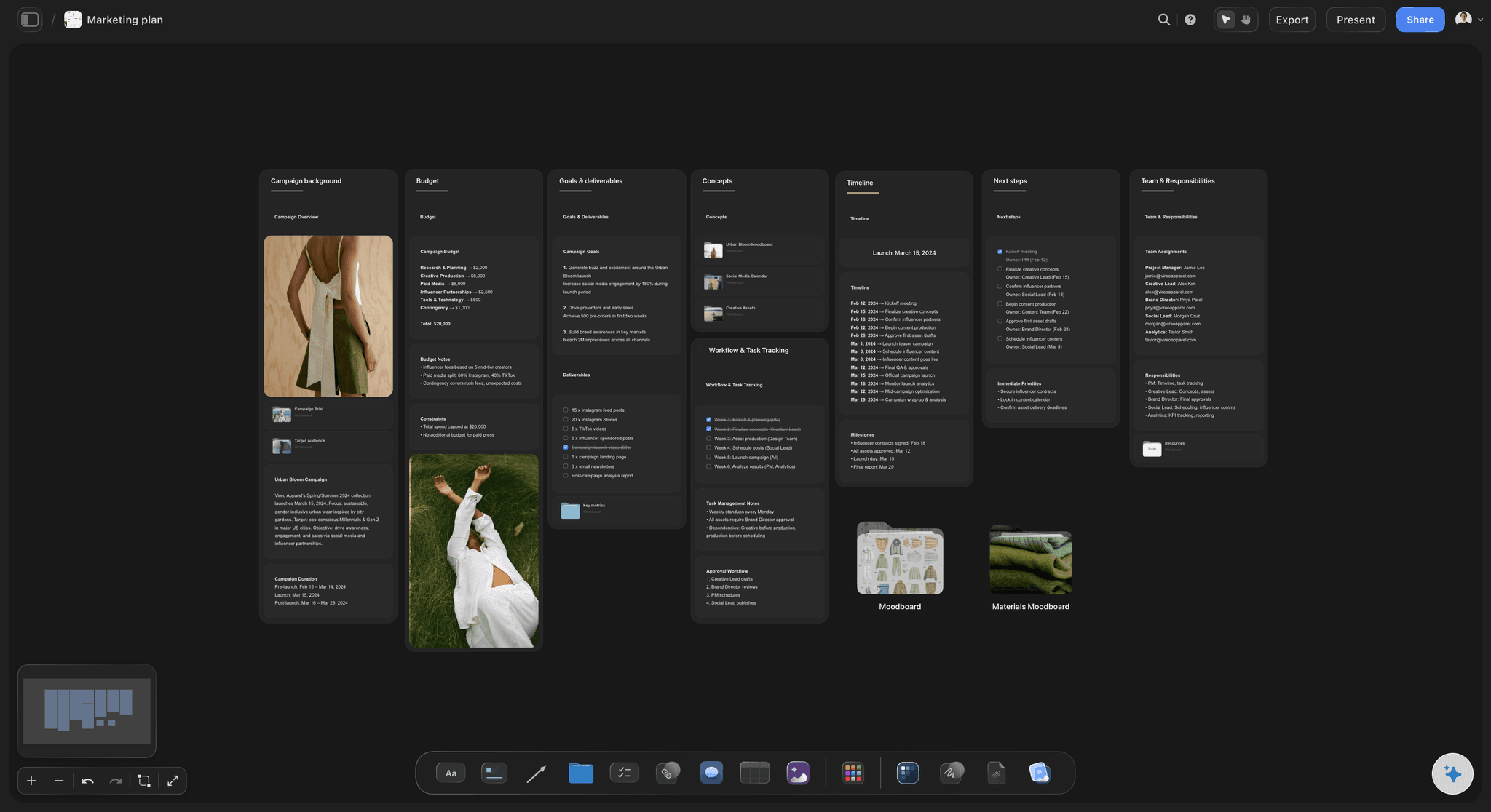
The promotion
Four weeks of emails and posts, drafted together
The registration page copy, three emails, the speaker's posts and your own sit side by side, so they make the same promise in the same words. Storyflow's AI drafts each one from the brief.
See the campaign calendar →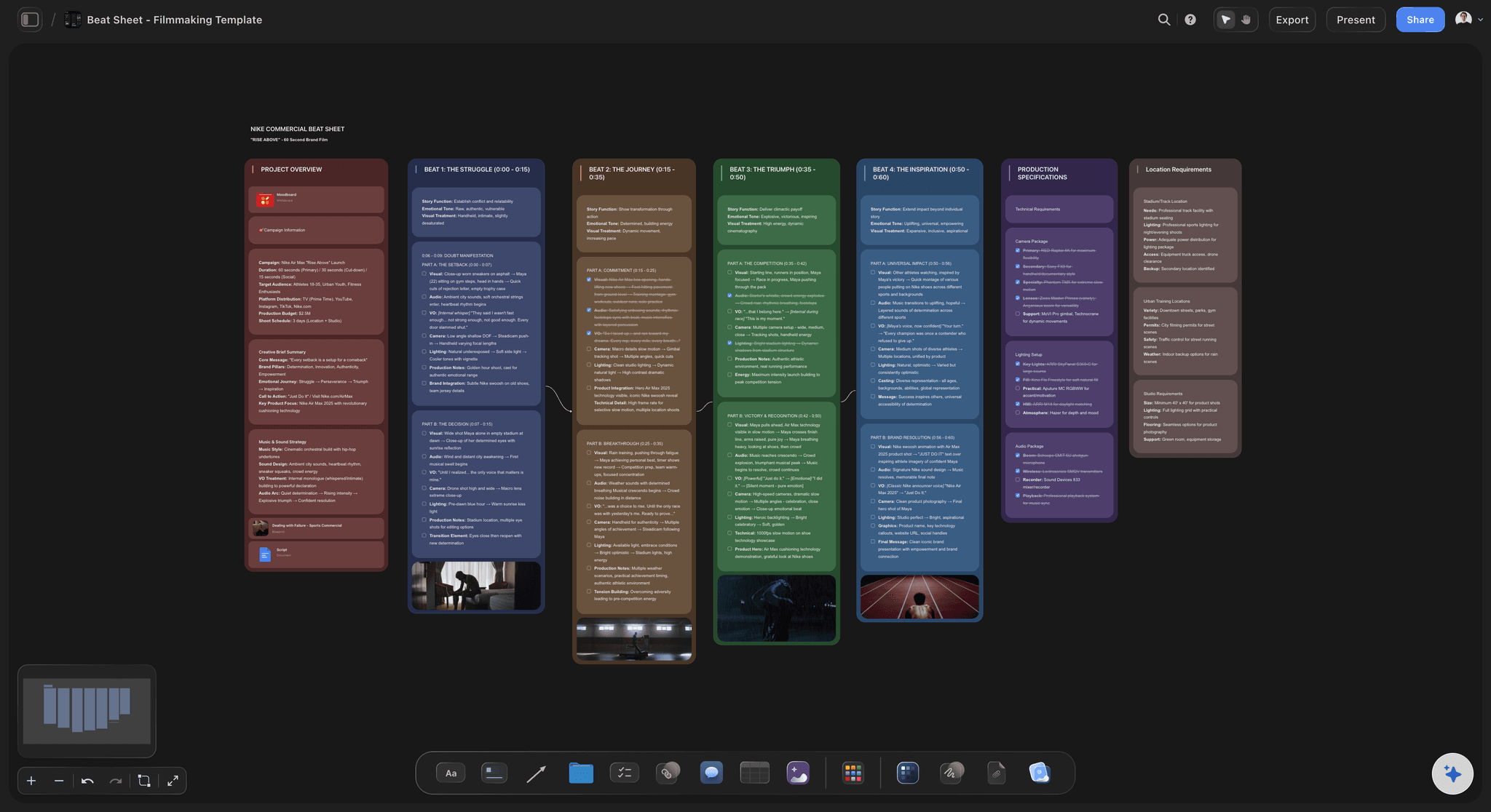
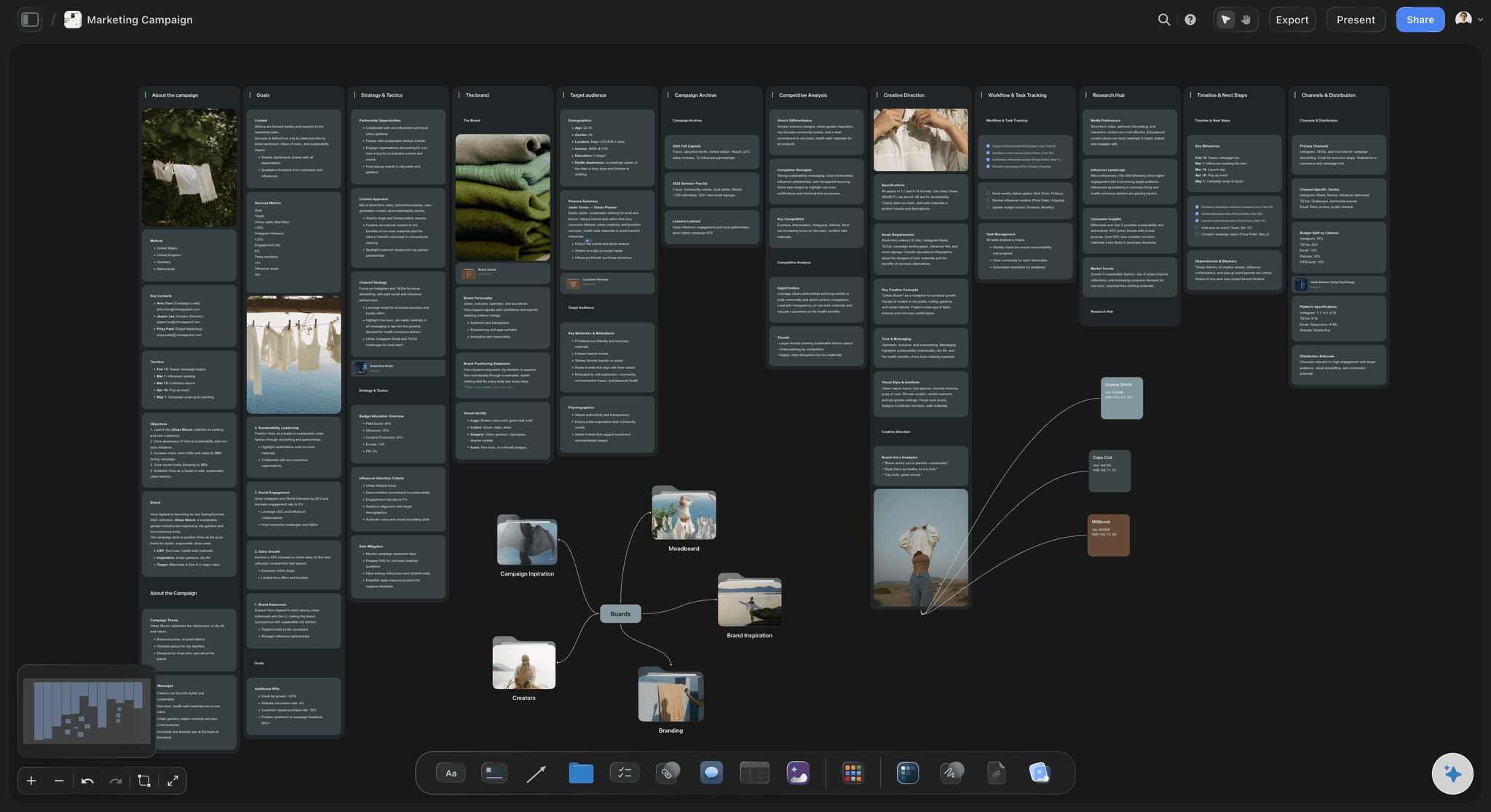
The hour
The deck and the run of show beside the plan
The slides are a deck on the board, and the minute by minute order is a linked card. When the promise changes in week four, you change the title slide and the email in the same sitting. Export the deck as a PDF to send out with the replay.
See the webinar run of show →The next webinar starts from this one.
Duplicate the project, change the topic and the dates, and the phases, the task list and last time's results are already there. Storyflow is paid-only during early access, with plans from $7.99 a month billed annually ($9.99 monthly). A free plan launches before the end of 2026, and anyone a paid member invites to a board joins free.
Unlimited boards, image uploads and files on every paid plan
Invite a guest speaker or an agency without buying them a seat
Slide decks you present fullscreen and export as a PDF
View-only links speakers and sales open with no account
200+ Tactics for the promise, the emails and the talk itself
Built for people with taste
Why webinars underperform before anyone joins.
Three places a webinar is won or lost, and none of them is the hour itself.

Weeks six and five
A topic nobody would give an hour to
The promise in one sentence: After this webinar you will be able to do one named thing. If you cannot finish that sentence, the topic is not ready and the date should move.
A speaker with a reason: One line on why this person is worth an hour: what they built, ran or measured. It goes on the registration page and in every email.
A page with six parts: Title, three takeaways, date and time zone, speaker line, a short form and one question. Storyflow's AI drafts the page copy in a document for you to edit.
One owner per task: Every row in the countdown table has one name in the owner column. A task with two owners gets done by neither of them.
Weeks four to one
Promotion that starts too late
Work back from the room: 150 live at a 40 percent show rate is 375 registrations. At 30 percent page conversion that is 1,250 visits. Now you know how many emails and posts it takes.
Three emails, spaced out: Three weeks, one week and one day before, each with a different angle on the same promise. The final week usually brings the most sign-ups, so do not skip the last one.
The speaker's posts written for them: Draft two posts for the speaker and one for a partner. People share what is easy to share, and their audiences trust them more than your brand account.
Registrations noted each week: Write the running total on the board every Monday. Being at 90 with two weeks to go is a fact you can act on. Finding out on the day is not.

The week after
A follow-up nobody planned
Two replay emails, not one: People who came get the slides and the next step. People who registered and missed it get the replay and the best three minutes. Draft both before the day.
Sales briefed in advance: Agree which answers or poll replies mean a lead is warm, and who calls them within 48 hours. Share the plan with sales by a view-only link.
Three clips and an article: Mark the timestamps worth clipping during the rehearsal and again after the session. The Q and A becomes an article, and the hour keeps working for months.
Results written beside the plan: Registrations, attendance, questions asked and conversations booked go on the board on day seven. Ask Storyflow's AI to chart them against last time.
Explore templates for your project
Every template opens as a real, editable board on the infinite canvas. Pick the closest fit and make it your own.
Commercial Moodboard
Pin references, palettes, and tone for a commercial so the look is clear before the shoot.
One app instead of five
Where Storyflow fits in planning a webinar.
It plans the six weeks and holds the drafts. It does not host the session, take registrations or send email.
Storyflow
Recommended
The whole plan from topic to follow-up on one surface
Countdown of tasks with owners and dates
AI drafts the registration copy and promotion posts
Slides built beside the plan
Rehearsal notes and results kept with the plan
Hosts the live session and the replay
Registration form and attendee list
Sends invitations and reminder emails
Webinar platforms
The whole plan from topic to follow-up on one surface
Countdown of tasks with owners and dates
AI drafts the registration copy and promotion posts
Slides built beside the plan
Rehearsal notes and results kept with the plan
Hosts the live session and the replay
Registration form and attendee list
Sends invitations and reminder emails
Email marketing tools
The whole plan from topic to follow-up on one surface
Countdown of tasks with owners and dates
AI drafts the registration copy and promotion posts
Slides built beside the plan
Rehearsal notes and results kept with the plan
Hosts the live session and the replay
Registration form and attendee list
Sends invitations and reminder emails
What creators are saying
Join early creators getting structured workspaces and AI that remembers their projects
“Storyflow has sped up my workflow by at least 3x, which means more flow state and more projects I can actually ship. It truly changed the way me and my team create.”

Reilin Joey
Director & YouTuber
“One prompt gets me a structured board. But the tactics are my favorite. I run my YouTube scripts through them and my intros and retention got better. It's amazing.”

Justkay
YouTuber & Freelance Filmmaker
“I used to juggle five apps to plan a project. Now I describe what I am making and get boards, lists, and a schedule. All in one place.”

George
@fernwehchronicles
Webinar planning questions
What marketing teams ask when a webinar is on the calendar and the plan is still a list in someone's notes.
In Storyflow, plan it on one board, working back six weeks from the date: the topic and promise, the speakers, the registration page, four weeks of promotion, the rehearsal and the follow-up. Give each phase a column and every task an owner and a due date in a countdown table. Draft the copy and the slides on the same board, so they all make the same promise.
Storyflow is built for this exact job: a column per phase, a countdown table with owners and dates, the registration copy, emails and posts drafted side by side, and the slides as a deck on the same board. Speakers and sales read it from a link. Hosting the session and taking registrations is still a job for a webinar platform such as Zoom or Livestorm, and an email tool such as Mailchimp or HubSpot still sends the invitations.
Six phases: topic and promise, speakers, registration page, promotion, rehearsal and follow-up. Under them, a table of tasks with the phase, owner, due date, status and channel. On a Storyflow board the registration copy, the three emails and the slide deck sit beside that table, with a place to write the results a week after.
Six weeks suits most teams. Week six sets the topic, speaker and date. Week five puts the registration page live. Weeks four to one are promotion. The deck locks five days out and the rehearsal is three days out. A Storyflow countdown table shows every one of those dates with its owner, so a slip in week five is seen in week five.
Work back from the room. If you want 150 people live and expect 40 percent of registrants to show up, you need 375 registrations. If 30 percent of page visitors register, that is 1,250 visits. Treat both rates as assumptions and replace them with your own. In Storyflow, write the target and the weekly running total on the plan.
Six things: a title that states the promise, three bullets on what attendees leave with, the date and time with the time zone, the speaker and why they are worth hearing, a form with four fields or fewer, and one optional question about what the visitor wants answered. Storyflow's AI drafts the copy; the page itself is built in your webinar platform or website.
Three invitations work well: three weeks, one week and one day before, each with a new angle on the same promise. Registrants then get a reminder the day before and one an hour before. Draft all of them in Storyflow next to the registration page, and send them from your email tool or webinar platform.
Three days before, run the whole session on the real platform with the final slides, the real speakers and a timer. Check sound, screen sharing and the handover between speakers. Write what ran long on the Storyflow plan and fix the deck that day. The minute by minute order is its own document, the run of show, linked from the plan.
A replay email within 24 hours, written differently for attendees and for people who missed it. A sales follow-up within 48 hours for the warm leads. Three short clips and an article from the Q and A in the first week. On day seven, the results written on the Storyflow board beside the plan they came from.
It can do the first draft of most of it. Storyflow's AI takes your topic, audience, date and goal and lays out the phases, builds the task table, drafts the registration copy, emails and posts, and builds a first slide deck. It can read a brief or last quarter's report that you attach. Choosing the topic and the speaker is still yours.
No. Storyflow does not stream the session, record it, take registrations, send invitations or reminders, or count who attended. It has no calendar view and its tables do not sort. It plans the six weeks and holds the copy, the deck and the results. Use a webinar platform to host and an email tool to send.
Yes. Send a view-only link and they read the Storyflow board in a browser with no account. To comment they sign in. Anyone a paid member invites to a board joins free, so a guest speaker or an agency partner you invite to edit the deck does not need a plan of their own.
No. Storyflow runs in the browser and there are no native mobile or desktop apps. Open the plan in any browser, present the deck fullscreen from the same tab, and share that window in your webinar platform. Speakers and sales open the link you send with nothing to download.
More from Storyflow
Webinar run of show
AI run of show generator
AI event planner
Campaign timeline template
Campaign calendar
Campaign brief template
Marketing planning software
In-house content production
Product launch planner
Content repurposing planner
Workshop planning tool
Video marketing plan
Storyflow for marketing teams
Livestream run of show
Plan a product launch visually
Plan the six weeks, not only the hour.
The promise, the page, the promotion, the rehearsal and the follow-up, with an owner and a date on every task and the deck on the same board.