
Every event detail, rock-solid in one place
Generate a run of show with AI
minute by minute, in one pass.
Describe the event and Storyflow's AI generates the run of show: the segments, the timings, the cues, and who owns each moment, minute by minute. Reorder it on one board, then share one link the whole team runs the day from.


Creatives working for these brands already got early access
- Red Bull
- Canon
- Artlist
- Porsche
See how easy it is to get started
Watch a real project come together, from a blank board to a finished plan, clicked through step by step.
Start from a ready-made template
Pick a board to see what you can build, then let AI fill it in. Every template is a real, editable starting point on the same infinite canvas.

Commercial Moodboard
Pin references, palettes, and tone for a commercial so the look is clear before the shoot.
What is an AI run of show generator?
A run of show, sometimes called a show flow or a day-of timeline, is the minute-by-minute plan for an event: what happens, when, for how long, what the cue is, and who is responsible. It is the document the whole team runs the day from, the stage manager, the AV crew, the host, and the vendors all working off the same timeline. When it is clear, the day runs itself. When it is vague or scattered, the gaps show up live, in front of everyone.
An AI run of show generator takes the first pass off your hands. Instead of staring at an empty spreadsheet, you describe the event, the segments, and the run time, and the AI lays out a minute-by-minute run of show with durations, cues, and owners, drafted for your event rather than a blank grid you fill the night before. It is not a static document: every segment is a card on a board, so you reorder, retime, and reassign on the spot.
That is the difference from a blank run sheet: the AI gives you a real timeline to refine, far faster than estimating every segment yourself. Then it stays live: share one link everyone runs the day from, and keep the run of show beside the moodboard, the vendor list, and the budget on the same canvas.
Ultra fast from brief to board
Generate a run of show with AI in four steps.
You describe the event. The AI generates the timeline, so you start by refining cues, not building a grid.
01
Open a canvas
No app to install, just an empty board ready for the timeline.
02
Describe the event
A sentence is enough: the type of event, the key segments, and the run time. Add the start time and the AI builds from it.
03
AI generates the run of show
The AI lays out the timeline minute by minute, with each segment's duration, cue, and owner, so the whole day reads on one board.
04
Reorder it, then share it
Drag segments to retime, assign owners, then share one view-only link the team runs the day from, or export to PDF.
A run of show the whole team can actually run the day from.
Most tools hand you an empty spreadsheet. This one generates the timeline and stays live for everyone.

The timeline, generated
Segments, durations, cues, and owners
Describe the event and the AI generates the whole run of show, so you start by refining a real timeline instead of estimating every segment in a blank spreadsheet the night before.
See the AI project plan generator →
Everyone knows their cue
Owners on every moment
Each segment carries who is responsible and what the cue is, so the host, the AV crew, and the vendors all know exactly what they do and when, from one shared board.
See the AI kanban board generator →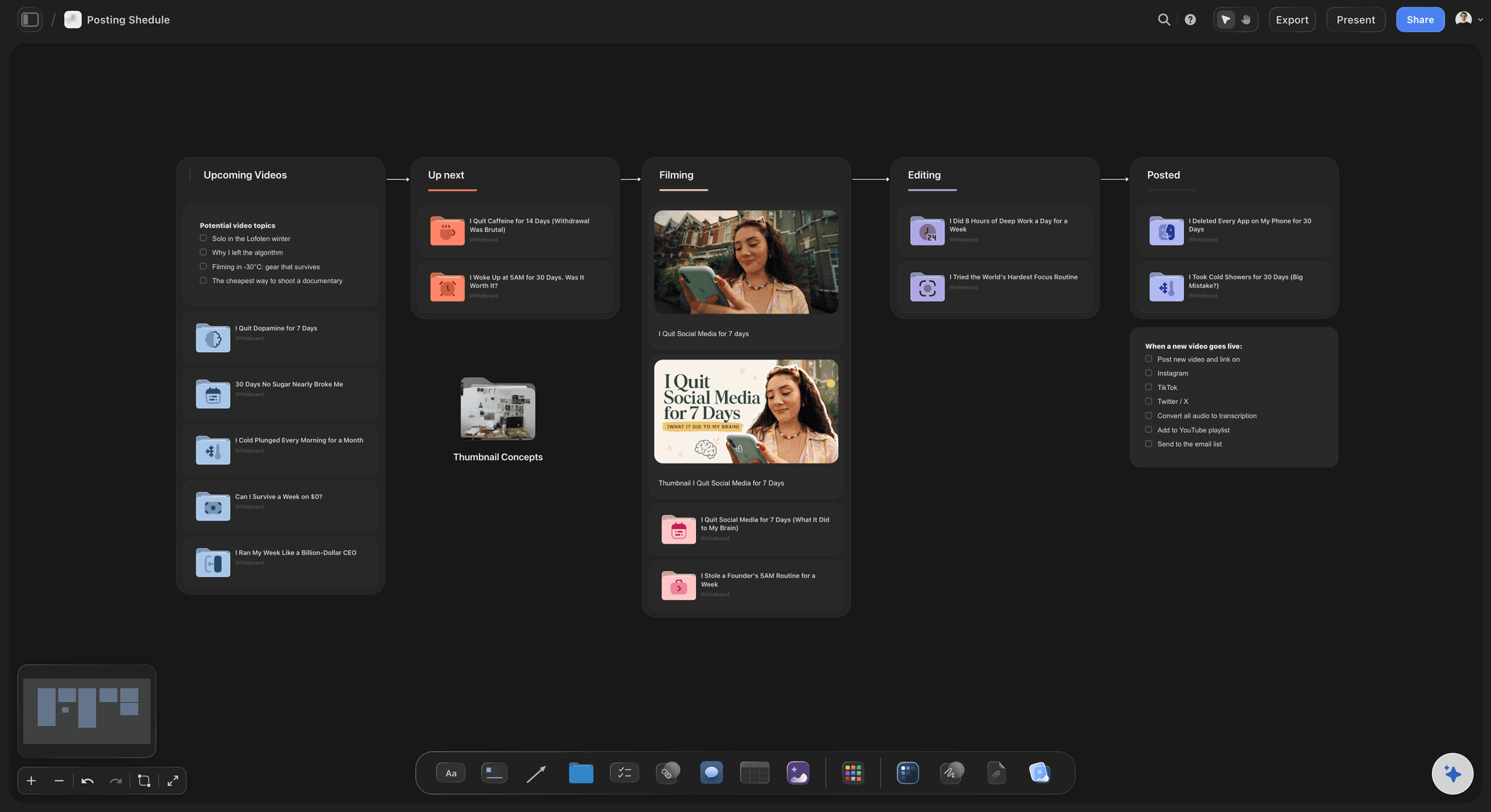
Retime by dragging
Reorder without rebuilding
When a segment moves or runs long, drag it and rework the timings on the spot, instead of re-numbering an entire spreadsheet by hand under pressure.
See the AI content planner →
The whole event in one place
Timeline beside the rest of the plan
Keep the run of show on the same canvas as the moodboard, the vendor list, and the budget, so the day's flow and the rest of the event never live in separate tools.
See the AI event planner →Paid-only during early access.
Open a canvas, describe the event, and watch the timeline generate itself. Plans start at $7.99/month billed annually, and a free plan launches before the end of 2026.
Unlimited run of shows and boards, with room for every segment
AI usage to generate and rework the timeline
Attach scripts, cues, and links to any segment
Share the run of show view-only, or invite collaborators free
Built for people with taste
Made for the way a show actually gets run.
Generate the timeline, assign the cues, retime on the fly, and share one link the whole team runs the day from.
A timeline that generates itself
Minute by minute, then yours to edit
The full schedule: Segments, durations, cues, owners, and notes arrive generated minute by minute, not a blank grid to estimate.
Reorder by dragging: Move a segment and rework the run on the spot, instead of re-numbering a spreadsheet by hand when the schedule shifts.
Any event: A wedding, a conference, a product launch, a livestream, or a gala: describe it and the AI generates the right run of show.
One source of truth for the day
Everyone on the same timeline
Share one link: Send a view-only link to the host, the AV team, and the vendors, so everyone runs from the same current timeline.
Owners and cues: Each segment names who is responsible and the cue that triggers it, so nothing waits on someone guessing.
Attach your inputs: Bring in up to five documents and three boards, such as a script, a vendor schedule, or a previous run of show, and the AI generates from them.
Part of the whole event plan
Timeline, vendors, and look together
Keep it all on one board: The run of show sits beside the moodboard, the vendor list, and the budget, so the day's flow and the rest of the plan stay connected.
Attach the detail: Pin scripts, AV cue sheets, and references onto the segment they belong to, so the depth is one click from the timeline.
Export for the day: Export a clean PDF of the run of show to print or hand to a crew that is offline.
Explore templates for your project
Every template opens as a real, editable board on the infinite canvas. Pick the closest fit and make it your own.
Commercial Moodboard
Pin references, palettes, and tone for a commercial so the look is clear before the shoot.
One app instead of five
How Storyflow compares to other run of show tools.
Most options are an empty spreadsheet or a static template. The question is whether the AI generates the timeline and it stays live.
Storyflow
Recommended
AI generates the minute-by-minute timeline from a description
Lives beside the moodboard, vendors, and budget on one canvas
Reorder by dragging, share one live link
No board or card caps
ChatGPT
AI generates the minute-by-minute timeline from a description
Lives beside the moodboard, vendors, and budget on one canvas
Reorder by dragging, share one live link
No board or card caps
Asana / monday
AI generates the minute-by-minute timeline from a description
Lives beside the moodboard, vendors, and budget on one canvas
Reorder by dragging, share one live link
No board or card caps
Excel / Google Sheets
AI generates the minute-by-minute timeline from a description
Lives beside the moodboard, vendors, and budget on one canvas
Reorder by dragging, share one live link
No board or card caps
What creators are saying
Join early creators getting structured workspaces and AI that remembers their projects
“Storyflow has sped up my workflow by at least 3x, which means more flow state and more projects I can actually ship. It truly changed the way me and my team create.”

Reilin Joey
Director & YouTuber
“One prompt gets me a structured board. But the tactics are my favorite. I run my YouTube scripts through them and my intros and retention got better. It's amazing.”

Justkay
YouTuber & Freelance Filmmaker
“I used to juggle five apps to plan a project. Now I describe what I am making and get boards, lists, and a schedule. All in one place.”

George
@fernwehchronicles
AI run of show questions, answered.
Everything people ask about generating a run of show with AI in Storyflow.
An AI run of show generator turns a one-line description of your event into a minute-by-minute timeline: the segments, their timings and durations, the cues, and who owns each moment. In Storyflow the AI generates the whole run of show as editable cards on an infinite canvas, so you refine a real timeline instead of estimating every segment in an empty spreadsheet.
A complete run of show includes the start time and the timing of each segment, the duration, what happens in each segment, the cues that trigger transitions, who is responsible, and notes for AV, stage, or vendors. Storyflow generates these by default and lets you attach scripts and cue sheets to the segment they belong to.
Describe the event, its segments, and the run time in the AI chat, and the AI lays out the timeline minute by minute as cards on the canvas, with durations, cues, and owners. Every card is editable and draggable, so you can reorder segments, adjust the timings, assign owners, and ask the AI to rework the flow.
Not during early access. Storyflow is paid-only right now, with plans starting at $7.99 per month billed annually ($9.99 monthly), and a free plan is planned before the end of 2026. Paid plans include AI usage to generate and rework the timeline, unlimited boards and file uploads for scripts and cue sheets, and view-only sharing, and anyone a paid member invites to a board joins free.
Yes. Share one view-only link and the host, the AV crew, the stage manager, and the vendors all run from the same current timeline, with owners and cues on every segment. Because it is a live board, an update is visible to everyone immediately, rather than a re-sent spreadsheet that some people miss.
Yes, and that is a real advantage. The run of show lives on the same infinite canvas as the event moodboard, the vendor list, and the budget, so the day's flow and the rest of the plan stay connected instead of scattered across separate tools.
Yes. Export a clean PDF of the run of show to print or hand to a crew member who is offline, while the live board stays the source of truth for anyone who can open the link. You can export at any point as the timeline firms up.
Stop building the timeline the night before. Generate the run of show in one pass.
Describe the event once, watch the AI generate the timeline, and share one link the team runs the day from.