
Ultra-fast planning, extremely simple
Plan a product launch visually:
four lanes, six weeks, one board.
A method for small teams: draw the launch as lanes, work back from launch day, put the assets beside the tasks, and see the whole thing on one screen.


Creatives working for these brands already got early access
- Red Bull
- Canon
- Artlist
- Porsche
See how easy it is to get started
Watch a real project come together, from a blank board to a finished plan, clicked through step by step.
Start from a ready-made template
Pick a board to see what you can build, then let AI fill it in. Every template is a real, editable starting point on the same infinite canvas.

Mind Map
Branch one central idea out into themes and sub-points, then drag the connections around until the structure makes sense.
How do you plan a product launch visually?
Planning a product launch visually means drawing it as lanes across weeks, with each task and each asset placed where it happens, instead of keeping it as a list. Storyflow is an AI visual workspace that lays a launch out that way on one infinite canvas: a lane each for product, marketing, sales and support, and launch day, the weeks worked back from the launch date, and the screenshots, videos and copy beside the tasks they belong to.
Use four lanes. Product: what has to be finished, tested and documented. Marketing: the message, the page, the video, the email, the posts. Sales and support: the demo, the help articles, the answers to the questions customers will ask. Launch day: the hour-by-hour run sheet. Four is enough to cover a small team's launch and few enough that each lane has one owner.
Work back from launch day, never forward from today. Put the launch date at the right-hand end and count back in weeks. Six weeks suits most small launches: long enough to finish the product, make the assets and line up the first customers, short enough that people stay focused. If a task lands before today when you work back, the date is wrong or the scope is, and you have found out on day one.
Put the assets on the plan. A launch is mostly things people see: the landing page, the demo video, the screenshots, the email. When those sit beside the task that makes them, anyone can see what is finished, what is a draft and what is missing. A list of tasks says 'demo video: in progress'; a board shows the latest cut.
A worked example. A four-person software team launches a new reporting feature on Tuesday 9 June. Six weeks out (28 April) they freeze the positioning and the name. Five weeks out the beta goes to twenty customers. Four weeks out the product lane closes the last bugs from beta and the marketing lane drafts the page. Three weeks out the demo video is shot and the help articles are written. Two weeks out the launch email and posts are drafted and the sales lane rehearses the demo. One week out they do a full dry run. On launch day, the email goes at 9am, the posts at 10, and the team answers questions until 6. Two weeks after, they review signups against the target of 300 trials.
The budget for that launch is $6,000: $3,000 for paid social in launch week, $2,000 for the demo video, and $1,000 for everything else. It sits in a table on the same board with a Sum in the footer, next to the marketing lane that spends most of it. Nothing about the method needs a big team; it needs one board everyone can read in a minute.
Hold a fifteen minute stand-up at the board once a week. Each lane owner points to what moved and what is stuck. Because the tasks sit in the week they are due, a lane that is behind shows up as a full column in a week that has already passed. Ask Storyflow's AI what changed on the board since last week and it lists the cards added, edited and moved, which is a good place to start the conversation.
Ultra fast from brief to board
What are the steps to plan a product launch?
Six steps. The first two take an hour; the rest is the six weeks.
01
Set the date and the goal
One launch date and one number, such as 300 trials in two weeks. Write both at the top of the Storyflow board where every lane can see them.
02
Draw four lanes
Describe the launch to Storyflow's AI and it lays out lanes for product, marketing, sales and support, and launch day, with draft tasks in each. Give every lane one owner.
03
Work back six weeks
Place the tasks by week, counting back from launch day. Arrows link the tasks that wait on others, such as the demo video waiting on the finished feature.
04
Put the assets beside the tasks
Drop the page design, the video cut, the screenshots and the email draft next to the task that makes them. Status becomes something you can see.
05
Write the launch-day run sheet
An hour-by-hour list for the day itself: what goes out when, who watches what, who answers questions. Put it in the last lane.
06
Review two weeks after
Paste the results onto the board beside the goal. Ask Storyflow's AI to chart them and list what to keep for the next launch, then copy the board.
What goes on a visual launch plan?
Four lanes, the weeks, the assets and the run sheet. Each has a place on the board.

The lanes
Product, marketing, sales and support, launch day
One lane per stream of work, one owner per lane. Anyone can see whose part is behind without asking.
See the launch roadmap →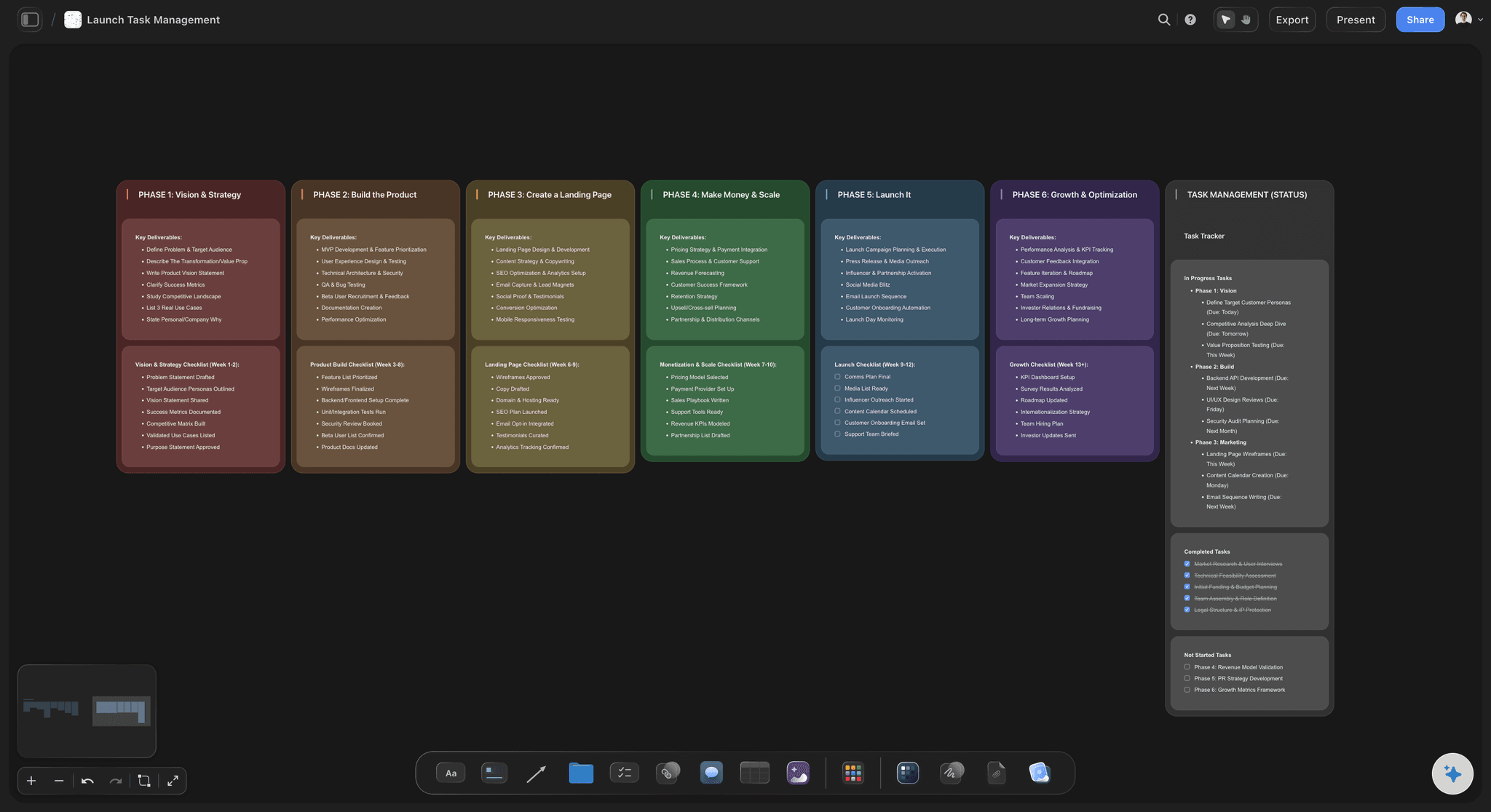
The weeks
Six weeks counted back from launch day
Tasks sit in the week they are due. The squeeze shows up as soon as a week fills up, not when it arrives.
See the product launch checklist →
The assets
The page, the video and the email beside their tasks
Images, video and copy sit where the work is. A draft is visibly a draft.
See the product launch video →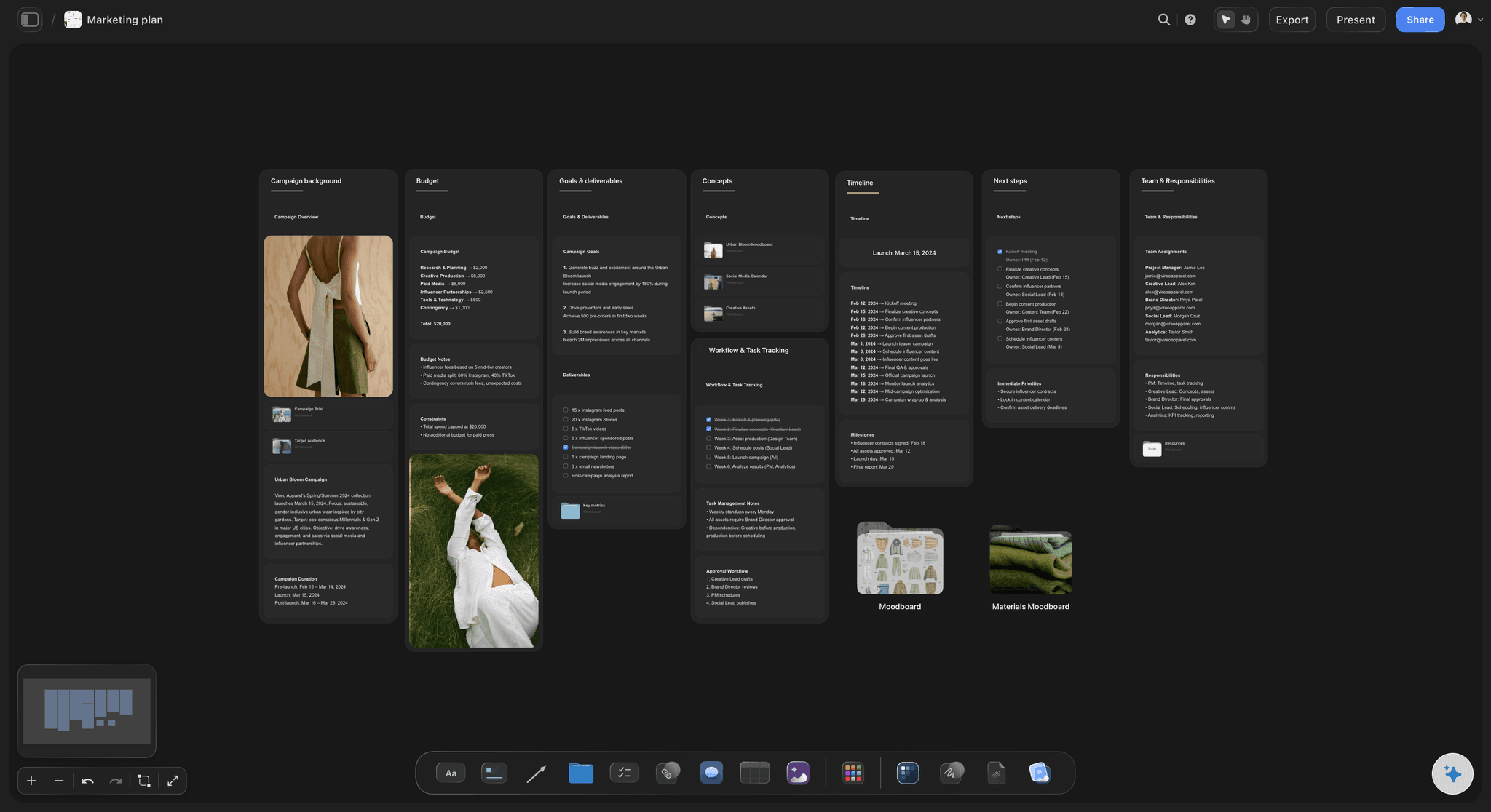
The goal and budget
One number at the top, the spend in a table
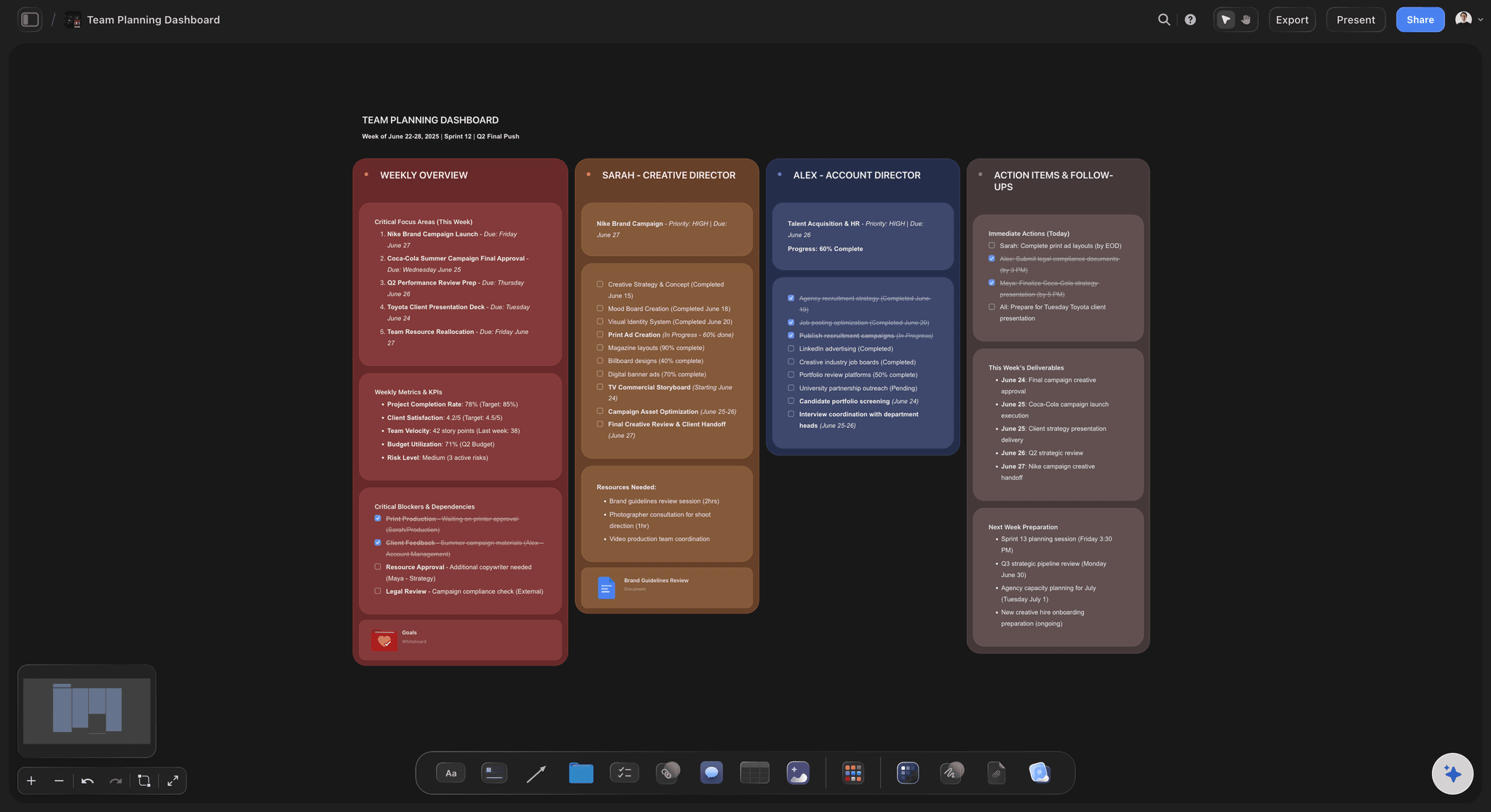
The launch goal above the lanes and a budget table with a Sum footer beside the marketing lane.
See the go-to-market plan →The whole launch on one screen, from week six to the review.
Plan it, make the assets, run the day and review it on the same board, then copy the board for the next launch. Storyflow is paid-only during early access, with plans from $7.99 a month billed annually ($9.99 monthly). A free plan launches before the end of 2026, and anyone a paid member invites to a board joins free.
AI that drafts the lanes and tasks from a description of the launch
Images, video and copy beside the tasks they belong to
Tables with a Sum footer for the budget
View-only links for investors or advisers, no account needed
Contractors you invite to the board join free
Built for people with taste
Why do small-team launches slip?
Three usual causes, each easier to catch on a board than in a task list.
The calendar
The plan ran forward from today
Start at launch day: A forward plan always looks possible. A backward one shows on day one that the video has eight days, not fifteen.
Freeze the message early: Positioning and the name change every asset. Freeze them six weeks out and write the date on the board.
Leave a buffer week: Put the dry run a week before launch. It is the week that absorbs everything that ran late.
Link what waits: An arrow from 'feature finished' to 'record demo' shows what a slip will move. Storyflow does not move dates for you, so the arrows are the warning.
The assets
Nobody could see the assets
Show, do not report: The latest page design on the board is more useful than a status of 'in review'.
One place for the copy: The headline on the page, the subject line of the email and the first post should say the same thing. Side by side, any drift is obvious.
Keep the old versions: Move a replaced draft aside rather than deleting it. When someone asks why the headline changed, the answer is on the board.
Let the AI check: Ask Storyflow's AI to read the board and list assets that are still missing for launch day.

The day itself
Launch day was never planned
An hour-by-hour sheet: 9am email, 10am posts, 11am the first check of signups. Write it, with a name next to each line.
Someone on questions: Customers will ask the same five things. Write the answers in the support lane before the day.
A rollback note: Write what happens if the feature breaks at 11am, and who decides. It takes ten minutes and you will be glad of it.
Book the review: Put the review two weeks after launch on the board now, with the goal beside it.
Explore templates for your project
Every template opens as a real, editable board on the infinite canvas. Pick the closest fit and make it your own.
Mind Map
Branch one central idea out into themes and sub-points, then drag the connections around until the structure makes sense.
One app instead of five
Which tool should you use to plan a product launch visually?
Storyflow holds the plan and the assets together. It does not publish posts, send email or reschedule tasks on its own.
Storyflow
Recommended
Lanes and weeks on one open canvas
Images, video and copy beside the tasks
AI drafts the lanes from a description
Budget table with a Sum footer
Gantt chart that reschedules dependent tasks
Publishes posts and sends email
Project management tools
Lanes and weeks on one open canvas
Images, video and copy beside the tasks
AI drafts the lanes from a description
Budget table with a Sum footer
Gantt chart that reschedules dependent tasks
Publishes posts and sends email
A spreadsheet
Lanes and weeks on one open canvas
Images, video and copy beside the tasks
AI drafts the lanes from a description
Budget table with a Sum footer
Gantt chart that reschedules dependent tasks
Publishes posts and sends email
What creators are saying
Join early creators getting structured workspaces and AI that remembers their projects
“Storyflow has sped up my workflow by at least 3x, which means more flow state and more projects I can actually ship. It truly changed the way me and my team create.”

Reilin Joey
Director & YouTuber
“One prompt gets me a structured board. But the tactics are my favorite. I run my YouTube scripts through them and my intros and retention got better. It's amazing.”

Justkay
YouTuber & Freelance Filmmaker
“I used to juggle five apps to plan a project. Now I describe what I am making and get boards, lists, and a schedule. All in one place.”

George
@fernwehchronicles
Visual product launch planning questions
What founders and small teams ask six weeks before a launch.
Draw it as four lanes (product, marketing, sales and support, launch day) across the weeks before launch, work back from the launch date, and put each asset beside the task that makes it. Write the launch goal at the top. In Storyflow the whole plan sits on one board, and its AI drafts the lanes and tasks from a description of the launch.
Storyflow is built for exactly this: lanes, weeks, tasks and the actual launch assets sit on one canvas, its AI drafts the plan from a description, and anyone can open it by link. A project management tool such as Asana still suits a larger team that needs a Gantt chart that reschedules dependent tasks, and a scheduling tool still publishes the posts.
Set the date and one goal; draw the lanes and give each an owner; work the tasks back from launch day; put the assets beside the tasks; write the launch-day run sheet; and review the results two weeks after. On a Storyflow board each step adds to the same plan, so the review sits beside the goal it measures.
Six weeks suits most small launches, such as a feature, a course or a small product. Larger launches with press, partners or physical stock need eight to twelve. Work back from launch day; if the first task lands before today, change the date or the scope.
The positioning freeze, beta or testing, the last fixes, the landing page, the demo video, help articles, the launch email and posts, a dry run, launch day itself and a review. In the worked example on this page those run from 28 April to two weeks after a 9 June launch. Keep them in their lanes on the Storyflow board, in week order.
The worked example on this page: a four-person software team launching a reporting feature on 9 June with a goal of 300 trials, six weeks of tasks across four lanes, a $6,000 budget split $3,000 for paid social, $2,000 for the demo video and $1,000 for the rest, an hour-by-hour launch-day sheet, and a review two weeks after.
Because a launch is mostly things people see and things that wait on each other. A board shows the latest page design beside its task and the arrow from 'feature finished' to 'record demo'. A list shows two status words. On a Storyflow board the whole launch fits on one screen.
One person per lane: product, marketing, sales and support, and launch day. Shared ownership means nobody notices when a lane falls behind. Put the owner's name at the top of each lane on the Storyflow board.
Yes, as a first draft. Describe the product, the date and the team to Storyflow's AI and it lays out the lanes and tasks on the board, leaving a task without a date when you did not give one. It does not know your team's capacity, so the dates and owners are yours to check. ChatGPT can also build the plan on a Storyflow board through the Storyflow connector.
An hour-by-hour list for launch day: when the email goes, when the posts go, who watches signups, who answers questions, and what happens if something breaks. Keep it in the last lane of the Storyflow board with a name beside each line.
Against the one goal you set at the start, such as 300 trials in two weeks, checked on a fixed date. Paste the numbers onto the Storyflow board beside the goal; its AI can chart them. Then note what to keep and what to change, and copy the board for the next launch.
No. Storyflow is where the launch is planned and the assets are kept. Posts are published from a scheduling tool such as Buffer or Later, and the email goes from your email platform. Storyflow also has no calendar month view and does not reschedule tasks for you.
Yes. Send a view-only link to the Storyflow board: they open it in the browser with no account. If they want to comment, they sign in first. For a file, export the whole board as a PDF.
Four lanes. Six weeks. One board everyone can read.
Plan the launch with the assets beside the tasks, run the day from the same board, and review it there.