
Extremely simple, seriously capable
See the whole workshop
before anyone enters the room.
Lay the session out as blocks on a timeline, design the arc of energy and attention underneath the agenda, and then run the workshop on the very board you planned it on.


Creatives working for these brands already got early access
- Red Bull
- Canon
- Artlist
- Porsche
See how easy it is to get started
Watch a real project come together, from a blank board to a finished plan, clicked through step by step.
Start from a ready-made template
Pick a board to see what you can build, then let AI fill it in. Every template is a real, editable starting point on the same infinite canvas.

Mind Map
Branch one central idea out into themes and sub-points, then drag the connections around until the structure makes sense.
What is a workshop planning tool?
A workshop planning tool holds everything a working session needs before anyone enters the room: the agenda blocks, the goal of each block, the materials it depends on, how long it actually takes, and, crucially, what it must produce for the next block to work. Storyflow is an AI visual workspace that plans and runs a workshop on one infinite canvas: agenda blocks with goals and materials, the arc under the schedule, and sticky notes, breakout sections and a parking lot to run it. A workshop is not a meeting with a schedule. It is a machine for producing something, a decision, a shortlist, a plan, and every block is a stage of that machine. The tool's job is to make the machine visible before you have to run it live in front of twelve people.
A workshop is designed twice. The first design is the agenda, the visible hour-by-hour plan that goes in the calendar invite. The second design is the arc underneath it: where energy rises and where it dips, where the group diverges into many ideas and where it must converge onto few, and what each block hands to the block that consumes it. Planning in a doc gets you the first design and quietly skips the second, because a doc can only show you one row at a time. The arc only shows up spatially, when the blocks sit on a timeline and the dependency between one block's output and the next block's input is drawn as a line you can see.
Storyflow is an AI-native infinite canvas built for exactly that. Describe the workshop in a prompt, the goal, the group, the time you have, and the AI lays out a structured board: agenda blocks on a timeline, each carrying its purpose, materials, and timing, with the arc sketched underneath. Then you drag blocks around, retime them, connect each deliverable to the block that needs it, and pin pre-reads, reference material, and templates for the exercises on the same canvas. When the day comes, the same board runs the session: sticky notes for capture, marked-out voting areas, breakout sections, and a parking lot for tangents.
Planning a workshop usually means working across six connected layers: the block timeline (what happens, in what order, for how long), block goals and deliverables (what each block exists to produce, and which later block consumes it), the energy arc (openers, deep work, breaks, and the divergence-to-convergence rhythm), materials and prep (pre-reads, exercise templates, and the stimulus each block needs on hand), the room itself (breakout sections, capture surfaces, and the parking lot), and follow-through (who sees the outcomes and in what form). Storyflow keeps all six visible at once, which is what makes the weak block findable before the day rather than during it.
Ultra fast from brief to board
From a session goal to a board you can run.
No slide deck to build, no agenda table to wrestle. Describe the session and start shaping blocks.
01
Open a canvas
Sign up in seconds. No download. Your infinite workshop canvas opens in the browser.
02
Describe the workshop
Type the goal, the group, and the time you have, and the AI lays out a structured board: agenda blocks on a timeline with goals, materials, and timings attached. You start from a run of show rather than a blank page.
03
Shape the arc
Drag blocks into a better order, retime them honestly, and connect each block's deliverable to the block that consumes it. Mark where the group diverges, where it converges, and where the energy needs a break.
04
Run it, then hand it over
Run the session on the same board with sticky notes, breakout sections, and a parking lot. Afterwards, share a view-only link with stakeholders or export the outcomes as an image or PDF.
The agenda, the arc, and the room on one canvas.
Blocks on a timeline, the design underneath them, and the live board participants join.

AI drafts the whole session from a description
Start from a run of show, not a blank page
Describe the goal, the group, and the hours you have, and the AI lays out agenda blocks with purposes, timings, and materials attached. Editing a credible draft is much faster than staring down an empty agenda table.
See the design sprint board →
Blocks on a timeline with the arc underneath
Design the arc, not just the agenda
Each block is a card carrying its goal, materials, and timing, and the deliverable of each block connects to the block that consumes it. A broken chain, a missing input, or three divergent exercises in a row with no convergence is visible at a glance.
Explore the visual brainstorming tool →
The planning board is the live board
Run the workshop where you planned it
Sticky notes, marked-out voting areas, breakout sections, and the parking lot live on the same canvas as the plan. Participants join the board you designed, so nothing gets rebuilt in a second tool an hour before the session.
See the online sticky notes board →
Sprints, retros, kickoffs, and offsites
Design a format once, run it every time
A retro, a sprint ritual, or a client kickoff is a format, not a one-off. Build the board once, duplicate it for each session, and refine the design as you learn what the room actually does with each block.
See the retrospective template →Unlimited boards. No object cap.
Open a canvas, describe the session, and start shaping blocks. Storyflow is paid-only during early access, with plans from $9.99 a month, and a Free plan launches before the end of 2026.
Unlimited workshop boards on an infinite canvas
AI usage to generate boards from prompts
Starter facilitation templates built in
Share view-only links with stakeholders
Built for people with taste
More than an agenda in a doc.
An agenda tells you what happens at 10:15. It cannot tell you whether the session will actually produce anything.
Timing, goals, deliverables, and energy
Work across every layer of the session
The block timeline: Lay the session out left to right as blocks you can drag and retime. Reordering an agenda in a doc means rewriting a table; on a canvas it is one movement, and the knock-on effects on timing are immediately visible.
Deliverables wired to the blocks that need them: Connect each block's output to the later block that consumes it. The affinity map feeds the voting, the vote feeds the prioritization, the prioritization feeds the commitments. A block whose output feeds nothing is filler, and the connections expose it.
The energy arc: Mark where the group diverges into many ideas and where it must converge onto few, where the deep work sits, and where the breaks go. Three divergent exercises in a row with no convergence is how workshops end with a wall of stickies and no decision.
Honest timing: Give every block its real duration, including transitions and the ten minutes the first exercise always overruns. When the blocks are sized by time on a timeline, an overstuffed afternoon is visible as an overstuffed afternoon.

AI that can see the whole session
Plan with an AI that knows your workshop
Prompt through a design problem: Ask it to fill a 45-minute slot between the brainstorm and the vote, to suggest an opener suited to a skeptical group, or to draft the afternoon of a two-day sprint. It keeps the whole board in context, so suggestions fit the session you are actually designing.
It structures, it does not facilitate: Storyflow is a planning canvas rather than a script generator. The AI helps you see and arrange the session, which is the part that is genuinely hard. Reading the room, holding the silence, and knowing when to abandon the plan remain your job.
Iterate without losing work: Re-prompt as many times as you need. Blocks you have already shaped and placed stay exactly where they are while the AI builds around them.
Sticky notes, breakouts, voting areas, and the parking lot
The board you planned on is the board they join
Sticky notes for every voice: Capture happens on notes and cards on the canvas, so the quiet half of the room writes instead of waiting for a gap in the conversation. Everything captured lands next to the block that produced it.
Sections for breakouts and voting: Mark out a frame per breakout group so each group works in its own space on the shared board, and a voting area where the group drags its strongest ideas. Convergence becomes a physical act instead of a discussion that trails off.
The parking lot: A frame where tangents go to be honored later. The topic is visibly captured, the person who raised it feels heard, and the session keeps moving. Every experienced facilitator has one; here it lives on the same canvas as the plan.
Materials pinned where they are needed: Drag PDFs, images, and links into the block that uses them, and grab frames from YouTube or Vimeo for stimulus. When the exercise starts, the material is already sitting there rather than in an attachment nobody opened.
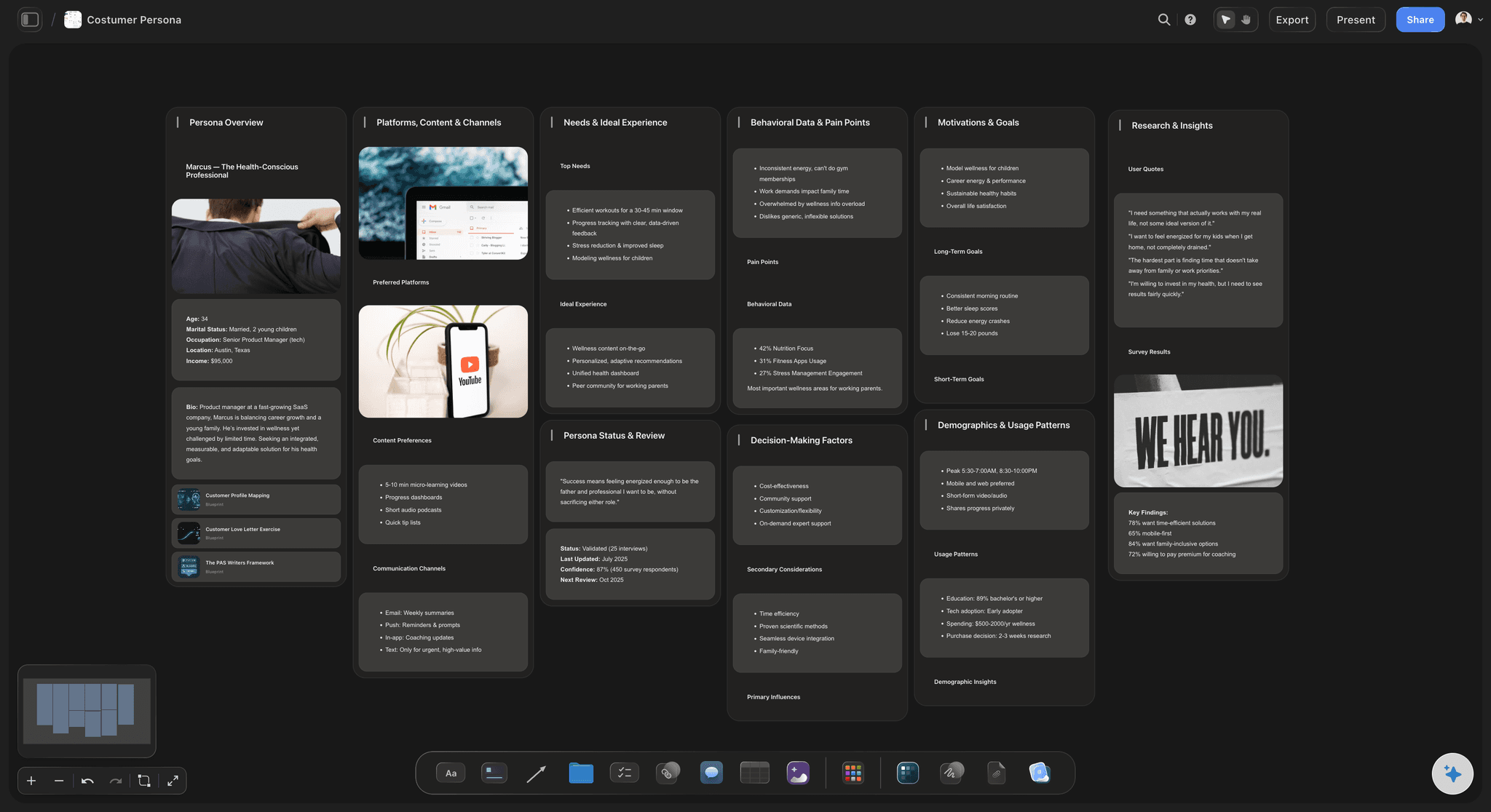
Before the room and after it
The session is the middle of the work
Prep on the same canvas: Pin pre-reads, participant context, and the questions the session must answer beside the plan. A card per stakeholder with what they care about keeps the design honest about who the room actually contains.
Co-facilitators on one board: Invite a co-facilitator to the canvas and you both work from the same design, the same timings, and the same handoffs, instead of reconciling two versions of the run of show the night before.
View-only links for stakeholders: Sponsors and executives rarely need to attend; they need to see what came out. Send a view-only link and they open the board in a browser with no account, outcomes in context, decisions traceable to the exercises that produced them.
Export and debrief: Export the board as a high-quality image or PDF for the follow-up, and write the debrief in the built-in document editor beside the canvas while the evidence is still one glance away.
Explore templates for your project
Every template opens as a real, editable board on the infinite canvas. Pick the closest fit and make it your own.
Mind Map
Branch one central idea out into themes and sub-points, then drag the connections around until the structure makes sense.
One app instead of five
Storyflow vs Miro, FigJam, and Mural.
All three are excellent facilitation tools. Miro has the biggest template library and enterprise-grade voting and timers, FigJam is free to start with playful widgets, and Mural's private mode and outline navigation are real facilitation superpowers. Here is where Storyflow differs.
Storyflow
Recommended
AI lays out the whole workshop from a description
AI uses your whole board as context
Facilitation and framework template library
Built-in voting and timer widgets
Facilitator private mode and outline navigation
Free plan available today
Miro
AI lays out the whole workshop from a description
AI uses your whole board as context
Facilitation and framework template library
Built-in voting and timer widgets
Facilitator private mode and outline navigation
Free plan available today
FigJam
AI lays out the whole workshop from a description
AI uses your whole board as context
Facilitation and framework template library
Built-in voting and timer widgets
Facilitator private mode and outline navigation
Free plan available today
Mural
AI lays out the whole workshop from a description
AI uses your whole board as context
Facilitation and framework template library
Built-in voting and timer widgets
Facilitator private mode and outline navigation
Free plan available today
What creators are saying
Join early creators getting structured workspaces and AI that remembers their projects
“Storyflow has sped up my workflow by at least 3x, which means more flow state and more projects I can actually ship. It truly changed the way me and my team create.”

Reilin Joey
Director & YouTuber
“One prompt gets me a structured board. But the tactics are my favorite. I run my YouTube scripts through them and my intros and retention got better. It's amazing.”

Justkay
YouTuber & Freelance Filmmaker
“I used to juggle five apps to plan a project. Now I describe what I am making and get boards, lists, and a schedule. All in one place.”

George
@fernwehchronicles
Workshop planning questions, answered.
How to design a session that produces something, and how the canvas actually helps.
It depends on which half of the job is hard for you. Miro has the largest facilitation template library anywhere and enterprise workshop features like built-in voting and timers, which makes it a safe default for big organizations. FigJam is free to start and its playful widgets lower the barrier for teams new to facilitation. Mural has genuine facilitation superpowers, private mode and outline navigation among them, that matter when you run workshops professionally. Storyflow's case is different: it is the one that generates the workshop board from a plain description, treats the agenda and the arc underneath it as a single planning surface, and makes the board you plan on the board you run, with view-only links for stakeholders who only need the outcomes. If your problem is designing the session rather than decorating it, that is the gap Storyflow fills.
Start from the deliverable, not the agenda. Name the thing the session must produce, a decision, a shortlist, a plan, then work backwards: what block produces it, and what does that block need as input, and what block produces that. When the chain reaches the start of the day you have the skeleton. Then design the arc over it: alternate divergence and convergence so ideas get generated and then actually narrowed, put the hardest thinking where energy is highest, and give every block its honest duration including transitions. Finally attach materials to the blocks that use them. On a canvas this whole design is visible at once, which is how you catch the block whose output feeds nothing before the room catches it for you.
An agenda is the visible schedule: what happens at 10:15, who leads it, when lunch is. A workshop design is the machinery underneath: what each block must produce, which later block consumes that output, where the group diverges and where it converges, and how energy is spent across the day. Two workshops can have identical agendas and completely different designs, and only one of them ends with a decision. Docs are good at agendas and bad at designs, because the design is a set of relationships between blocks, and relationships need space to be drawn. That is the argument for planning on a canvas: the second, invisible design becomes as inspectable as the schedule.
It drafts, you design. Describe the goal, the group, and the time available and the AI lays out a credible run of show: blocks on a timeline with purposes, timings, and materials attached. That is a starting skeleton, not a finished session. You then do the actual design work, reordering blocks, tightening timings, wiring deliverables to the blocks that consume them, and the AI helps along the way because it keeps the whole board in context: ask it to fill a gap between two exercises or suggest an opener for a skeptical room. What it deliberately does not do is facilitate. Reading the room and knowing when to abandon the plan stay with you.
You run it on the same board you planned on, and that is the point of the design. The blocks you laid out become the stations of the live session: sticky notes and cards for capture, a frame per breakout group, a marked-out voting area the group drags its strongest ideas into, and a parking lot for tangents. Because the plan and the room are one canvas, nothing gets rebuilt in a second tool the night before, and everything the session produces lands next to the block that produced it, which makes the follow-up write itself. One honest note: Storyflow does not have dedicated voting or timer widgets the way Miro and Mural do; convergence here works spatially, by moving ideas into areas.
It depends on what they need to do. Anyone with a view-only link can open the board in a browser with no account at all, which covers stakeholders, sponsors, and anyone reviewing outcomes after the session. Participants who will actively contribute, adding sticky notes, moving ideas into the voting area, working in a breakout frame, need to be invited to the board as collaborators, and people a paid member invites join free. For a recurring team ritual like a retro that setup happens once. For one-off sessions with external participants, factor a few minutes of onboarding into the arrival block, which is good practice in any tool.
Not during early access. Storyflow is paid-only right now, with plans starting at $9.99 a month, and a Free plan launches before the end of 2026. Anyone a paid member invites to a board joins free today, so your co-facilitator and your participants do not need their own subscriptions. If you need a completely free option this minute, FigJam's free tier is genuinely good: three collaborative boards at no cost, with the voting and timer widgets included, which is enough to run real sessions while you decide whether the planning depth of a paid tool is worth it to you.
Yes, and both benefit from the same treatment. A design sprint is five days of tightly chained deliverables, map to sketch to decision to prototype to test, and laying the whole week out as connected blocks shows you whether each day genuinely feeds the next before you have burned a team's week finding out. A retrospective is the opposite case: a short format you run every sprint, where the win is designing the arc once, from safe check-in through honest divergence to committed actions, then duplicating the board each time and refining it as you learn. Storyflow's template library covers sprint and retro formats, and the AI can lay either out from a one-line description.
Shorter than you think for input, longer than you think for exercises. Talking blocks lose the room after about ten minutes; working blocks almost always need more time than the agenda admits once you count explaining the exercise, the slow start, and the discussion that follows. The practical method is to give every block its honest duration including transitions, add a buffer block you plan to cut, and then look at the whole timeline at once. This is where planning spatially earns its keep: an overstuffed afternoon reads as an overstuffed afternoon when blocks are sized by time on a canvas, whereas a doc happily lets you schedule nine hours of content into six.
Three ways, in increasing formality. Send a view-only link and stakeholders open the live board in a browser with no account, seeing the outcomes in context: the decisions sitting next to the votes and exercises that produced them, which answers the 'why did you choose this' question before it gets asked. Export the board as a high-quality image or PDF when someone needs an artifact for a deck or an email. And for the narrative version, write the debrief in the built-in document editor beside the canvas, with the evidence one glance away instead of in a photo roll. The quiet advantage of running the session on the planning board is that this step needs no reassembly; the outcomes are already where the plan was.
More from Storyflow
Design sprint
Retrospective template
Free online whiteboard
Online whiteboard
Visual brainstorming tool
Free online sticky notes
Affinity diagram maker
For remote teams
Idea board
Free mind map maker
Brand positioning workshop
Affinity map with ChatGPT
Webinar planning template
Stakeholder map
Six thinking hats template
Mural alternative
Design the arc, then run the room.
Open a canvas, describe the session, and let AI lay out the first run of show. No download.