
Sharper briefs, sent ultra fast
A UGC brief a creator
can shoot from on the first take.
Product, audience, hooks to test, the lines they must say and must not, deliverables, footage specs, usage and payment on one board. Every creator in the batch reads the same page.


Creatives working for these brands already got early access
- Red Bull
- Canon
- Artlist
- Porsche
See how easy it is to get started
Watch a real project come together, from a blank board to a finished plan, clicked through step by step.
Start from a ready-made template
Pick a board to see what you can build, then let AI fill it in. Every template is a real, editable starting point on the same infinite canvas.

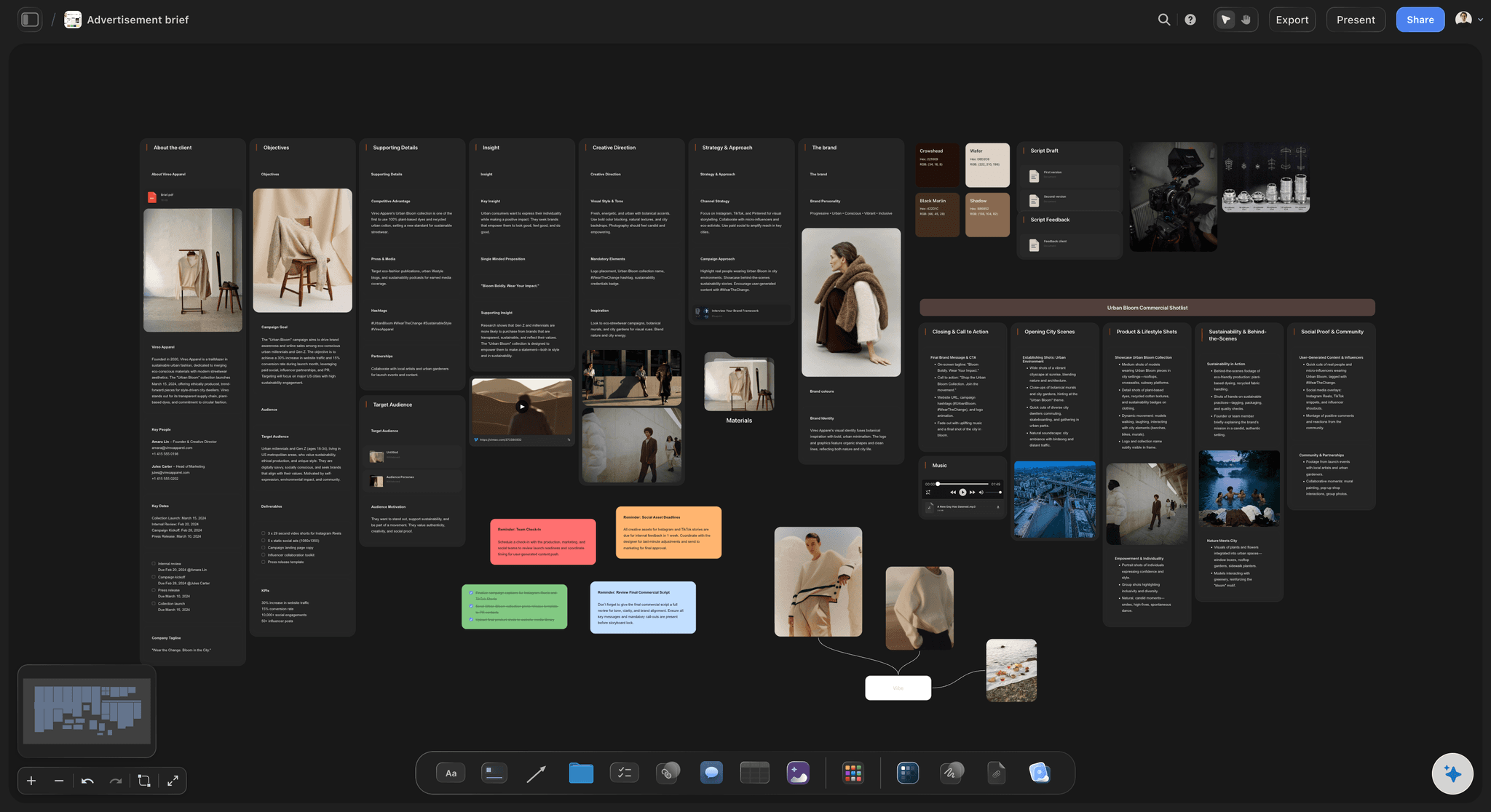
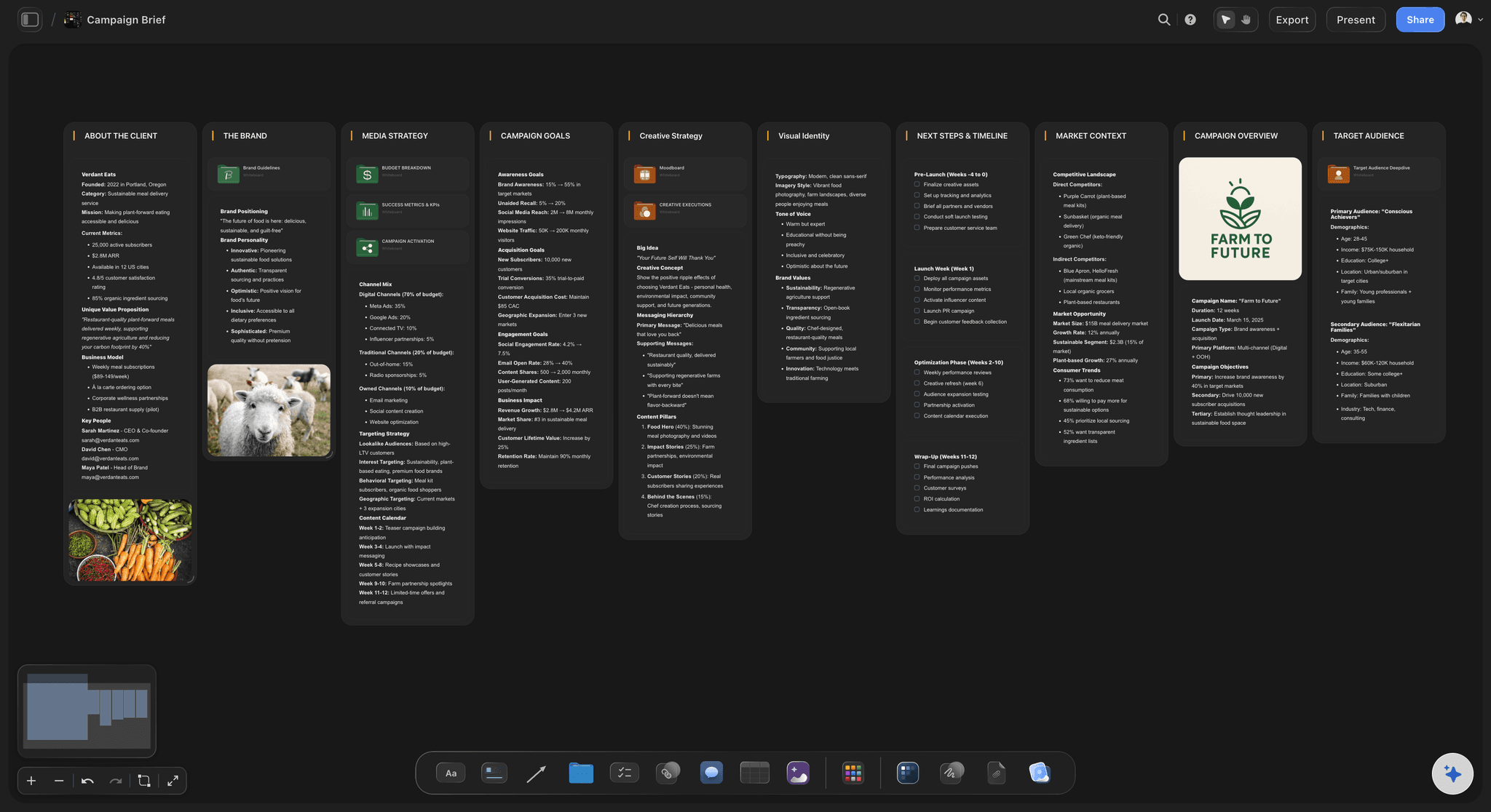
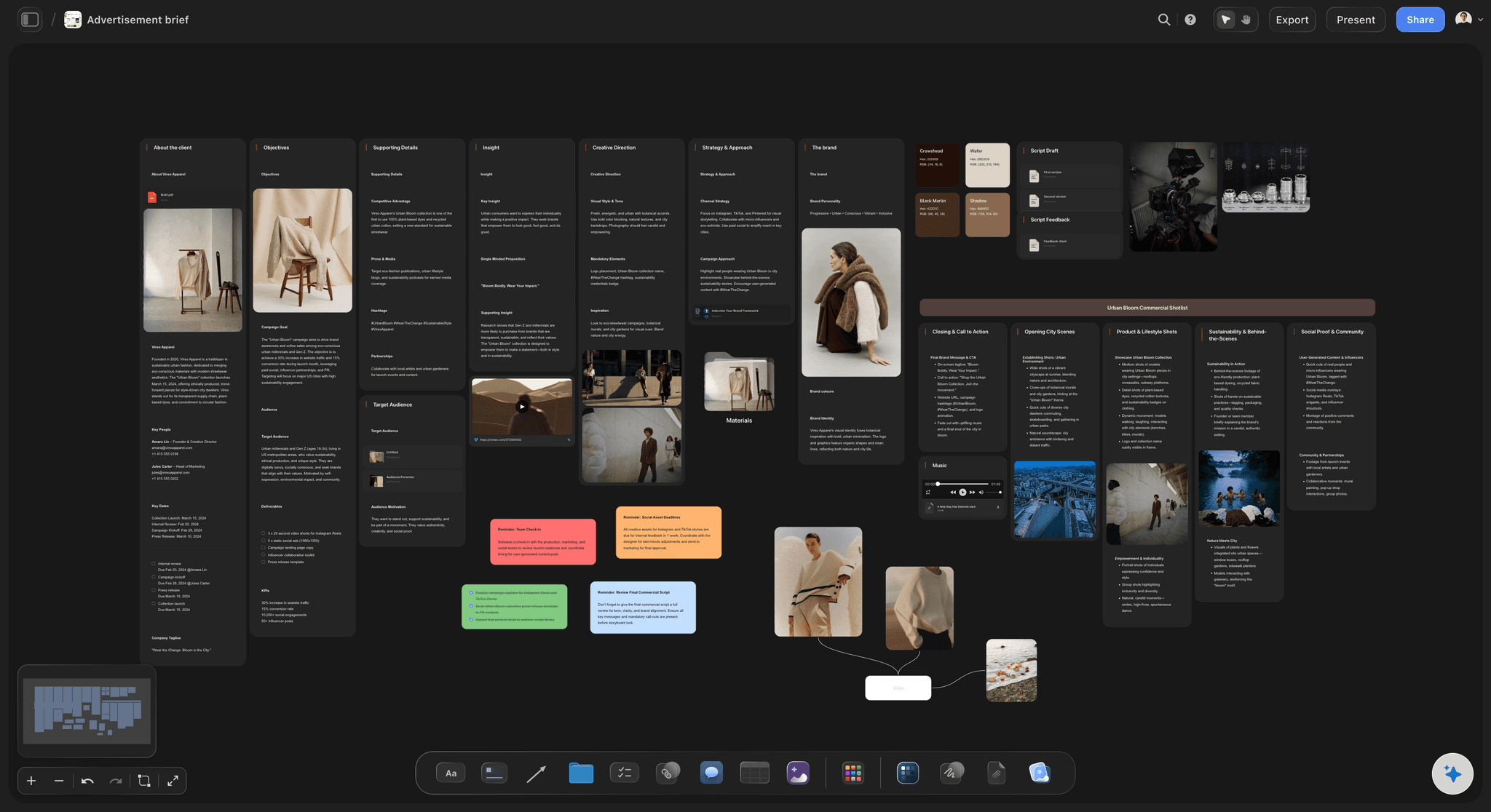
Creative Brief
Capture the objective, audience, and message for a creative so everyone works from the same brief.
What should a UGC creator brief include?
A UGC brief is the page a creator films from: what the product does, who it is for, which hooks to test, what they must and must not say, what to deliver, and the rights and pay attached. Storyflow is an AI visual workspace that builds the UGC brief on one infinite canvas: the product and audience, the hooks to test, the must-say and must-not-say lines, and the deliverables, usage rights and payment. Its AI drafts each part of that board from your product notes for you to rewrite before a creator sees it.
Brief the hook, not the whole script. The first three seconds decide whether an ad gets watched, so ask each creator for three opening lines on the same body: a problem hook, a result hook and a curiosity hook. Give the talking points and the call to action, and let them say it in their own words.
Count the deliverables per creator. A common shape: two videos of 20 to 40 seconds, three hook variations on each, five to eight B-roll clips of the product in use, and the raw footage. All vertical 9:16, no filters, no music, no burned-in captions, so your editor can cut ads from the pieces.
Write the rights down before anyone films. Usage says where the video may run and for how long: organic only, or paid ads for 30, 90 or 365 days. Whitelisting says whether you may run ads from the creator's own handle. Both change the fee, and a creator quoted for organic usage is right to refuse a paid campaign.
Ultra fast from brief to board
Product notes in, usable footage back.
Four steps, and the brief is out before the product ships.
01
Paste what you know about the product
The offer, the price, the three things buyers say in reviews, the claims legal has cleared. The AI drafts the audience, angles, hooks and talking points on the board for you to cut and rewrite.
02
Show the video you want
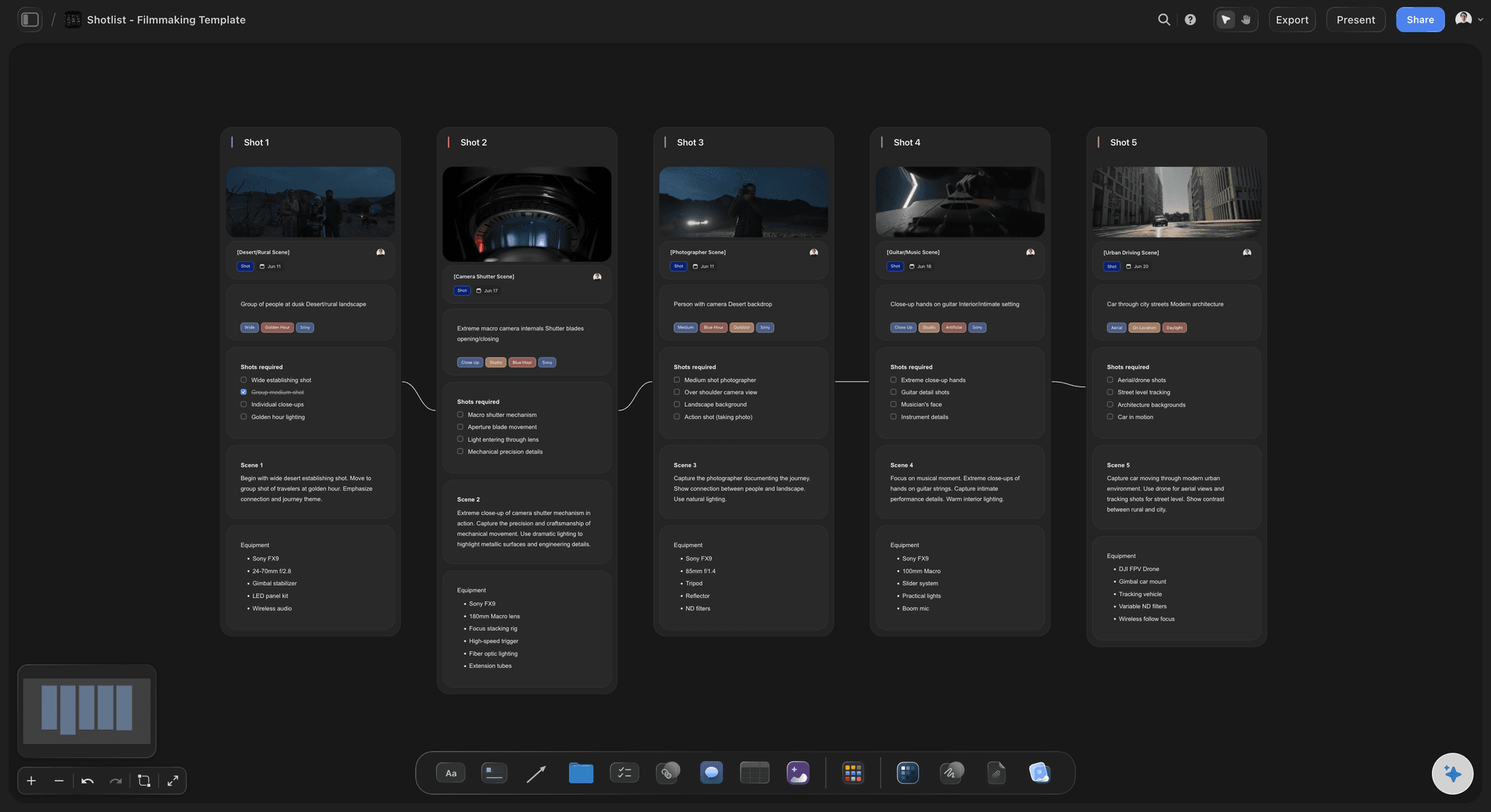
Upload two or three reference ads, play and scrub them, and grab the frames that show the lighting, the framing and the product moment. Caption each one with what to copy and what to ignore.
03
Set the deliverables and the terms
One table row per creator: videos, hook variations, B-roll, raw footage, due date, usage term and fee. Keep the rows in the order the drafts are due, so the late ones are visible at a glance.
04
Send the same link to every creator
Each creator reads the same brief, so ten videos come back answering one question. Questions arrive as comments beside the hook or the claim they are about, and your answer is there for the next creator.
Everything a creator asks before pressing record.
Written once, read by every creator in the batch, answered in one place.
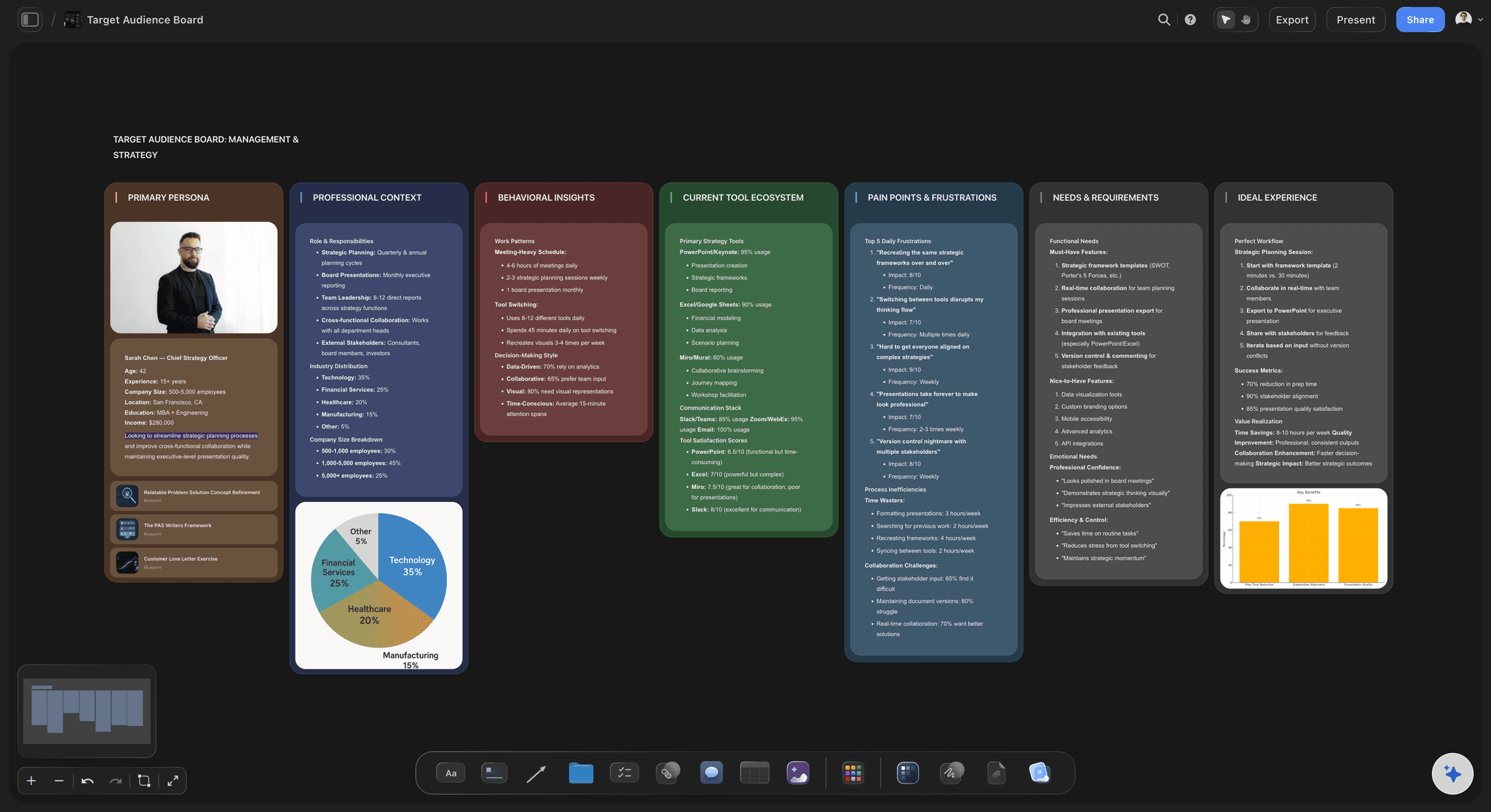
What the product is, in buyer words
An offer and an audience the creator can repeat
One line on the product, the offer and the price, then who buys it and the problem they had before. Paste real review lines so the creator hears how customers talk, not how the brand does.
See the campaign brief template →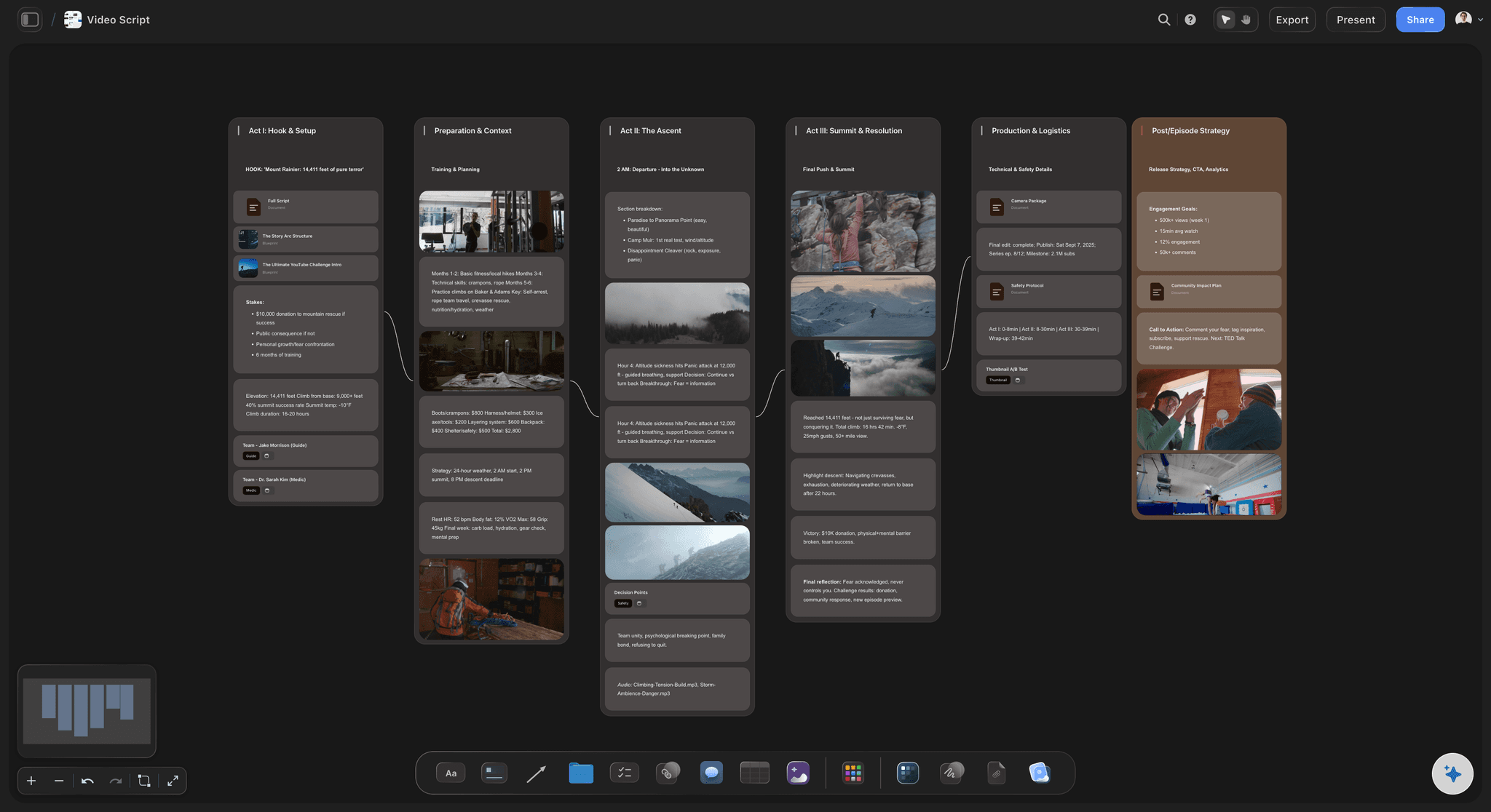
Hooks and angles to test
Three openings per video, one body
List the angles (problem and fix, before and after, unboxing, three reasons) and the hooks for each. The AI's video script workflow drafts a script per angle with the hook, the demo, the proof and the call to action for you to trim.
See the video script planner →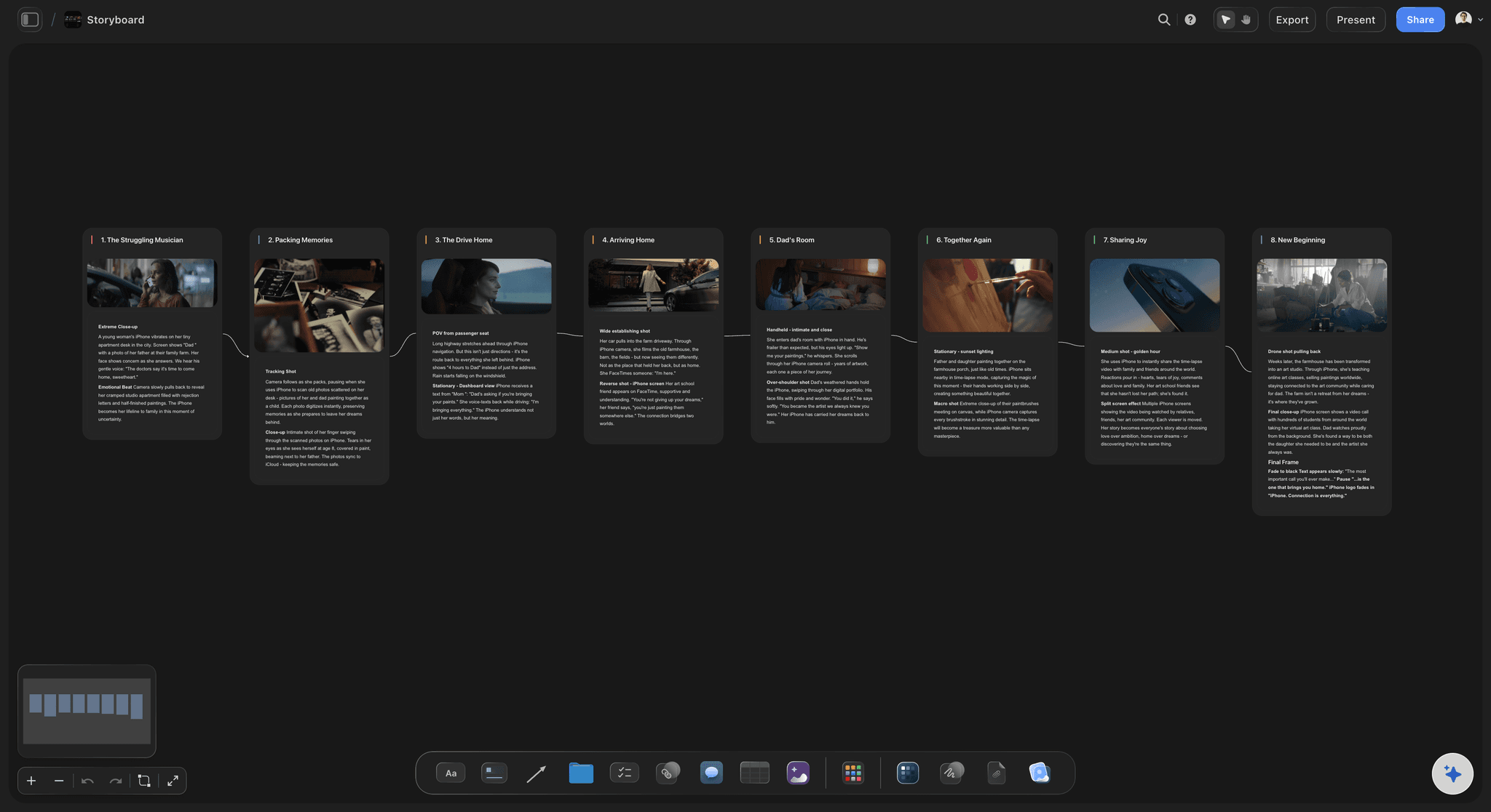
The ad before it is filmed
Reference clips and frames, captioned
Upload the reference ads, scrub to the moment that matters and grab the frame. The AI's storyboard workflow lays a 30-second ad out frame by frame, so a creator sees the product shot you need before they set up.
See the AI storyboard generator →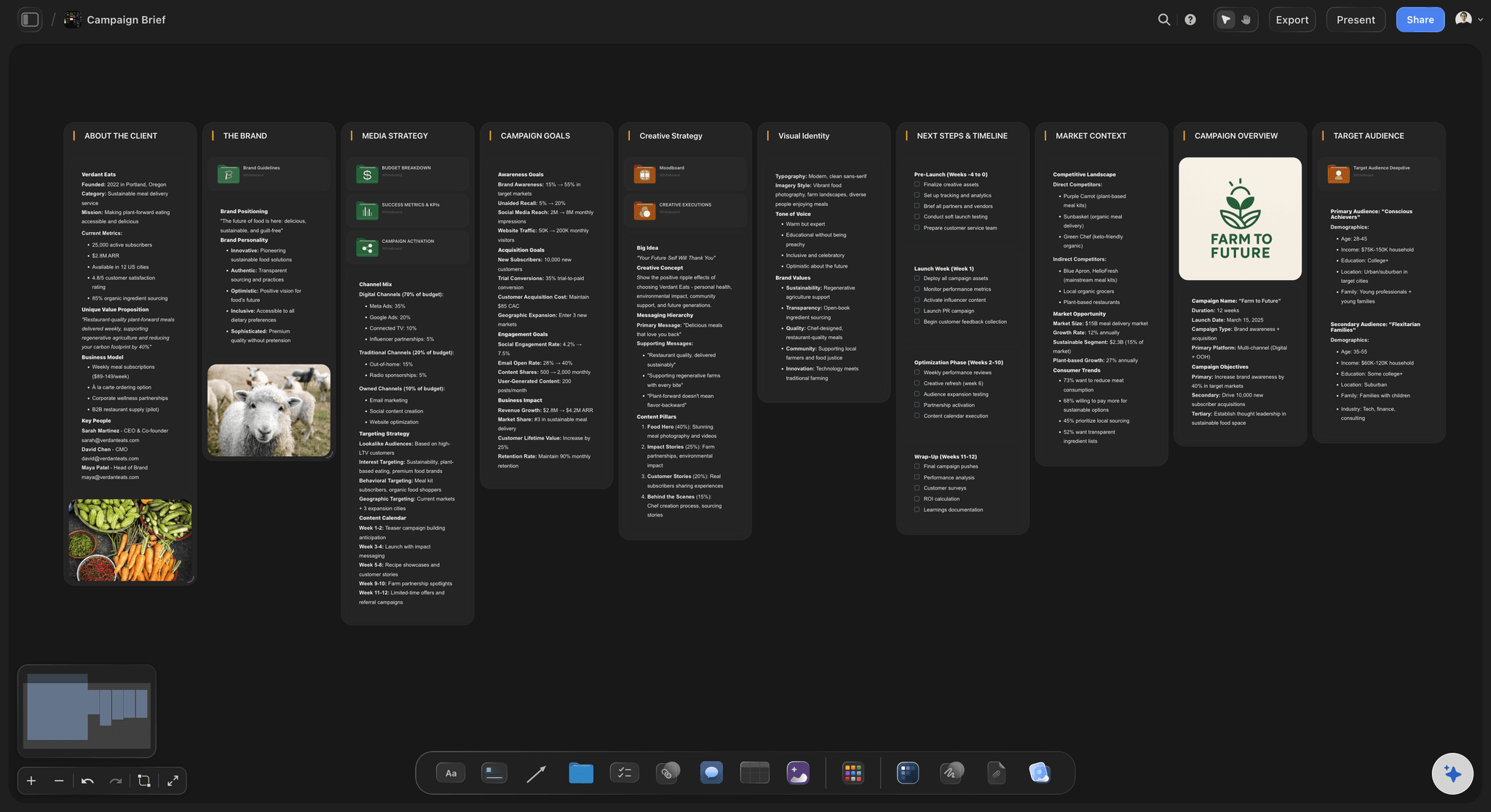
One link for the whole batch
Sent to every creator the same way
Creators read the brief from a view-only link on a phone or laptop; once signed in, a creator can ask a question beside the exact hook or claim. Export the whole board as a PDF for a creator who wants a file, or for the brand to sign off.
See the client review board →One brief per batch, reused every month.
Duplicate last month's brief, swap the product and the hooks, and the specs, terms and deliverables are already written. Storyflow is paid-only during early access, with plans from $7.99 a month billed annually ($9.99 monthly). A free plan launches before the end of 2026, and anyone a paid member invites to a board joins free.
Unlimited brief boards, reference video uploads and files on every paid plan
AI that drafts angles, hooks, scripts and the deliverables table from your notes
Tables with person, date, currency and status columns for each creator
View-only links and whole-board PDF export
Built for people with taste
Twelve fields every UGC creator brief needs.
Copy this list into whatever you brief in. Each field answers a question a creator would otherwise guess at, and a guess costs you a reshoot.
Fields 1 to 4
What they are selling, and to whom
1. Product and offer: What it is, what it costs, the offer running when the ads go live, and the one thing it does better than the alternative. The mistake is a feature list, which creators read aloud and viewers scroll past.
2. Audience and problem: Who buys it, what they tried before, and three review lines in the buyer's own words. A creator who is the audience will say it better than you can write it.
3. Hooks and angles to test: Two or three angles, each with three hook lines for the first three seconds. Label every hook so the edit and the ad account can tell which one won.
4. Must-say and must-not-say: The claims legal has cleared, word for word, and the ones that are banned: medical claims, competitor names, prices that will change. A disclosure like #ad goes here if the creator also posts it.
Fields 5 to 8
What comes back, and in what shape
5. Format and length: Talking head, demo, unboxing or voiceover, and a length range such as 20 to 40 seconds. Name the setting too: a bathroom shelf reads differently from a studio.
6. Deliverables per creator: Counted, per creator: videos, hook variations, B-roll clips, photos. "Some content" is how a batch comes back with one video and no hooks.
7. Raw footage specs: Vertical 9:16 at 1080p or 4K, natural light, clean audio, no filters, no music, no text on screen. Ask for raw clips as separate files, named by hook, so the editor is not guessing.
8. Revisions: One round is a common default: a reshoot when the video misses the brief, not when you change your mind. A new angle after delivery is a new video, priced as one.
Fields 9 to 12
The terms creators read first
9. Usage rights, duration and exclusivity: Organic, paid ads or both, which channels, which countries, and for how long. Paid usage for 30, 90 or 365 days is a common ladder, each priced higher than the last. Exclusivity: whether the creator may film for a competing brand while your ads run, for how long, and what it adds to the fee.
10. Whitelisting: Whether you want to run ads from the creator's handle (Meta partnership ads, TikTok Spark Ads), for how long, and whether they may see the ad spend. Ask for it in the brief, not after the video wins.
11. Deadline: Work from the day the product arrives: first drafts seven to ten days later is a common window, then the revision round, then final files. A date without the shipping date is a date nobody can keep.
12. Payment: The fee per video, extras for more hooks, raw footage and longer usage, when it is paid, and whether the creator keeps the product. Pay on approved delivery is common for single videos; larger batches often pay half up front.
When the videos come back
The brief becomes the scorecard
Check each video against the fields: Did it open on a briefed hook, say the cleared claim, and show the product in use? Missing a field is a revision; a video you simply like less is not.
Tag the winners by hook: Mark which hooks and angles the ad account kept running. Next month's brief starts from those instead of from a blank page.
Keep the terms beside the files: Each creator's usage end date sits in the same row as their videos, so nobody runs an ad a month after the licence ran out.
Explore templates for your project
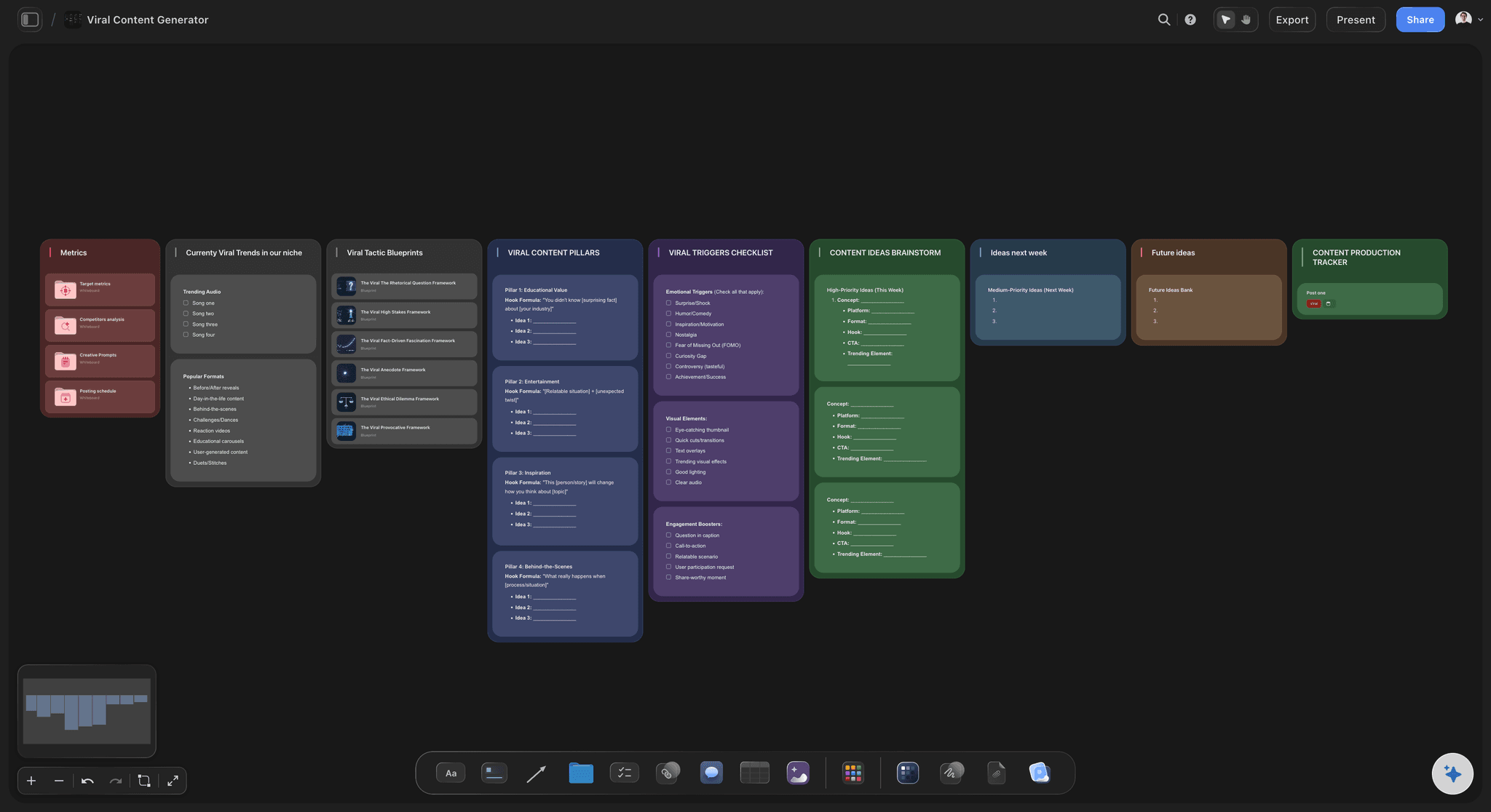
Every template opens as a real, editable board on the infinite canvas. Pick the closest fit and make it your own.
Creative Brief
Capture the objective, audience, and message for a creative so everyone works from the same brief.
One app instead of five
Brief builder, creator marketplace or doc?
Storyflow is where the brief itself gets built and shown. Insense and Billo find creators, pay them and handle licensing, and Notion holds a written brief as a page.
Storyflow
Recommended
Ad storyboarded frame by frame beside the brief
Brief kept as a written page
Marketplace of creators to hire from
Creator payments handled in the platform
Partnership ads requested through the platform
Insense
Ad storyboarded frame by frame beside the brief
Brief kept as a written page
Marketplace of creators to hire from
Creator payments handled in the platform
Partnership ads requested through the platform
Billo
Ad storyboarded frame by frame beside the brief
Brief kept as a written page
Marketplace of creators to hire from
Creator payments handled in the platform
Partnership ads requested through the platform
Notion
Ad storyboarded frame by frame beside the brief
Brief kept as a written page
Marketplace of creators to hire from
Creator payments handled in the platform
Partnership ads requested through the platform
What creators are saying
Join early creators getting structured workspaces and AI that remembers their projects
“Storyflow has sped up my workflow by at least 3x, which means more flow state and more projects I can actually ship. It truly changed the way me and my team create.”

Reilin Joey
Director & YouTuber
“One prompt gets me a structured board. But the tactics are my favorite. I run my YouTube scripts through them and my intros and retention got better. It's amazing.”

Justkay
YouTuber & Freelance Filmmaker
“I used to juggle five apps to plan a project. Now I describe what I am making and get boards, lists, and a schedule. All in one place.”

George
@fernwehchronicles
What brands ask before briefing creators.
Hooks, scripts, footage specs, licensing, whitelisting and creator pay.
Storyflow is the UGC brief template for a brand or agency that wants the same answer from every creator: product, audience, hooks to test, cleared claims, reference clips, deliverables, footage specs, usage and pay on one board, opened by link with no account or sent as a PDF. To find, contract and pay creators, use Insense or Billo, and paste the board's link into the job you post there.
Product and offer, audience and problem, hooks and angles to test, must-say and must-not-say, format and length, deliverables per creator, raw footage specs, revisions, usage rights, duration and exclusivity, whitelisting, deadline, and payment. The first four shape the video; the last eight decide whether you can use it.
Three per video is a common number: one problem hook, one result hook and one curiosity or point-of-view hook, each filmed as a separate opening on the same body. Label them in the brief (A, B, C) and ask for the files named the same way, so the ad account can tell which one kept its spend.
Usually not. Give the hook lines, three or four talking points, the cleared claims and the call to action, and let the creator say it in their words; a read script sounds read. Write a full script only for a demo with exact steps, such as an app walkthrough. In Storyflow the AI's video script workflow drafts one per angle for you to trim into talking points.
Where the video may run (organic social, website, paid ads, email), in which countries, and for how long. Organic usage is often included in the base fee; paid usage is commonly priced by term, such as 30, 90 or 365 days. Name what happens at the end: renew at a stated rate, or stop running it.
Whitelisting means running your ads from the creator's own account, through Meta partnership ads or TikTok Spark Ads, so the ad runs under their name, labelled as a paid partnership with your brand. It is priced separately from usage because it lends you their audience's trust. Put it in the brief with its duration, so the creator can say yes before filming rather than after the video wins.
Ask for the full takes as separate files: vertical 9:16, 1080p or 4K, natural light, clean audio, no filters, no music, no captions on screen. Add five to eight B-roll clips of three to five seconds of the product in hand and in use. Raw footage lets your editor build new ads from one shoot; price it as its own line.
State it in the brief. Payment on approved delivery is common for one or two videos; larger batches often pay half when the creator accepts and half on delivery. Say whether the creator keeps the product, what extra hooks, raw footage and longer usage cost, and how long after approval the payment arrives.
Write one brief and send one link, so every creator answers the same hooks and the videos can be compared. Put a table under it with one row per creator: shipping date, draft date, deliverables, usage term and fee. Answer each question where it was asked on the brief, so the other nine read the answer too.
Yes, as a first draft for you to cut. Paste your product notes and review lines into Storyflow and the AI lays out the audience, angles, hooks, talking points and the deliverables table on the board. The cleared claims, fees and usage terms stay yours to write, and Undo takes back any AI change.
No. Storyflow builds and shows the brief and tracks what each creator owes you. Creator sourcing, contracts and payouts belong in a marketplace such as Insense or Billo, or with creators you hire directly and pay by invoice. Partnership ads and Spark Ads run in Meta and TikTok's ad tools. Most brands write the brief here and paste its link into the job they post on the marketplace.
Not during early access. Storyflow is paid-only during early access, with plans from $7.99 a month billed annually ($9.99 monthly). A free plan launches before the end of 2026, and anyone a paid member invites to a board joins free. Creators pay nothing to read the brief.
More from Storyflow
Campaign brief template
Creative brief template
AI creative brief generator
Content studio workflow
Content calendar for creators
Storyflow for content creators
Storyflow for agencies
Client review board
Project brief template
Campaign management software
Best AI tools for UGC creators
How to repurpose one video into a month of posts
Pricing
Ad creative testing
Video ad script template
Influencer campaign plan
Brief the batch once. Get back what you asked for.
Paste the product notes, set the hooks and terms, and send every creator the same link.