
Plan videos ultra fast, post on time
A content agency workflow
that ships every client, every month.
Strategy call, pillars, one batch shoot day, the edit, one client review and the handoff to your scheduler. The same cycle for every brand you produce for, each on its own board.


Creatives working for these brands already got early access
- Red Bull
- Canon
- Artlist
- Porsche
See how easy it is to get started
Watch a real project come together, from a blank board to a finished plan, clicked through step by step.
Start from a ready-made template
Pick a board to see what you can build, then let AI fill it in. Every template is a real, editable starting point on the same infinite canvas.

YouTube Plan
Plan a video from hook to outline to shot list, with references and thumbnail ideas sitting right beside it.
What does a content agency workflow look like?
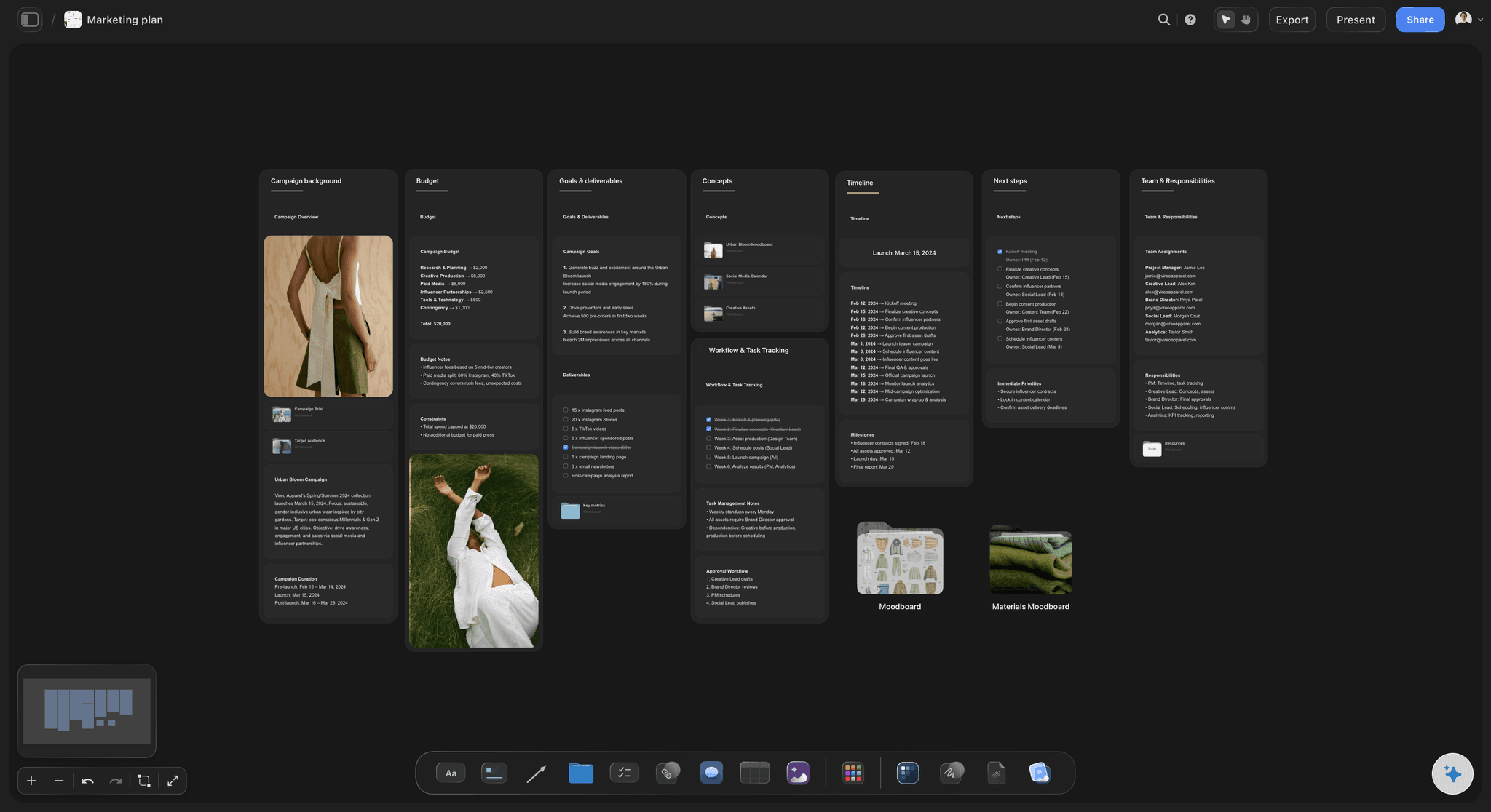
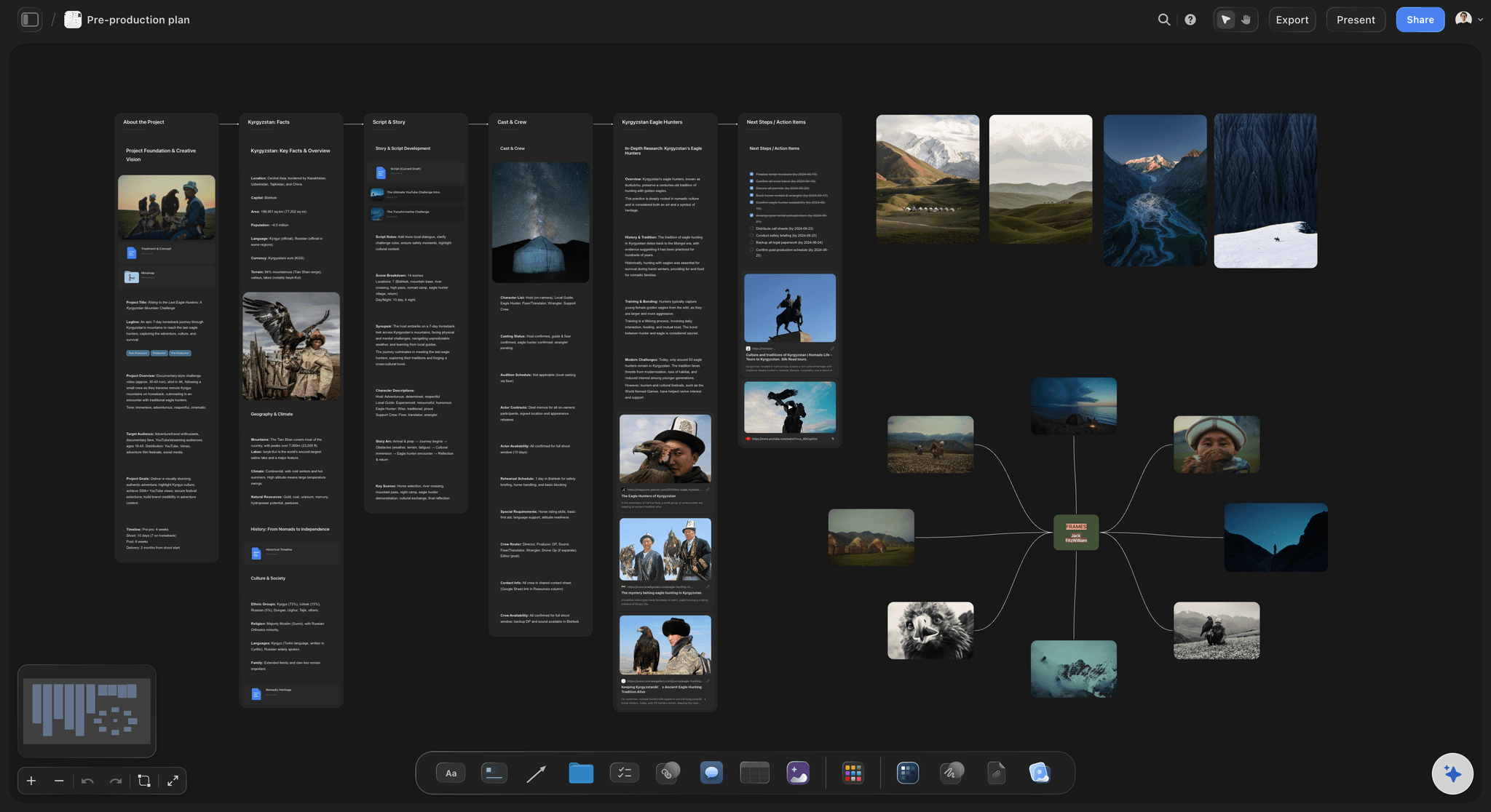
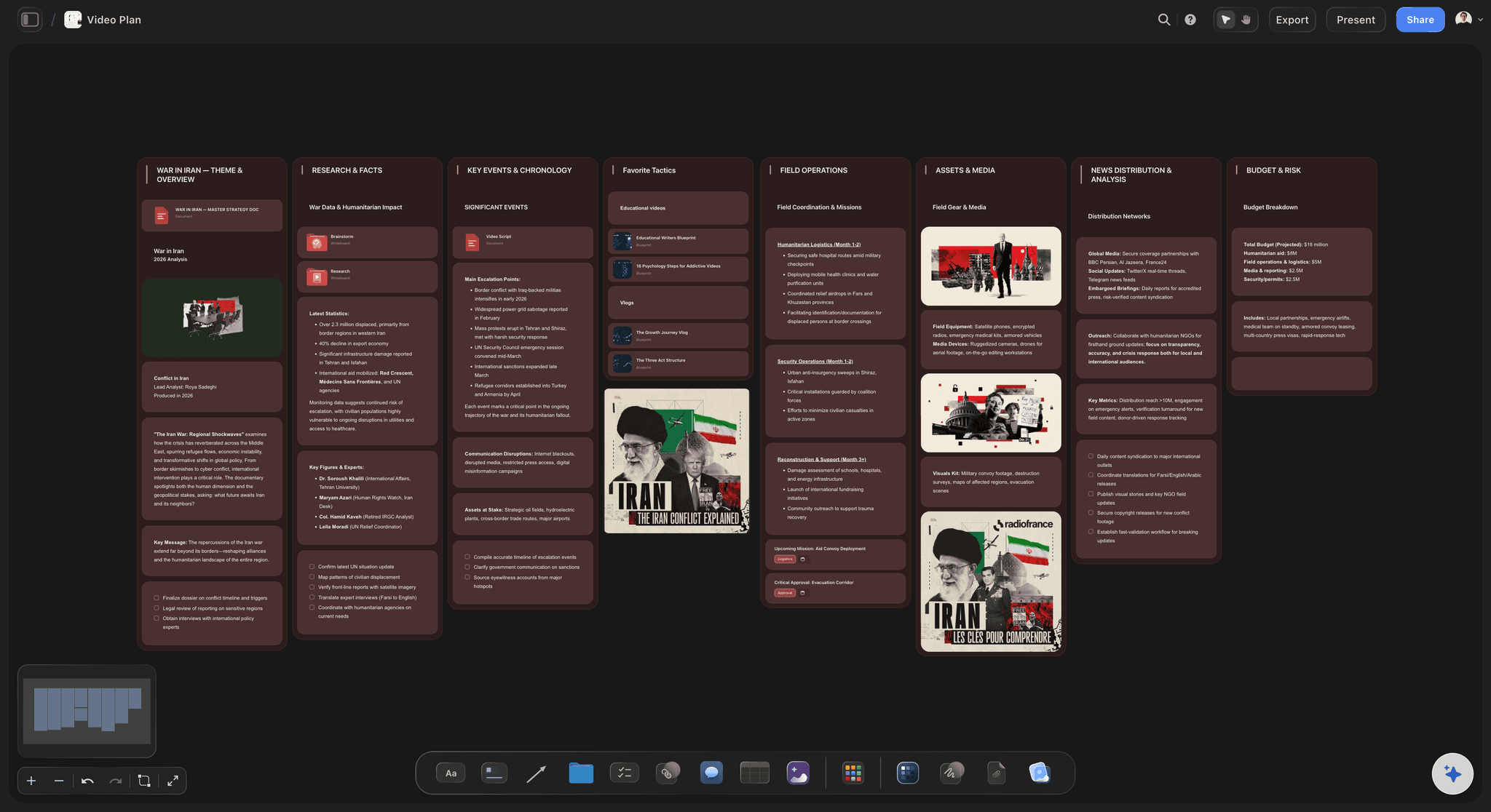
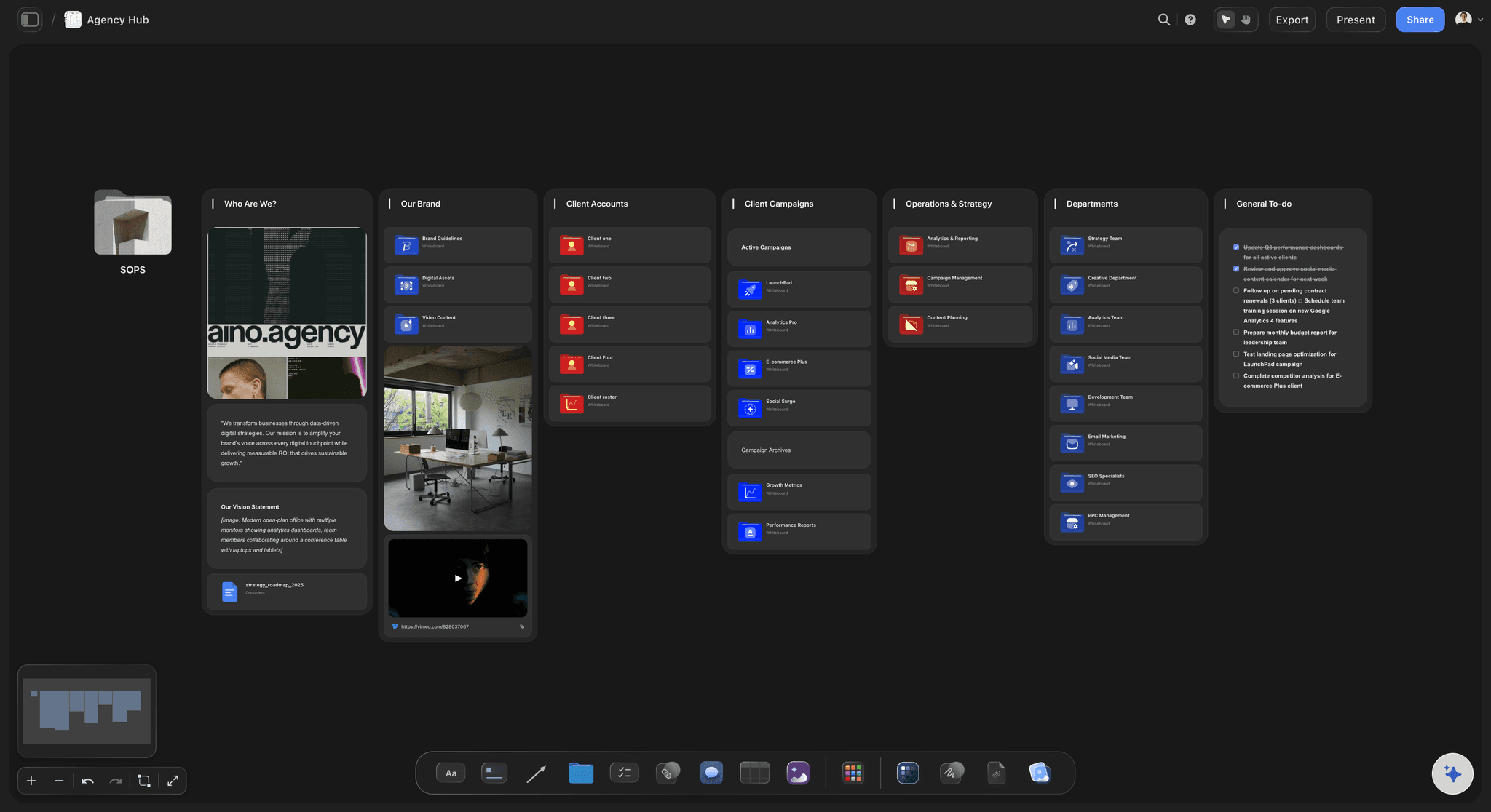
A content agency workflow is the monthly cycle a studio runs for each retainer client: agree what next month says, film it in one day, edit it, get one round of notes, hand off finished posts. Storyflow is an AI visual workspace that runs that monthly cycle on one infinite canvas: one board per client, the batch shoot day with its call sheet PDF, the edits and review notes, and a monthly plan and shot list its AI drafts from your strategy-call notes for you to rewrite.
Work one month ahead. The strategy call for May happens in the first week of April, the shoot in the second, the edit and review in the third, the handoff in the fourth. A studio producing the month it is publishing is always one sick day from a missed post.
Count shoot days, not posts. A common shape for a retainer is one batch shoot day a month per client, yielding eight to twelve short videos plus stills. If your editor finishes about two short videos a day, that client costs one shoot day and five edit days, and your capacity is the sum.
Write the revision rule into the retainer. One round of consolidated notes from one named decision-maker, returned within three working days; silence past that window counts as approval. A request to reshoot after the plan was signed goes into next month's shoot day, not this week's edit.
Ultra fast from brief to board
One cycle, repeated for every brand.
Four steps a month per client, most of them done in the first two weeks.
01
Run the strategy call, then paste the notes
Forty-five minutes: last month's best posts, next month's dates and launches, anything the brand wants to stop saying. Paste the notes and the AI drafts the month's posts by pillar, format and hook for you to cut.
02
Get the plan signed before the shoot
The client reads the month's plan on their board and leaves notes beside the posts they want changed. Close the plan a week before the shoot; changes after that move to next month.
03
Batch the shoot day
The AI's shot list workflow breaks each planned post into shots, grouped by location and setup so the crew moves once. It drafts a call sheet PDF for the day from the board, with blanks for anything you have not confirmed.
04
Edit, one review round, hand off
Upload the cuts to the board so the client plays them in place and comments beside each one. Fix what the one round asked for, then hand off each post's file, caption and publish date in order for whoever loads the scheduler.
Plan, shoot, edit and review, in each client's own space.
Everything that happens to a post before it is ready to schedule.
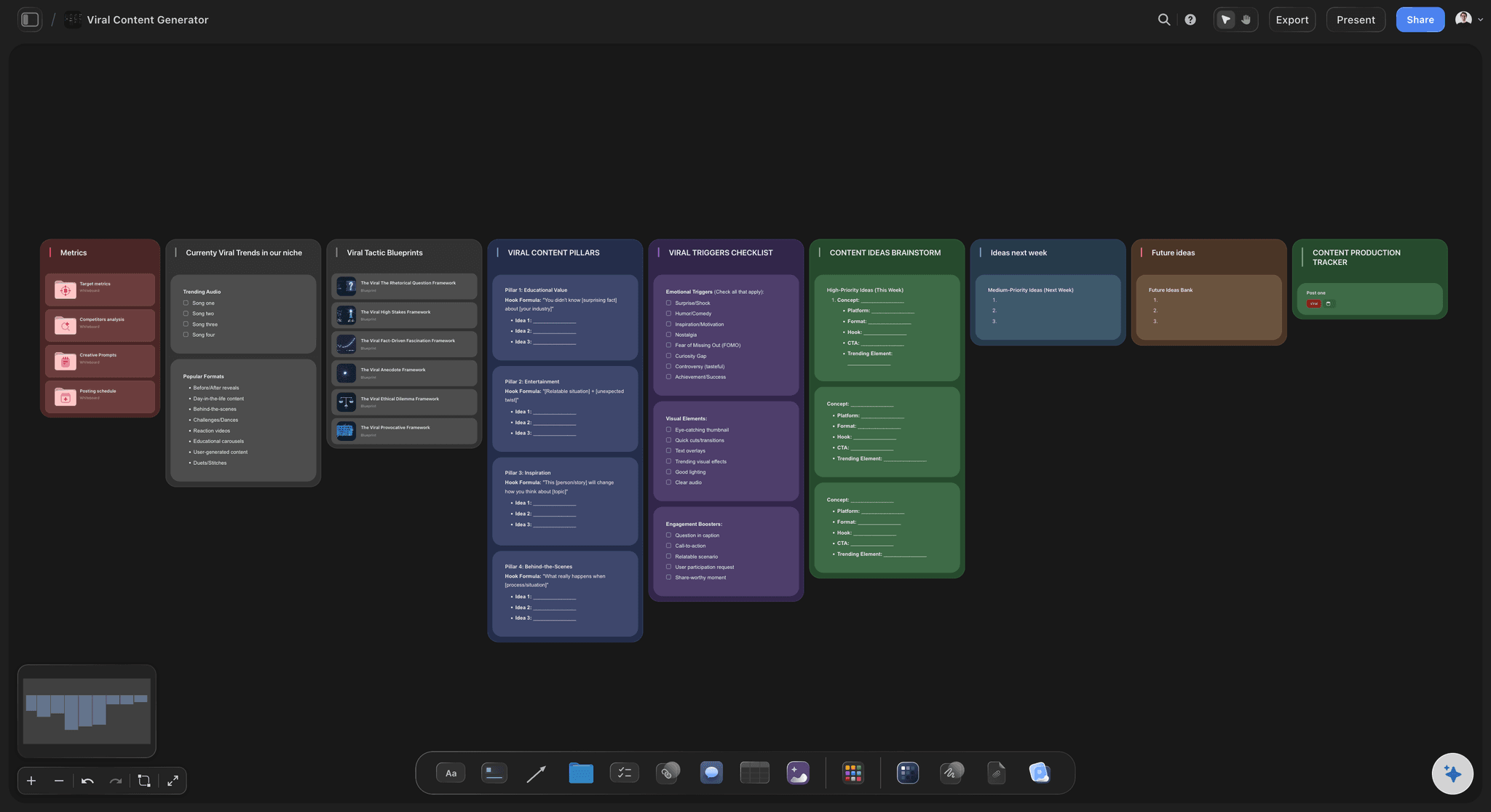
What this client talks about
Pillars and voice that outlast the month
Three or four pillars with the formats each one uses, the words the brand says and never says, and the posts that worked. The AI's content planner workflow drafts pillars, batching and repurposing for this brand, not a generic one.
See the content pillar planner →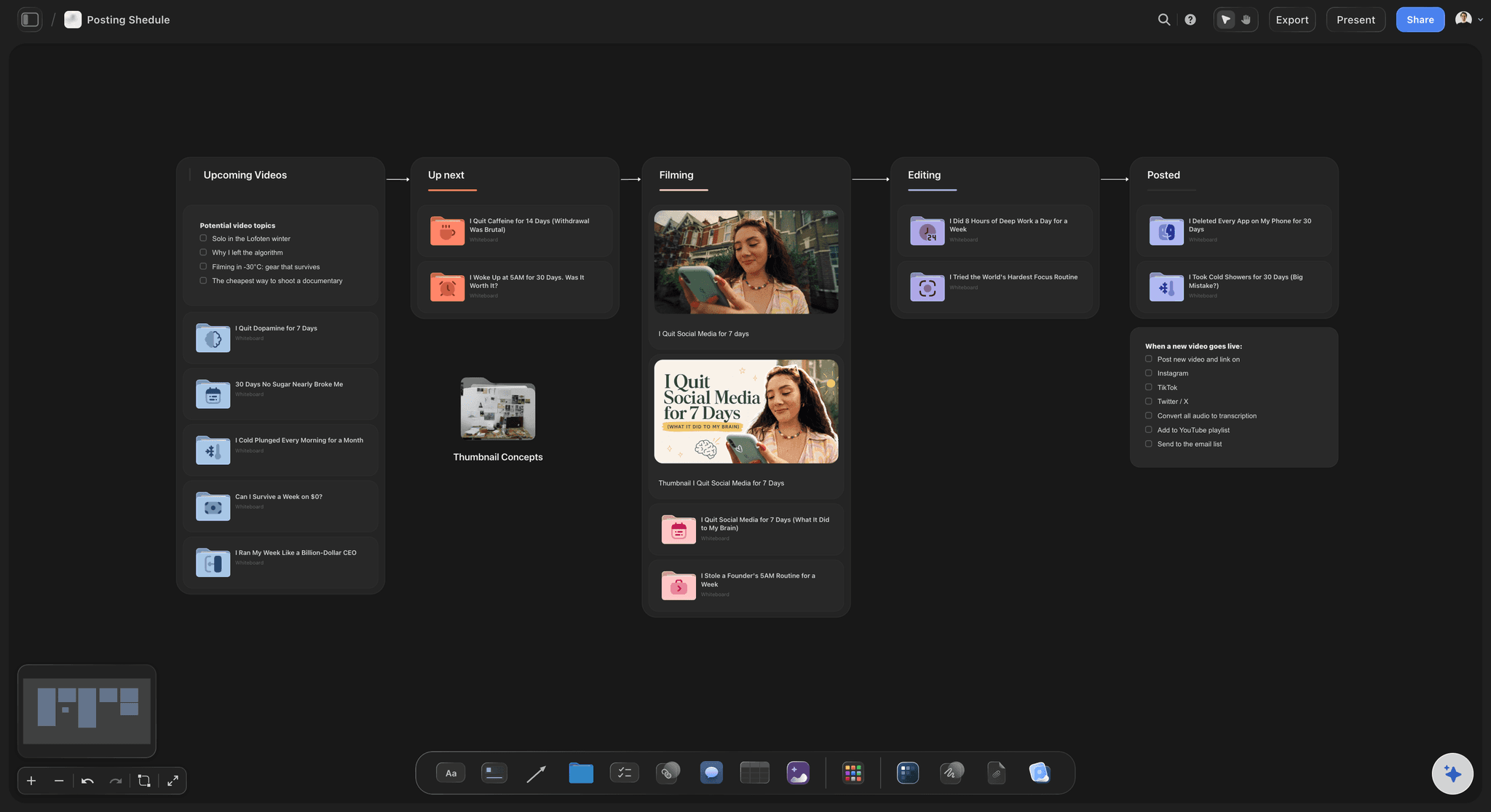
The month, post by post
A post plan with rows in publish order
One table row per post: pillar, format, hook, shoot day, status, owner and publish date, written in date order. A status cell shows each post as In progress in the edit or In review with the client.
See the social media content calendar →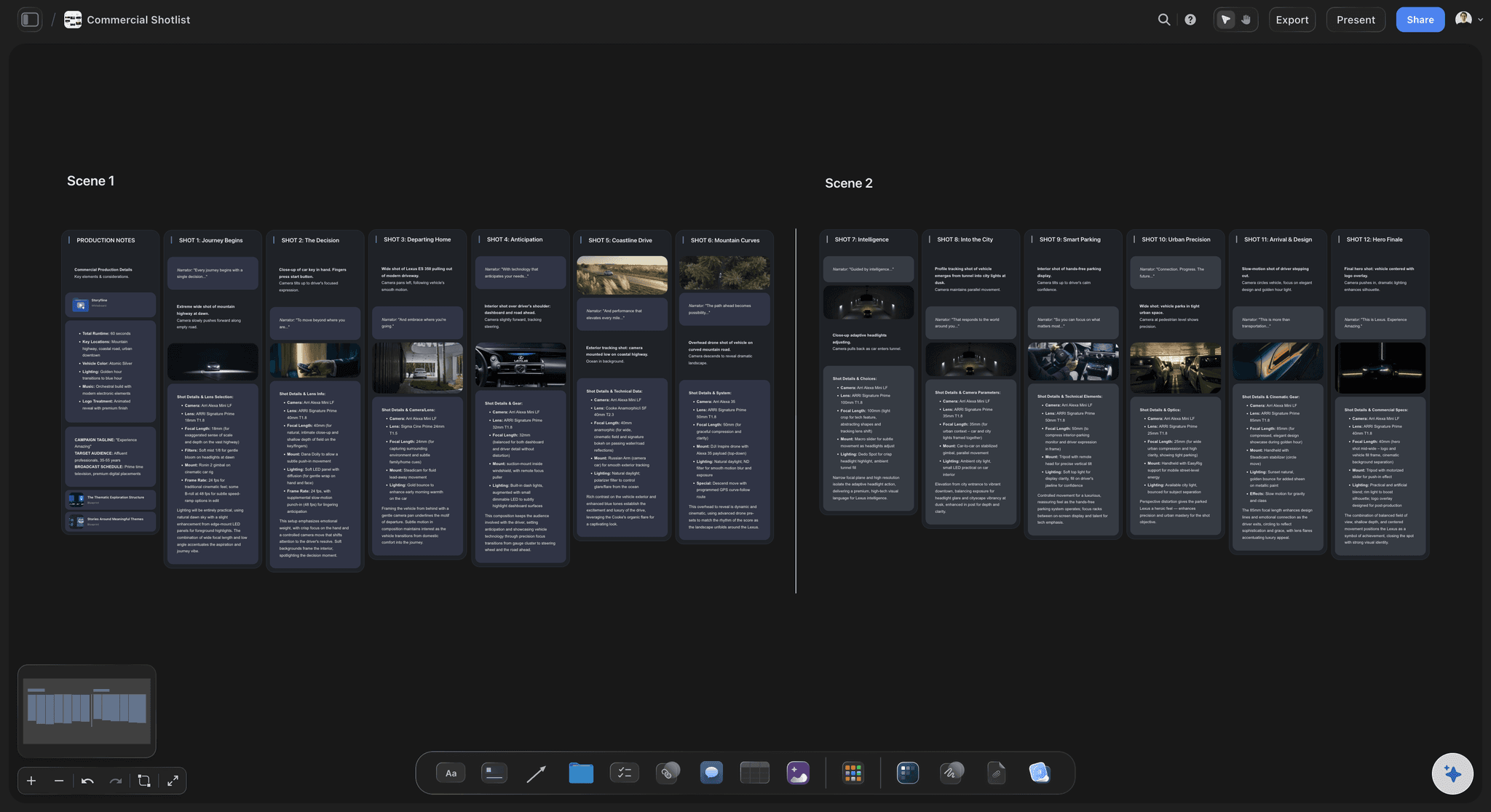
One day, a month of footage
The batch shoot day, planned by setup
Shots grouped by setup, props and wardrobe per look, talent and location notes, and a call sheet PDF the crew opens on a phone. Wardrobe changes are the clock on a batch day, so the plan counts them.
See the shot list template →
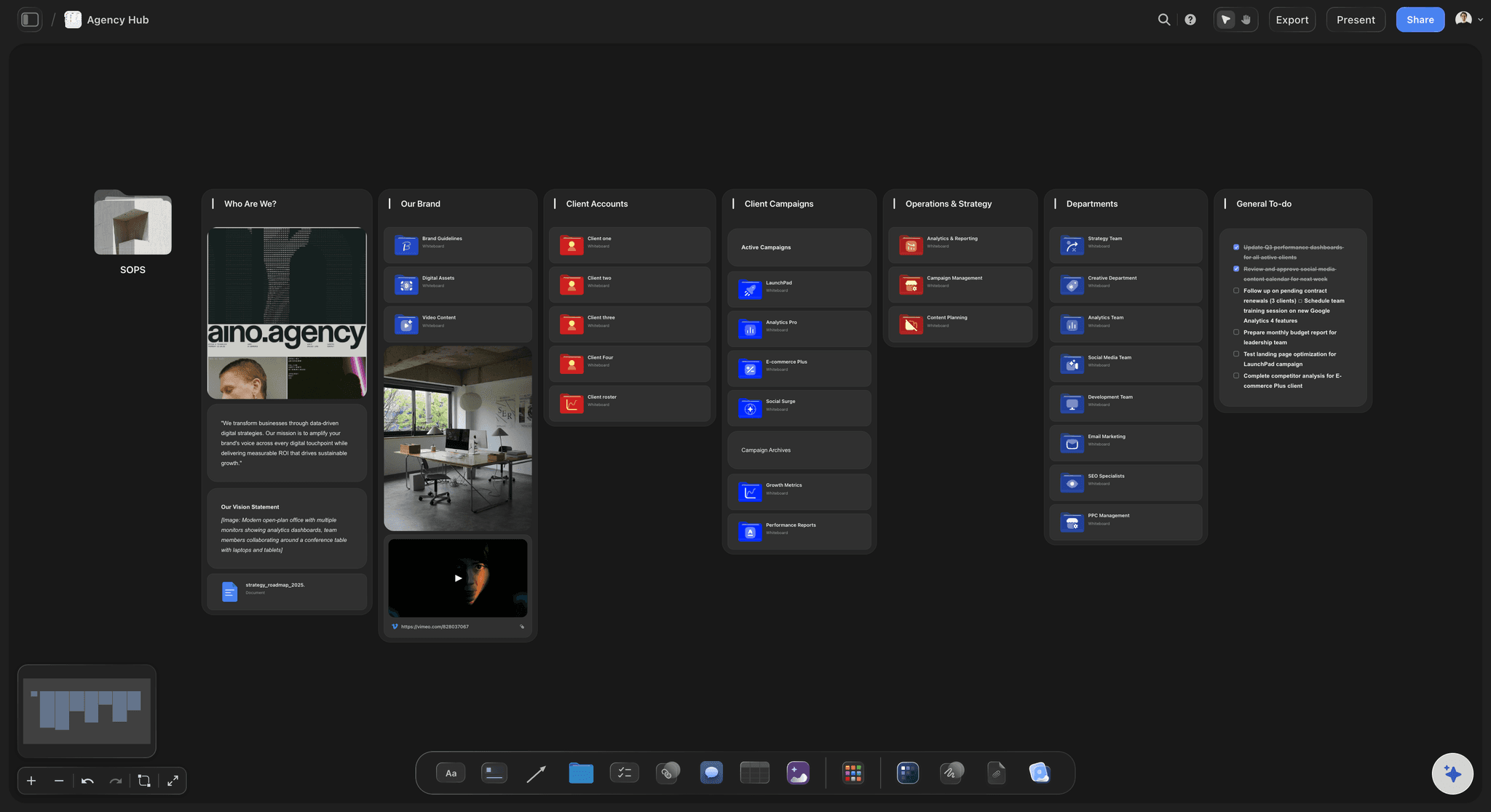
Review where the work is
Cuts the client plays and comments on
The client opens their board from a view-only link, plays each cut, and signs in to comment beside the one they mean. Notes stay next to the video instead of in an email thread nobody can find in March.
See the client review board →A new client is one duplicated board away.
Build the client board once, duplicate it for the next brand, and swap the pillars and the plan. Storyflow is paid-only during early access, with plans from $7.99 a month billed annually ($9.99 monthly). A free plan launches before the end of 2026, and anyone a paid member invites to a board joins free.
Unlimited client boards, video uploads and files on every paid plan
AI that drafts the monthly plan, shot list and a call sheet PDF from your notes
Tickets with assignees and due dates for the edit queue
A team workspace with roles on Max, billed per seat
Built for people with taste
Four weeks per client, before the month they post.
Use this cycle with any tools. The dates move with your clients; the order does not, because each week depends on the one before it.
Week 1
Strategy call and the month's plan
Review last month in ten minutes: The three posts that did best and the one that did worst, with a guess at why. Clients remember what you learned more than what you posted.
Collect next month's dates: Launches, events, sales, holidays and anything the brand cannot post about. A launch you hear about after the shoot costs a second shoot day.
Write the plan by pillar: Twelve posts is a common retainer count: eight short videos and four carousels or stills, spread across three or four pillars. Each post gets a working hook, not just a topic.
Close the plan: The client signs off on the plan by the end of the week. Everything after that point is a change, and changes move to next month.
Week 2
The batch shoot day
Group by setup, then by wardrobe: Every shot in the kitchen, then every shot at the counter. Moving lights and changing outfits eat the day; the shot order should minimise both.
Shoot for the edit you will make: Three hook takes per video, B-roll of the product in hand, and a clean still of each setup for carousels. The extra ten minutes per setup saves a reshoot.
Know what the client owes on the day: Location access, products, people on camera and their release forms, one person who can say yes. A missing product is a missing post.
Week 3
Edit and one review round
Deliver the month at once: Send every cut and caption together, not post by post. The client reviews in one sitting and the notes arrive as one set.
One round, one reviewer, three days: Consolidated notes from one named decision-maker, inside the window the retainer sets. Two people giving opposite notes is a question for the client, not your editor.
A revision fixes, a change replaces: Trim, caption, colour and music are revisions. A different topic, a new location or a product that was not on set is a change, and goes on next month's plan.
Week 4
Handoff, then next month
Hand off finished posts, not folders: Each post as final file, caption, hashtags and publish date, in the order it goes out. Whoever loads the scheduler should not have to open the edit.
Book next month's call before this one ends: The cycle only holds if the next strategy call is already in both calendars before this one ends.
Keep one studio board above the clients: Every client, this week's stage, the next shoot day and what is waiting on whom. It is the page you open on Monday morning.
Explore templates for your project
Every template opens as a real, editable board on the infinite canvas. Pick the closest fit and make it your own.
YouTube Plan
Plan a video from hook to outline to shot list, with references and thumbnail ideas sitting right beside it.
One app instead of five
Production board, approval tool or scheduler?
Storyflow plans and produces the month. Planable and Later handle post approval and publishing, and Notion holds a written plan as a page or database.
Storyflow
Recommended
Batch shoot day planned shot by shot
Moodboard and references on a freeform canvas
Call sheet PDF drafted for the shoot day
Client approves each post with a button
Posts scheduled and published to social platforms
Planable
Batch shoot day planned shot by shot
Moodboard and references on a freeform canvas
Call sheet PDF drafted for the shoot day
Client approves each post with a button
Posts scheduled and published to social platforms
Later
Batch shoot day planned shot by shot
Moodboard and references on a freeform canvas
Call sheet PDF drafted for the shoot day
Client approves each post with a button
Posts scheduled and published to social platforms
Notion
Batch shoot day planned shot by shot
Moodboard and references on a freeform canvas
Call sheet PDF drafted for the shoot day
Client approves each post with a button
Posts scheduled and published to social platforms
What creators are saying
Join early creators getting structured workspaces and AI that remembers their projects
“Storyflow has sped up my workflow by at least 3x, which means more flow state and more projects I can actually ship. It truly changed the way me and my team create.”

Reilin Joey
Director & YouTuber
“One prompt gets me a structured board. But the tactics are my favorite. I run my YouTube scripts through them and my intros and retention got better. It's amazing.”

Justkay
YouTuber & Freelance Filmmaker
“I used to juggle five apps to plan a project. Now I describe what I am making and get boards, lists, and a schedule. All in one place.”

George
@fernwehchronicles
What studio founders ask about running retainers.
Planning ahead, shoot days, capacity, revision rules and the handoff.
Storyflow is the workflow tool for a studio that plans, shoots and edits content for several brands: each client gets a board with pillars, the month's post plan, the batch shoot day, a call sheet PDF, the cuts and review notes, opened by the client by link with no account. For scheduling and publishing the approved posts, use Later, Buffer or Planoly; for click-to-approve on each post, Planable.
Five, finished before the month the posts go out: the strategy call and plan, the batch shoot day, the edit, one client review round, and the handoff to the scheduler. Reporting feeds the next strategy call. The shoot day is where a retainer's time actually goes.
One month ahead is a common rhythm: next month's strategy call in the first week, the shoot in the second, edit and review in the third, handoff in the fourth. Keep a small buffer of evergreen posts per client for the week a shoot is cancelled or a product arrives late.
Count shoot days and edit days, not clients. If one client is one shoot day and five edit days a month, two editors with about twenty working days each have forty edit days: eight clients, before reshoots and sick days. Keep a margin of one or two clients below that, and add up the days before signing the next one.
Eight to twelve short videos plus stills is a common shape for a single-location day with one brand. It drops fast with each extra location or wardrobe change. Plan the day by setup, film three hook takes per video, and shoot B-roll and stills at every setup so carousels come free.
One round of consolidated notes per month is a common default, from one named decision-maker within three working days, with silence after that counting as approval. Put it in the retainer. A new topic, location or product after the plan is signed is a change, and it goes into next month's shoot.
One board per client, built from the same structure: pillars and voice, the month's post plan, the shoot day, cuts and review, handoff. Above them, one studio board that links each client and shows its stage and next shoot day. In Storyflow a new client starts as a duplicate of an existing client board.
Upload each cut to the client's board. The client opens it, plays the video in place, and signs in to comment beside the cut they mean; replies stay in that thread. There is no approve button or approval status, so ask for approval in a comment and mark each post's status cell yourself.
No. Storyflow plans the month, organises the shoot, holds the cuts and collects review notes. Publishing belongs in a scheduler such as Later, Buffer or Planoly, and Planable if the client wants to approve each post with a button. Hand off each post's file, caption and publish date in order, and load the scheduler from that list.
No, Storyflow has no calendar layout. The month's plan is a table with a date column and rows kept in publish order, with status cells for what is waiting on whom. If the client wants a grid, their scheduler shows one once the posts are loaded; the plan stays on the board.
Yes, the first pass. Paste the strategy-call notes and Storyflow's AI lays out pillars, a month of posts with formats and hooks, and a shot list grouped for the shoot day, on the client's board. Rewrite what does not sound like the brand; Undo reverses any AI change, and the client sees nothing until you share the board.
Not during early access. Storyflow is paid-only during early access, with plans from $7.99 a month billed annually ($9.99 monthly). A free plan launches before the end of 2026, and anyone a paid member invites to a board joins free. Team billing is per seat, and your clients pay nothing to review.
More from Storyflow
In-house content production
Social media content calendar
Content planning tool
Storyflow for agencies
Client review board
UGC brief template
Content pillar planner
Content repurposing planner
Shot list template
Call sheet template
Video production proposal
How to batch a month of content in one day
How to repurpose one video into a month of posts
Pricing
Social media shot list
Creative scope of work
Editorial workflow
Run next month before this one ends.
Paste the strategy-call notes, plan the shoot day, and give each client one board to review from.