
Extremely reliable pre-production
Do the script breakdown in ChatGPT,
with a table for every scene.
For producers and line producers: ChatGPT reads the script and lays out the cast, props, wardrobe and locations of every scene as tables on a Storyflow board the crew opens.


Creatives working for these brands already got early access
- Red Bull
- Canon
- Artlist
- Porsche
See how easy it is to get started
Watch a real project come together, from a blank board to a finished plan, clicked through step by step.
Start from a ready-made template
Pick a board to see what you can build, then let AI fill it in. Every template is a real, editable starting point on the same infinite canvas.

Pre-Production
Pull the brief, script, shot list, and moodboard into one pre-production hub so the whole shoot is planned in one place.
Can ChatGPT do a script breakdown?
Yes, ChatGPT can do a script breakdown: it reads each scene and lists the cast, the extras, the props, the wardrobe, the location and anything the action lines call for, such as a vehicle or an animal. Storyflow is an AI visual workspace that turns a script into a breakdown on one infinite canvas: a scene table with a row per scene, a table for each department, and a breakdown sheet for every scene, beside the script and the schedule. With the Storyflow plugin installed, ChatGPT builds those tables on your production's board itself, and because it runs on ChatGPT's own model it uses none of your Storyflow AI credits.
ChatGPT reads closely with nothing connected. Paste six pages and it finds every scene heading, splits interiors from exteriors and day from night, and catches the work hidden in the action lines: "the lights flicker" is an electrical effect, and "a dog runs to her" is an animal and its handler. What it hands back is text. The props list sits in one reply, the wardrobe in another, and when the writer adds a scene on Friday you paste the new pages in and start again.
With the plugin, the breakdown is built on the board. Put the script on the production's board as a PDF, Word or Final Draft file, mention Storyflow with @, and ask for the breakdown. ChatGPT reads the file there and builds it in layers, one request each. First the scene table: scene, heading, pages, cast, extras, props, wardrobe and notes, up to 8 columns and 50 rows. Then department tables, such as props or wardrobe, with the scenes each item appears in. And if you want the classic sheet, one section per scene, with the scene's heading on top and its elements in a table underneath. A column can hold statuses or checkboxes, so the props buyer marks each item sourced.
An example to check by hand. Quarry Lane Productions is breaking down a 5-page script for a 90-second charity film: 7 scenes at 3 locations. The scene table has 7 rows and 8 columns. The pages read 6/8, 4/8, 1, 1 2/8, 3/8, 5/8 and 4/8, which is 40 eighths, so 5 pages. The cast column shows Maya in 6 scenes, her dad in 4, and the nurse only in scenes 3 and 4, both at the hospital, so the nurse is booked for one day. The action lines add three things a read of the dialogue misses: 12 extras in the waiting room (scene 4), flickering lights in the flat (scene 2) and a dog in the park (scene 6). ChatGPT then builds a props table of 14 items and one breakdown sheet per scene, 7 sections in all.
Before the table goes to anyone, check four things. The eighths, because they come from the text, not your printed pages. The time of day of any scene marked CONTINUOUS or LATER, which takes its time from the scene before it. Voices: a line marked V.O. is recorded later, so that actor is not called to set for that scene. And the extras, which a script rarely counts: "a busy waiting room" needs a number before anyone can book it, so ask ChatGPT to put a number on every crowd and mark it as a guess.
Here is where it stops. ChatGPT reads the first 40,000 characters of a file on the board and cannot read further into the same file, so a feature goes in parts: split the PDF by act, or paste an act at a time into the chat. A scanned PDF has no text to read. ChatGPT cannot delete cards, so a second breakdown lands beside the first. The breakdown does not tag the script itself, there is no Day Out of Days report, and nothing updates by itself when a new draft arrives. Storyflow's own AI, inside the app and on Storyflow AI credits, reads a whole attached script into a scene index and can list what changed between two drafts.
Ultra fast from brief to board
Four steps from the script to a breakdown the crew opens.
Do the scene table first. Every other list is checked against it.
01
Install Storyflow from the plugin directory
Open the Storyflow listing in ChatGPT's plugin directory and select Install plugin. Sign in to Storyflow when asked, then choose which projects ChatGPT may use.
02
Put the script on the board and ask
Drop the PDF, Word or Final Draft file on the production's board, or paste the pages into the chat, then type @ and pick Storyflow. For example: "Break down the script on the Hope Run board: one row per scene with heading, pages, cast, extras, props, wardrobe and notes." A scene table appears on the board.
03
Check every row against the script
Read the table with the script open. Fix an eighth or a missed prop in the cell itself, or tell ChatGPT which scene to change. Then ask for the department tables and, if your first AD works scene by scene, a sheet per scene.
04
Share it and plan the days
Share the board from Storyflow: a view-only link for the client or the line producer, an invite for the heads of department. When the breakdown holds, ask ChatGPT for the strip board on the same board.

A breakdown in the shapes each department reads.
ChatGPT reads the pages. Storyflow keeps the tables where the producer, the props buyer and the wardrobe team work from one version.
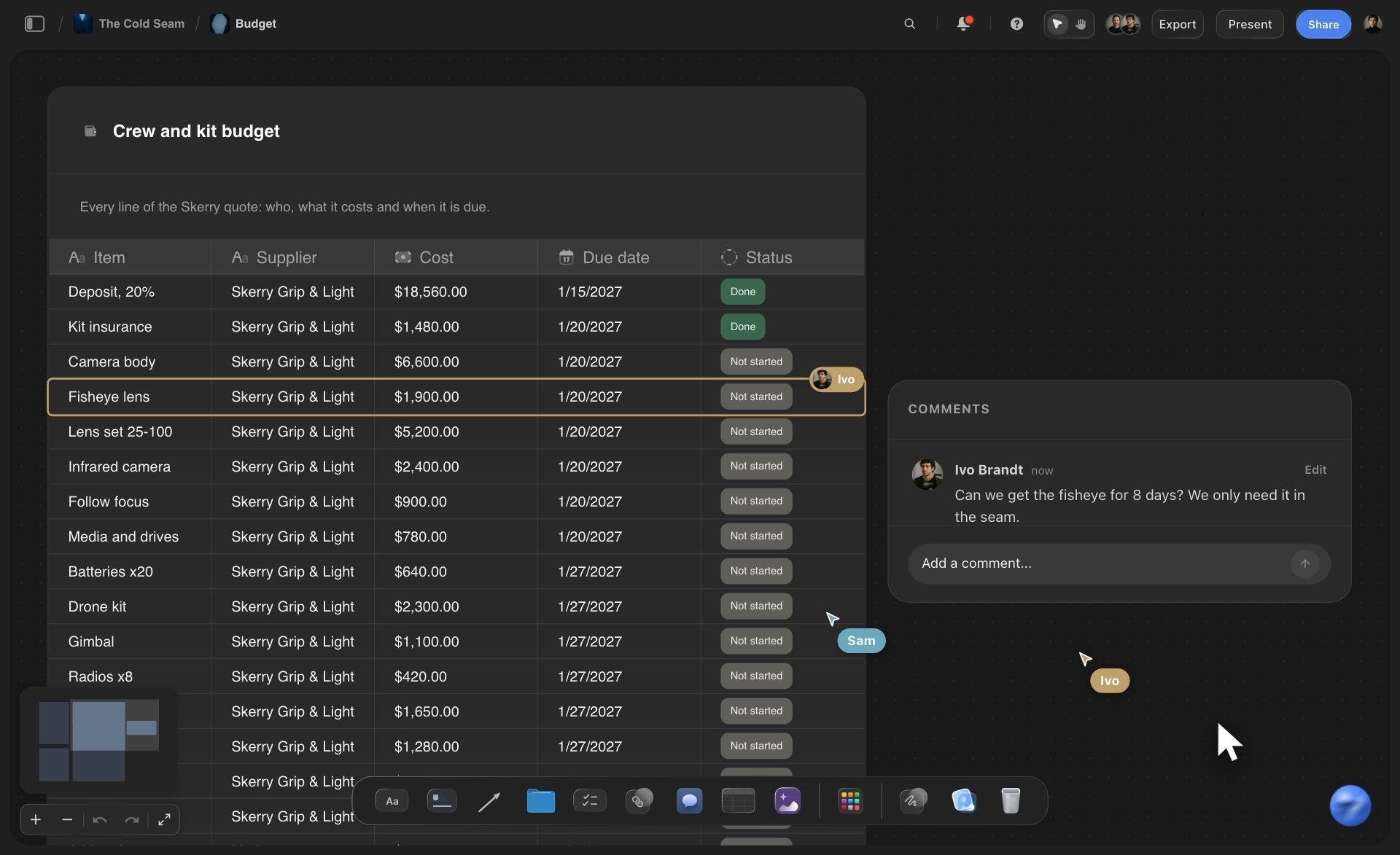
The scene table
One row per scene, every element in its column
Scene, heading, pages, cast, extras, props, wardrobe and notes, up to 50 scenes per table. Columns can be labels, statuses or checkboxes, so a row shows what is sourced at a glance.
See the AI script breakdown →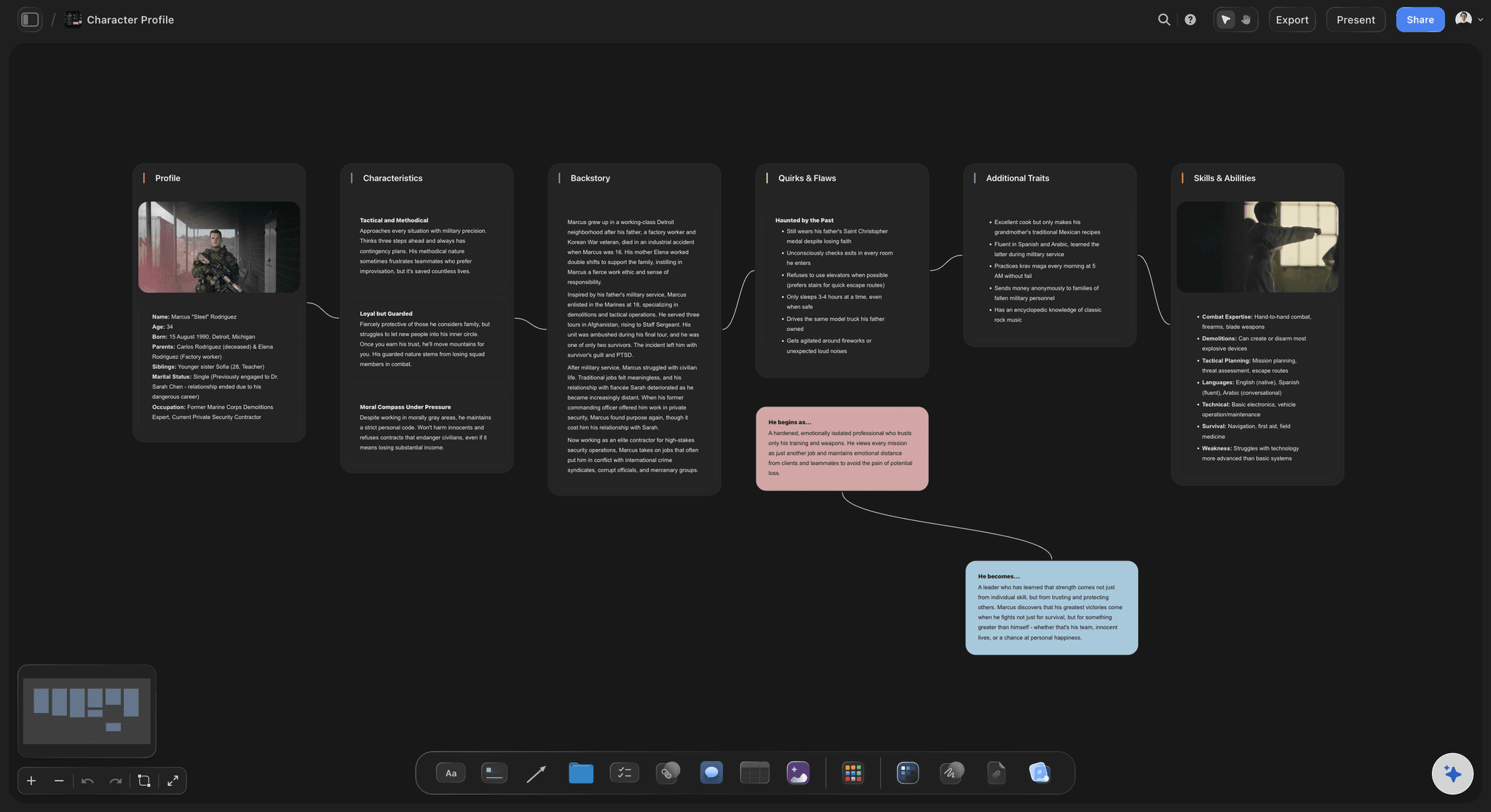
The cast
Who is in which scene, before anyone is booked
Ask for a cast table: each actor, the scenes they are in and the looks they wear. It shows that an actor in two scenes at one location needs one shoot day, not three.
See the script breakdown with Claude →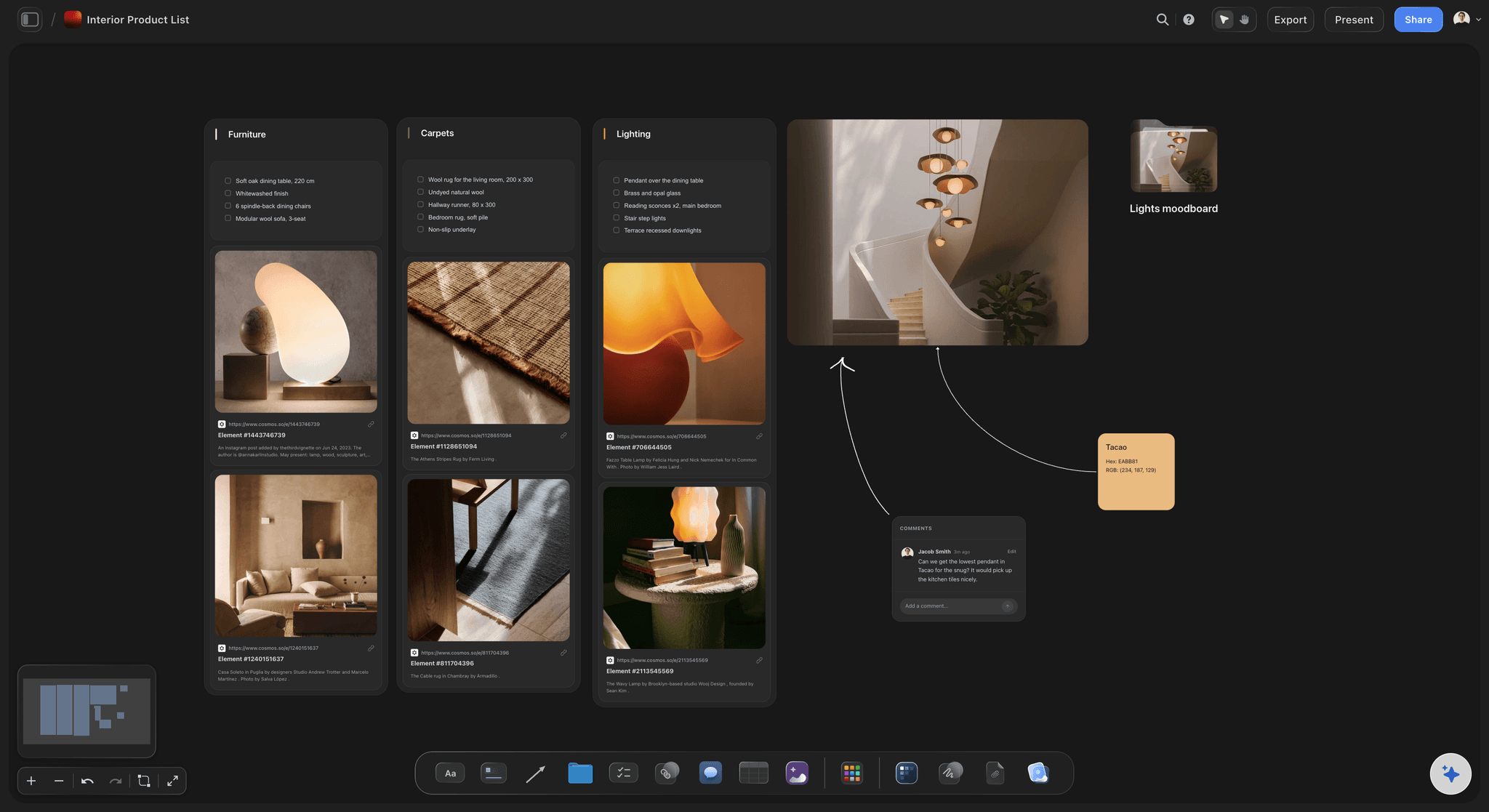
Department lists
A props table the props buyer can tick
Props, wardrobe, locations, vehicles: each department gets its own table with the scenes each item appears in and a status column, or a tickable list with a photo of each item, so the buyer works from one list instead of the whole script.
See script breakdown software →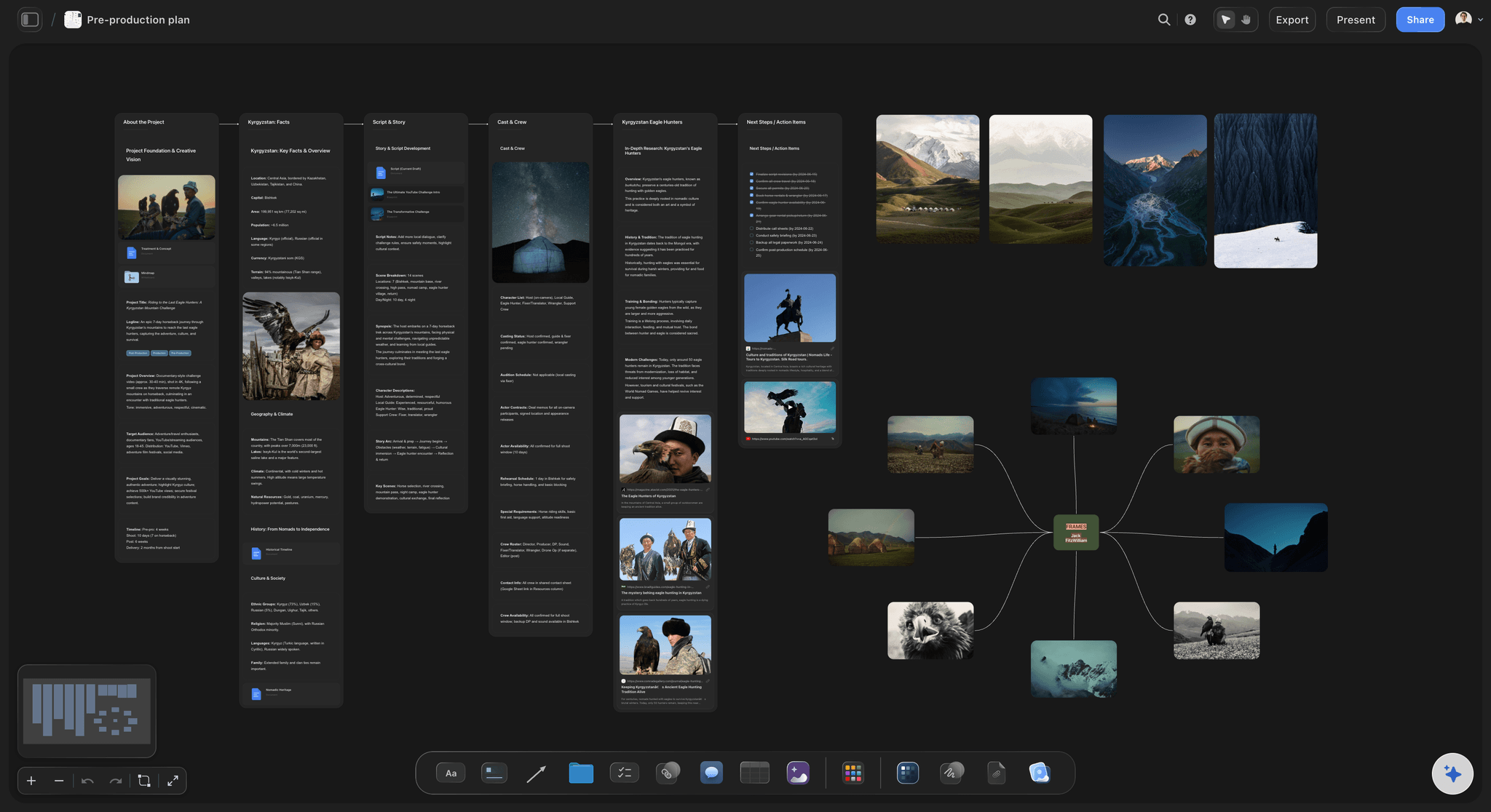
Next to the plan
The breakdown on the board the shoot is planned on
The script, the breakdown, the shot list and the schedule sit side by side, so a change to scene 4 is checked against everything it touches.
See the shot list with ChatGPT →ChatGPT reads the script. Your Storyflow AI credits stay where they are.
The plugin runs on ChatGPT's own model and your ChatGPT plan, so a breakdown built through it uses no Storyflow AI credits. An invited free Storyflow account gets 25 plugin actions a week, reset every Monday (UTC). Each table or scene sheet ChatGPT builds is one action, and so is each read of the script. Plus, Pro and Max have no weekly limit. Storyflow is paid-only during early access, from $7.99 a month billed annually ($9.99 monthly), and anyone a paid member invites to a board joins free.
No Storyflow AI credits spent on the breakdown
One plugin action per table or scene sheet
No weekly limit on Plus, Pro and Max
Heads of department join the board free when invited
You choose which productions ChatGPT may open, and whether it may change them

Built for people with taste
What a breakdown on the board fixes.
The read, the rewrite and the hand-off to the departments.

The read
Six pages in, nothing lost in the action lines
The script stays where it is: ChatGPT reads the PDF, Word or Final Draft file on the board, up to 25 MB, so the breakdown sits beside its source and nobody pastes pages into a chat.
Action lines read like dialogue: Ask ChatGPT to list every element the action lines call for, scene by scene, and to mark the ones it inferred rather than read. Those are the rows to check first.
Eighths in their own column: Keep each scene's length in a column of its own, so it is easy to check against your script software's page count before it reaches the schedule.
A sheet per scene when you need one: One section per scene, its heading on top and its elements in a table underneath. Each sheet is one request, so ask for them once the scene table holds.
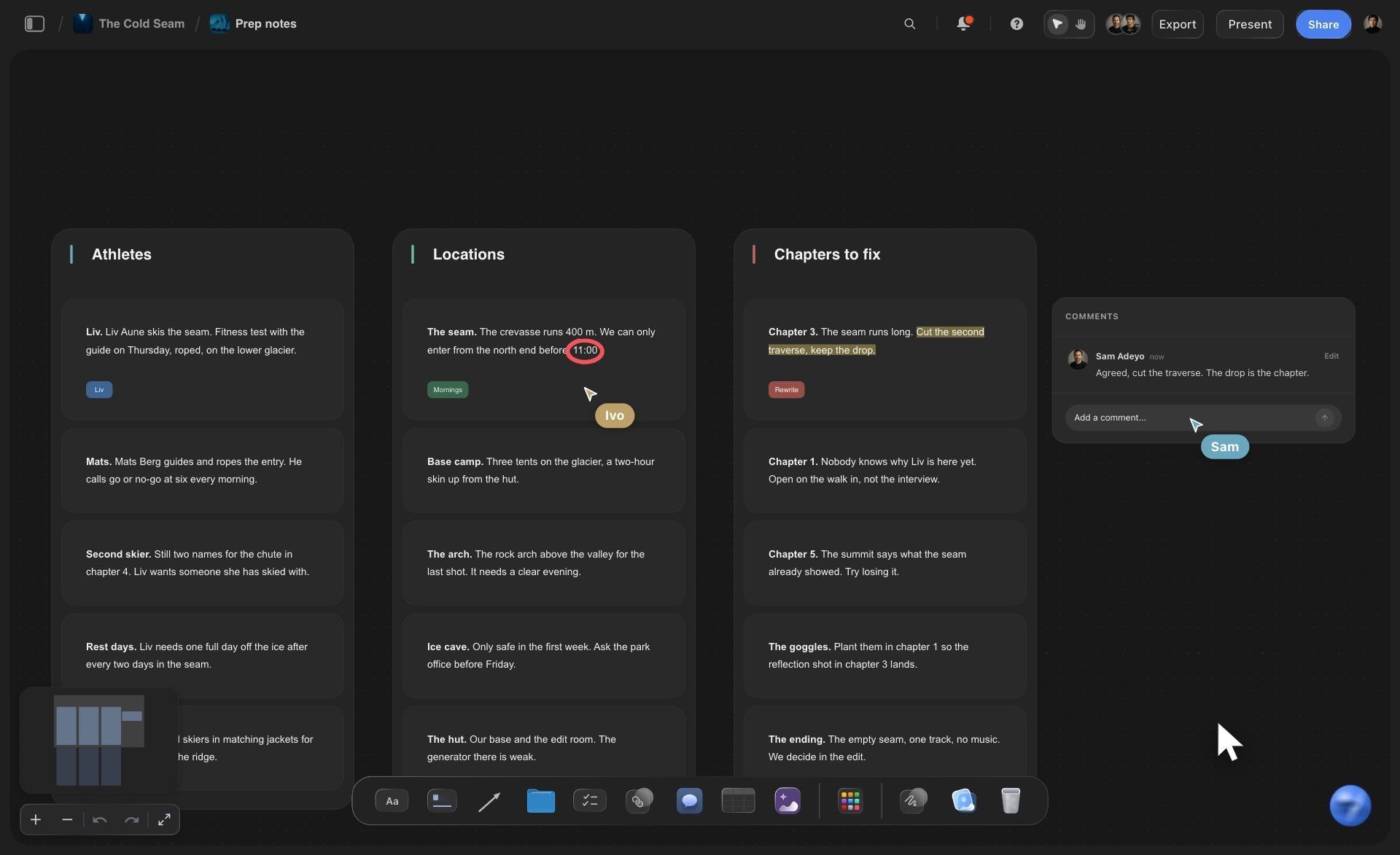
The rewrite
The writer adds a scene on Friday
Change a row by asking: Say "scene 5 is now at night and it rains" and ChatGPT updates that table where it sits. The other scenes stay as they were.
Read both drafts: Put the new draft on the board beside the old one and ask ChatGPT to list the scenes that changed before it edits anything. It compares the first 40,000 characters of each, so compare a feature act by act.
Ask what changed: Ask ChatGPT what changed on the board this week. It reads the board's history and lists what was added, edited or moved, and by whom.
Old versions come off by hand: ChatGPT cannot delete cards, so a second breakdown lands beside the first. Keep the one you trust and remove the other yourself.
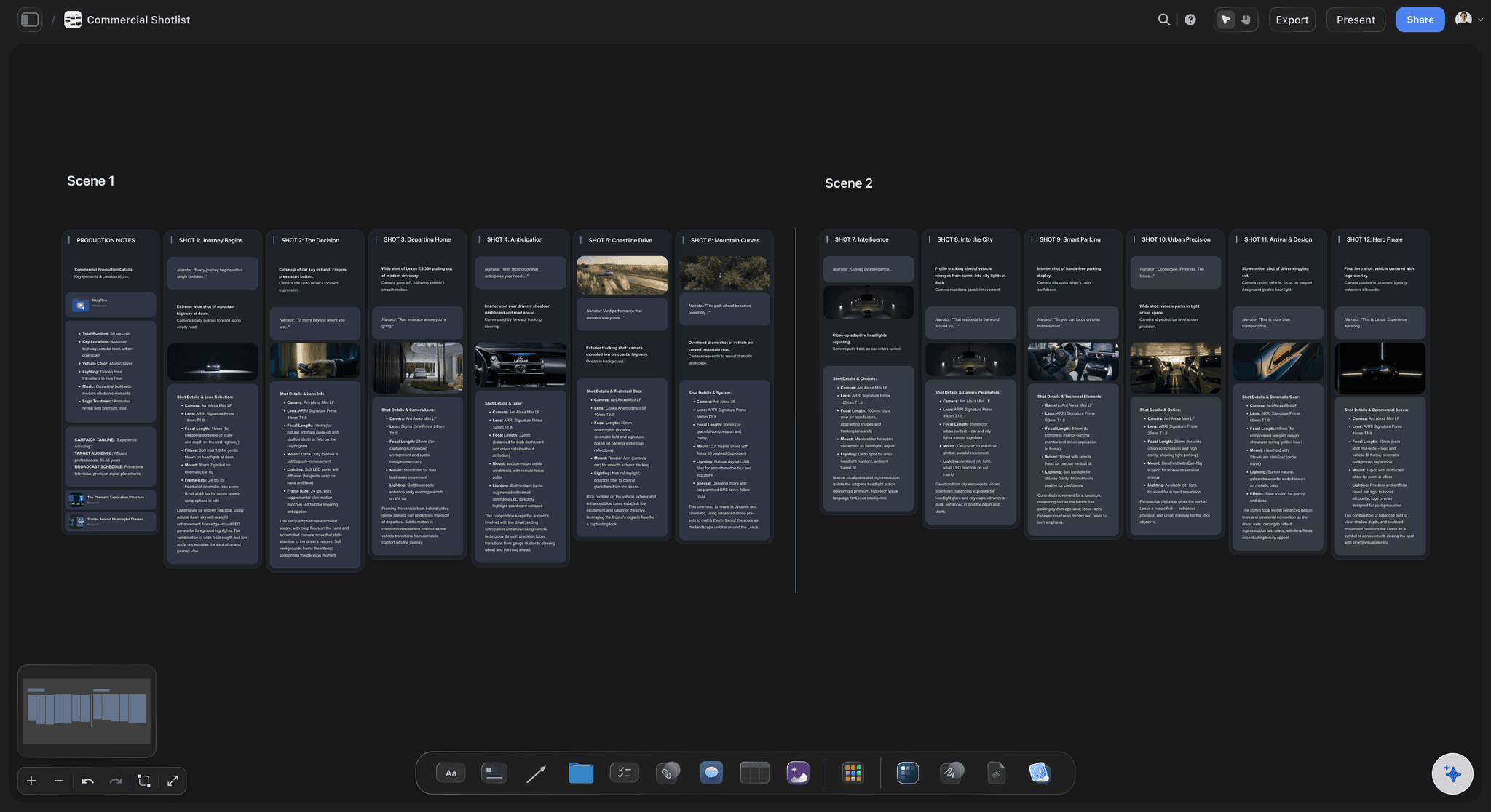
The hand-off
Every department works from one board
A view-only link for the client: The client or the agency opens the board in a browser with no account. To comment, they sign in.
Photos of props and wardrobe: Ask for the "Add your photos" link and send up to 200 pictures within 15 minutes into a scene's section or a wardrobe wall. A photo attached in the chat does not reach the board.
From the breakdown to shoot days: Ask for the strip board: a column per shoot day, a strip per scene coloured by interior or exterior and day or night, and each day's pages added up by Storyflow.
From the breakdown to shots: Ask for the shot list next, and every shot lands as a column with its frame, coverage and gear on the same board.
Explore templates for your project
Every template opens as a real, editable board on the infinite canvas. Pick the closest fit and make it your own.
Pre-Production
Pull the brief, script, shot list, and moodboard into one pre-production hub so the whole shoot is planned in one place.
One app instead of five
ChatGPT with Storyflow, ChatGPT alone, or StudioBinder.
StudioBinder tags elements in the script itself and keeps its reports in step with the schedule; it is not a ChatGPT plugin as of October 2026. Storyflow holds the breakdown ChatGPT writes, beside the rest of the plan.
Storyflow with ChatGPT
Recommended
Breakdown drafted by ChatGPT from the script
Department lists the crew opens from one link
Script, references and breakdown on one open canvas
The crew edits it after the chat ends
The team comments on the breakdown
Elements tagged in the script text in breakdown colours
Changes flow to the schedule by themselves
Day Out of Days report
ChatGPT on its own
Breakdown drafted by ChatGPT from the script
Department lists the crew opens from one link
Script, references and breakdown on one open canvas
The crew edits it after the chat ends
The team comments on the breakdown
Elements tagged in the script text in breakdown colours
Changes flow to the schedule by themselves
Day Out of Days report
StudioBinder
Breakdown drafted by ChatGPT from the script
Department lists the crew opens from one link
Script, references and breakdown on one open canvas
The crew edits it after the chat ends
The team comments on the breakdown
Elements tagged in the script text in breakdown colours
Changes flow to the schedule by themselves
Day Out of Days report
What creators are saying
Join early creators getting structured workspaces and AI that remembers their projects
“Storyflow has sped up my workflow by at least 3x, which means more flow state and more projects I can actually ship. It truly changed the way me and my team create.”

Reilin Joey
Director & YouTuber
“One prompt gets me a structured board. But the tactics are my favorite. I run my YouTube scripts through them and my intros and retention got better. It's amazing.”

Justkay
YouTuber & Freelance Filmmaker
“I used to juggle five apps to plan a project. Now I describe what I am making and get boards, lists, and a schedule. All in one place.”

George
@fernwehchronicles
Script breakdowns with ChatGPT: questions
What producers ask before a breakdown from ChatGPT decides the shoot days.
Yes. ChatGPT reads a script scene by scene and lists the cast, extras, props, wardrobe, locations, vehicles, animals and effects each scene needs. With the Storyflow plugin it builds the breakdown on your production's board instead of in the chat: a scene table with a row per scene, a table per department, and a sheet per scene if you want one. The crew opens the same board, and the breakdown stays after the chat ends.
Storyflow is our pick first, and it is our product. The basis: it builds the breakdown from your script as tables on a board the producer and the departments share, next to the shot list and the strip board ChatGPT can build on the same board. StudioBinder is the specialist to weigh; it is not a ChatGPT plugin as of October 2026, but it tags elements in the script itself and produces Day Out of Days reports.
Open the Storyflow listing in ChatGPT's plugin directory and select Install plugin. Sign in to Storyflow when asked, then choose which projects ChatGPT may use and whether it may make changes. In a chat, type @ and pick Storyflow, or choose it from the + menu. Availability depends on your ChatGPT plan, workspace and region. In a Business or Enterprise workspace, an admin manages plugins and can turn them on or off.
Up to a point. ChatGPT reads PDF, Word and Final Draft files on your Storyflow board, up to 25 MB each, and gets the first 40,000 characters of a file. It cannot read further into the same file, so split a feature by act or paste one act at a time into the chat. A scanned PDF has no text to read. A file attached in the ChatGPT chat is read there but does not reach Storyflow.
For every scene: the number, the heading (inside or outside, the place, the time of day), the length in eighths of a page, the speaking cast, extras, stunts, props, set dressing, wardrobe, hair and make-up, vehicles, animals, effects and special equipment. If an actor touches it, it is a prop; if it only sits in the set, it is set dressing. Ask ChatGPT for exactly these columns so nothing is left to its guess.
Treat them as an estimate. Through the plugin, ChatGPT works out each scene's length from the text it reads, not from your script's printed pages, so a scene can come back as 3/8 that prints at 4/8. Keep the eighths in their own column and check them against your script software before they decide a shoot day. On the strip board, Storyflow adds up whatever page counts each strip carries.
Start with one scene table: it holds up to 50 scenes and 8 columns, shows patterns across the script, and takes one request. Add department tables when a buyer needs their own list. Build a sheet per scene only when someone works scene by scene, such as a first AD, because each sheet is one plugin action, and a 40-scene set is more than an invited free account's 25 actions a week.
Yes. Ask for a props table with each item, the scenes it appears in, who sources it and a status column, and the same for wardrobe, locations or vehicles. Each is its own table on the board, so the props buyer ticks items off without opening the script. A table holds up to 8 columns and 50 rows, so a longer props list goes in two tables, split by location or by shoot day.
No. The plugin runs on ChatGPT's own model and your ChatGPT plan, so plugin actions use no Storyflow AI credits. An invited free Storyflow account can make 25 plugin actions a week, reset every Monday (UTC), and Plus, Pro and Max have no weekly limit. Storyflow is paid-only during early access, from $7.99 a month billed annually ($9.99 monthly); today the only free route is an invite from a paid member.
The breakdown does not tag or colour the script itself, and nothing updates by itself when a new draft arrives: you ask again. There is no Day Out of Days report, no link to a budget and no schedule that recalculates. ChatGPT cannot delete cards, so a second breakdown lands beside the first. Storyflow is not a screenwriting app, so the script stays in your writing software.
Share the board from Storyflow; ChatGPT cannot make share links. A view-only link opens in a browser with no account, so the client or the line producer reads the tables without signing up, and signs in only to comment or draw. Invite heads of department as members when they need to tick items off: anyone a paid member invites joins free, and every paid plan edits live.
The board is the same; the way in differs. ChatGPT installs Storyflow from its plugin directory, while Claude adds Storyflow as a custom connector at https://mcp.storyflow.so/mcp. Both read the script on the board and build the same tables and strip board, so a producer in ChatGPT and a line producer in Claude work on one breakdown. Storyflow's Claude page, storyflow.so/claude-script-breakdown, walks through the Claude setup.
Yes. Ask for the strip board on the same board: one column per shoot day and one strip per scene with its heading, pages and cast, coloured by interior or exterior and day or night. Storyflow adds up each day's pages. The totals are worked out when the schedule is built, so after you move a strip by hand, ask ChatGPT to build it again. There is no Day Out of Days report.
Yes, through a link. Ask ChatGPT for the "Add your photos" link for the board, open it on your phone or computer and pick up to 200 pictures within 15 minutes. ChatGPT can point the link at a scene's section or a wardrobe wall so the photos land there. A photo you attach in the ChatGPT chat does not reach Storyflow by itself.
More from Storyflow
Connect ChatGPT to Storyflow
Storyflow MCP server for Claude, Gemini and Grok
Script breakdown with Claude
Shooting schedule with ChatGPT
Shot list with ChatGPT
Location scouting with ChatGPT
Call sheet with ChatGPT
Script breakdown and shoot schedule with Claude or ChatGPT
Script breakdown checklist
AI script breakdown
Script breakdown software
Storyflow for producers
Give ChatGPT the script. Give the departments the board.
A scene table, a list for every department and a sheet per scene, kept where the whole crew works from one version.