
Extremely reliable pre-production
A photoshoot call sheet
written in looks, not scenes.
Hair and makeup start times, model calls with the agency number beside them, the run of the day look by look, and the kit for every setup. One page, on the board that already holds your shot list.


Creatives working for these brands already got early access
- Red Bull
- Canon
- Artlist
- Porsche
See how easy it is to get started
Watch a real project come together, from a blank board to a finished plan, clicked through step by step.
Start from a ready-made template
Pick a board to see what you can build, then let AI fill it in. Every template is a real, editable starting point on the same infinite canvas.

Pre-Production
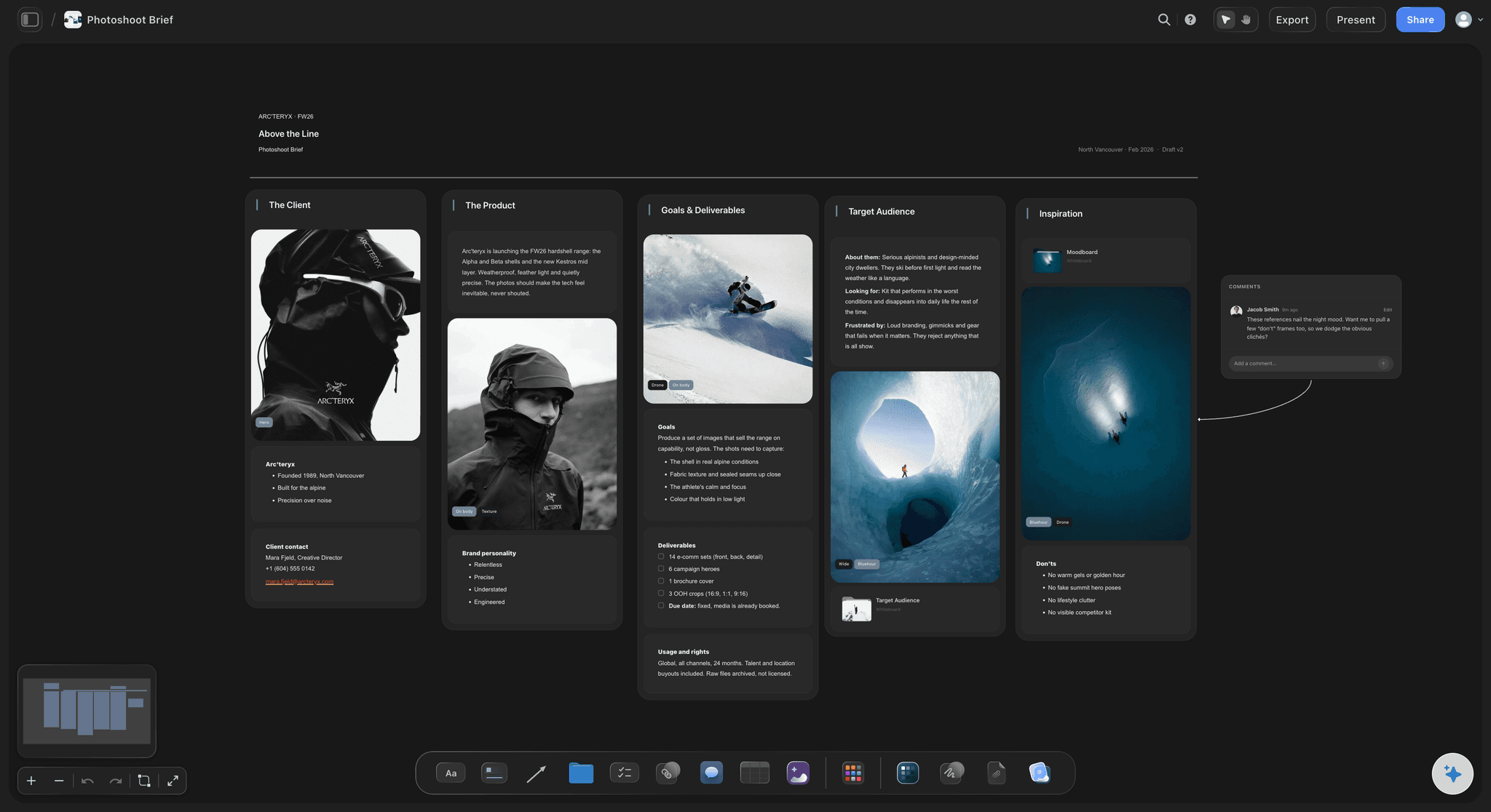
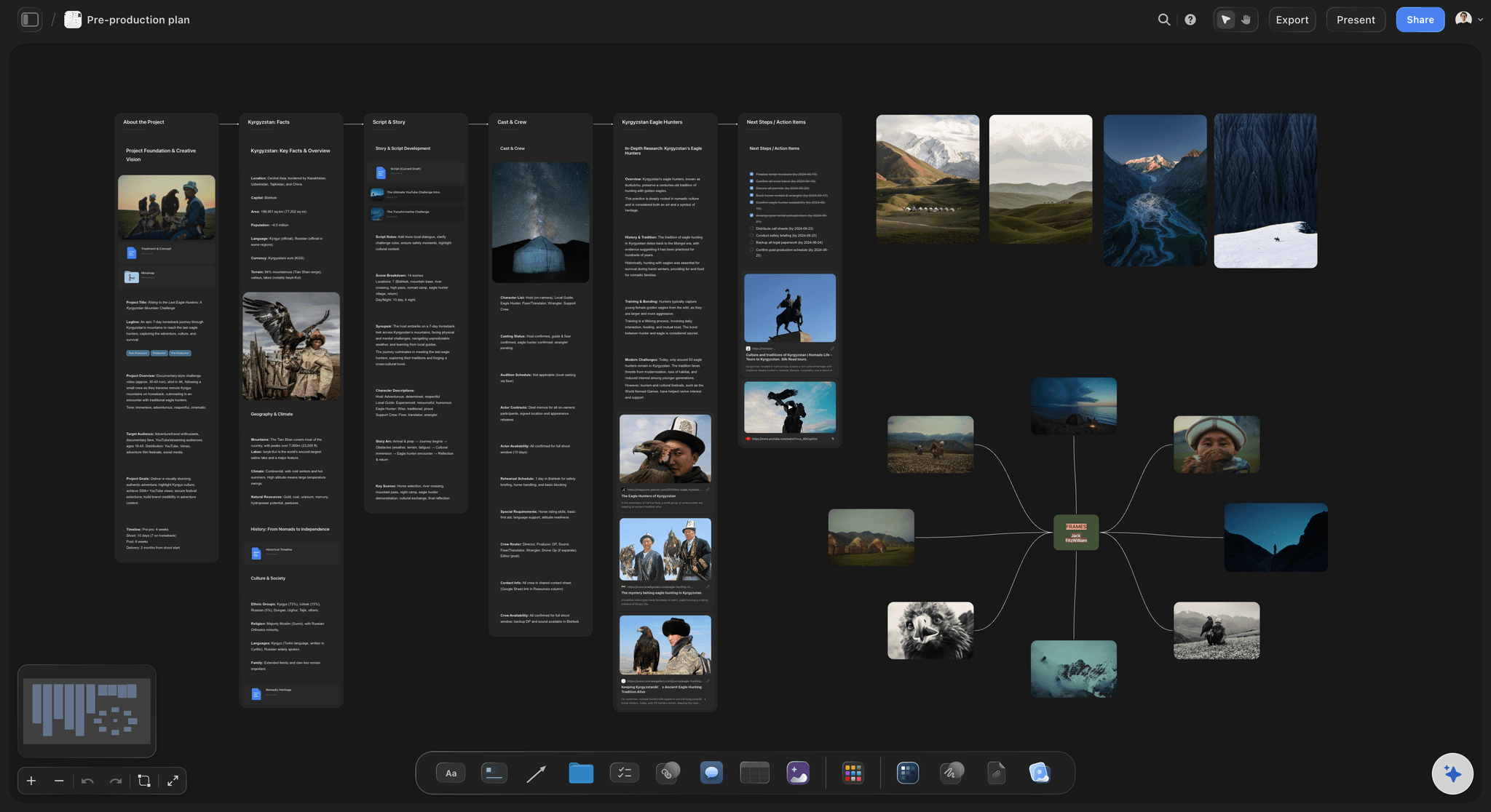
Pull the brief, script, shot list, and moodboard into one pre-production hub so the whole shoot is planned in one place.
What is a photoshoot call sheet?
A photoshoot call sheet is the one page every person on a photo day reads that morning: where to go, what time, what is being shot in what order, and whose phone to ring if something slips. Storyflow is an AI visual workspace that builds the sheet on one infinite canvas: the shot list, the moodboard, the run of the day by look and the crew contact rows. The crew opens it from a link with no account, and the board exports as a PDF.
A photo call sheet is not a film call sheet with the words swapped. Film days are built around scenes and pages; photo days are built around looks. A look is a set of clothes on a person in a light, and every one of them has a cost in minutes: the change, the touch up, the re-rig. Write the day as looks and the schedule tells the truth. Write it as scenes and you will be an hour late by the third one. If you also shoot motion, the film side of this lives on our call sheet template page.
These are the fields a photo day actually needs. Shoot title, client, date and day of. Location with the floor, the door to load in through, the lift, and where to park. Crew call and first frame, which are two different times. Nearest hospital and the person carrying the first aid kit. Sunrise, sunset and golden hour if any of it is outside. Each model with their agency, their booker's mobile and their own call. The hair and makeup artist with start time, minutes per look and the touch up windows. Looks numbered, with what goes with each one, plus the steamer and the returns. The run of the day by look. Shots per look with a count if it is e-commerce. Kit per setup: bodies, lenses, lights, modifiers, stands, backdrop. Power, wifi and where the tethering station sits. Who is coming from the client, and which one of them can approve a frame. Lunch time and dietary notes. Then post: selects due, retouch, delivery date. Permits, insurance and release forms at the bottom.
Here is the arithmetic that decides your wrap time. Six looks, one makeup artist, one changing area. Crew call 07:30, first model into makeup 08:00, ninety minutes for the first face and thirty for each after. First frame 09:30. Each look takes about forty five minutes to shoot and twenty to change and touch up, so sixty five minutes a look. Six looks is six hours thirty, which puts the last frame at 16:00. Add a thirty minute lunch and you are packing at 16:30, half an hour inside a 17:00 studio booking. If the client wants a seventh look, it does not cost forty five minutes, it costs sixty five, so it eats that half hour and thirty five minutes you do not have. Put that sum on the board and the conversation about the seventh look happens in the week before instead of at four in the afternoon.
Ultra fast from brief to board
From the shot list to the sheet.
The day is already on the board. This turns it into the page people read.
01
Number the looks first
Before any times go down, list the looks in the order you will shoot them. Put the heaviest hair and makeup first while everyone is fresh, and the look that needs daylight at the hour the daylight is there. The order is the plan; everything else is arithmetic on top of it.
02
Let the makeup chair set the clock
Work forward from the first face in the chair, not back from the first frame. Ask the artist how long the first look takes and how long each change takes, write those two numbers on the board, and the first frame time falls out of them. That number is the one people get wrong.
03
Put every phone number next to the person
Each model gets a row with their agency, their booker's mobile and their call. Crew get theirs. The client contact gets theirs. Nobody should have to scroll through an email thread at 07:40 to find out why a model is not there.
04
Send one link, print one PDF
Share the board by view-only link and anyone opens it in a browser with no account. Export the whole board as a PDF for the people who want it on paper or on a phone with no signal. If someone signs in, they can leave a comment straight on the row they are asking about.
Looks, people, kit and the clock.
Storyflow builds and shares the sheet. Sending it to sixty people and chasing replies is still a job for StudioBinder or SetHero.
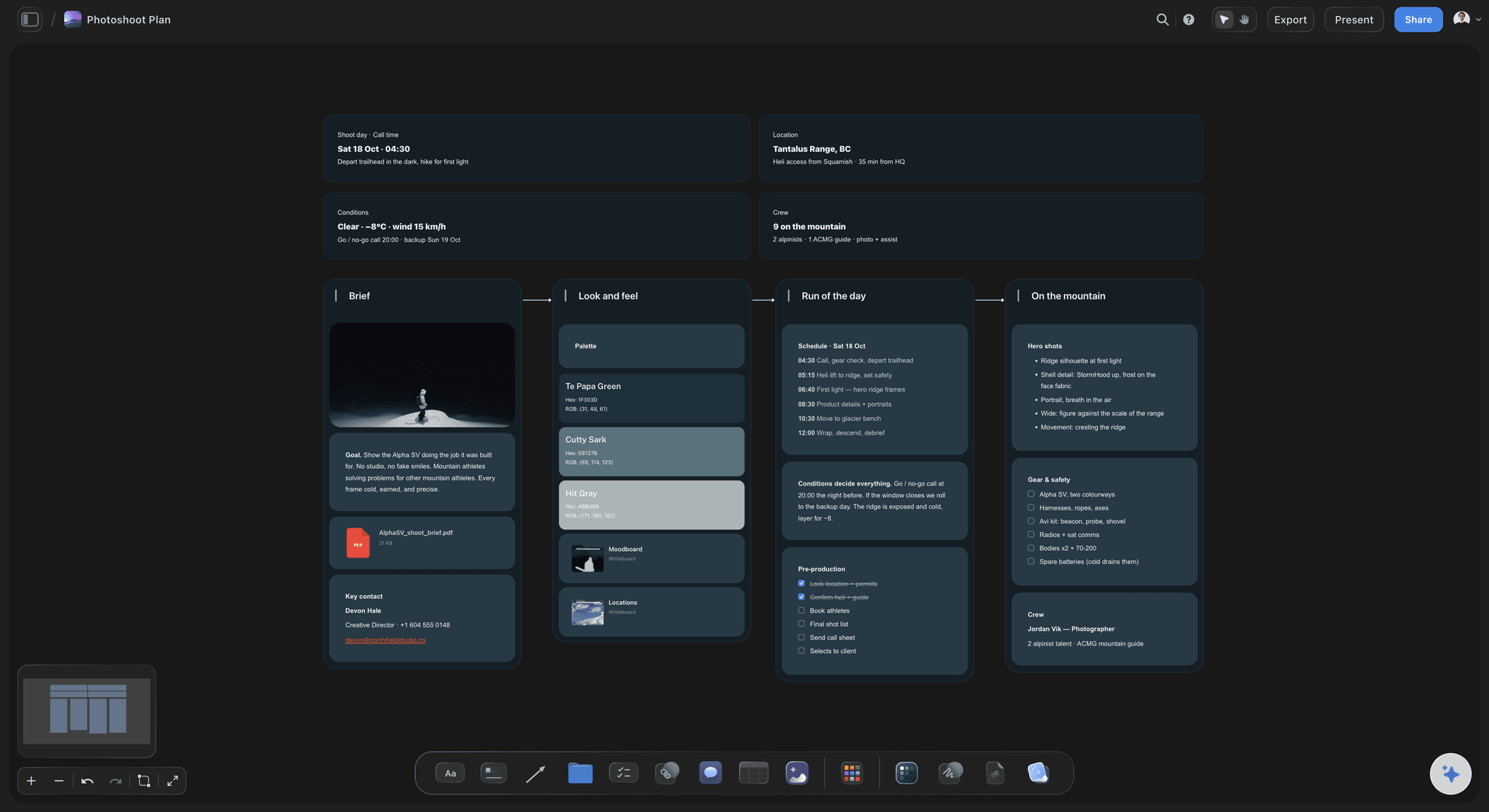
The run of the day
The day laid out look by look
A table with a row per look: what it is, who is in it, where it is shot, the start time and how long it takes. Give the minutes column a Sum footer and the board adds up your day for you.
See the photoshoot plan board →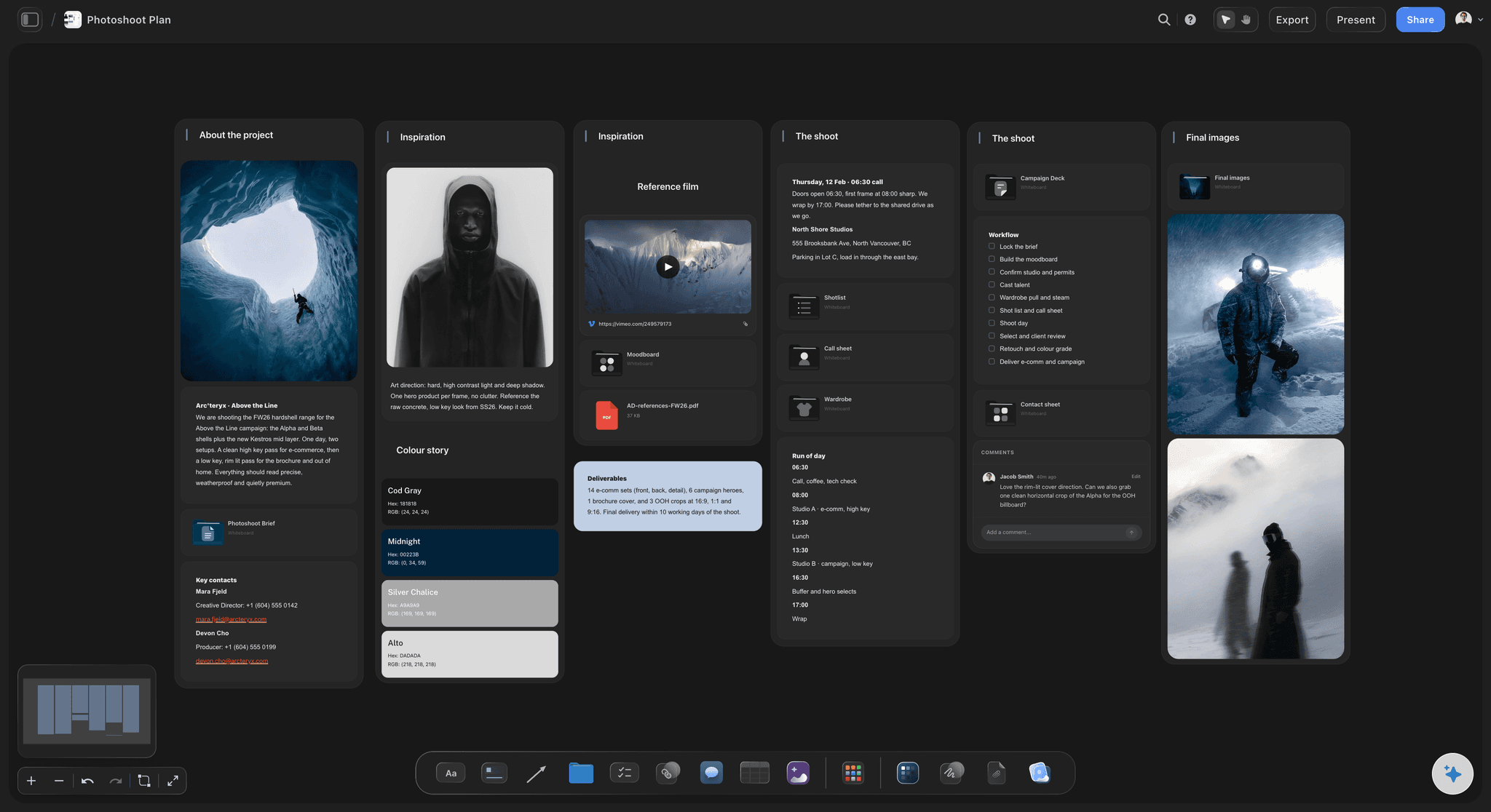
Talent and crew
Names, agencies and the number that gets answered
Models with their agency and booker, the makeup artist, the stylist, the assistants and the client contact. One row each, with a call time and a mobile. The row for the person who is late is the row you tap.
See the shoot planning board →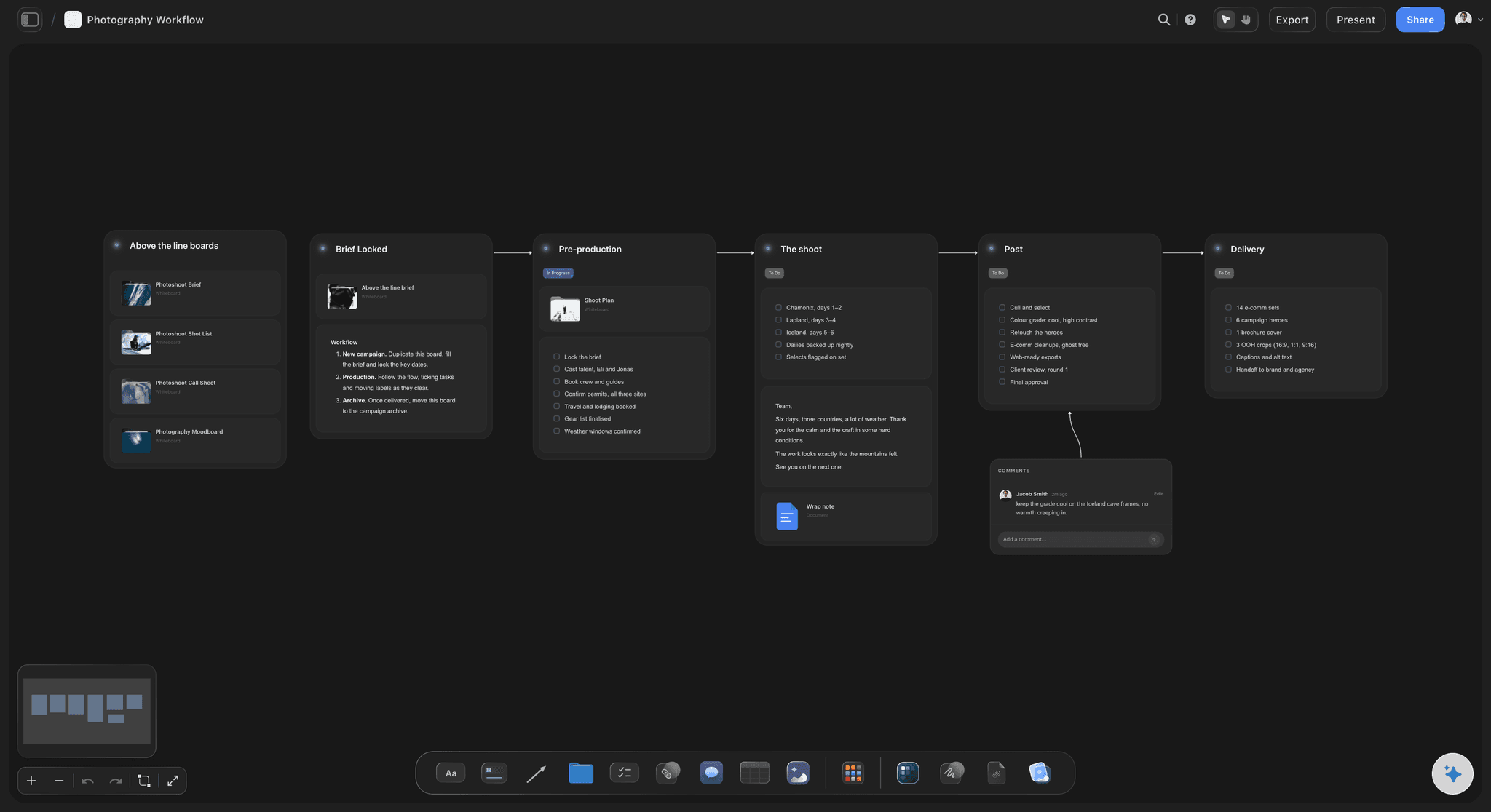
Kit per setup
What gets built, and in what order
Each setup gets its lights, modifiers, stands, backdrop and lenses written down. The assistant reads it the night before and packs from it, which is how you stop discovering that the second softbox stayed in the studio.
See the lighting plan board →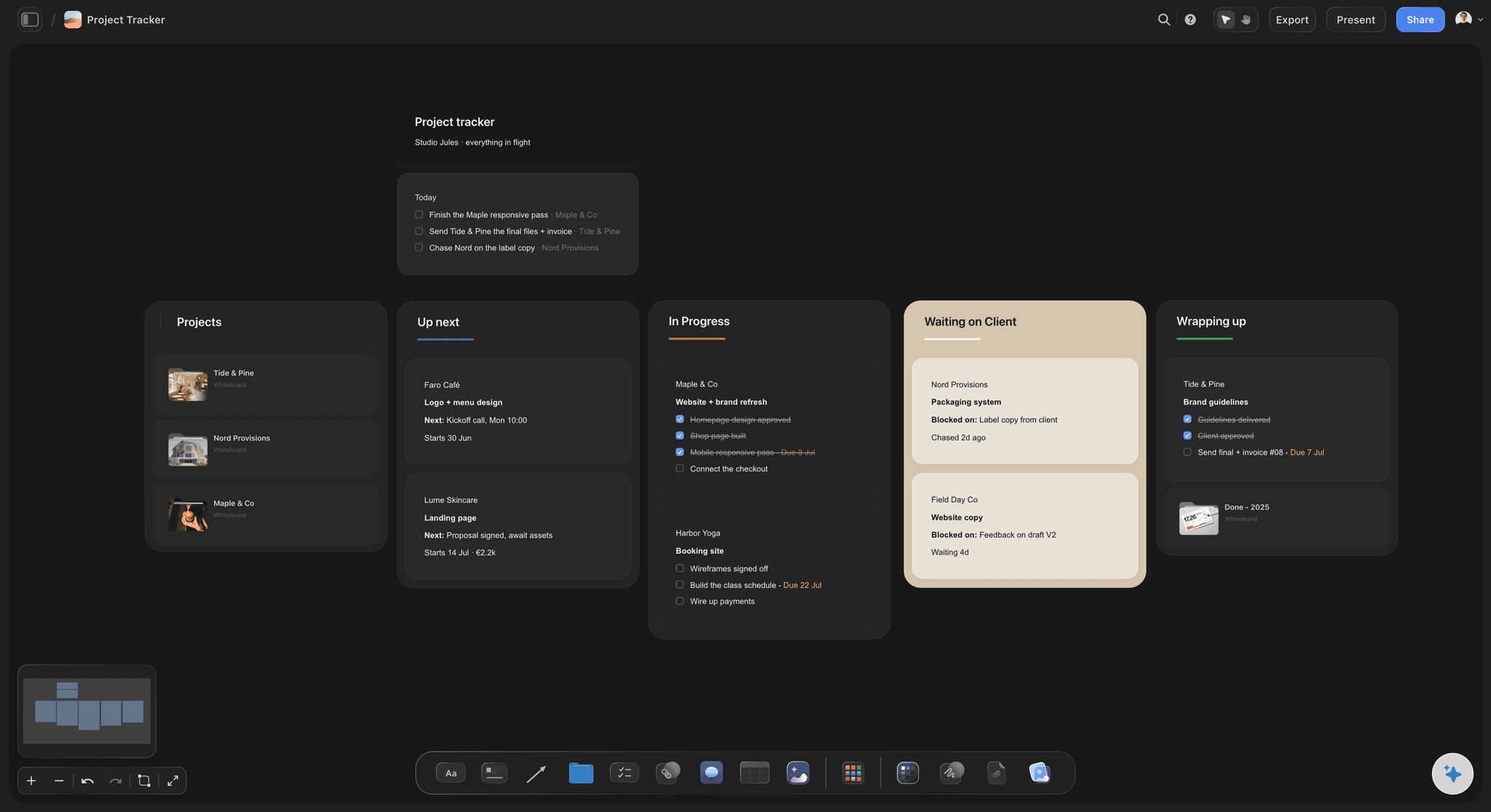
After the day
Selects, retouch and the delivery date
The bottom of the sheet says what happens next: when selects go over, how many frames get retouched and the date the client has been promised. Keep it on the same board and the shoot day and the delivery date stop being two separate memories.
See the project tracker board →Last year's shoot is still a board you can copy.
Every shoot keeps its own board, so the call sheet for the same client in March starts from the one you built in November instead of from a blank page. Storyflow is paid-only during early access, with plans from $7.99 a month billed annually ($9.99 monthly). A free plan launches before the end of 2026, and anyone a paid member invites to a board joins free.
Unlimited boards, image uploads and files on every paid plan
Invite the stylist or the first assistant to one board without buying them a seat
200+ Tactics to start the sheet instead of staring at an empty page
Whole-board PDF export for the printed copy on set
Presentation mode for walking the client through the day beforehand
Built for people with taste
A call sheet is really three answers.
When, who, and with what. Everything else on the page is a phone number.
When
The clock nobody owns until you write it down
Crew call and first frame are two times: Put both on the sheet. Half of a late morning is a crew who turned up at the time they thought the camera was going to start.
Minutes per look, added up in the footer: Give the duration column a Sum footer. Add a look and the total moves, so the cost of one more outfit is visible before you agree to it.
Daylight is a fixed appointment: Write sunrise, sunset and the golden hour window on the sheet for anything outside. Those are the only times on the page you cannot negotiate.
The touch up windows are on the schedule too: A change is not just clothes. Blocking twenty minutes for wardrobe and face between looks is what stops the schedule sliding by the third one.
Who
Everyone on the day, and how to reach them
Models come with an agency attached: The booker is the person who can actually fix a no-show. Their mobile belongs on the sheet next to the model, not in your inbox.
One name approves a frame: Write down which person from the client can say yes on the day. Shoots lose an hour to three people with opinions and nobody with the final word.
The hospital and the first aider: Nearest hospital address and the person carrying the kit, near the top where nobody has to scroll. It costs one line and you hope it stays unread.
Freelancers read it without an account: Send the link to the stylist you booked for this one day. They open it in a browser. They only sign in if they want to leave a comment on it.
With what
The kit list that stops the morning phone call
Written per setup, not as one long pile: Setup one gets its own list, setup two gets another. Packing from a list that is grouped the way the day runs is how nothing gets left behind.
Power, wifi and the tether station: Where the laptop sits, whether there are sockets near it, and whether the location has wifi the client can use. Small lines, large mornings.
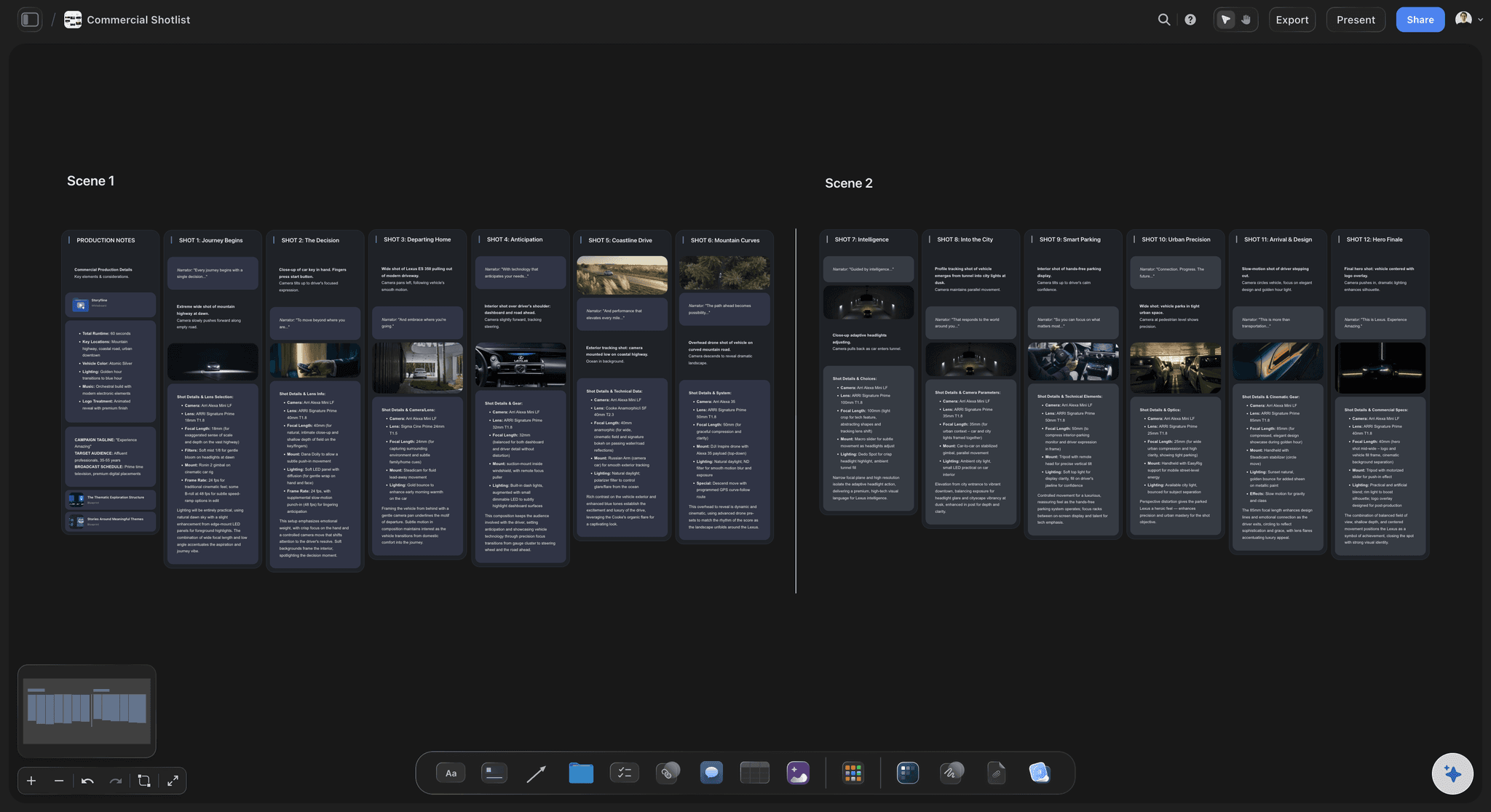
The shot list sits beside the sheet: Shots grouped under the look they belong to, with a count for each if it is e-commerce. Nobody has to hold two documents open.
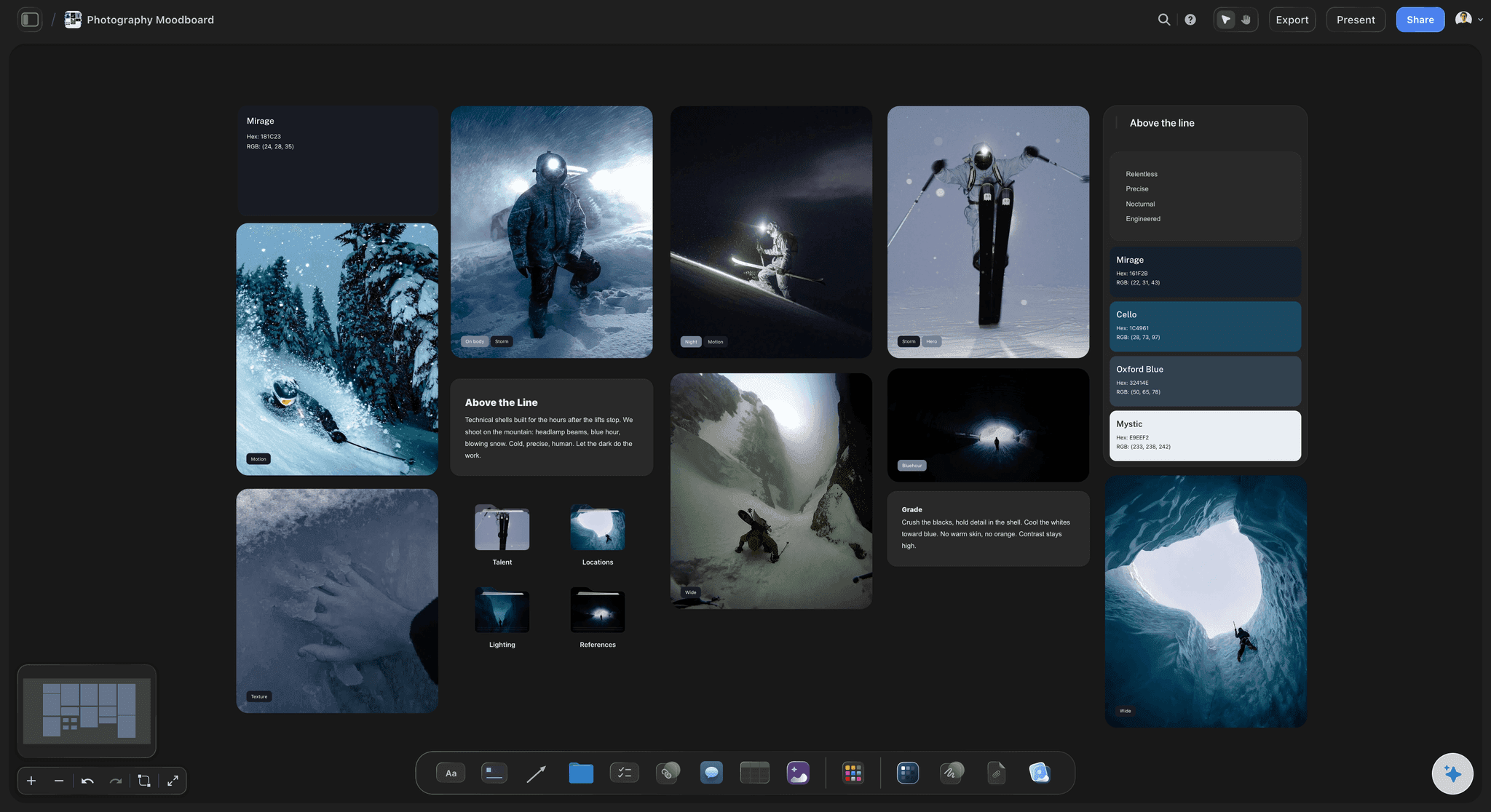
Looks shown as pictures, not described: Put the reference frames next to the look numbers. A stylist reading your sheet should be able to see look four, not read an adjective about it.
Explore templates for your project
Every template opens as a real, editable board on the infinite canvas. Pick the closest fit and make it your own.
Pre-Production
Pull the brief, script, shot list, and moodboard into one pre-production hub so the whole shoot is planned in one place.
One app instead of five
Where Storyflow fits on a shoot day.
It builds the sheet next to the plan. It does not run a distribution list.
Storyflow
Recommended
Day written as looks, not scenes
Sheet sits beside the shot list and references
Duration column that adds itself up
View-only link, no account to read
Whole board exports as a PDF
Sends the sheet and chases confirmations
Crew database with rates and availability
Film production tools
Day written as looks, not scenes
Sheet sits beside the shot list and references
Duration column that adds itself up
View-only link, no account to read
Whole board exports as a PDF
Sends the sheet and chases confirmations
Crew database with rates and availability
Docs and spreadsheets
Day written as looks, not scenes
Sheet sits beside the shot list and references
Duration column that adds itself up
View-only link, no account to read
Whole board exports as a PDF
Sends the sheet and chases confirmations
Crew database with rates and availability
What creators are saying
Join early creators getting structured workspaces and AI that remembers their projects
“Storyflow has sped up my workflow by at least 3x, which means more flow state and more projects I can actually ship. It truly changed the way me and my team create.”

Reilin Joey
Director & YouTuber
“One prompt gets me a structured board. But the tactics are my favorite. I run my YouTube scripts through them and my intros and retention got better. It's amazing.”

Justkay
YouTuber & Freelance Filmmaker
“I used to juggle five apps to plan a project. Now I describe what I am making and get boards, lists, and a schedule. All in one place.”

George
@fernwehchronicles
Photoshoot call sheet questions
What photographers ask before the first day they run this way.
In Storyflow, a photoshoot call sheet is the single page your crew reads on the morning: location and parking, crew call and first frame, the day written look by look, each model with their agency and booker, the hair and makeup times, the kit for each setup, and who from the client is attending. It sits on the same board as the shot list and moodboard, opens from a link with no account, and exports as a PDF.
Storyflow is built for exactly this job: the call times come off the schedule you already built, so the sheet sits on the same board as the shot list, the moodboard and the looks. The crew opens it from a link with no account, and you export the board as a PDF to print. Sending it to a large crew and chasing confirmations is still what StudioBinder and SetHero are for.
A film call sheet is organised by scene and page count. A photo day has neither. It runs on looks: one set of clothes, on one person, in one light. Your schedule is the number of looks multiplied by the time each one takes to shoot and change. Talent also comes through agencies rather than a cast list, so bookers' numbers matter more than character names.
A photoshoot call sheet carries the shoot title, client and date. Location with floor, load-in door, lift and parking. Crew call and first frame. Nearest hospital. Sunrise, sunset and golden hour if you are outside. Models with agency, booker, call time. Hair and makeup start and minutes per look. Looks numbered with wardrobe. The run of the day. Shots per look. Kit per setup. Power, wifi and tethering. Client attendees and who approves. Lunch. Selects and delivery dates.
Work forward from the makeup chair, not back from the camera. Ask the artist for two numbers: how long the first face takes and how long each change takes. First frame is the crew call plus the first face plus whatever rigging you cannot do before the model arrives. A common shape is crew at 07:30, first face at 08:00 for ninety minutes, first frame at 09:30.
Budget about forty five minutes to shoot and about twenty to change and touch up, so roughly sixty five minutes a look with one artist and one changing area. Six looks is six and a half hours, so a 09:30 first frame puts the last one at 16:00, and a thirty minute lunch takes you to 16:30. This is why an extra look agreed on the day does not cost forty five minutes, it costs the whole sixty five.
Storyflow's AI can draft the call sheet. Attach your shot list or brief, describe the day, and it lays out the run of day, the call times and the contact rows. It reads files you attach. You still check the times against what the makeup artist actually told you, because that number is the one worth being right about.
Storyflow makes the sheet and gives you a link and a PDF. It does not send the sheet or track who opened it. Chasing confirmations across a large crew is what StudioBinder and SetHero are built for. On a photo day with six to twelve people, a link in the group chat and a PDF usually covers it.
Yes. Storyflow's view-only link opens in any browser with no account, on a phone or a laptop. Signing in is only needed to leave a comment. That means the makeup artist you booked last week can read the whole day without you buying them anything.
Yes. Export the whole Storyflow board as a PDF and print it, or keep it on a phone. Studios with bad signal are the reason to do this the night before rather than in the car.
Storyflow lets you drag any look row wherever you want it on the board. It does not sort a table for you, so the order is the one you set by hand. Most photographers order looks by hair and makeup weight rather than by call time anyway, and the times follow the order, which is what a time sort would undo.
No. Storyflow runs in the browser and there are no native mobile or desktop apps. Open the link on a phone on the day, or take the PDF with you if the location has no signal worth trusting.
Yes. Each shoot is its own board, so duplicate the last one for the same client and swap the looks, the talent and the date. The studio address, the load-in notes and the kit list stay right, which is most of the page.
More from Storyflow
Call sheet template for film and video
Photoshoot planning
Photoshoot plan template
Shot list template
Lighting plan maker
Location scouting app
Wardrobe planner
Wedding photography shot list
Event photography shot list
Photography proposal
Editorial photoshoot
Storyflow for photographers
Photography rate card
Photography style guide
Photoshoot plan with Claude
Call sheet with ChatGPT
Moodboard to shot list
Photoshoot plan with ChatGPT
Write the day in looks, and the times stop lying.
Hair and makeup, talent, kit and the run of day, on the board that already has your shot list.