
Ultra-fast moodboards with real taste
Turn the moodboard into a shot list
before anyone packs a light.
The client approved a look. Storyflow's AI reads the reference images you select and drafts the shot list beside them: a row per frame, grouped by setup, each tied to the deliverable it is for.


Creatives working for these brands already got early access
- Red Bull
- Canon
- Artlist
- Porsche
See how easy it is to get started
Watch a real project come together, from a blank board to a finished plan, clicked through step by step.
Start from a ready-made template
Pick a board to see what you can build, then let AI fill it in. Every template is a real, editable starting point on the same infinite canvas.

Film Moodboard
Collect film references, color palettes, lighting, locations, and tone in one place, then invite your crew.
How do I turn a moodboard into a photoshoot shot list?
Turning a moodboard into a shot list means writing one planned frame for every reference the shoot has to deliver, with its setup, light, styling and crop. Storyflow is an AI visual workspace that turns an approved moodboard into a photoshoot shot list on one infinite canvas: select the reference images, and its AI reads them and drafts a shot list table beside them, grouped by setup, with each frame tied to a deliverable. The moodboard, the list, the brief and the call sheet stay on one board the client can open.
A moodboard answers how the pictures should feel. A shot list answers what the photographer will actually press the shutter on, in what order, and why. The gap between the two is where shoots go wrong. A board of twenty-four beautiful references does not say whether the hero image is landscape for the website or vertical for a story, whether the window light in reference six is the look for the whole day or one setup, or whether the linen shirt in reference nine is a wardrobe note or just a nice photo someone pinned. Those questions get answered on set, at day rate, unless the shot list answers them first.
So read the moodboard as evidence, not decoration. Sort every reference into one of three jobs. Some references are frames: a pose, a composition, a crop you want to copy. Some are looks: light, colour, grade and texture that apply to a whole setup. Some are details: a prop, a fabric, a hand position, a product angle. Frames become rows on the shot list. Looks become the setup headings the rows sit under. Details become notes on the rows they belong to. A reference that does none of the three jobs comes off the board before the shot list is written, because it will only start an argument on the day.
Then work backwards from what the client is paying for. List the deliverables first: the website hero at 16:9, six product images at 4:5, three vertical stories at 9:16, a press portrait. Every row on the shot list names the deliverable it serves. A deliverable with no row is a picture nobody will take. A row with no deliverable is a picture nobody asked for, and it costs twenty minutes of the day. When the two lists match, the shot list is done, and the photographer can schedule the day from it.
In Storyflow that whole loop sits on one board. Select the moodboard images and ask the AI to make a shot list for the shoot. It looks at the pictures you selected, reads the brief if it is on the board, and builds a table with a row per frame: shot number, setup, the reference it came from, framing and crop, light, wardrobe and props, the deliverable and a status. You edit any cell by hand. Ask it to regroup the rows by setup or by location and it lays them out again, so the order on the list is the order of the day.
The limits, plainly. Storyflow does not control your camera, tether, or cull images after the shoot. The AI only sees the pictures you select in that message; images elsewhere on the board it reads as their titles and notes. There is no stripboard scheduler of the kind StudioBinder offers for film shoots: the day's running order is a table with times in it. What Storyflow does is keep the look the client approved directly beside the frames that will deliver it, so the stylist, the assistant and the client read one plan.
Ultra fast from brief to board
How do I make a shot list from a moodboard, step by step?
Five passes. The moodboard stays where it is; the shot list grows beside it.
01
Put the approved moodboard on the board
Drop the references the client signed off onto a Storyflow board, or ask the AI to build a moodboard for the project and keep what fits. Add the brief and the list of deliverables as a note beside it.
02
Sort every reference into frame, look or detail
Group the images into three walls: frames to copy, looks that set a whole setup, and details for styling and props. Remove any reference that does none of the three jobs before you go further.
03
Select the references and ask for the shot list
Select the images and choose Make a shot list for my shoot. The AI reads what is in the pictures and drafts a table: a row per frame, with setup, framing, light, wardrobe, the reference it came from and the deliverable.
04
Match every row to a deliverable
Read the deliverables column against the client's list. Add a row for any deliverable with no frame, cut any frame with no deliverable, and note the crop each one needs: 16:9, 4:5, 1:1 or 9:16.
05
Group by setup and share the plan
Ask the AI to order the rows by setup so lights move as few times as possible. Then share a view-only link: the client opens it with no account and signs in to leave a comment.
What should a photoshoot shot list include?
Every column answers a question someone would otherwise ask on set.
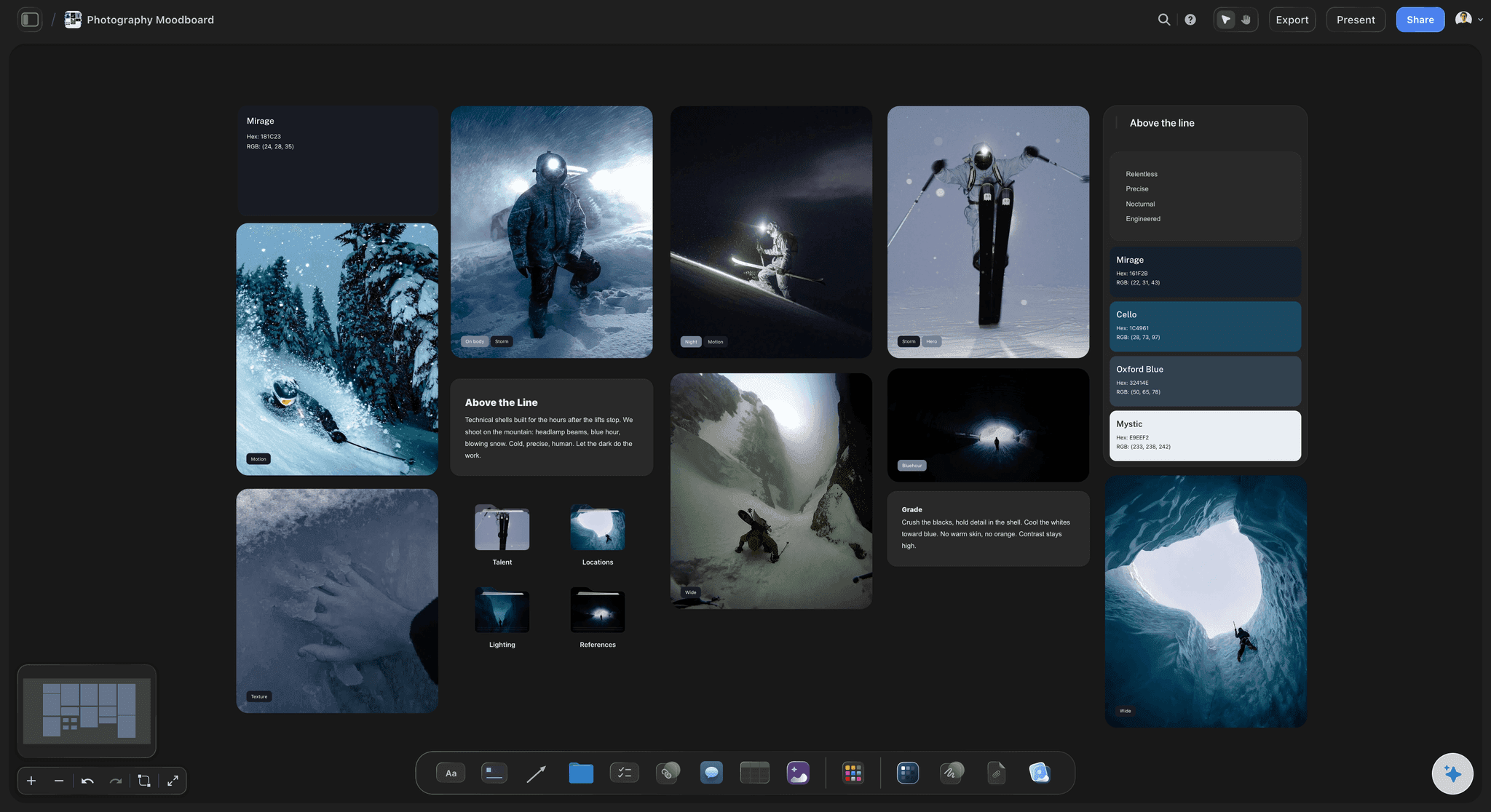
The reference
Each frame points back to the image it came from
Every row names the moodboard reference behind it, and the reference sits on the same board. When the assistant asks what shot 7 looks like, the answer is one glance to the left, not a search through a shared folder.
See the photoshoot moodboard →
The setup
Rows grouped by light, not by the order you pinned them
A setup is one arrangement of light, background and lens. Grouping the rows under setups is what turns a list of wishes into a day that runs on time, because each light move costs fifteen to thirty minutes.
See the shot list template →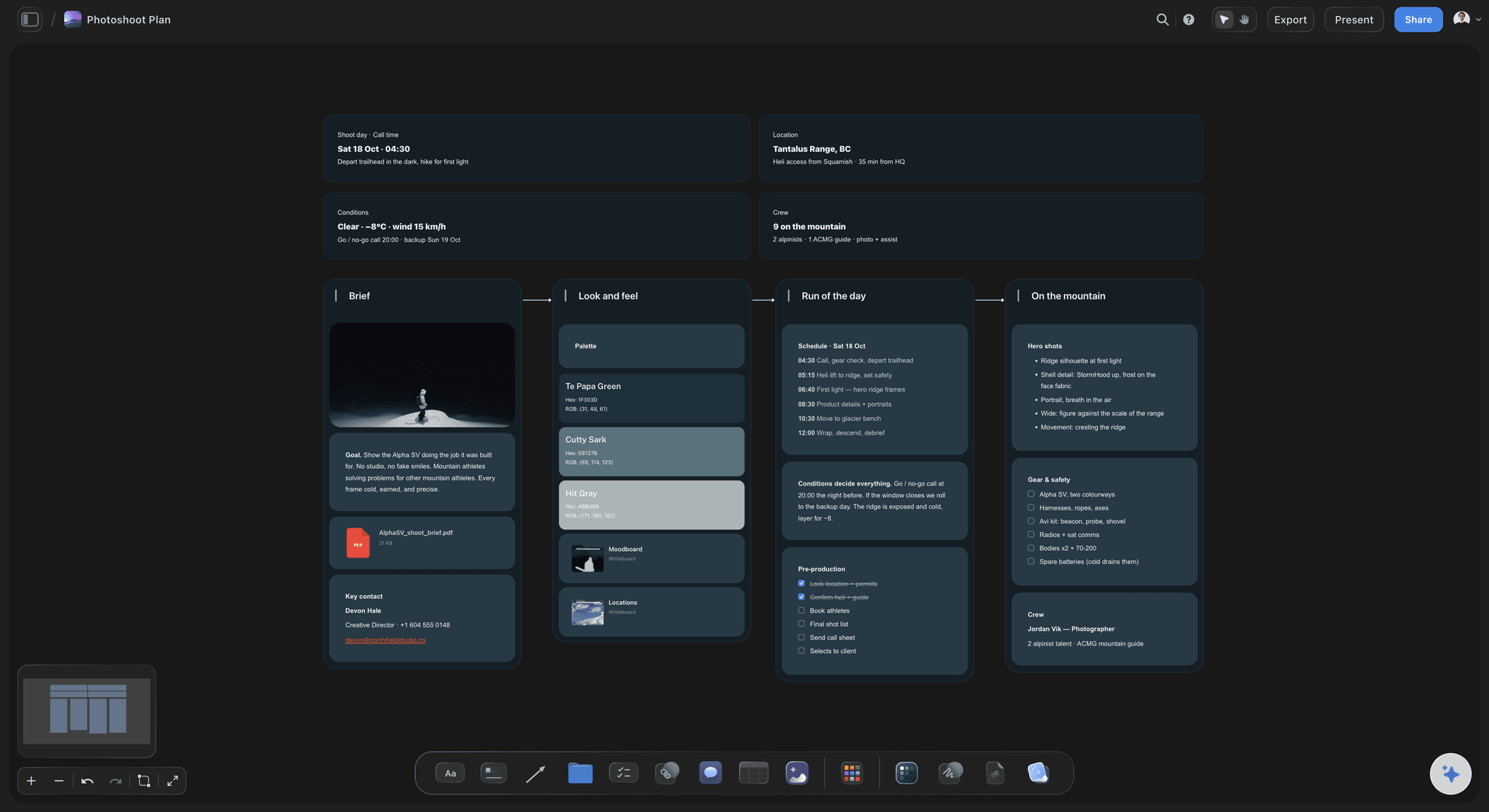
The deliverable
Crops decided before the shutter, not in the edit
Each row carries the deliverable it serves and the crop it needs. A vertical story framed as a landscape shot loses the subject's head in the crop, and the list catches that while it is still free to fix.
See the photoshoot plan template →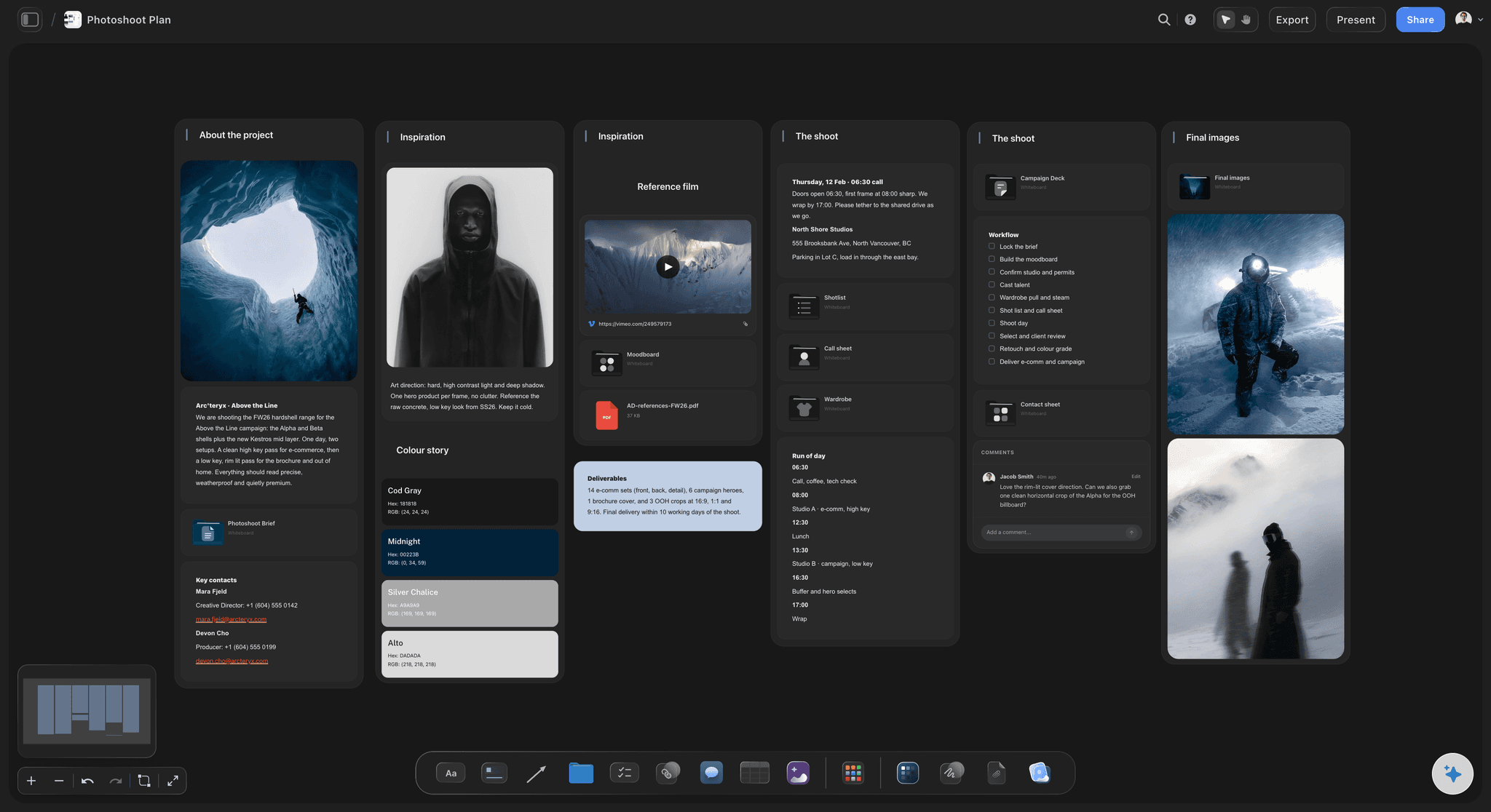
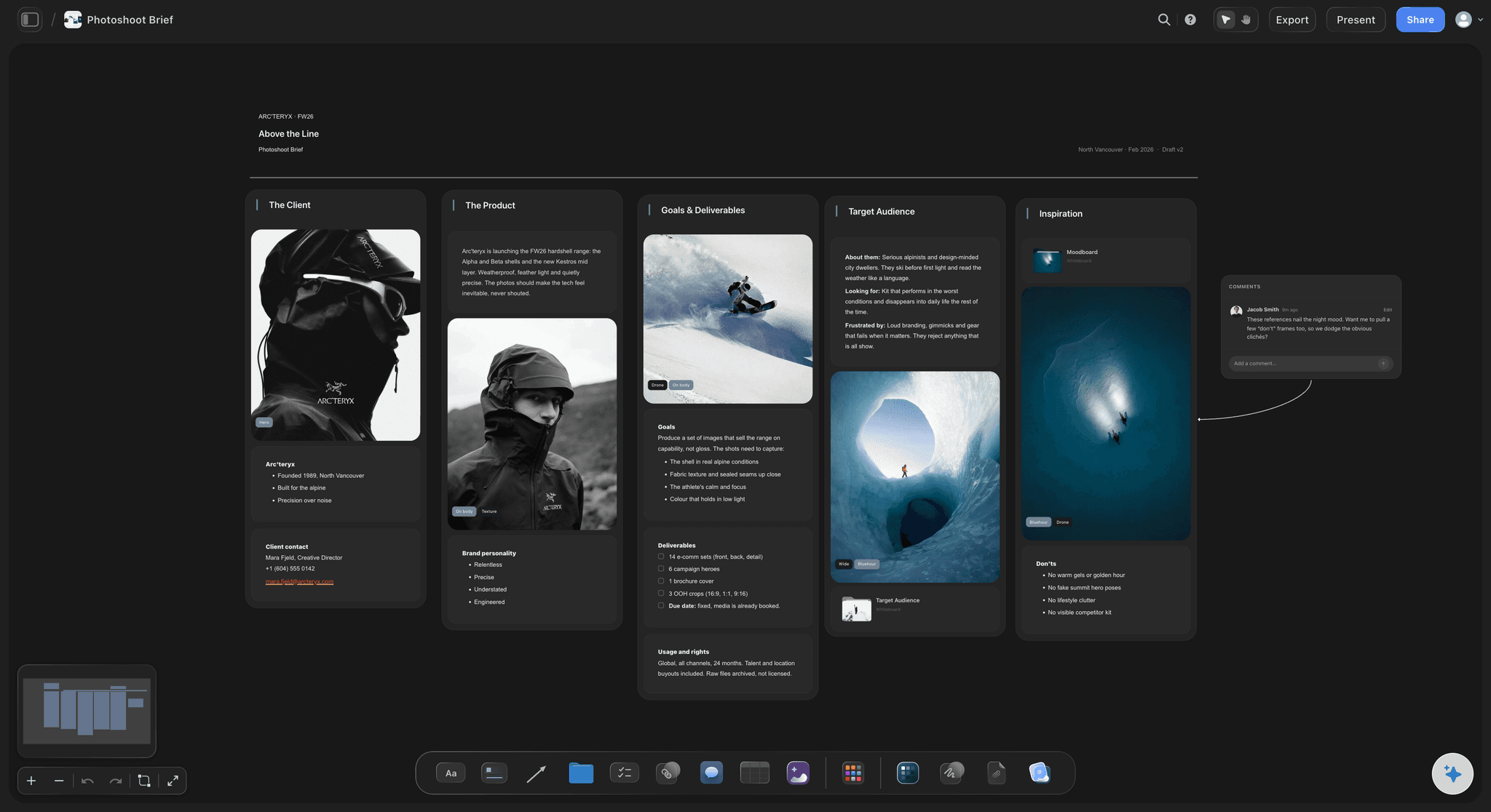
The day
The shot list, the call sheet and the brief together
The running order, the crew, the location and the call times sit on the same board as the shot list they serve. Ask the AI for a call sheet and it builds one from what is already there.
See the photoshoot call sheet →Unlimited boards. No object cap.
One board per shoot, with every reference, row and note on it. Storyflow is paid-only during early access, with plans from $7.99 a month billed annually ($9.99 monthly). A free plan launches before the end of 2026, and anyone a paid member invites to a board, the stylist or the client, joins free.
An AI that reads the reference images you select and drafts the shot list
Tables with text, date, person and status cells for every frame
The moodboard, brief, shot list and call sheet on one canvas
A shot list you can export to Excel for the crew who want a spreadsheet
View-only links the client opens with no account
Built for people with taste
Why do shoots drift away from the approved moodboard?
Not because anyone ignores it. Because nothing on set links a frame back to the reference it was meant to copy.
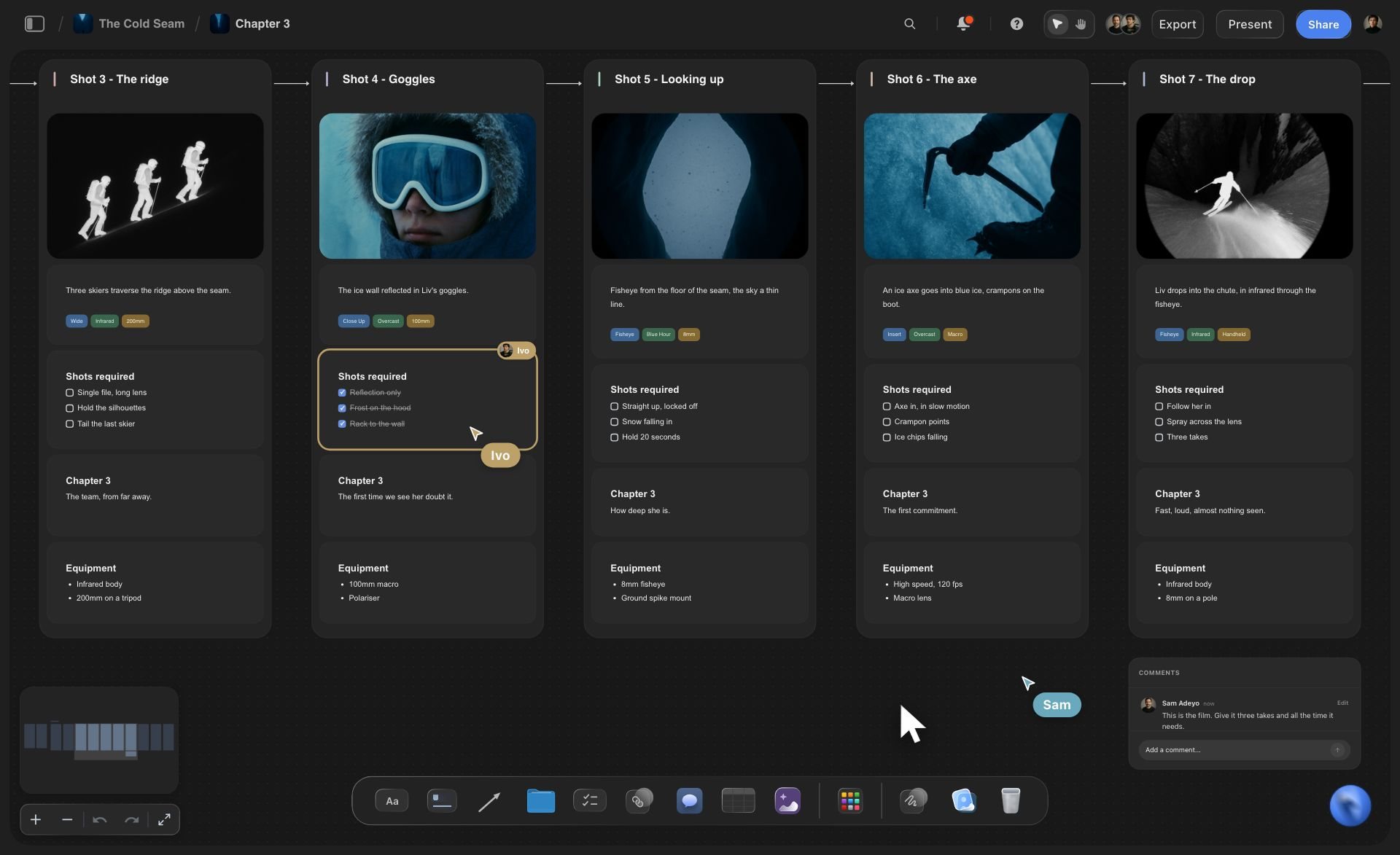
The look
The look lives in one file, the shots in another
Moodboard and list side by side: On a Storyflow board the shot list table sits next to the references, so the light in reference 4 and the row that copies it are read together.
Looks as setup headings: Each look on the moodboard becomes a setup on the list, so the window-light frames are shot together and the flash frames are shot together.
Details as row notes: A fabric, a prop or a hand position from the moodboard becomes a note on the frame it belongs to, so the stylist sees it at the right moment.
References that do no job are cut early: Sorting every image into frame, look or detail shows which ones belong to no shot, and they come off the board before they reach the client call.

The deliverables
A hero image nobody remembered to shoot vertical
Deliverables first: The client's list of uses goes on the board before the shot list. Every row names one of them, and every one of them has at least one row.
The crop on every row: 16:9, 4:5, 1:1 or 9:16 is a column, so a frame that must work in two crops gets framed loose with that written down.
Coverage you can count: Ask the AI which deliverables have fewer than two frames. It reads the table and tells you, before the day, not after the edit.
A status per frame: Mark each row planned, shot or reshoot on the day. The client sees the same table through the view-only link afterwards.
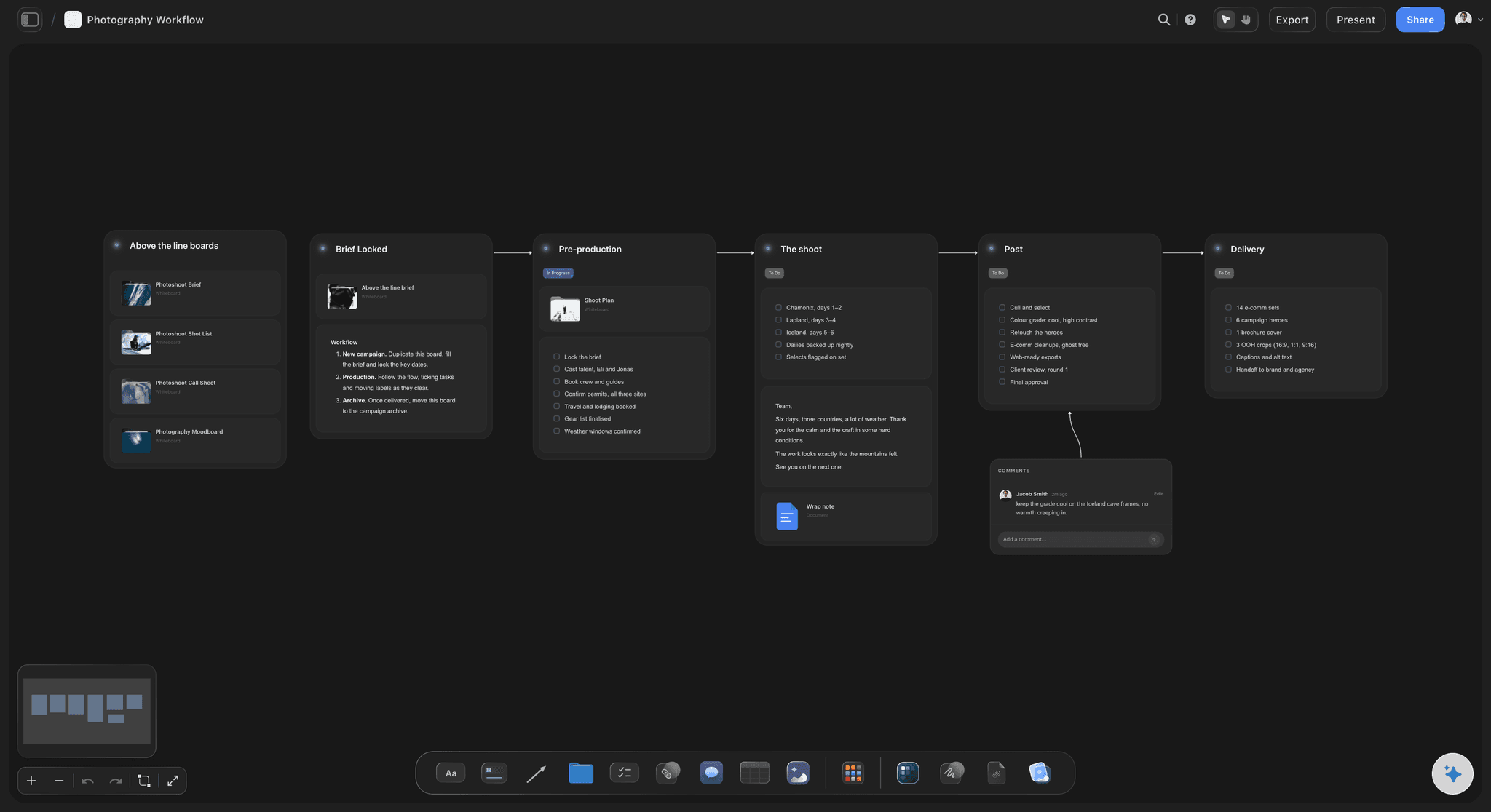
The team
A stylist who saw the moodboard once, three weeks ago
One link for the whole crew: The assistant, the stylist, the hair and makeup artist and the client open the same board. Viewing needs no account; commenting needs a sign-in.
Export for the person who wants a spreadsheet: Ask the AI to put the shot list in Excel and the table comes out as a file, while the board stays the version everyone edits.
A PDF for the call: Ask for a PDF of the board and send it ahead of the pre-production call, with the moodboard and the shot list on it.
Ask what changed: When the client swaps two references the night before, ask the AI what changed since last time and it lists the edits, so the list is updated to match.
Explore templates for your project
Every template opens as a real, editable board on the infinite canvas. Pick the closest fit and make it your own.
Film Moodboard
Collect film references, color palettes, lighting, locations, and tone in one place, then invite your crew.
One app instead of five
Which tool should photographers use to turn a moodboard into a shot list?
Storyflow keeps the moodboard and the shot list together. StudioBinder schedules big productions. A spreadsheet is still a fine list.
Storyflow
Recommended
Moodboard images and shot list side by side on one canvas
AI drafts the shot list from the reference images you select
Columns for setup, framing, light, wardrobe and deliverable
Export the shot list as a spreadsheet file
Client opens a view-only link with no account
Stripboard scheduling for multi-day film shoots
StudioBinder
Moodboard images and shot list side by side on one canvas
AI drafts the shot list from the reference images you select
Columns for setup, framing, light, wardrobe and deliverable
Export the shot list as a spreadsheet file
Client opens a view-only link with no account
Stripboard scheduling for multi-day film shoots
A spreadsheet
Moodboard images and shot list side by side on one canvas
AI drafts the shot list from the reference images you select
Columns for setup, framing, light, wardrobe and deliverable
Export the shot list as a spreadsheet file
Client opens a view-only link with no account
Stripboard scheduling for multi-day film shoots
What creators are saying
Join early creators getting structured workspaces and AI that remembers their projects
“Storyflow has sped up my workflow by at least 3x, which means more flow state and more projects I can actually ship. It truly changed the way me and my team create.”

Reilin Joey
Director & YouTuber
“One prompt gets me a structured board. But the tactics are my favorite. I run my YouTube scripts through them and my intros and retention got better. It's amazing.”

Justkay
YouTuber & Freelance Filmmaker
“I used to juggle five apps to plan a project. Now I describe what I am making and get boards, lists, and a schedule. All in one place.”

George
@fernwehchronicles
Moodboard to shot list, answered.
What photographers and producers ask when the look is approved and the shoot is next week.
Sort every reference into a frame to copy, a look for a whole setup, or a detail for styling, and remove the rest. Write one shot list row per frame, group the rows under the looks as setups, and add the details as notes. Then match every row to a deliverable and crop. In Storyflow, select the references and the AI drafts that table beside the moodboard.
Storyflow is built for exactly this job: it is an AI visual workspace where the approved moodboard and the shot list sit on one board, and its AI reads the reference images you select and drafts the shot list table beside them. StudioBinder remains the stronger choice for scheduling multi-day film productions with a stripboard.
Shot number, setup, the reference it came from, framing and crop, lens if it matters, light, wardrobe and props, the deliverable it serves, and a status. Storyflow tables hold text, date, person and status cells, so the photographer can assign a row to the second shooter and mark it shot on the day.
Count setups before shots. A half day fits three setups comfortably, and each setup fits three to five frames at a careful pace. That is roughly ten to fifteen frames. If the deliverables need more, add a setup only if you can drop a light move elsewhere, or split the shoot across two days.
It sees the images you select when you send the message, and reads what is in them: light, colour, pose, composition and products. Images elsewhere on the Storyflow board it reads by their titles and notes. Select the references that matter for the shot list before asking, so the AI is working from the pictures and not from guesses.
A moodboard shows how the pictures should feel: light, colour, styling, mood. A shot list says which pictures will be taken, in what order, under which setup, for which use. In Storyflow both live on one board, so each row on the list points to the reference it comes from.
Shoot by setup, check by deliverable. Group the rows by setup so the lights move as few times as possible, and keep a deliverable column so you can count coverage. In Storyflow, ask the AI to reorder the rows by setup, then ask which deliverables have fewer than two frames.
In Storyflow, create a view-only link to the board. The client opens it in a browser with no account and sees the moodboard and the shot list together. To leave a comment on a frame, they sign in. You can also ask the AI for a PDF of the board to attach to an email.
Yes. Ask Storyflow's AI to put the shot list in Excel and it gives you the table as a spreadsheet file for the crew members who work from one. The board stays the version you edit, with the references beside it.
Yes. Put the crew, the location, the call times and the running order on the Storyflow board, and ask the AI for a call sheet. It builds one from what is there and leaves blank anything you have not given it, rather than inventing a time or a phone number.
Swap the references on the Storyflow board, then ask the AI what changed since last time. It lists the edits teammates made. Ask it to update the rows that came from the changed references, and check the deliverables column still covers every use.
No. Storyflow plans the shoot: moodboard, shot list, brief, call sheet and running order on one board. It does not tether, cull or edit images, and it has no stripboard scheduler. The running order is a table with times in it, which suits a one-day or two-day photoshoot.
Storyflow is paid-only during early access, with plans from $7.99 a month billed annually ($9.99 monthly). A free plan launches before the end of 2026. Anyone a paid member invites to a board, such as the stylist, the assistant or the client, joins free.
The look is approved. Now plan the frames.
Select the moodboard, ask for the shot list, and walk on set with every frame tied to the picture it came from.