
Extremely reliable pre-production
An event photography shot list
that knows every VIP by sight.
For event photographers and the marketers who brief them: every session with its must-get shots and who covers it, the VIPs with reference photos, what each sponsor was promised, and which photos are due tonight and which this week.


Creatives working for these brands already got early access
- Red Bull
- Canon
- Artlist
- Porsche
See how easy it is to get started
Watch a real project come together, from a blank board to a finished plan, clicked through step by step.
Start from a ready-made template
Pick a board to see what you can build, then let AI fill it in. Every template is a real, editable starting point on the same infinite canvas.

Pre-Production
Pull the brief, script, shot list, and moodboard into one pre-production hub so the whole shoot is planned in one place.
What should an event photography shot list cover?
An event photography shot list turns the client's run of show into coverage: which sessions and moments must be photographed, who has to be in frame, and what is delivered when. Storyflow is an AI visual workspace that plans the event coverage on one infinite canvas: a coverage table with a photographer on every session, the VIP list with a face for every name, the sponsor checklist and the delivery schedule.
Faces matter more than moments. A photographer who cannot pick out the CEO, the keynote speaker or the sponsor's head of marketing misses the frames the client is paying for. Get a reference photo, name, title and sessions for each VIP, and plan when to catch the pairs the client wants together, since a handshake between two of them may happen only once.
The empty room is a deliverable. Before doors open, photograph the stage lit and empty, the set, the signage and every sponsor's stand while they are clean, because an hour later they are full of people and coffee cups. Sponsor packages often promise photos, such as the logo on stage or a busy stand, so ask the organiser what each sponsor was sold.
Agree delivery and usage in the quote. A common shape is a small set of same-day selects for social by an agreed time, often ten to thirty images, then the full edited set within a few working days. Write down who may use the photos too, since sponsors and speakers will ask, and their use is a separate licence from the client's.
Ultra fast from brief to board
From the organiser's run of show to a shot list your team can split.
All of it settled by the week of the event.
01
Collect what only the client knows
Ask for the final run of show, the VIPs and speakers with a photo of each, the sponsors and what each was promised, and one contact for the day. Attach them, and the AI drafts the coverage table, the VIP list and the sponsor checklist on the board.
02
Give every session its must-gets
One row per session: time, room, must-get shots, who covers it and whether it feeds the same-day selects. Rows stay in the order of the day, so a clash between two rooms shows before the event, not during it.
03
Book time for the set-piece shots
Group photos, award handovers, the sponsor walk-round and the headshot station each get a time and a place on the board, with a venue photo. A shot with no slot tends to happen while you are in the other room.
04
Agree delivery, then brief the team
Settle the same-day deadline, the number of selects and the date for the full edited set with the marketing lead, then walk your second photographer through the board. The AI can draft a call sheet PDF with call times, the address and contacts.
Every session covered, every VIP spotted, every sponsor ticked off.
Built for briefing and shooting the event. Your booking software and gallery host handle the contract, the invoice and delivery.
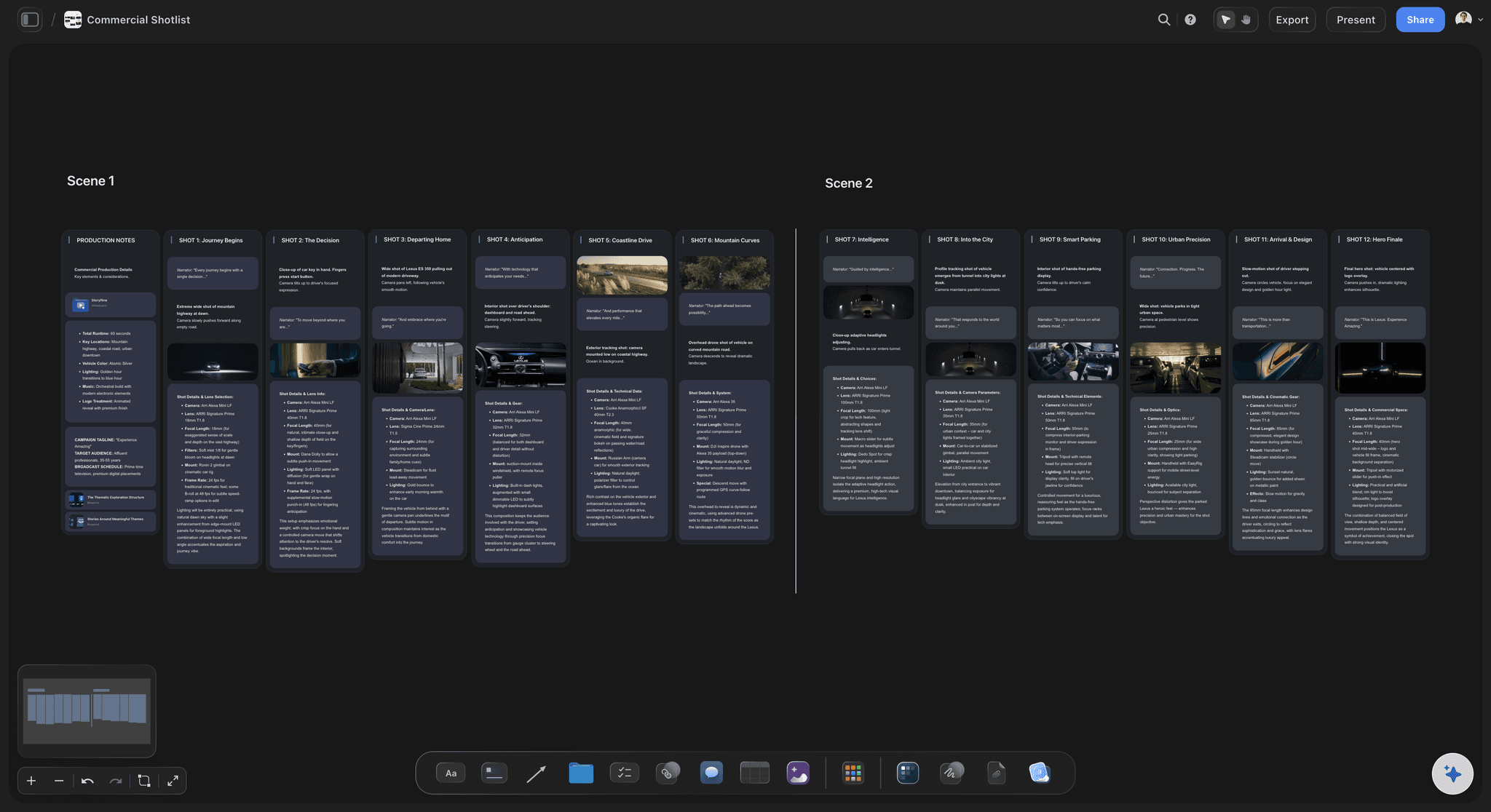
The run of show, as coverage
A photographer's name on every session row
Time, room, must-get shots, who covers it and whether it feeds the same-day selects, one row per session, top to bottom as the day runs. The AI's shot list workflow breaks the keynote, the panels and the breaks into shots for you to cut.
See the AI run of show generator →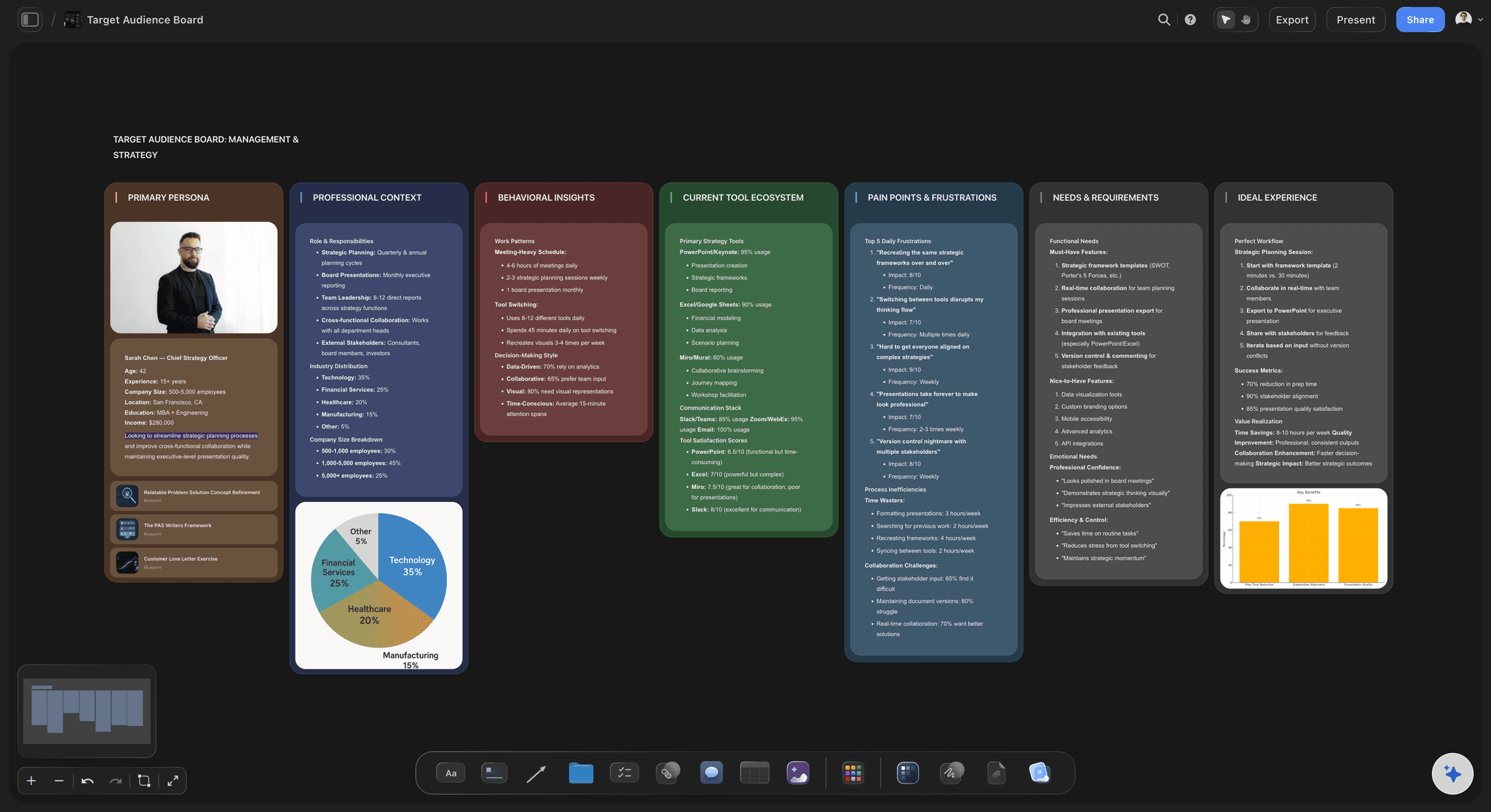
VIPs you can recognise
A reference photo beside every name
Each VIP and speaker with a photo, a title, their sessions and who they should be photographed with. A second photographer who has never met the CEO can still spot them at the coffee break.
See the photoshoot plan template →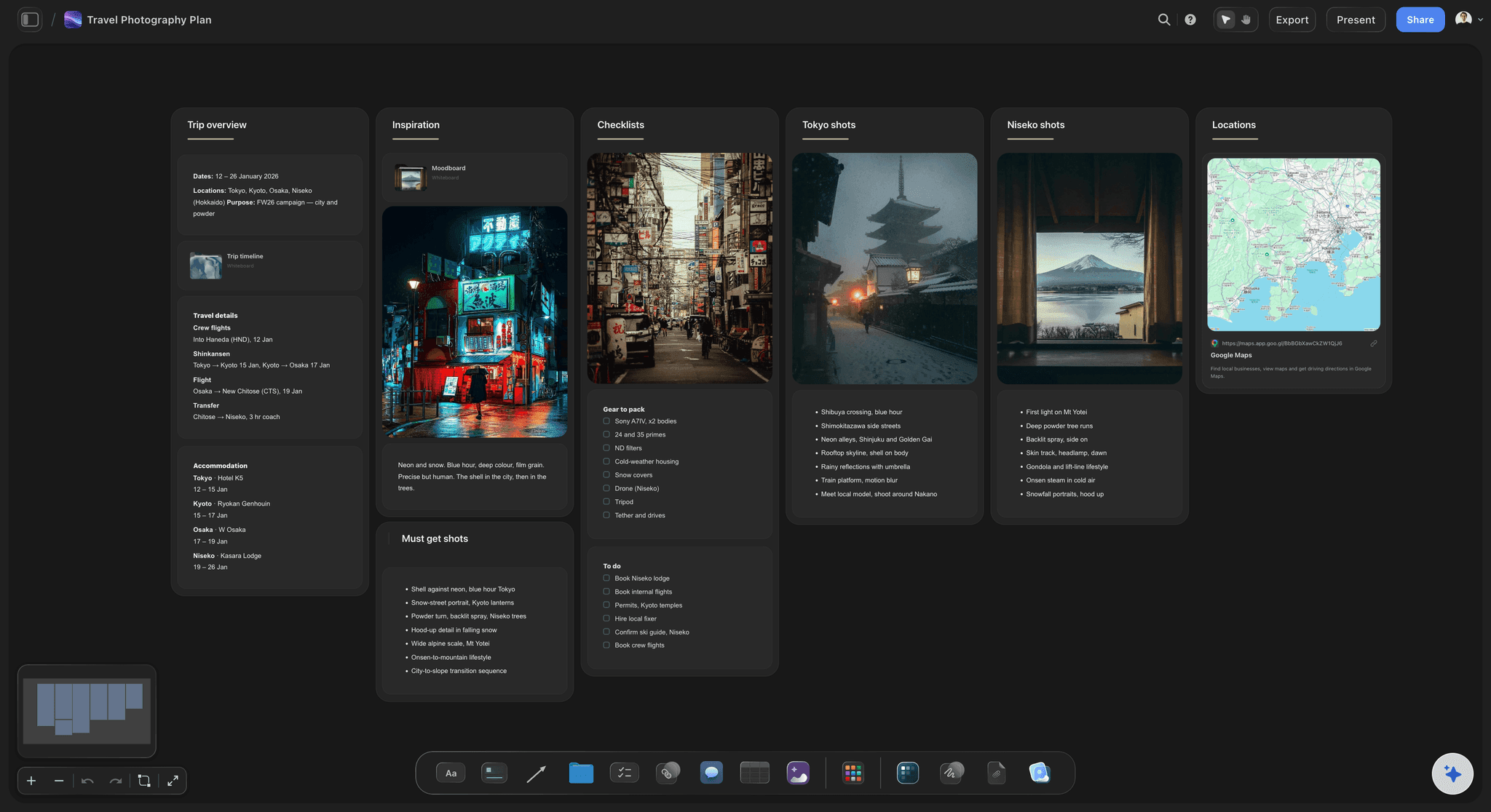
Sponsors and the room before doors
What each sponsor was promised, ticked off
The logo on stage, the stand busy with visitors, the sponsor's lead with the CEO: one checklist per sponsor, ticked as you shoot. Venue photos from the site visit sit beside it, marked with the spots where the light works.
See photoshoot planning →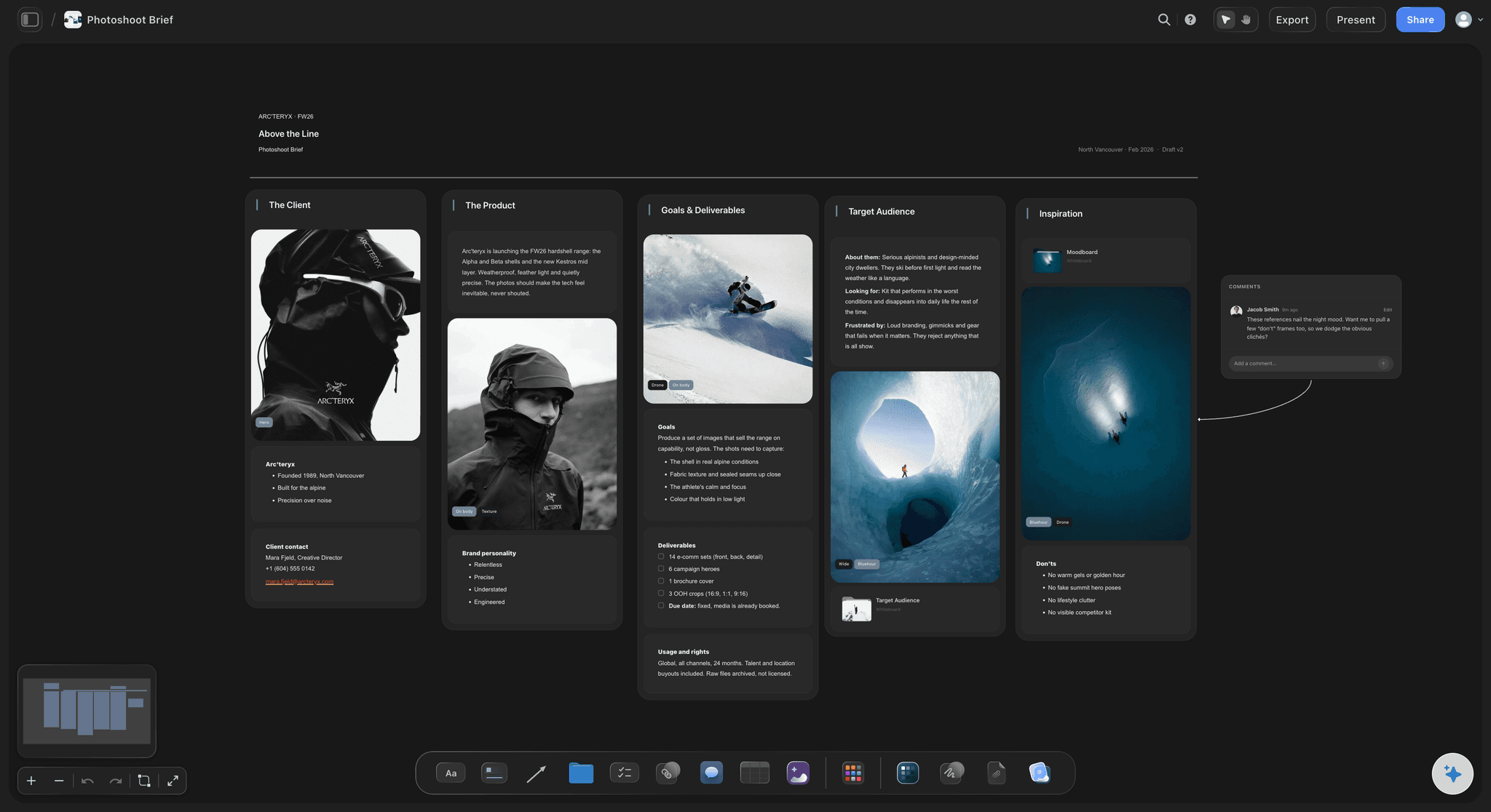
For the marketing team
A plan the client reads before the day
The marketing lead opens the board from a view-only link with no account, and signs in to comment on a session or a name. Export the whole board as a PDF for the venue, or walk through it fullscreen on the briefing call.
See the client presentation tool →Next year's edition starts from this year's board.
Duplicate the board for the next event and keep the VIP list, the sponsor checklist and what you learned. Storyflow is paid-only during early access, with plans from $7.99 a month billed annually ($9.99 monthly). A free plan launches before the end of 2026, and anyone a paid member invites to a board joins free.
Unlimited event boards, venue photos and files on every paid plan
AI that drafts the coverage table, the checklists and a call sheet PDF
Tables with person, status and date cells for sessions and delivery
View-only links, presentation mode and whole-board PDF export for the venue
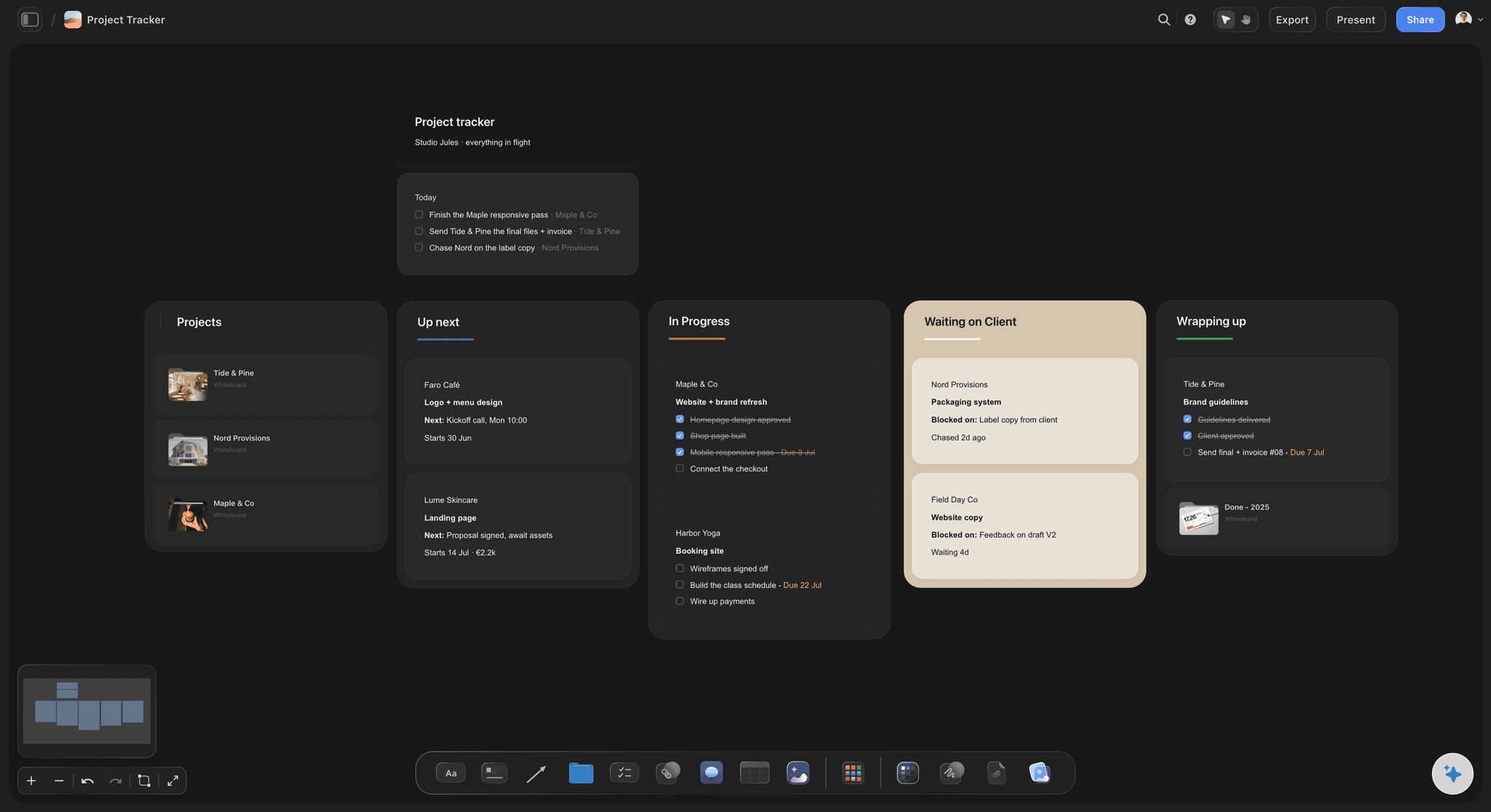
Built for people with taste
Coverage, people, sponsors and delivery: an event shot list to copy.
Built for a one-day conference with one or two photographers. Scale the counts and times to the event.
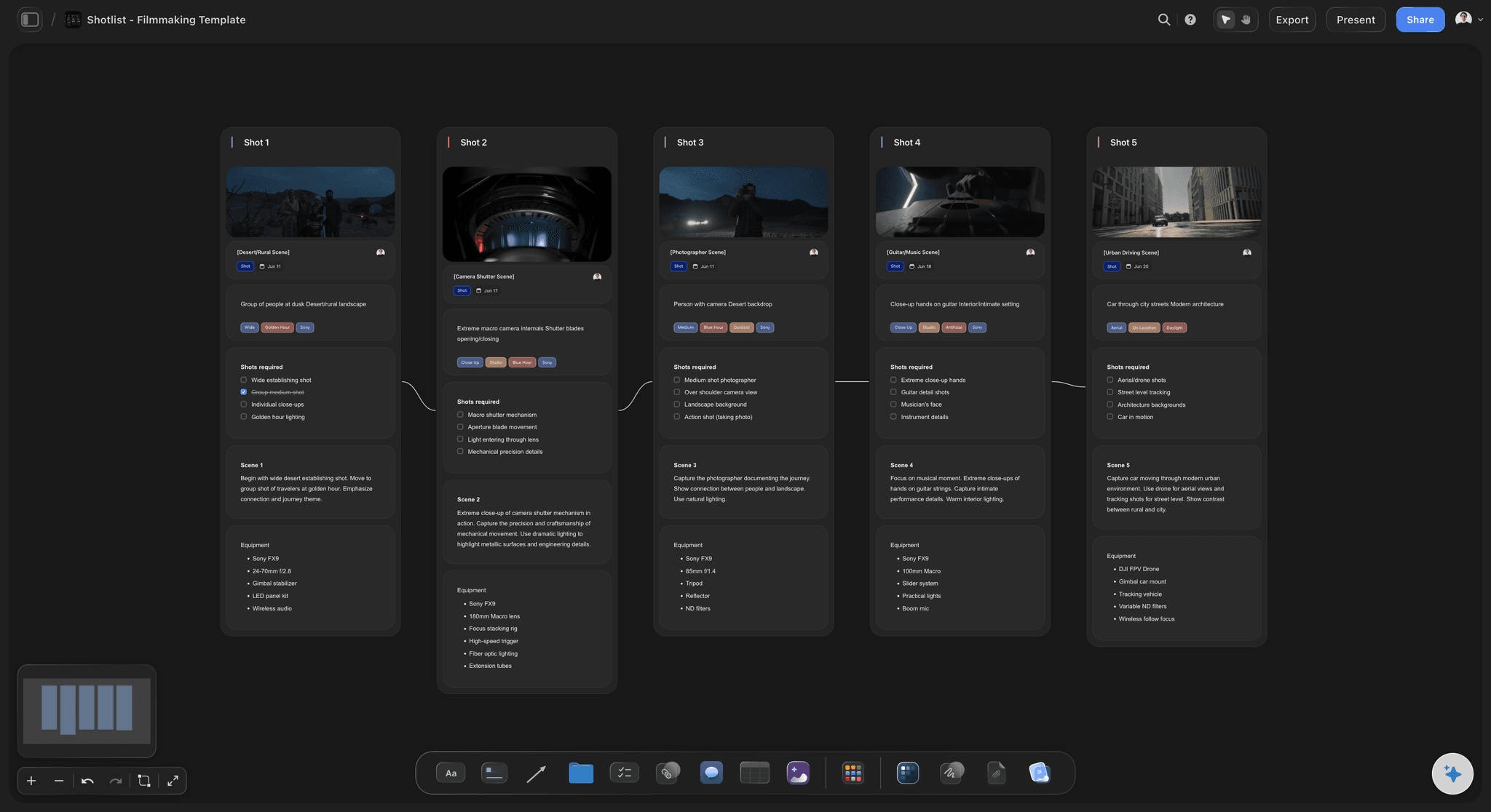
The coverage table
The columns on every session row
Session, time and room: Copied from the organiser's run of show, a row for each session, in the order the day runs. When two rooms run at once, the table shows it and you decide who goes where.
Must-get shots: Three or four per session is a workable default: the speaker mid-gesture with the screen behind, the audience listening, a wide of the full room, and anything the client named. A lectern hides most of a speaker, so plan an angle from the side.
Who covers it: A person cell for the lead, the second photographer or nobody, decided before the day. A blank row is then a choice, not an accident.
Same-day or full set: A label on each row for whether its photos feed the same-day selects. The social team then knows which sessions to expect first.
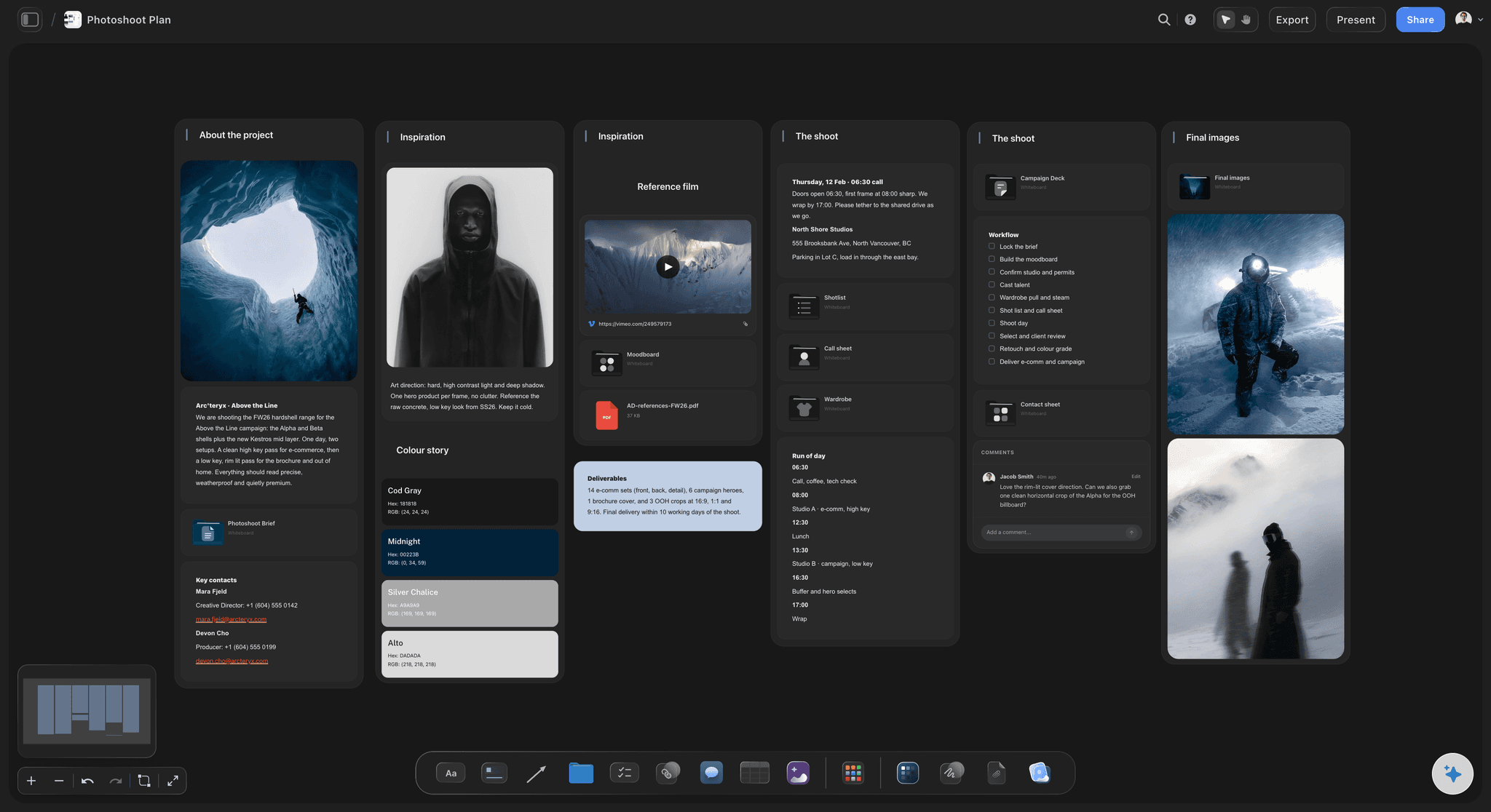
Who and what must be in frame
People, sponsors and the empty room
VIPs and speakers: Name, title, reference photo, the sessions they are in and who they must be photographed with. Mark anyone the client wants kept out of the photos.
Sponsors: One checklist per sponsor with the shots their package includes, from signage to their executive with the CEO. Tick each as you shoot it and note the time, so the sponsor folders are quick to pull in the edit.
Before doors open: The stage lit and empty, the set, signage, registration, food and the dressed room, in the thirty to sixty minutes before guests arrive. It is the only clean record of what the client paid the venue and designers for.
Attendees who opted out: Ask how attendees consented to photography and how opt-outs are marked, often a coloured lanyard or sticker. Brief your second photographer on it before doors, not after the first complaint.
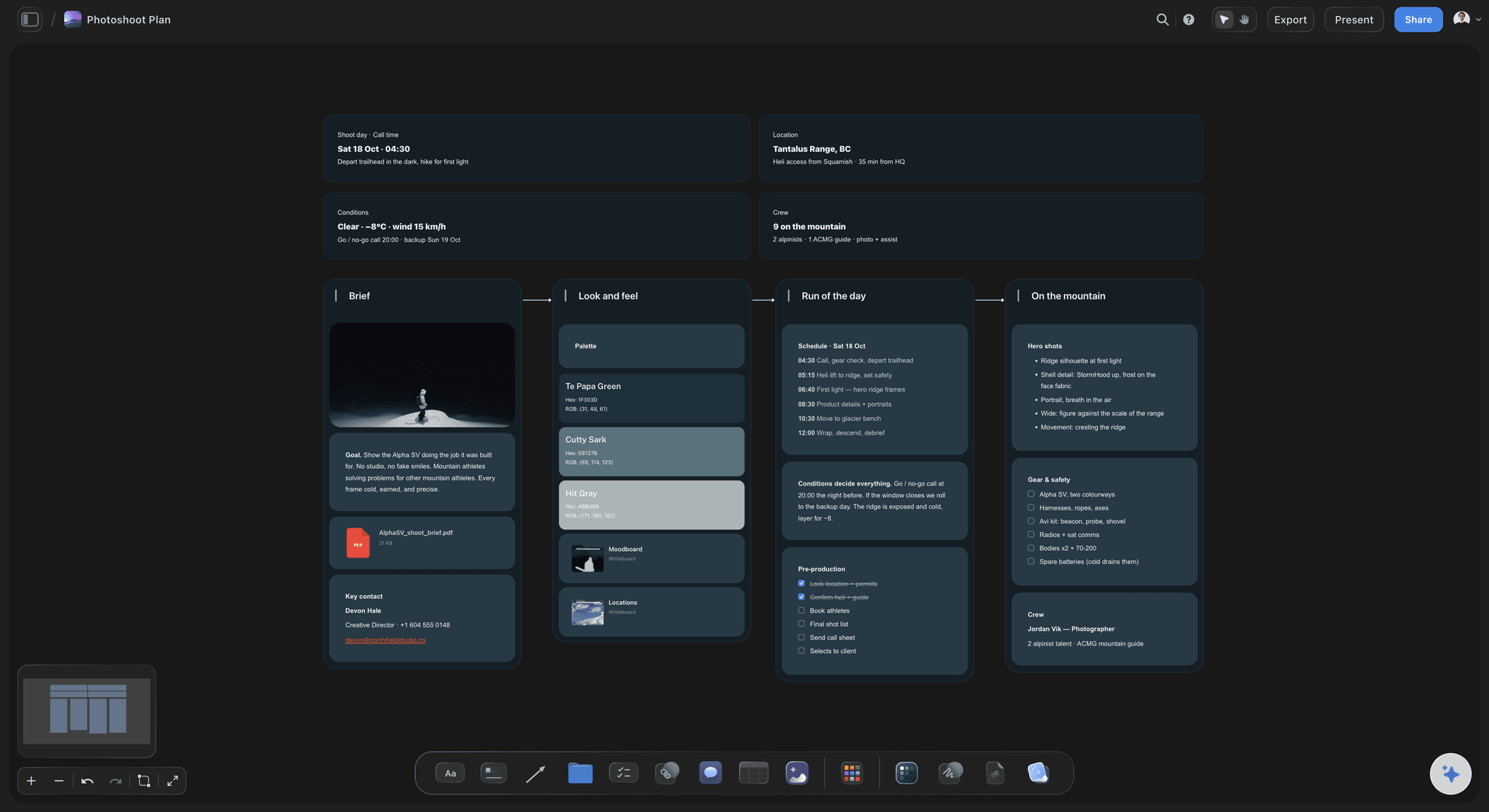
Set-piece shots
Groups, awards and the headshot station
Group photos: Leadership, the organising team, sponsors on stage: each with a time, a place and a named person who gathers the group. Allow about five minutes a group.
Awards and handovers: The presenter, the winner and the award with the logo behind them, both facing the camera, then a frame of the two in conversation. Agree with the stage manager where you stand, so you do not block the audience.
Headshot station: If one is booked, it needs its own space, backdrop and lights, a sign-up sheet with time slots and someone checking people in. Three to five minutes a person is a common planning figure for a quick corporate headshot.
Candids and the crowd: The room from the back and from the side of the stage, queues at coffee, laughter in the breaks, hands up in the Q&A. These fill the recap post and never appear on a run of show.
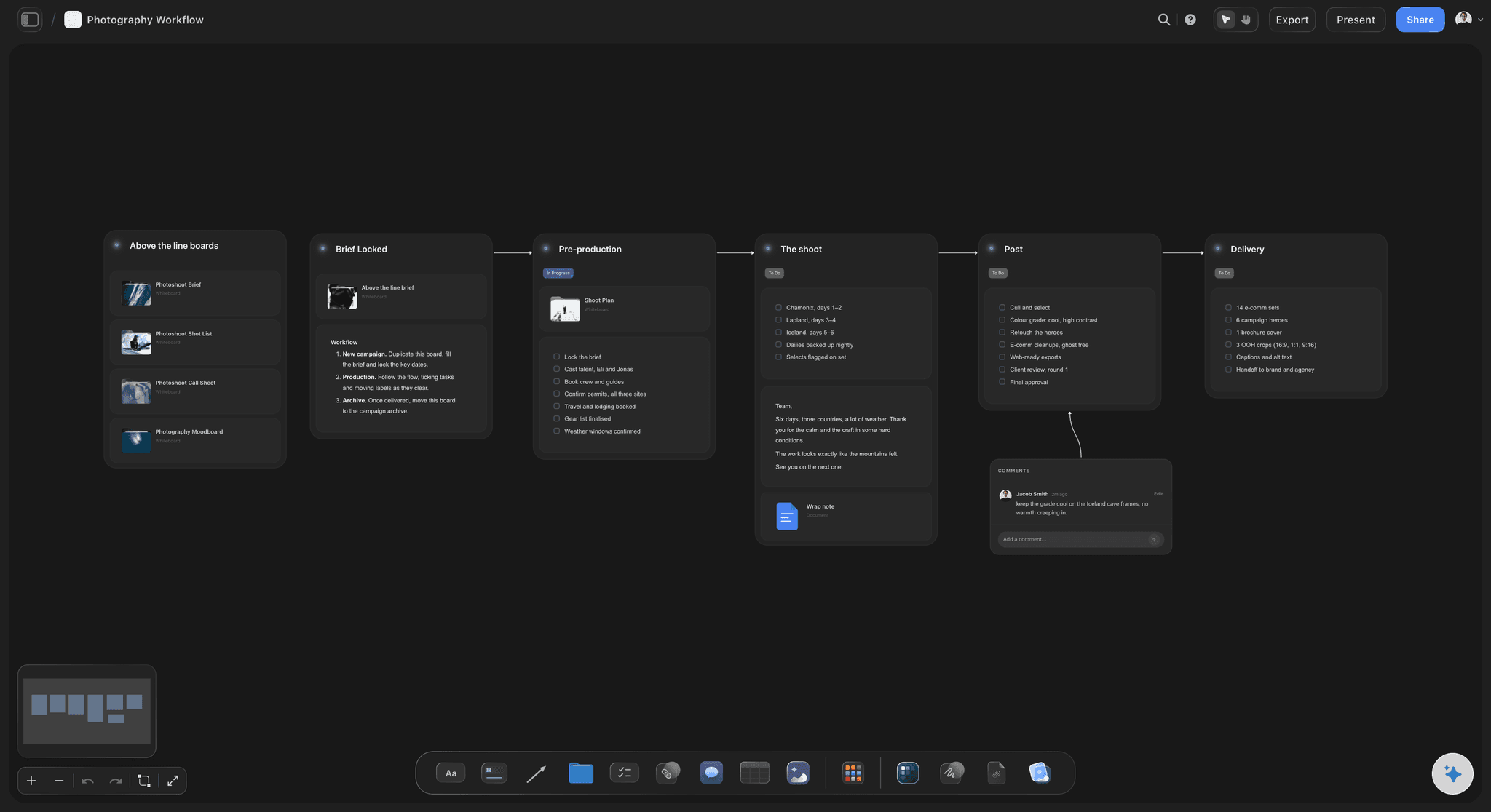
The delivery schedule and the terms
What is delivered when, and what goes in writing
Same-day selects: Between ten and thirty edited images by an agreed time, such as an hour after the keynote or 6pm, sent to one named person. Editing while the event runs takes someone's time, so price it.
The full edited set: Within a few working days is usual, in folders by session, named so the social team can find the keynote in seconds. Headshots and sponsor sets can follow as their own folders.
Usage: The client's own marketing, PR and social is the common default licence. Sponsors, speakers or the venue using the photos is third-party use, so name it in the quote or price it separately.
Hours, overtime and payment: Write the hours you are on site, the rate for each extra hour and when the invoice is due. Ask who can agree overtime on the day, so you are not negotiating it in a dark ballroom.
Explore templates for your project
Every template opens as a real, editable board on the infinite canvas. Pick the closest fit and make it your own.
Pre-Production
Pull the brief, script, shot list, and moodboard into one pre-production hub so the whole shoot is planned in one place.
One app instead of five
Storyflow vs Google Sheets, HoneyBook and Pixieset for event coverage.
A Google Sheet holds a session list at no cost, HoneyBook books the job and takes payment, and Pixieset delivers the gallery. Storyflow is the one place the coverage, the people and the sponsors sit together.
Storyflow
Recommended
Coverage table keyed to the run of show
VIP photos and sessions on one canvas
AI drafts the coverage table from the run of show
AI drafts a call sheet PDF for the photo team
Contract with e-signature
Client gallery for the selects
Google Sheets
Coverage table keyed to the run of show
VIP photos and sessions on one canvas
AI drafts the coverage table from the run of show
AI drafts a call sheet PDF for the photo team
Contract with e-signature
Client gallery for the selects
HoneyBook
Coverage table keyed to the run of show
VIP photos and sessions on one canvas
AI drafts the coverage table from the run of show
AI drafts a call sheet PDF for the photo team
Contract with e-signature
Client gallery for the selects
Pixieset
Coverage table keyed to the run of show
VIP photos and sessions on one canvas
AI drafts the coverage table from the run of show
AI drafts a call sheet PDF for the photo team
Contract with e-signature
Client gallery for the selects
What creators are saying
Join early creators getting structured workspaces and AI that remembers their projects
“Storyflow has sped up my workflow by at least 3x, which means more flow state and more projects I can actually ship. It truly changed the way me and my team create.”

Reilin Joey
Director & YouTuber
“One prompt gets me a structured board. But the tactics are my favorite. I run my YouTube scripts through them and my intros and retention got better. It's amazing.”

Justkay
YouTuber & Freelance Filmmaker
“I used to juggle five apps to plan a project. Now I describe what I am making and get boards, lists, and a schedule. All in one place.”

George
@fernwehchronicles
What event photographers and their clients ask before the day.
Coverage, VIPs, sponsors, delivery times and usage, the way event clients ask.
Storyflow is the event photography shot list template that starts from the event's run of show: a coverage table with must-get shots and a photographer for every session, the VIP list with reference photos, the sponsor checklist and the delivery schedule, on one board the marketing team opens by link with no account and signs in to comment on, or reads as a PDF. The contract and invoice stay in HoneyBook, and the gallery in Pixieset, Pic-Time or SmugMug.
A row for each session with its must-get shots and a photographer's name, then what the run of show leaves out: the room before doors, arrivals and registration, each sponsor's promised shots, the VIPs by name, group photos, award handovers, the headshot station if booked, candids in the breaks and a wide of the full room. Mark which rows feed the same-day selects, so the social team knows what arrives first.
The final run of show, the VIPs and speakers with a photo of each, the sponsor list with what each package includes, the group photos wanted, how attendees agreed to be photographed and who opted out, stage access and the lighting plan, the same-day deadline and the full-set date, the usage the client needs, and parking and access times. Ask on a call, then send the answers back as the board, so the client corrects one document.
Get a reference photo, name, title and sessions for each one in advance, and keep the VIP list to hand during the event. Ask the client for someone who knows everyone to point VIPs out on the day, and agree the pairings they want, such as the CEO with a sponsor. Catch pairs when they meet naturally, then ask for a posed frame before one of them leaves.
Whatever each sponsor package promised, so ask the organiser for the list. Typical items are their logo on the stage or the screens, the stand busy with visitors, the sponsor's lead with the CEO or a speaker, their speaker on stage, and branded spaces such as a sponsored lounge. Give each sponsor its own checklist, tick each shot as you take it, and deliver a folder per sponsor if the client has cleared sponsor use.
Count the rooms that run at the same time, not the size of the crowd. A common shape is one photographer per stage running at once, plus one for sponsors, candids and group photos, and a separate photographer for a headshot station that runs all day. A one-stage conference with a sponsor hall is often a two-photographer job, and same-day selects may need someone editing as well.
Agree it per deliverable in the quote. A workable default is a small set of edited selects the same day for social, sent by a set time to one named person, then the rest, edited and in folders by session, within the following week. Headshots and sponsor folders can follow separately. Price same-day editing as its own line, because it takes hours of someone's time during the event.
Ask the organiser how consent was collected at registration and how opt-outs are marked, often with a coloured lanyard or sticker. Put the rule on the board and brief every photographer before doors. If someone asks on the day, stop, set those frames aside and keep them out of the same-day selects. Take extra care around children and at any session the client marks as sensitive.
Say who may use the photos, where and for how long. A usual starting point is the client's own channels, with the photographer keeping the copyright. Sponsors, speakers, the venue or a partner brand using the photos is third-party use, so list it in the quote or price it separately, and say whether any image may run in paid ads, which is often licensed as a wider use.
It can draft one from the run of show for you to correct. Attach the agenda, VIP list and sponsor list, and Storyflow's AI drafts the coverage table with must-get shots per session, a VIP list and a checklist for each sponsor. You decide who covers what. It can also turn the coverage table into an Excel file for a client who works in spreadsheets, and draft a call sheet PDF for the day.
No. Storyflow plans the coverage and holds the brief; it does not host galleries, deliver files, send contracts or invoices, or take payments. Deliver the same-day selects and the full edited set through Pixieset, Pic-Time or SmugMug, and send contracts and invoices through HoneyBook. Put the gallery link on the board's delivery schedule so the marketing team finds everything in one place.
Not during early access. Storyflow is paid-only during early access, with plans from $7.99 a month billed annually ($9.99 monthly). A free plan launches before the end of 2026, and anyone a paid member invites to a board joins free. The client's marketing team pays nothing to read the plan.
More from Storyflow
Event videography planner
Wedding photography shot list
Social media shot list
AI event planner
AI run of show generator
Photoshoot planning
Photoshoot plan template
Photography proposal template
Storyflow for photographers
Storyflow for event planners
Call sheet template
Shot list template
Best tools for conference content teams
Pricing
Brand activation plan
Photography client questionnaire
Know the room, the faces and the deadline before doors.
Attach the run of show, and the coverage table, VIP list and sponsor checklist are drafted before your briefing call.