
Extremely reliable pre-production
A multi-location shoot plan
that gets the whole crew to the right place on time.
For producers and line producers: scenes grouped by location, every company move timed, a sheet for each place and a call sheet for each day, on one board the crew opens from a link.


Creatives working for these brands already got early access
- Red Bull
- Canon
- Artlist
- Porsche
See how easy it is to get started
Watch a real project come together, from a blank board to a finished plan, clicked through step by step.
Start from a ready-made template
Pick a board to see what you can build, then let AI fill it in. Every template is a real, editable starting point on the same infinite canvas.

Pre-Production
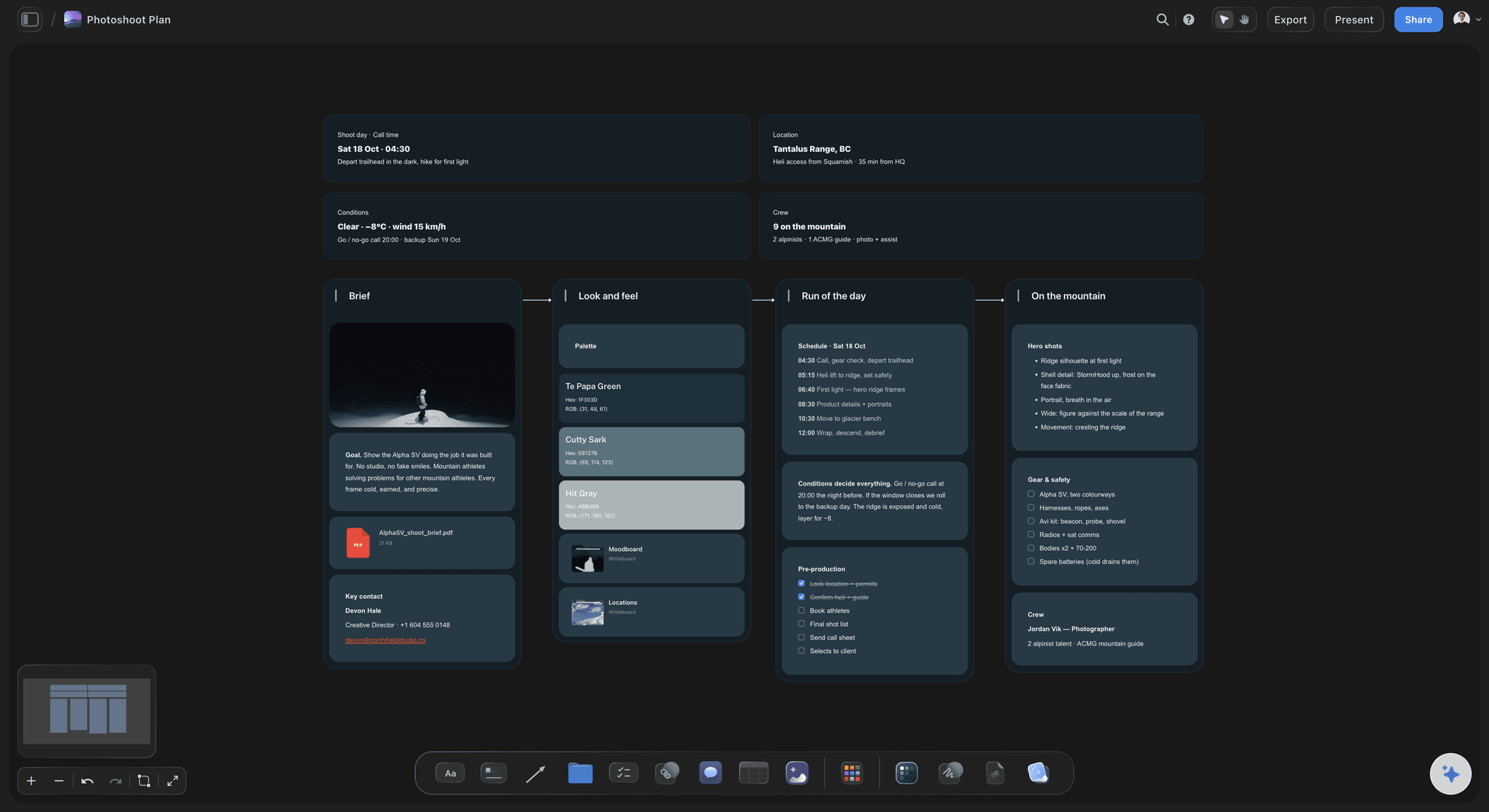
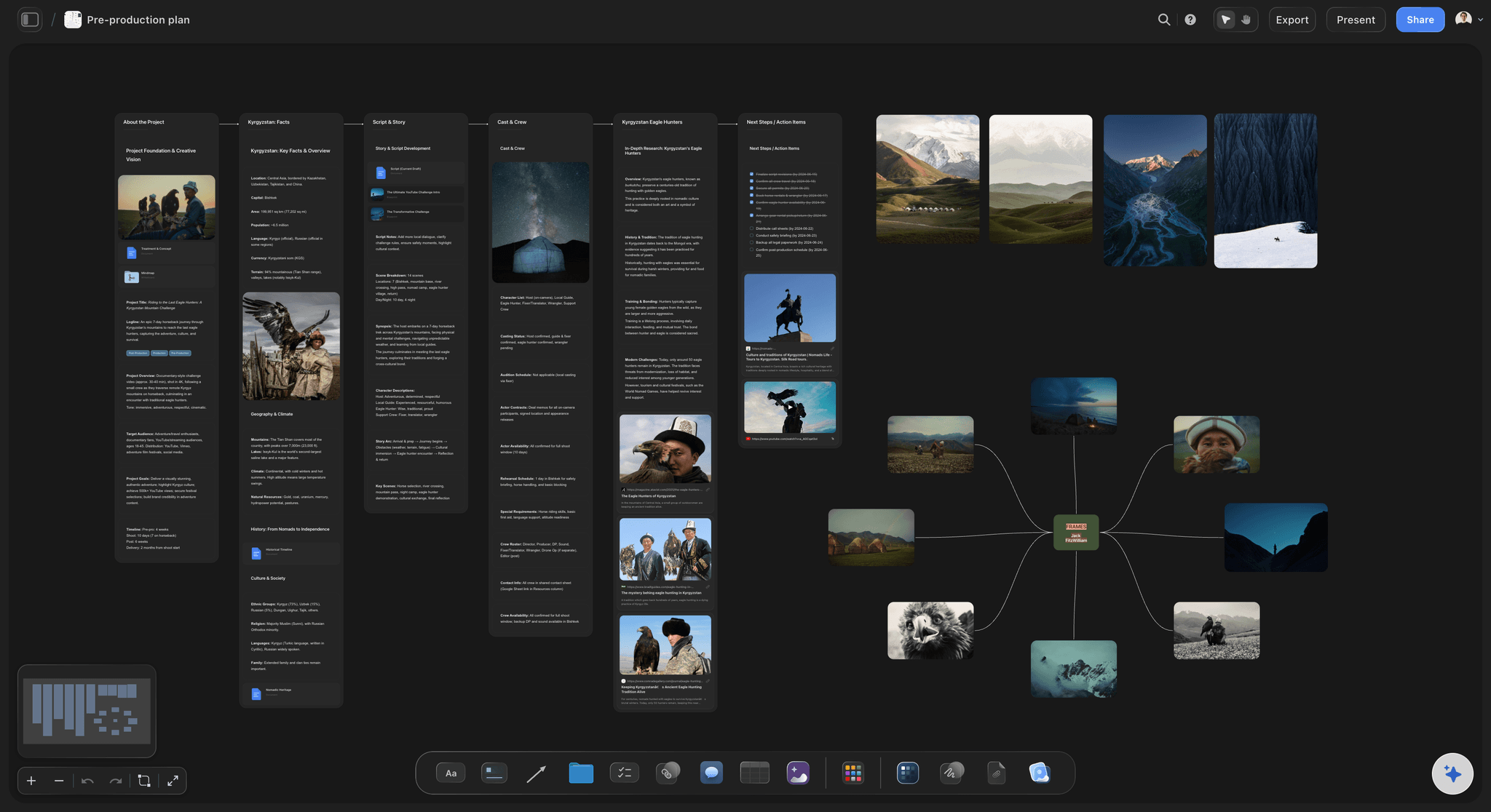
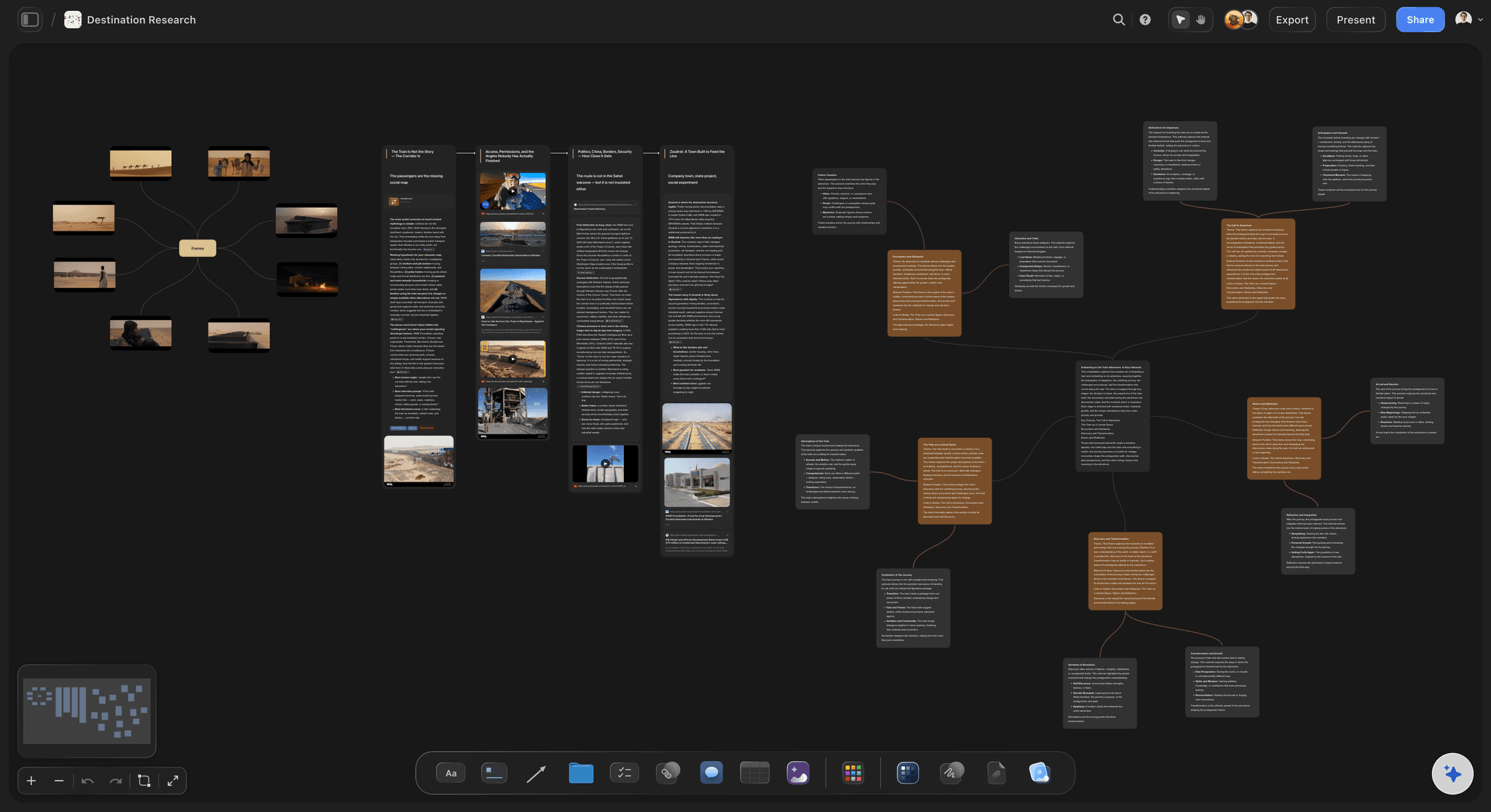
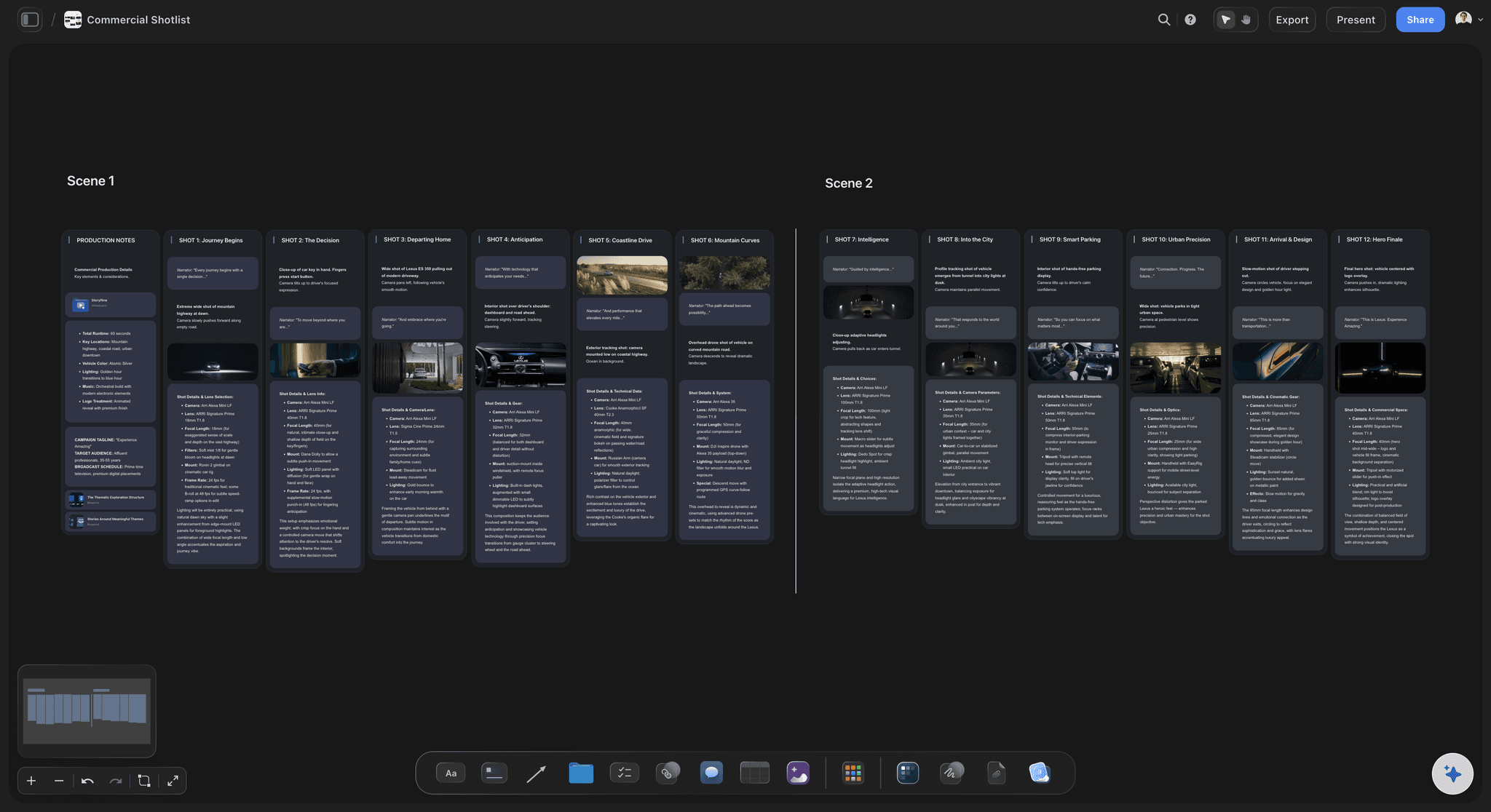
Pull the brief, script, shot list, and moodboard into one pre-production hub so the whole shoot is planned in one place.
How do you plan a shoot across multiple locations?
To plan a shoot across multiple locations, group the scenes by location first, allow at most one company move a day and time it, write one sheet per location with its address, contact, permit hours, parking and power, keep a weather cover set ready, and give the crew one call sheet per day that names where to be and when. Storyflow is an AI visual workspace that coordinates a multi-location shoot on one infinite canvas: the strip board of shoot days, the location sheets, the company moves and the call sheets. Its AI builds the strip board from the script's scene list and drafts each day's call sheet from what is on the board.
Start from the locations, not from the script order. Sort every scene by where it is shot, then by inside or outside, then by day or night. A script with 58 scenes often lives in eight or nine places, and the schedule is mostly the order you visit them in. Each location gets as many consecutive days as its scenes need, so the crew sets up once and leaves once.
Every move between locations costs time you do not shoot. On a small crew, a company move takes one to two hours: wrapping the set, loading the trucks, driving, finding the unit base, unloading and lighting again. Plan at most one move a day, put it at lunch so the break absorbs some of it, and write the drive time on the board from the map app before you commit to it.
A worked example. A five day shoot for a short film with four locations: a farmhouse, a town square, a beach and a small studio. Days one and two stay at the farmhouse for 11 pages of interiors and exteriors. Day three does the morning exteriors at the farmhouse, moves at lunch with a 35 minute drive, and finishes 2 3/8 pages in the town square. Day four is the beach at dawn, with a 4:30 crew call because sunrise is at 6:12. Day five is the studio, which is also the weather cover for the beach if day four is rained off.
Each location needs its own sheet. Write the address, the exact entrance for the trucks, the unit base and where the crew parks, the location contact and their phone number, the permit number and the hours it allows, the power available, the toilets, the noise to expect, the nearest hospital and the sunrise and sunset times. A location missing one of those is the one where the crew stands around at seven in the morning.
Keep a cover set for every exterior day. A cover set is an interior scene you could shoot instead if the weather turns, with its cast and props ready to go. Note on the board which exterior day each cover set protects and what has to be true by the night before for the swap to happen, so the call can be made at 8pm rather than at the location at dawn.
Ultra fast from brief to board
Four steps from a script to a crew in the right place.
The schedule, the places and the day sheets, all on one board.
01
Get the scene list and group it by place
Attach the script and the AI lists every scene with its number, heading, inside or outside, time of day, length in eighths of a page and speaking parts. Sort them by location, then by day or night. You see how many pages each place needs before you count a single day.
02
Build the strip board, one wall per day
Ask for the strip board and the AI lays out a wall per shoot day with a coloured strip per scene in shooting order. Each day shows its total in pages and eighths and an arrow to the next. When a location falls through, drag its strips to another day and ask the AI to rebuild the totals.
03
Write a sheet for each location
Add a location table with a row per place: address, truck entrance, unit base, parking, power, permit hours, the contact's phone number and the nearest hospital. Pin the scout photos beside each row, and write each company move as a time and a drive time between two places.
04
Build a call sheet for each day and share the board
Ask for a call sheet for day three and the AI builds it as pages: the calls, the schedule with a location on every row, cast and crew, each unit base with parking and how to get in, safety and contacts. Anything it does not know stays blank. Share the board by link.
The days, the places, the moves and the sheets.
Storyflow plans the shoot across every location. Drive times come from your map app, and call sheets go out the way your crew already receives them.
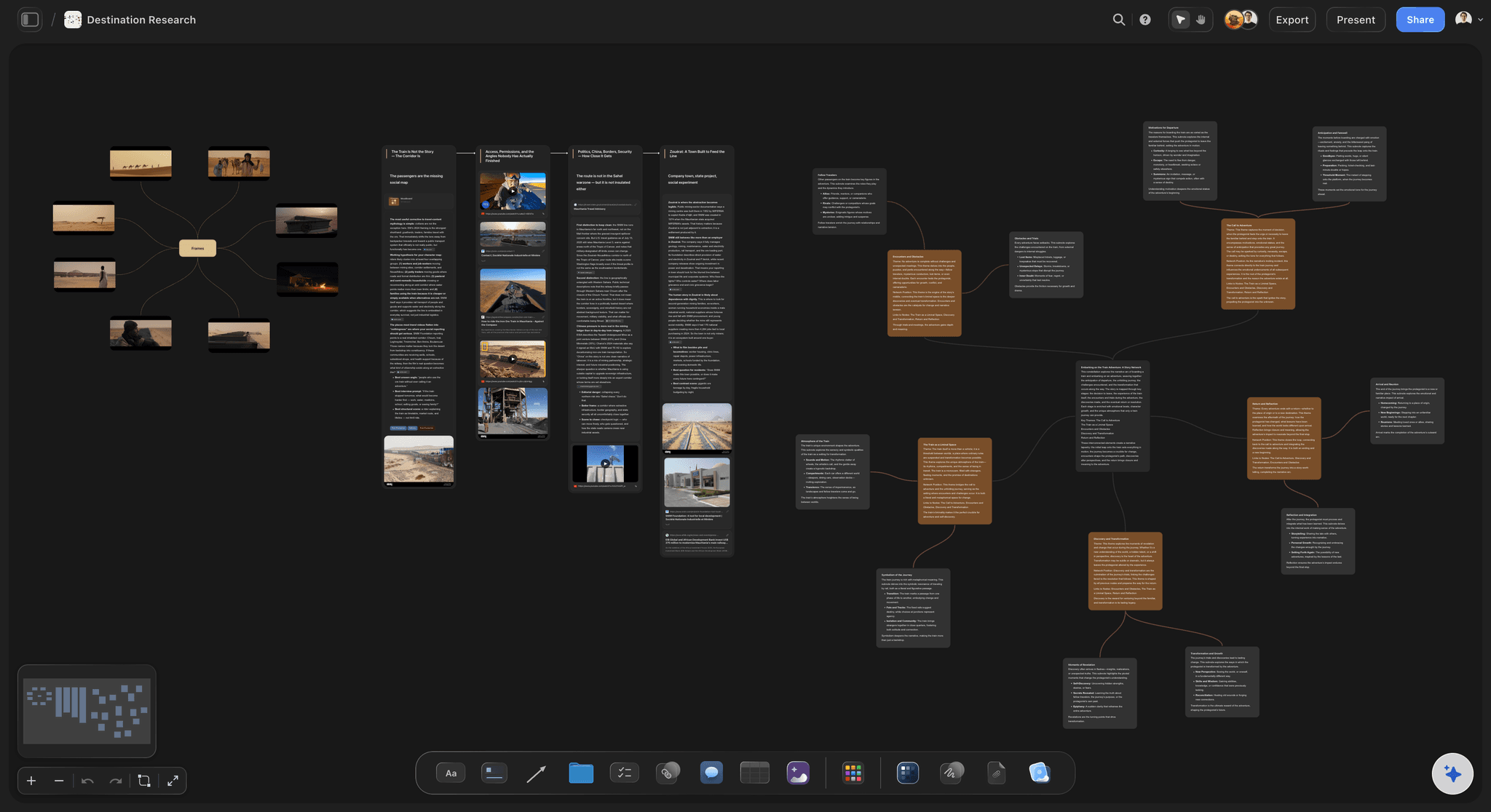
Every place in one table
A sheet per location, with the photos beside it
Address, truck entrance, unit base, parking, power, permit hours and a contact for every location, in one table, with the scout photos pinned next to each row. The question of where the trucks go is answered before anyone asks it.
See the location scouting app →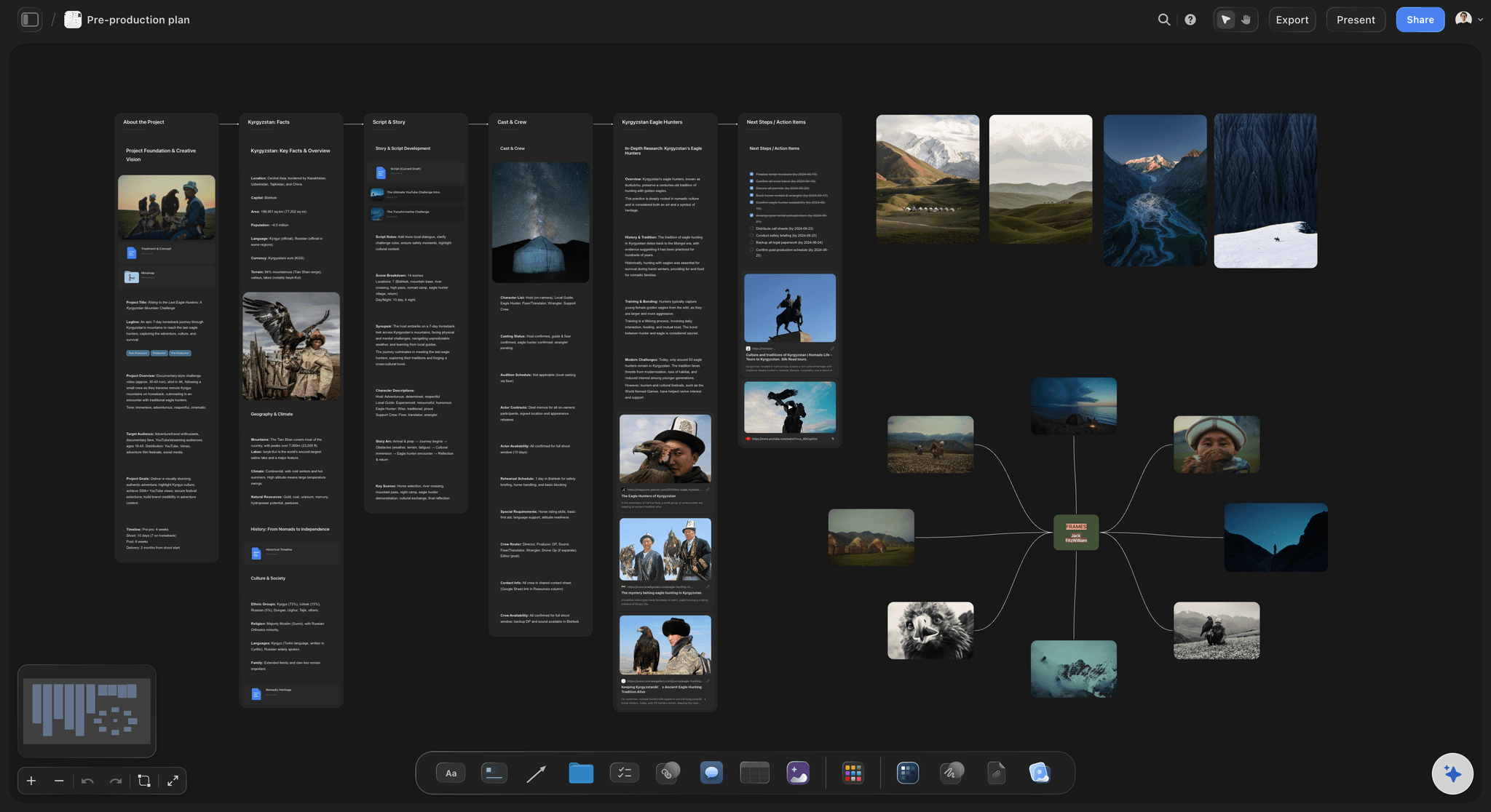
The order you visit them in
A strip board with a wall for each shoot day
Every scene is a strip coloured by inside, outside, day and night, grouped into a wall per day with its total in pages. One look shows which days stay put and which day carries the company move.
See the stripboard →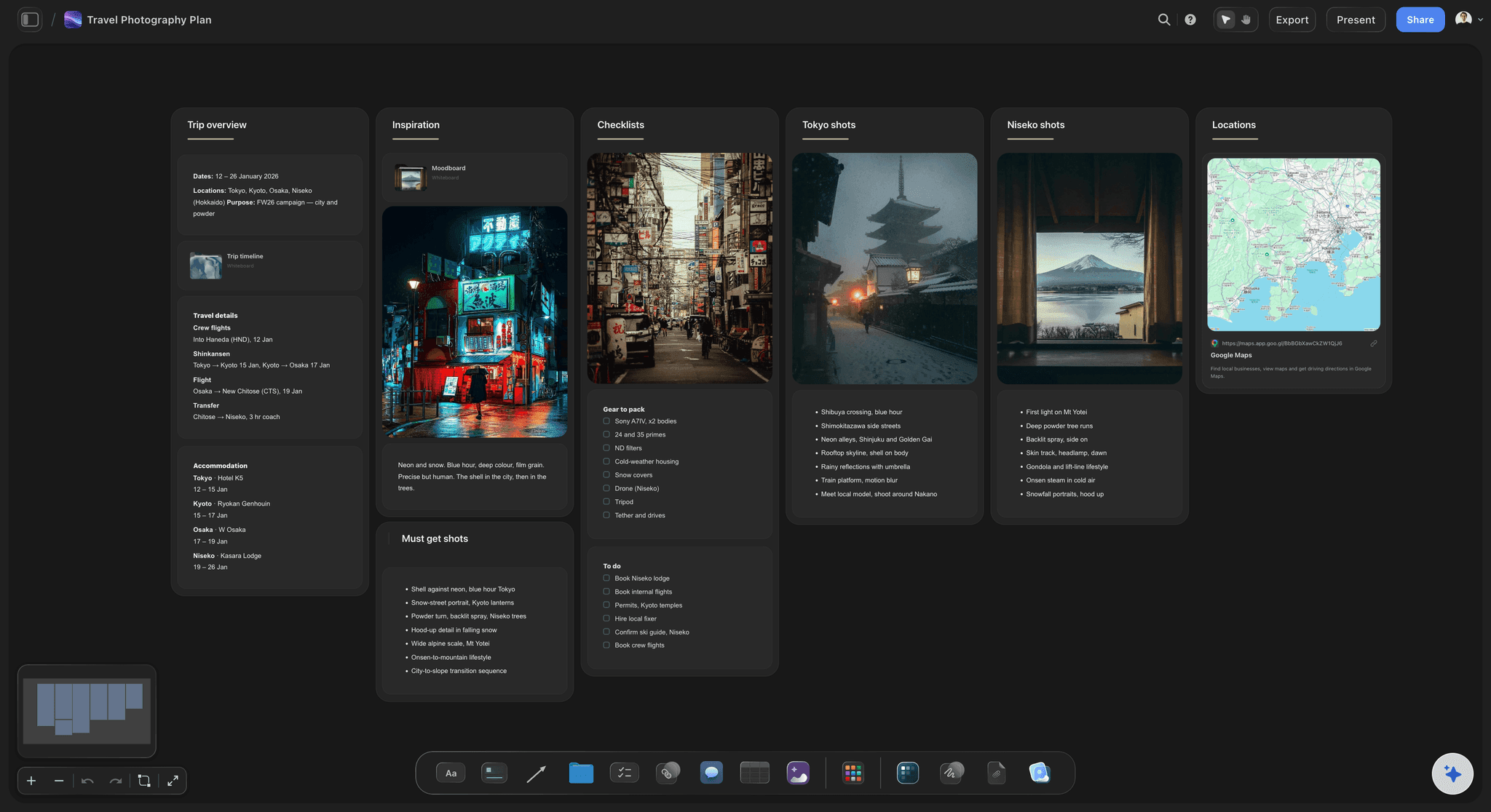
Where to be, and when
A call sheet for each day, as pages
The calls, the schedule with a location on every row, cast and crew with their times, each unit base with its parking, and the nearest hospital. The AI never invents a name, a number or an address: what it does not know stays blank for you to fill.
See the AI call sheet generator →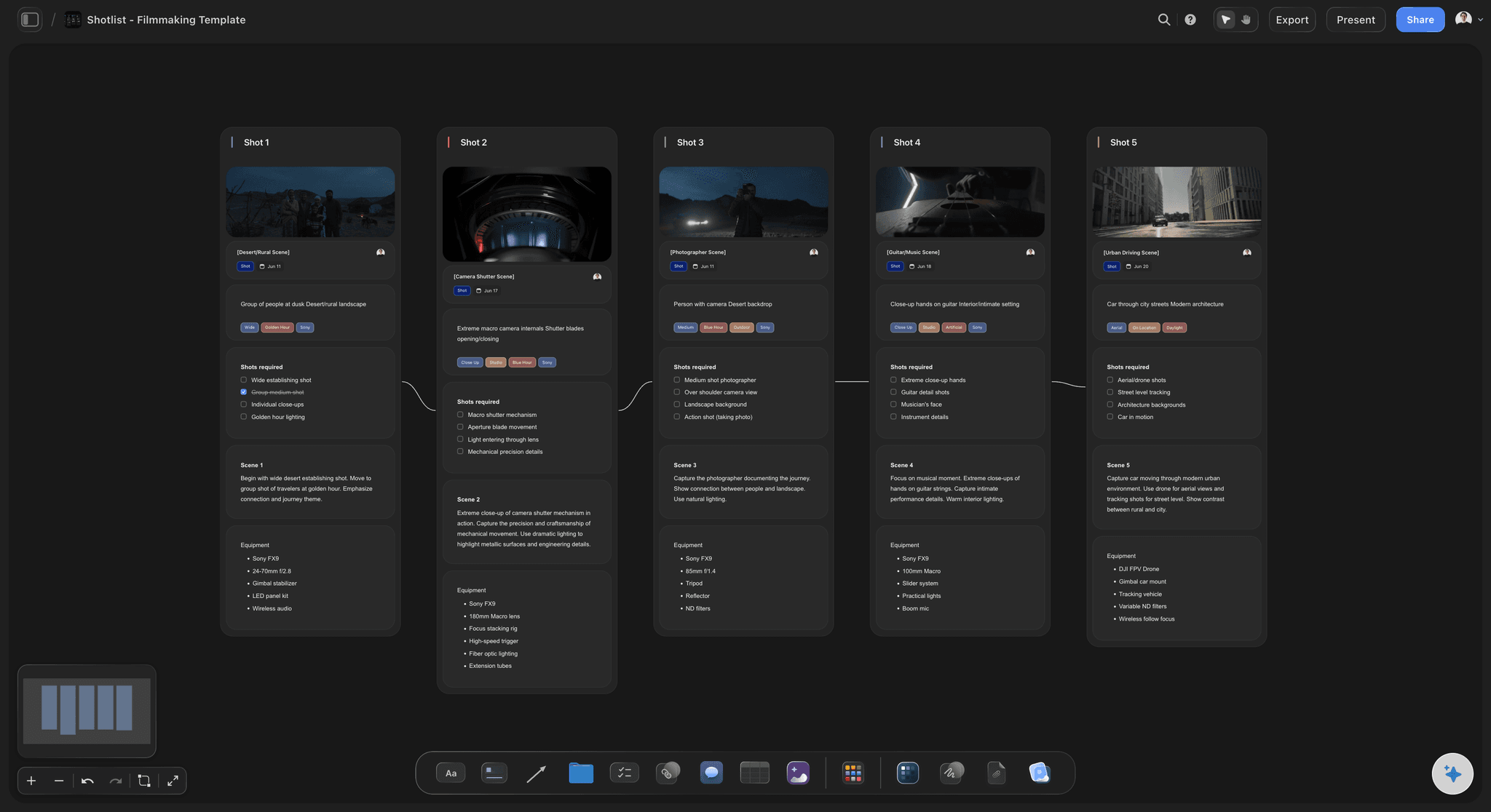
On the day
One board the crew opens from a link
The day's sheet, the location photos and the shot list sit together. Crew open the board from a view-only link in a phone's browser with no account, so the gaffer finds the power notes for the second location without calling anyone.
See on-set collaboration →The next shoot starts with the locations you already know.
The location table keeps every place you have shot, with its contact, its power and where the trucks went in. Storyflow is paid-only during early access, with plans from $7.99 a month billed annually ($9.99 monthly). A free plan launches before the end of 2026, and anyone a paid member invites to a board joins free.
Invite the line producer, the AD and the location manager without buying them seats
Unlimited boards, image uploads and files on every paid plan
Scout photos and videos up to 1 GiB per file
Call sheet pages you can export as a PDF
A view-only link the crew opens in a phone's browser
Built for people with taste
The three ways a multi-location shoot loses its day.
Each one happens between locations, not at them.
The schedule
Script order instead of location order
Scenes grouped by place first: The scene list comes from the script file, then gets sorted by where it is shot. Five visits to the farmhouse become two consecutive days, and four company moves become one.
Day totals you can trust: Each day wall adds up its pages in eighths. A day that carries a company move and nine pages shows that it is too heavy before the crew finds out at six in the evening.
Colours a crew reads on sight: Strips follow the industry colours for inside, outside, day and night. The run of dawn exteriors at the beach is visible from across the room.
Moving a day is a drag: When a permit changes, drag the strips to another day wall, then ask the AI to rebuild the strip board so every day total is right again.
The move
A company move nobody timed
One move a day, at lunch: Write each move on the board as a time, two places and a drive time. Put it at lunch so the break absorbs part of the hour or two it costs a small crew.
The unit base before the address: Each location sheet names where the trucks park and where the crew waits, which is rarely the address on the permit. The first truck finds the gate on the first try.
Who goes ahead: Name the people who leave early to set up the next location, with their own call time. The second location is lit while the first is still wrapping.
Drive times from the real map: Check each drive in your map app at the hour you will make it and write it on the board. A 20 minute drive at noon is 50 minutes at five.
The day itself
A crew at the wrong place at six in the morning
A location on every schedule row: The call sheet's schedule names the place for every block of the day. Nobody has to work out from a scene number that the afternoon is somewhere else.
Blanks, not guesses: The AI leaves a phone number, an address or a hospital blank when it does not know it, and says so. A blank gets filled; a wrong number gets dialled at the worst moment.
Cover sets written down: Every exterior day names its weather cover and what has to be ready the night before, so the swap is a decision at 8pm, not a scramble at dawn.
The plan in every pocket: The crew opens the board in a phone's browser from a view-only link. When the plan changes, the board they open is already the new one.
Explore templates for your project
Every template opens as a real, editable board on the infinite canvas. Pick the closest fit and make it your own.
Pre-Production
Pull the brief, script, shot list, and moodboard into one pre-production hub so the whole shoot is planned in one place.
One app instead of five
Where Storyflow fits on a multi-location shoot.
It plans the days, the places and the moves. It does not route the trucks or send the call sheets.
Storyflow
Recommended
Location photos, notes and schedule side by side
Strip board coloured by inside, outside, day and night
Day totals in pages and eighths
A location table with contacts, permits and parking
Call sheet pages built from the board
Moodboard, shot list and schedule in one view
Drive times and routes between locations
Sends call sheets and tracks who confirmed
Production management suites
Location photos, notes and schedule side by side
Strip board coloured by inside, outside, day and night
Day totals in pages and eighths
A location table with contacts, permits and parking
Call sheet pages built from the board
Moodboard, shot list and schedule in one view
Drive times and routes between locations
Sends call sheets and tracks who confirmed
A spreadsheet and a map app
Location photos, notes and schedule side by side
Strip board coloured by inside, outside, day and night
Day totals in pages and eighths
A location table with contacts, permits and parking
Call sheet pages built from the board
Moodboard, shot list and schedule in one view
Drive times and routes between locations
Sends call sheets and tracks who confirmed
What creators are saying
Join early creators getting structured workspaces and AI that remembers their projects
“Storyflow has sped up my workflow by at least 3x, which means more flow state and more projects I can actually ship. It truly changed the way me and my team create.”

Reilin Joey
Director & YouTuber
“One prompt gets me a structured board. But the tactics are my favorite. I run my YouTube scripts through them and my intros and retention got better. It's amazing.”

Justkay
YouTuber & Freelance Filmmaker
“I used to juggle five apps to plan a project. Now I describe what I am making and get boards, lists, and a schedule. All in one place.”

George
@fernwehchronicles
Multi-location shoot questions
What producers and line producers ask before a shoot that moves.
In Storyflow, attach the script, get the scene list, and sort the scenes by location before anything else. Build the strip board with a wall per shoot day, allow one company move a day at lunch, write a location table with address, unit base, parking, power, permit hours and contact, keep a cover set for every exterior day, and build a call sheet for each day.
Storyflow is built around this kind of shoot: the strip board with a wall per day, a sheet for every location with its scout photos, each company move timed, and a call sheet per day drafted by the AI, on one board the crew opens from a link. Drive times still come from Google Maps, and sending call sheets and tracking confirmations from a suite such as StudioBinder or SetHero.
Plan for one. A small crew loses one to two hours on each move, so two moves in a day can cost a quarter of the shooting time. If the script needs two places in one day, choose locations close together, send a team ahead to set up the second one, and keep the page count for that day light.
On a small crew, plan one to two hours from the last shot at one location to the first shot at the next: wrapping, loading, the drive, finding the unit base, unloading and lighting. Check the drive in a map app at the hour you will make it, write it on Storyflow's board, and put the move at lunch where you can.
The address, the exact entrance for the trucks, the unit base and crew parking, the location contact and their phone number, the permit number and the hours it allows, the power available, the toilets, the noise to expect, the nearest hospital, sunrise and sunset, and the scout photos. Keep them as one row per location in a table on the board.
Group by location first, then by inside or outside, then by day or night, and give each location consecutive days so the crew sets up once. In Storyflow the strip board shows each day's scenes in industry colours with a page total, so a day that is too heavy or a location visited twice stands out at once.
Yes. Attach the script as an .fdx, Fountain or PDF file and Storyflow's AI reads its scene list: numbers, headings, inside or outside, time of day, page lengths and speaking parts. Ask for a strip board and it lays out a wall per shoot day with every scene as a coloured strip and each day totalled. You decide the order; it does the building.
Yes. Ask Storyflow for the call sheet for a given day and the AI builds it as pages: the day's calls, a schedule with a location on every row, cast and crew with times and numbers, each unit base with parking and access, safety notes and contacts. It never invents a person, a number or an address, and the pages export as a PDF.
Give every exterior day a cover set: an interior scene you could shoot instead, with its cast and props ready. On Storyflow's board, note which exterior day each cover set protects and what has to be true the night before for the swap. Make the weather call the evening before, not at the location at dawn.
No. Storyflow does not calculate routes or drive times, track vehicles, send call sheets by email or text, or collect crew confirmations. Use a map app for the drives, and a production suite such as StudioBinder or SetHero if you need to send call sheets and see who confirmed. Storyflow holds the plan those tools carry out.
Share the board by a view-only link. The crew opens it in a phone's browser with no account and sees the day's call sheet, the location sheet and the scout photos. Anyone a paid member invites to the board joins Storyflow free, so the AD and the location manager can work on it too.
Location scouting decides where you will shoot: you visit options, photograph them and compare. A multi-location shoot plan starts once the places are chosen and decides the order you visit them in, the moves between them and what the crew needs at each one. Storyflow can hold both on the same project, so the scout photos carry straight into the plan.
No. Storyflow runs in the browser and there are no native mobile or desktop apps. Plan the shoot on a laptop, and the crew opens the same board in a phone's browser at each location.
More from Storyflow
Film shoot planner
Location scouting app
Shooting schedule
Stripboard
Call sheet template
AI call sheet generator
AI shooting schedule generator
Film scheduling software
Crew scheduling software
Day out of days
Pre-production to shoot day
On-set collaboration
Commercial production
Film production planning
Storyflow for producers
Camera department prep
Plan the moves before the trucks are loaded.
The days, the places, the moves and a call sheet for each day. One board for the whole shoot.