
Extremely reliable pre-production
The camera department's prep,
written before the truck is loaded.
For producers and the cinematographer they hire: the camera and lens package, the tests, the media and backup plan, the crew and the shots that need special kit, on one board the whole camera team reads.


Creatives working for these brands already got early access
- Red Bull
- Canon
- Artlist
- Porsche
See how easy it is to get started
Watch a real project come together, from a blank board to a finished plan, clicked through step by step.
Start from a ready-made template
Pick a board to see what you can build, then let AI fill it in. Every template is a real, editable starting point on the same infinite canvas.

Pre-Production
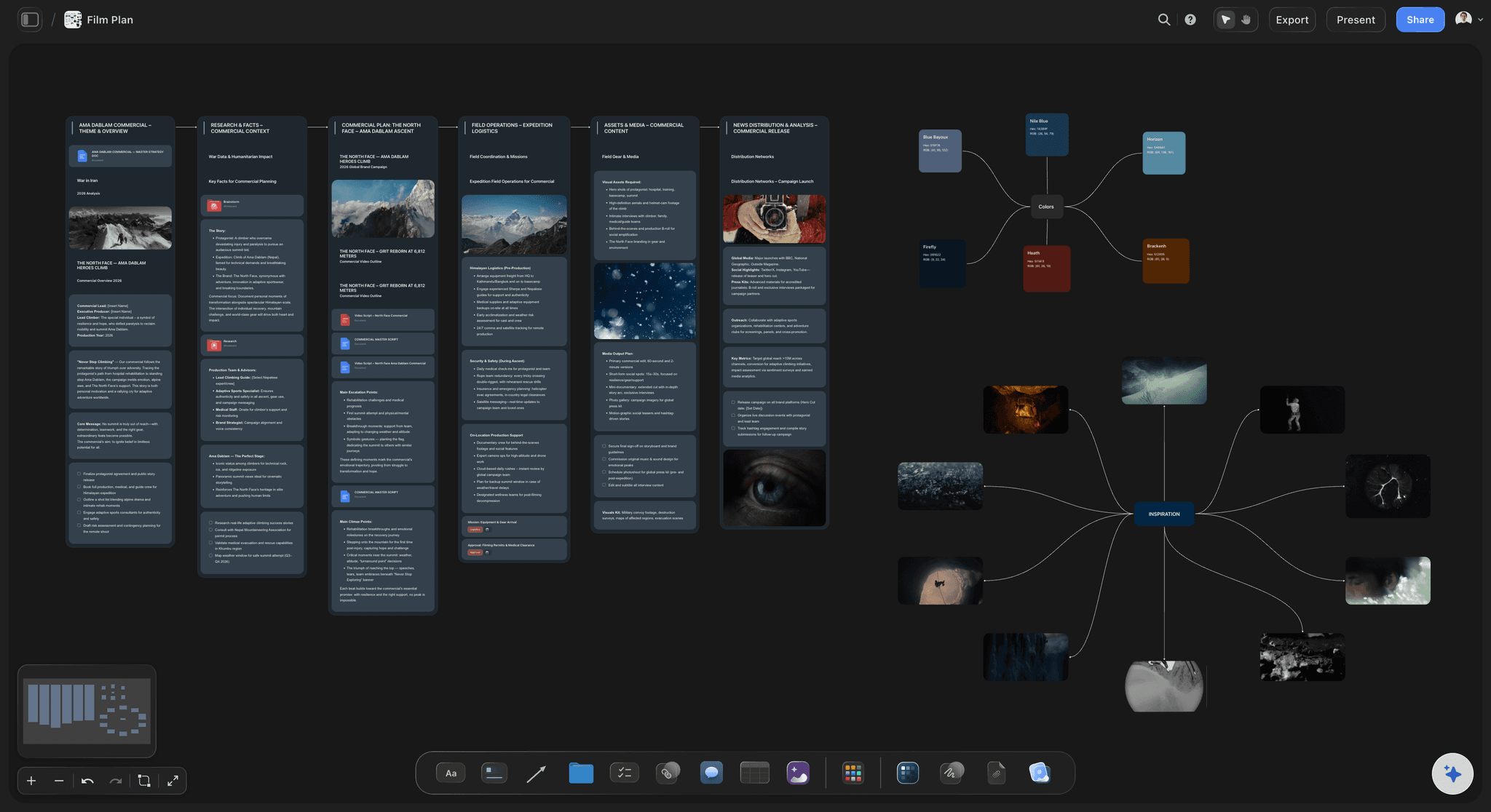
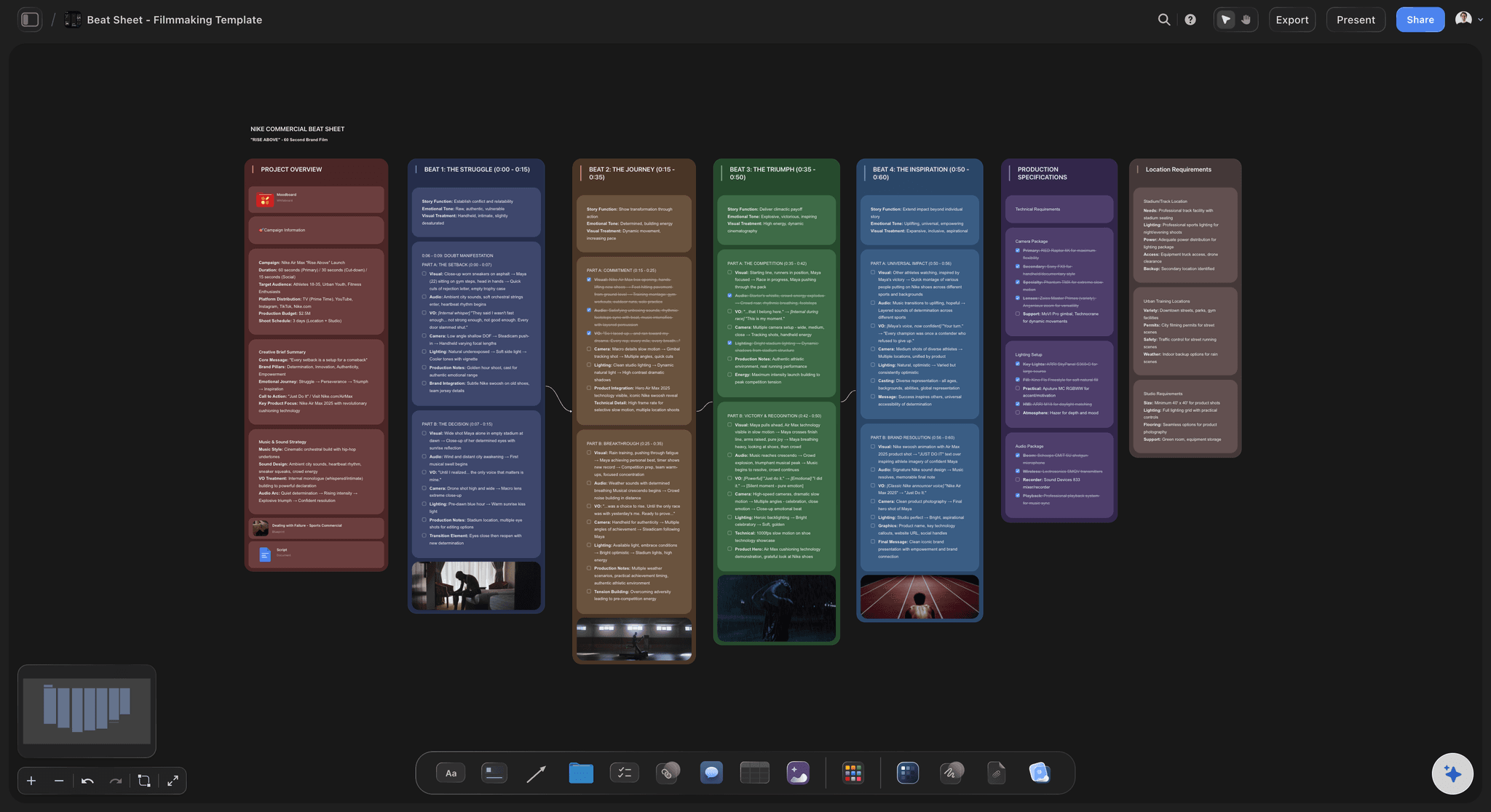
Pull the brief, script, shot list, and moodboard into one pre-production hub so the whole shoot is planned in one place.
What goes in a pre-production document for a camera crew?
A pre-production document for a camera crew sets out the format the film is shot in, the camera and lens package, the tests to run before the shoot, the media and backup plan, who is in the department, and which shots need kit that is not on the truck every day. Storyflow is an AI visual workspace that holds that document on one infinite canvas: the package table, the test results with their stills, the data plan and the crew list. Its AI reads the shot list on the board and drafts the camera package from it, shot by shot, for the cinematographer to correct.
Write eight sections, in this order. The format: resolution, codec, frame rates and the aspect ratio of every deliverable. The camera package: bodies, support, monitoring and power. Lenses and filters. The tests and what each one has to answer. The shots that need special kit. Media and backup. Crew and contacts. Open questions. The order matters, because the format decides the media, the shots decide the lenses, and the tests exist to catch what the first three got wrong.
Tests are the part most small shoots skip and most regret. Name each test as a question: does the lens set match in colour, where does the image fall apart in low light, do the practical lamps flicker at the frame rate we want, does the monitor look like the grade. A test with no question produces footage nobody watches. Put a still from each result beside its question, and write the decision it led to in one line.
The media plan is arithmetic, so do it with real numbers. Take a three day commercial shot in 4K UHD ProRes 422 HQ at 24 frames a second, which records about 5.3 GB a minute. At 90 minutes of footage a day that is 477 GB a day and about 1.4 TB for the shoot. Three copies of everything means 2 TB of space three times over: two drives on set and a third copy on a different kind of storage. A 512 GB card holds about 96 minutes, so each day fills one card, and four cards let you finish the shoot without wiping one.
The backup rule to write down is three copies, on two kinds of storage, with one kept somewhere else. Say who makes the copies, when during the day, where the third copy sleeps each night, and that no card is wiped until two copies have been checked. This paragraph is the cheapest insurance on the shoot, and it only works if it is written before the first day, when nobody is tired.
Work back from the first shoot day. Ten days out, send the package list to the rental house for a quote. Seven days out, agree the tests. Three days out, run them and write up the results. The day before, the first assistant checks every item out and builds the camera. A producer does not need to know how to collimate a lens, only that each of those four dates has a name beside it.
Ultra fast from brief to board
Four moves from a shot list to a camera team that is ready.
The document takes about an hour to draft once the shot list exists, and it is corrected by the people who will carry the kit.
01
Start from the shot list
Put the shot list on the board, or attach it as a PDF in the chat. Ask Storyflow's AI for the camera package those shots need and it drafts a table of bodies, lenses, support and power, with a column for owned or hired.
02
Write the tests as questions
Add a section for tests, one card per question, with who runs it and on what day. After the test day, drop a still from each result beside its card and write the decision in one line.
03
Do the media sum and the backup plan
Write the data rate, the minutes a day and the number of days, and work out the cards and drives. Under it, write who copies, when, and where the third copy is kept overnight.
04
Share it with the camera team
Send the board link to the cinematographer, the assistants and the person handling the data. They read it in a browser with no account, and sign in to comment beside the line they want changed.
The package, the shots, the look and the people.
Storyflow holds the prep document. The rental house still supplies the kit, and the camera team still runs the tests.
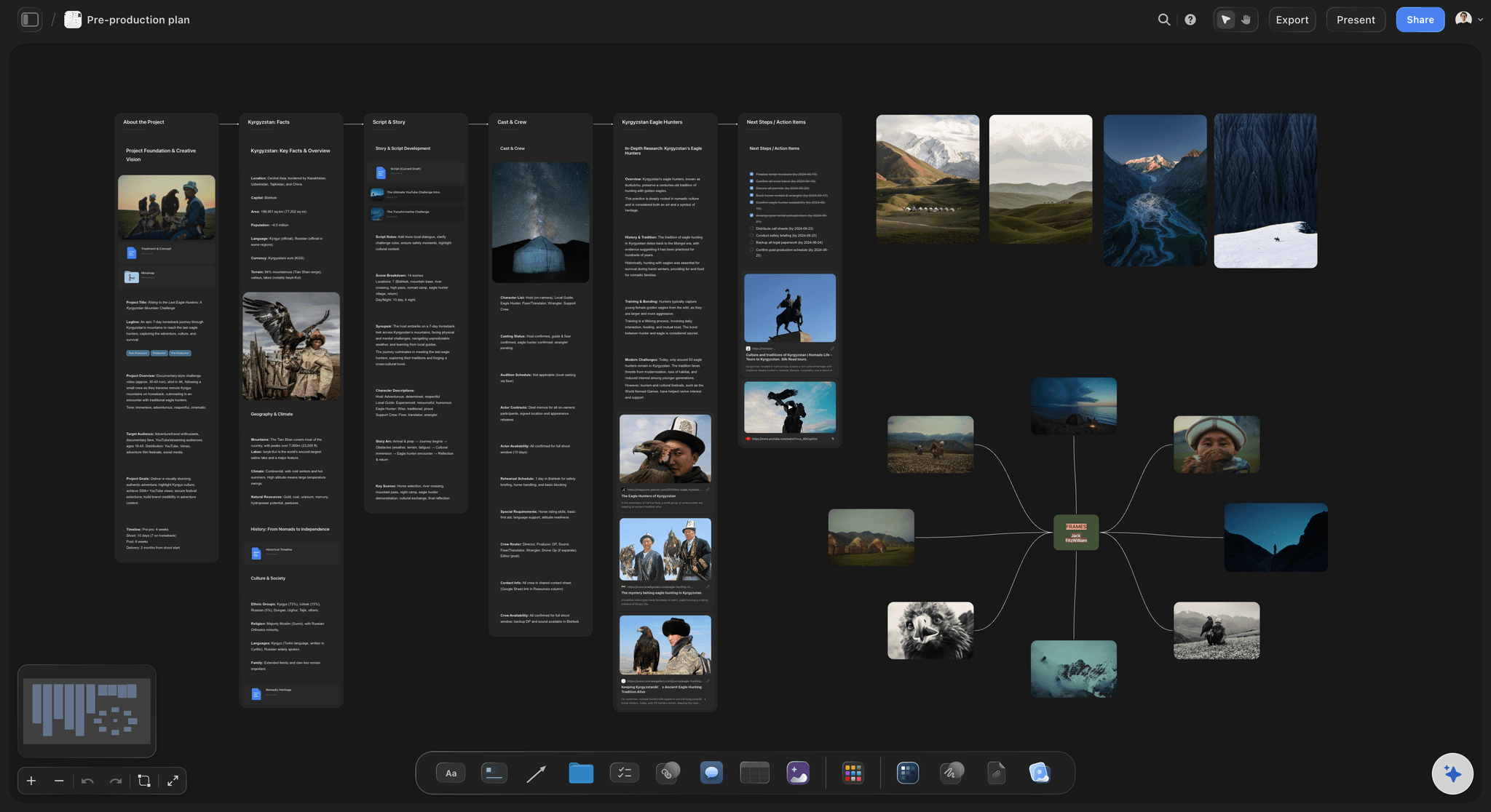
The package
Bodies, lenses, support and power in one table
A row per item with its quantity, whether it is owned or hired, the day rate and a status. Give the rate column a Sum footer and the hire cost for the camera department is always in view.
See the equipment list maker →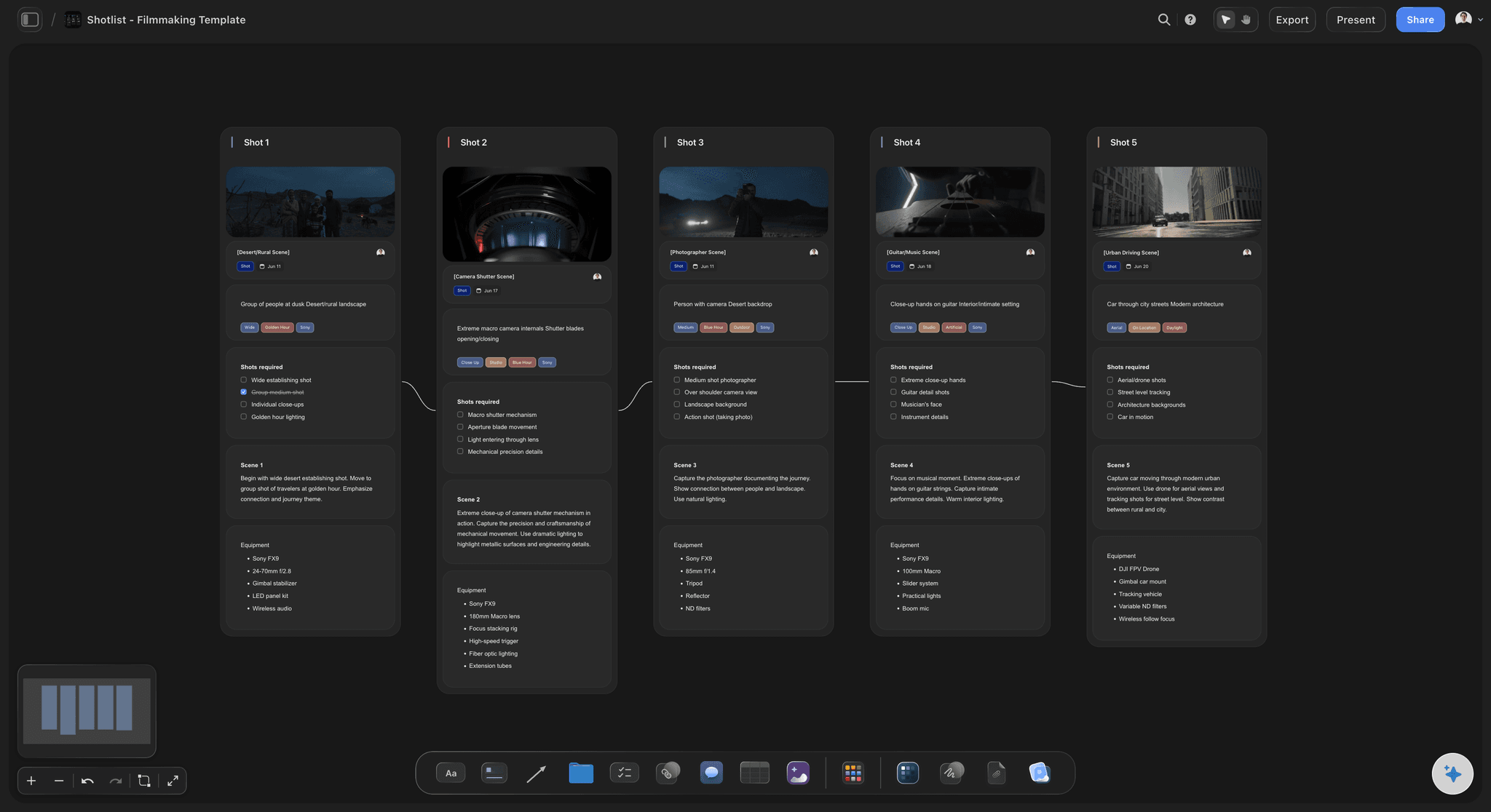
The shots
The setups that need more than the day kit
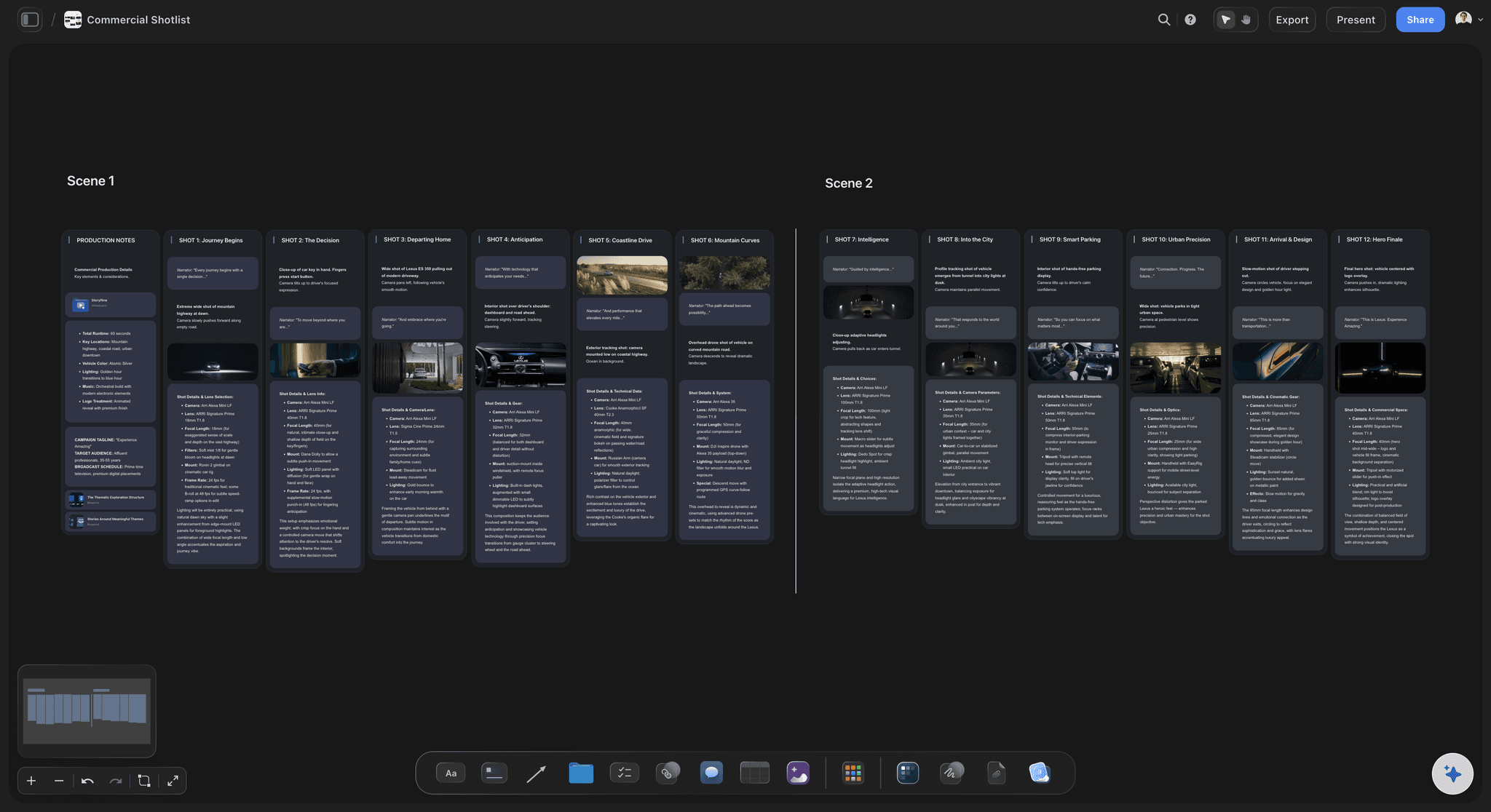
Storyflow's AI builds shot cards with a frame, tags for size, light and camera, the coverage to get and an equipment note. The gimbal, the drone and the high speed setups are easy to pick out and plan for.
See the shot list software →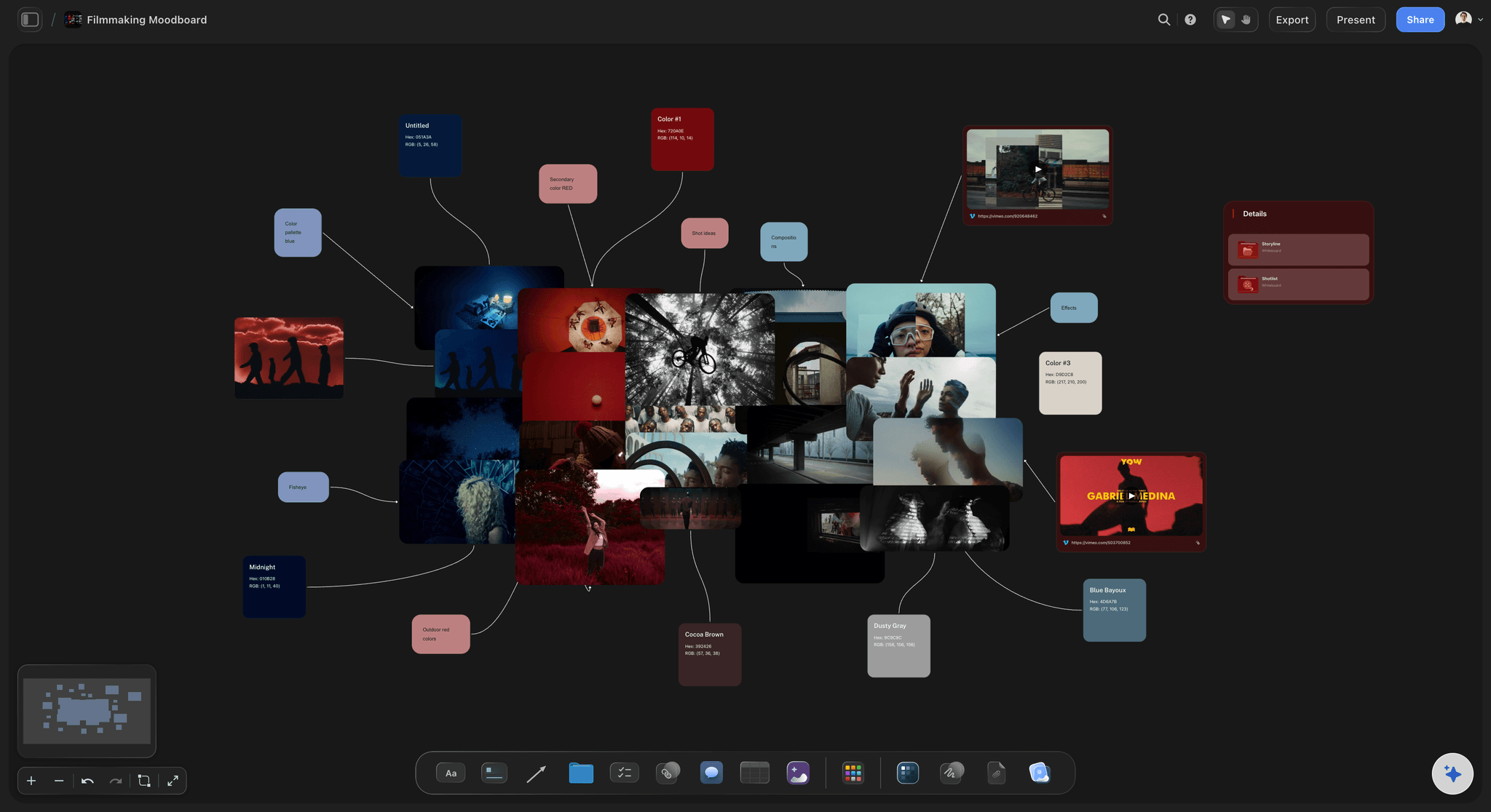
The look
Test stills beside the reference they were chasing
Pin the reference frames, then put the test stills next to them. The director and the cinematographer see in one glance whether the lens, the filter and the exposure got there, and the choice is recorded.
See Storyflow for cinematographers →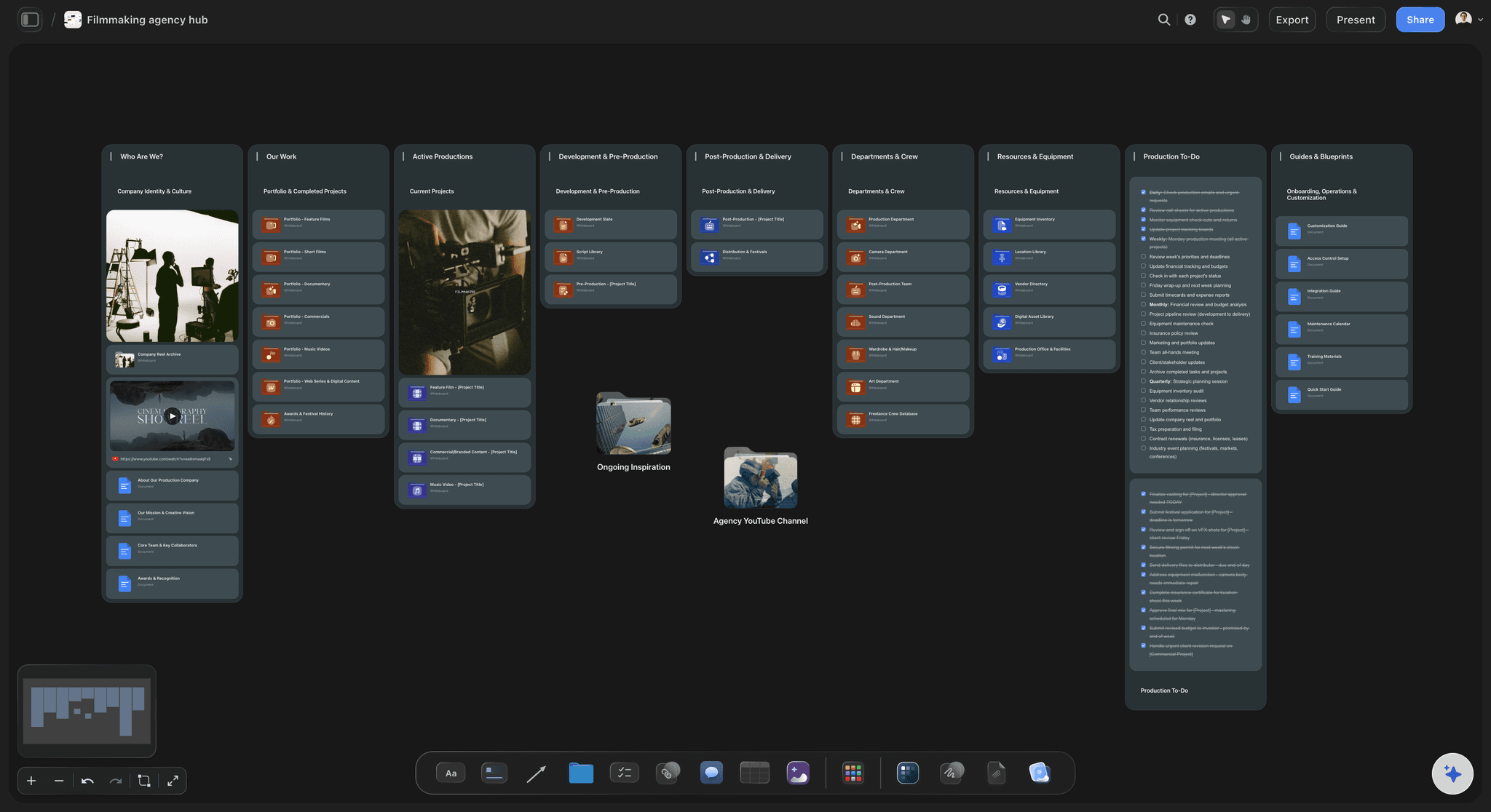
The people
Who is in the department and who they answer to
Cinematographer, operator, first and second assistant, and whoever handles the data, each with a phone number and their prep days. The producer sees how many paid prep days the camera department needs.
See the film crew planner →The next shoot starts from this one.
Duplicate the project for the next job and change what is different, instead of writing the backup plan from nothing every time. Storyflow is paid-only during early access, with plans from $7.99 a month billed annually ($9.99 monthly). A free plan launches before the end of 2026, and anyone a paid member invites to a board joins free.
Unlimited boards, image uploads and files on every paid plan
Invite the cinematographer and the assistants without buying them a seat
Test stills and reference frames side by side on the canvas
Whole-board PDF export for the production binder
View-only links so the rental house can read the list with no account
Built for people with taste
What camera prep is meant to catch.
Three problems that cost a shoot day, each one cheap to find in prep week and expensive to find on set.
The package
The kit does not match the shots
Built from the shot list: Each lens and each piece of support is on the list because a shot needs it. If nothing on the shot list calls for the 135mm, it stays at the rental house.
Special kit by shoot day: The drone, the gimbal and the high speed camera are needed on named days. Write the day beside each, so they are hired for two days and not for five.
The joins, not only the items: Plates, cables, adapters and batteries are what stop a build. Ask Storyflow's AI to read the package table and list what each item needs to connect to the next one.
Owned or hired on every row: A column says where each item comes from, and a status says whether it is confirmed. A Count footer shows how many rows are still open.
The tests
A problem found on day one that a test would have found
Every test is a question: Do the lenses match, where does low light break, do the lamps flicker, does the monitor match the grade. If you cannot write the question, skip the test.
The whole chain, once: Shoot a minute, copy it, open it in the edit and look at it on the grading monitor. A format the editor cannot open is found in prep, not after the first shoot day.
Results with a picture: Drop a still from each test beside its card on the board. A result written as a sentence is argued about; a result shown as two frames side by side is not.
The decision in one line: Under each test, write what it changed: the filter chosen, the highest sensitivity allowed, the frame rate ruled out. That line is what the crew reads on the day.

The footage
The only copy of a scene is on one card
The sum is written down: Data rate times minutes a day times days, then times three copies. The number of cards and drives comes out of the sum and goes on the package list.
Three copies, two kinds, one elsewhere: The rule sits at the top of the data section. Under it: who copies, at lunch and at wrap, and who takes the third drive home.
No card wiped on trust: A card goes back to the camera only after two copies have been checked. Write that sentence on the board, and name the one person allowed to format a card.
Handover to the edit: Folder names, the drive that goes to the editor and the day it travels. Share the board link, and the editor reads the plan before the footage arrives.
Explore templates for your project
Every template opens as a real, editable board on the infinite canvas. Pick the closest fit and make it your own.
Pre-Production
Pull the brief, script, shot list, and moodboard into one pre-production hub so the whole shoot is planned in one place.
One app instead of five
Where Storyflow fits in camera prep.
It holds the prep document the camera team reads. It does not send call sheets, book kit or copy footage.
Storyflow
Recommended
Camera, lens and support list, owned or hired per item
Tests, data plan and crew on the same page as the kit
Test stills and reference frames beside the notes
An open canvas you arrange your own way
AI drafts the package from the shot list you already have
The crew read it from a link with no account
Sends call sheets and shows who has opened them
Copies footage off the cards and verifies the copies
Production management software
Camera, lens and support list, owned or hired per item
Tests, data plan and crew on the same page as the kit
Test stills and reference frames beside the notes
An open canvas you arrange your own way
AI drafts the package from the shot list you already have
The crew read it from a link with no account
Sends call sheets and shows who has opened them
Copies footage off the cards and verifies the copies
A PDF and a spreadsheet
Camera, lens and support list, owned or hired per item
Tests, data plan and crew on the same page as the kit
Test stills and reference frames beside the notes
An open canvas you arrange your own way
AI drafts the package from the shot list you already have
The crew read it from a link with no account
Sends call sheets and shows who has opened them
Copies footage off the cards and verifies the copies
What creators are saying
Join early creators getting structured workspaces and AI that remembers their projects
“Storyflow has sped up my workflow by at least 3x, which means more flow state and more projects I can actually ship. It truly changed the way me and my team create.”

Reilin Joey
Director & YouTuber
“One prompt gets me a structured board. But the tactics are my favorite. I run my YouTube scripts through them and my intros and retention got better. It's amazing.”

Justkay
YouTuber & Freelance Filmmaker
“I used to juggle five apps to plan a project. Now I describe what I am making and get boards, lists, and a schedule. All in one place.”

George
@fernwehchronicles
Camera department prep questions
What producers ask when they hire a cinematographer and want to know the camera team will be ready on the first morning.
In Storyflow, write it as eight sections on one board: the format and frame rates, the camera package, lenses and filters, the tests and their results, the shots that need special kit, the media and backup plan, the crew with contacts, and open questions. Keep the kit in a table with owned or hired per row, and put test stills beside the question each test answered.
Storyflow is the tool for this document: the package in a table, the tests with their stills, the data plan and the crew on one board the whole camera team opens from a link. Its AI reads your shot list and drafts the package from it. A call sheet tool such as StudioBinder still sends the call sheets, and an offload tool such as Hedge or ShotPut Pro still copies and verifies the footage.
The cinematographer decides what is in it, and the first assistant usually writes the kit list and runs the checkout. The producer owns the dates and the budget. On a small shoot one person may do all three. A shared Storyflow board suits this, because each of them edits their own section and reads the others.
Run only tests that answer a question. The common ones: whether the lenses match each other, how far the camera can be pushed in low light, whether any lamp flickers at your frame rate, how skin looks under the planned light, and whether a minute of footage survives the whole trip to the edit and the grade. On a Storyflow board each test is a card with its still and its decision.
Multiply the data rate by the minutes shot a day and the number of days, then by three copies. 4K UHD ProRes 422 HQ at 24 frames is about 5.3 GB a minute, so 90 minutes a day for three days is about 1.4 TB, and three copies need 2 TB of space each. Write the sum on the Storyflow board, so the card and drive count on the kit list has a reason.
Three copies of the footage, on two different kinds of storage, with one copy kept in a different place. On a shoot that usually means two drives made on set and a third that goes home with someone else each night. Write the rule and the names at the top of the data section on the Storyflow board, before the first day.
An equipment list is the inventory for the whole shoot: camera, grip, lighting and sound. The camera prep document covers one department's prep week: the tests, the data plan, the crew and the reasons behind the package. In Storyflow the two sit on the same board, and the camera section of the gear list is the package table from the prep document.
The day before the shoot, the first assistant goes through every item at the rental house, builds the camera as it will be used, checks each lens and records a short clip. Anything missing or faulty is swapped while the rental house is still open. Tick the items off on the Storyflow table from a phone browser as you go.
Yes. Storyflow's AI reads the shot list on the board, or a PDF you attach in the chat, and drafts a table of bodies, lenses, support and power the shots call for. It does not know what your cinematographer prefers or what the rental house has on the shelf, so treat it as a first draft for them to correct.
No. Storyflow has no link to any rental house. It does not check availability, hold prices or place a booking. Send the rental house the package table as a view-only link or a PDF export, and write their quote and confirmation back into the status and rate columns yourself.
Yes. A Storyflow board opens in the browser on a phone or tablet from a view-only link, with no account. People you invite can edit and tick items off. Anyone a paid member invites to a board joins free, so freelance assistants hired for three days do not need a plan of their own.
Give each such shot a tag for the kit it needs, such as gimbal, drone or high speed, and write the shoot day beside it. Storyflow's shot cards carry an equipment note per shot, so the list of special items and the days they are needed can be read straight off the board and sent to the rental house.
No. Storyflow runs in the browser and there are no native mobile or desktop apps. The camera team opens the prep board in any browser, at the rental house or on set, and nothing has to be downloaded first.
More from Storyflow
Equipment list maker
Storyflow for cinematographers
Shot list software
Film crew planner
Pre-production checklist
Video production checklist
Shooting schedule
Call sheet template
Production binder
Multi-location shoot plan
Film shoot planner
Commercial production
Pre-production to shoot day
Storyflow for producers
Have the camera team ready before day one.
The package, the tests, the data plan and the crew on one board, written while there is still time to change the order.