
Extremely reliable pre-production
Share the shoot plan
with your crew in one link.
On-set tools fail for one reason: nobody hired for a single day is going to create an account and learn an app at six in the morning. Storyflow puts the shot list, schedule and call sheet on one board the crew reads from a link, in a browser, on a phone.


Creatives working for these brands already got early access
- Red Bull
- Canon
- Artlist
- Porsche
See how easy it is to get started
Watch a real project come together, from a blank board to a finished plan, clicked through step by step.
Start from a ready-made template
Pick a board to see what you can build, then let AI fill it in. Every template is a real, editable starting point on the same infinite canvas.

Pre-Production
Pull the brief, script, shot list, and moodboard into one pre-production hub so the whole shoot is planned in one place.
What does on-set collaboration actually need to do?
On a shoot day, collaboration means one thing: everyone is working from the same current version of the plan. Storyflow is an AI visual workspace that shares the shoot plan with your crew on one infinite canvas: the shot list, the schedule, the call sheet, and a view-only link that opens with no account and no install. Collaboration here is not chatting, not commenting, not assigning tasks. The gaffer needs to know what is being lit next, the first AD needs to know what is left, and the director needs the shot list they approved rather than the one from three drafts ago. Everything else is a solution to a problem sets do not have.
The reason most software fails here is adoption, and it fails in a specific way. A crew is assembled per job. Half of them have never worked with you before, they arrive on the day, and they will not install an app or create an account to read a call sheet. So the plan reverts to a PDF in a group chat, and within two hours there are three PDFs and an argument about which is current.
That is why distribution matters more than features on set. A tool that shows the right thing to someone who has never heard of it, in a browser, on a phone, with no login, beats a better tool that requires onboarding. The constraint is social, not technical.
Storyflow works that way: a view-only link opens the board for anyone, with no account, and shows the latest version each time it is opened or reloaded. Being clear about the limits, because on-set claims should be tested against a real day: there is no offline mode, so patchy signal on location is a genuine problem, and this is not a walkie replacement, a video-village tool or a continuity database. Export the board as a PDF for the places with no bars. What it does is make sure the version everyone is reading is the version you made.
Ultra fast from brief to board
Set it up in prep so the day needs nothing.
Every minute of setup you leave for the morning is a minute you do not have.
01
Build the day in prep
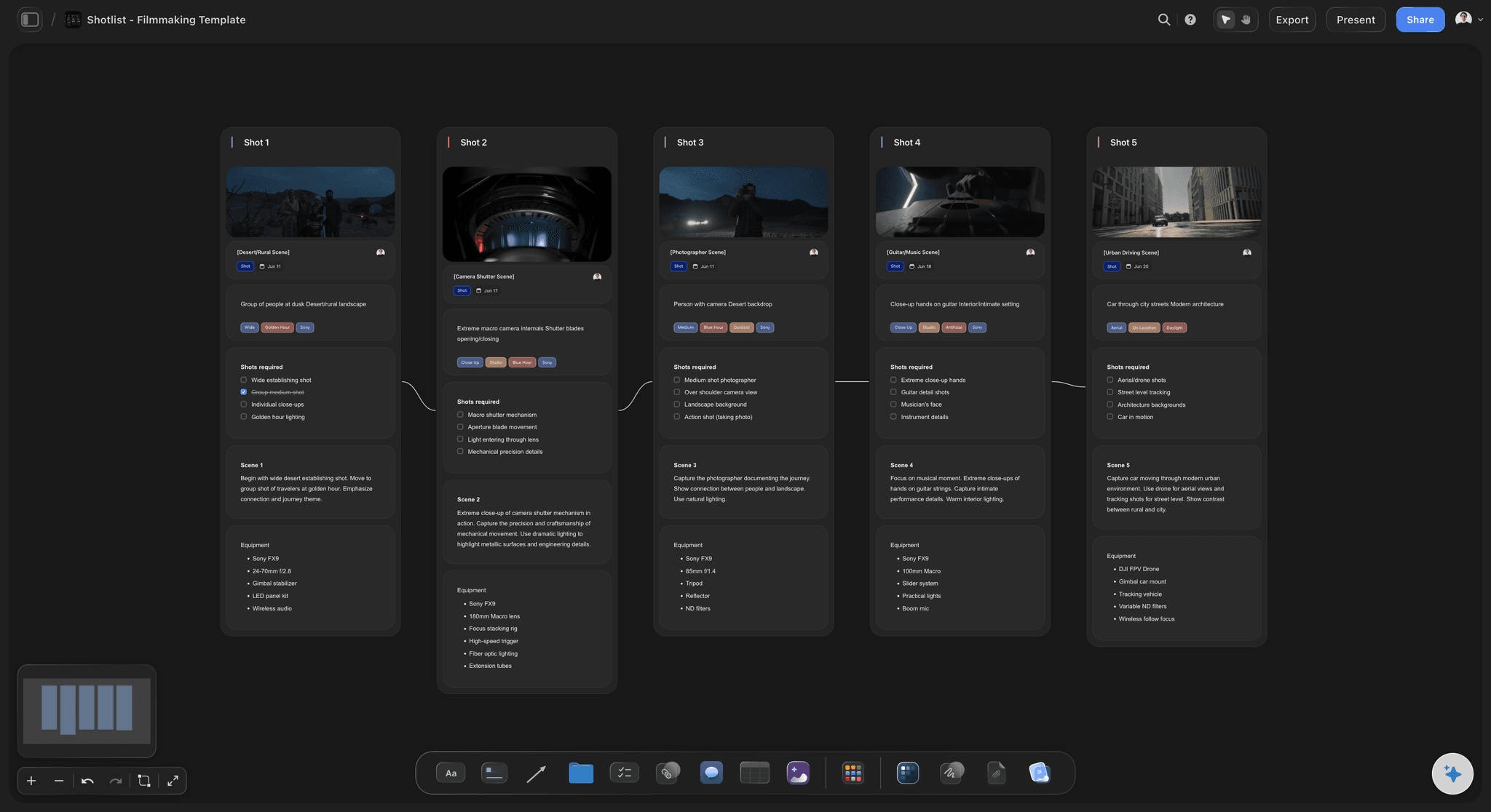
Shot list, schedule and call sheet on one board during pre-production, so the shoot board is a byproduct of planning rather than a separate task.
02
Lay out the day so it reads at a glance
Order the board the way the day runs. Someone scanning it on a phone between setups should find the next shot without scrolling for it.
03
Send the link with the call sheet
Turn on the view-only link and send it in the same message as the call sheet. No account, no install, and the same link works all shoot.
04
Update in place, print for signal dead zones
Edit the board, and anyone who opens or reloads the link sees the latest version. Export the board as a PDF for locations where the signal will not hold.
What a crew actually needs from a board on the day.
Four things, and the first one decides whether the other three ever get used.

Adoption is the whole game
No account, no install, no onboarding
A view-only link opens in any browser. That is the only distribution model that works with people hired for one day who have never used your tools before.
See the production binder →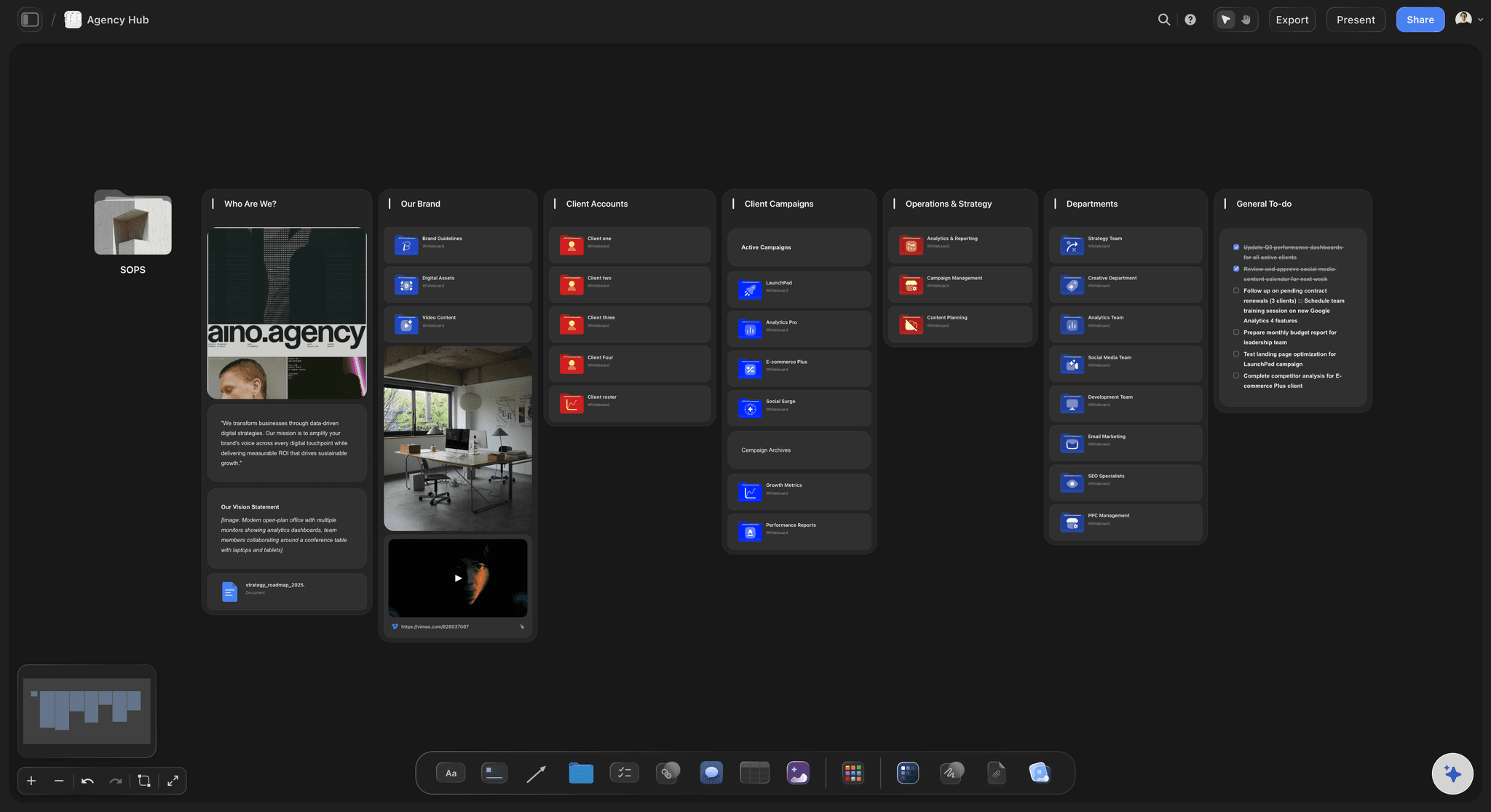
One current version
The link never goes stale
The link points at the board itself, so opening or reloading it shows the latest version. There is no third call sheet PDF in the group chat to argue about.
See the AI call sheet generator →
Readable between setups
Works on the phone in someone's pocket
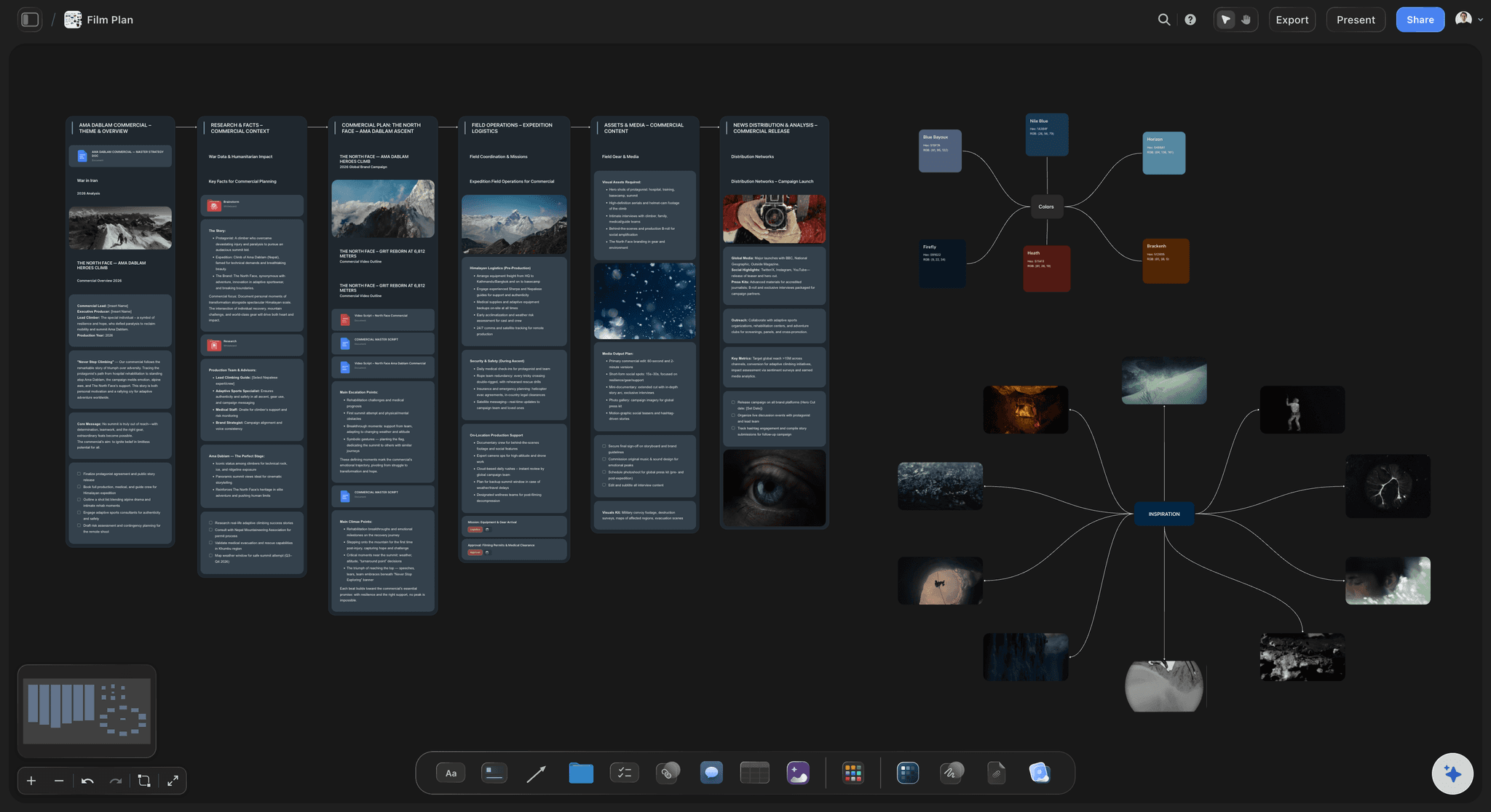
Boards are readable on a phone, which is the only screen most of the crew has on them. The shot list is the thing people check twenty times a day.
See the AI shot list generator →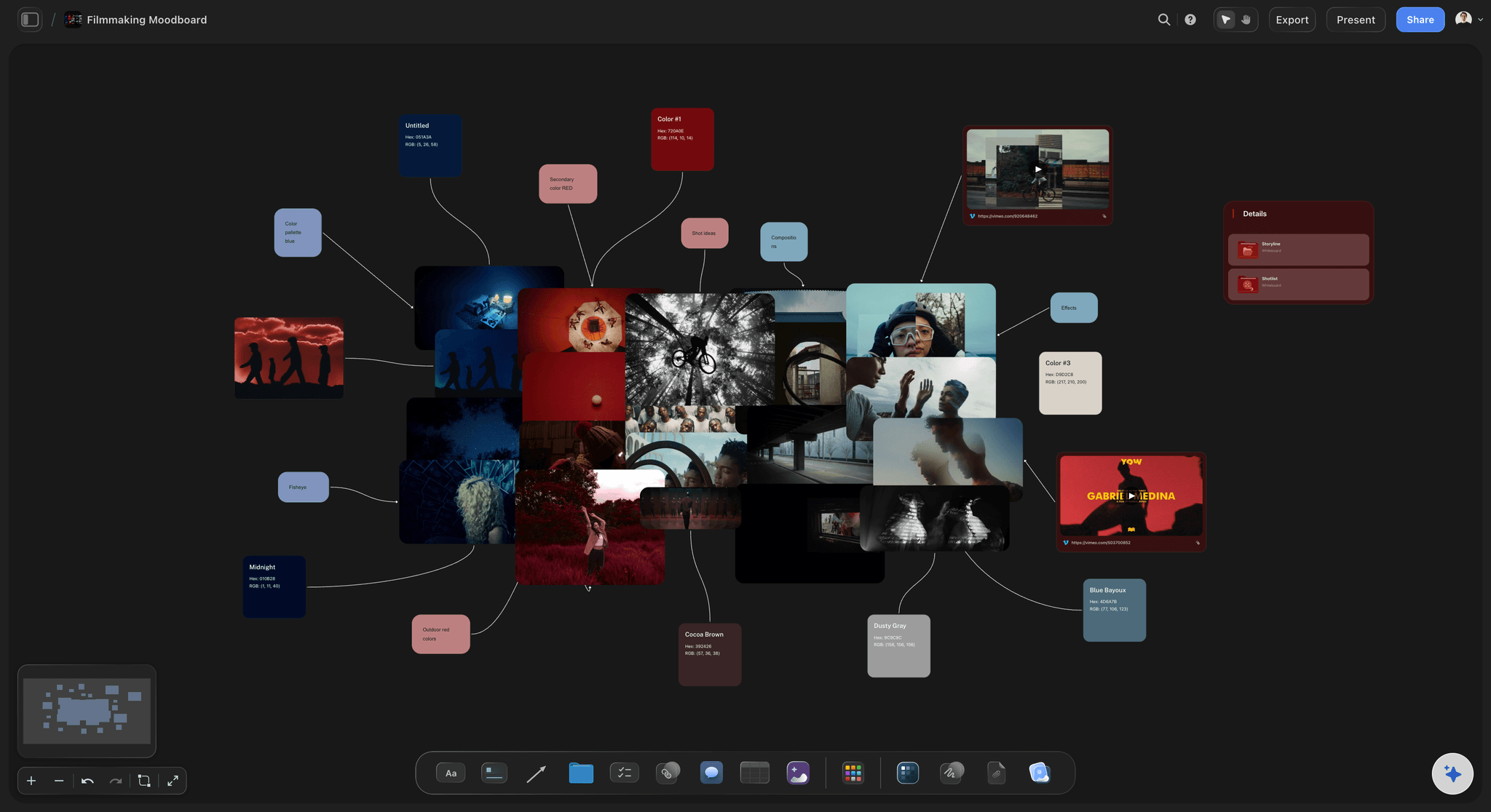
Context, not just the list
The reference sits next to the shot
The frame reference, the moodboard image and the note about why the shot exists live beside it, so a question about intent is answered on the board rather than across the floor.
See the film lookbook →Plans from $7.99/month annual. Free plan coming late 2026.
Storyflow is paid-only during early access, with plans from $7.99 a month billed annually ($9.99 monthly). A free plan launches before the end of 2026, and anyone a paid member invites to a board joins free. The crew reads for free regardless, because view-only links need no account.
Unlimited crew read the board without an account
Every shoot gets its own board, with no project limit
Export the board as a high-quality image or PDF
Anyone a paid member invites to a board joins free
Built for people with taste
Set software fails at distribution, not at features.
The tool that wins on a shoot day is the one a stranger can read in ten seconds without being told how.
The adoption wall
Anything with a login loses
Crews are assembled, not employed: Most of the people on a one-day shoot do not work for you and will not create an account to read a schedule. Any plan that requires it reverts to PDFs.
Six in the morning is not training time: Whatever needs explaining will not be used. A link that opens to the right thing is the entire interface budget you have.
One link, all day: The same URL works for the whole shoot and shows the current board whenever it is opened, so nobody has to be re-sent anything.

The plan came from somewhere
The day is downstream of prep
Built during pre-production: The shoot board is the same board the shot list and schedule were planned on, so nothing is rebuilt for the day and nothing is retyped.
Intent travels with the shot: References and notes sit beside the shots they explain, which answers most on-set questions without a conversation.
One edit, nothing to redistribute: Losing the light and dropping two shots is one change to the board, and the crew see it the next time they open or reload the link.
What it is not
The honest limits of a browser board
No offline mode: The board needs a connection. On a location with no signal, export the board as a PDF in advance and treat the board as the prep tool rather than the on-set one.
Not a walkie or a video village: There is no live comms, no camera feed and no take playback. Those are separate tools and Storyflow does not pretend otherwise.
Not a continuity database: Script supervisor notes, timecode and take logs belong in dedicated continuity software. The board holds the plan, not the record of what happened.
Explore templates for your project
Every template opens as a real, editable board on the infinite canvas. Pick the closest fit and make it your own.
Pre-Production
Pull the brief, script, shot list, and moodboard into one pre-production hub so the whole shoot is planned in one place.
One app instead of five
Against the usual on-set setup.
Storyflow is a planning canvas the crew can read, not a production management suite.
Storyflow
Recommended
Crew read it with no account
Shot list, schedule and references in one view
Always shows the current version
Works with no connection
PDF in a group chat
Crew read it with no account
Shot list, schedule and references in one view
Always shows the current version
Works with no connection
StudioBinder
Crew read it with no account
Shot list, schedule and references in one view
Always shows the current version
Works with no connection
Shared drive
Crew read it with no account
Shot list, schedule and references in one view
Always shows the current version
Works with no connection
What creators are saying
Join early creators getting structured workspaces and AI that remembers their projects
“Storyflow has sped up my workflow by at least 3x, which means more flow state and more projects I can actually ship. It truly changed the way me and my team create.”

Reilin Joey
Director & YouTuber
“One prompt gets me a structured board. But the tactics are my favorite. I run my YouTube scripts through them and my intros and retention got better. It's amazing.”

Justkay
YouTuber & Freelance Filmmaker
“I used to juggle five apps to plan a project. Now I describe what I am making and get boards, lists, and a schedule. All in one place.”

George
@fernwehchronicles
On-set collaboration, answered.
What producers ask before putting a board in front of a crew.
The one the crew will actually open, which almost always means a browser link rather than an app. Crews are assembled per job, and most people on set will not create an account or install software to read a schedule at six in the morning. Storyflow puts the shot list, schedule, references and call sheet on one board anyone opens from a view-only link, on a phone, with no sign-in.
No. A view-only link opens the board for anyone in a browser. That is deliberate: any step between the link and the plan is a step where a crew reverts to a PDF in a group chat, which is where version confusion starts.
No, and it is worth being plain about it. The board needs a connection, so on a location with no reception you should export the board as a PDF in advance. Treat Storyflow as where the plan is built and kept current, and paper as the fallback for dead zones. Any tool claiming otherwise on a browser board is overselling.
Only if you want them to. Share links are off until you turn one on, and the view-only link is usually right on a shoot day: everyone reads the same plan instead of amending it between setups. People you invite to the board can edit, and anyone a paid member invites joins free.
StudioBinder is a production management suite with call sheet delivery and scheduling, and it is stronger at both. Storyflow is a canvas where the plan is built and read, with the shot list, schedule and visual references in one view and no account needed to open it. Running both works: Storyflow for the thinking and the on-set read, StudioBinder for the logistics.
No. There is no live comms, no camera feed and no take playback. Storyflow holds the plan, not the shoot's live signal, and those tools stay exactly where they are.
Those belong in dedicated continuity software. Storyflow is the plan for what should be shot rather than the record of what was, and script supervisors have tools built for timecode and take-by-take logging.
Yes. Edit the board and anyone who opens or reloads the link sees the change, which is the practical benefit over a distributed PDF. Losing the light and cutting two shots becomes one edit rather than a new document and a round of messages.
Yes, and on a shoot day that is the screen most of the crew will use. Lay the board out in the order the day runs so someone scanning between setups finds the next shot without hunting for it.
Storyflow is paid-only during early access, with plans from $7.99 a month billed annually ($9.99 monthly). A free plan launches before the end of 2026, and anyone a paid member invites to a board joins free. The crew reading a view-only link costs nothing at all.
Give the crew one link.
The shot list, schedule and references on a board anyone can open in a browser, showing the current plan each time it is opened.