
Ultra-fast moodboards with real taste
Collect the references.
Say what they are for.
A photoshoot moodboard is not a wall of pretty pictures. It is a set of decisions about light, poses, styling and colour, with an image attached to each so nobody has to guess. Build it on one Storyflow canvas, sort it the way the crew reads it, and send one link to the model, the stylist and the client.


Creatives working for these brands already got early access
- Red Bull
- Canon
- Artlist
- Porsche
See how easy it is to get started
Watch a real project come together, from a blank board to a finished plan, clicked through step by step.
Start from a ready-made template
Pick a board to see what you can build, then let AI fill it in. Every template is a real, editable starting point on the same infinite canvas.

Film Moodboard
Collect film references, color palettes, lighting, locations, and tone in one place, then invite your crew.
How do you create a photoshoot moodboard?
To create a photoshoot moodboard, write the concept in one sentence, collect 15 to 25 references, sort them by the decision each one answers (light, poses and framing, styling, hair and makeup, location, colour), write a line under each saying what you are taking from it, and share one link for sign-off. Storyflow is an AI visual workspace that holds your photoshoot moodboard on one infinite canvas: sorted references, colour swatches and captions, a view-only link the client opens with no account, and a shot list the AI drafts from the approved board. Pinterest is better for finding references first, and Canva for a designed one-page board.
Start with words, not pictures. Write the concept as one sentence, for example 'quiet winter morning, one person, window light', add three to five keywords, and note the limits that shape the look: the location, the budget and the crops the client needs. Then collect wide: saved pins, film stills, magazine pages, photographers' portfolios and your own past shoots. Judge later, because filtering while you collect kills the loose association that finds the idea.
Sort before you cut. Put each reference into the group it decides, and write the caption as an instruction rather than an adjective: 'single hard source from camera left, deep shadow on the far cheek' can be lit, and 'moody' cannot. A group with nothing in it is a decision nobody has made yet, and a group with twenty images is one nobody wants to make. Cut each group to three to five references and keep the rest in a folder, so nothing is lost and the board still reads in a minute.
Storyflow holds the whole method on one board. Drag in images and video clips, set the palette as colour swatches beside the references, keep the research pile in a folder, and write each caption in a note next to its group. The model, the stylist and the client open the board from a view-only link with no account; collaborators who sign in can comment on a specific image, which is where a stylist flags a garment that cannot be sourced. When the look is approved, select the references and the AI drafts the shot list beside them.
Ultra fast from brief to board
Four steps from a folder of screenshots to a board the crew can shoot from.
The order matters. Most moodboards fail at step two, not step one.
01
Write the concept, then collect wide
One sentence and three to five keywords first, then everything that might fit: saved pins, film stills, past shoots, fabric and location photos. Judge later.
02
Group by decision, not by vibe
Split the pile into light, poses and framing, styling, hair and makeup, location, and colour. Each group answers one question the crew will ask you on the day.
03
Caption, then cut
Write one instruction per group naming the part of the reference you mean, then cut to three to five images a group. The rest goes into a folder on the same board.
04
Share one view-only link
The client and crew open the same board with no account, and sign in to comment on a specific image. Get the look signed off before the shot list is written.
The difference between a moodboard and a folder.
A folder holds images. A moodboard holds decisions, arranged the way the crew will read them.
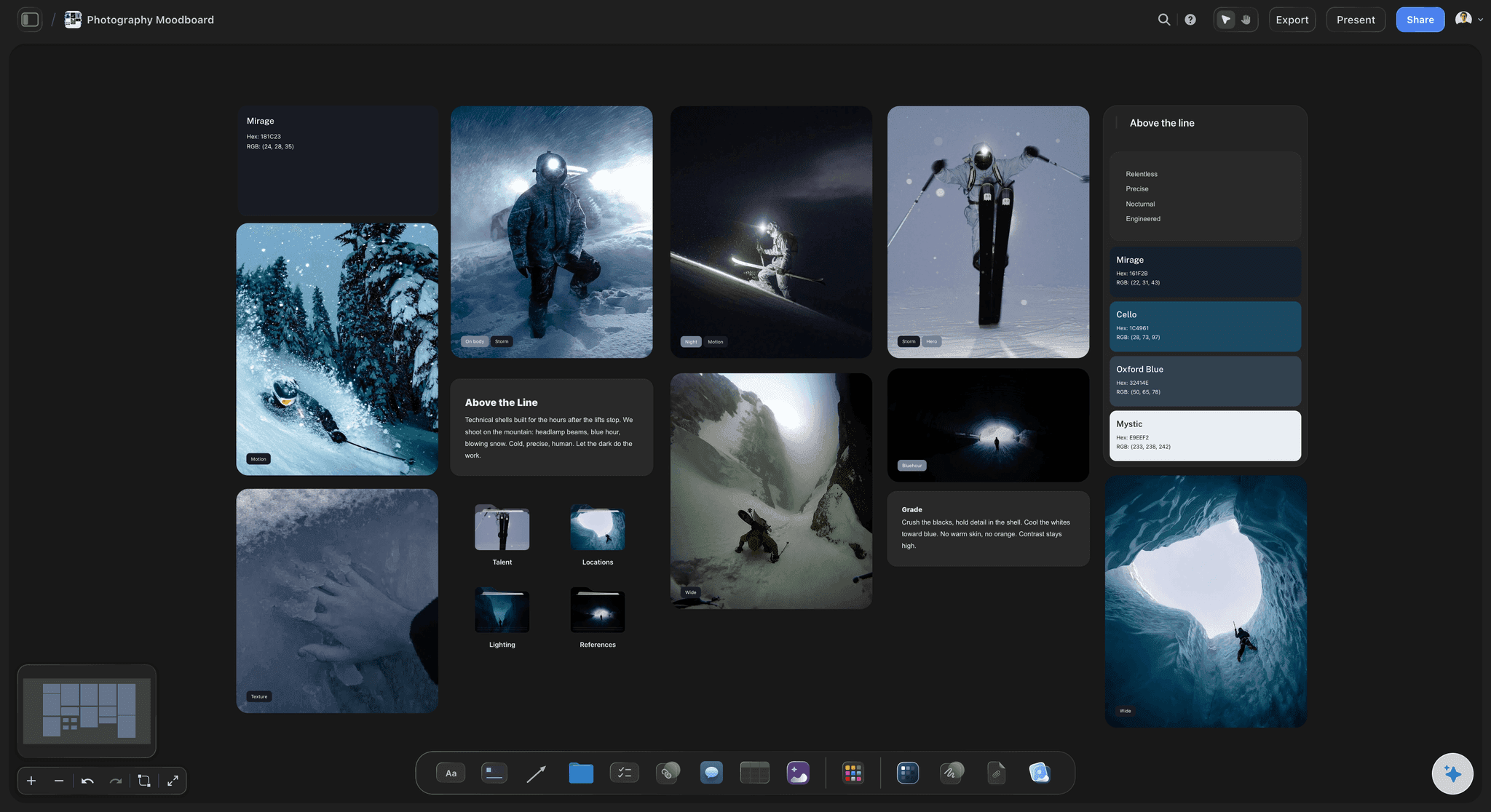
References grouped by the decision they answer
Light here, styling there
Sort images into labelled groups on an infinite canvas. The photographer opens light, the stylist opens styling, and neither has to interpret the whole board to find their part.
See the photoshoot moodboard template →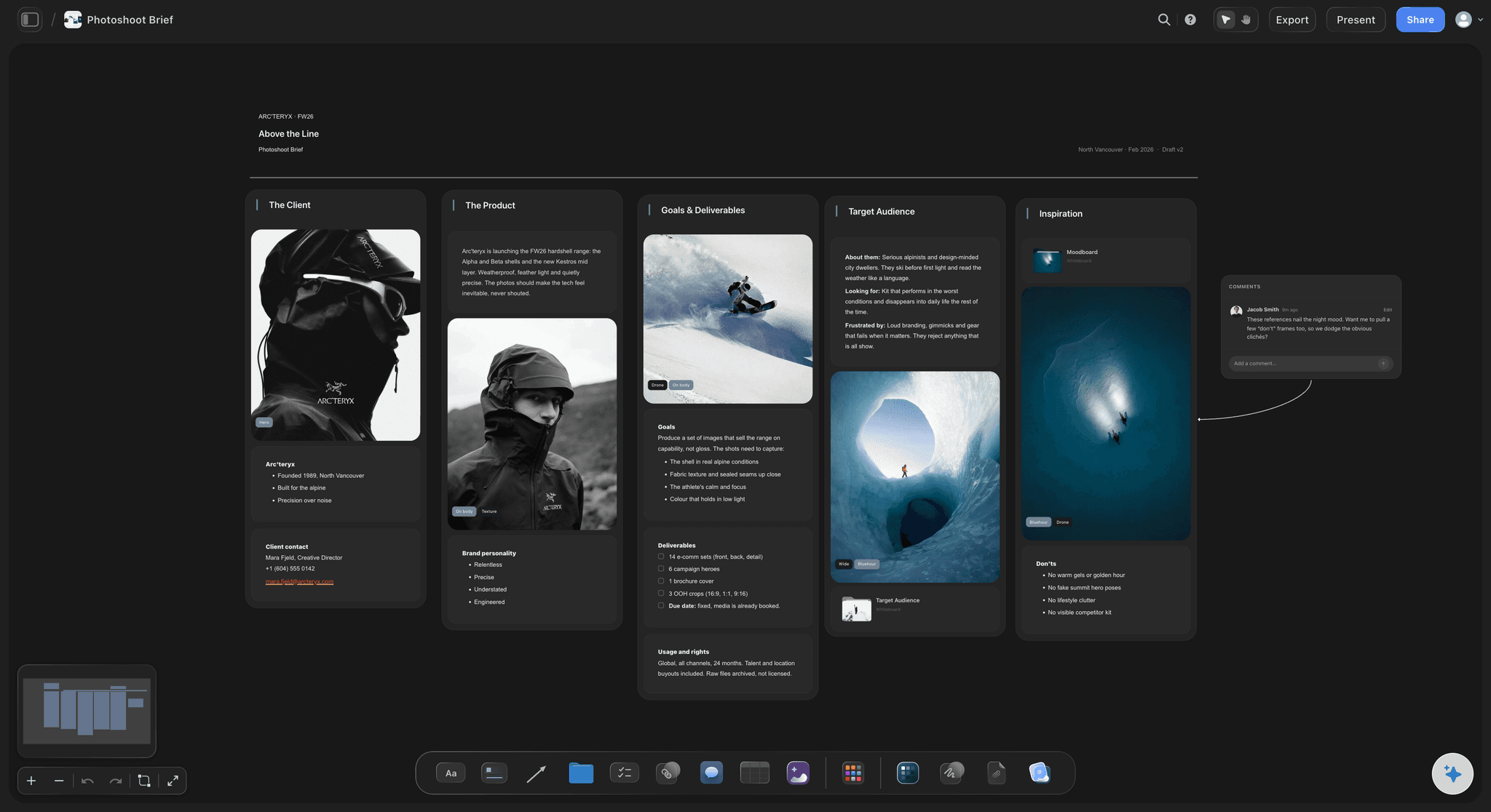
The brief stays on the board
The client's words next to the pictures
Keep the client's brief on the same canvas, so every reference can be checked against what was asked for rather than against what you remember being asked for.
Try the AI creative brief generator →
From references to a shot list
The approved board becomes the plan
The AI reads the whole canvas, so once the look is approved you can select the references and ask it to draft the shot list from them, on the same board.
Plan from moodboard to shot list →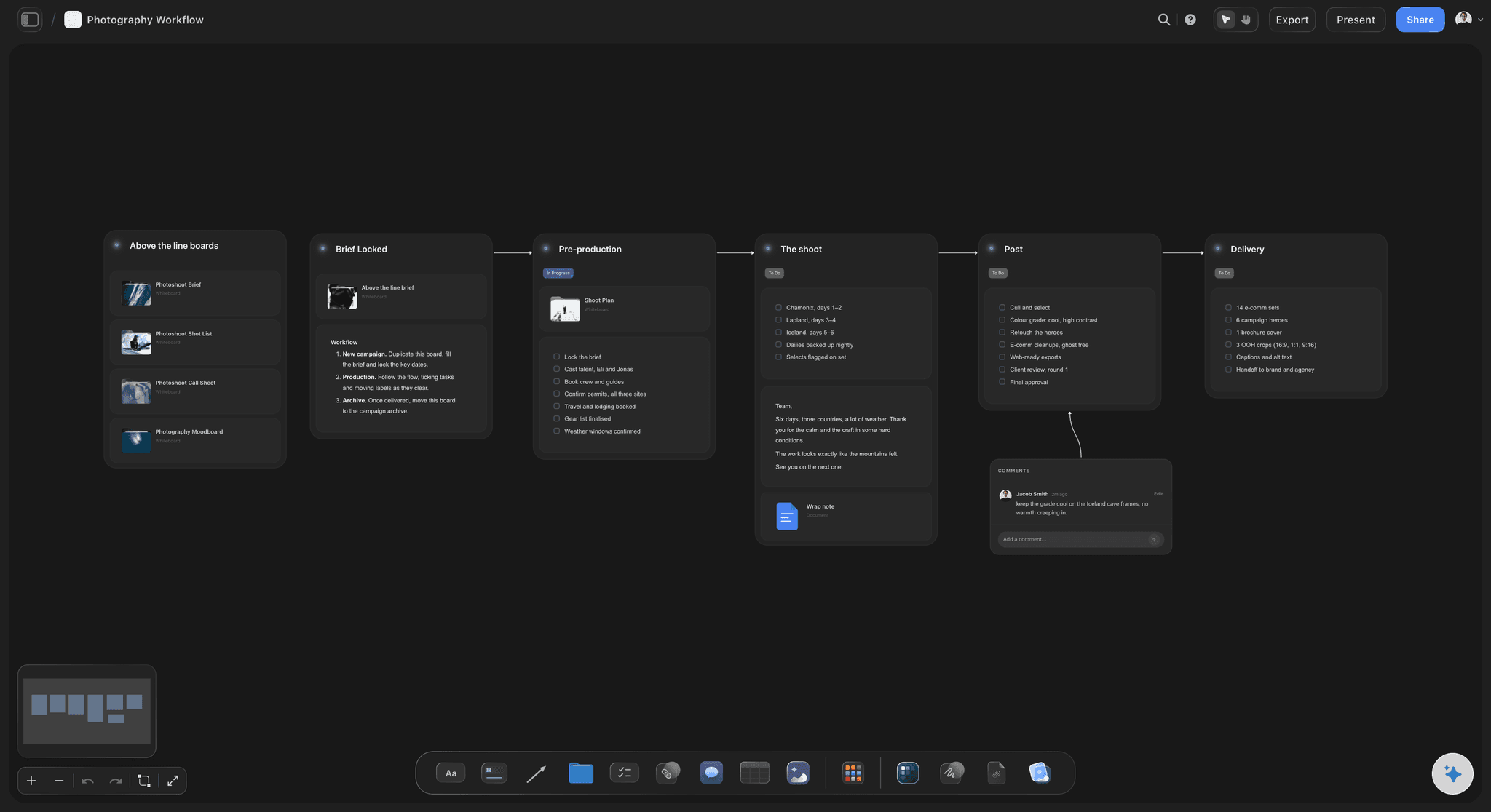
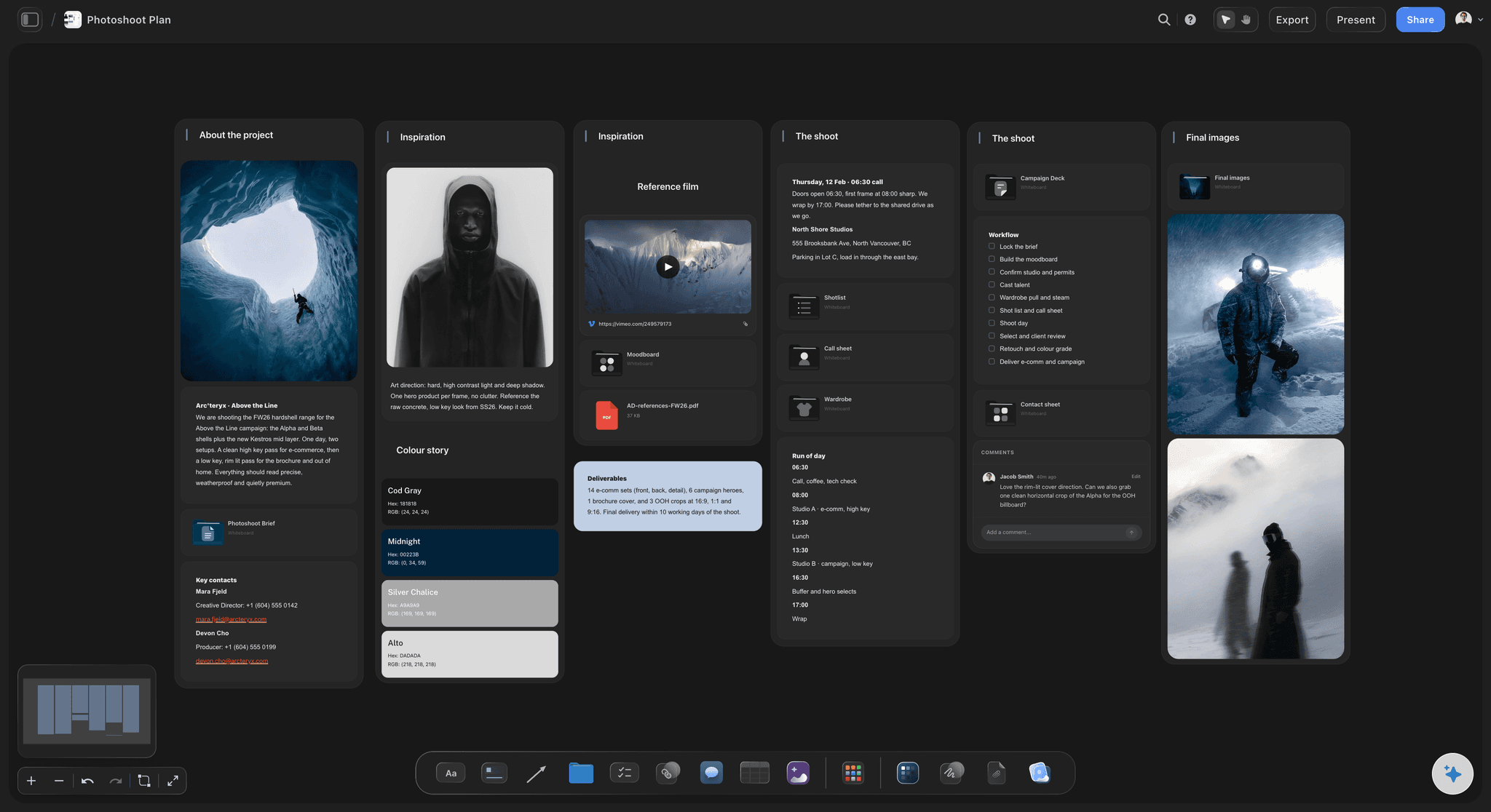
One link for client and crew
Sign-off and briefing from the same board
The client opens a view-only link with no account to review the direction, and the crew shoots from the same board, so there is no polished version and working version to keep in step.
See moodboards for clients →Unlimited boards and uploads on every paid plan.
Build the moodboard, caption it, and send the client a link. Storyflow is paid-only during early access, with plans from $7.99 a month billed annually ($9.99 monthly). A free plan launches before the end of 2026, and anyone a paid member invites to a board joins free.
A board per shoot, with unlimited file uploads
Images, video, colour swatches and notes on one canvas
View-only links that open with no account
AI that drafts the shot list from the approved board
Built for people with taste
The groups worth building.
Not every shoot needs all of them. Every shoot needs the crew to find their group in ten seconds.
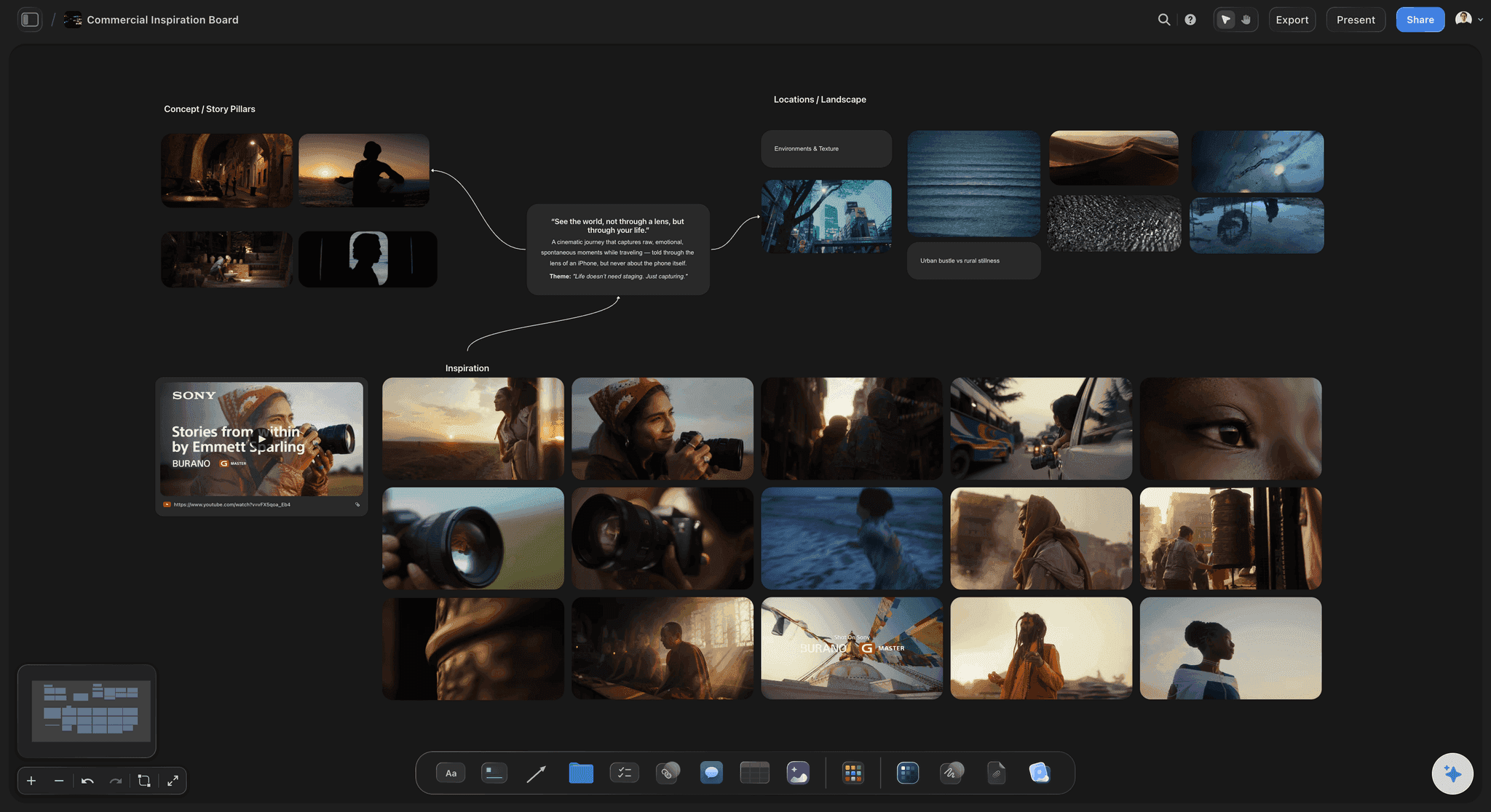
The group that decides the look
Light and colour
Name the source: Hard or soft, direction, height, and whether there is fill. A reference plus that sentence is a setup; a reference alone is a mood.
Palette apart from grade: What sits in front of the camera and what happens in post are different decisions. Mixing them in one group produces an argument on the day about what can be fixed later.
Swatches beside the images: Pull three to five colours from the references into colour swatches next to them. The stylist and the retoucher then work from the same colours instead of two memories of them.
Show the failure case: One labelled image of what you do not want narrows the direction faster than three more of what you do. Clients often agree on what they dislike before what they like.
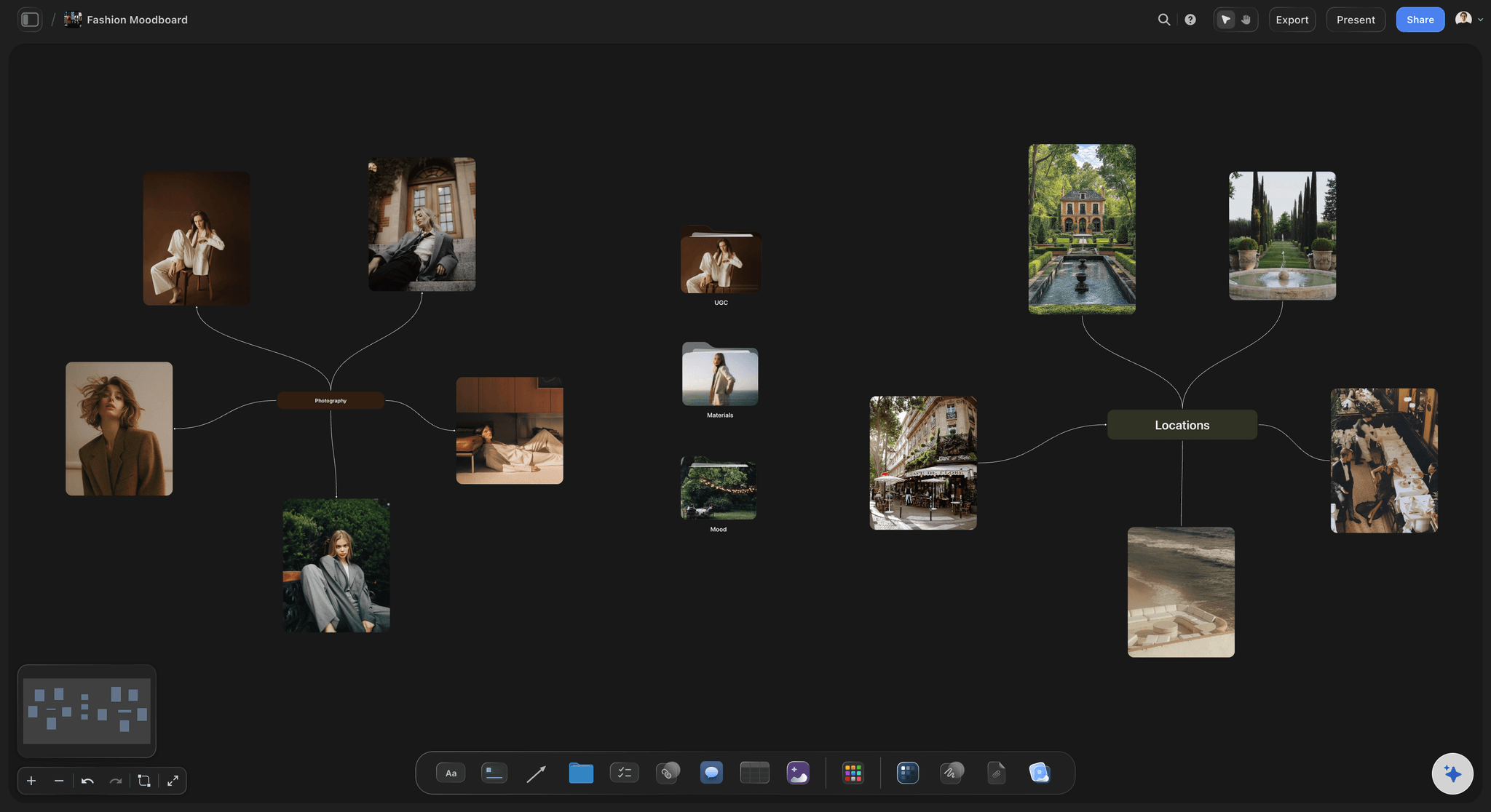
The group the stylist opens first
Styling, hair and makeup
Silhouette before garment: The shape usually matters more than the exact piece. Saying so stops a sourcing hunt for a jacket nobody needed.
Sourced or aspirational: Mark which references are actually available and which are a direction. The fitting should confirm the plan, not reveal that it was fiction.
One group per look: Each look keeps its garments, hair and makeup together, with the change to the next look noted. Changes decide the schedule, so they belong on the board early.
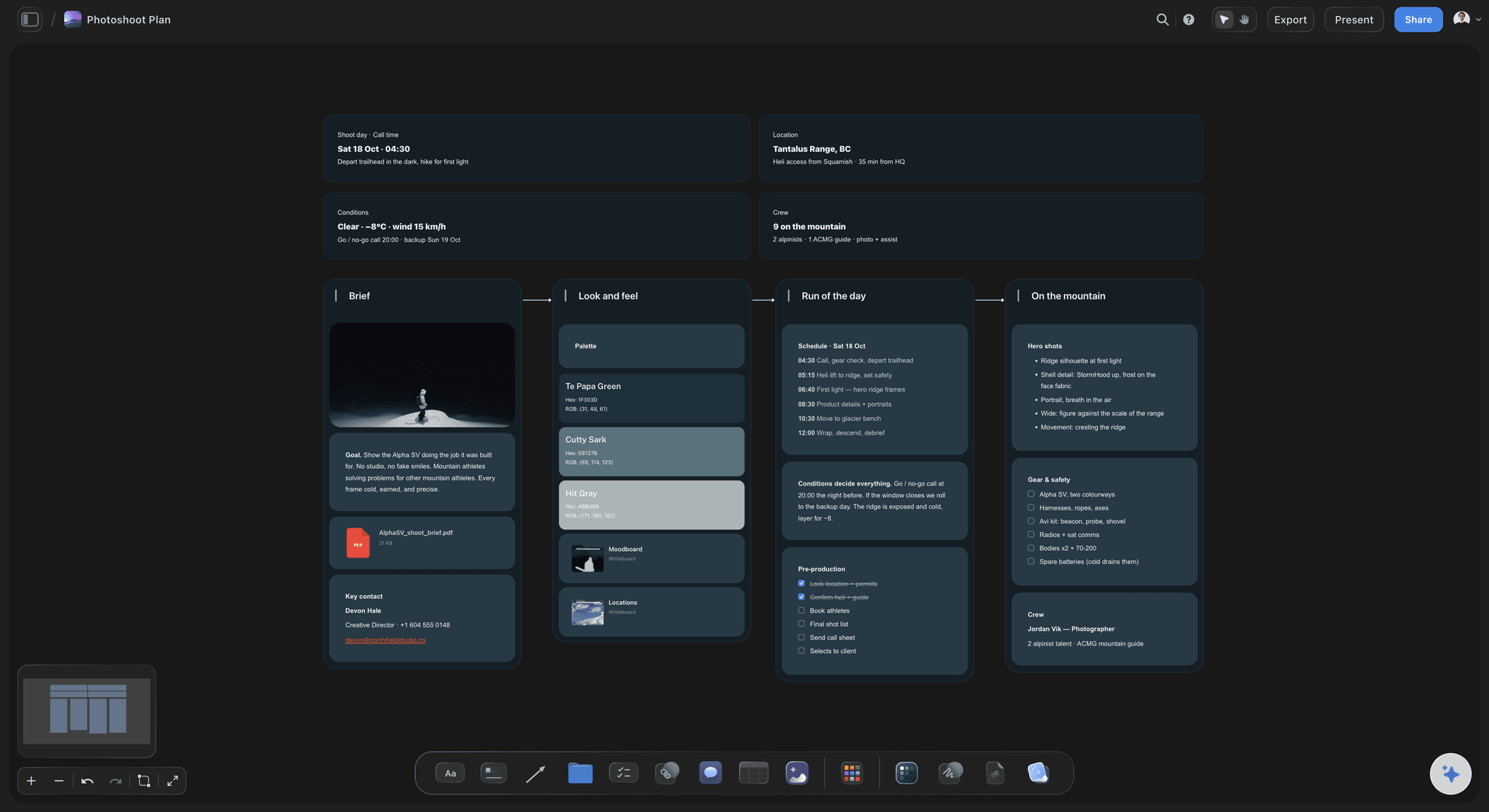
The group that becomes the shot list
Poses, framing and location
The frame sizes you want: Wide, mid, close and detail, with a reference for each. Coverage agreed on the board is coverage nobody argues about while the light goes.
Scout photos beside the frames: Put location photos next to the compositions they suit. That pairing is where the shot list comes from.
Pose references with a reason: Caption the part you want, such as 'the weight on the back foot, not the expression'. Without it, the model copies the whole picture.
The crops the client needs: A vertical feed image and a wide banner need different room around the subject. Note the crops beside the framing group so they reach the shot list.

What a canvas does that a grid cannot
Room to think, then room to decide
Size carries meaning: Make the three images that define the shoot large and leave the rest small. A uniform grid flattens that signal to nothing.
The research pile, out of the way: Rejected and maybe images go into a folder on the same board. Nothing is deleted, and the approved board still reads in a minute.
Video references on the board: Much of the light and movement you want lives in a film or a music video. Upload the clip, play it on the canvas and grab the exact frame you mean.
Ask the board questions: The AI reads the board you have open plus up to five documents and three other boards. Ask which groups are thin or contradict the concept, and it answers from your references.
Explore templates for your project
Every template opens as a real, editable board on the infinite canvas. Pick the closest fit and make it your own.
Film Moodboard
Collect film references, color palettes, lighting, locations, and tone in one place, then invite your crew.
One app instead of five
Storyflow vs Pinterest, Canva and Adobe Express.
Storyflow is built for the moodboard the shoot actually runs from. Each of the others is good at part of the job: Pinterest at discovering references, and Canva and Adobe Express at a designed one-page board.
Storyflow
Recommended
References and captions arranged freely
Colour swatches beside the references
AI drafts the shot list from the board
Shared with the client by link
A feed for discovering new references
Free plan available today
References and captions arranged freely
Colour swatches beside the references
AI drafts the shot list from the board
Shared with the client by link
A feed for discovering new references
Free plan available today
Canva
References and captions arranged freely
Colour swatches beside the references
AI drafts the shot list from the board
Shared with the client by link
A feed for discovering new references
Free plan available today
Adobe Express
References and captions arranged freely
Colour swatches beside the references
AI drafts the shot list from the board
Shared with the client by link
A feed for discovering new references
Free plan available today
What creators are saying
Join early creators getting structured workspaces and AI that remembers their projects
“Storyflow has sped up my workflow by at least 3x, which means more flow state and more projects I can actually ship. It truly changed the way me and my team create.”

Reilin Joey
Director & YouTuber
“One prompt gets me a structured board. But the tactics are my favorite. I run my YouTube scripts through them and my intros and retention got better. It's amazing.”

Justkay
YouTuber & Freelance Filmmaker
“I used to juggle five apps to plan a project. Now I describe what I am making and get boards, lists, and a schedule. All in one place.”

George
@fernwehchronicles
Creating a photoshoot moodboard, answered.
The questions photographers and brand teams ask before building one.
Write the concept in one sentence, collect 15 to 25 references, sort them by the decision each answers (light, poses and framing, styling, hair and makeup, location, colour), caption each group, and share one link for sign-off. Build it in Storyflow: the groups, captions and colour swatches sit on one canvas the client opens with no account, and the AI drafts the shot list from the approved board. Pinterest suits finding references first, Canva a designed one-page board.
Storyflow is the place to build a photoshoot moodboard: you arrange the references freely, sort them by light, styling, poses and location, and caption each group with colour swatches beside it. The client opens the board from one view-only link with no account, and once the look is approved the AI drafts the shot list from the same board. Pinterest has a feed for discovering new references, which Storyflow does not.
Words first, pictures second, sharing last. Write the concept and three to five keywords, collect wide without judging, sort every reference into the group it decides, caption each group with an instruction, then cut each group to its strongest three to five images. Share the board for sign-off only after that, and write the shot list only once the look is agreed. Most boards go wrong by collecting before the concept exists.
Three things. A one-sentence concept, such as 'quiet winter morning, one person, window light'. Three to five keywords that act as a filter, so an image that fits none of them stays off the board. And the limits that shape the look: the location, the budget, the talent and the crops the client needs. In Storyflow that goes in a note at the top of the board, where every later reference is checked against it.
Test each image against two questions: can you say in one line what you are taking from it, and does it agree with the rest of its group? Cut anything that fails either. Where two references disagree about the light or the styling, choose one before the client does it for you on set. In Storyflow the cut images go into a folder on the same board, so nothing is deleted and the approved board stays short.
Replace adjectives with instructions. 'Moody' is not something a photographer can light; 'single hard source from camera left, deep shadow on the far cheek, no fill' is. Every reference contains a dozen decisions, so the caption beside it exists to say which one you mean, for example 'the light, not the pose'. If you cannot write that line for an image, it does not belong on the approved board.
A moodboard says how the pictures should look; a shot list says which pictures you will take, and in what order. They answer to each other, which is why they work best on one board. In Storyflow, once the look is approved, select the references and the AI drafts a shot card for each one, with the reference as its frame, beside the rest of the moodboard.
Yes, and most photographers start there. Pinterest is the best place to find references, but it is built for saving rather than deciding: there is no place to say why a pin is there or which part of it you want. Collect on Pinterest, then upload the shortlist, or paste the pin links, onto a Storyflow board, where each image is sorted into a group, captioned and shared with the crew by one link.
Yes. Share a view-only link and the client opens the board in a browser with no account. To comment on a specific image, or draw on the board to point at something, they sign in, which keeps each note attached to the picture it is about. Share early, because the most expensive place to discover a disagreement about the look is on set, with the crew waiting.
Yes. The photographer, the stylist and the art director edit the same board in real time, and anyone a paid member invites to a board joins free, so adding the crew does not change the bill. The client can follow along from a view-only link with no account, and sees the latest version whenever they open or reload it.
Three useful things. It gathers a first set of references from a description of the shoot, for you to cut. It reviews the board you have open and gives notes on which groups are thin or miss the concept. And once the look is approved, it drafts the shot list from the references you select. It proposes and you decide, and AI image generation, for a look with no reference, is on the Pro and Max plans.
An hour or two for a simple portrait session, most of it spent sorting and cutting rather than collecting. A styled commercial shoot takes longer, because the client reviews it at least once and the stylist and the hair and makeup artist add to it. Finish it at least a week before the shoot, so sourcing and fittings follow the approved look instead of racing it.
No. Storyflow is paid-only during early access, with plans from $7.99 a month billed annually ($9.99 monthly). A free plan launches before the end of 2026, and anyone a paid member invites to a board joins free. If you need something free today, Pinterest works for collecting references and Canva's free plan for a one-page board, though the shot list will have to live somewhere else.
More from Storyflow
Photoshoot moodboard
Photoshoot moodboard template
Photoshoot planning
Moodboards for clients
For photographers
AI mood board maker
Fashion moodboard
Product moodboard
Wedding moodboard
Color palette maker
The full photoshoot moodboard guide
A moodboard that survives the shoot
Moodboard app
Wedding photography shot list
Photoshoot plan with Claude
Moodboard with Claude
Moodboard to shot list
Make the direction obvious before the shoot day.
Build the board, sort it by decision, and send one link to the client and the crew.