
A workspace with taste, for people with taste
Run a design sprint
on one canvas.
Map, sketch, decide, plan the prototype and test in one place. Storyflow's AI helps synthesize research and draft the plan so the week moves faster.


Creatives working for these brands already got early access
- Red Bull
- Canon
- Artlist
- Porsche
See how easy it is to get started
Watch a real project come together, from a blank board to a finished plan, clicked through step by step.
Start from a ready-made template
Pick a board to see what you can build, then let AI fill it in. Every template is a real, editable starting point on the same infinite canvas.

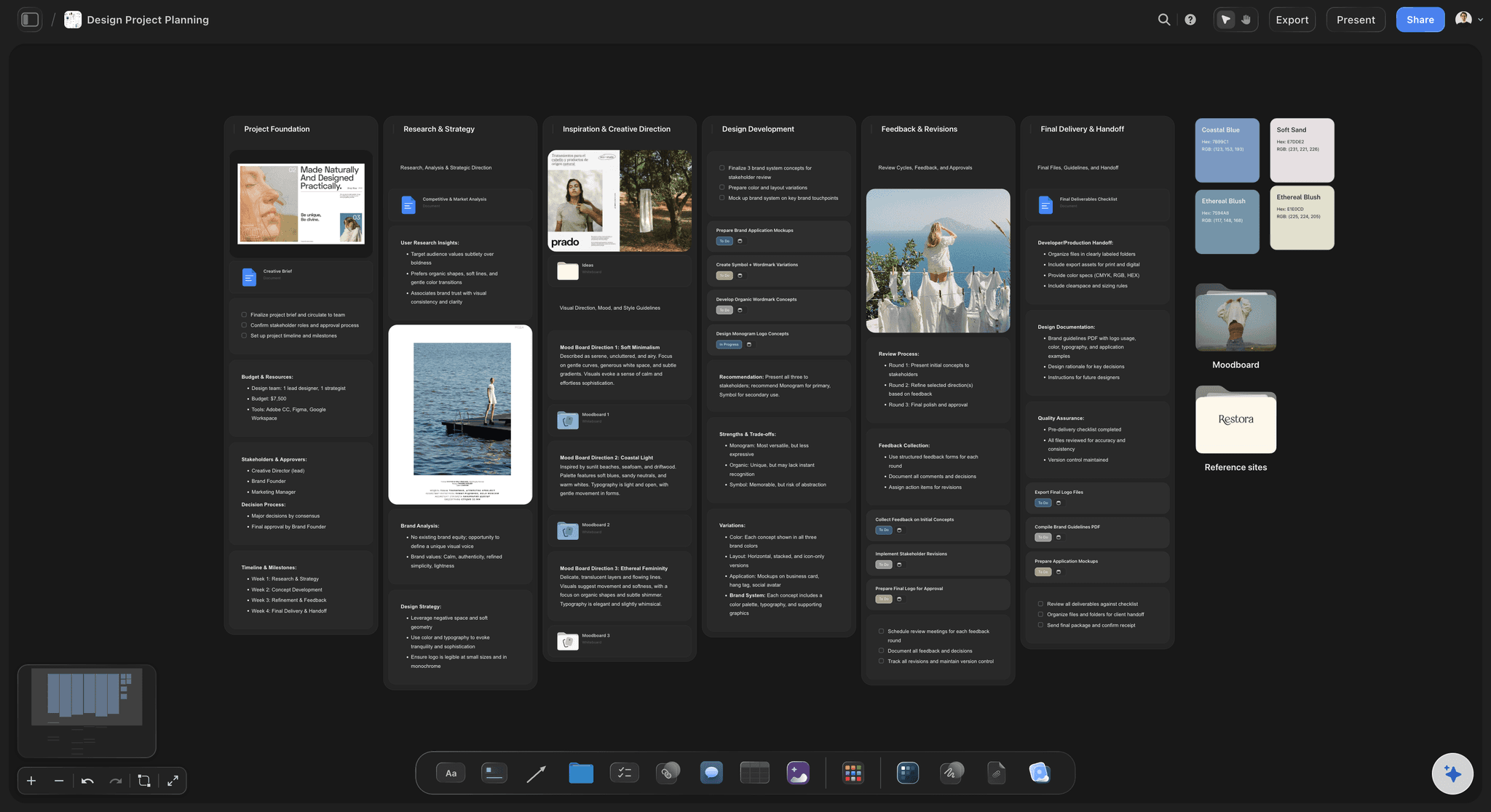
Design Planner
Plan a design project from brief to delivery, with references, tasks, and feedback side by side.
What is the design sprint process?
A design sprint compresses months of debate into a focused week. Storyflow is an AI visual workspace that runs the whole sprint on one infinite canvas: the map and sketches, the decision, the prototype plan, and the test notes, with AI to synthesize research. The classic format, developed at Google Ventures, runs five days: map the problem on Monday, sketch solutions on Tuesday, decide on Wednesday, prototype on Thursday, and test with real users on Friday. Many teams now run a shorter version, but the shape is the same: diverge, converge, build, and learn fast.
A sprint lives or dies on shared context. The map, the sketches, the decision, the prototype, and the test notes all need to sit where the team can see them and refer back. Spread that across a whiteboard, a slide deck, and a prototyping tool and the thread breaks. The team spends Friday reconstructing what it decided on Wednesday.
Storyflow keeps the whole sprint on one infinite canvas. Drop research in and the AI helps map the problem and synthesize what you already know. Sketch solutions with the pen tool, cluster and vote to decide, lay out the prototype's flow for the makers, and pin test findings beside the ideas they judge. Because the AI reads the board, the mapping and synthesis that normally eat the first day happen in a fraction of the time.
Ultra fast from brief to board
Map to test, all on one board.
No switching between a whiteboard, a deck, and a prototype tool. The sprint lives in one place.
01
Map the challenge
Drop in what you know and the AI helps map the problem, the users, and the goal on day one.
02
Sketch and decide
Sketch solutions on the canvas, then cluster and vote to converge on the one worth building.
03
Prototype
Lay out the prototype's flow, screens and references on the board, then build it in your design tool.
04
Test with users
Share a view-only link to test with real users, then pin their feedback beside the prototype.
The whole sprint week, on one board.
The map, the sketches, the decision, and the prototype stop scattering across tools.

Compress day one with AI
Map the problem faster
Drop in research and the AI helps map the challenge, the users, and the goal, so the mapping that usually takes all of Monday takes a fraction of it.
See the online whiteboard →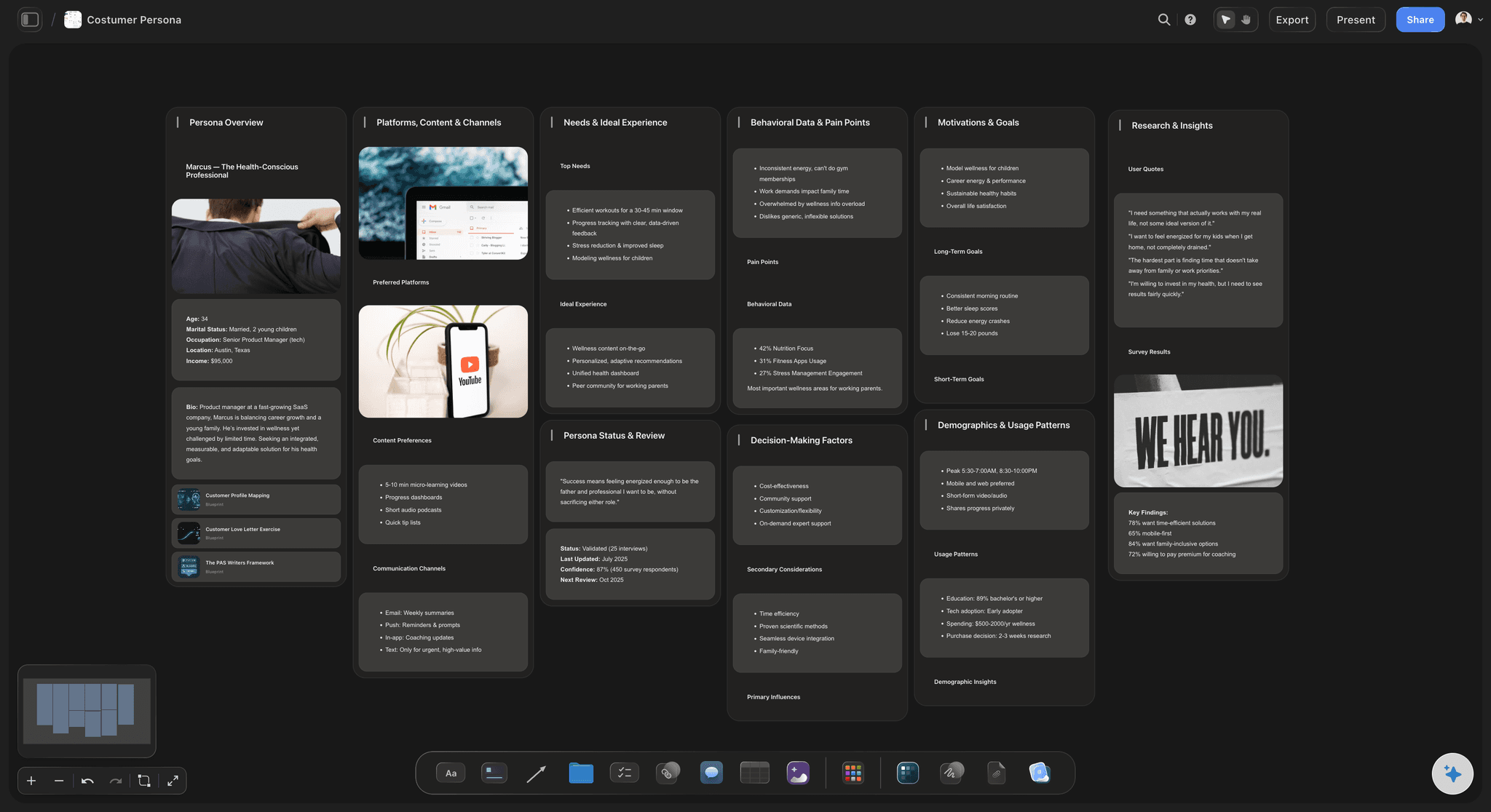
Diverge, then converge
Sketch, cluster, and decide
Fill the board with solution sketches, then cluster and vote to converge on the one to prototype. The decision and the reasons for it stay on the board.
See the affinity diagram maker →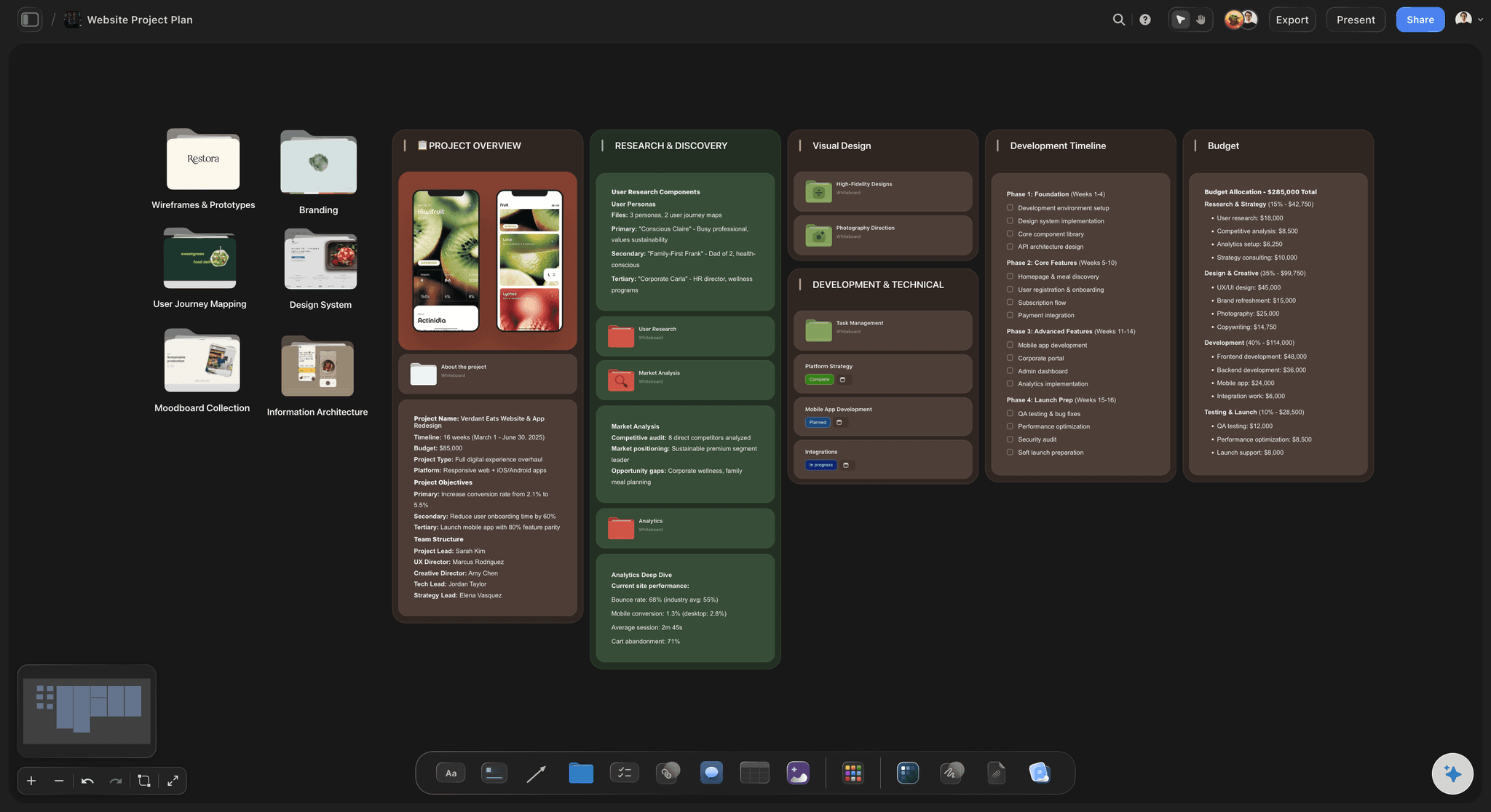
Build something real to test
Plan the prototype on the same canvas
Lay out the prototype flow with sketches, screens, and notes, so the makers build from one clear reference instead of a scattered brief.
See the wireframe tool →
Learn from real users
Test and capture findings
Share a view-only link to test the prototype, then pin each finding next to the part of the prototype it judges, so Friday's learning stays with the work.
See how designers use Storyflow →A free design sprint workspace is coming.
Open a canvas and run the sprint from map to test. Storyflow is paid-only during early access, and its Free plan launches before the end of 2026.
Unlimited sprint boards on an infinite canvas
Basic AI usage to map problems and synthesize research
3 starter frameworks built in
Invite your team and share view-only links for testing

Built for people with taste
More than a design sprint template.
Storyflow is an AI-native canvas, so the whole week stays connected from Monday's map to Friday's test.
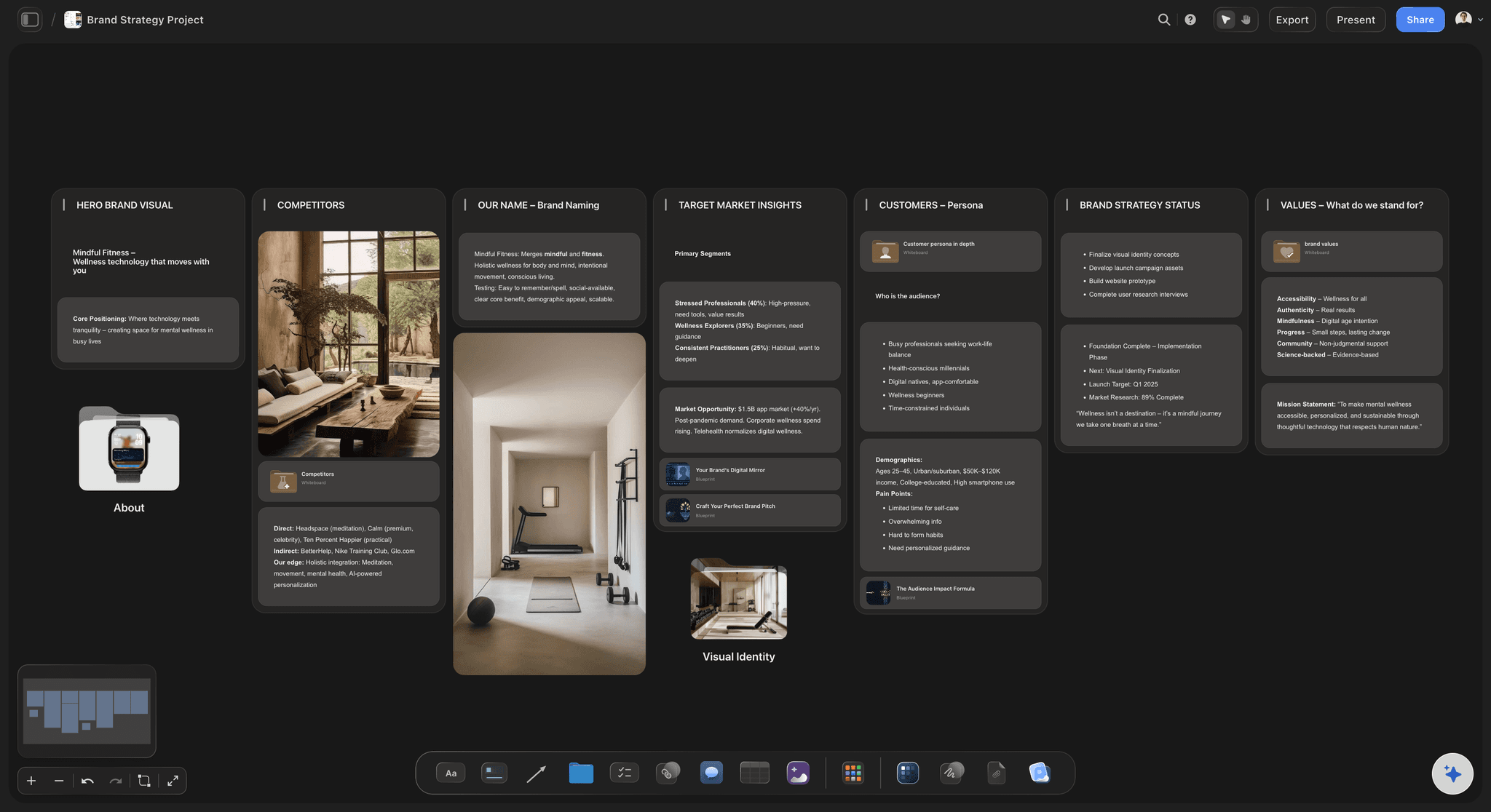
AI that speeds up the slow parts
Map and synthesize in less time
Map from what you know: Drop in research and the AI helps build the problem map and long-term goal, so day one starts with a draft instead of a blank wall.
Synthesize existing research: Cluster prior notes and interviews into insights the sprint can build on, drafted from your own material.
Context-aware ideas: Because the AI reads the whole board, its suggestions respond to your challenge, not a generic prompt.
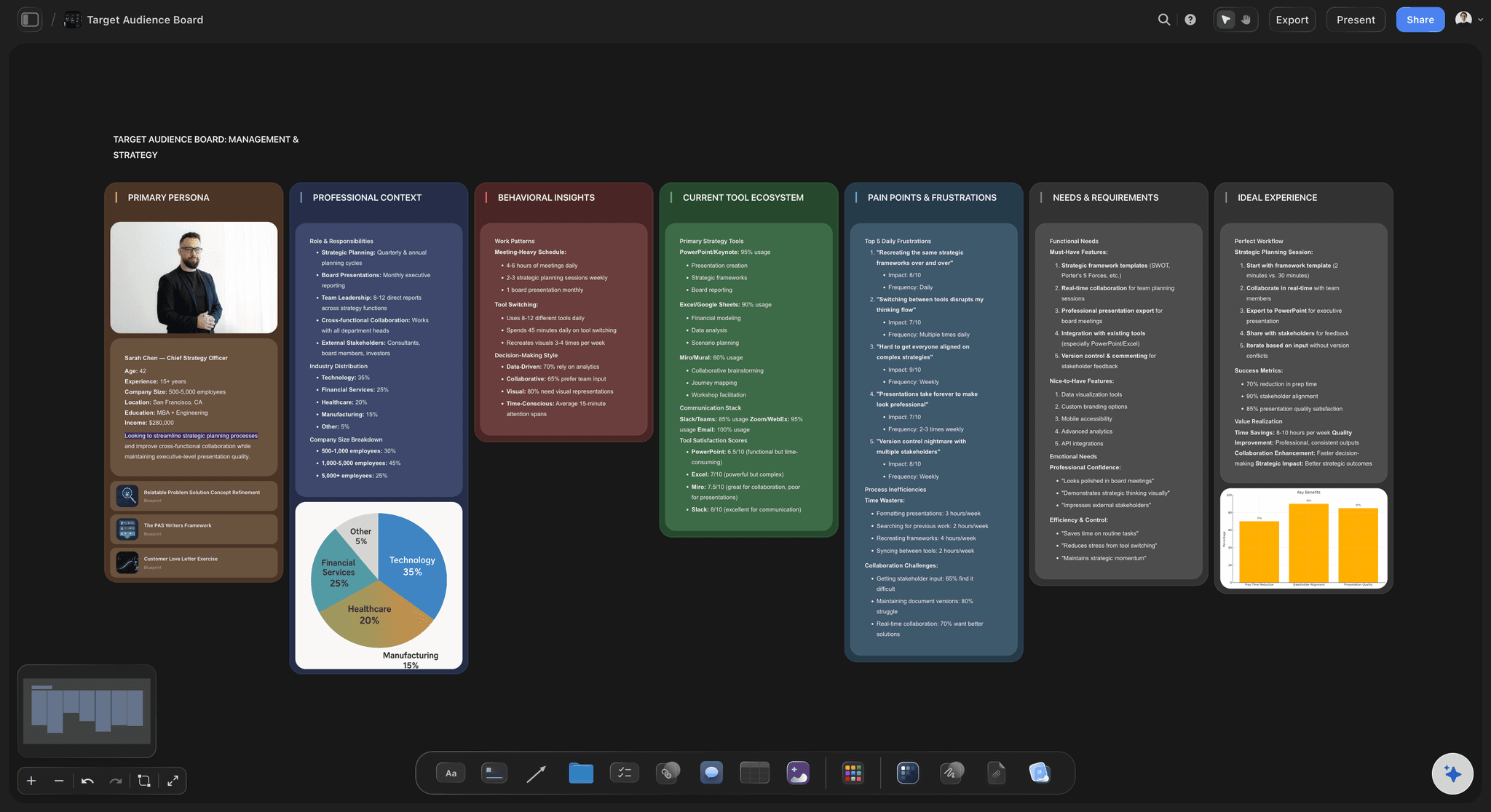
Everyone sees the same week
Keep the sprint on one board
Map, sketch, decide, test: Every stage lives on one infinite canvas, so Friday's test refers back to Monday's map without reconstruction.
Decide and record: Cluster and vote on the board, then keep the decision and its reasons visible for the rest of the sprint.
Remote and in-person, same board
Run a distributed sprint
Real-time collaboration: Invite the team to one board and run the sprint together whether people are in the room or remote.
Facilitate on any screen: Lead from a laptop, project the board, or follow along on a phone. Everyone stays in sync.
View-only for testing: Share a view-only link so users react to the prototype on Friday without an account.

From sprint to what ships
Carry the outcome forward
One connected record: The map, sketches, prototype, and findings stay on one board instead of scattering into exported files.
Hand off with context: Share the board so the build team sees the reasoning, not just the final prototype.
Reuse the format: Duplicate a sprint as a template so each one runs tighter than the last.
Explore templates for your project
Every template opens as a real, editable board on the infinite canvas. Pick the closest fit and make it your own.
Design Planner
Plan a design project from brief to delivery, with references, tasks, and feedback side by side.
What creators are saying
Join early creators getting structured workspaces and AI that remembers their projects
“Storyflow has sped up my workflow by at least 3x, which means more flow state and more projects I can actually ship. It truly changed the way me and my team create.”

Reilin Joey
Director & YouTuber
“One prompt gets me a structured board. But the tactics are my favorite. I run my YouTube scripts through them and my intros and retention got better. It's amazing.”

Justkay
YouTuber & Freelance Filmmaker
“I used to juggle five apps to plan a project. Now I describe what I am making and get boards, lists, and a schedule. All in one place.”

George
@fernwehchronicles
Design sprints, answered.
Everything people ask about running a design sprint with Storyflow.
One that keeps all five days on a single canvas, such as Storyflow, which holds the map, sketches, decision and test notes together; Thursday's prototype still belongs in a design tool. A sprint is a chain where each day builds on the day before, and the usual failure is splitting the days across a board, a channel, a design file and a document, so Friday summarises what five users said instead of answering Monday's questions.
A design sprint maps a problem, sketches solutions, decides on one, prototypes it, and tests it with users, classically over five days. In Storyflow you run the week on one infinite canvas: the AI helps map and synthesize, you sketch and vote to decide, lay out the prototype's flow and screens for the makers, and pin test findings beside them. Everything stays connected from Monday to Friday.
The original Google Ventures format is five days, one for each stage: map, sketch, decide, prototype, and test. Many teams now run a compressed two or three day version. Storyflow works for either, because the whole sprint lives on one canvas and the AI speeds up the mapping and synthesis that usually eat the most time.
Yes. Storyflow's AI helps map the problem, synthesize existing research into insights, and draft the plan, which compresses the slowest parts of the week. Because it reads your whole board, its output responds to your actual challenge and users rather than a generic template.
Not yet. Storyflow is paid-only during early access, with plans from $7.99 a month billed annually ($9.99 monthly). A free plan launches before the end of 2026, and anyone a paid member invites to a board joins free. The Free plan will include unlimited boards, basic AI usage, 3 starter frameworks and 20 file uploads.
Miro and FigJam are strong sprint whiteboards with AI features of their own. Storyflow's AI reads the whole board to help map the problem, synthesize your research and draft the plan, and the decision, prototype plan and test findings stay on one shared canvas that carries into the work after Friday. For teams that want the mapping and synthesis days compressed and the sprint kept with the project, that is the difference.
Yes. Invite the team to one board and run the sprint in real time whether people are in the room or distributed. Facilitate from a laptop, project the board, or follow on a phone, and share a view-only link so users test the prototype without an account.
Neither is required. A facilitator helps for larger sprints, but a small team can run one by following the five days in order: map, sketch, decide, prototype and test. Ask the AI to lay the days out as sections on the board before Monday, so no session time goes on building structure live.
It stays on the board. The map, sketches, decision, prototype, and test findings live on one infinite canvas, so you can hand the whole thing to the build team with the reasoning intact, or duplicate it as a template for the next sprint.
In the original Google Ventures format: Monday you map the problem and pick a target. Tuesday everyone sketches competing solutions alone, which stops the loudest voice winning. Wednesday you critique the sketches and decide on one storyboard. Thursday you build a realistic prototype, which only has to be convincing from the front. Friday you test it with five users. The sequence matters more than the calendar, and many teams now compress it into four days.
Seven people or fewer, or the decision stage stalls. You need a Decider with real authority to choose, because a sprint that ends in escalation has wasted the week. Beyond that, cover the angles: someone who knows the customer, someone who knows the technology, someone who knows the business constraints, and a designer. A facilitator who is not also the Decider keeps the process honest. Bring experts in for the Monday interviews only rather than for the whole week.
When the problem is not actually a design problem. If the team already knows what to build and is arguing about sequencing or resourcing, a sprint burns a week to confirm what everyone knew. Sprints are also poor for problems needing deep technical spikes, for genuinely incremental work, and for anything where you cannot get five real users in front of the prototype on Friday. The signal that a sprint fits is high uncertainty plus high cost of being wrong.
Shorten the live days and move solo work, such as sketching, into independent time. Keep everything on one shared canvas the whole team edits, and write decisions down as they happen, because remote groups lose the shared memory a room gives you. In Storyflow invited teammates edit the same board live, and outside experts can open a view-only link with no account. Recruit the Friday testers a week early, since that is what usually slips.
For the live workshop itself, Miro and FigJam are the strongest tools: sticky-note voting, timers and facilitation features are built for exactly that week. Storyflow fits better when the sprint is one moment inside a longer project and you want the map, the decision and the prototype thinking to stay connected to the work that follows, rather than living in a board that gets archived on Friday.
Solve the big problem in a week.
Map it, sketch it, plan the prototype and test it on one canvas, with AI to move faster.