
Extremely simple, seriously capable
Free image annotation tool: mark up any image, right on the canvas.
Upload a photo, draw over it with the freehand pen, and surround it with captions, comments, and sticky notes. Every markup stays with the image on an infinite canvas, so feedback lives next to the work instead of in a separate email.


Add your image
Drop a JPG, PNG, or WebP onto the canvas and start marking it up in seconds.
Upload your imageFree to use
No credit card required
Works in your browser
How it works
How to annotate an image online.
Three steps from raw image to clear, shareable feedback.
1
Upload your image
Start a free board and add the screenshots or photos under review. JPG, PNG, and WebP all drop straight in, and one board can hold the whole set.
2
Mark it up
Draw over the image with the pen tool, circle what matters, and add captions, comments, and sticky notes around it to explain your thinking.
3
Share for feedback
Send a view-only link so clients and teammates see the annotated board exactly as you left it, or export it as an image or PDF.
Creatives working for these brands already got early access
- Red Bull
- Canon
- Artlist
- Porsche
See how easy it is to get started
Watch a real project come together, from a blank board to a finished plan, clicked through step by step.
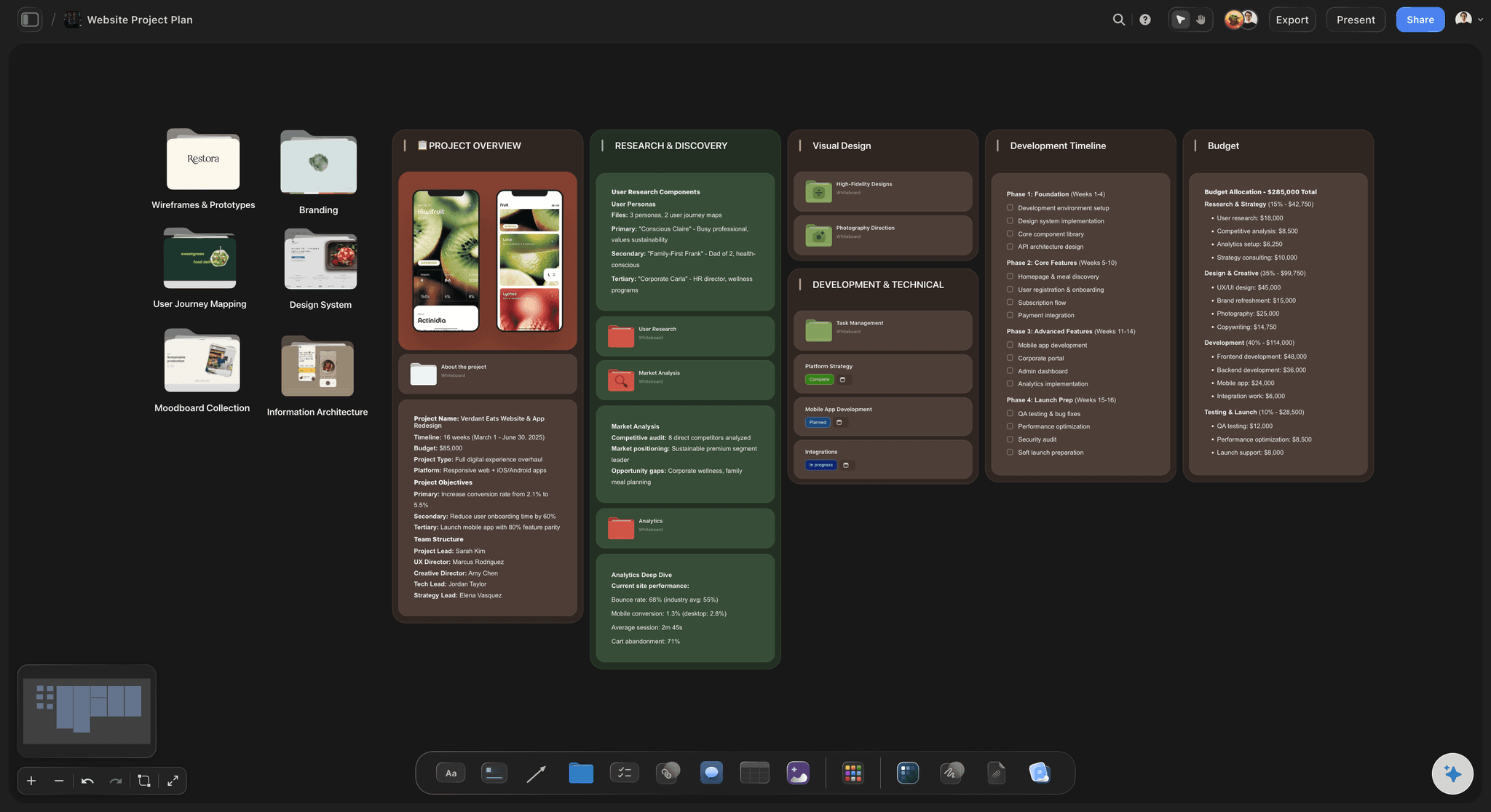
Give design feedback people can actually follow.
"Make the logo bigger" means nothing without a picture. Circle the element, draw the change, and pin a note explaining why, so every comment points at the exact pixels it is about.
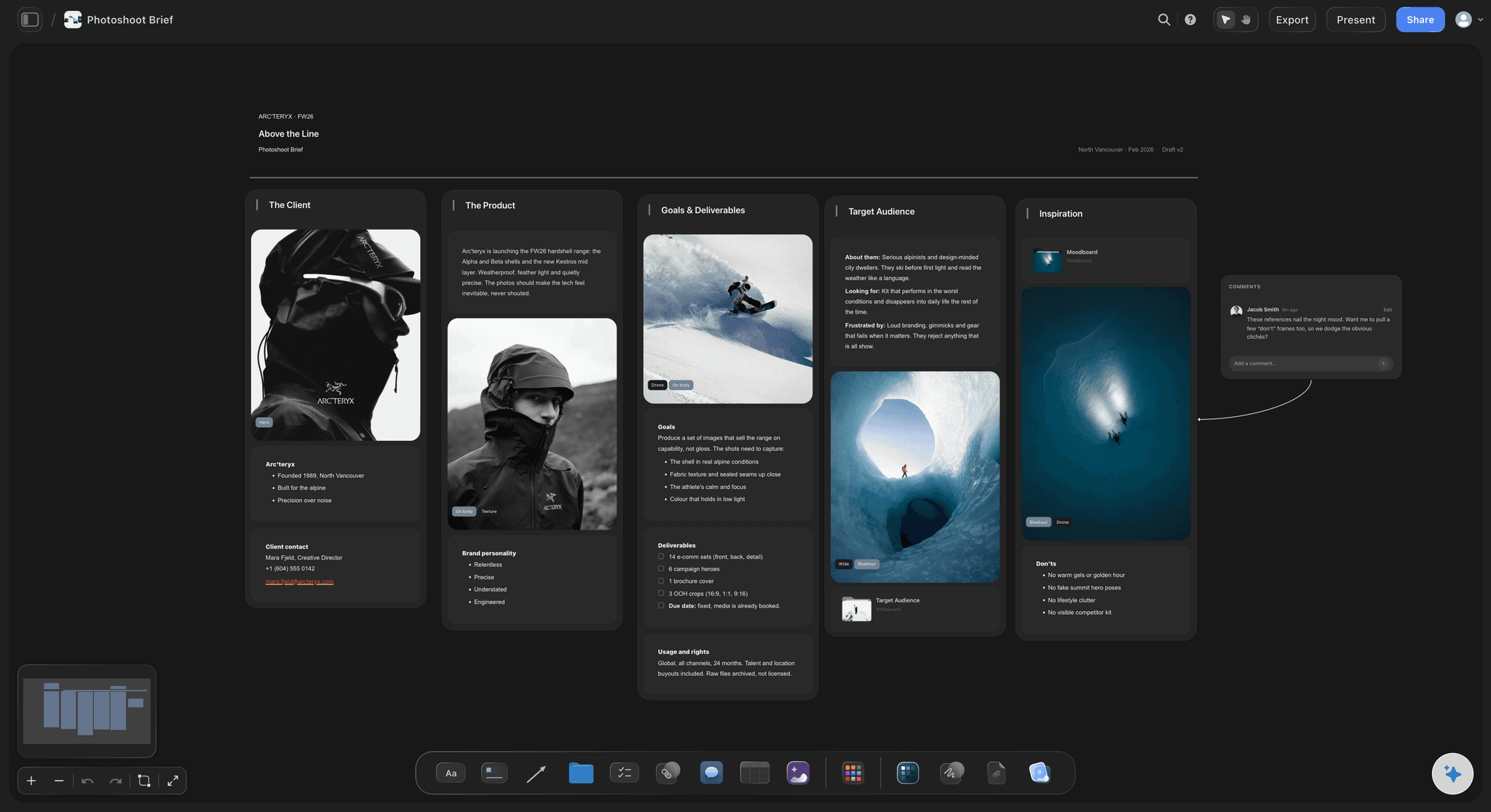
Direct shoots with marked-up references.
Annotate the references in your photoshoot brief: draw the crop you want, arrow the light source, note what to avoid. The photographer gets direction on the image itself instead of a paragraph describing it.

Sketch camera moves and blocking over frames.
Storyboards come alive when you can draw on them. Arrow a pan across a frame, trace an actor's path, or mark the focal point, and the whole crew reads the shot the same way.

Run visual reviews in one shared place.
Put every asset under review on one board, annotate each one, and let comments collect where the work is. One view-only link replaces the thread of attachments, and nothing gets lost between versions.
Markup, captions, and comments on one canvas.
Storyflow lets you annotate JPG, PNG, and WebP images directly on a visual canvas. Draw over a photo with the freehand pen, add captions under it, pin comments to the discussion, and surround it with sticky notes that carry the context. Use it for design reviews, photo direction, bug reports, storyboard notes, or any moment where words alone will not land.
Annotate and share images online, free.
Marking up images happens entirely in the browser. Drop your images on a board, draw what needs saying, then share a view-only link or export the result as an image or PDF.
Annotations live where the project lives.
Because annotation happens on an infinite canvas, the marked-up image sits next to everything it relates to: briefs, moodboards, tables, and kanban boards. Fix the image itself while you are there with one-click Crop, Remove BG, and Upscale, and the review board becomes the working board.
What creators are saying
Join early creators getting structured workspaces and AI that remembers their projects
“Storyflow has sped up my workflow by at least 3x, which means more flow state and more projects I can actually ship. It truly changed the way me and my team create.”

Reilin Joey
Director & YouTuber
“One prompt gets me a structured board. But the tactics are my favorite. I run my YouTube scripts through them and my intros and retention got better. It's amazing.”

Justkay
YouTuber & Freelance Filmmaker
“I used to juggle five apps to plan a project. Now I describe what I am making and get boards, lists, and a schedule. All in one place.”

George
@fernwehchronicles
Frequently asked questions.
Pens, comments, exports, and who can see what.
Upload the image to a board, then draw over it with the freehand pen tool, add captions, and place comments and sticky notes around it. Everything stays anchored to the canvas, so your markup and the image travel together.
Not yet. Storyflow is paid-only during early access, with plans from $7.99 a month billed annually ($9.99 monthly). A free plan launches before the end of 2026, and anyone a paid member invites to a board joins free. The pen, captions, comments, and sticky notes are all part of every paid plan, alongside unlimited boards for your reviews and unlimited file uploads for the images being marked up.
They can. Send the board's view-only link and your annotated images open in any browser exactly as you arranged them; viewers do not need a Storyflow account.
You can draw freehand over any image with the pen, write captions, pin comments for discussion, add sticky notes and tables around the image, and connect related items with lines to show how feedback fits together.
Yes. The infinite canvas holds an entire review in one place, so you can lay out a full set of screenshots or photos, mark up each one, and keep every note in context.
Yes. You can export boards as images or PDFs to attach to tickets, decks, and emails, or simply keep sharing the live view-only link so feedback always points at the current version.
Put your feedback on the image itself.
Draw, circle, and comment right on the photo, then send one view-only link instead of a thread of attachments.